8 min read
SolidWorks PDM or a shared folder for design files
SolidWorks PDM or a shared folder: compare versions, model references, approvals, costs, and the point where manual storage costs more.
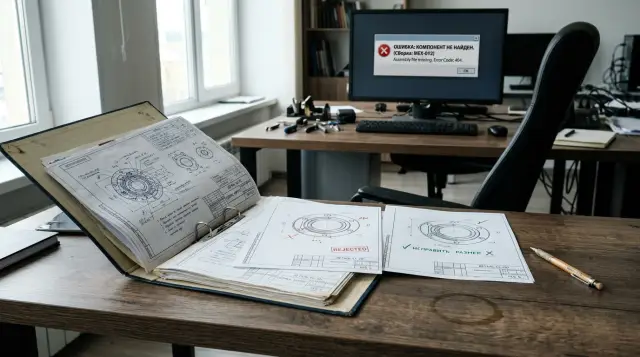
A shared network folder stops being an engineering archive long before the server runs out of space. It stores files, but it cannot reliably answer four working questions: who is changing the model, which version went to production, which assemblies depend on the part, and who approved the release. As long as one lead designer can keep the answers in memory, the folder looks cheap. Once memory becomes part of the production process, the company is already paying for the absence of PDM through searching, rework, and stoppages.
The choice between SolidWorks PDM and a shared folder cannot be reduced to headcount. Two designers who release variants of one machine at the same time and reuse assemblies may outgrow a folder before a team of eight in which everyone runs a separate, simple project. Team size affects risk, but the number of overlapping projects, assembly depth, change frequency, and the cost of a wrong revision matter more.
I would not buy PDM merely to tidy up directories. A convention can keep directories orderly. PDM is needed when the archive itself must preserve versions, references, permissions, and the approval route, even while an experienced employee is on leave or has left the company. The criteria below let you make that decision without trusting a vendor presentation.
Team size does not set the threshold by itself
The practical threshold does not appear with the fifth, tenth, or twentieth designer. It appears when several people start changing one dependency graph: assemblies refer to shared parts, drawings depend on models, bills of materials must match a specific project state, and approved files must not be replaced quietly.
Official SOLIDWORKS guidance positions PDM Standard for small and medium office networks, generally with fewer than 20 concurrent users. That is a guide for choosing an edition and infrastructure, not permission to store files manually until the nineteenth user arrives. The documentation never claims that a three-person team is protected from naming conflicts or wrong references.
To judge archive maturity, count working intersections rather than employees. Take the last five released products and note how many parts were reused, how often the assembly structure changed after initial approval, how many people opened the project for editing, and how many files had to be found by name or date. If one assembly belongs to several products, an error in it spreads beyond the project folder.
A shared folder usually lasts longer in custom engineering with isolated orders. It fails sooner with product platforms, standard assemblies, and many configurations. Replace the question "How many designers do we have?" with "How many other people's decisions does one change affect?" The second question reveals the actual data management load.
A shared folder stores files, not the design
A file system knows a path, name, size, and modification time. It does not know that a drawing belongs to a specific part, that an assembly must open the released version of a component, or that replacing a file under the same name changes several products. That knowledge lives in CAD references and in the team's working rules.
SolidWorks lets models refer to other files. An assembly stores references to parts and subassemblies, while a drawing refers to a model. If an employee renames or moves a file with ordinary File Explorer commands, the path may no longer match the saved reference. Search during opening can sometimes find a plausible file elsewhere, which is more dangerous than an obvious error: the project opens, but not necessarily with the approved component.
A manual archive is often defended with file naming rules such as Housing_final, Housing_final2, and Housing_really_release. Such a name mixes the document identifier, working state, and the author's opinion. Six months later, nobody can prove whether final2 followed final or belonged to a parallel branch. Modification time does not solve the problem either, because copying, restoring, and resaving alter timestamps.
PDM keeps files in a vault and records information about them in a database. The official help describes a separate archive server for physical files and an SQL database for metadata, users, actions, and references. Users still see a familiar vault view in File Explorer, but a data model that an SMB share lacks works behind it.
The difference is clearest in the Contains and Where Used commands. The first shows what makes up a selected assembly, while the second answers where a part is used. In a shared folder, the second question often means asking everyone to close their projects and giving the lead designer half a day to investigate. In PDM it is a normal query against registered references, provided the vault was populated correctly and the references were recognized.
File versions and product revisions mean different things
A version records another saved state of a file in the vault, while a revision marks an approved document level that the organization is prepared to use. Mixing these concepts produces either hundreds of formal revisions or releases with no verifiable history.
A designer may check a file into PDM several times during a working day. Each check-in creates a version in history when the file changed. Production does not need to see every intermediate attempt. A revision should advance when the document passes a defined process state, such as approval of a change. Official SOLIDWORKS PDM help explicitly allows revision numbering to be tied to workflow states.
A shared folder does not prevent a team from maintaining revisions. The letter can be recorded in properties, the filename, the title block, and an Excel register. The problem is atomicity: all four records must change together. If the drawing moves to revision B, the model remains at A, and the PDF is overwritten without a mark, the file system will not report the contradiction.
Before selecting PDM, the team needs a short policy. It should define a working version, who creates a revision, which files form a release package, whether an approved state may be edited, and how an urgent change is handled. Automating a vague rule makes confusion faster. A sound implementation first separates saving work from an official release, then enforces that distinction through states and permissions.
Another distinction is often lost: a backup is not version history. A backup returns the system to a point before a failure. History answers who changed a particular model between two releases and why. Keeping daily folder copies is useful, but finding the reason for a changed hole in them is awkward and often impossible without an author's comment.
A lost reference rarely looks like a disaster at first
A typical failure starts quietly. A designer copies last year's machine project into a new order directory. They replace several parts, rename the frame, and assume they now have an independent package. One subassembly still refers to a library unit in the old directory because it was not copied or its reference resolved to the former path.
A week later, another employee opens the old order and changes that unit for a service request. The new project silently receives the change during its next rebuild. The geometry can look plausible, so an on-screen review misses the error. The mismatch appears in the bill of materials, during purchasing, or on the assembly floor when the new variant requires different fasteners.
Trying to reconstruct events from a shared folder produces weak evidence. Modification time shows the last save, not intent. Windows auditing can help establish operations only if someone enabled it in advance, configured it correctly, and retained the logs. Project copies show different states, but they do not explain which dependency was selected at the time of release.
PDM does not make this scenario impossible. Incorrect tree copying or work with unregistered external references still creates risk. The difference is that the system shows the reference tree during get and check-in operations, preserves the parent's link to a child file version, and provides an operation history. Copy Tree exists specifically to copy a set of related files while controlling replacement names and paths.
This limit matters: PDM does not verify the engineering correctness of a model and does not replace design review. It makes the data set observable and restricts accidental actions. If the process allows anyone to release anything without review, the vault will preserve a poor decision neatly along with its history.
A shared folder is still acceptable under strict conditions
A shared folder remains reasonable when the work is genuinely simple, rather than merely appearing simple to management. The team needs isolated projects, one responsible editor for each package, rare part reuse, a short document life, and a low recovery cost. All of those conditions must hold at the same time.
A minimum policy for such an archive includes one root, immutable file identifiers, separate work and release areas, a ban on directly editing released packages, and a change log. Write access to the release directory should belong only to responsible staff. Backups must be tested by restoring data, not by reading a successful job message.
Even with these measures, the folder does not understand CAD references. Move and rename related files with SolidWorks tools that can update references, not ordinary File Explorer commands. Before release, the responsible person opens the top-level assembly on a clean workstation, checks for missing components, rebuilds the model, and creates the derived-file package from one fixed state.
A folder becomes a poor choice when the team adds more homemade mechanisms around it: a file occupancy sheet, revision register, permission list, project-copying script, separate where-used database, and an approval chat. Each tool may work on its own, but no transaction connects them. An employee can update a model and forget the register while the system accepts both states as normal.
A common recommendation says to create perfect order in the folders before considering PDM. The second half is wrong. Basic cleanup is necessary, but a perfect manual archive usually means months of work in the system you already plan to replace. It is enough to classify data, assign owners, remove critical duplicates, and define rules for the future vault.
Repeated losses reveal the migration threshold
The decision is ready when failures become systematic and return after reminders. One accidental deletion may justify a permissions change. Weekly questions such as "Who has the file?", "Which version is correct?", and "Where else is this part used?" mean the policy has exhausted its capacity.
Track observable symptoms for a month:
- two people regularly change one package or wait for a file to become available;
- copying a project creates duplicate standard parts and unclear references;
- staff assemble a release manually from several directories;
- an approver receives files by email or messenger and cannot see their state;
- a where-used search depends on the person who remembers old project structures.
If two symptoms appear, run an assessment and pilot. This is not a universal mathematical boundary but a management trigger: several independent types of loss already exist. If a wrong revision can halt production, cause a repeat purchase, or send a bad package to a contractor, waiting for a large team is especially expensive.
Headcount helps set urgency. PDM is often excessive for one designer who does not maintain a regulated archive or reuse complex assemblies. With two or three employees, a conflict is possible, but its frequency depends on project separation. In a team of five to ten with common libraries and parallel changes, manual coordination usually consumes a noticeable part of the day. This is not a statistical norm or a promise of payback; it is a practical range in which a pilot is rarely premature. Count concurrent editors separately from people who merely hold SolidWorks licenses. A manufacturing engineer, design checker, and manager may not change geometry, but they still participate in data cards, approval, and release. Next, place projects and shared assemblies in a simple matrix: projects become rows, assemblies become columns, and each intersection marks use. Several densely filled columns show that reuse already connects projects more strongly than the organization chart suggests. Those assemblies need managed where-used information because one file error affects several packages even when few people author models.
Do not count only lost files. Measure waiting, repeated modeling of an existing part, bill of materials checks, searches for the latest release, and investigations into the origin of a change. These small operations make up most of a folder's hidden cost because teams write them off as ordinary design work.
PDM adds locking, history, and state
The basic PDM cycle is simple: a user gets the required version into the local cache, checks a file out for editing, changes it, and checks it back in with a comment. The built-in lock tells everyone who has the file and on which computer. Other users can view the available version but should not overwrite the same object at the same time.
Official Check In dialog documentation displays the local and latest versions in a form such as 4/6: the workstation holds version four while the vault already holds version six. This small check has substantial value. In a folder, an outdated local copy looks like an ordinary file until someone compares it manually.
A workflow adds states such as "In work", "Under review", and "Approved". For each state, an administrator sets rights, including permission to check out a file or increment its revision. A transition may require user action, trigger a notification, or run another configured action. PDM Professional supports automatic and parallel transitions, while PDM Standard is limited to one workflow and ten states, so the team should choose an edition after describing the process.
Data cards place the part number, description, project, and other attributes in controlled fields. Searching those fields is more reliable than searching a filename if the team agrees on completion rules and configures required entries. PDM Professional also offers indexed content search, while Standard has integrated search without that function.
Do not automate everything at once. The first route may have three states and one approval point. If the team moves fifteen historical exceptions into the system, users will start bypassing the process before the pilot ends. Add branches only for real cases with an owner and a clear outcome.
Implementation costs more than licenses
A PDM budget includes licenses, server components, vault design, data cleanup, configuration, migration, training, support, and internal staff time. The most underestimated item sits inside the department: the lead designer and design checker must decide on cards, states, revisions, and access. An integrator cannot invent those rules accurately for a customer.
Build an annual cost model to compare the choices. For the folder, record hours spent searching and checking versions, rebuilding release packages, restoring deleted data, correcting bad releases, administering permissions, and running backups. For PDM, record one-time implementation, annual licensing and support, server resources, upgrades, and administrator time. Keep the monetary estimate for production downtime on a separate line so a rare major event does not disappear into an average.
Licensing varies by edition and role, so multiplying one price by the whole headcount without an assessment makes little sense. CAD editors, workflow participants, and viewing users follow different scenarios. PDM Standard uses SQL Server Express, while Professional requires full Microsoft SQL Server and adds features for more complex processes, browser access, and distributed sites. Verify the exact package against current supply terms, not an old estimate from another company.
Payback does not have to depend on eliminating jobs. More often, the system returns engineering time and reduces the chance of an expensive mistake. If the calculation only works after an imaginary promise that designers will work twice as fast, it is a bad calculation. Use actual requests from the previous quarter and estimate only the operations that PDM changes.
Failure to adopt also carries a cost. During the first weeks, getting and checking in files feels slower than familiar copying. If managers continue accepting drawings through messenger apps, employees quickly learn that the official route is optional. The budget needs a process owner, launch support, and time to adjust configuration after the pilot.
Inventory reveals the scale before a purchase
Before a vendor demonstration, create a map of the existing archive. It shows volume, extensions, long paths, identical names, and exact duplicates. Such a report does not expose every CAD reference, but it quickly separates a managed archive from a dump of copies.
On a Windows file server, an administrator can export an initial inventory with a PowerShell command. Run it against a copy first, or use a read-only account:
Get-ChildItem \\server\cad -File -Recurse |
  Select-Object FullName, Extension, Length, LastWriteTime |
  Export-Csv .\cad-inventory.csv -NoTypeInformation -Encoding UTF8
The cad-inventory.csv file will contain one row per file with FullName, Extension, Length, and LastWriteTime fields. Next, find repeated names separately. An identical name does not prove that two files are duplicates, but it points to the places where identifiers and references need review before migration.
Import-Csv .\cad-inventory.csv |
  Group-Object { [IO.Path]::GetFileName($_.FullName) } |
  Where-Object Count -gt 1 |
  Select-Object Count, Name
Do not begin by hashing every file on a production server in the middle of the day, because reading a large archive creates unnecessary load. Hashes are useful on a copy for finding exact duplicates, but two files with identical content can play different roles in a process. The documentation owner, not a script, decides whether to merge them.
Add a sample CAD reference check with SolidWorks tools and a project owner list to the inventory. Mark active, reference, released, and unknown data. Do not delete unknown content automatically or move it into the main work area. Give it a read-only quarantine and a review deadline.
Migration must preserve the release boundary
Move data in waves instead of copying the entire server into the vault over a weekend. The first wave should prove the full cycle on one typical project rather than maximize volume: add, edit, approve, release, check where used, and restore a previous version.
- Fix the pilot scope: one product group, actual users, and a named owner.
- Approve the identifier scheme, data card, three or four states, and revision rules.
- Clean critical duplicates, repair missing references, and separate the released package from working copies.
- Load the project, then test the reference tree, permissions, search, and retrieval on a clean computer.
- Run a controlled release, collect findings, and schedule the next wave only after corrections.
At cutover, set a time after which the old folder becomes read-only. Dual writing almost guarantees divergence: some people change files in PDM, others keep using the old path, and a month later nobody knows which branch is authoritative. Every exception needs an expiry date and an owner.
Do not import history that does not truly exist. If folders contain final1 and final2 with no dependable register, nobody can retrospectively declare them consecutive versions. Keep the source copies in an archive area and create a verified current state in PDM with a note about its origin. Honest incomplete history is better than invented precision.
Pilot acceptance needs testable scenarios. A new designer should find a part by its identifier, determine where it is used, get the approved version, and understand who may change the file. An administrator should restore a selected version and display the transition log. A design checker should reject a package with a comment without sending copies outside the system.
PDM backup requires a consistent set
PDM does not eliminate backups or turn a server into an invulnerable safe. A vault includes at least the file archive, database, and archive server settings. Back them up as a consistent set, document the procedure, and restore it periodically in a test environment.
Official help warns separately that backing up archive server settings creates backup.dat but does not copy vault archives or databases. Administrators regularly miss this detail: they see a fresh settings file and consider the job complete. After a failure, they have configuration without engineering data.
Physical versions reside in the archive, while the database connects them to names, metadata, users, and operations. A copy of only one component may be logically incomplete. Build the plan against the documentation for the deployed SOLIDWORKS PDM and SQL Server versions, as well as the company's required recovery time and acceptable data loss.
Architecture varies with scale. The archive server, database server, license manager, and SQL can share one machine in a standalone installation or reside on separate systems. PDM Professional supports archive replication for remote sites, but the central database and network still affect operation. Do not confuse replication with backup: replication distributes available data and may also distribute an erroneous change.
As a system integrator, GSE.kz can connect the choice of workstations, server infrastructure, software, and support to the department's actual design without tying it to one hardware manufacturer. The owner of the engineering process still belongs inside your organization, because only that person can approve what a release means and who is responsible for a change.
Make the decision after a pilot on a live project and a test restore, not after an attractive search demonstration. If the folder still meets the stated conditions, formalize the policy and measure losses. If references, versions, and approvals already depend on human memory, postponement does not defer PDM spending; it defers the moment when hidden debt reaches production.
Frequently asked questions
How many designers are needed before SolidWorks PDM makes sense?
There is no fixed number. A pilot can be justified with two or three designers if they change shared assemblies at the same time, while a larger team with isolated projects may stay with folders longer. Look at editing conflicts, reuse, and the cost of a wrong revision.
Can a team work safely with SolidWorks files in a shared folder?
Yes, if projects are isolated, one person edits each package, released data is write-protected, and references are changed with SolidWorks tools. Without those conditions, a folder stores files but cannot guarantee assembly integrity or release history.
How is PDM different from an ordinary backup?
A backup restores data after a failure. PDM records versions, references, users, rights, and the approval state of a specific file. You need both, because PDM history does not replace an independent backup.
What happens if two designers open the same part?
In a shared folder, both may save changes and the last save usually overwrites the earlier one. PDM grants edit rights through check-out, shows who owns the lock, and stores a new version on check-in.
Does SolidWorks PDM preserve links between parts and assemblies?
PDM registers CAD references and shows structure and where-used information through Contains and Where Used. The source references still need to be correct, because the system cannot infer the intended meaning of a missing or misdirected dependency.
Does PDM require a dedicated server?
It does not always require a separate physical server: server components and SQL can share one machine in a standalone installation. Choose the configuration by concurrent user count, archive volume, backup design, remote sites, and recovery requirements.
Should we choose PDM Standard or PDM Professional?
Standard suits a relatively simple process in a small or medium network and has workflow and feature limits. Professional is appropriate for multiple routes, parallel approvals, browser access, more automation, or distributed sites. Describe the process first, then compare editions.
How long does a SolidWorks PDM implementation take?
The schedule depends on more than file volume: rule readiness, reference quality, document types, and availability of internal specialists all matter. Start with one product group and a full pilot cycle; the plan for the whole archive becomes clearer after that wave.
Must every old project be migrated into PDM?
No. Active and reused data comes first, released packages can move in separate waves, and unknown files can remain in a read-only quarantine. Loading every obsolete copy harms search quality and trust in the new system.
How can management see the return on PDM?
Count actual hours spent searching, waiting, assembling releases, remodeling existing parts, and investigating versions, then add the cost of known errors. Compare that with licenses, implementation, infrastructure, and support without promising an unrealistic leap in design speed.
