8 min read
How to update server firmware without downtime
A planned server firmware update without downtime: check compatibility, order nodes, prepare rollback, and verify that the service is healthy.
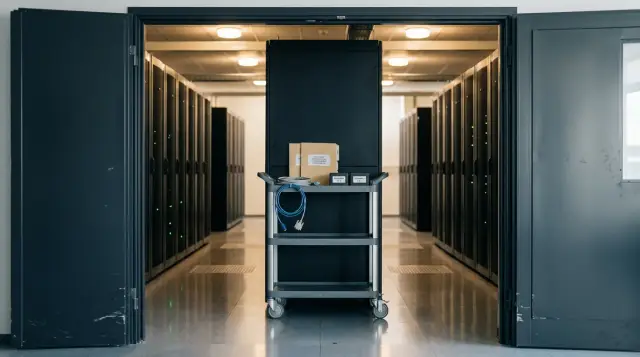
You can update firmware without stopping a service, but only if the service can tolerate the loss of one node. Firmware almost always requires a restart of an individual component or the entire server. Continuity comes from spare capacity, correctly removing a node from load balancing, working replication, and a disciplined return process, not from the update tool.
I consider a promise to update an entire fleet without impact dangerous until the team has a numerical unavailability budget and a tested way to remove one node from every failure domain. A good plan does not hide reboots. It turns them into a sequence of controlled failures that the service already knows how to tolerate.
There is no zero-downtime update without resilience
You cannot reboot a single server without stopping the process hosted on it unless that process runs somewhere else. Virtualization, containers, and a cluster name do not change this by themselves. You need a second healthy application instance, access to the same data, and a traffic path that actually switches over.
Before choosing firmware, record the permitted capacity loss. In a two-node N+1 design, the second node must take the full production load, backups, background jobs, and traffic spikes. Capacity is not the only concern for a quorum cluster. A majority of votes must remain after removing a node, and data replicas must not enter a state with no remaining safety margin.
Microsoft describes Cluster-Aware Updating as coordination, not magic: roles move away, a node is updated, and the node rejoins the cluster. Service continuity applies to workloads that already support Live Migration or SMB Transparent Failover. If a role cannot move, automation can arrange the outage neatly, but it cannot remove it.
A readiness check must answer four questions:
- can the rest of the cluster carry peak load;
- will quorum remain if one more node fails at the same time;
- where will local jobs, sessions, and storage connections go;
- can the load balancer exclude the node and wait for active requests to finish.
If any answer rests on an assumption, run a drill with an ordinary reboot before applying an update. It costs less than a firmware change and separates a service architecture defect from a defect in the new microcode.
A fleet map matters more than a version list
The plan starts with an exact model of the hardware and its dependencies, not with a folder containing the latest packages. Two servers with the same model name can have different motherboard revisions, network adapters, RAID controllers, drives, processor steppings, and current version paths. Those differences determine whether a package applies and which upgrade path works.
For each node, record the model, serial identifier, hardware revision, and versions of BIOS or UEFI, BMC, CPLD, RAID or HBA, network cards, drives, and power supplies. Add the hypervisor or operating system version, drivers, management agent, and the settings for Secure Boot, TPM, boot, and storage. A snapshot of the BIOS configuration is also required because an update can change a default or reset a setting that previously went unnoticed.
Redfish provides a common way to collect part of this inventory. In the DMTF standard, the firmware collection resides at UpdateService/FirmwareInventory, although a particular server can expose additional properties. This request does not update the node:
curl -sk -u "$RF_USER:$RF_PASS" \
  "https://$BMC/redfish/v1/UpdateService/FirmwareInventory" \
  | jq -r '.Members[]."@odata.id"'
A typical result contains component links rather than a ready-made version table:
/redfish/v1/UpdateService/FirmwareInventory/BIOS
/redfish/v1/UpdateService/FirmwareInventory/BMC
/redfish/v1/UpdateService/FirmwareInventory/NIC.Slot.1
Request each link separately and save the Id, Name, Version, Updateable, and state fields. Do not treat an empty response as proof of compliance. It may mean that the controller does not publish the component through Redfish, the account lacks permission, or the inventory is stale.
Group nodes by identical hardware configuration and starting versions. One plan row per model is too broad. A batch of ten otherwise identical servers with a different network card revision deserves its own group, canary node, and approval decision.
Compatibility must cover the whole stack
The target firmware must belong to a validated combination of BIOS, BMC, controllers, drivers, and operating system. The rule of installing the newest release on every component is popular because it looks simple and closes vulnerability references. It is wrong for a production fleet: independently newest releases may never have been tested together, and the installed hypervisor may not have the required driver.
Read the release notes, compatibility matrix, fixed-issue list, known limitations, and intermediate-version requirements, not just the download page. Lenovo calls a coordinated ThinkAgile set a Best Recipe and states that its firmware, drivers, and software are tested together as a stack. HPE Smart Update Manager checks dependencies before starting. This is a sound practice, but your inventory must still confirm that the set applies to your boards, adapters, and operating system release.
The manufacturer defines component order for a specific platform. Do not copy a sequence from the neighboring model. One Supermicro support page, for example, specifies a strict BMC, CPLD, then BIOS sequence. Another product family may let a bundle control the order. If the documentation requires an intermediate BMC or a storage driver before the target firmware, put it in the plan as a separate step with separate checks.
Pay particular attention to four pairings: BIOS and processor microcode, BMC and CPLD, network card firmware and its driver, and RAID or HBA firmware and its storage driver. A mistake in either of the first two can remove remote management or prevent boot. A mistake in the last two often appears later under load as an interface reset, higher latency, or a missing drive.
Verify package authenticity before the maintenance window. Check the checksum and digital signature by the method specified by the manufacturer, then retain the original file and its metadata in a controlled repository. A package from an old shared folder with unclear provenance is not the same package that passed testing.
Failure domains determine node order
Update one node from one failure domain at a time, and do not start the next until the previous node has returned to normal operation. A failure domain can be a rack, chassis, availability zone, power group, storage cluster, or the replica set of one database. Ordering by asset number is convenient for a technician but says nothing about service risk.
Choose a canary node with a normal configuration and a small but real workload. Next, update a small portion of one homogeneous group. After an observation period, continue in waves while alternating racks and roles. Leave until last any nodes that currently provide quorum, cluster management, or the sole copy of an uncommon function.
Never put paired network devices, both array controllers, two database replicas, or two nodes from one chassis in the same wave when a chassis failure consumes the same reserve. The formal rule of one server at a time is not enough: that server may carry the last quorum vote or own the only non-migratable virtual machine.
A Kubernetes PodDisruptionBudget limits voluntary replica removals, while kubectl drain uses the Eviction API and retries rejected requests. Kubernetes documentation separately warns that a budget does not protect against every failure and that zero permitted disruption can block a drain. That block is correct behavior, not a reason to use a forced mode or delete pods directly. Fix the replica count, selectors, local data, or destination-node availability first.
For Windows Failover Cluster, verify role movement and CSV state before updating. For a hypervisor, make sure live migration succeeds in both directions and placement rules do not return work to the node too early. For a database, check replica role, log apply lag, and the ability to fail over automatically. Every platform has its own command for draining, but the meaning is the same: the node must stop taking new work, hand off current work, and only then disappear.
The canary node completes the full cycle first
A canary node tests the entire update route, including its return to the pool and its behavior under load. A laboratory server is useful for checking package applicability, but it rarely reproduces production routing tables, SAN connections, scheduler policies, and hardware initialization time.
The full cycle works like this:
- Record baseline metrics and a synthetic test, prevent new placement on the node, move the workload through the supported process, and confirm that no active sessions remain.
- Check the BMC console, backup access path, power control, hardware event log, and a current configuration copy. Transfer the package only after these checks pass.
- Apply components in the documented order. Record the job identifier, start time, every BMC restart, and the actual moment when contact with the host is lost.
- After boot, compare versions and settings with the target state, then check devices, network paths, storage, time synchronization, and hardware errors.
- Return a small share of load, hold the observation period, and then remove the restriction. Do not start the next node until every deviation is closed.
Redfish UpdateService.SimpleUpdate normally accepts a network location for an image and returns 202 Accepted with the task-monitor location. DMTF explicitly describes this asynchronous model. A 202 response means that the request was accepted, not that the firmware was installed. Automation must poll the task to a terminal state, read FirmwareInventory again, and verify the bank that actually booted.
The UEFI Specification describes a capsule update that can persist until restart and be processed during the next boot. Therefore, package staged and new version active are different states. The change log needs at least the staged, applied, rebooted, verified, and returned_to_service stages.
Test the management path separately before this exercise. The BMC must be reachable from the administration network, the remote console must open, and a managed outlet or power controller must not depend on the operating system of the host being updated. The firmware account should have only the necessary privileges, but missing permission must be found now, not after the workload has drained. Synchronize the clocks on the BMC, host, and log system because a shared time base is necessary to reconstruct the event order after a failure.
Transfer the image to the canary node using the same method that automation will use. Do not change the protocol, repository, file name, or access rights between the test and the fleet wave. If the controller pulls the image, test name resolution, certificate validation, routing, and the lifetime of temporary credentials. If a client pushes the file, set a timeout and make sure a retry does not create a second parallel job. DMTF permits both a pull through SimpleUpdate and a multipart push, but the implementation decides which method it supports.
Save logs before clearing old warnings. A new post-reboot event matters only when compared with the baseline: an old failed sensor does not prove a firmware defect, and the disappearance of a previous warning does not prove a repair. Mark the events that the manufacturer considers normal during an update, such as a BMC restart or temporarily unavailable sensors. Every other new error blocks approval until the platform owner explains its source.
The canary node must complete at least one normal load cycle capable of exposing a fault. For a web node, that means real requests and background jobs. For a virtualization host, it means moving a test VM in both directions. For storage, it means read, write, path checks, and restored replication. An empty ping proves that only a small part of the network stack works.
The maintenance window ends after observation
Calculate the window from the worst-case full cycle of one node, the number of sequential waves, rollback time, and a reserve for manual recovery. An estimate based on file transfer speed is almost always too low. Memory initialization, link training, RAID checks, hypervisor boot, data resynchronization, and application warm-up may take longer.
Divide the time into preparation, workload drain, application, reboot, technical verification, traffic return, and observation. Set a maximum duration for every stage. If the BMC predicted ten minutes and the job still has not completed after twenty, the operator must know whether the manufacturer's notes call for more waiting or whether to declare failure. Cutting power without guidance while flash memory is being written can turn a delay into a failed board.
Do not try to update the planned number of servers at any cost. The window limits time at risk, not a production quota. If the canary took twice as long as estimated, reduce the wave. If the observation period does not fit before the end of the window, do not start another node.
Assign roles, not just names, in the plan: the change lead decides whether to continue, the operator runs commands, the service owner watches user-facing measures, and network and storage specialists remain available for diagnosis. One person should not watch the BMC console while also deciding whether a rise in API errors is acceptable.
Freeze unrelated changes several hours before the start. A new application release, a routing change, and network card firmware in one interval make it hard to identify the cause quickly. Allow an exception only for a tested dependency, such as a driver required by the target firmware.
Prepare rollback before transferring the first package
Firmware rollback is not the same as reverting an application to its previous release. A component may retain a previous bank and switch back, allow an older image to be loaded, or prohibit downgrade. A configuration or data-format change can also survive a return to the older version.
Dell Lifecycle Controller, for example, only presents rollback for supported components. The iDRAC 8 guide lists BIOS, NIC, RAID, power supplies, and several other devices, but rollback is unavailable for Diagnostics, Driver Packs, and CPLD. Another Dell guide states that several updates can overwrite the factory image. This demonstrates why a Rollback button in an interface does not replace a tested procedure for the exact revision.
Prepare the following before the work:
- an approved old package and the exact permitted downgrade path;
- exported BIOS, BMC, RAID, and network-adapter configurations;
- access to a remote console, controlled power, and an on-site technician;
- boot or service media in case the BMC stops accepting an image;
- a criterion that triggers rollback instead of more diagnosis.
Stop conditions must be measurable. Examples include a node that fails to pass POST within the set time, loss of a storage path, an active-bank version that differs from the plan, new hardware errors, a replica that does not catch up within its allowance, or a service error rate above the agreed threshold. Saying that you will act if something goes wrong is useless during a night shift.
The recovery plan depends on the failed component. If the new BIOS boots but changes a setting, restore the configuration first. If the host does not boot, try the backup bank and the supported recovery mechanism. If the BMC is unreachable, do not repeat commands blindly: check controller power, the network path, and the documented restart time. If network-card firmware breaks connectivity, use a separate management interface or a physical console.
After rollback, the node goes through the complete acceptance cycle again. The old version number alone does not prove that RAID retained its mode, Secure Boot is enabled, or both network ports came up. An incomplete rollback removes the node from later waves and starts a cause analysis.
Check the service from outside and inside
A successful server boot does not prove that the service avoided impact. Verification must connect three layers: node hardware state, cluster state, and the result of a user operation. A green BMC console while HTTP 500 responses rise means the success criterion was wrong.
Before the window, retain baseline values for a comparable interval: error rate, high-percentile latency, successful transaction count, queue length, CPU and memory saturation, replication lag, network-interface errors, and storage-path errors. Do not compare a night window directly with the daytime peak. Compare it with the normal level for that time and with a predetermined boundary.
A synthetic test must perform a complete operation through the same public or internal path used by a client. For a store, that could be reading the catalog and placing a test order without a charge. For a medical system, it could be opening an approved test record and saving a change. For a file service, it is writing, reading, and deleting a test file. A home-page check will miss a broken database, queue, or authorization service.
On the node itself, compare before and after:
- device composition and active firmware versions;
- array, disk, multipath, and file-system state;
- speed and errors on network ports, bonding, or teaming;
- hardware logs, sensors, fans, and power supplies;
- boot, virtualization, Secure Boot, and time settings.
After returning traffic, watch connection redistribution. A load balancer may call the node healthy after one fast response while its cache is empty, connection pools are still forming, and a background migration has consumed I/O. Increase the weight gradually when the platform supports it, and do not clear warnings before recording them in the maintenance log.
The service avoided impact when user-facing measures remained within agreed boundaries throughout drain, update, and observation. An empty incident log proves nothing if the team did not watch errors, latency, and completed operations.
Automation must know how to stop
Automate inventory collection, eligibility checks, node drain, job start, status polling, and acceptance tests. Keep wave continuation as an explicit decision until the process has a stable history for every hardware group. The most dangerous update program is not one that crashes, but one that repeats the wrong action across the entire fleet.
Every node needs a log containing source and target versions, package hash, job identifier, stage times, test results, and the name of the decision maker. For Redfish, retain the terminal Task Monitor state and the repeated FirmwareInventory. For the orchestrator, retain the drain reason, list of evicted workloads, and time of uncordon or its equivalent.
Before a fleet wave, run the same pipeline in check mode. It should collect inventory, calculate available capacity, display the future order, and stop before draining a workload. This run exposes expired BMC credentials, an unreachable repository, an incorrect hardware group, or a node that the orchestrator considers free only on paper. Save the action list with the plan so the operator can see expected transitions before executing them.
Store campaign state separately from firmware-job state. A job can finish successfully while the node fails acceptance because a network path disappeared. Use clear states such as planned, drained, updating, verifying, observing, accepted, rolled_back, and blocked. A transition should follow a measured check, not a timer. After a process restart, it must read saved state, compare it with reality, and propose a safe continuation. It must not transfer the image again merely because it lost local memory.
Skipping a node should not count as failure of the whole campaign. Automation should mark it ineligible when its model, revision, source version, cluster state, or free capacity fails policy. That node goes to review, while the homogeneous group may continue after the change lead decides.
Do not move automatically to the next node immediately after a Completed status. Put a gate between them: target versions are active, settings match, there are no hardware errors, the cluster has restored its reserve, synthetic tests pass, and metrics survived the observation period. An unknown answer must block the wave just as a failed answer does.
When designing server infrastructure, GSE can connect S200 server supply, system integration, and round-the-clock technical support to one lifecycle procedure. Approval for a specific firmware must still rest on an exact fleet configuration, manufacturer documentation, and a canary-node test.
The campaign report must answer more than how many nodes were updated. Show component versions, the duration of each stage, rollback and blocked-node counts, exception reasons, and the chart of user-facing measures during the work. Attach job identifiers and package checksums. This report lets the next shift repeat a successful route instead of researching every window again. If actual time differed materially from the plan, correct the estimate before the next group even when no errors occurred.
Keep the report with the approved plan and initial inventory so a later review can reconstruct every decision.
Close the campaign only after inventorying the entire fleet again. This finds nodes where the package was merely staged, another bank became active, or a component remained on the old release. The update is complete when the service stayed within its boundaries, every node returned to the required state, and each exception has an owner and a due date.
Frequently asked questions
Can I update a server BIOS without rebooting?
A new BIOS or UEFI version usually becomes active only after a reboot. You may be able to stage the package in advance, but that does not mean the server is already running the new version.
Which node should I update first in a server cluster?
Start with a normally configured node that carries a small real workload and does not hold quorum by itself. Its full cycle must represent the later wave, or a successful test says very little.
In what order should I update BMC, CPLD, and BIOS?
Use the order documented for the exact model and source version. There is no universal sequence: the manufacturer may require BMC before CPLD and BIOS, or may package dependencies into a coordinated bundle.
How do I check firmware compatibility with a hypervisor?
Match the target firmware and device driver against the compatibility matrix for the installed hypervisor version. Then test that combination on the canary node, including VM migration, networking, and storage paths.
Is the BMC rollback function enough for a safe recovery?
No. Rollback may not support every component, and an earlier bank can be overwritten. Verify the permitted downgrade path and prepare another way to restore access before starting.
How can I tell whether the update affected the service?
Watch a complete user operation, error rate, latency, and replication state throughout the window. Ping and a successful node boot test far too little of the system.
How many servers can I update at the same time?
No more than the capacity reserve and every failure domain can tolerate. For many clusters, one node is a safe initial value, but quorum and replica placement calculations must still confirm it.
What should I do if kubectl drain never finishes?
Do not bypass the protection automatically. Check the PodDisruptionBudget, ready replica count, local data, and destination-node availability; the block often correctly shows that the service cannot tolerate the drain.
Should I update every component to its latest version?
No. Choose a coordinated, supported set that fixes the required defects and works with the operating system and drivers. A set of individually newest versions may never have been tested together.
When can I start updating the next node?
Only after the previous node boots, shows the target active versions, rejoins the cluster, and completes its observation period under load. Treat an unclear state as a stop signal, not permission to continue.
