8 min read
How Secure Boot and third-party drivers coexist on PCs
Secure Boot and third-party drivers: trace common failures, read Windows logs, and choose a workaround without permanently disabling protection.
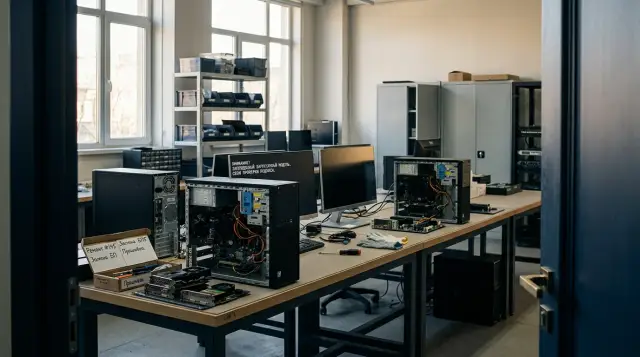
Secure Boot rarely breaks a working device by itself. Enabling it usually exposes something that an old configuration concealed for years: an unsigned UEFI module, an outdated bootloader, an incorrectly signed kernel driver, or a system that still starts through BIOS compatibility mode.
That leads to a practical rule: do not disable Secure Boot at the first black screen or Code 52 error. First identify the stage at which startup stopped. Otherwise, you can spend weeks replacing a Windows driver when firmware is blocking an expansion card, or editing UEFI keys when memory integrity is the actual cause.
Secure Boot does not check every driver
Secure Boot checks code before control passes to the operating system. UEFI firmware compares the signatures of EFI applications, the OS bootloader, and UEFI drivers, including Option ROM on some expansion cards, against the allowed db database and the dbx revocation list. An image runs if the chain of trust permits it and a prohibition does not take priority.
Other controls take over after Windows starts. Trusted Boot checks the kernel and startup-critical components, Code Integrity enforces signatures for kernel-mode drivers, and HVCI, which the Windows interface calls memory integrity, adds requirements for how a driver handles executable memory. Microsoft's description of the protected startup process separates these stages explicitly: Secure Boot protection ends after the kernel loads, then Trusted Boot and ELAM continue the work.
Support tickets blur this boundary all the time. The statement "Secure Boot rejects the driver" can describe four different cases:
- UEFI refuses to run the Option ROM of a network card, graphics card, or storage controller;
- Windows Boot Manager or a third-party bootloader no longer passes verification;
- Windows starts, but Code Integrity rejects a
.sysfile; - the driver is signed but incompatible with HVCI or included in the vulnerable driver blocklist.
A signature does not grant permanent permission either. The dbx database exists specifically to revoke images that were trusted before. An old bootloader can therefore stop running after a revocation list update even though the file has not changed and still carries a signature.
The failure stage tells you where the device vanished
If the screen remains black before the Windows logo, network boot disappears, or UEFI cannot see an array on a controller, investigate firmware and Option ROM. Microsoft's UEFI Option ROM validation guidance describes the sequence literally: firmware discovers a device on the bus, locates its ROM, maps it into memory, and attempts to load the UEFI driver. It must stop an unsigned image, or one listed in dbx, before Windows starts.
If Windows displays its logo but enters recovery, check the bootloader, BCD, disk encryption, and boot-critical drivers. This often happens when someone switches from Legacy/CSM to UEFI and enables Secure Boot at the same time. Two conditions change at once. A disk partitioned with MBR and booting through the old BIOS does not become UEFI-compatible because someone selected the Secure Boot checkbox.
If the system reaches the desktop but a scanner, data acquisition card, USB license key, or virtual network adapter does not work, protected startup has probably completed successfully. Look for a Code Integrity event, the device status, and the driver package. Code 52 in Device Manager means Windows cannot verify the digital signature of the required driver. That check happens at a different layer.
Another common case looks like this: the hardware works, but the Memory integrity switch will not turn on, or old software stops working after it is enabled. Microsoft warns that a signed driver can remain incompatible with HVCI if it uses memory that is writable and executable at once, modifies executable code, or creates code dynamically in the kernel. Disabling Secure Boot addresses the wrong cause here.
Code closest to startup fails most often
On a normal office PC, a mouse or printer rarely fails because of Secure Boot itself. Components that must operate before sign-in or insert themselves into the kernel carry more risk: RAID and HBA controllers, old network cards with PXE, graphics adapters with outdated GOP firmware, preboot authentication tools, encryption agents, antivirus filters, USB license-key drivers, and input interception software.
Old business software is not dangerous merely because of its age. The problem is its dependency on a driver that the supplier no longer rebuilds or signs under current rules. An accounting application can look like an ordinary window while installing a file-system filter or license-key driver for copy protection. Removing only the user-facing program can leave its package in Driver Store and its driver service in the registry.
A separate class of conflicts appears after firmware or Secure Boot database updates. A card worked while the platform trusted an old certificate or hash. Once dbx receives a matching entry, the platform blocks its Option ROM. Rolling back the revocation list may return the device quickly, but it also restores the vulnerable code that prompted the revocation.
In 2026, an estate needs one more check. Microsoft says Secure Boot certificates issued in 2011 begin expiring in June 2026 and is moving supported devices to 2023 certificates. Expiration does not have to stop Windows immediately, but a computer with an old trust configuration can lose access to new bootloader protections and dbx updates. Microsoft specifically advises administrators not to disable Secure Boot as a workaround for this transition, but to update Windows and the manufacturer's firmware when required.
Diagnosis starts with a state capture, not UEFI settings
Before rebooting, record the PC and expansion-card model, UEFI version, boot mode, BitLocker state, problem driver version, and exact failure time. Capture the same data from a working computer with the same hardware revision. Comparing two specific configurations tells you more than arguing over whether a product line "supports Secure Boot" in general.
On a running Windows system, open PowerShell as administrator and collect a minimal set of evidence:
Confirm-SecureBootUEFI
Get-Tpm
manage-bde -status C:
pnputil /enum-drivers
Get-WinEvent -LogName 'Microsoft-Windows-CodeIntegrity/Operational' -MaxEvents 50 |
  Select-Object TimeCreated, Id, LevelDisplayName, Message
Get-AuthenticodeSignature 'C:\Windows\System32\drivers\problem.sys' |
  Format-List Status, StatusMessage, SignerCertificate
The first command returns True or False on a compatible system. The error "Cmdlet not supported on this platform" usually indicates that Windows did not boot through UEFI or the platform does not expose the required interface. Do not treat it as proof of a broken driver signature.
pnputil /enum-drivers lists third-party packages and their published names, such as oem42.inf. It does not prove which file loaded, but it connects a binary driver to its package, supplier, and version. Get-AuthenticodeSignature is useful for an initial file check, but a Valid result still does not guarantee that UEFI trust, Code Integrity policy, and HVCI will permit the code in the required context.
Review C:\Windows\INF\setupapi.dev.log. Microsoft's driver-signing troubleshooting guidance explains that one ! marks a warning and !!! marks an installation failure. Search the block around the installation time and INF name instead of taking the first occurrence of error from a log accumulated over several years. For a load-time rejection, open "Applications and Services Logs > Microsoft > Windows > CodeIntegrity > Operational" and match the event to the full file path.
Those logs can remain clean if the failure occurs before Windows. Save a photo of the UEFI message, review the firmware's own log if it has one, and repeat the test after removing one suspected card. A clean Code Integrity log alongside a black screen before the logo points the investigation toward Option ROM, the bootloader, or the display path. It does not justify deleting random packages from Driver Store.
Change one variable at a time in a pilot group
You cannot test a corporate estate by enabling a policy on every PC late on a Friday. Select devices that represent actual combinations of system board, UEFI version, storage controller, graphics card, network boot, encryption, and old software. One new laptop from the IT department does not represent a checkout terminal, medical workstation, or engineering PC with a capture card.
The pilot sequence must preserve your ability to explain the outcome:
- Back up the data and verify that the BitLocker recovery key is stored outside the test PC and genuinely available to an authorized employee.
- Update Windows and approved firmware without changing Secure Boot mode yet. Reboot as many times as the package requires.
- Install current signed drivers and remove only confirmed obsolete packages. Test a cold start, sleep, network access, peripherals, and the recovery path.
- Enable UEFI without CSM if migration from Legacy mode has been prepared separately. Then enable Secure Boot in standard mode with factory keys.
- After successful restarts, resume BitLocker protection, export the logs, and widen the deployment ring gradually.
Microsoft recommends suspending BitLocker protection for third-party firmware, TPM, and software updates that alter boot components. Suspension keeps the data encrypted but temporarily removes the usual TPM check at startup. It is not the same as decrypting the disk. Set a limited reboot count, then confirm that protection resumed.
Do not test only a successful sign-in. Include a cold start without network access, startup with a dock attached, PXE where it is used, OS recovery, a driver update, and return from sleep. Many Option ROM images run only on a particular startup path, so ten routine restarts do not replace the required scenario.
A safe workaround keeps a boundary and an expiry date
The best workaround changes the incompatible component instead of weakening the trust policy. Ask the supplier for a new driver package, card firmware, or signed bootloader first, and verify the exact hardware ID and revision. A driver "for a similar model" may install and then break sleep, DMA, or recovery after an update.
If no new version exists, remove the dependency: replace the card, move the old application to an isolated system, retire a preboot module that duplicates Windows capabilities, or maintain a restricted pool of compatible PCs until the system is decommissioned. The cost of that pool must include a separate network, a ban on sensitive data, change control, and a deadline for ending the exception.
Custom Secure Boot keys suit organizations that genuinely operate their own boot chain. In Custom mode, an administrator can add the certificate for an internal bootloader or UEFI driver to db while preserving signature verification. This is not a button for "allow this one old file": the organization assumes responsibility for issuing, storing, and rotating keys, updating dbx, defining recovery, and protecting the private key. Microsoft's key-management guidance specifically warns that the private half of the Platform Key controls Secure Boot policy on every device provisioned with the corresponding public key.
Temporary disabling is acceptable only as a diagnostic experiment or a formally approved exception. Record the owner, reason, serial numbers, network segment, compensating controls, and automatic review date. If the device starts working after the change, you have localized the problem layer, but you have not proved that leaving protection off is safe.
Do not use bcdedit /set testsigning on as a corporate repair. Test mode is for development, requires weaker trust, and policy normally blocks it while Secure Boot is enabled. It does not turn an abandoned driver into a supported one, and it leaves an estate in a state that is hard to inventory consistently.
Full disabling removes verification before the kernel
With Secure Boot disabled, UEFI no longer provides the same trust check for EFI applications, Option ROM, and the bootloader. An attacker with administrative access, physical access, or the ability to modify the boot partition has more room to persist before Windows protection starts. Antivirus running inside the OS cannot reliably compensate for code that gained control before it.
Disabling also breaks the configuration promise. Inventory reports, security baselines, and procurement requirements may assume protected startup is enabled. If part of the estate quietly turns it off for an old driver, support staff see identical models with different behavior and auditors receive a false picture.
BitLocker does not necessarily decrypt a disk immediately after a Secure Boot change. A change in boot measurements can still trigger a recovery-key request because the TPM sees a different environment. This is why a verified key is mandatory before firmware changes. Selecting "suspend" without understanding its duration and confirming that protection resumes merely creates another exception.
There is an operational consequence too: future revocations of vulnerable bootloaders no longer protect a disabled computer. It can receive normal Windows updates and appear healthy while its early boot chain remains unchecked. The absence of a visible failure does not preserve the original protection level.
The compatibility matrix belongs in procurement
Test Secure Boot compatibility before accepting a shipment, not after deploying the image. Put UEFI mode, factory-key state, firmware version, db and dbx update support, BitLocker behavior, PXE, recovery, every expansion card, and mandatory software into the specification. Keep approved driver versions and the result of a cold-start test for each combination.
Ask the supplier to explain the support chain. Who releases an Option ROM update for a discontinued card? Can UEFI be updated without a manual visit? Will the firmware restore standard keys after a settings reset? What happens to custom keys when the system board is replaced? The statement "the hardware supports Windows" answers none of these questions.
For GSE computers, it makes sense to include UEFI and driver versions and Secure Boot mode in the acceptance matrix, using the manufacturer's control over the hardware lifecycle and its 24/7 technical support to investigate incompatible configurations. That is more useful than a general requirement that "Secure Boot must be present," because acceptance tests a specific image with specific cards.
The matrix must describe more than the device model. Record its hardware ID, board revision, and the source of every package. The same commercial name does not guarantee the same controller inside. A manufacturer can replace a chip midway through a model's lifecycle while keeping the enclosure and label, and Windows will select a different INF. If inventory records only the computer name, two outwardly identical shipments can diverge when one policy is enabled.
Keep the original driver package with its catalog, INF, and version number instead of retaining only the installed .sys file. A catalog signature can verify a set of files as one unit, so copying one binary from an old PC does not reproduce a valid installation. That manual transfer also destroys package provenance: six months later, nobody can say confidently who released it or which hardware it targets.
Separate three verification outcomes: the file has a signature, the signature chains to a trusted publisher, and current policy permits the image. The first result says the file has not changed since signing. The second depends on the certificate chain and trust store. The third accounts for dbx, Windows rules, the vulnerable driver blocklist, and HVCI mode. The word Valid in one window answers only part of the question.
A common failure shows why that precision matters. An organization enables Secure Boot on a pilot workstation with a storage controller. The first warm restart succeeds because UEFI follows the familiar path, but a cold start with an additional array attached ends with no boot disk. An engineer disables Secure Boot, the array returns, and the ticket is incorrectly closed as a "Windows incompatibility." In fact, attaching the additional array caused an old Option ROM absent from db to run. The Windows driver started later and had nothing to do with the rejection. The correct fix lies in controller firmware or replacement, not in reinstalling the .sys file.
The rollback plan must be as specific as the enablement plan. Record the previous CSM mode, boot order, standard and custom key state, UEFI version, package numbers, and allowed BitLocker reboot count. A screenshot of one settings page is not enough: a firmware reset can change SATA mode, network boot, and display selection at the same time. A rollback that restores Secure Boot but leaves the controller in another mode creates a new failure and confuses the timeline.
For remote offices, verify separately who will physically enter a recovery key and how support will confirm that person's identity. Do not send the key to a group chat or dictate it to anyone standing beside the computer. If a device cannot boot after an update, the recovery process must work without access to data on that device. Otherwise, a key that technically exists will not help during an actual outage.
Add the move to 2023 certificates to the same matrix as a separate state, not as a note saying "Windows is updated." The OS version, Secure Boot certificate state, and firmware version can differ. A pilot needs confirmation of the new trust state, no unexpected BitLocker prompts, and another Option ROM test. An old PC that continues to start normally has not yet proved it can accept the next early-boot protections.
Exceptions need inventory records too. A field that only says "Secure Boot disabled" is useless because it does not reveal whether this is an approved dependency, the result of a repair, a UEFI reset after battery replacement, or a user action. A minimum record links the exception to the device, service owner, exact incompatible component, compensating restrictions, and expiry date. An expired exception should enter the remediation queue rather than automatically receive another year.
During acceptance, ask for reproducible evidence instead of a presentation. The supplier should demonstrate a cold start with required cards, Secure Boot state inside Windows, successful recovery, installed driver versions, and behavior after a UEFI settings reset. Record the results for that exact revision in the acceptance report. A dispute after an update can then focus on an observable difference instead of general compatibility promises.
This approach also changes the economics of old peripherals. An inexpensive controller with no updateable firmware can require a separate image, policy exceptions, manual recovery, and years of support. A more expensive card with a clear cycle of signed updates can cost less after the first major Secure Boot change. Compare purchase price with the cost of keeping a configuration verifiable.
Correlate evidence by time and device identifier. A UEFI message often does not know the Windows driver name, while a Code Integrity event does not know which Option ROM ran before the OS started. A PCI or USB hardware ID, card serial number, and timestamp connect those two worlds. Without that link, a team can blame a late warning for an early failure merely because both mention the same supplier.
Do not allow automatic driver update tools to change a pilot during testing. If a service replaces a package between two restarts, you can no longer attribute the result to the Secure Boot change. Pin versions with standard management controls for the test, record package hashes, and restore the normal update channel after the decision. Permanently blocking updates is also wrong because it keeps a corrected signed driver out of the estate.
Testing after a power loss deserves its own scenario. Some cards retain temporary state through a warm restart but repeat initialization and Option ROM execution after complete power removal. A computer that restarted successfully after protection was enabled can therefore fail the next morning after a building outage. At a remote site, that gap in testing turns into an engineer's visit.
The service owner, a security specialist, and the person responsible for hardware support should decide on an exception together. The owner understands the cost of downtime, security assesses the lost trust boundary, and support confirms whether the chosen configuration can be maintained. When one party makes the decision alone, the risk usually moves into somebody else's queue.
Define in advance the event that ends the exception: the OS support deadline, release of a signed driver, replacement of the card shipment, or retirement of the application. The phrase "until an option appears" controls nothing. The event needs an owner, a budget, and a testable condition. That keeps temporary disabling temporary even after staff changes.
For servers, test the remote management path too. The management console may display Windows while hiding an early Option ROM message, or it may use separate display firmware. Preserve a way to retrieve logs from before the OS loads and confirm that a remote restart does not hide a cold start. Otherwise, the data center becomes observable only after the most disputed stage has passed.Do not freeze a configuration forever after one successful test. Updates to dbx, certificates, Windows, and firmware change trust decisions without changing peripherals. A supported matrix needs an owner, a last-tested date, and a ring for repeated validation.
Let the failure layer determine the decision
A black screen before Windows calls for checks of UEFI, the display path, and Option ROM. A bootloader rejection calls for checks of keys, dbx, BCD, and disk partitioning. Code 52 after sign-in leads to the driver package and Code Integrity. A memory integrity failure leads to HVCI. This classification shortens an investigation more than any universal sequence of setting changes.
Leaving Secure Boot disabled for one unsupported module almost always costs more than it appears during the outage. The organization pays through inconsistent configurations, manual exceptions, BitLocker recovery risk, and the loss of early boot verification. If the supplier cannot deliver signed compatible code, record that as hardware or application debt with a due date, not as a permanent feature of the estate.
Frequently asked questions
Can Secure Boot block an ordinary printer driver?
Secure Boot does not usually check a user-mode printer driver directly because it starts after Windows. The package can still include a kernel driver that Code Integrity rejects, so check the device code and CodeIntegrity log.
Why does a device show Code 52 with protection enabled?
Code 52 means Windows could not verify the required driver's digital signature. Find the INF with `pnputil /enum-drivers`, match it to the entry in `setupapi.dev.log`, and request a current signed package from the supplier.
Do Secure Boot and memory integrity do the same job?
No. Secure Boot verifies the early startup chain in UEFI, while memory integrity, or HVCI, uses virtualization to protect kernel code validation. A signed driver can pass one control and fail the other.
Can I disable Secure Boot once to install a driver?
Disabling it can help localize a failure, but installing with protection off does not guarantee operation after it returns. Run this test on an isolated pilot PC, save the BitLocker key first, and immediately verify that Secure Boot can be re-enabled.
What should I do when an old driver is no longer supported?
First look for a signed version matching the exact hardware ID and revision. If none exists, replace the device, isolate the dependent system for a limited period, or approve a controlled exception with an owner and closing date.
Should BitLocker be disabled before changing UEFI?
You normally do not need to decrypt the disk, but you should suspend BitLocker protection before updating firmware or boot components. Verify before the change that the recovery key is stored outside the PC and available to the responsible employee.
Why did a signed bootloader suddenly stop working?
Its signature may have entered the dbx revocation database, or an update may have changed the trusted certificate set. A signature establishes the file's origin and integrity, but policy can still prohibit a known vulnerable image.
Will restoring factory Secure Boot keys help?
It helps when someone cleared or incorrectly changed the key database, but it can remove required custom certificates. Export the current variables first, verify the manufacturer's procedure, and prepare for BitLocker recovery.
How can I check Secure Boot without entering UEFI?
Run `Confirm-SecureBootUEFI` as administrator in Windows, or open System Information and find Secure Boot State. The command reports current state, but it does not prove compatibility with every Option ROM or future update.
Is it dangerous to leave Secure Boot disabled?
Yes, because firmware stops providing the same verification of the bootloader, EFI applications, and UEFI drivers before Windows starts. Compensating controls reduce individual risks but do not restore that trust boundary.
