7 min read
RTX PRO 6000 or two RTX 5090 cards for a 70B model?
We compare RTX PRO 6000 with two RTX 5090 cards for a local 70B model: memory, dual-GPU speed, power, reliability, and full workstation cost.
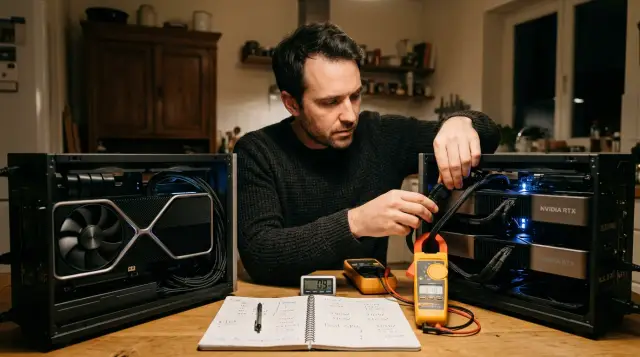
For continuous work with a local 70B model, I would choose one NVIDIA RTX PRO 6000 Blackwell Workstation Edition. Its 96 GB of VRAM leaves more room for quantization, context length, and concurrent requests. Two RTX 5090 cards have more aggregate compute and can sometimes deliver more tokens per second, but only with properly prepared software and only when the model and working buffers fit into the separate 32 GB pool on each card.
This is not an argument about a professional card versus a gaming card. It is a choice between one large address space with ECC and two separate fast devices without NVLink. The card must survive the longest working context, a user queue, and software updates, not just a demonstration prompt. Two RTX 5090 cards can be a rational purchase for a research bench run by someone willing to change engines and settings. For a workstation used by employees and maintained by IT, the simplicity of one RTX PRO 6000 usually earns back the price difference.
96 GB changes the class of workload
One RTX PRO 6000 fits workloads that two RTX 5090 cards cannot hold without harsher quantization or offloading data to system memory. NVIDIA specifies 96 GB of GDDR7 with ECC and 1792 GB/s of memory bandwidth for the RTX PRO 6000. An RTX 5090 has 32 GB of GDDR7, so two cards provide 64 GB of physical memory split into two pools.
The weight file gives only a lower bound. A 70-billion-parameter model needs about 140 GB for weights in BF16 or FP16, around 70 GB at 8 bits, and around 35 GB at 4 bits. File formats, quantization tables, and alignment change the exact number. After loading, the engine needs working buffers, CUDA Graphs, and a KV cache for context. A 38 GB weight file therefore does not mean the full process will run reliably in 40 GB.
With 96 GB, a 70B model will often run in an 8-bit representation with practical headroom, or at 4 bits with a long context and several concurrent sessions. On two RTX 5090 cards, a 4-bit model is the main option. Good 4-bit quantization is often sufficient for chat, document retrieval, and drafting, but it is not free. Test sensitive models and tasks involving calculations, rare terms, or strict output formats on your own prompts.
There is an awkward boundary. If each half of a sharded model takes 29 GB, the remaining 3 GB per card quickly disappears into KV cache and buffers. The aggregate label of "64 GB" looks adequate, yet one process fails with CUDA out of memory as context or batch size grows. With 96 GB, the reserve sits on the same card that runs the request, and the engine does not have to rescue the setup through RAM offload.
Two cards do not create one memory pool
The framework must explicitly split the model between RTX 5090 cards, or the second device adds nothing to the first card's available memory. CUDA does not turn two cards into one GPU. PyTorch, vLLM, TensorRT-LLM, llama.cpp, and other engines partition work in different ways, and the same "2 GPU" setting does not guarantee the same communication scheme.
With tensor parallelism, both cards work on each layer and exchange partial results. This keeps compute units busy, but inter-card communication participates in nearly every layer. With pipeline partitioning, groups of layers live on different GPUs. It exchanges less data, but one card may wait for the other during a single request. Simple layer distribution in llama.cpp is convenient, yet its speed depends on split mode, memory ratios, and where the engine stores the KV cache.
The RTX 5090 has no NVLink, as NVIDIA's specification table states. Traffic crosses PCIe and, in some systems, host RAM. A motherboard with two long slots proves nothing by itself. You need CPU lanes, at least a suitable x8/x8 mode, enough space between the cards, and working peer-to-peer access. The second long slot is often wired as x4 through the chipset, while a wide cooler may block adjacent slots.
Before purchase, I ask the supplier for the output of nvidia-smi topo -m. A useful check shows a matrix with both GPUs, CPU affinity, and the path type between cards. PIX or PXB describes a path through one or more PCIe switches, PHB crosses a PCIe host bridge, and SYS usually crosses NUMA nodes. Longer paths make frequent synchronization more expensive. A screenshot of Device Manager is not enough.
Next, run p2pBandwidthLatencyTest from CUDA Samples. It prints bandwidth and latency tables with P2P Enabled and Disabled. If peer access is unavailable between the cards, the model may still run, but expected performance changes. Obtain this result before approving the case and motherboard.
Speed depends on the mode, not the core total
Two RTX 5090 cards can beat one RTX PRO 6000 when the engine divides computation efficiently and PCIe traffic does not consume the gain. The pair has more aggregate CUDA cores and two independent memory channels. With several requests, you can assign one copy of a smaller model to each card or shard 70B and increase total service throughput.
For one interactive conversation, the result is less obvious. Generating one token with a large model is often limited by reading weights from memory. Two cards read their portions in parallel and then synchronize. A good implementation gains speed, while a poor one spends it on transfers and waiting. One card avoids inter-GPU traffic and produces more predictable time to first token.
Do not compare cards by AI TOPS in marketing tables. Vendors may count peak operations at different precisions and sparsity, while your engine may not use that path. Measure four things on the same model: load time, time to first token, subsequent generation speed, and aggregate tokens per second at the expected user count. Record peak VRAM use as well.
For a fair test, fix the model file, driver version, engine version, input length, output length, batch size, and sampling settings. Warm up the system, then repeat identical runs. A short prompt on an empty context shows a best case, not your workload. A test with a document of 16,000 or 32,000 tokens often changes the result because the KV cache becomes a meaningful share of memory.
The pair has another useful mode: independent jobs. One card can serve the main request while the other generates embeddings, reranks results, or runs another model. Separate memory is barely a problem here, and failure of one process does not remove all compute. If the application works this way, two RTX 5090 cards may beat one large card without perfect tensor parallelism.
Choose the engine and weight format first
Confirm software compatibility before ordering GPUs because the same model uses memory and splits across cards differently in different engines. GGUF suits llama.cpp and mixed CPU offload, while GPTQ, AWQ, and other formats are often used by CUDA server engines. The label "4 bit" does not make these files interchangeable or guarantee equal quality.
Start with the application, not the card. If you need API compatibility, batching, and scheduling for multiple users, test the server engine with your client, authentication, and monitoring. If one specialist needs local chat and some layers may remain in RAM, another engine may be easier. Downloading a file and receiving one answer does not prove operational readiness.
Versions matter. Blackwell may require a newer driver, while a particular PyTorch build or CUDA library may not yet support the required quantization kernel. A container pins application dependencies, but it uses the host driver and cannot fix a poor PCIe topology. I save the container image or package list, launch command, and model checksum in the test record.
Test features around generation. Structured output, tool calling, speculative decoding, prefix caching, and session limits can change memory use or rule out a backend. If the application must produce schema-valid JSON, measure valid output with the constraint enabled rather than free-text speed. For RAG, include retrieval, reranking, and the actual inserted chunk size.
Updates must be reversible. Keep the prior image, launch settings, and a small regression prompt set. After changing a driver, engine, or quantization, automatically compare format correctness, first-token latency, speed, and peak VRAM. Two cards add sharding and P2P to this matrix. One large card reduces dependent settings but still needs a repeat test.
Finally, check the model license and data handling. Local execution does not grant commercial rights to arbitrary weights or decide where the application stores prompts. Record the source of the weights, license terms, access to the model directory, logging policy, and deletion of temporary files. These rules do not change VRAM, but they can change the permitted engine and deployment method.
Context and concurrent users consume headroom
KV cache grows with context length, the number of active sequences, layer count, and the representation of keys and values. There is no universal number for "70B at 128K." Architectures use different numbers of KV heads, and engines support different cache types and sharding methods. A calculation based only on model weights systematically understates memory demand.
I build a practical memory budget as follows:
- Use the actual size of loaded weights, not the quantization label.
- Add measured engine use after loading the model with an empty context.
- Run the longest allowed request at the planned concurrent-session count.
- Leave room for allocator variation, engine upgrades, and background processes.
This test matters more than an online calculator. Run it through the same API and settings used in production. For vLLM, pin tensor_parallel_size, max_model_len, max_num_seqs, KV-cache type, and the GPU memory fraction. For llama.cpp, record GPU layer count, split mode, tensor split ratios, context size, and parallel sequence count.
When one RTX PRO 6000 runs out of memory, the tradeoffs are clear: shorten context, reduce concurrency, use smaller weights, or offload layers. Two RTX 5090 cards add balancing. Six free gigabytes on the first card do not help if the second is full unless the engine can redistribute layers or cache in the required way.
This difference becomes visible in a service with unpredictable requests. A one-operator demo may be stable, while three long conversations trigger reallocations and crash a worker. For production, test behavior with a full queue as well as average response time. Check whether clients receive a controlled error, whether the process restarts, and whether the driver releases memory.
70B means inference, not full training
Treat both configurations mainly as inference and limited-adaptation systems. Full training or fine-tuning every parameter of 70B needs memory for parameters, gradients, optimizer states, and activations. Even 96 GB is not enough. Two RTX 5090 cards do not turn a desktop into a training cluster.
QLoRA and other parameter-efficient methods change the problem. Base weights remain quantized while training updates small adapters. One RTX PRO 6000 leaves more room for sequence length, batch size, and activations. Two RTX 5090 cards offer more compute but require distributed-training support and more communication. Running one sample does not prove that daily training will be fast and stable enough.
Separate model quality from weight format. Compare 4-bit and 8-bit variants on real tasks: internal-document answers, field extraction, Russian and Kazakh, JSON generation, calculations, and refusal when data is missing. Score agreement with references and broken formats instead of judging five successful chats.
The popular advice to buy two gaming cards because cost per FLOP is lower ignores the system's purpose. Compute price matters for experiments. For a workstation expected to start after a driver update and survive a long request without manual layer placement, memory and a supported configuration matter more than peak operations.
Power and cooling change the case price
The RTX PRO 6000 Workstation Edition has a 600 W maximum power rating. NVIDIA lists 575 W for one RTX 5090, so two can require up to 1150 W for GPUs alone. Add the CPU, memory, drives, fans, power-supply losses, and short load spikes.
Do not size the PSU by adding nameplate figures without headroom. A dual-card system needs workstation-grade power distribution, the correct number of native cables, and verified current limits. I do not accept adapters, sharply bent 16-pin cables, or connectors pressed by a side panel as a normal build. The station maker or integrator should approve the exact PSU and wiring.
Those 1150 W of heat must leave the case. Open coolers return hot air to the chassis and may choke when mounted together. Core temperature is incomplete, so watch memory temperature, clocks, fan speed, and whether one card throttles on the other's exhaust. Test with panels closed at a realistic summer room temperature.
Energy difference can be calculated without arguing about electricity prices. The GPU power-limit gap is 550 W. Eight hours per day for 250 workdays gives up to 1100 kWh per year, while the continuous upper bound is about 4818 kWh. Real use is lower and depends on power limits, but this formula puts electricity and air conditioning into the budget.
Reducing the power limit can make two RTX 5090 cards much more efficient for a small speed loss. Measure it on your model. It does not solve memory, slot, cable, or support issues, so it is not a complete answer.
A professional card buys predictability
RTX PRO 6000 offers ECC VRAM, a professional driver branch, and MIG support listed by NVIDIA for the Blackwell Workstation Edition. ECC corrects certain memory errors but does not test model meaning or guarantee a correct answer. MIG can isolate resources for compatible workloads, though the exact stack must support it.
RTX 5090 has consumer-class support. That does not make it unreliable, but it changes troubleshooting. A workstation maker may exclude a two-card setup, cabling, or motherboard from support. With retail parts, IT must identify whether a failure belongs to the driver, BIOS, PCIe topology, PSU, or one card.
I put more than GPU names in a procurement specification. It should state the driver channel, OS, board firmware, PCIe mode, power limits, temperature under sustained load, update procedure, and recovery time. Ask who reproduces an application error and who replaces a component. "Parts warranty" does not answer that.
One card reduces failure points and simplifies diagnosis. A pair offers partial degradation because some applications can run on one remaining GPU. Yet a 70B setup sized for 64 GB will not fit one RTX 5090 without different quantization or offload. Run the disaster plan instead of writing it in a slide.
Organizations with formal procurement also care about station origin, assembly records, serial tracking, and one support contact. GSE designs and manufactures workstations in Kazakhstan, integrates AI infrastructure, and provides round-the-clock technical support through a nationwide service network. This does not choose the GPU for the customer, but it can place the load-test result and responsibility for the full configuration in one specification.
Calculate the full workstation cost
The price of one or two GPUs is not the workstation price. Two RTX 5090 cards may need a more expensive board with proper lane routing, a CPU with enough PCIe lanes, a larger case, a bigger PSU, extra cooling, and more engineering time. RTX PRO 6000 costs more than a consumer card but puts 96 GB into two slots and leaves other slots free.
Split the estimate into five lines:
- complete workstation with all components and enough system RAM;
- delivery, assembly, cables, and load testing;
- energy and cooling over the planned term;
- support, spare parts, and recovery time;
- engineering labor for upgrades and model reconfiguration.
Do not compare suggested prices from another country. Obtain quotes for two complete stations in Kazakhstan with the same CPU, RAM, storage, and support terms. If one is available in a month and the other in six, waiting also has a project cost.
Allow enough system memory for loading, weight conversion, and possible CPU offload. A 70B workstation with 128 GB of RAM can feel tight during conversion or with several services; 256 GB is a calmer starting point for files and cache. This is a design recommendation, not a requirement of every engine. Fast NVMe does not replace VRAM, but it cuts load time and stores several model variants.
GSE can build and test either architecture as a complete workstation, including power, cooling, and the software stack, instead of selling a GPU apart from its chassis. Put your model file and test scenario in the specification so acceptance checks the result rather than a parts list.
The operating mode decides
Choose one RTX PRO 6000 when 70B will run as a permanent internal service, when an 8-bit variant or substantial KV-cache headroom is needed, and when ECC, professional support, and simple operations matter. It is my default enterprise choice. You pay for 96 GB on one device and fewer ways to build an unstable system.
Consider two RTX 5090 cards when purchase budget is strict, good 4-bit quantization is acceptable, the team controls the engine, the board has the right PCIe topology, and the workload scales or divides into independent jobs. The pair also suits a researcher who values experiment speed over one support channel.
Before ordering, run an acceptance test on the target model. Include a cold load, long context, planned concurrency, an hour of sustained generation, temperature and power logging, recovery after an error, and a repeat after a driver update. Record versions and launch commands. The comparison will then end with a reproducible protocol instead of an argument over specification tables.
If neither setup passes with safe headroom, do not fight for a few gigabytes through manual layer placement. Use a smaller model, shorten context, or move the workload to a server platform with more memory and a suitable interconnect. A workstation is a good fit when its limits match the job.
Frequently asked questions
Will a 70B model fit on one RTX 5090?
Usually not if the entire model and working data must remain in 32 GB of VRAM. A heavily quantized build may run with partial system-memory offload, but speed and context length suffer.
Does the memory of two RTX 5090 cards add up to 64 GB?
There is 64 GB physically, but it remains two separate 32 GB pools. The engine must split weights, cache, and compute, and free space on one card is not always usable by the other.
Is 96 GB enough for 70B in FP16?
No. The weights alone take roughly 140 GB in FP16 or BF16. Practical options on 96 GB are 8-bit and 4-bit builds, with exact headroom set by format, context, and engine.
Which is faster for 70B, RTX PRO 6000 or two RTX 5090 cards?
Two RTX 5090 cards can be faster with good tensor parallelism and a suitable PCIe topology. One RTX PRO 6000 often provides steadier latency and avoids inter-GPU traffic, so only a test of your model settles it.
Do two RTX 5090 cards need NVLink?
RTX 5090 does not support NVLink, so it is not an option. Engines can communicate through PCIe, but bandwidth, peer access, and slot placement strongly affect scaling.
Can this workstation train a 70B model?
Full training or tuning every weight does not fit either configuration. QLoRA and similar methods can work with carefully chosen sequence length, batch size, and model distribution.
How important is ECC for a local LLM?
ECC is useful for long professional workloads because it corrects certain VRAM errors and reports problems. It does not validate the model's answer or replace regression tests.
What PSU does a pair of RTX 5090 cards need?
The rating depends on the CPU, board, power limits, and cabling, so there is no universal safe number. Design from a maximum of 1150 W for GPUs alone, with headroom and approval from the workstation maker.
How much system RAM does a 70B workstation need?
128 GB may be enough for finished inference, but weight conversion, CPU offload, and adjacent services quickly reduce the reserve. For a new workstation, I normally consider 256 GB a calmer starting point.
How can I test two GPUs before buying?
Ask for a run of the target model and save `nvidia-smi topo -m`, a P2P test, VRAM use, speed, temperature, and power. Test long context and real concurrency instead of a short demo.
