8 min read
How does a removable media policy work?
A practical removable media policy covering technical blocks, workable exceptions, encryption, logging, and tests for common bypass routes.
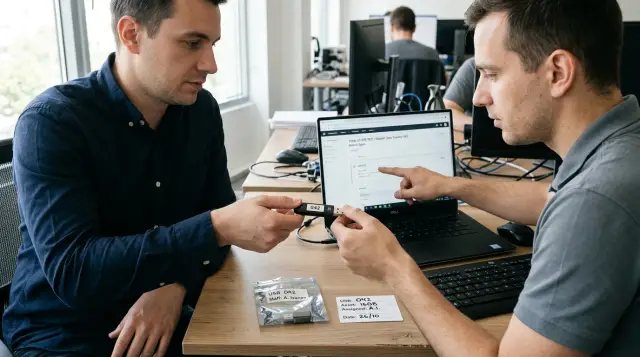
A removable media policy works only when the operating system enforces the restriction and the written policy explains its boundaries. Asking people "not to use flash drives" shifts the control onto an employee's memory. A rigid technical block with no workable exception path pushes people to find a bypass.
A sound design starts by denying write access by default, decides read access and file execution separately, permits a specific operation for a limited time, and leaves a coherent audit trail. It covers more than USB flash drives. Phones in file transfer mode, external SSDs, memory cards, optical discs, and other channels can perform the same task.
This article describes a policy for a typical corporate fleet, mostly running Windows. Setting names vary between management products, but the architecture stays the same: a rule defines the permitted action, a technical control enforces it, a process owner grants an exception, and the log makes the event reconstructable.
Technology enforces the restriction, policy defines its boundaries
A technical restriction and an organizational rule solve different problems. An endpoint management control can deny reading, writing, or execution from a device. It does not know why a laboratory needs to export a measurement result, who owns the file after the transfer, or when the permission must be revoked. The written policy defines those facts.
The relationship does not work in reverse either. A signed order does not stop a File Explorer copy, distinguish a registered drive from a personal one, or create a trustworthy event when a block occurs. If a standard user account can violate the rule without any response from the system, the restriction exists only on paper.
NIST SP 1334, which covers portable storage media in operational technology environments, explicitly combines procedural, physical, and technical measures. The document focuses on OT, where malware can cause especially serious consequences, but the combination also applies to office computers. I would not import unnecessary OT ceremony: accounting does not need a cabinet of sealed flash drives if a managed encrypted device and an audit log solve the job.
Control ownership must also be divided. The information security team sets the access model and investigates events. IT delivers settings and monitors agent health. A department manager confirms the business need. The data owner decides whether a particular information class may leave through that channel. When one manager's signature is expected to settle all four decisions, exceptions either stall or get approved without a data check.
A usable policy answers five questions without requiring a call to its author:
- which device classes and operations are prohibited;
- who can receive an exception and for what reason;
- which media the organization issues and tracks;
- which events are collected and who reviews them;
- what to do after media loss, a security alert, or an urgent data transfer.
The sentence "USB use is prohibited" answers none of them. USB describes a connector, not a risk. Keyboards, cameras, security tokens, smartphones, and network adapters also connect through USB. The policy must address device functions and actions performed on data.
Write is denied by default, read is decided separately
For most office endpoints, a sensible baseline denies writing to removable storage, blocks file execution from it, and sets a separate rule for reading. Fully denying read access makes sense on isolated or highly sensitive workstations. In a mixed fleet, organizations often allow reads from registered media or after inspection. Otherwise, employees cannot receive files from equipment, customers, or government systems.
Do not collapse read, write, and execution into one switch when the management product can distinguish them. Reading an unknown drive creates a malware import risk. Writing creates a risk of disclosure and of losing the copied data. Execution gives software a direct path to run. These risks have different owners and call for different exceptions.
A practical matrix looks like this:
| Operation | Standard endpoint | Endpoint with an exception | Isolated workstation |
|---|---|---|---|
| Read | Registered media or inspection only | Allowed for the named device | Denied except through import procedure |
| Write | Denied | Allowed for a limited period and group | Denied |
| Execute | Denied | Denied | Denied |
| Format | Denied to the user | Performed by IT | Performed by the workstation administrator |
Microsoft's Device Control documentation separates device-level and file-level read, write, and execute operations. That is more useful than older Group Policy settings with one "deny all" switch because it preserves a narrow working path. The Windows term Removable Media has a boundary, however: the control treats a device as removable media when it creates a disk such as E:. A phone using MTP belongs to Windows Portable Devices and needs a separate rule. If an administrator tests only a flash drive that receives a drive letter, the policy does not yet cover portable devices.
Start with an explicit default action. In Microsoft Defender for Endpoint, a request that matches no rule entry falls back to default enforcement. An allow value turns an error in a device group into a silent permission. A deny value turns the same error into a support request, which is inconvenient but visible and repairable. The second failure mode is safer when the control protects data exports.
A driver installation restriction and a file access restriction are not the same control. Installation restrictions can stop a new device by identifier or class, but a previously installed driver and composite devices can produce unexpected results. File operation control evaluates the action after the device is recognized. In practice, the two layers complement rather than replace each other.
An exception belongs to a task, person, and device
A permanent "USB allowed" group almost always expands until it loses its meaning. An exception needs an owner, a business task, a user or group, a managed computer, a media identifier, a permitted operation, a data class, and an expiry date. If any of those elements is unknown, the approver cannot see the real scope of the permission.
There are three legitimate exception types. The first supports a recurring process, such as exporting readings from an instrument on a dedicated workstation. The second covers a limited project or transfer. The third supports emergency work when the primary channel is unavailable. An emergency permission should last hours, and review should begin as soon as it closes.
The exception record can live in a ticketing system or an access control register. What matters is that it automatically creates the technical rule and a revocation task. A minimal record looks like this:
exception_id: RM-2026-014
owner: engineering-lab
user_group: USB-EXPORT-APPROVED
device_serial: 4C530001230915117493
computer_group: LAB-MEASUREMENT-07
access: write
valid_until: 2026-09-30T18:00:00Z
data_class: internal
approver: data-owner-42
ticket: SEC-1842
A serial number is useful only after you verify how the specific model behaves. Some cheap drives do not expose a unique serial number, and some USB-SATA bridges return the same value for different disks. A VID/PID permission covers an entire model, not one unit. Obtain the identifier from the endpoint, match it to an asset label, and test reconnection. For sensitive transfers, use organization-issued media with stable identifiers.
A user exception without a computer restriction lets the permission travel to a less protected workstation. A computer exception without a user restriction turns a shared terminal into an open export point. Permission for a named drive without an expiry date survives the project and the owner's departure. Modern Device Control products can bind a user, machine, and device. If the selected product cannot, enforce the missing boundary through management groups and frequent automated revocation.
The process should not require a committee that meets next week. For ordinary internal data, the department owner and data owner, a preapproved media catalog, and an expiry date are enough. Personal, financial, medical, or secret information needs a separate decision about whether the channel is acceptable. A rejection must also offer a working alternative, such as a protected file space, a managed transfer, or an IT-assisted operation.
Encryption protects a lost drive but does not stop copying
Encryption and removable media control address different threats. Encryption keeps an outsider from reading data on a lost drive. It does not decide whether an employee was allowed to copy a file, inspect the source of an incoming file, or prevent malware from running after the drive is unlocked.
NIST SP 800-111 distinguishes full disk encryption, volume or virtual disk encryption, and encryption of individual files and folders. A protected volume is usually the least awkward option for removable storage: users get a familiar file system, and the organization can manage access recovery. Encrypting individual files helps when sending data to a recipient outside your environment, but it makes key management and compatibility much harder.
On Windows, a BitLocker policy can deny writes to removable drives that lack BitLocker protection. Windows then mounts an unencrypted drive as read only and grants read and write access to a protected one. The setting has an important interaction: the broader Removable Disks: Deny write access setting takes precedence. Enable both without testing, and an administrator may expect encrypted drives to work while all writes remain blocked.
Do not give one group the password for every corporate drive. Store recovery material separately, log access to it, and remove a lost drive from the allowed device list. A user password or PIN should fit the threat model, but a more complicated password cannot compensate for missing revocation.
Encryption on an incoming drive does not prove that the device is safe. An encrypted external drive can still contain malware, and corporate media may have visited an unmanaged computer. Imports from an external environment need a separate path: a dedicated inspection workstation, current endpoint protection, execution blocked, copying into a quarantine area, and release after inspection. Operational technology environments add physical tracking and media sanitization between zones. NIST SP 1334 is stricter than normal office practice here, and the cost of equipment downtime justifies it.
The log must show the event chain
An entry saying "USB connected" is almost useless without a user, computer, device, requested operation, and rule result. An investigation needs a chain: the device appeared, the user attempted to read or write a file, the control allowed or denied the action, an exception had a specific number, and the device later disconnected.
Collect at least the time, account, endpoint name, device class, stable identifiers, file path or category, operation, decision, rule name, and exception identifier. Do not copy file content into the log without a clear need. That sharply raises the sensitivity of the event store and creates another copy of the data you are protecting. If DLP retains an evidence copy, it needs separate access rights, a retention period, and audit records for every view.
Microsoft Defender for Endpoint creates a RemovableStoragePolicyTriggered event when a rule fires. Its documentation suggests querying DeviceEvents; the shortened query below shows the expected output shape and works as an initial deployment check:
DeviceEvents
| where ActionType == "RemovableStoragePolicyTriggered"
| extend p = parse_json(AdditionalFields)
| project Timestamp,
          DeviceName,
          AccountName,
          Access = tostring(p.RemovableStorageAccess),
          Verdict = tostring(p.RemovableStoragePolicyVerdict),
          Serial = tostring(p.SerialNumber),
          VID = tostring(p.VendorId),
          PID = tostring(p.ProductId),
          Instance = tostring(p.DeviceInstanceId)
| order by Timestamp desc
The result should contain one row for each evaluated action, with its time, endpoint, account, access type, verdict, and device identifiers. An empty result after a test write does not show that there were no violations. It means the control did not fire, telemetry did not arrive, or the query is looking in the wrong place. Distinguish those cases before enabling a block.
Do not turn every denied attempt into an incident. Early events usually expose an unclear notification, an expired exception, or an undocumented business process. Raise an alert when a user repeats attempts, tries several devices, copies a sensitive file, acts outside their normal computer, or uses media after permission was revoked.
Set log retention according to investigation and regulatory needs, not the amount of free disk in the SIEM. It must cover the normal interval between an event and the discovery of a disclosure. Confirm that an analyst can link an event to its exception ticket even after the ticket closes and group membership changes.
Bypasses begin with a badly defined scope
Most "USB bypasses" do not defeat the security product. A user finds a channel the administrator left outside the policy scope. A phone transfers files over MTP, a camera appears as WPD, an external disk uses a different class, or a redirected drive in a remote session looks like a network share.
Review channels by the function they perform, not by the connector name:
- USB storage, external HDDs and SSDs, memory cards, and optical discs;
- phones, cameras, and media players using MTP or PTP;
- Bluetooth transfer, local synchronization, and a remote session clipboard;
- personal cloud storage, webmail, and browser uploads;
- printing, network shares, and a second local disk outside managed encryption.
This is not a reason to buy one product that promises to cover everything. Device Control answers whether a device may perform an operation. DLP evaluates a file and the action taken with it. Application control blocks unknown code. Local administrator management prevents someone from stopping the agent or changing policy. Network controls restrict external channels. Combining these functions into one rule usually leaves blind spots.
Consider a typical failure. A company blocks removable disks with the Group Policy setting Removable Disks: Deny write access. An employee connects a phone, selects "File transfer," and copies documents into its storage. The disk restriction does not fire because the phone appears as a Windows Portable Device. The disk operation log stays empty, so the team assumes no copy took place. The fix is not stricter wording in the policy document. It is a separate WPD rule, event validation for that class, and an approved channel for employees who genuinely need phone transfers.
Some bypasses require elevated rights or physical access: stopping the agent, booting another operating system, removing the internal disk, or using a USB adapter with an unexpected classification. A removable media policy cannot close them. Boot protection, firmware settings, system disk encryption, removal of local administrator rights, agent tamper protection, and physical workstation security form another defensive layer.
Bypass testing must cover representative computer and dock models. The same drive can be classified differently through a built-in port, monitor, or adapter. Test a personal phone, corporate phone, camera, memory card, external SSD, optical drive, and redirection in the remote access system you actually use. Record the result in a table with these columns: channel, expected action, actual action, log event, and remediation owner.
Audit before blocking exposes business dependencies
Audit mode exists to discover dependencies, not to support indefinite observation. If it has no planned block date, the organization merely collects a list of permitted disclosures. Assign a decision owner and exit criteria before the audit starts.
A rollout works well in four waves:
- Inventory device classes and read, write, and execute events across a representative endpoint group.
- Review active processes, issue registered media, and create exceptions before users see a block.
- Enable a warning or block with override where the risk allows a temporary override, then test support handling.
- Enable the hard block, remove temporary groups, and verify the effective configuration for every wave.
A representative group matters more than a large one. Include accounting, developers, the laboratory, reception, remote employees, support staff, meeting room computers, and stations connected to production or medical equipment. A hundred identical office laptops will not reveal the dependency that exists on one instrument workstation.
Audit events must become decisions. For every device in regular use, choose one outcome: stop the process, move it to another channel, grant a limited exception, or leave it blocked. A "review later" category is acceptable only with an owner and a date. Otherwise, it becomes permanent permission when enforcement begins.
A user notification should name the denied action, device, reason, and exception request path. "Access denied by administrator" produces a support call with no context. A useful message says: "Writing to removable media was blocked by rule RM-Write-Deny. For a business transfer, include the device number and duration in a ticket under 'Removable media.'" Do not expose internal policy secrets, but give support an event identifier.
A pilot is not successful because it produces zero requests. Zero often means the rule was not delivered or people silently changed channels. Check the percentage of managed endpoints with the required agent version, policy receipt, test event creation, exception grant and revocation time, and new spikes in browser uploads or MTP use after disk blocking.
Short policy text is easier to follow
Employees need a short action-oriented document, not a retelling of product settings. Keep the technical appendix for administrators. The main policy needs only its scope, approved process, prohibitions, exceptions, media handling, and incident reporting.
Usable wording can consist of these rules:
- Use only removable media issued and recorded by the organization. Do not connect personal storage devices.
- Write access is allowed only under an active exception and on the named computer. Transfer only the data listed in the request.
- Do not run programs from the device or connect corporate media to a personal or third-party computer.
- Treat the device as business equipment. Report loss, damage, or an unexpected password prompt to support immediately.
- Return the device when the task ends or give it to IT for verified sanitization. Formatting it yourself does not replace the data removal procedure.
Place a one-screen instruction beside the policy: where to obtain approved media, which ticket category to choose, which fields to complete, and whom to call during urgent work. Training should test the real action. Give an employee a blocked drive, ask them to find the device number in the notification, and submit a test request. That exercise reveals process quality better than asking, "Have you read the policy?"
Do not threaten disciplinary action in every paragraph. Intentional data removal is already governed by general security and employment rules. The removable media policy should help a person complete work through an approved route. State accountability once, beside a precise definition of a violation and the review procedure.
The rule needs employee wording in the organization's working languages and a version for external contractors. A contractor does not need the full internal policy, but must know which media is accepted, where it will be inspected, who supervises the import, and what happens to the device after the job.
After launch, the policy becomes an operational process
Maintain the policy as regularly as user accounts. Weekly during launch, then on a set schedule, review expired exceptions, ownerless devices, endpoints missing current policy, repeated blocks, and discrepancies between the register and technical groups. Manual reconciliation is acceptable in a pilot, but production revocation must run from the date in the request.
Measure control quality, not the number of blocked drives: endpoint coverage, the share of exceptions with all required fields, approval time, automated revocation time, permissions still active after expiry, an event for every test scenario, and the share of processes moved to a managed channel. Fewer blocked attempts prove nothing by themselves because users may have moved to cloud services or phones.
Every quarter, a department owner reconfirms recurring exceptions. A role change, departure, lost drive, or project closure triggers an immediate review. Returned media is sanitized with a verifiable method, re-entered into inventory, or destroyed under the organization's data handling rules. Deleting files and using quick format do not provide evidence of sanitization.
A loss event starts with revoking device permission and recording the last known transfer. The team then identifies data classes, checks encryption, notifies data owners, and follows the incident process. Encryption status affects severity and later actions, but does not cancel incident registration. You cannot prove the protection state unless inventory connects the serial number to its configuration and owner.
When refreshing the endpoint fleet, verify support for the required device classes and telemetry before procurement. As a computer manufacturer and system integrator, GSE can bring endpoint configuration, integrated software, and ongoing support into one project. A single line of accountability does not replace the access matrix, but it reduces the gap between the selected rule and the configuration actually delivered.
A good control is visible in two situations: an employee receives a clear denial with a working route, and an analyst reconstructs an allowed or blocked transfer without guessing. If either side must call several owners and assemble the history manually, the policy is not finished.
Frequently asked questions
Can we disable all USB ports and stop there?
No, because a USB port supports many device classes, including keyboards, cameras, and security tokens. Control the device function and file operation, and reserve physical port shutdown for narrowly defined isolated workstations.
Should read access remain allowed when USB writes are blocked?
It depends on incoming workflows and malware risk. On ordinary endpoints, allow reads only from registered or inspected media; on sensitive systems, use a separate import procedure.
How can one corporate flash drive be allowed for one employee?
Bind the user identifier, managed computer, and verified device serial number in the rule. Add the permitted operation and an expiry date, or a narrow exception will quickly become permanent.
Is allowing only encrypted drives enough?
No. Encryption protects data when a device is lost, but it does not verify permission to copy or stop a malicious file after unlock. You still need separate access and inspection rules.
What should a USB usage log contain?
Record the time, user, computer, device class and identifiers, operation, policy verdict, and exception number. Add a file path or category only when needed, and protect evidence copies as sensitive data.
How long should a removable media exception last?
Limit it to the task, project, or shift, never "until further notice." A recurring process can be renewed after owner confirmation, but it still needs an automatic revocation date.
Can a phone bypass a block on USB drives?
Yes, if the system sees it as an MTP or Windows Portable Device while policy covers only disks with drive letters. Create separate phone, camera, and media player rules and verify events for that class.
Should file execution be blocked on every removable device?
That is a sensible default for a normal corporate fleet. If legacy equipment requires execution from media, restrict the permission to a dedicated workstation, known device, and specific process.
How do we know a removable media policy pilot succeeded?
Verify policy delivery, test permits and blocks, event completeness, exception handling, and user support. A drop in device connections is not enough because transfers may have moved to another channel.
What should happen immediately after a corporate drive is lost?
Revoke the device permission, record the last known transfer, and identify the data classes on the drive. Then verify the recorded encryption state and follow the incident process instead of relying on the owner's memory.
