8 min read
How to choose hardware for a local Kazakh model
How to choose hardware for a local Kazakh model, calculate VRAM and context needs, and keep enough memory for a real workload.
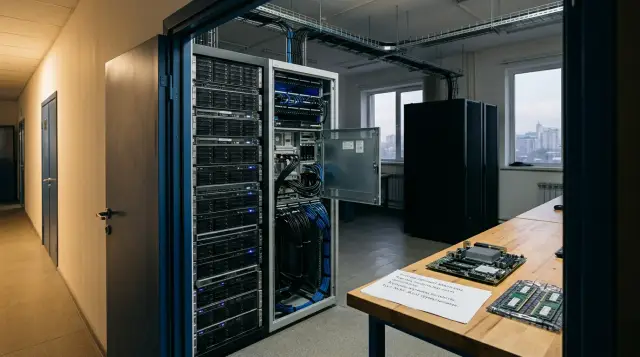
A local model that works in Kazakh does not need a special "Kazakh" accelerator. It needs ordinary GPUs, system memory, and storage, but you cannot choose them from the parameter count alone. Kazakh quality depends on training data, the tokenizer, and model tuning, while memory use depends on weight format, context length, and the number of simultaneous requests. Combining these two questions in one specification is risky: you can buy an expensive server that produces weak text quickly, or select a good model without leaving it enough room for a working context.
For a first serious test system, I usually budget for one accelerator with 24 GB of VRAM, 64 GB of system memory, and fast NVMe storage of at least 1 TB. This is not a universal recipe. That machine gives you a practical choice between an 8B model in BF16, 8B-14B models in a 4-bit format, and some 30B-32B builds with strict context limits. It lets you measure quality on your own Kazakh documents before the organization orders a server with 48-80 GB of VRAM or several accelerators.
Model size remains important, but the language changes the order of testing. First, you need to prove that a specific model understands Kazakh endings, mixed Kazakh and Russian text, industry terms, and local context. Then you measure memory and speed with the same weight version, chat template, and prompt length that will go into production. A table from someone else's review cannot replace this run.
Kazakh changes model selection, not the memory formula
An accelerator stores numbers, so Cyrillic, Latin, or Arabic script does not itself change the size of the weights. Eight billion parameters take the same amount of memory regardless of the prompt language. The difference appears before and after computation: a tokenizer may split a Kazakh word into more pieces, and the model may have a weaker command of the language. More tokens mean a longer sequence, more space in the KV cache, and more time to process a document with the same meaning.
Kazakh is agglutinative: suffixes are added to a stem in sequence, and a poorly trained tokenizer often splits rare forms into many fragments. You cannot label a tokenizer as poor in advance merely from its vocabulary size. Test it on real material: official letters, contracts, medical wording, district names, surnames, and texts where the writer switches between Kazakh and Russian. Two documents with the same character count can produce noticeably different token counts.
The Qwen3 Technical Report explicitly lists Kazakh among 119 supported languages and dialects. That is a useful signal for a shortlist, but it does not prove quality for your task. The KazMMLU study found a gap between the performance of large models in data-rich languages and their results on Kazakh and Russian questions about Kazakhstan. Its authors collected questions from local educational material and had native speakers validate them. The procurement lesson is simple: a multilingual label does not replace a local test set.
Specialized choices also exist. ISSAI released KazLLM in 8B and 70B sizes, including 4-bit builds; the institute's page states a CC BY-NC license for noncommercial use. Sherkala-Chat adapts an 8B-class model to Kazakh instructions. Compare such models with a strong multilingual baseline instead of assuming that specialization wins automatically. Specialization can improve language and local knowledge, while a larger base model may still handle difficult reasoning, tables, or programming better.
Separate four properties that are often hidden under the word "supports": the model accepts Kazakh characters, produces grammatical sentences, knows Kazakhstan-specific context, and follows your work instruction correctly. Each property needs its own test. Hardware affects the speed of those tests, but it cannot repair a gap in the training data.
The workload determines the useful model size
Choose the size according to the hardest recurring request, not according to an impression from casual conversation. For ticket classification, field extraction, drafts of standard replies, and retrieval over a knowledge base, a 7B-8B model often gives an acceptable result after careful prompting and access to verified documents. For difficult editing, analysis of conflicting sources, long answers, and reasoning, 14B-32B models usually offer more headroom. The 70B class makes sense when a measured improvement justifies memory cost, latency, and power use.
This is not a ladder where every larger size is always better. An adapted 8B model may write Kazakh more carefully than a general 14B model. A 32B model may reason better but use Russian constructions more often in Kazakh text. A 70B variant may achieve the best average score and still fail on your abbreviations or service names. A specification should therefore begin with tasks and an acceptance threshold, not with a line that says "at least 70 billion parameters".
For a pilot, collect at least four groups of examples: text entirely in Kazakh, mixed Kazakh and Russian text, documents with industry terms, and prompts involving local realities. Add dangerous cases where a plausible mistake is worse than a refusal: a contract amount, a dosage, a provision of a regulation, or personal data. Evaluate factual accuracy separately from language. Smooth grammar often hides an invented fact.
A small model fits when the task is narrow and a rule, retrieval system, or person can verify the answer. A large model is justified when it consistently passes a harder test, not when it merely writes more. For an internal assistant with document retrieval, accurate extraction and correct source attribution often improve the result more than moving from 8B to 70B. The model must not see documents the user is not allowed to access: local deployment does not create access control by itself.
Do not confuse generation with training. Inference loads ready-made weights and creates working buffers. Full fine-tuning stores gradients and optimizer states, so it needs many times more memory. LoRA and QLoRA reduce the requirement, but activation memory still grows with sequence length and batch size. A machine that serves a 14B model confidently in 4 bits does not necessarily train that model with your settings.
Calculate VRAM from weights, format, and reserve
The first estimate is simple: weight size equals the parameter count multiplied by bits per parameter and divided by eight. An 8B model in BF16 comes to about 16 GB, a 14B model to about 28 GB, a 32B model to about 64 GB, and a 70B model to about 140 GB. This is a lower estimate for weights alone. The runtime adds metadata, temporary buffers, the KV cache, and sometimes a separate multimodal projector.
A 4-bit quantization does not mean exactly four bits for every parameter in the finished file. Group scales, metadata, and some tensors kept at higher precision increase the size. The llama.cpp documentation offers a useful check: Llama 3.1 8B in Q4_K_M occupies 4.9 GB instead of 32.1 GB for the original build, while the 70B model occupies 43.1 GB instead of 280.9 GB. You cannot transfer these figures mechanically to every architecture, but they show why the actual file size is more useful than a Q4 label.
| Model class | BF16 for weights only | Typical Q4 file | Practical minimum VRAM for one conversation |
|---|---|---|---|
| 8B | about 16 GB | 5-6 GB | 8-12 GB in Q4, 24 GB for BF16 with headroom |
| 14B | about 28 GB | 9-11 GB | 16 GB in Q4, preferably 24 GB |
| 30B-32B | about 60-64 GB | 19-22 GB | 24 GB only with a moderate context, preferably 32-48 GB |
| 70B | about 140 GB | 42-48 GB | 48 GB in a tight setup, 64 GB or more is more practical |
The final column does not promise a particular speed. It shows where enough space remains for context and buffers after loading the weights. A build that "fits" with 200 MB of free VRAM is not ready for work. The first long prompt, a concurrent user, or a larger batch size can offload layers to RAM or cause an out-of-memory error.
Quantization changes more than size. Q8 is usually closer to the original model, Q5 and Q4 offer a useful compromise, and aggressive Q3 and Q2 formats more often damage rare language forms and exact answers. An average English benchmark may barely notice a loss that appears in Kazakh endings, names, and language switching. I do not buy hardware around Q2 until that Q2 build passes the same Kazakh set as BF16 or Q8. Saving memory is pointless if an editor rewrites every answer afterward.
Keep a reserve. For a single interactive session, plan at least 15-20 percent more VRAM than the measured peak at the chosen context. For a service, calculate the reserve after testing concurrent requests because a simple percentage does not describe the scheduler and KV cache. Record the exact model name, file checksum, quantization type, runtime version, context, and slot count in the specification. Without those details, a claim that the model "uses 18 GB" cannot be reproduced.
Long context and concurrency consume free memory
After the weights, teams most often underestimate the KV cache. The model stores keys and values from the attention mechanism for tokens it has already read so that it does not recalculate the whole history for every new token. Its size grows roughly linearly with context length and the number of active sequences. Architectures with grouped-query attention reduce it through fewer KV heads, but they do not make it free.
A simplified estimate for one layer and one sequence uses the number of KV heads, head dimension, two K and V arrays, and bytes in the cache format. Multiply the result by the number of layers and tokens. The formula helps establish the order of magnitude, but take the final figure from your runtime log. An implementation may reserve cache in advance, share it among slots, or store K and V in different formats.
The official Qwen3-8B model card states 36 layers, 32 query heads, 8 KV heads, and a native context of 32,768 tokens. Being able to open that context does not mean you should allocate it to every user. One conversation with 8,000 tokens, four simultaneous conversations, and batch processing of long documents create different memory peaks even though the weights never change.
In llama.cpp, you can change the K and V cache types separately; its documentation lists F16, Q8, and several Q4/Q5 choices. A quantized KV cache saves memory, but it also needs testing in Kazakh: a long dependency between a name, its grammatical case, and a reference to an earlier paragraph may fail before a short English question does. Start with F16, measure baseline quality, and then change one setting at a time.
The model card's context length is a technical limit, while the system sets the working context. If an assistant answers from internal documents, the retrieval layer should supply a few relevant passages rather than the entire archive. Removing irrelevant context speeds up the response and often improves accuracy. Buying a second accelerator to feed the model poorly selected pages usually costs more than fixing retrieval and document chunking.
Calculate concurrency from active generations, not user accounts. A hundred employees may send occasional requests and one GPU may handle the queue. Ten operators may open long cases at the same time, making the same GPU unacceptably slow. Measure both time to first token after a long prompt and the speed of subsequent generation. An average tokens-per-second figure hides time spent waiting in a queue.
Model size does not guarantee good Kazakh
For Kazakh, quality increases unevenly with model size. More parameters give a model capacity for knowledge and complicated relationships, but they do not create missing Kazakh data. The result depends on the amount and quality of text used in pretraining, instruction tuning, the tokenizer, and whether the developers evaluated Kazakh separately. The family name and B count tell only part of the story.
An 8B model is a sensible starting point for classification, extraction, short answers, and drafts. It starts quickly, fits on an accessible accelerator, and lets you iterate on prompts, output schemas, and retrieval settings. Its limits appear in long reasoning, ambiguous instructions, and rare facts. If a system must fill JSON from a document, an 8B model with an output grammar may be more useful than a larger model that sometimes breaks the format.
A 14B model offers more stability on difficult wording, but confirm the improvement with a blind comparison. Show both models the same inputs without revealing their names and ask native Kazakh speakers to rate meaning, naturalness, terminology, and factual errors. If the difference is small, the extra VRAM may be better spent on a longer context or a second slot. If 14B makes substantially fewer errors with negation, the actor in a sentence, and Russian calques, the memory is well spent.
The 30B-32B class suits harder analysis and gives more reasoning headroom, but a Q4 build on one 24 GB accelerator runs with almost no reserve. This class works more sensibly on 32-48 GB of VRAM, or with partial offload to RAM and a measured latency penalty. For an interactive assistant, slow offload often harms the experience more than a small quality gain helps it.
Choose 70B after measuring the value of the answer. On the Llama 3.1 example in the llama.cpp documentation, 4-bit weights need roughly 43 GB, and context plus concurrency raises the requirement. One 48 GB accelerator can run some builds, but it leaves little room for a production service. An 80 GB accelerator or several cards provide headroom, although splitting a model adds communication between devices. Two cards with enough combined memory do not always match the latency of one large card.
An MoE model requires separate scrutiny. It may have few active parameters per token and high compute speed, but memory is still needed for all loaded experts unless the runtime offloads them. The active parameter count describes compute work, while the total count describes the weight file. Procuring against the smaller number leads to an unpleasant surprise at load time.
A sensible starter system leaves room to grow
For an organization that has not measured its task yet, a practical starting configuration is one GPU with 24 GB of VRAM, 64 GB of RAM, a modern processor with 12-16 performance cores, and at least 1 TB of NVMe storage. You also need a case with direct airflow, a power supply with headroom under sustained load, and a motherboard that physically accepts the chosen accelerator. This system suits a pilot, development of document retrieval, comparison of 8B-14B models, and a cautious trial of 30B-32B in Q4.
Why not 16 GB? It is enough for 8B Q4 and sometimes for 14B Q4. But context, a multimodal module, a second model instance, or adapter training quickly consumes the remainder. The gap between "it starts" and "we can investigate" lies in that free memory. If the budget is tight and the task has already been proven on 8B Q4, 16 GB remains an honest choice. For an uncertain pilot, 24 GB saves engineering time.
Why 64 GB of RAM? System memory is used for loading and converting models, CPU offload, the document index, multiple runtimes, and service processes. You can run 8B with 32 GB, but working with a BF16 file and a quantized copy at the same time quickly creates memory pressure. For 70B Q4, I begin the discussion at 128 GB of RAM even if the weights should live on the GPU. That leaves room for the file, caches, and diagnostics without swap.
NVMe matters when starting and changing models. Sequential disk speed does not accelerate generation after the model has loaded, but slow storage turns every comparison into a wait. A 1 TB drive holds several 8B-32B formats, source documents, an index, and logs. For a collection of 70B models, BF16 originals, and training sets, 2-4 TB is better. Separate working documents, models, and logs by directory and access rule from the beginning: a local disk does not cancel data governance.
For an around-the-clock service, a consumer workstation and a server solve different problems. A server provides remote management, controlled cooling, error-correcting memory options, redundant power, and predictable maintenance. A workstation is cheaper and quieter for a development team. Do not pay for server functions in a one-person experiment, but do not place a desktop case in a rack and call it production operation.
The network has little effect on the speed of one local answer if the model and documents are on the same machine. It affects data loading, backup, and work across several nodes. A normal organizational connection is often enough for one server. A fast network is needed when the index, storage, and inference run on different machines or when several GPU servers exchange large datasets. Do not buy expensive switching before drawing the data flows.
Calculate disk headroom for the full model lifecycle separately. A team rarely stores one finished GGUF file: the original weights, two or three quantizations, the previous production version, the document index, and the acceptance outputs remain alongside it. You should not begin an update by deleting the only version currently serving users. A rollback needs a verified local file and a saved launch configuration. If models enter through a restricted environment, allow space for quarantine, checksum verification, and copying between zones. These operations barely load the GPU, but they determine how long a safe update takes.
CPU offload can save a pilot, but it cannot replace VRAM
When all layers do not fit on the accelerator, llama.cpp and similar runtimes can keep part of the weights in RAM and execute part of the work on the CPU. This can start a 32B model on a machine with 24 GB of VRAM or a 70B model on a system with plenty of RAM. The option is useful for quality evaluation and infrequent batch jobs. For an interactive service, the cost usually appears at once: system memory bandwidth and PCIe transfers limit generation speed.
Choose a processor on more than its core count. Memory bandwidth, channel count, supported RAM capacity, and PCIe lanes matter. Two expensive GPUs in slots running in a narrow electrical mode may spend time waiting for data. Before procurement, inspect the motherboard manual for spacing between slots, lane allocation, the mode used when NVMe drives are installed, and whether the cards can be powered without questionable adapters.
If the model sits almost entirely on the GPU, a stronger CPU changes generation speed very little. It still handles tokenization, retrieval, the API, batch preparation, and any operators the runtime has not moved to the accelerator. In a RAG system, the processor also builds the index and processes documents. A weak CPU can therefore delay the first token even when generation itself is fast.
RAM must provide bandwidth as well as capacity. A single-channel configuration or incorrectly installed modules especially hurt CPU offload. A two-socket NUMA server requires the process and its memory to be bound to the node nearest the required GPU. Otherwise, data crosses the interprocessor link. This is a common reason why an expensive server loses to a carefully assembled workstation.
Swap is not an extension of memory for an LLM. It can keep a process alive through a brief peak, but generation that continually reads weights from disk becomes unpredictably slow. If a test starts using swap, record it as insufficient RAM. Do not publish that speed as a property of the model or accelerator.
Run your own test before writing the specification
You can test on a rented system, an integrator's demonstration machine, or an available workstation. The aim is not to choose a winner in one evening but to obtain a reproducible profile: quality, VRAM, RAM, time to first token, generation speed, and behavior under concurrent requests. Change one factor at a time, or you will not know whether the improvement came from model size, weight format, or a new prompt.
Compare tokenization first. The following snippet counts tokens without accessing the network if the models are already in the local cache. Substitute two or three candidates and texts from your organization.
from transformers import AutoTokenizer

models = [
    "Qwen/Qwen3-8B",
    "issai/LLama-3.1-KazLLM-1.0-8B",
]
text = "Құжатты қарап, өтініш берушіге қазақ тілінде қысқа жауап дайындаңыз."

for name in models:
    tokenizer = AutoTokenizer.from_pretrained(name, local_files_only=True)
    ids = tokenizer.encode(text, add_special_tokens=False)
    print(name, "tokens=", len(ids), "first_ids=", ids[:12])
The output has the form model name tokens= N first_ids= [...]. The count alone does not determine quality, but it explains context use. Run whole documents and calculate the median and difficult cases. If one tokenizer consistently creates much longer sequences, that model will need more time and KV memory for the same source text.
Next, run the exact GGUF file with a fixed context and save the log:
llama-cli -m model-Q4_K_M.gguf -c 8192 -ngl 99 -p "Қазақстандағы қызмет туралы қысқа анықтама жазыңыз." -n 256
In the llama.cpp log, find the lines for model size and KV buffer size, followed by prompt eval time and eval time with tokens per second. The log will also show if some layers were not moved to the GPU. Repeat the run after warm-up because the first disk read and buffer construction distort the timing.
Run the workload in five modes: a short question, a long document, the longest expected answer, several concurrent requests, and a prompt near the context limit. For each one, save peak VRAM and RAM, time to first token, generation speed, and errors. Compare BF16 or Q8 separately with the chosen Q4 on the Kazakh set. This reveals the cost of quantization instead of relying on an average score from another language.
A native speaker and a subject specialist should conduct acceptance together. The first notices unnatural endings, calques, and switches to Russian; the second checks facts and completeness. Let evaluators mark a dangerous answer separately from one that is merely weak. In legal, medical, or financial text, a polished sentence with the wrong number must fail the test.
Add multiple GPUs only after measuring demand
Buy a second accelerator for one of three measured reasons: the weights do not fit on one card, one instance cannot handle concurrency, or training needs a separate environment. Those reasons lead to different designs. Splitting one model across GPUs increases available memory, multiple model replicas increase the number of concurrent answers, and a separate training machine does not take resources from the production service.
With tensor parallelism, parts of one layer are distributed across cards, so interconnect speed matters. Ordinary PCIe may be sufficient for a pilot, but communication adds latency. With pipeline parallelism, different layer groups live on different devices, and the slowest stage limits the whole pipeline. The runtime, model architecture, and particular GPUs determine the outcome, so adding the TFLOPS printed on the boxes proves nothing.
For 70B Q4, two 24 GB cards look attractive because the weights may fit in their combined memory. In practice, almost all capacity goes to the model, leaving little room for the KV cache, buffers, and uneven tensor placement. Two 32 GB cards or one card with more memory make operation less constrained. The choice depends on price, availability, required concurrency, and support in the selected runtime.
If departments use the service with different data, several small 8B-14B instances may work better than one shared 70B model. This makes it easier to isolate indexes, update models, and limit queues. A large model remains justified for requests where testing proved its advantage. A router can send simple operations to a small model and rare difficult requests to a large one, but you then have two systems to control and test.
GSE designs and integrates servers and AI infrastructure in Kazakhstan, so a specification can be tied to the measured model, user count, deployment requirements, and ongoing support. A product line name or maximum configuration cannot replace a test protocol.
Plan power and cooling for sustained load, not office idle. An accelerator may operate close to its power limit for hours, and several cards heat the air for one another. Check the rack's available power, airflow direction, inlet temperature, power cables, and behavior after a fan failure. These unglamorous details decide whether the model remains available during the working day.
Record an acceptance run in the supply contract, not just a component list. The supplier should load the agreed model file, open the set context, run the specified number of parallel generations, and show peak memory without swap. Put driver and runtime versions, temperature, power use, time to first token, and warmed-up generation speed in the protocol. This test catches incorrectly connected PCIe lanes, inadequate cooling, and a poor memory configuration before commissioning. A synthetic stress test is useful, but it cannot replace the software stack for which the system was purchased.
The final configuration must answer a measured question
A good specification describes a verifiable combination rather than an abstract "AI server": model and license, weight format, working context, number of concurrent generations, required latency, VRAM and RAM, data storage mode, and a growth plan. If any item is unknown, keep the system expandable and do not fill the uncertainty with the most expensive GPU.
For most first local Kazakh projects, a sensible entry point remains the same: 24 GB of VRAM, 64 GB of RAM, and 1 TB of NVMe, followed by a comparison of 8B, 14B, and, if needed, 30B-32B in an appropriate quantization. If 8B passes acceptance, the organization gets a cheaper and faster service. If only 70B performs the task, the test results provide an honest basis for 64-80 GB of VRAM or a multi-card node.
Do not shorten the Kazakh test to make the hardware table look clean. Measure tokens on your documents, test BF16 or Q8 as the reference, compare Q4, open the real context, and send several requests in parallel. After that run, hardware selection becomes almost mechanical. Before it, every precise configuration remains a guess.
Frequently asked questions
How much VRAM does an 8B local Kazakh model need?
An 8B model in a 4-bit format usually needs 8-12 GB of VRAM, while 16 GB leaves more room for context. BF16 theoretically needs about 16 GB for weights alone, so a 24 GB accelerator is more practical.
Is a GPU with 16 GB of memory enough for KazLLM?
For a 4-bit KazLLM 8B build, 16 GB is usually enough for one user and a moderate context. Test the exact file, prompt length, and KV cache before procurement because "8B" does not describe all memory use.
Why does a model answer well in Russian but make mistakes in Kazakh?
Model size does not compensate for scarce Kazakh data, weak instruction tuning, or poor tokenization. Test grammar, local knowledge, and task completion separately on material from your organization.
Which quantization is best for Kazakh?
Begin with Q8 or BF16 as a reference, then compare Q5 and Q4 on the same set of Kazakh prompts. Q4 often offers a sensible balance, but aggressive Q3 and Q2 formats may damage endings, names, and exact facts more noticeably.
Can I run a 70B model on two 24 GB GPUs?
Some Q4 builds may fit their weights into a combined 48 GB, but little space remains for the KV cache and buffers. This design can work for evaluation, while a production service usually needs more memory headroom.
Do I need a powerful processor if the model runs on a GPU?
If almost all layers are on the GPU, the processor has little effect on generation speed itself. It still handles tokenization, document retrieval, the API, and request preparation, so a very weak CPU increases latency.
How much system memory does a local LLM server need?
For a pilot with 8B-14B models, 64 GB of RAM is a sensible start, although a narrow task may run with 32 GB. For 70B Q4 and CPU offload, 128 GB or more is more practical after measuring the peak.
Will a second GPU improve the quality of Kazakh text?
A second GPU does not improve quality by itself. It lets you load a larger model, extend context, or handle more requests, and you must confirm any language improvement in a separate model comparison.
Is a local model suitable for confidential documents?
Local deployment reduces the need to send text to an external API, but it does not solve access control, logs, backups, or index security. The model should receive only documents that the particular user is allowed to access.
Should I fine-tune a model on Kazakh documents?
First test a strong multilingual or specialized model with good document retrieval. Fine-tuning makes sense when a measured gap is consistent and cannot be closed with a prompt, glossary, or RAG; LoRA also needs its own memory calculation.
