8 min read
GPU driver conflicts on multi-accelerator servers
Learn how to diagnose GPU driver conflicts, align CUDA and ROCm, recover after kernel updates, and isolate accelerators safely on a server.
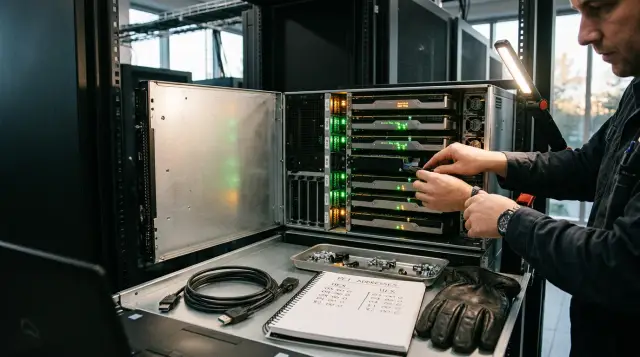
GPU driver conflicts rarely start with an honest message saying that the driver and library are incompatible. More often, one job sees four accelerators while another sees two, nvidia-smi works on the node but a container returns CUDA driver version is insufficient for CUDA runtime version, or every card disappears after a reboot. These symptoms look similar even though they originate at different layers.
I investigate this kind of failure from the bottom up: PCIe, the kernel module, user-space libraries, the container, the compute framework, and the scheduler. Starting with a CUDA or ROCm reinstall can accidentally hide the cause and leave the server ready to fail during the next update. On a multi-accelerator node, you must identify the failure boundary before changing packages.
The same error does not mean the same failure
The first inspection must answer one question: at which layer did the accelerator become unavailable? Do not immediately launch an eight-card training job. Collect a short state snapshot that you can compare with a healthy node or the previous boot.
uname -r
lspci -Dnn | grep -Ei 'VGA|3D|Display'
lsmod | grep -E 'nvidia|amdgpu'
modinfo nvidia 2>/dev/null | grep -E '^(version|vermagic):'
nvidia-smi -L 2>&1
nvidia-smi -q | grep -E 'Product Name|GPU UUID|Bus Id'
For AMD, replace the last two commands with rocminfo and rocm-smi. Record dmesg -T as well, but do not dump the entire log into a chat. First select lines containing NVRM, Xid, amdgpu, kfd, IOMMU, AER, and pcie.
journalctl -k -b | grep -Ei 'NVRM|Xid|amdgpu|kfd|IOMMU|AER|pcie'
The interpretation is straightforward. If lspci does not see a card, CUDA and containers are not relevant yet. Inspect power, card seating, the riser cable, BIOS settings, PCIe lane allocation, or a failed device. If PCIe sees every card but the kernel module is not loaded, inspect the module build, Secure Boot, and kernel logs. If the management utility lists the cards but the application fails, move on to user-space libraries and the job environment.
There is an awkward intermediate case: nvidia-smi shows only some cards while lspci shows all of them. Compare PCI addresses rather than GPU numbers. The GPU 0 number can change after hardware is moved, firmware is updated, or devices are discovered in a different order. PCI addresses and UUIDs are better investigation identifiers.
Check which processes already hold the device. A stuck process can survive job shutdown, retain a context, and prevent a card reset or module unload:
fuser -v /dev/nvidia* 2>/dev/null
lsof /dev/nvidia* 2>/dev/null
nvidia-smi pmon -c 1
Do not kill a PID blindly. Match it to its scheduler job, container, and owner. A monitoring daemon, MPS server, or fabric service can also keep devices open after the user job has ended. Forcibly terminating a system service can spread the outage to healthy cards.
Save the snapshot before making any changes. The minimum useful set contains the time, node name, loaded kernel, PCIe device list, UUIDs, driver branch, active processes, and selected kernel log lines. A reinstall erases much of this evidence and leaves the administrator with an unverifiable claim that it worked yesterday.
The nvidia-smi version is not the installed CUDA version
The CUDA Version line in nvidia-smi reports the newest CUDA version supported by the loaded driver. It does not report the Toolkit version installed on the system or inside a container. NVIDIA explains this distinction directly in the CUDA Toolkit, Driver, and Architecture Matrix. An output of CUDA Version: 12.4 therefore does not prove that /usr/local/cuda contains Toolkit 12.4.
Check four separate objects:
- the loaded kernel module version through
cat /proc/driver/nvidia/version; - the user-space
libcuda.soselected by the dynamic loader; - the CUDA Runtime or ROCm version in the job image;
- the framework version and build, such as PyTorch.
cat /proc/driver/nvidia/version
ldconfig -p | grep 'libcuda\.so'
readlink -f /usr/lib/x86_64-linux-gnu/libcuda.so.1
nvcc -V 2>/dev/null || true
python3 -c 'import torch; print(torch.__version__, torch.version.cuda); print(torch.cuda.is_available())'
The nvcc -V command describes only the Toolkit found in PATH. It says nothing about the library that a process actually loaded. For a disputed process, run a short test with LD_DEBUG=libs or inspect its library mappings in /proc/<PID>/maps. This often exposes an old libcuda.so in a custom directory that took precedence over the system copy.
NVIDIA's Minor Version Compatibility document allows some applications to run with a newer Toolkit inside one major release family when the driver meets the minimum version. That is not blanket permission. Code that depends on a newer driver capability can return cudaErrorCallRequiresNewerDriver, and PTX code has separate limits on older drivers. cuDNN, cuBLAS, NCCL, and the framework also have their own dependencies.
Do not apply CUDA rules to ROCm by analogy. AMD publishes a Compatibility Matrix with tested combinations of operating systems, kernels, GPU architectures, ROCm releases, and frameworks. Check the exact branch instead of assuming that a one-minor-release difference is probably safe. Compatibility should be a recorded combination, not an administrator's hope.
On a node with several Toolkit versions, the /usr/local/cuda symbolic link can be deceptive. One service gets PATH from the system profile, another from a unit file, and a third from its container. Capture the environment of the failing process and compare absolute paths. Changing the shared link for one application can fix an interactive test while breaking a background service.
Mixing NVIDIA and AMD accelerators in one host needs even more discipline. Their kernel modules can coexist, but jobs must receive the correct device nodes, runtime, and environment variables. A ROCm job given /dev/dri/render* but not /dev/kfd looks like a library failure. A CUDA container exposed to every device from both vendors has an isolation failure. Test each stack separately and then test the scheduler's mixed mode.
The package name alone does not establish which library was loaded. An image can contain another copy in the application directory, a virtual environment, or a wheel package. For one short run, LD_DEBUG=libs shows the search and selected file, although its output is noisy. Keep the lines for libcuda, libcudart, libnvidia-ml, libamdhip64, and libhsa-runtime beside the image version.
A kernel update breaks the module before the libraries
After a kernel update, a server often boots successfully while its GPU driver remains built for the previous kernel. This is a different failure from CUDA Runtime incompatibility. Installing another Toolkit will not fix it.
First compare the running kernel, module vermagic, and DKMS state:
uname -r
modinfo -F vermagic nvidia 2>/dev/null
dkms status
find /lib/modules/$(uname -r) -type f -name 'nvidia*.ko*' -o -name 'amdgpu*.ko*'
The first components of the vermagic string should match the running kernel. If no module file exists for that kernel, inspect the DKMS build log. Typical causes are mundane: headers for the exact running kernel are missing, the compiler is unsuitable, the module does not build against the new kernel API, or the driver was installed through conflicting methods.
The NVIDIA Driver Installation Guide requires header and development packages that match uname -r, not merely the latest headers in the repository. It also notes that DKMS may need to be invoked manually after a kernel update, followed by a reboot. That advice is sound, but a manual rebuild makes sense only after reading the log. Repeating the same failed command does not repair anything.
Secure Boot creates another version of the same picture. The module built and exists on disk, but the kernel refuses an unsigned file. Look for Lockdown, Required key not available, or signature verification failures in the log. Fix the signing and key enrollment according to the operating system's procedure. Disabling Secure Boot as a permanent server workaround is a poor trade.
Do not mix the distribution's driver packages with the .run installer. NVIDIA recommends the package method on supported distributions because it handles dependencies, branches, and kernel updates. When the package manager owns some files and an independent installer writes others, the module version and user-space library version can diverge during a routine update.
Another common sequence works like this. An update installs a new kernel and driver package, but the server keeps running without a reboot, using the old kernel and old in-memory module. User-space libraries on disk are already new. Some long-running processes retain old library mappings while new processes load new files. Until reboot, the node has several temporary states that cannot be honestly described by one package version.
Do not try to replace the module live on a busy compute node in this condition. Drain the server, stop jobs, and find every process that holds a device. Unloading nvidia, nvidia_uvm, or amdgpu with active clients usually fails, and forced techniques can damage neighboring jobs. A controlled reboot after a successful build is easier to understand and reproduce.
If service must return quickly, boot a saved working kernel with its matching module. Do not copy one .ko file from an old directory. The driver has several module parts, depends on the kernel configuration, and must match its branch's user components. Preserve the failed DKMS log after recovery or the next automatic installation will repeat the failure.
One missing card points to topology
If seven cards out of eight work after boot, a global driver reinstall is usually too broad. Compare the path of a healthy card and the missing card from PCIe to the management utility.
lspci -tv
lspci -s 0000:65:00.0 -vv
nvidia-smi topo -m
nvidia-smi -q -i GPU-UUID
In lspci -vv, inspect link state and speed, AER messages, the bound driver, and the IOMMU group. Search the logs for Xid or amdgpu errors. You cannot interpret an Xid without context. The card, time, recurrence, and operation immediately before the error all matter. For example, an error may occur only during transfers between one particular card pair while each card passes an individual test. CUDA's version is then less suspicious than the P2P path, PCIe switch, NVLink, or fabric management service.
On NVSwitch systems, Fabric Manager must match the driver branch. Applications may see the devices but fail to start collective communication when that service is stopped or on the wrong version. Check service state and logs before restarting jobs.
Mixed accelerator generations add architecture constraints. A newer driver usually runs code built with an older Toolkit, but a particular Toolkit or framework may have dropped an old compute capability. The reverse also happens: an image was built without code for a new architecture and attempts PTX JIT compilation that an old driver cannot handle. Record models, compute capabilities, and the architecture list used to build the application.
For collective operations, separate local visibility from inter-card communication. A small computation on each card proves that a process can create a context. It does not test NCCL, RCCL, P2P, shared memory, or the path through a network adapter. If individual tests pass, run an exchange on one pair and then change pairs. This isolates the failing topology branch faster than one all-card test.
Relate the erroring card to its physical location. A UUID connects an application log to a device, a PCI address connects that device to a slot, and the server diagram connects the slot to a processor, PCIe switch, and power source. Without all three links, the statement that GPU 3 fails is nearly useless. After a reboot, that number may refer to another card.
AER errors deserve separate attention. Correctable messages can accompany link degradation, while uncorrectable errors may remove the device from the bus. Do not erase this evidence with a software reinstall. Preserve the counters, inspect seating, riser, power, and platform firmware, and rerun the load. An error that follows the card after a swap supports one conclusion. An error that stays with the slot supports another.
Reset an individual card only after stopping every process that holds it and only when the platform supports that reset. The Linux kernel ABI documentation says that a reset file exists in sysfs only for devices that support an individual function reset. Writing 1 affects a real device. On a production server, drain the job in the scheduler and assess neighboring functions first. An unplanned remove or rescan can affect child devices.
Isolation by card number is unreliable
CUDA_VISIBLE_DEVICES=2,3 limits card visibility for a process, but it is a user-space convention, not protection from a process that can access /dev/nvidia*. The variable also renumbers visible devices: physical card 2 becomes cuda:0 inside the process. Application logs and node logs may therefore refer to different card zeroes.
The CUDA Programming Guide confirms that CUDA_VISIBLE_DEVICES controls both visibility and enumeration order. In a production scheduler, assign devices by UUID and store the mapping between UUID, PCI address, and local number in job metadata.
export CUDA_DEVICE_ORDER=PCI_BUS_ID
export CUDA_VISIBLE_DEVICES=GPU-2f1...,GPU-a84...
nvidia-smi -q | grep -E 'GPU UUID|Bus Id'
Indices are convenient for a manual test on an unchanged node. They are weak identifiers for automatic allocation because the order can change after a reboot. A UUID survives that change, although replacing a physical card naturally produces a new UUID.
Isolation must happen at two layers. The scheduler allocates particular accelerators to a job, and the container runtime passes only the matching devices and libraries into the container. cgroup permissions and device nodes must confirm the same decision. If a user can start a privileged container or attach every /dev/nvidia* node, the environment variable provides no guarantee.
MIG changes the allocation unit. The scheduler must assign a MIG instance UUID rather than only the parent card. MPS solves a different problem, concurrent process execution, and does not create a security boundary between untrusted tenants by itself. Combining these mechanisms under one vague isolation label leads to resource exposure or unpredictable memory contention.
The scheduler should be the single source of allocation. If an operator sets CUDA_VISIBLE_DEVICES manually after the Kubernetes device plugin or Slurm has already assigned a card, two independent mappings exist. The application may receive a local number that differs from the wrapper's assumption, and the log may record the wrong UUID. Pass the allocation once and generate variables from it automatically.
For long jobs, record the allocation at startup: job ID, node name, UUID or MIG UUID, PCI address, local ordinal, and container digest. A cuda:0 failed message can then be traced back to a physical device days later. Without this record, a post-reboot investigation becomes guesswork.
Memory isolation is not the same as data clearing. Before assigning a card to another trust zone, follow the documented capabilities and procedures for that platform, including an instance or device reset when the vendor supports it. Normal process termination releases its context, but a policy for different tenants must rely on a documented mechanism rather than an assumption.
After allocation, run a negative check. The process should see its assigned devices and should not see the rest. This is more useful than checking only the positive path:
python3 - <<'PY'
import os, torch
print("visible_env=", os.getenv("CUDA_VISIBLE_DEVICES"))
print("device_count=", torch.cuda.device_count())
for i in range(torch.cuda.device_count()):
    print(i, torch.cuda.get_device_name(i))
PY
A container does not bring its own kernel module
A container normally includes the CUDA Runtime, compute libraries, and application, but it uses the host's GPU driver module. The container runtime attaches the required user-space driver parts and devices. A healthy image therefore cannot compensate for an old or unloaded module on the node.
Run the same test in three places: on the host, in a minimal known-compatible image, and in the application image. If it already fails on the host, the container is not the cause. If the minimal image works but the application image fails, compare LD_LIBRARY_PATH, installed libraries, and the framework build. If both containers fail while the host utility sees the cards, inspect runtime configuration, device permissions, and component versions.
Copying libcuda.so into an image for safety is particularly dangerous. This library belongs with the host driver and should normally enter through the container runtime mechanism. An old copy in /usr/local/lib can take priority and cause an API mismatch even though the system library is healthy.
A diagnostic snapshot inside the container must show more than package versions:
env | grep -E 'CUDA|NVIDIA|ROCR|HIP|LD_LIBRARY_PATH'
ls -l /dev/nvidia* /dev/kfd /dev/dri/render* 2>/dev/null
ldconfig -p | grep -E 'libcuda|libcudart|libamdhip64'
python3 -c 'import torch; print(torch.__version__); print(torch.cuda.device_count())'
Do not mount the host's entire library directory over the image directory. That workaround can fix one binary and break another. Choose a supported pairing of the host driver branch and image runtime, record the image digest, and rerun a short compute test.
A privileged container is a poor isolation diagnostic. If it works while a normal container does not, you have proved only that permissions are missing. Compare attached devices, cgroup state, and GPU runtime settings. Add the exact missing permission instead of leaving full access as the permanent fix.
Also inspect the node component that prepares the container. In Kubernetes, this is usually the device plugin and GPU container runtime. In Slurm, it is the GRES configuration and container launcher. Their state can become stale after card replacement or a MIG change. Restarting the component can be appropriate after checking configuration, but preserve its log and actual UUID list first.
Verify an image by digest rather than a mutable tag. Two nodes can receive different layers under the same tag and expose different library versions. Recording the digest with the test result removes that uncertainty and lets you repeat the exact failing run.
Recovery must proceed from the node to the job
The right recovery order limits the number of variables changed at once. Stop new work and preserve diagnostics first, then restore one layer at a time.
- Drain the node in the scheduler, stop GPU processes cleanly, and record UUIDs, PCI addresses, versions, the kernel log, and the last working configuration.
- Make PCIe show the expected device count. If it does not, repair the platform, power, or card seating before changing packages.
- Restore the module for the running kernel: exact headers, one installation method, a valid Secure Boot signature, successful DKMS, and a clean boot.
- Test the management utility, each card, and the topology. On fabric systems, check the matching management service.
- Match user-space libraries and a minimal container to the vendor matrix, then restore the framework and multi-card test.
A kernel rollback is useful for rapid recovery when the previous kernel and module remain available and security policy permits it. It also gives strong diagnostic evidence: the node works on the former kernel and not on the new one. Do not leave a server on an arbitrary old kernel without a registered exception and repair plan.
A full driver reinstall is justified when the package state is mixed or damaged. Record installed packages and file origins before removing anything. Do not delete every package containing cuda; the application Toolkit may be healthy and unrelated to the module failure. Remove the specific conflicting installation method, then install the selected branch through one method.
A single successful nvidia-smi is not enough after repair. Run four checks: a short computation on every card, memory allocation and release, transfers between permitted pairs, and execution through the same scheduler and container type used in production. Reboot during a controlled window and repeat the test. Many repaired conflicts return only after the next boot.
Record acceptance results in a machine-readable form, even if an internal script produces a simple JSON object. Include the time, kernel, module version, UUIDs, PCI addresses, image digest, and every test result. During the next incident, that file states exactly what changed. A screenshot of nvidia-smi omits the environment and is difficult to compare automatically.
If the multi-card test still fails, reduce the scope: one job, one card, then two cards behind one PCIe switch, then a pair across another root complex. Change only one axis per run. Replacing the kernel, driver, image, and NCCL settings together creates a different server but does not explain the old failure.
Return load gradually. Start with one controlled job, then normal card contention, and only then the full pool. Watch the kernel log for recurring Xid, AER, or reset events. A failure triggered by thermal or power load may not appear in a one-minute test.
Compatibility should be stored as configuration
A statement that the driver is new enough is too vague for operations. For each node class, store a tested set: accelerator model and revision, BIOS version, kernel and headers, driver branch, Fabric Manager where applicable, container runtime, base image, CUDA or ROCm release, framework, and scheduler settings.
Pin a branch instead of freezing one package indefinitely. Security updates still matter, but they should pass through a test node with the same topology. The test must include a reboot because an updated package on disk and an old module in memory create a deceptively working state.
A minimum update acceptance check looks like this:
- after a cold or normal reboot, the UUID count matches the node record;
- the module and user-space library belong to the selected branch;
- every card passes a short compute test;
- permitted P2P or collective communication works on the required pairs;
- two concurrent jobs cannot see each other's devices.
Store the output with the image version and change identifier. The phrase that it used to work then becomes a comparable fact. Set alerts for a failed DKMS build, a missing expected UUID, a stopped fabric service, and repeated hardware errors. Temperature and utilization are useful, but they do not replace software set integrity checks.
The common recommendation to update the driver on every GPU node at once sounds efficient because the package has the same name. It is wrong when the fleet contains different card generations, kernels, or fabrics. Update by compatibility class and keep a tested rollback path for each class.
Each tested set needs an owner and review date. Without an owner, an exception remains forever, and a new base image appears without testing on an older accelerator class. Treat a matrix change like a network or storage configuration change: document the reason, affected classes, test, window, rollback criterion, and collected results.
Blocking every automatic component update solves one problem by creating another. Drivers and kernels cannot remain frozen forever. Separate package acquisition from production rollout. Repositories can receive fixes while a production class adopts them after testing. This keeps security work compatible with reproducible operations.
A good control finds divergence before a user job does. After boot, a node agent can verify expected UUIDs, the module branch, fabric state, and a short test. If the check fails, the scheduler should not accept the node. That costs less than letting a large job occupy seven healthy cards and fail because of the eighth.
Hardware and software paths must be examined together
When an error repeats in one PCIe slot after swapping the card, a software reinstall is no longer the leading candidate. When the same card fails in another slot, suspicion moves to the device. A cross-swap during a maintenance window, a power check, and an AER comparison provide more evidence than changing CUDA for the tenth time.
Capture a baseline before handing a new server to operations: all UUIDs and PCI addresses, topology, firmware versions, per-card test results, card-to-card transfer results, and post-reboot behavior. This node record shortens an investigation because the administrator knows the expected state of that specific machine.
GSE designs and integrates server and AI infrastructure, so accelerator, platform, software set, and ongoing support can be coordinated during delivery instead of reconstructed after the first failure. Operations discipline still applies: the system owner must control the version matrix, updates, and job isolation.
Do not return a server to the pool until the check has passed through the same path that failed. If the problem appeared only with two concurrent containers, a single host test proves nothing. Repair is complete when the production scenario works, a new baseline is saved, and the next reboot does not change the result.
Frequently asked questions
Why does nvidia-smi work while a CUDA application cannot see the GPU?
`nvidia-smi` tests communication between a management utility and the driver, but the application also depends on the loaded `libcuda.so`, CUDA Runtime, framework, and device permissions. Compare tests on the host, in a minimal image, and in the application image, then inspect the libraries actually loaded.
What does CUDA Version mean in nvidia-smi output?
It is the newest CUDA version supported by the loaded driver. It does not report the installed Toolkit version, which you should check separately through package records or `nvcc -V`.
Can I install a newer CUDA version than the NVIDIA driver?
Sometimes, within the minor version compatibility rules and with the required minimum driver. New driver capabilities, PTX, and library dependencies can still break that pairing, so check the matrix for the specific application.
Why did the GPU driver disappear after a Linux kernel update?
DKMS often failed to build the module for the new kernel, could not find the exact headers, or produced a signature rejected by Secure Boot. Compare `uname -r`, `modinfo -F vermagic`, `dkms status`, and the boot log.
Should I reinstall the driver if the server sees only some GPUs?
First compare `lspci`, the management utility, PCI addresses, and each card's log entries. If PCIe does not see the device or the error stays with one slot, a driver reinstall will probably distract you from a platform or hardware fault.
Is CUDA_VISIBLE_DEVICES safe for job isolation?
It is convenient for selecting cards inside a normal process, but it is not a security boundary. The scheduler, container runtime, cgroup, and device-node permissions must expose only the assigned UUIDs.
Why do GPU numbers change after a reboot?
Numbers depend on device discovery order and can change with topology or firmware. Use UUIDs for allocation and logs, and preserve the PCI address as the link to the physical slot.
Can restarting a container fix a driver conflict?
Only when the failure is limited to application state or runtime configuration. A container does not replace the host kernel module, so an incompatible or unloaded driver requires node repair.
When should I roll back the kernel on a GPU server?
A rollback is reasonable for fast recovery when the previous kernel and module pairing was tested and security policy allows it. After restoring service, investigate the build failure and prepare a supported update.
Which tests are required before returning a multi-accelerator server to service?
Test computation and memory on every card, required inter-card transfers, isolation between two concurrent jobs, and execution through the production scheduler. Reboot the node and repeat the same set.
