8 min read
Which costs less over five years, an all-in-one or desktop PC?
All-in-one or desktop PC for 100 workstations: compare purchase, electricity, repairs, downtime, and residual value over five years.
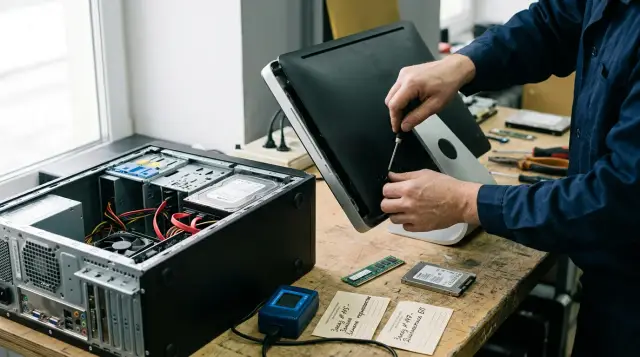
For a fleet of 100 workstations, a desktop PC with a separate monitor usually costs less than an all-in-one over five years once the organization accounts for repairs, downtime, and residual value. The all-in-one's electricity savings rarely offset an expensive display module replacement and the inability to keep a working monitor when the computer is upgraded.
That is not a universal verdict on the form factor. In a reception area, checkout zone, doctor's office, or classroom, free desk space, a touchscreen, and faster cleaning may be worth more than the budget difference. Those benefits still need a value in tenge instead of being hidden behind the word "convenient."
Below, I calculate a specific model for 100 devices. Prices, the tariff, failure rates, and the hourly cost are planning assumptions, not a commercial offer or market statistics. Put your own data into the same rows and the answer may change.
Compare a workstation, not a box
The comparison unit must include everything one employee needs to work for five years. For a desktop PC, that means the system unit, monitor, cables, keyboard, and mouse. For an all-in-one, it means the computer itself, an external power supply if the design uses one, a keyboard, and a mouse. You can exclude matching items only after confirming that their quantity, useful life, and price are truly the same.
Procurement teams often place the price of an all-in-one next to the price of a system unit. That comparison makes the desktop option cheaper by the cost of the missing monitor and says nothing about the full budget. The reverse mistake also happens: a new monitor is added to the desktop PC even though the organization will keep working displays from the previous fleet. In that case, the all-in-one should compete with a system-unit refresh, not with a completely new kit.
Before calculating, lock down equal performance: processor class, memory capacity, storage, ports, screen resolution and size, and warranty term. A low-power mobile processor and a full desktop processor can deliver different speeds in the same accounting or engineering task. Five minutes of waiting every day costs far more than an attractive difference in watts.
For this model, I assume a completely new deployment with no reuse of old monitors. A desktop workstation costs 400,000 tenge: 310,000 for the system unit and 90,000 for the monitor. An all-in-one costs 430,000 tenge. Peripherals and licenses are identical, so the comparison omits them. These are instructional inputs and must not go into a budget without current supplier quotes.
Purchase price creates a lead but not the result
The initial difference is 3,000,000 tenge in favor of desktop PCs, or 30,000 per workstation. It is easy to see, which is why most discussions center on it. Five-year cost, however, changes with every repair, hour of downtime, and equipment disposal.
An all-in-one puts fewer separate items on the invoice, fewer cables on the desk, and fewer boxes in the deployment. This can reduce installation labor. But installation happens once, while maintenance lasts five years. If an IT specialist spends 20 extra minutes connecting each desktop kit at an internal rate of 6,000 tenge per hour, the difference for 100 workstations is 200,000 tenge. That matters, but it does not erase the 3,000,000 tenge initial lead.
Calculate deployment from the actual process. Track unpacking, asset labeling, system image installation, domain enrollment, cable management, and packaging disposal separately. If the supplier performs some of that work within the contract price, do not record the same saving a second time in favor of either form factor.
Application licenses usually do not depend on where the processor sits, but a particular product may license by device, user, or processor core. Do not put a license in the "same" column until the software asset owner confirms the model. In this example, both options use the same software set, so it does not affect the choice.
Compare offers with the same treatment of taxes, delivery, and financial terms. One supplier may include delivery and commissioning while another moves them to a contract appendix. Deferred payment affects cash flow, but it should not disguise a higher hardware price. If finance calculates the present value of money, discount future costs for both options at the same rate and on the same dates.
A warranty also has a value even when the invoice has no separate row for it. Three years of onsite repair and three years of depot repair create different downtime. Confirm when coverage begins, response time, recovery time, replacement availability, and exclusions. Do not value a warranty by its duration without those terms.
Electricity savings are smaller than the label suggests
Energy use should come from measured average power for the whole configuration, not the power supply's maximum rating. A 500 W supply does not draw 500 W all the time. An all-in-one with a 120 W nameplate limit also runs well below that limit for most of an office day.
For the model, I use an average of 45 W for a desktop PC including its monitor and 35 W for an all-in-one. Work time is 8 hours a day, 247 days a year, for five years. The planning tariff is 30 tenge per kWh. With those inputs, the desktop fleet uses 44,460 kWh and costs 1,333,800 tenge, while the all-in-one fleet uses 34,580 kWh and costs 1,037,400 tenge.
The spreadsheet formula is simple:
Энергия, кВт·ч = Устройства × Ватты / 1000 × Часы_в_день × Дни_в_год × Годы
Стоимость = Энергия × Тариф
The all-in-one advantage over five years is 296,400 tenge for the entire fleet, or 2,964 tenge per device. Even if the tariff doubles, it adds only another 296,400 tenge to the advantage and does not cancel the three-million-tenge purchase difference.
Measure power on the standard system image in three states: normal office load, idle, and sleep. Then weight the readings using the actual work pattern. Sleep settings often save more than a form-factor change, especially when computers remain on overnight. You can add air-conditioning consumption as a separate row if the building's cooling system truly responds to this heat load. Do not guess at a factor, ask the building engineer to confirm it.
A five-minute measurement on one device does not produce a reliable average. Updates, video calls, antivirus scans, and compute tasks create peaks at different times. Record readings over several normal workdays across several roles, then separate active use from overnight idle time. For new equipment, request samples or test results under an agreed load profile. Nameplate data helps check the electrical circuit limit, but it does not predict the energy bill.
Repairability creates most of the difference
A desktop PC lets you replace the system unit, monitor, power supply, memory, and storage independently. In an all-in-one, the screen, motherboard, cooling, and ports share one enclosure. The component itself may not fail more often, but one failure takes the whole kit out of service and makes repair more expensive.
Failure frequency and failure consequence are different measures. Teams constantly mix them up. An all-in-one can have the same failure rate as a desktop PC but a higher average cost per incident because a technician opens a denser enclosure, uses a model-specific display module, or ships the device to a specialist service center. A procurement table that contains only a failure percentage does not describe the financial risk.
In the model, the desktop fleet has 18 power supply replacements at 25,000 tenge, 10 storage replacements at 30,000, 8 memory module replacements at 18,000, and 10 monitor replacements at 90,000 over five years. The total repair budget is 1,794,000 tenge. For the all-in-ones, I assume 15 power or motherboard repairs at 70,000, 10 storage replacements at 35,000, 8 memory replacements at 22,000, and 10 display assembly repairs at 170,000. The result is 3,276,000 tenge.
This is not a reliability forecast for specific models. It is a sensitivity-testing scenario. Take the ticket log for your current fleet, separate warranty cases from paid work, and replace the four quantities and four prices with your own figures. If a service contract fixes the repair price or provides replacement stock, enter the contract terms instead of a remembered average.
Before buying, ask the supplier for the replaceable-parts catalog and disassembly procedure for the exact model offered. "Memory is expandable" means little if reaching the slot requires removing a glued display and voiding the warranty. Ask whether your team can replace the storage, memory, fan, power supply, and screen onsite, how many days each part takes to arrive, and which work your team may perform.
Reserve configuration also affects the repair budget. One standard desktop system unit can often replace several models when they share a system image, ports, and performance requirements. With all-in-ones, screen size, mounting, and touch capability may split the fleet into incompatible groups. Calculate reserve stock for each group instead of applying one percentage to the total quantity. Two spare devices in storage do not help when both suit accounting but a designer's workstation with a different configuration stops working.
Agree separately on what happens to the storage device. Some organizations do not allow media containing data to leave the site, even for warranty service. A desktop enclosure often lets the team remove the drive and ship everything else, but the warranty terms must allow it. In an all-in-one, that operation may take longer or require a service technician to open the device onsite. If the supplier replaces the whole device, define profile migration, encryption, and destruction of data on the failed medium in advance.
Screen damage changes all-in-one economics
A broken or dim desktop screen requires a monitor replacement, while the working system unit stays in service. In an all-in-one, the display is a large part of the device. Even when replacement is technically possible, the part, shipping, and labor can make an early replacement of the entire computer look reasonable.
Consider a classroom with touchscreen all-in-ones. During the third year, two screens suffer mechanical damage. The local service center has one module, while the second must wait three weeks. The organization pays for two repairs, keeps two workstations closed or issues temporary laptops, and after the repair gets back two computers with the same three-year-old processors and storage. The asset system records two repairs, but the operational effect includes repair, logistics, replacement equipment, and the aging of the rest of each device.
A separate monitor often lasts through more than one system-unit cycle. That matters in a five-year model: at the next refresh, the organization can keep some displays and buy only system units. An all-in-one forces it to retire a working screen with an outdated compute section unless the screen can work as an external monitor.
Check for video input, not only video output. A connector on the enclosure does not mean the built-in display accepts a signal from another computer. If external-monitor operation matters to residual value, put the feature in the technical requirements and test it on a sample before signing the acceptance certificate.
A touchscreen, by contrast, can justify its price in a specific process. If the employee actually works standing up, receives visitors, or records data directly on the screen, a separate non-touch monitor is not functionally equal. Compare the all-in-one with a desktop PC and a touchscreen monitor of the same class, otherwise the calculation substitutes a cheaper but different configuration for the work requirement.
Convert downtime into hours and tenge
Downtime costs what the organization loses because a workstation is unavailable, not what an employee earns per hour. In some office roles, a person moves to the next desk and loses 20 minutes. At a registration desk, checkout, or dispatch station, one stopped workstation can create a queue and affect several people. One rate cannot cover every department.
I use a cautious internal cost of 4,500 tenge per hour. For the desktop fleet, the model assumes 36 incidents with an average downtime of 2 hours, totaling 324,000 tenge. For all-in-ones, it assumes 33 incidents with an average downtime of 6 hours, totaling 891,000 tenge. There are slightly fewer incidents, but each lasts longer because the whole device must be removed, transported, and replaced.
Replacement stock changes this row more than a promise of fast repair. If a compatible system unit is in storage, a technician reconnects the cables and returns the employee to work while the failed computer is diagnosed. An all-in-one replacement must have a suitable screen size, mounting, ports, and system image. Include its cost as reserve procurement and measure issuance time during a drill.
A useful incident log has at least five fields: asset ID, request time, replacement issue time, full recovery time, and failure cause. Closing a ticket after calling the user does not always mean the workstation is restored. The calculation needs the interval until the person resumes normal work.
Do not automatically multiply the entire workday by the employee's rate. If someone worked from another device for three hours, the loss consists of the move, sign-ins, and unavailable local tools, not all three hours. Inflated downtime is as dangerous as a zero value because it can justify any option chosen in advance.
Residual value needs a provable buyer
Residual value reduces five-year cost only when the organization can sell, reuse, or trade in the equipment. A percentage in a spreadsheet without a disposal channel creates savings on paper. For government and regulated organizations, the write-off procedure may matter more than the secondary-market price.
In the model, after five years the system units retain 6 percent of purchase price and monitors retain 18 percent. The desktop fleet recovers 1,860,000 tenge for the system units and 1,620,000 for the monitors, for a total of 3,480,000. All-in-ones retain 7 percent, or 3,010,000 tenge. I subtract these amounts from cost.
The different percentages reflect the independent life of the display and compute section, not a claim about market price. If policy forbids a sale and the equipment cannot move to another department, set residual value to zero. If the monitor stays in service for another three years, value the avoided purchase based on its condition and required ports, not an asking price in an advertisement.
Equipment transfer also costs money. Secure data erasure, inventory work, storage, loading, and paperwork reduce the proceeds. A monitor usually needs no data erasure, while a system unit and an all-in-one do. Record the net amount after expenses or the residual-value column will be overstated.
Do not confuse residual value with book value. A zero book value after depreciation does not mean a working monitor is useless, and a nonzero book value does not guarantee a buyer. TCO needs an economic benefit: sale proceeds, a supplier trade-in, or a purchase the organization avoids. Finance can keep tax and accounting calculations in parallel, but the form-factor decision needs the cash effect.
The five-year calculation produces a 5.2 million tenge gap
With the stated assumptions, 100 desktop workstations cost 39,971,800 tenge while 100 all-in-ones cost 45,194,400 tenge. The difference is 5,222,600 tenge for the fleet, or 52,226 tenge per workstation. The desktop option is about 11.6 percent cheaper relative to the all-in-one result.
Статья за пять лет     Настольные ПК, тг   Моноблоки, тг
Закупка                40 000 000           43 000 000
Электроэнергия          1 333 800            1 037 400
Ремонты                 1 794 000            3 276 000
Простой                   324 000              891 000
Остаточная стоимость   -3 480 000           -3 010 000
Итого                  39 971 800           45 194 400
The all-in-one saves 296,400 tenge on energy but loses 1,482,000 on repairs, 567,000 on downtime, and 470,000 on residual value. Combined with the higher purchase price, these amounts create the final gap.
Use one total-cost formula to check your spreadsheet:
TCO = Закупка + Развертывание + Энергия + Ремонты + Простой + Резерв
      + Выбытие - Остаточная_стоимость
You can leave rows that are equal for both options in the table. They will not change the difference, but they will show finance the full budget. Do not remove a row just because it is hard to estimate. Set a low and a high bound instead and see whether the winner changes.
Test sensitivity for at least four inputs: the all-in-one price, display repair price, replacement time, and share of reused monitors. In this model, the operating difference excluding purchase is 2,222,600 tenge in favor of the desktop fleet. To break even, 100 all-in-ones must cost 2,222,600 tenge less than the desktop kits, or about 22,226 tenge less per device. A discount that merely removes the current 30,000 tenge premium still does not make the options equal on TCO.
An all-in-one wins where space earns money
Choose an all-in-one when compact size, a touch interface, or faster sanitation produces a measurable benefit larger than the total-cost difference. At reception, extra free space may make room for a document scanner. In a medical office, fewer cables make cleaning easier. In a service area, a compact arrangement may be part of an approved workflow.
Record the benefit as a separate row. For example, if the compact configuration saves 15 minutes of cleaning per day across 100 workstations, multiply the time by workdays and the actual labor cost. Confirm that it really saves time by measuring several workstations. If the desks merely look clearer but the process does not change, there is no financial benefit.
An all-in-one can also win with a service contract that provides fast whole-device replacement and a fixed repair price. The expensive internal design then becomes the supplier's risk. The contract must state replacement issue time, service geography, exclusions for damaged screens, and responsibility when parts are unavailable. The phrase "responsive support" cannot go into a financial model.
For typical offices with fixed desks, separate monitors, and an internal IT team, a desktop PC retains the advantage. It lets the organization update the compute section separately, keep a universal reserve, and repair more faults onsite. For temporary locations and confined areas, easier deployment may outweigh those benefits.
Defend the decision with a pilot and contract terms
Test the final configuration in a small pilot using the same system image, applications, and peripherals that users will receive. Catalog specifications will not reveal noise under actual load, access to memory, touch-layer quality, sleep behavior, or device replacement time.
Select several representatives of each role, but do not turn the pilot into a vote on appearance. IT measures deployment time, power, application startup, and recovery from a typical failure. Users record delays and friction in their tasks. Facilities staff check mounting, cables, and cleaning.
The pilot should include an induced failure. Disconnect the test device, time replacement issuance, and restore the employee profile using the approved procedure. Then repeat the exercise without the specialist who prepared the image: the process must work for the duty shift, not only for its author. This test quickly exposes a missing adapter, unsuitable mount, slow data loading, and an incorrect downtime assumption.
In the technical specification, define the workstation contents, measurable performance, replaceable parts, part delivery time, warranty replacement process, and treatment of the storage device during repair. For an all-in-one, separately state the post-warranty display module price and whether the screen accepts an external source. For a desktop PC, state whether monitor mounts and video inputs will remain compatible with the next refresh cycle.
GSE.kz can build L200 Series desktop PCs or M200 Series all-in-ones and design integration around an organization's requirements, but the decision still needs your downtime rates, service terms, and actual process.
I would not approve a fleet of 100 all-in-ones merely for clean desks. The supplier should first demonstrate replacement of a failed unit, the out-of-warranty screen price, and disassembly of a sample. If the advantages of compact installation then cover 52,226 tenge per workstation in your model, the all-in-one is justified. If they do not, a separate monitor and system unit leave the budget more flexibility in this refresh cycle and the next.
Frequently asked questions
Which costs less over five years, an all-in-one or desktop PC?
At comparable performance, a desktop PC usually costs less once repairs, downtime, and monitor reuse are included. In our model, the difference for 100 workstations was 5,222,600 tenge, but you should recalculate it with your prices and service terms.
How much electricity does an all-in-one save?
At an average 35 W instead of 45 W and a planning tariff of 30 tenge per kWh, the saving is 2,964 tenge per device over five years. That helps, but it is too small to determine the choice by itself.
Should a monitor be included in the price of a desktop PC?
Yes, if the organization is creating a new workstation and buying the full kit. If working monitors carry over from the old fleet, compare the all-in-one with a new system unit and compatibility costs, not with an unnecessary new display.
Why does an all-in-one often cost more to repair?
The screen, motherboard, cooling, and ports share one dense enclosure, and parts often depend on the exact model. One failure may require transporting the entire device and more time at the service center.
How do you calculate the cost of computer downtime?
Multiply actual lost work hours by the internal hourly cost for that specific role. Do not count time when the employee worked fully at a replacement station, but include the move, system sign-ins, and restoration of the local environment.
What useful life should you assume for an all-in-one?
Five years works for comparison if the organization's policy and workload support that cycle. The screen may last longer than the compute section, but many all-in-ones cannot upgrade those components independently, so test the sixth- and seventh-year scenario.
Can an old all-in-one be used as a monitor?
Only when the exact model has a video input and supports that mode. A normal video output for a second display does not let another computer send an image to the built-in screen.
When is an all-in-one cheaper than a desktop PC?
It can cost less where touch control, space savings, cleaning, or fast replacement under a service contract creates measurable savings. Put those effects into the same TCO table in monetary terms.
How many spare devices does a fleet of 100 need?
The number depends on failure frequency and the promised repair time. Calculate how many devices might be in service at once during a bad but plausible week, then test that reserve with a replacement drill.
What data should you request from a supplier before buying?
Ask for prices and delivery times for the screen, power supply, motherboard, storage, and memory, plus the rules for customer replacement. Put warranty replacement time, exclusions, service geography, and storage handling into the contract.
