8 min read
How does Active Directory work across two sites?
Active Directory across two sites needs local DCs and DNS, correct site links, tested outage behavior, and a safe replication recovery sequence.
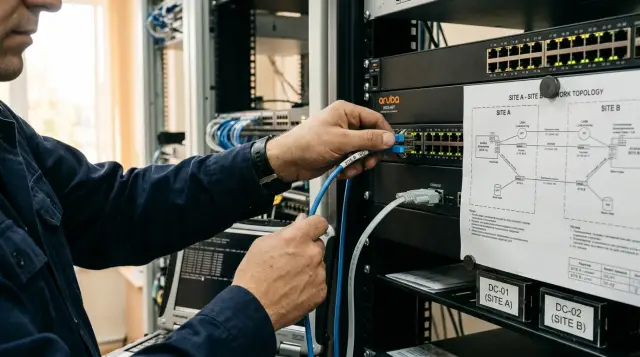
Active Directory across two sites should survive an intersite link outage without stopping local authentication. Each site needs a working domain controller, local DNS, a correctly described site topology, and a tested understanding of which applications still depend on the center. One controller at headquarters plus "cached passwords at the branch" does not provide that resilience.
A WAN outage by itself does not usually damage the directory. The danger starts earlier, when clients choose the wrong controller, and returns later, when an administrator mistakes a replication queue for a backup or reconnects a long-isolated DC without checking it. I have seen more incidents caused by incorrect DNS and hasty virtual machine snapshot restores than by the AD DS replication engine.
A controller at each site changes the failure boundary
Place at least one writable domain controller and DNS server at every site that must continue operating without the WAN. Local computers can then find a DC through DNS, obtain Kerberos tickets, validate passwords, apply already available Group Policy, and reach local services while the center is unavailable.
Two controllers in one data center protect against a server failure, but they do not protect against a fiber cut, a routing error, failed edge equipment, or the loss of the whole site. Before discussing the number of DCs, define the requirement: which operations must continue at the branch in complete isolation, and for how long. "Users can sign in to Windows" is far too vague.
One local DC is often defensible at a small second site when the site cannot justify two servers. It is still a deliberate single point of failure: if the WAN and that DC fail together, new credential validations stop. Cached sign-in softens the impact on workstations, but it does not replace a controller for file resources, applications, or administration. A critical site needs two local DCs separated across virtualization hosts and power sources.
You can virtualize a controller, but do not place both controllers for one site on the same host, storage array, or UPS. A hypervisor does not remove shared dependencies. Document placement rules, prevent both DCs from migrating to the same node, and confirm that time service, DNS, and the management network survive the same failure the directory is meant to survive.
A writable branch DC is convenient, but it stores a directory copy and accepts changes. If the site has weak physical security, consider an RODC. It reduces the impact of server theft through a managed password replication policy, but it needs deliberate design: a user whose password is not allowed in the cache cannot pass a new validation when no writable DC is reachable. Do not choose an RODC merely because it sounds "more secure."
A global catalog on the local DC usually makes sense in a multidomain forest because it supports forest search and resolves universal group membership. Universal Group Membership Caching is an alternative for a small site and reduces replicated data, but it adds a dependency on whether the cache was updated in time. With two sites, the savings rarely justify another variable unless the link is so constrained that GC replication measurably interferes with application traffic.
Do not create a separate domain merely for the second site. A domain defines an administrative and replication boundary for its directory partition, but it does not provide better autonomy than a properly placed DC in the same domain. A new domain adds DNS delegation, intraforest trust behavior, separate policies, groups, and recovery procedures. A single domain with two sites is easier to test and recover for a normal headquarters-and-branch design.
Size a controller for peak validation volume, LDAP queries, DNS load, and directory size, not for average processor use on a quiet day. Verify that one local DC can serve the site while its partner is down for maintenance. Leave disk headroom for NTDS, logs, SYSVOL, and diagnostics: a full system volume can stop services exactly when remote assistance is unavailable.
Sites and subnets control controller selection
An Active Directory Site describes an area of reliable, fast network connectivity, not an office in the organization chart. Create a distinct site for each physical location and attach every client subnet to it, including wired VLANs, Wi-Fi, server segments, VPN pools, and new ranges introduced during an addressing change.
DC Locator uses DNS SRV records and site information to find a suitable controller. Microsoft describes the flow clearly: a client obtains a DC list through DNS, tests availability, and has Netlogon cache the chosen controller. If the client's subnet is missing from Active Directory Sites and Services, the client can receive a controller from the wrong site. While the WAN works, the mistake looks like a small delay. After an outage, it becomes slow sign-in, Kerberos errors, and "domain unavailable" complaints even though the local DC is healthy.
Test the mapping from a client machine, not only from an administrator's console:
nltest /dsgetsite
nltest /dsgetdc:corp.example /force
Resolve-DnsName _ldap._tcp.Branch-A._sites.dc._msdcs.corp.example -Type SRV
The first command should return the expected site, such as Branch-A. In the second output, look for the local DC name and the KDC, TIMESERV, WRITABLE, and, when required, GC flags. The third should show the local controller's site-specific SRV record. If the test returns a central DC, do not treat it with a static hosts entry: correct the subnet object, DNS registration, and network reachability.
Make the subnet export part of IP address management. A common failure unfolds like this: a network engineer adds a VLAN, DHCP already leases addresses, and the AD team learns about it after an incident. A simple table with "CIDR, site, owner, purpose" is more useful than an attractive diagram that someone updates once a year.
Do not combine both physical locations into one site for "simplicity" when a WAN separates them. Intrasite replication assumes good connectivity and sends active change notifications to partners. Intersite replication compresses traffic and respects schedule and path cost. A false model makes AD use the link differently from what the network team expects.
The controllers themselves must also sit in the right Site objects. Moving a VM between physical locations does not automatically move its AD server object when its IP changes. Compare the NTDS Settings object location, interface address, attached subnet, and SRV registration. A DC that remains logically in HQ while physically running in Branch-A causes KCC to build connections from a false map.
Empty or overlapping Subnet objects need equal attention. Active Directory chooses the most specific match, so a forgotten /16 can hide missing new /24 entries until the addressing changes. Export the list, compare it with IPAM, and watch Netlogon events for clients without a site. This inexpensive check prevents a long investigation after a link failure.
Link cost chooses the path and the schedule sets the window
A Site Link tells KCC which sites can replicate, their relative cost, and when the connection is available. Cost does not measure megabits, latency, or an operator's invoice. It is a dimensionless weight, and AD prefers the route with the lowest total cost.
For two sites with one link, one IP site link containing both sites is enough. Give it a meaningful name, keep it available around the clock, and choose an interval based on acceptable change latency. On modern private networks, starting at 15 minutes and measuring the load is more sensible than retaining the historical 180-minute value without a reason. Microsoft documents 180 minutes as the default intersite interval and exposes it through ReplicationFrequencyInMinutes.
If you have primary MPLS and backup VPN, do not try to represent two physical links as two site links between the same pair of sites. AD sees IP reachability between controllers, while the network chooses the route. AD link costs become useful when different logical routes exist across three or more sites. Routers or SD-WAN should switch MPLS to VPN while preserving the required ports and name resolution.
With three or more sites, inspect site link bridging. By default, AD can treat IP site links as transitive and build a route through an intermediate site when costs permit it. That logic is valid only if the network really routes traffic among all included sites. In a hub-and-spoke network with no branch-to-branch path, either provide transit through the hub at the network layer or disable automatic bridging and define the required bridges explicitly.
A schedule prohibits intersite replication outside the permitted 15-minute blocks. It does not limit bandwidth during an allowed window or guarantee that a large queue will finish before the window closes. Blocking replication during business hours remains popular on narrow links, but it is often wrong: passwords, account lockouts, and security group changes take longer to cross the sites. Continuous availability, a suitable interval, and network-level quality of service produce safer, more predictable behavior.
You can create the link with a reproducible command:
New-ADReplicationSiteLink -Name "HQ-Branch-A" `
  -SitesIncluded "HQ","Branch-A" `
  -Cost 100 `
  -ReplicationFrequencyInMinutes 15 `
  -InterSiteTransportProtocol IP
After a change, do not judge success by the object's presence in a console. Inspect the generated connection objects and the actual result:
repadmin /showrepl * /csv
repadmin /replsummary
dcdiag /test:replications /e /v
In repadmin /replsummary, examine largest delta, the error count, and the failure percentage. Zero errors with a growing largest delta do not prove health when a schedule or topology prevents fresh replication. For continuous monitoring, collect the time of the last successful exchange for every naming context, not merely TCP port availability.
During an outage each site continues from its own copy
When the WAN breaks, controllers do not enter a special offline mode. Each writable DC continues to accept local changes in its directory copy, issue Kerberos tickets, and answer LDAP queries. Unsent changes wait until connectivity returns.
A user at a branch computer signs in through the local DC when DNS and site mapping are correct. The user can reach a local file server or application when those systems also use local DNS and DCs and do not depend on the center for data, licensing, or routing. AD may remain available while a business service stops because its database is central. An isolation test must therefore cover the full application path.
A computer with no available DC can admit a previously signed-in user through cached credentials. Microsoft states the limitation directly: cached sign-in opens the local desktop but does not grant access to resources that need domain validation. Windows normally stores information for ten unique users by default, and the Interactive logon: Number of previous logons to cache policy can change that count. The cache does not receive a new password until the computer contacts a DC.
This produces an unpleasant but expected result. A user changed a password through a central service before the outage, but the branch workstation never completed a successful sign-in with the new password. The old password may work for offline sign-in, while a server resource requires the new one when connectivity returns. Staff should never be told that "AD works offline" without this distinction.
Changes at the two sites do not become locked. If administrators change different attributes of an object at the same time, AD can usually merge them using per-attribute metadata. If both change one attribute, the version with the higher number wins; equal versions are resolved using time and the originating DC identifier. This is conflict resolution, not collaborative editing. During isolation, prevent parallel changes to groups, GPOs, and accounts when the outcome affects access.
Password changes receive special handling compared with ordinary replication delay: a controller that sees an incorrect password can consult the PDC Emulator owner to validate a recent change. That path is unavailable across a broken intersite link. The PDC Emulator does not make a central DC mandatory for every sign-in, but operations involving fresh passwords and some administrative actions become sensitive to where the change occurred.
An already issued Kerberos ticket remains valid until it expires even when the link fails or an account is locked at the other site. Access can therefore appear more stable during the first hours of an incident than it will later. Clear tickets only on a dedicated test computer and request a fresh one with klist get; otherwise, you are measuring an old ticket rather than local KDC availability.
Account lockout and user disablement also do not become universal instantly across a broken link. A local DC acts on its version of the data. During isolation, tell the security team where an action was performed, which DCs know about it, and which resources remain reachable through tickets already issued. Replication reconciles the directory after recovery, but it cannot recover the period when the restriction had not reached the second site.
DNS, the global catalog, and applications decide the result
Local DNS with an AD-integrated zone is required at every autonomous site because clients and controllers locate directory services through DNS. Putting public or ISP DNS addresses on domain computer interfaces breaks SRV lookup. Configure external forwarding on corporate DNS servers and give clients only DNS servers that understand the domain zone.
Different orders of local and remote addresses are supported on a DC that also runs DNS, but each order has consequences. Microsoft notes that a controller preferring remote DNS depends more heavily on the WAN, while a controller preferring itself depends on current zone replication. For two sites, I put a local AD DNS first, a second local DNS next when one exists, and remote corporate DNS last. After a change, I clear the cache, register records, and inspect the zone rather than assuming the service repaired everything.
ipconfig /all
ipconfig /flushdns
ipconfig /registerdns
dcdiag /test:dns /e /v
A successful ping by IP proves very little. AD replication needs resolution of partners' GUID-based names, RPC Endpoint Mapper, the dynamic RPC range, LDAP, Kerberos, SMB, and DNS. A filter that permits 53 and 389 but blocks RPC leaves the appearance of a working directory and a permanent replication queue. Validate the rules against the documented Windows Server port set and test a real session between DCs in both directions.
The global catalog affects user sign-in in a multidomain forest and applications that perform forest-wide searches. Without a local GC, a user can see sign-in fail during a WAN outage even while an ordinary DC remains available. An exception for Domain Admins under some conditions is not a resilience plan. Place a local GC or deliberately configure Universal Group Membership Caching and test it with real accounts.
Inventory applications that hard-code a central LDAP server, use an IP address instead of a domain name, require a central certification authority or NPS, refer to a SYSVOL path at another site, or make a synchronous call to a central database. AD site configuration cannot redirect a poorly written application. For each service, record its DC discovery method, DNS dependencies, GC requirement, service account, and behavior after a Kerberos ticket expires.
Separate LDAP read and write requirements for each application. A local directory copy permits most reads, but an application may direct writes to a fixed server, require an FSMO owner, or use attributes an RODC cannot modify. Perform a concrete create, modify, and delete operation on a test object during isolation. A successful user search proves only the read path.
Group Policy consists of an AD object and files in SYSVOL. NTDS replication can be healthy while DFSR is delayed or stopped. The management console then shows a GPO that the client cannot use because its templates or scripts are missing. Compare GPO versions, the SYSVOL share state, and DFS Replication events on both DCs, especially after a long backlog or a controller restore.
Replication is neither a backup nor a decision quorum
Replication keeps the directory available, but it quickly distributes an administrator's mistake to every controller. A deleted organizational unit, a bad GPO, a reset service password, or a broken DNS record does not remain safely isolated on a "backup DC." A second controller stores another active copy; a backup stores a state that a documented procedure can recover.
Protect at least the system state of multiple DCs and test restoration. Store copies outside the shared array, backup account, and physical site. Microsoft recommends backing up at least one controller and keeping the backup age within tombstone lifetime. I add a stricter requirement: a copy without a tested DSRM password, known recovery time, and accessible media during isolation exists only in a report.
Do not use a hypervisor snapshot as a routine undo button. Current virtualized DCs recognize a valid restore through VM-Generation ID and guard against USN rollback, but that safeguard does not turn every snapshot into a consistent forest backup. A supported system state backup and a documented recovery sequence establish a clear source of truth.
FSMO roles are not a cluster and do not fail over automatically when the WAN goes down. Most daily sign-ins continue without the role owner. Some object creation, schema and domain operations, RID allocation after a local pool is exhausted, and urgent handling of new passwords can depend on a particular role. Do not seize roles at the branch during a short outage: when the former owner returns, you create an unnecessary and risky reversal procedure.
Active Directory Recycle Bin can restore accidentally deleted objects with many attributes intact when it was enabled before deletion. It reduces the cases that require an authoritative restore, but it does not protect against damaged attributes, bad GPOs, compromised administrative accounts, or loss of the whole forest. Enable it deliberately, delegate restoration carefully, and keep system state backups.
Before an incident, define the threshold at which the business declares a site lost rather than merely disconnected. A role seizure is justified only after confirming that the former owner will not return to the network in its original state. The threshold should account for available RID capacity, expected changes, and repair time rather than anxiety caused by a red dashboard.
During the break, record changes and leave a healthy directory alone
After confirming an outage, first distinguish a network failure from a DC failure. Check local DNS, time, AD DS and DNS services, local authentication, and SYSVOL availability. Then record the last successful replication time for every directory partition. Do not launch forced replication in a loop: it cannot cross a missing route and it fills the logs with secondary errors.
An incident work log needs few fields, but the entries must be exact:
- start time and affected network prefixes;
- available DCs and FSMO owners;
- administrative changes on each side;
- password changes for privileged and service accounts;
- link recovery time and replication verification results.
Designate one side for planned directory changes when the business can tolerate that restriction. Allow only emergency operations on the other side, and record the previous and new values. AD does not require this discipline to perform its mathematical merge. People need it to avoid two configurations that are individually valid but incompatible.
Do not disable strict replication consistency to clear events 1988 or 2042 quickly. These events can indicate lingering objects or an isolation period that lasted too long. Permitting obsolete objects to enter hides the fault and spreads it. First compare the isolation duration with the forest's actual tombstone lifetime:
(Get-ADObject `
  "CN=Directory Service,CN=Windows NT,CN=Services,$((Get-ADRootDSE).configurationNamingContext)" `
  -Properties tombstoneLifetime).tombstoneLifetime
The default in current forests is often 180 days, but upgrading Windows Server does not change a value already set in the directory. A number copied from someone else's runbook cannot support a reconnect decision. Read the value from your directory and compare it with the last successful inbound replication.
Save diagnostic output from both sides before changing settings. Event time, error code, source DC, destination DC, and naming context distinguish DNS, RPC, access, time skew, and stale-object failures. A screenshot of a red monitoring icon cannot do that. If another shift must help, provide the original repadmin output and the Directory Service, DNS Server, System, and DFS Replication logs.
Restore the link under observation, not with one Sync all click
After routing returns, verify DNS and time between DCs before testing one expected replication partnership. Launching repadmin /syncall across the forest at once converts one understandable failure into dozens of entries, and a large backlog can consume the link before application traffic.
Use this safe return order:
- confirm bidirectional resolution of A, SRV, and GUID-based CNAME records;
- check the time difference and RPC reachability;
- run
repadmin /showreplon DCs at both sites; - start replication of one partition from the expected source;
- after success, inspect all naming contexts and the DFSR queue for SYSVOL.
For a targeted operation, use repadmin /replicate <DestinationDC> <SourceDC> <NamingContext>. The output should contain Sync from source: ... completed successfully. Next, repadmin /replsummary should show a shrinking largest delta, zero errors, and recent successful attempts. Do not stop at the domain partition: Configuration and Schema are forest-wide, DomainDnsZones and ForestDnsZones affect DNS, and SYSVOL uses DFSR instead of NTDS replication.
A large backlog after a multiday outage does not require deleting a connection object or promoting the DC again. Let normal replication work, watch throughput and errors, and temporarily protect AD traffic with QoS if needed. Creating many manual connections rarely accelerates recovery predictably, but it does interfere with KCC and leaves configuration whose origin will be forgotten by the next incident.
Create a small reversible change to verify the business path, such as a test group in a dedicated OU, and trace its arrival at the other DC:
Get-ADReplicationAttributeMetadata `
  -Object "CN=AD-WAN-Test,OU=Service Tests,DC=corp,DC=example" `
  -Server "dc-branch-a.corp.example" |
  Select-Object AttributeName,Version,LastOriginatingChangeTime,OriginatingServer
The metadata shows which DC originated an attribute version and when. That evidence is stronger than seeing an object in a console that might have contacted a different controller. Delete the test object normally afterward and confirm that its deletion also replicated.
Finish the return by testing a new user's sign-in, a password change, access to a local resource, GPO processing, and an application request to the local DC. If GSE.kz designs the server platform and integration for two sites, acceptance testing should include a physical WAN break, not only shutting down one virtual DC. The directory is resilient after an observed failure, not after approval of a diagram.
A lost controller is usually safer to rebuild
When one DC is lost and a healthy controller remains in the domain, it is usually safer to clean up the missing DC's metadata, build a new server, and allow ordinary replication than to restore an old image. Microsoft likewise recommends a new DC or a nonauthoritative restore for most such cases: the working directory copy remains the source of truth, and the recovered controller receives changes from its partners.
Before removal, confirm that the server will not return, and inspect FSMO roles, Global Catalog, DNS zones, DHCP settings, certificates, and applications with a fixed LDAP endpoint. If the DC held a role and cannot be recovered in acceptable time, seize the role on a live DC and never start the former owner again without reinstalling it or demoting it correctly.
A nonauthoritative system state restore fits a case in which the controller itself must return and other DCs contain the correct directory. An authoritative restore is for selected objects or SYSVOL that must take precedence over replicated copies and needs its own procedure. A forest recovery applies when no available DC can be trusted, such as after widespread logical corruption. These three operations answer different incidents, and mixing them is dangerous.
A long-disconnected DC requires a separate decision. If it has not replicated for longer than tombstone lifetime, do not reconnect it "for five minutes to have a look." Microsoft explains the risk directly: deleted objects may have disappeared from other copies after garbage collection while the isolated DC retained them as lingering objects. Event 2042 blocks inbound replication specifically to protect the directory. Reinstalling the server is usually right; clean lingering objects only through a verified procedure using a known-good DC.
Metadata cleanup includes more than deleting a row from the Domain Controllers container. Inspect the server and NTDS Settings objects, DNS A, CNAME, and SRV records, site-link topology membership, DFSR references, DHCP configuration, and monitoring entries. Use supported forced removal and metadata cleanup, then confirm that live DCs no longer try to replicate with the lost GUID.
If an entire site is lost, first restore the network, DNS, and time foundation on the surviving side. Then decide whether forest recovery is required or new DCs can be deployed from a healthy copy. Forest recovery begins with a trusted backup of one DC in the forest root domain, isolates the restored environment, and returns domains in the prescribed order. This cannot be improvised on the night shift, so steps, media, DSRM passwords, and owners must exist before the incident.
An isolation exercise provides the answer before a real outage
Test the architecture by deliberately disabling the intersite route after major network, DNS, virtualization, or application changes. The exercise must last long enough for old Kerberos tickets to expire and central calls to appear. Blocking ICMP for five minutes tests only an engineer's patience.
Before the exercise, capture baseline output from repadmin /replsummary, dcdiag /e, dcdiag /test:dns /e, and DFSR state. Prepare a normal account, a new account, a user with a recent password change, and a service operation. During isolation, test sign-in on a previously used computer and a new one, access to local resources, ticket creation through klist, GPO processing, and at least one critical application.
Test the negative case separately: stop the local DC while the WAN is already down. You will learn which computers use cached sign-in, which services stop immediately, and whether the on-call shift can distinguish cached sign-in from domain authentication. After the local DC returns, confirm time synchronization before testing Kerberos.
Acceptance criteria must be measurable: clients choose the local site, local authentication succeeds, DNS answers domain records, applications complete named operations, the replication queue shrinks after recovery, and every partition and SYSVOL converges without errors. Assign an acceptable time to each result. "The system operates normally" cannot close a defect.
Monitoring should warn the team before users complain. Collect the age of the last successful replication for every partner and partition, Directory Service events 1311, 1925, 1988, and 2042, DNS events 2087 and 2088, DFSR health, and free space on NTDS and SYSVOL volumes. Monitor server availability separately: a controller can answer ping while failing to receive a DNS partition for a month.
A working two-site design is uneventful: local DCs and DNS, a complete subnet map, an always-available site link, an explicit GC decision, independent backups, and a rehearsed return sequence. Uneventful is good here. If the team argues during the exercise about which password should work or whether an old DC can be switched on, the architecture is not ready for the outage.
Frequently asked questions
Does every site need a domain controller?
Yes, when a site must authenticate users and serve local domain resources without the WAN. Pair the local DC with local AD DNS, and provide two controllers with separate power and virtualization dependencies at a critical site.
Can users sign in to Windows during a link outage?
They can use normal domain sign-in through a local DC. Without an available DC, a previous user may enter the computer through cached credentials, but that does not guarantee access to resources requiring fresh domain validation.
How does Active Directory choose the closest site's controller?
DC Locator queries DNS SRV records and maps the client's IP to a Subnet object and site. If the subnet is missing or mapped incorrectly, the client can select a remote DC even when a healthy local controller exists.
What does an AD site link cost mean?
It is a relative path weight for replication topology, not bandwidth, delay, or circuit price. KCC prefers the route with the lowest total cost, so the values should express the intended logical path.
Should Active Directory replication be blocked during the day?
Usually not, because a restrictive schedule delays passwords, lockouts, and security group changes. Keep the link continuously available, set a sensible interval, and manage link contention with routing and QoS.
Does a password change work during a WAN outage?
A local writable DC accepts the new password, but the other site does not learn it until replication returns. Avoid changing the same account on both sides and log emergency changes, especially for service and privileged accounts.
Does the second office need a global catalog?
A local GC normally supports autonomous sign-in and forest search in a multidomain forest. Universal Group Membership Caching can replace it at a small site, but test that mode with real users before an incident.
Can a domain controller be restored from a VM snapshot?
Do not treat an ordinary snapshot as a system state backup. VM-Generation ID protection reduces USN rollback risk on supported platforms, but restoration still needs a documented and tested AD DS procedure.
What should I do with a DC offline beyond tombstone lifetime?
Do not reconnect it to production for a trial synchronization. It can contain lingering objects; rebuilding is usually safer, while stale-object cleanup should follow a verified procedure from a known-good source.
How do I test whether two sites are ready for a link failure?
Break the route in an approved window and test DNS, fresh domain sign-in, Kerberos, GPO, local resources, and applications. After restoring the link, verify every naming context and inspect DFSR for SYSVOL separately.
