8 min read
What should you choose for backing up 20 TB?
Backing up 20 TB: compare Veeam, Bacula, and Proxmox Backup Server by cost, recovery speed, and the workload they place on a small IT team.
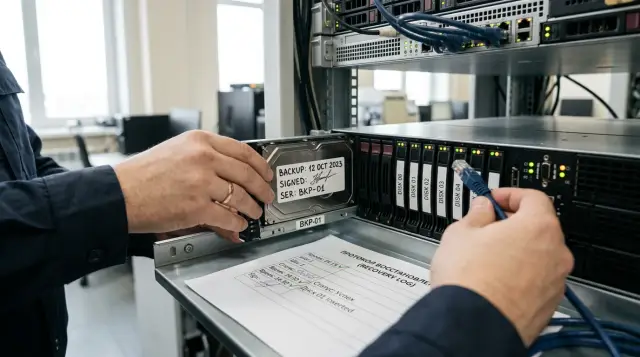
Twenty terabytes do not determine the winner. At this scale, Veeam, Bacula, and Proxmox Backup Server can all store backups, but they require different amounts of paid licensing, server infrastructure, manual work, and specialist knowledge. For a small IT team, the best option is usually not the product with the longest feature list. It is the one that lets the person on duty restore the required system on a bad day without calling the team's only backup specialist.
My short recommendation is straightforward. For an almost uniform Proxmox VE environment, evaluate Proxmox Backup Server first. For VMware, Hyper-V, Proxmox VE, and physical servers under one policy, Veeam is usually the more sensible choice. Bacula is worth choosing when an organization needs different media, long retention cycles, and extensive automation, and the team has an engineer ready to own the Director, Catalog, and configuration. A free license does not make operations cheap by itself.
Calculate the loss window before the 20 TB
The decision starts with the RPO and RTO of each system because one total capacity figure hides the most expensive requirements. RPO says how much data you can afford to lose: a day, an hour, or a few minutes. RTO sets the time allowed to bring the service back. A 12 TB file archive may tolerate a two-day restore, while an 800 GB database may need to return within an hour. Combining them in one “20 TB” row erases that important difference.
Build the inventory around recoverable objects instead of servers: a virtual machine, database, user directory, file share, or physical host. For each object, record used capacity, daily change, retention period, RPO, RTO, dependent services, and the required recovery point. Note separately whether you need to recover an individual file, a disk, an application, or the entire machine. The same product may return a file quickly and take much longer to reconstruct a full VM.
Do not mix up these three figures:
- source capacity, meaning the space used by protected systems;
- the logical size of all recovery points before deduplication and compression;
- the physical repository capacity, including room for growth, service data, and maintenance operations.
For an initial estimate, use repository = full volume + daily changes × number of points + reserve. Apply a compression and deduplication ratio only after a pilot with your own data. Encrypted archives, compressed video, and some databases shrink very little. Office VMs with similar operating systems tend to reduce much better. A promised ratio without a measurement turns a disk purchase into a gamble.
Daily change affects capacity more than the product name. If 2 percent of 20 TB changes each day, that creates about 400 GB of new data before compression. At a 10 percent change rate, the same estate creates about 2 TB. Examine the write pattern too: maintenance can make a database rewrite large blocks even when few useful rows have changed. Collect measurements over at least two normal weeks, then measure month-end processing, system updates, and bulk data imports separately.
Retention cannot be reduced to the phrase “30 days” either. A policy with seven daily, four weekly, and twelve monthly points consumes space differently from thirty consecutive incrementals. Synthetic full backups, active full backups, and immutability change temporary capacity requirements and disk load. Ask each vendor to show a forecast for your policy, then compare the forecast with actual consumption after the pilot.
With 20 TB of source data, I do not design a repository with exactly 20 TB of capacity. It must receive the first full backup, the chain of changes, a temporary surge after system updates, and growth until the next budget cycle. A second independent copy needs capacity as well. RAID protects against a disk failure, but it does not replace that second copy or prevent an administrator from deleting data by mistake.
The cost arrives on three bills
Comparing only the license price is a mistake. Total cost includes the software, infrastructure, and team labor. For a three-year view, add separate lines for the management server, repository, disks, network ports, remote site, updates, support, training, and on-call hours. A zero download price can sit next to an expensive recovery process.
Veeam commercial licensing is generally based on protected workloads rather than terabytes. The official Veeam licensing policy counts VMware, Hyper-V, and Proxmox VE VMs as protected VUL objects. Community Edition is limited to a small number of built-in licensed units, so a 20 TB project must be estimated by the number of VMs, physical machines, and other workloads. Ten large VMs and eighty small VMs may both add up to 20 TB but produce different bills. Put the exact price and edition contents into a formal quote instead of copying them from an old article.
Proxmox Backup Server is distributed as open source software. A paid subscription is licensed per PBS server and includes the stable Enterprise Repository and the selected support tier, while the plan does not limit storage capacity or client count. That is convenient for a dense cluster with many VMs because another machine does not add another license unit. The no-subscription repository is suitable for a lab, but for a production calculation in a small team I budget for a subscription or another formal support channel.
With Bacula, separate Community and Enterprise at the start. Community is free and handles file and system protection through agents well, but many convenient hypervisor plugins belong to Enterprise. Bacula Systems documentation explicitly marks the Proxmox Plugin as an Enterprise-only feature. An estimate based on agent backups inside guest systems describes one project. A design that needs application-consistent VM snapshots, virtual infrastructure browsing, and recovery through a dedicated plugin describes a different package and a commercial price.
Labor is the hardest item to place in a table, although a small team pays for it constantly. Count the hours for weekly job reviews, monthly test restores, updates, investigation of a full repository, and repairs after a password or certificate changes. Add the cost of the one engineer who understands the configuration being unavailable. Bacula often saves license budget but needs more engineering ownership. PBS usually gives the shortest route in an all-Proxmox environment. Veeam requires a larger software budget but puts many routine tasks into one console.
Measure recovery speed before you buy
Backup speed does not answer the recovery question. During a full VM restore, data moves from the repository across the network to production storage, gets decompressed, verified, and written. The slowest section limits the whole path. Deduplication saves disk space, but with a weak CPU, random reads across many blocks, or fragmented storage, it can increase reconstruction time.
Basic arithmetic is sobering. Moving 20 TB over a 1 Gbit/s link would take about 44 hours even at an unattainable perfect utilization rate. The lower bound on 10 Gbit/s is close to 4.4 hours. Protocol overhead, concurrent load, disk reads, and writes to the target storage can only add time. A promise to “restore everything in four hours” therefore requires a smaller critical set, a faster path, or the ability to run VMs directly from backup where the product and platform support it.
Run the same acceptance test for every candidate:
- Choose one typical VM, one large VM, and a service with a database. Create a full backup and several incrementals after realistic changes.
- During business hours, restore an individual file and then a full VM into an isolated network. Record the time to select a point, access the first file, boot the VM, and verify the application.
- Repeat the restore while a backup job is running. Otherwise, the test measures an empty lab rather than a normal Monday.
- Restrict the test operator's permissions to the level used on call. If every step needs the senior administrator, the process is not ready.
- Shut down the management server and test the documented emergency procedure for reaching the backups.
For a basic repository check, save the following profile as restore-read.fio and run fio restore-read.fio:
[restore-read]
filename=/repo/testfile
size=100G
rw=read
bs=1M
direct=1
In the result, find a line shaped like READ: bw=...MiB/s, but do not treat it as product recovery speed. It shows the ceiling for sequential reads. Compare it with the measured duration of a complete restore and keep both figures in the acceptance record.
Judge repeatability rather than the fastest run. If three recoveries take very different amounts of time, find the contention on disks, the network, proxies, or CPU. For a small team, a predictable 90 minutes is more useful than a result that varies from 35 minutes to four hours.
Veeam is easier in a mixed environment
Veeam usually wins when one team protects several platform types and wants a consistent process for jobs, copies, and recovery. Current Veeam Backup & Replication documentation lists VMware vSphere, Microsoft Hyper-V, Nutanix AHV, and Proxmox VE among supported virtualization platforms. Proxmox VE support arrived in version 12.2, so the old objection that “Veeam cannot handle Proxmox” is no longer accurate.
For Proxmox, Veeam deploys a Linux worker in the virtual infrastructure. It processes the flow between the node and repository, so its compute, network, and lifecycle belong in the design. Veeam can return a VM to Proxmox VE, restore guest files without first starting the entire machine, and perform some cross-platform recoveries. The available operations depend on the server version and destination platform, so the pilot must reproduce your actual route, such as VMware to Proxmox, rather than an abstract restore to the original cluster.
Veeam's advantage for a small team is its established operating procedures and clear delegation. The operator sees jobs and recovery points in one console. You can protect the repository with a Linux hardened repository that stores immutable files. The Veeam guide recommends a physical server with local block storage, XFS, and single-use credentials for initial onboarding. NFS and SMB do not qualify for this role, which you should discover before buying a NAS.
This coherence costs money and adds supporting components. The management server, repository, workers or proxies, accounts, and updates need an explicit architecture. Do not place every role in one VM inside the protected cluster. A cluster failure would remove both production systems and the recovery tool. Keep the configuration export, emergency credentials, and instructions for recovering Veeam itself somewhere separate.
Choose Veeam if you run mixed hypervisors, need application-level recovery, and want one interface for the person on duty. Do not choose it out of habit if all 20 TB live in a small Proxmox cluster, the budget is tight, and the extra features are outside the requirements. In that case, first prove that the improvement in recovery time or operations pays for the license.
Proxmox Backup Server wins on its own platform
Proxmox Backup Server provides the most direct route for Proxmox VE. The cluster sees PBS as native backup storage, jobs are created in the familiar interface, and the server stores snapshots as sets of indexed chunks. The client sends only missing chunks, yet every recovery point logically contains a full snapshot. This reduces network traffic after the initial backup and keeps recovery point selection simple.
The PBS technical overview makes an important clarification: deduplication works at chunk level, and indexes from different snapshots refer to shared chunks. Deleting an old recovery point initially removes its metadata. A separate garbage collection task releases space after confirming that no remaining snapshot needs those chunks. An administrator who expects prune to return free space immediately can mistake normal behavior for a fault. Schedule garbage collection and monitor capacity so that the repository does not fill before it runs.
PBS can verify integrity on a schedule. Its manual recommends regular checks of new backups and a complete re-verification of all archives at least monthly because storage media can degrade. Those reads create significant disk load across 20 TB, so verification, garbage collection, synchronization to a second PBS, and production backup jobs should not all be placed in the same window without thought. Send the result of each job to a notification channel that the team actually reads.
Support for other sources is narrower than people sometimes assume. proxmox-backup-client runs on modern Linux systems and can save file archives, but native PBS integration focuses on QEMU and LXC in Proxmox VE. It is not a universal replacement for protecting VMware, Hyper-V, Windows applications, and every physical server. If two critical systems of another type remain next to Proxmox, accept a second tool or change the project boundary.
Run the PBS server on separate physical hardware whenever possible. The Proxmox manual explicitly recommends this approach because backups remain available when the hypervisor fails. A second datastore in the same chassis is not a remote copy. Configure a Sync Job to another PBS or separate medium, and give the source cluster an account that can add snapshots but cannot remove existing ones. Store the encryption key and its password away from the server. An encrypted remote copy is useless without the key.
Choose PBS when Proxmox VE accounts for almost all the capacity, the team knows Debian well, and you can provide a separate server and a second site. Its low entry cost does not remove the cost of disks, verification, monitoring, or disaster recovery drills. It does prevent VM count from becoming an ever-growing license bill.
Bacula needs an owner, not just an administrator
Bacula suits organizations that need a policy framework for different operating systems, storage targets, tape, and long retention. Its architecture separates the Director, Storage Daemon, File Daemon, and Catalog. That separation provides precise control, but it creates more failure points and configuration that someone must understand without searching the shell history.
You can build dependable agent-based file and system backups with Community Edition. That is a reasonable option when applications can prepare a consistent state through scripts and the team accepts a layered guest recovery: operating system, data, database, and configuration. But you cannot describe the free edition with the Enterprise feature list. Dedicated Bacula Systems plugins for VMware, Hyper-V, Nutanix, Proxmox, and other platforms must be checked against the selected subscription.
The Proxmox Plugin in Bacula Enterprise saves guest configuration, invokes a snapshot or the required shutdown mode, and transfers the archive through the Proxmox mechanism. The documentation shows separate objects for QEMU and LXC and supports recovery to the original or a new VMID. This is a working integration, but its process does not become as native as creating a PBS job from the Proxmox interface. The engineer must understand the Bacula log, catalog, storage, and hypervisor behavior at the same time.
Bacula is especially appropriate where the team already has the skills, a tape library, several storage classes, or long-term archive requirements. It is a poor fit for a small team that wants to install a product and touch it only when an alert turns red. Updating the Director, Catalog database, agents, and plugins requires version compatibility and a regression restore after changes.
Before selecting it, ask the future owner to build a lab and then hand on-call duty to a colleague using a one-page procedure. If that colleague cannot find the required point, restore the object, and explain the JobId messages, the operating cost is already above zero. Paid support helps with defects and difficult cases, but it does not replace an internal policy owner.
Immutability does not replace a second trust boundary
You can build a resilient design with all three products, but none creates it automatically. The production copy, repository, and remote copy need separate access boundaries. The hypervisor account must not be able to delete history at the remote site. Backup server credentials must not live in the same secret manager that depends on the domain being recovered.
A Veeam hardened repository prevents files from being changed or deleted until the immutability period expires. That is a strong measure if the administrator separates the Linux server properly and does not expose it as an ordinary network share. PBS restricts client capabilities and supports datastore synchronization, but administrative rights on PBS itself remain powerful. With Bacula, the boundary depends on the chosen Storage Daemon, medium, and policy. A tape outside the library provides physical separation, while an ordinary accessible file system does not.
Immutability also creates an operational risk. A mistaken full backup, infected data, or unexpected growth will consume space until the lock expires. The lock period must fit the capacity and retention policy. Test the full-repository scenario in advance: who receives the warning, which jobs stop first, and how you add capacity without removing protection.
For 20 TB, a sensible minimum is a primary copy on a separate server, a second copy with separate credentials, and one recovery point that an ordinary production administrator cannot reach. Cloud object storage, a remote PBS, or tape can fill the last role if the team knows how to recover from it. The medium's name matters less than a tested path and access to the keys.
A small IT team has a fairly narrow choice
If 80 to 90 percent of the data lives in Proxmox VE and the rest can be handled confidently by the Linux client or a separate simple job, put PBS first in the pilot. Its licensing is simple, it is close to the hypervisor, and it avoids a separate universal platform. Spend the money on a separate server, fast disks, a 10-gigabit path, and a second copy instead.
If the environment is mixed, with VMware or Hyper-V, physical hosts, and applications that need item-level recovery, Veeam becomes the first candidate. Verify support for the exact hypervisor and application versions, calculate VUL by workload count, and include every supporting component in the architecture. Its advantage appears only if the person on duty genuinely performs different recoveries through a shared process.
If the organization already runs Bacula or needs tape, complex retention, and varied sources, Bacula may produce the best economics. Without an internal owner, I would not start with it simply to obtain the free Community Edition. A year later, the saved license fee will not help if nobody knows how to recover the Catalog.
You do not have to protect all 20 TB with one product, but two products duplicate part of the work: monitoring, updates, documentation, accounts, and drills. A split makes sense when the boundary is clear, such as PBS for Proxmox and a separate application for SaaS or a legacy platform. A random collection of exceptions creates blind spots.
Check one more resource that rarely appears in a commercial comparison: the attention of the person on duty. One team can operate a complex Bacula installation comfortably if jobs are stable, configuration is under version control, and two engineers know how to recover the Catalog. The same system becomes a risk when staff changes frequently. Veeam makes routine console operations easier to hand over, but a complex mixed design still needs documentation. PBS is familiar to a Proxmox administrator, although knowing the hypervisor does not guarantee an understanding of deduplication, garbage collection, and key recovery.
Assign responsibilities before choosing. The service owner sets the RPO and approves the result after startup. The backup administrator owns jobs, capacity, and copies. The security specialist checks permission boundaries and key storage. The on-call operator follows the procedure without elevated privileges. In a small team, one person may hold several roles, but another employee should take part in the checks. Otherwise, the engineer confirms personal assumptions and misses a step that only makes sense to them.
Ask the vendor or integrator to hand over an operations package instead of a presentation: a data-flow diagram, account list, update procedure, management server recovery process, and version compatibility table. In the support contract, confirm the contact channel, service hours, language, and the boundary between a software fault and a hardware problem. “Support included” is too vague for an outage at night.
GSE can build this design on locally manufactured servers and integrate it with the selected software, while its nationwide service network and 24/7 technical support cover the hardware side of operations. The product still needs to pass your recovery test because the integrator cannot know each service's allowable downtime better than its owner.
The disaster rehearsal makes the decision
Before buying, sign off a short acceptance record with measurable conditions. It should include the allowed recovery time for a critical VM, file, and database, full backup speed, the daily job window, space consumption after several changes, successful re-verification, and recovery while the management server is unavailable. Include a product update and repeat at least one restore afterward.
Record the outcome in four lines: three-year cost, maintenance hours per month, proven RPO, and proven RTO. Features that do not change these lines or satisfy a mandatory requirement should not decide the argument. For a uniform Proxmox environment, the result will usually point to PBS. For a mixed environment, it will tend toward Veeam. For complex policies backed by strong Unix skills, it may favor Bacula.
The most dangerous saving is not choosing free software. It is dropping the second repository and the drills. Buy fewer convenience features if necessary, but keep the independent copy, a fast recovery path, and staff time for testing. Six months later, reopen the acceptance record and recover the same objects. If the result no longer meets the RTO, the system outgrew the design before the disks filled up.
Frequently asked questions
Is a free edition enough to back up 20 TB?
Capacity alone does not rule out a free option. PBS does not license storage capacity, Bacula Community is free, and Veeam Community Edition limits the number of protected units. Count VMs, required plugins, support, and operational hours.
How much space does a 20 TB backup need?
Start with the full used capacity, add daily changes across the retention period, and include room for growth and maintenance. Do not reduce the estimate by a marketing deduplication ratio before a pilot. A second independent copy needs separate capacity.
Which restores VMs faster, Veeam or Proxmox Backup Server?
There is no honest universal answer without testing your server. PBS has a short native path into Proxmox VE, while Veeam offers a broad recovery set and works well in mixed environments. Disks, network, CPU, and target storage will limit speed.
Is Proxmox Backup Server suitable for VMware?
PBS integrates natively with Proxmox VE, and its standalone client focuses on modern Linux systems. Do not treat it as a complete replacement for purpose-built VMware protection. For a mixed environment, compare Veeam or Bacula's commercial plugins.
Can Veeam back up Proxmox VE virtual machines?
Yes. Veeam Backup & Replication has supported Proxmox VE since version 12.2 and uses Linux workers to process data. Verify the version matrix and the required recovery route before buying.
Do I need Bacula Enterprise, or is Community enough?
Community suits agent-based backups and teams prepared to assemble the process from components. Dedicated hypervisor capabilities, including the Proxmox Plugin, may require Enterprise. Check the edition for each mandatory feature rather than relying on Bacula's overall feature list.
Do backups need a separate physical server?
Yes, if a failure of the protected cluster must not take the recovery tool and copies with it. Proxmox recommends a separate physical PBS, and Veeam advises a physical server with local disks for a hardened repository. A virtual management server is acceptable only with a separate emergency path.
Is RAID enough to protect backups?
No. RAID keeps storage running through individual disk failures, but it does not protect against deletion, ransomware, administrator error, or loss of a site. You need a second copy with separate permissions and tested recovery.
How often should recovery be tested?
Test critical services after deployment, after major updates, and on a regular schedule, at least monthly for selected objects. Block integrity verification helps, but it does not prove that an application starts. You need both tests.
Can two backup products be used together?
Yes, if the boundary is simple and documented, such as PBS for Proxmox and another product for a different platform. Account for duplicated updates, monitoring, permissions, and procedures. If exceptions multiply, one system is usually cheaper to operate on call.
