7 min read
Year-end Equipment Purchases: a Timeline Plan
Year-end equipment purchases: how to plan production, delivery, installation and acceptance in advance so you meet budget deadlines.
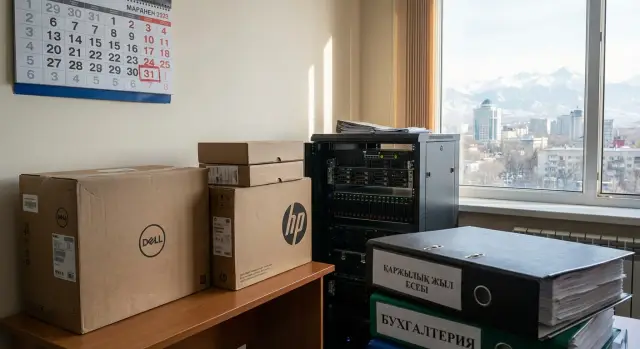
Why year-end equipment purchases often fail
Buying equipment close to the end of the financial year almost always happens under date pressure. Budget must be spent on time, delivery must arrive before the period closes, and everyone faces a peak workload. The risk of failure grows not because someone is "working badly", but because queues appear at every step.
Most often time is lost not in choosing a model, but on the path to delivery. Approving the specification and contract can easily stretch into weeks, especially if multiple sign-offs and checks are required. Then payment is added: invoices, limits, treasury procedures or internal regulations. And even when the equipment is already on site, acceptance and paperwork often slow things down: commission meetings, checking serial numbers, reconciling with the specification, and closing documents.
Success in such a purchase is not just "the equipment arrived." Success is when it is commissioned, operating in the required offices or server room, and the documents are closed so accounting and auditors have no questions.
This is especially relevant for government bodies, schools, hospitals and large companies. In these sectors deadlines are tied to reporting and inspections, and delays cascade into problems: postponed rollouts, frozen payments, risk of funds returning to the budget.
A simple rule to keep in mind: the end of the year is not a single deadline, but several. Allocate time for people and procedures as carefully as for production and delivery.
What real timelines consist of: 4 stages
Actual timelines are almost always longer than they appear at first. At the end of the chain you face acceptance and paperwork, and it is there that the last days are most often "eaten."
The schedule usually consists of four stages:
- Preparation and production: finalizing configurations, component availability, assembly, firmware, tests, packaging.
- Delivery: shipping, transport, agreeing arrival time, unloading, passes and access to the site.
- Installation and configuration: arranging workstations, connecting in the server room, network setup, installing software, data migration (if needed).
- Acceptance and closing documents: checking against the specification, serial numbers, acceptance acts, invoices, test protocols (if required).
Some work can be done in parallel, but not everything. Production and delivery are sequential: until equipment is assembled and tested it cannot be shipped. However site preparation and agreeing acceptance are often possible in advance.
What helps save time:
- agree site access, unloading windows and contact persons in advance;
- prepare sockets, network ports, rack space, accounts and security policies;
- agree the acceptance format: which documents are needed, who signs, which checks are mandatory.
If a server needs rack space and power but electricians are busy, installation will stall even with perfect delivery. Deadlines are therefore not "delivery plus a day," but a chain of dependencies worth mapping by roles and dates.
Reverse planning from the acceptance date
If the purchase is for year-end, start not with model selection but with one date: when you must have a signed acceptance and closing documents ready. This date saves the budget because from it you can easily calculate when it's already too late to start shipping.
Then move backward through the chain. First allow time for installation, configuration and verification of operability. Even for a set of PCs you typically need unpacking, labeling, image deployment, domain join and peripheral testing. For a server add basic tests and a short trial run so issues surface before signing the acts.
Next subtract delivery and access allowances. Logistics is rarely "1 day": a site may have pass control, unloading windows, bans on work during certain hours or waiting for the responsible person. It's better to record these constraints in advance than to discover them on arrival.
Remaining time is production and component assembly, plus a mandatory buffer. A buffer is needed not for "insurance" but for normal events: replacing defects, repeated checks, rescheduling installation due to unavailable rooms.
To avoid losing track, record critical dates in one calendar:
- acceptance date and the final day for documents;
- installation window and site contacts;
- final delivery date considering passes;
- final readiness date for equipment to be shipped;
- buffer days (replacements, retests).
Such a calendar immediately shows where the risk of failure is highest and what must be agreed first.
Specification and contract: what to agree to avoid getting stuck on papers
If deadlines are tight, approvals usually slow things down more than production. Immediately record who approves the specification, who signs the acts and who actually accepts equipment on site. If roles are not named (by position or department), documents can circulate for weeks.
In the specification mark parameters that cannot be changed after ordering. Usually this is the model and configuration (CPU, RAM, storage), form factor, compatibility requirements, delivery conditions (batch, product line), and warranty and service terms. Any "small change" after placing the order often turns into an amendment and shifts schedules.
Separately, check which confirmations your organization specifically needs: certificates, origin, domestic manufacturer status, occupational safety and environmental requirements, warranty coupons. If buying from a domestic manufacturer, clarify in advance which documents they provide and in what form.
To avoid getting stuck on closing documents, agree the package and document formats in advance. It's convenient to fix this directly in the contract:
- invoice, consignment note and VAT invoice (if applicable);
- acceptance-transfer act and/or act of completed works (if installation and setup are included);
- serial numbers and specification for each unit;
- warranty terms and service contacts;
- origin documents and certificates (if required).
Finally: write delivery terms and staging in the way that works for you. If acceptance is possible only after the full set arrives, a single shipment reduces the risk of "stuck" acts. If it's critical to meet deadlines, splitting into batches helps close part of the volume earlier, but requires clear acceptance rules by stage (what counts as delivered, what is signed and when).
Production timelines: how to estimate them realistically
Production time is almost never equal to the line "manufacturing: 10 days" in a commercial offer. It's important to understand what exactly you're buying and how it will be assembled, tested and shipped.
The most influential factors are configuration and repeatability. Standard models are assembled faster: components are in planned stock and tests are routine. The larger the batch, the more the production schedule matters: even if one PC is quick to assemble, a batch of 200–300 units may be produced in waves with intermediate quality checks.
Non-standard options often add weeks. A rare drive, a specific GPU, custom case or a requirement like "as last time but slightly different" can hit component lead times. Another hidden factor is testing: workstations and servers usually require longer testing and these cannot be skipped.
To get a realistic picture, ask not for "days" but for a calendar plan by batches. It's useful when the supplier fixes:
- the configuration freeze date (after which changes require an amendment);
- a weekly or batch release plan (e.g., 50 + 50 + remainder);
- factory test and packaging timelines;
- the date ready for shipment and acceptance requirements.
Don't forget service and spare parts. If the contract calls for starter spare kits, extended warranty or a swap pool, allow time for their assembly and documentation. These details often surface late and postpone the whole chain.
Delivery and logistics: common bottlenecks
Even if production stayed on schedule, delivery time is often "eaten" by small issues. At year-end this is especially dangerous: a one-day delay easily becomes a week due to holidays, pass controls or full warehouses.
First, check site access conditions. Government agencies, banks, factories and hospitals have controlled zones, pass requests, strict unloading windows and bans on large vehicles. If not agreed in advance, the truck may arrive on time but leave empty-handed.
The second stop factor is how and who physically carries and places equipment. "Delivery to the gate" is not the same as "delivery into the server room on the third floor." Clarify if there's a freight elevator, ramps, trolleys and who is responsible for rigging. This is critical for servers and racks.
Record responsibilities in advance: who is responsible for packaging and integrity during transport, who labels by room, who checks completeness (cables, fasteners, documents), who handles lifting and placement, and who confirms delivery on site.
If time is tight, splitting deliveries can help: bring the critical items first (e.g., server and networking), the rest later. Always have a plan B: reserve 1–2 working days for transport delays and account for holidays and weekends.
Installation, configuration and commissioning
This stage is often underestimated. Hardware may already be in the warehouse, but without prepared workstations and agreed work windows you risk missing the acceptance date.
Before the installation team departs, check site readiness. Delays usually arise from small things with no assigned owner: access to rooms and server room, passes, power (including UPS and dedicated lines), racks and cable trays, port labeling, cooling in the server room, space for temporary box storage and disposal of packaging.
Plan installation times so as not to interrupt user work. In schools and universities use windows after classes; in banks and hospitals use night windows or phased work by floor. Break the work into short blocks: delivery to room, installation, configuration, testing, user migration.
Agree separately who performs configuration: supplier, your IT or a contractor. Time is lost at role interfaces: equipment installed but domain policies, accounts and network accesses are not prepared.
Before acceptance prepare a short test plan so issues are not discovered on the last day:
- power on, no errors, check serial numbers;
- network and access to required services (email, printers, shared folders);
- updates and drivers, basic security policies;
- peripheral checks;
- a short stability test under typical load.
Plan data migration separately: who copies profiles, where backups are stored, and how long the user transition will take. Sometimes it's easier to migrate a department at a time to minimize downtime.
Step-by-step plan: from request to signed acts
At year-end you win by counting time from the acceptance and payment date, not from the order date. A practical order of actions looks like this.
-
Fix the goal and the finish line. How many workstations, which roles (office, accounting, engineering), what is critical first. Set the target acceptance date and check feasibility.
-
Quickly finalize the specification and acceptance rules. Not only the characteristics but how delivery will be checked: completeness, serial numbers, tests, warranty, and the set of closing documents. Assign responsible parties: procurement, IT, accounting, warehouse, acceptance commission.
-
Request a calendar schedule from the supplier. Break down by stages: production, ready-for-shipment, delivery, installation and testing. Add buffers for holidays, carrier queues and access approvals.
-
Prepare the site in advance. Power, racks, network, installation locations, server room access, passes. Agree work windows so installation does not halt the department.
-
Perform delivery and acceptance by checklist. On receipt day reconcile documents and completeness, then proceed with installation, configuration and short tests. Plan signing of acts not on the last day but with several business days of slack.
If you are updating a PC fleet and adding a server, agree acceptance criteria separately for PCs and for commissioning the server (power, network, basic tests). This prevents disputes.
Common mistakes that cost time and budget
The most common mistake is starting with a specific model instead of acceptance rules. As a result, goods arrive but the commission doesn't know what to check and by which criteria to accept the delivery. A dispute here can easily consume a week and move payment to the next period.
The second trap is underestimating "small things" on site: building access, passes, unloading windows, packaging and movement between floors can be more important than transport speed. If a warehouse is used, acceptance, recounting, labeling and issuing to departments is yet another stage.
The third mistake is leaving configuration and checks to the last day. Delivery is not commissioning. Even for a batch of PCs you need time for unpacking, diagnostics, network connection, image installation and peripheral verification. For a server add rack mounting, power, network connections and basic tests.
The fourth is failing to include buffer time for replacements and retests. There can be defects, damaged packaging, mismatched configurations or intermittent problems under load. Without time reserve you risk signing acts with caveats or missing deadlines.
To avoid these situations, predefine:
- acceptance criteria and the set of closing documents;
- who grants site access and allowed unloading hours;
- who is responsible for configuration, tests and commissioning;
- how much buffer is needed for replacements and rechecks;
- how and when changes to the specification are agreed.
Quick checklist before starting the purchase
The main risk is ordering without a final acceptance date and a clear path to signed acts. Check this before start while it's still easy to change conditions.
Short control list:
- Acceptance date: who signs acts, where acceptance takes place, how many days you allow for inspection and fixes.
- Confirmed schedule: production, ready-for-shipment and delivery timelines agreed in writing (email or contract appendix).
- Windows for installation and configuration: site access, passes, safety requirements, planned outages, your responsible person.
- Document package: exactly what accounting and treasury need (acts, consignment notes, certificates, serial numbers, warranty terms) and in what format.
- Process owners: who accepts equipment, who runs tests, who records remarks, who decides "accept/return/fix."
If delivery arrives on time but acceptance is delayed a week because workstations are not ready and no responsible person is present, at year-end that week is often irrecoverable.
Example scenario: updating 80 PCs and a server on a tight schedule
An organization in November realizes it needs to replace 80 office PCs and bring one rack server into operation for a new accounting system. The goal is to finish before year-end so acceptance and closing documents are completed. The risk here is time, not money.
To avoid getting stuck on one big "install everything at once," divide the volume into stages. For example: pilot 5 workstations and server test first, then the main PC batch, then room-by-room installation.
A realistic scheme with buffers:
- Week 1: pilot delivery (5 PCs) and agree image, configuration and labeling.
- Week 2: freeze configurations in writing and in a contract appendix (after the pilot no changes allowed).
- Weeks 3–4: production and delivery of the main PC batch.
- Weeks 4–5: installation and room-by-room migration, profile setup and printer configuration.
- Week 5: server delivery and commissioning, then staged acceptance acts.
Key point: freeze configurations early. The pilot is not for show but to verify compatibility with your software, network policies and peripherals. Buffer time should cover production and delivery as well as final spec agreement, power and network readiness.
It's often easier to accept PCs in batches (for example, 20–30 units) rather than waiting for the entire volume. Accept the server separately after short tests and confirmation that it works correctly in your environment.
Next steps: how to lock down timelines and reduce risks
To prevent the purchase from turning into a race, fix a unified plan and share it with procurement, IT, accounting and the acceptance commission. One document, one version, clear dates.
Create a plan across the four stages (production, delivery, installation, acceptance) and assign owners. Next to each date keep the control point: what exactly must be ready by that day.
Ask the supplier for confirmed dates, not "about 2–3 weeks." For large volumes it's better to plan in batches: first what is needed to start, then the rest. This way one delayed component less often stops the entire project.
Plan acceptance separately. Often equipment is physically on site, but the budget is not closed because details are missing: serial numbers not listed on consignment notes, missing passports, or uncompleted tests.
Minimum to lock in for acceptance
- who performs checks, by which checklist and within what timeframe;
- which tests are mandatory (power on, network, completeness);
- the full set of documents and who prepares them;
- time window for fixes and re-acceptance.
If you need a single scope (PCs plus server plus configuration and commissioning), it's often easier to choose one contractor for supply and integration. This reduces handoffs where deadlines are usually lost.
If the project is in Kazakhstan and local production and support matter, you can consider solutions from GSE.kz (PCs, all-in-ones, servers and system integration services) and tie their schedule to your acceptance window in advance.
Fast way to reduce the risk of failure
Hold a short 30-minute meeting and confirm: final acceptance date, a buffer of 5–10 business days for fixes and a "stop date" after which changes to spec and configuration are not accepted. This disciplines everyone and gives a chance to finish on time.
Frequently asked questions
Where do I start if a purchase is "on fire" at year-end?
Start from the date when acts must be signed and closing documents ready, and build a reverse schedule from there. This quickly reveals where time is actually lost: approvals, site access, installation or acceptance.
Why do year-end deliveries fail even with a reliable supplier?
Delays usually come from queues for approvals, payments and acceptance, not from the supplier's choice. At year-end everyone is overloaded, and even one stalled approver or a missing pass can push the chain by a week.
Which stages have the greatest impact on real timelines?
Typically production (or component assembly), logistics, installation/configuration, and acceptance with paperwork have the biggest impact. Count delivery not as "arrived at the warehouse" but as "commissioned and signed off without remarks."
How to do reverse planning from the acceptance date?
Set an acceptance date and a final day for closing documents, then allow time for installation, testing and fixing issues, then for delivery with access windows, and only after that for production. Always add buffer time for defect replacement and rescheduling due to inaccessible premises.
What should be agreed in the spec and contract to avoid being stuck in paperwork?
Define who approves the spec, who accepts equipment on site and who signs the acts—by name or position. Fix non-changeable parameters early (model, config, compatibility and service) to avoid change orders that shift deadlines.
How to estimate production time without self-deception?
Ask for a calendar plan rather than "10 days": when the configuration is frozen, when each batch leaves testing, and when it will be ready for shipment. Standard configs are faster; rare components and extra checks for workstations and servers often add weeks.
What common logistics issues eat up time?
Check access rules, unloading windows and transport restrictions; otherwise the truck may arrive but not be able to unload. Also confirm whether delivery means "to the gate" or "brought into the required room"—absence of a freight lift or agreed rigging can block installation.
What should be prepared on site before installation and configuration?
Verify power, racks, accounts and access before the team arrives; otherwise installation will stall on simple matters. Also agree who performs setup and testing: supplier, your IT or a contractor—role overlap is where days are most often lost.
Which checks are necessary before signing the acceptance acts?
At minimum—check items and serial numbers against the spec, power on and absence of errors, basic network access to required services, peripheral checks and a short stability test. For a server add verification of rack mounting, power, network connections and a basic load test before signing acts.
When does it make sense to choose a single contractor and how can GSE.kz help?
Using a single contractor for supply and integration reduces the number of handoffs where timelines slip. If local production and Kazakhstan-based support matter, request a calendar plan from GSE.kz and agree the closing documents before work begins.
