7 min read
WORM storage for long-term data retention: examples
WORM storage ensures data cannot be altered: examples of what to protect, how to set it up in a project, and how to reflect it in policies and processes.
Why consider an immutable archive at all
Problems start when an archive can be quietly overwritten. In everyday situations it may look harmless: someone “tweaked” a file to fix an error, or deleted an “extra” document to free space. But in a dispute, audit or incident, the archive should answer a simple question: what really existed and when.
If important documents are kept in ordinary folders on a shared drive, proving immutability is nearly impossible. Even with "read-only" permissions, an administrator, resource owner or an attacker with access can replace a file, swap versions, or erase traces. Logs and backups help, but by themselves they don’t prove that the original records weren’t cleaned up retroactively.
WORM storage closes risks that surface in the worst situations: when you need to confirm which version of a document was sent; when an auditor needs provable custody and a storage chain; when an investigation hinges on log authenticity; when internal reviews must not rely on data someone could have edited.
WORM is often confused with similar-sounding things: an "archive" folder on a file server, backups, snapshots, encryption, DLP. These are useful, but different. Immutable storage is needed when it’s important not just to keep data, but to prove it could not be changed during a set period after writing.
What WORM is and what it guarantees
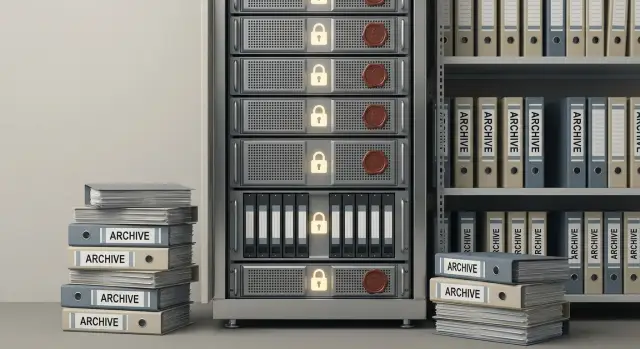
WORM (Write Once, Read Many) is a storage mode where data can be written and read many times, but cannot be altered or deleted unnoticed before the retention period expires. In simple terms, it’s a "sealed envelope": you can show the contents, but you can’t swap them unnoticed.
A good WORM storage records not only the content but also context:
- the data itself (file/object/record bytes);
- key metadata (for example, who uploaded it, when it was created, checksums);
- retention period — the date until which deletion is forbidden;
- the rule that placed the object under WORM (policy).
What exactly “cannot be changed” depends on the implementation. Sometimes any edits to the content are blocked while some metadata can still be updated. In other solutions metadata is also frozen so creation date or author cannot be rewritten.
WORM can be applied at different levels: file, object, volume or pool, or through a storage policy (for example, “keep all audit logs for 5 years and disallow deletion”). In practice, policies are used more often: they make it easier to manage different data classes.
WORM is not the same as encryption or backup. Encryption hides data from outsiders but doesn't stop an administrator from deleting or overwriting an encrypted file. Backup helps recover after failure but doesn’t prove that an original or a copy wasn’t swapped. WORM adds provable immutability, useful for contracts, invoices or audit logs.
Which data should be protected from modification
WORM storage is not needed for every file — only for data where it’s important to prove that nothing was changed after writing. Typically this includes data used in audits, incident investigations or disputes, where a "casual edit" becomes a risk of fines or loss of trust.
Immutability is most often justified for:
- primary financial documents and reporting exports (invoices, acts, payment registers), especially when the original state on a given date may be requested;
- audit and security logs (logins, privilege changes, admin actions, SIEM/EDR events), so an investigation doesn’t hinge on whether the log is authentic;
- HR and legally significant documents (orders, contracts, consents) where signed versions must remain unchanged;
- medical results and access logs, where not only the result matters but also who and when accessed a record;
- industrial and IT artifacts (equipment logs, configs, change protocols) that help reconstruct the chain of events.
A simple example: accounting closes a month and exports reports. Six months later an inspection requests to confirm the numbers. If those files sat on a network share, they could have been overwritten. If they were written to WORM, you can present the same set of documents, in the same versions, with a clear write date.
In a project this is convenient to formalize as data classes with rules: what goes into the immutable archive, who can read it, and how many years to keep it.
Requirements, checks and provability
Storage requirements sound easy in words, but in a project they must become concrete parameters. Agree in advance which data goes to WORM, how long it must remain immutable, how to present it to inspectors, and who may read the archive.
Rules typically specify retention (for example, 5 or 10 years), immutability period (cannot be deleted or overwritten before a date), format (original file and, if needed, a viewing copy), and access regulation (who can export, who can only view). The clearer the rules, the easier it is to prove compliance later.
Auditors usually ask not about archive size but about evidence:
- how integrity is verified (hashes, checksums, verification reports);
- who and when wrote the object;
- the data source (system, department, scope);
- whether you can show the chain of custody: from creation to copy issuance;
- how access attempts and errors are recorded (logs, regular checks).
A useful practice is to store the "object history" in metadata alongside the document: source system ID, upload time, who wrote it, checksum, storage policy version, and a mark indicating successful write. Then you don’t need to assemble evidence from different places during an audit.
Legal evidentiary weight isn’t always required. For internal control, WORM plus clear reports and access rights is often enough. If a document must serve as evidence externally, add digital signatures, trusted timestamps and a formal copy-issuance procedure.
Retention periods and immutability policy
Retention in WORM should be set not by habit but by the nature of the data and organizational rules. Start by asking: who might need this record in 3, 5 or 10 years and why. For accounting — primary documents and reports; for security — audit logs; for HR — orders and contracts; for healthcare — medical records and test results.
Retention is usually determined by law, industry norms and internal rules. It’s helpful to define data classes and assign an owner for each set, since the owner certifies retention periods and related risks.
Retention: who approves and how to change it
The retention policy must be formally approved and verifiable. Documentation should record:
- data owner and the person responsible for the policy;
- retention period and the event that starts it (creation date, period close, contract completion);
- rules for changes (request, approval, record in the change log);
- method of recording changes (versioning the policy and immutable action logs).
Important: you cannot change retention retroactively. If retention is extended, apply it to new objects or handle existing objects through a separate approved procedure.
Legal hold during disputes or investigations
If an inspection, dispute or investigation begins, apply a legal hold: data must not be deleted even after retention expires. Formalize this by an order and mark the affected datasets in the system with the reason and a review date.
A hot-cold model helps control costs. Keep "hot" data near users (for example, recent 3–6 months of logs and documents) and send "cold" data to archive for years. Immutability remains while access to recent data stays fast.
How to build WORM into a project: a step-by-step plan
Start a project with understanding which events you want to capture and how you will prove them — not with platform selection. WORM must be built into processes, not bolted on at the end.
A practical plan:
- Inventory: which systems write data, who creates it (users, service accounts), and where write points occur (logs, documents, exports).
- Classification: what is critical for disputes and audits, and what can stay in normal storage.
- Data flows: where data comes from, what counts as the "original", and where transformations occur (signing, hashing, format normalization).
- Immutability policies: retention, deletion bans, access roles, audit logging for archive operations.
- Acceptance tests: attempts to delete or overwrite, reading a “yearly slice”, and recovery scenarios for access after a failure.
Example: a bank has a core banking system, internet banking and SIEM. Transactions and operator logs are sent automatically to an immutable archive daily, while analysts’ working reports stay in normal file storage. This protects what must be provable and keeps WORM from filling with everything.
Before go-live, record three things in regulations: who is responsible for retention, how read permissions are granted, and which control reports are produced for audits.
Access, search and archive usefulness
Immutable storage is valuable only if the archive is usable. If after a year you can’t quickly find documents or show who and when exported them, WORM becomes an expensive warehouse.
Metadata to set from the start
Agree which fields are recorded when sending to the archive. This affects search and reporting. A common minimal set is:
- source system (for example, accounting, ECM);
- period or event date;
- data owner (department and responsible person);
- record type (contract, invoice, audit log);
- identifier (document number, operation ID, case number).
The archive should answer “what is it, from where, for which period and who is responsible” without manual notes.
Search and indexing: avoid a “black box”
Plan indexing on key fields and user-friendly filters. Auditors often need slices like “all access-right changes in March” or “all payments to a counterparty.” Test these queries on sample data before launch. If data is encrypted, decide which metadata remain searchable without exposing content.
Separate read and export permissions: many can read, only a few can export copies in an approved format. Every export must be logged: who exported what, when, and why.
Copy issuance usually involves a request, owner approval, issuance by a designated operator, recording the copy’s checksum and logging the issuance event.
How to combine WORM with backup and disaster recovery
WORM ensures immutability: objects can be read but not silently changed or deleted until retention ends. Backups solve a different issue: quickly restoring systems after failure, admin error, ransomware or a bad update.
A useful way to think is the 3-2-1 rule with an immutable layer to protect backups from tampering:
- 3 copies: live data + backup + immutable copy of critical sets;
- 2 different locations or media;
- 1 copy outside the main access domain (an isolated zone with separate accounts and keys).
Use regular backups for operational recovery (they are meant to be overwritten), and keep WORM as the provable history. For example, after an attack you rebuild servers from backups, and then compare audit logs and financial exports with the immutable archive.
Predefine two scenarios: service recovery (RTO) and data recovery (RPO), and separately define how to access WORM during an investigation. Regular recovery tests are required; otherwise the plan won’t work in practice.
Security and access control around WORM
WORM protects content from modification but doesn’t automatically solve access control. Incidents often stem from excessive privileges, shared accounts and lack of control over admin actions.
Key principle — separation of duties. The infrastructure admin manages the platform but should not be able to shorten retention or delete the archive on demand. The data owner approves retention policies and has separate rights for lifecycle-affecting operations.
Minimum measures to implement:
- distinct accounts and roles for admins and data owners;
- MFA for all privileged logins;
- logging of admin actions with separate storage for logs;
- least-privilege access and time-limited access when needed;
- regular rights review when roles or contractors change.
Encryption matters both in transit and at rest. Plan key management in advance: who can rotate keys, where key backups are stored, and how recovery works.
Protecting against ransomware is a separate topic. Immutability helps because an attacker cannot overwrite already-sealed objects. But the attacker can still encrypt live systems or attempt to flood archives with junk. Therefore archive infrastructure is usually isolated (separate accounts, separate network segment, limited write points), and policy management access is tightly restricted.
Typical mistakes and how to avoid them
The most common problem is confusing “convenient” with “provable.” WORM is not for aesthetics — it’s to show in an inspection that data truly cannot be overwritten or quietly deleted.
A trap is assuming a Windows “read-only” flag solves the problem. It protects against accidental edits, but an admin or malicious program with privileges can remove the attribute, change ACLs or replace the file. Immutable storage requires mechanisms that block changes at the policy level and record retention periods.
A second typical error is failing to assign a data owner and approval process for retention. Without that, the archive either grows uncontrolled or is routinely cleaned up “by habit.” Assign roles from the start: data owner (accounting, security, legal), technical owner (IT), and a retention approval workflow.
A third mistake is dumping everything into one bucket. Without classification and metadata, search and selection for audits become manual work. Audit logs, contracts and HR documents usually need different retention periods and access rules.
Test your project robustness: attempts to delete and overwrite (including bypass paths via admin rights), verify that changing timestamps or permissions doesn’t break immutability, and provide a clear set of reports proving retention compliance.
Finally, growth. If you don’t estimate 3–5 year growth (especially for logs and video), costs explode and temporary exceptions appear. Forecast sources and review capacity annually.
Example scenario: an immutable archive for the financial domain
Imagine a mid-sized organization: finance manages contracts, invoices, acts, payment orders and correspondence. Meanwhile IT and security collect access logs from systems and file stores. The risk is simple: a document or log could be edited retroactively, and later it’s hard to prove otherwise.
In this setup WORM is added as a separate layer for items that must remain read-only after approval.
Usually the immutable archive receives approved contract versions (after signing), period-closing documents, reporting exports and transaction registers, audit logs, and exported correspondence relevant to disputes.
Project documentation often uses a table: source (mail, ERP, file archive), format (PDF/A, XML, CSV, log files), recording event (signing, month close), retention, roles (who uploads, who searches, who issues copies) and required reports for inspections.
Daily operation looks like: accounting closes the period, the system automatically publishes the package to the archive, and an employee finds a record by counterparty and date, exports a copy and logs the issuance. Any “correction” is done only by adding a new version with a clear link, not by replacing the old one.
For acceptance tests record observable results: attempts to change or delete an object after sealing are rejected; a retention report shows holding periods by category; and a recovery test confirms read-only access, search and export behavior.
Launch checklist and next steps
Before launch ensure the project rests on tests and documents, not promises.
If even one of these items is missing, postpone the launch:
- data is selected and classified (what goes to WORM and what does not);
- retention periods are approved and rules for extension or deletion are clear;
- roles are assigned (data owner, security, admin, operations);
- immutability tests are passed and results recorded;
- search and export work in real scenarios.
To avoid oral agreements, prepare four documents: a data matrix (sources, types, format, frequency, volume, owner), a retention policy, an access regulation, and an acceptance test plan.
Next step — a pilot: one source and one data type (for example, audit logs or finalized financial documents) for a limited period, verifying search and immutability. After a successful pilot, scale to other systems.
If you also need infrastructure design and integration, it’s common to work with a systems integrator. For example, GSE.kz (gse.kz) operates as a server vendor and integrator, so a single project can align WORM requirements, compute resources and ongoing support without a gap between hardware and processes.
Frequently asked questions
When is WORM really necessary, and when is it unnecessary complexity?
WORM is needed when it's important not just to keep a file, but to **prove** that after it was written it could not have been changed or deleted before a specified date. This usually matters in audits, disputes, incident investigations and inspections where the question is: “which version existed then and who wrote it.” For ordinary working documents that are edited frequently, WORM is usually excessive.
How is WORM different from backup, and why do you need both?
Backups help **restore operations** after a failure, mistake or attack, but they do not guarantee that copies haven't been altered afterward. WORM fixes data so it cannot be overwritten or removed before the retention period ends, and that is easier to demonstrate. In practice they are used together: backups for quick recovery, WORM as an immutable source of truth.
What types of data are most often sent to an immutable archive?
Typically WORM holds data that may be requested “as of a date”: closed financial documents and reporting exports, audit and security logs, signed contract versions and orders, medical records and access logs, technical logs and change protocols. A simple rule: if a “casual edit” could lead to fines, claims or failed investigations — it’s a candidate for WORM. Everything else is usually fine in normal storage.
Which metadata should be recorded when writing to WORM to make searching easy?
The minimal set is: source system, date/period, document or event type, an identifier (number, operation ID), owner (department), and a checksum to verify integrity. These fields should answer: “what is it, where from, what period, and who is responsible” without manual explanations. If metadata isn’t planned in advance, the archive becomes a warehouse where it’s hard to find what you need for an inspection.
How to choose a retention period and from which date should it be counted?
Retention is set by the meaning of the data and your organization’s rules: financial packages follow accounting rules, security logs follow security policies, HR documents follow personnel retention rules. It’s important to define the event that starts the retention (for example, “period close” or “contract signing”) so dates aren’t disputed. You cannot change retention retroactively, so agree terms with data owners before rollout.
What is legal hold and when should it be applied?
A legal hold is a mode where data **cannot be deleted**, even if its retention period has expired, because an audit, dispute or investigation is underway. It’s usually activated by an official order and records which data sets are held, why and when the hold will be reviewed. This prevents automatic deletions exactly when the data becomes needed.
How to organize access to WORM so the archive is secure and useful?
Separate roles: admins operate the platform but should not be able to shorten retention or delete the archive unnoticed; data owners approve policies and control lifecycle actions. Reading and exporting should be separate permissions: many can read, only a few can export copies. All exports and privileged operations must be logged, otherwise the archive’s evidentiary value is weakened.
What do auditors usually want to see to accept an archive as immutable?
Auditors typically look for three things: integrity (checksums and regular verification), provenance (who and when wrote the object and from which system), and enforcement of retention (that deletion before the retention date is impossible). They also often ask for the storage chain and the action log for privileged operations. The more evidence is stored with the object, the less manual evidence collection is needed during an audit.
How to start implementing WORM in a project and what steps should not be missed?
Start with inventory and data classification: which sources and which data types must be immutable and why. Then document write flows, retention policies, access roles and copy-issuance procedures, and run acceptance tests: attempts to overwrite, delete, bypass via privileges, and real search queries. If you implement infrastructure with storage and integrations, it’s convenient to align WORM requirements and compute resources with a single integrator — for example, GSE.kz.
What are the most frequent mistakes when rolling out WORM and how to avoid them?
Common mistakes: replacing WORM with a “read-only” flag or folder ACLs — these don’t protect against admins or privilege escalation. Putting everything into WORM without classes or metadata — this increases volume, makes search painful, and creates conflicting retention rules. And finally, skipping tests and procedures so you have nothing to prove at inspection. Avoid these by assigning owners, classifying data and running real tests.
