7 min read
Workstation TCO: Calculating PC Total Cost of Ownership for 3–5 Years
Workstation TCO: a 3–5 year calculation method accounting for downtime, repairs, energy, upgrades and support so you can choose PCs without surprises.
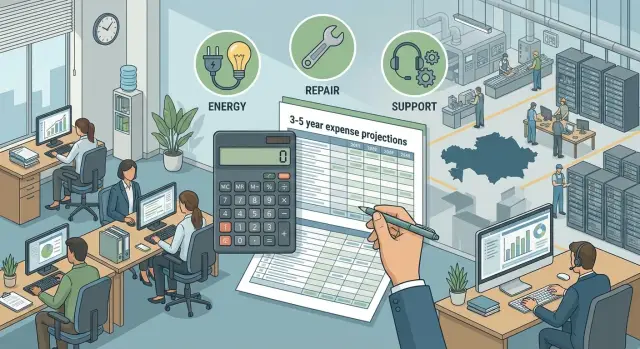
What is workstation TCO and why calculate it
Workstation TCO (Total Cost of Ownership) is the full cost of owning a PC over its service life, usually 3–5 years. It is not just the purchase price. TCO includes downtime, repairs, support, electricity, upgrades, spare parts, consumable replacements, and staff time for setup and recovery.
You need the calculation when planning purchases or fleet refreshes, preparing a tender, comparing configurations, or choosing a supplier. Two PCs with similar upfront prices can have very different totals over a few years because of reliability, service terms, and maintenance costs.
TCO helps combine CAPEX and OPEX into a single clear picture. CAPEX is the one-off purchase of hardware and licenses. OPEX is ongoing expenses: support, repairs, energy, administration. For business the classification is less important than the final sum and predictability of costs.
When TCO is calculated, it becomes easier to make practical decisions: when it’s better to repair versus replace; whether to standardize the fleet; whether to choose a higher-spec configuration if downtime is costly; and what reliability and service requirements to include in procurement.
A simple example: if accounting staff lose 1–2 hours due to failures once a month, a “cheap” PC quickly becomes expensive. TCO converts such losses into money and makes the choice fairer.
What makes up TCO over 3–5 years
Workstation TCO is almost always higher than the purchase price. Over 3–5 years, small expenses and lost time add up to a noticeable amount, especially when you have dozens or hundreds of seats.
It is convenient to think of TCO as five blocks:
- Initial purchases: PC, OS and licenses, monitor and peripherals, delivery, setup and commissioning.
- Downtime losses: waiting for repairs, lack of a spare PC, slower work due to outdated hardware.
- Support and administration: Service Desk, on-site visits, installing updates, asset management, sysadmin work.
- Energy and infrastructure: electricity, UPS, basic cooling and power for the workstation area.
- Upgrades and end of life: upgrades (RAM, SSD), planned replacement after 3–5 years, data migration, disposal and write-off.
One-time payments and recurring costs are best separated from the start. A monitor is bought once, while support and electricity are monthly. This makes the calculation easier to check and compare between models.
A small example: old PCs “lag” when working with reports. Formally they work, but employees waste 10 minutes a day waiting. If you multiply that time by the hourly rate over 5 years, you get a hidden TCO item that is often more expensive than an upgrade.
If you consider workstations or locally produced PCs, record warranty terms, repair times and the presence of a service network separately. These parameters directly affect downtime and support cost.
How to set calculation boundaries and avoid assumption errors
TCO calculation starts not with numbers but with boundaries. Without them it's easy to compare the incomparable: different time horizons, different user types and different cost accounting rules.
First define the horizon: 36, 48 or 60 months. Over 3 years some repairs and component failures may not yet appear, while over 5 years obsolescence and performance decline are more pronounced. The term also affects whether you count planned full replacements or just upgrades.
Next set the unit of calculation: 1 workstation. It’s easier to verify logic that way, then scale to 50, 200 or 1,000 seats.
Be sure to fix the user profile. An office employee, an engineer with heavy workloads, a point-of-sale checkout, or a medical registry — these require different hardware, have different downtime risks and different hourly costs. A POS terminal can be “cheaper” hardware-wise but more expensive in downtime costs.
To avoid disputes with finance later, agree the assumptions in advance: exchange rate (if some costs depend on imports), projected increases in electricity and service tariffs, upgrade plans (RAM/SSD, UPS battery replacements, scheduled PC replacement), and rules for counting repairs (warranty, on-site visits, spare pool).
A table format works best, where each cost line has a data source: contract, invoice, ticket statistics, tariff. Then workstation TCO becomes verifiable rather than a rough estimate.
What data to collect before calculating
An accurate calculation starts with facts about your device fleet. If you rely on generic estimates, workstation TCO will be neat but not useful for procurement and replacement decisions.
Collect data for the same five blocks, preferably for the last 6–12 months, and note exceptions (for example, a department with 24/7 shifts).
- Inventory: models, commissioning date, configurations, serial numbers, warranty period, installed software. Fleet heterogeneity is often the main source of costs.
- Incident history: number of tickets, types of failures, time for diagnosis, waiting for parts and recovery. It’s important to know mean time to repair and the share of cases requiring device replacement.
- People cost: IT rates (admins, service) and hourly cost of employees whose workstations are down. If no exact rate is available, use the department average.
- Electricity and operating mode: tariffs, average hours on, workload type (office, graphics), presence of UPS and air conditioning. For 24/7 use a separate coefficient.
- Purchase plans and constraints: refresh schedule over 3–5 years, compatibility requirements for software and peripherals, security standards, need for identical images.
Example: if accounting uses three different PC models with different warranties, the same failure will lead to different repair times and different downtime costs. You can ask vendors to confirm warranty terms and service conditions by serial number so you don’t have to guess in the calculation.
Step-by-step TCO method for a single PC
Start with one representative model per PC, then scale. Immediately choose the horizon (3 or 5 years), currency and rule: sum amounts by year.
You need input data: price of the PC and peripherals (monitor, UPS, docking station if needed), warranty period and post-warranty service cost, electricity tariff and average daily operating hours, employee hourly cost (or "hourly downtime cost"), and how many support hours are spent per PC per month.
Then proceed step by step. A table is handy: rows for cost items, columns for years.
-
One-time launch costs: purchase, delivery, setup, software installation, data migration, training (if needed).
-
Recurring costs: electricity, licenses and subscriptions, antivirus, support (admin salary or contract), consumables.
-
Repairs and post-warranty: include expected cost weighted by probability.
Expected repairs per year = (annual failure probability) × (average repair bill + logistics + engineer time).
- Downtime: choose a formula and use it consistently across options.
Downtime cost per year = downtime hours × hourly cost × productivity loss share.
Example: 6 hours downtime per year × 6,000 тг/hour × 0.7 = 25,200 тг.
- Total: sum items per year, add planned upgrades (RAM/SSD) and subtract residual value at disposal (if you include it). Then compare options: two PCs with the same purchase price can differ greatly in downtime and repair costs over 3–5 years.
How to calculate downtime and productivity losses
In workstation TCO downtime often causes more cost than the repair itself. Split downtime into two types: full downtime (PC won’t turn on or work) and partial downtime (lags, freezes, errors, network loss). Partial downtime is more insidious: it rarely appears in reports but “eats” hours.
Next, set an hourly downtime cost by role. For an accountant this may be missed deadlines and overtime; for a registry clerk it’s queues and customer dissatisfaction; for a call-center operator it’s lost calls. A practical approach: hourly cost = (employee hourly rate) + (cost of lost output or fines, if applicable).
Downtime includes more than just the repair itself. It usually covers problem detection and ticket creation, diagnosis (remote or on-site), waiting for parts or replacement, transport to and from service, post-repair checks and returning to work.
For partial downtime use a loss coefficient, e.g. 20–40% of working time during the period with issues. Example: a registrar works intermittently for 2 hours with a 30% loss = 0.6 hours downtime.
To avoid inflated numbers, validate them against last year’s facts: how many incidents, how long they lasted, how often parts were awaited. Instead of padding the budget by guesswork, mitigate risk with measures: spare PCs, a small stock of common parts, and model standardization (easier to keep identical images and quicker repairs).
Repairs and reliability: what to include in ownership cost
Repair costs are often underestimated because some failures are covered by warranty. For workstation TCO it’s important to separate what the supplier covers under warranty and what remains your expense due to time, logistics and downtime.
Split repairs into two buckets. Warranty cases usually don’t require payment for parts and labor, but they almost always cause indirect losses: the user is not working, support spends time, and sometimes a spare PC is needed. Post-warranty repairs are easier to count but increase as the fleet ages.
To be fair, include not only major failures but also small replacements. Over a 3–5 year model you’ll often see power supplies, storage (SSD/HDD), fans, CMOS batteries, keyboards and mice. Individually cheap, on a fleet of tens of workstations they become noticeable.
In the model it’s useful to record: failure frequency per year (from your stats), cost of parts and labor out of warranty, logistics (delivery, accounting, paperwork), user time for handing over and receiving devices, IT time for diagnosis, and the cost of a spare PC (purchase or reserve fund).
Also assess the risk of a batch-wide problem. If 10 out of 50 PCs fail with the same SSD in a short period, that’s not 10 independent incidents but a load on IT, a parts shortage and a wave of downtime. Account for such risk with a small coefficient added to the repair budget.
Finally set a repair-or-replace policy. A simple rule of thumb often works:
- up to 3 years: repair if downtime is minimal and warranty exists
- year 4: repair only if repair cost is below a threshold (e.g. 20–30% of a new PC price)
- year 5: scheduled replacement; repair only for isolated cases
Such a policy is easier to defend in budgets and helps keep the fleet predictable.
Power consumption and workstation infrastructure
Energy seems small until you multiply it over 3–5 years and dozens of workstations. In TCO you should count not only the PC but everything that is constantly powered nearby: monitor, docking station, label printer, chargers.
Collect base data. If exact measurements are not available, start from rated power:
- system unit or all-in-one
- monitor (or two)
- peripherals (docking station, printer, scanner)
- UPS if present
- tariff and working mode (hours per day, days per year)
Quick calculation
The basic idea: power (kW) × operating time (h) × load coefficient.
For office tasks typical load is 0.3–0.6, not 1.0.
кВт·ч в год = (суммарная мощность, кВт) × (часов в день) × (рабочих дней в год) × (коэф. загрузки)
стоимость в год = кВт·ч в год × тариф
If a UPS is present include its losses (usually a few percent) and a battery replacement scenario over 3–5 years. This is a small line but it makes the calculation more accurate.
Cooling also has a cost. In a dense office additional heat from equipment raises air conditioning load, especially in summer. If no engineering data exist, assume: the higher the watts per workstation, the higher the indirect costs.
Comparing scenarios
When choosing between an energy-efficient and a more powerful PC, compare not only kWh but the benefit. An energy-efficient option lowers bills and heat, while a powerful PC can save employee time by reducing waits. Ultimately decide what impacts money more: electricity or people’s time.
Upgrades, refreshes and a 3–5 year replacement plan
To make TCO honest decide in advance whether you will "stretch" PCs with upgrades or replace them on a schedule. Without this, the calculation easily becomes a list of random expenses.
List components you realistically upgrade: commonly RAM, SSD (replacement or expansion), sometimes GPU (only where required), and peripherals.
Add the "invisible" costs: IT time for upgrades, data migration, reinstalling, testing and acceptance. Even if a part is cheap, 1–2 hours of work and user downtime can make the upgrade more expensive than it appears.
A separate line is incompatibility. OS or key software upgrades raise minimum requirements and older PCs may slow down or lose driver support. This increases support load and downtime.
Decide what happens to retired PCs: write-off, sale, transfer to training, or reserve pool. Estimate residual value realistically in advance.
Replacement is usually done in waves (e.g. 25% of the fleet per year) or selectively (replace only problematic seats). Waves yield identical configurations and simplify support; selective replacement looks cheaper initially but increases model diversity and maintenance costs.
Support and administration: how to estimate costs fairly
Support is often underestimated because part of the work "dissolves" into routine. To account for it fairly, break support into typical tasks and record how much time they take: issuing and preparing PCs, inventory, updates and security, handling user tickets, on-site visits and hardware replacement.
Then convert time to money. A convenient format is IT hours per PC per month or per 100 PCs per year. For example, if one PC requires 0.5 hours per month and the IT rate is 8,000 тг/hour, labor alone gives 4,000 тг per PC per month, excluding visits and out-of-schedule work.
When comparing an internal team and an external contractor, look beyond price. Internal costs include vacations, sick leaves, turnover and lack of on-call; contractor risks include ticket queues, limits on visits, and surcharges for nights and weekends. Service levels must be documented, otherwise TCO will be underestimated.
If the fleet is very heterogeneous, include the cost of diversity: time for different drivers, images, spares and training. Moving to uniform models usually reduces ticket time and simplifies planning spare devices.
When checking SLAs look at response and recovery times, whether on-site visits are included and how many, availability of 24/7 support and how night work is counted, and who is responsible for updates and security.
Example: TCO for 50 workstations over 5 years
To see how the total changes, here is an example. Figures are illustrative but the logic matches a real project.
Assumptions:
- 50 PCs, 8/5 schedule, 5 years, purchased in year 1
- 35 office users (300,000 тг/month) and 15 "heavy" users (500,000 тг/month)
- hourly downtime cost is salary + 30% overhead
- electricity tariff 25 тг/kWh, 2,000 operating hours per year
- 3 options: budget, balanced, more reliable + extended support
The key difference between options is how many hours of downtime and repairs you actually get per year and how much IT time they consume.
| Option | Purchase (50 units), year 1 | Annual operation (downtime+repairs+IT+energy+support) | Year 1 total | Years 2–5 (per year) | 5-year total | Per-seat 5-year cost |
|---|---|---|---|---|---|---|
| Budget | 13.0M тг | 46.45M тг | 59.45M тг | 46.45M тг | 245.25M тг | 4.91M тг |
| Balanced | 16.0M тг | 23.46M тг | 39.46M тг | 23.46M тг | 133.30M тг | 2.67M тг |
| Reliable + support | 19.0M тг | 8.94M тг | 27.94M тг | 8.94M тг | 63.70M тг | 1.27M тг |
The gap here is driven by downtime: even an extra 2–3 hours of downtime per user per year becomes tens of millions for a fleet of 50 PCs.
From the example three things stand out. Saving on purchase can easily turn into overspending on downtime and repairs. The difference between the balanced and reliable options often pays off through support and shorter recovery times. And when choosing a supplier, pay attention to service terms and their real ability to restore a workstation quickly.
Common mistakes when calculating TCO
The most common mistake is looking only at purchase price. Over 3–5 years downtime, IT work, repairs and small overheads often consume more money than the vendor invoice.
A second pitfall is estimating downtime losses by averaging across all roles. An accountant, a call-center operator and an engineer have different hourly costs and many have peak periods. Averaging can understate downtime cost by 2–3 times.
Another issue is not fixing assumptions. In one scenario you might assume 2 hours downtime per incident, while in another you forget diagnostics, approvals, shipping to service and return. The comparison then becomes unfair.
Check that you’ve counted: IT time for setup, updates and user support; spare pool amortization; repair logistics (delivery, waiting for parts, issuing and receiving devices); software update plans and compatibility requirements; and rules for counting downtime, especially during peak hours.
Example: with 50 workstations and no spares, even 10 repairs per year each taking 1 day can become dozens of lost workdays.
Checklist and next steps after the calculation
Before deciding, quickly review the calculation. It takes 15–20 minutes but often prevents wrong conclusions.
- Data: PC price, warranty, average repair cost, support specialist rate, electricity tariff, operating schedule.
- Formulas: consistent across options (repairs, downtime, energy, support), no manual "fudging".
- Assumptions: explicit (life 5 years, 1 planned upgrade) with clear logic or sources.
- Realism: numbers resemble past years, not an "ideal world without failures".
- Sensitivity: recalculate 2–3 key parameters (downtime, repairs, support) and see if the leader changes.
The 80/20 test: three items usually determine the difference between options — workstation downtime cost, post-warranty repairs, and support & administration. If you lack confident data on them, the final TCO will be disputable.
For managers present the result simply: one table for 3–5 options and three takeaways — total TCO per seat and for the fleet over 3–5 years, two or three numbered reasons for the difference with figures, and the risk (what happens if repairs or downtime exceed the plan).
The next step after calculation is to request verifiable parameters from suppliers: confirmed warranty terms, repair times, parts availability, on-site conditions and SLA. If local production and service in your country matter, these points are critical: for example, at GSE.kz you can clarify recovery times and the format of 24/7 support to use real, not averaged, conditions in your TCO calculation.
Frequently asked questions
What is included in a workstation's TCO?
TCO covers all workstation costs over its useful life, typically 3-5 years. In addition to the PC price, include setup, licenses, support, electricity, repairs, upgrades, and losses from downtime.
Where should you start when calculating TCO for a PC fleet?
First, compare one workstation over the same period, for example 60 months. Then multiply the result by the fleet size, splitting users into groups: office staff, engineering roles, cash registers, or reception desks.
Why can a cheap PC end up costing more?
Yes. A low upfront price does not cover the cost of frequent breakdowns, slow performance, waiting for parts, and IT staff time. Compare the total cost over the full lifecycle, not just the purchase invoice.
How do you calculate the cost of employee downtime?
Factor in both full and partial downtime. Multiply the hours of lost work by the employee's hourly cost and the share of lost productivity. For example, 2 hours of work at a 30% loss equals 0.6 hours of downtime.
What data is needed to calculate repair costs?
Use actual data from the last 6-12 months where possible: the number of tickets, diagnostic time, waiting for parts, and recovery time. If you have no statistics, document the assumption separately and recalculate the model when data becomes available.
Should warranty repairs be included?
Separate warranty and out-of-warranty costs. Even when a part is replaced for free, the company still pays for user time, support work, logistics, and sometimes a pool of replacement devices.
How do you include electricity in TCO?
Include the power consumption of PCs, monitors, UPS units, and always-on peripherals. Annual consumption equals total power in kW multiplied by operating hours, working days, and the utilization factor, then multiply the result by the tariff.
When is it better to upgrade a PC, and when should you replace it?
For office tasks, RAM or an SSD are usually upgraded. Include the part, IT labor, data transfer, testing, and employee downtime. If an older PC does not support the required OS or applications, a planned replacement is often more cost-effective than a series of minor upgrades.
How do you estimate support and administration costs?
Calculate the time spent on provisioning, updates, ticket handling, on-site visits, asset tracking, and device replacement. Convert those hours into money using the internal IT specialist's rate or the terms of the contractor agreement.
How do you verify that a TCO calculation can be used for procurement?
Specify the calculation period, user profiles, data sources, and consistent formulas for all options. Review the three categories with the greatest impact separately: downtime, out-of-warranty repairs, and support.
