8 min read
WireGuard for Branches: Topologies, Keys, Monitoring, Routing
WireGuard for branches: hub-and-spoke and mesh topologies, key management, tunnel monitoring and simple routing rules without extra theory.
Why branches need an alternative to commercial VPNs
Inter-office connectivity usually isn't about "internet over a tunnel" — it's about keeping the business running. Branches need access to internal sites and databases, shared printing, telephony and video calls, POS and terminal updates, file sync and backups. Often a unified security policy is required: who can access what, which ports are allowed, and how logs are kept.
A commercial VPN service isn't always suitable for these tasks. It may have a simple "turn on" button, but limitations start after that: costs grow with the number of sites, separate plans may be required for static addresses or routing, and important settings are tied to a specific vendor. Sometimes a service conveniently "connects clients", but it poorly fits site-to-site scenarios where precise routing and predictable behavior are needed.
That's why WireGuard is often chosen as a more flexible base: you decide the topology, address space and access rules. This becomes especially clear when you have many branches, each with its own subnets, local services and varying link types.
For branch networks four things are usually critical: stability (tunnels survive public IP changes, router reboots and mobile ISP fluctuations), predictable routing (it's clear which subnets go through which tunnel and why), support and diagnostics (quickly find whether the problem is the ISP, hardware, routes or keys), and simple administration (adding a new office shouldn't require manual changes on every node).
Define success criteria in advance and measure them: availability (how long tunnels were actually up), peak-hour throughput, recovery time after failures and number of manual steps to connect a new branch.
A practical example: a retail chain has a central office hosting accounting and telephony while branches run POS and printing. If the tunnel is intermittent, the business feels it as queues and downtime. If routing is unpredictable, some traffic goes the wrong way and users complain about slowness. An alternative to commercial VPNs is valuable not only for cost but for control: what you connect, how it works and how you maintain it.
WireGuard without theory: how it behaves in a real network
Think of WireGuard as a regular network interface on a server or router. When the interface is up, the device gets an address in a VPN subnet and starts sending and receiving traffic through an encrypted tunnel.
WireGuard doesn't use logins and profiles in the usual sense. There are peers — remote devices with which a connection is established. For each peer you specify a public key, a list of networks (AllowedIPs) and an endpoint (if needed). The private key stays only on the device and is never shared.
If you simplify it to one sentence: "here is the peer's key and these are the IP networks behind it." A packet matching AllowedIPs goes into the tunnel. A packet arriving from the tunnel is accepted only if the signature matches a known key.
Compared to traditional VPNs the model is usually clearer and there are fewer settings. That doesn't remove the need to think, but there are fewer mistakes from extra toggles.
WireGuard doesn't solve everything by itself. It lacks built-in user and role management or a "click to grant access" portal. Those features are built around it: key management, routing, firewalling and change discipline.
In practice it's useful to divide roles in advance: one person is responsible for addressing, routes and access rules between subnets; another for deployment, updates and config/key storage; first-line support handles initial diagnostics ("is it down or is it a route") and escalation.
Example: a head office and three branches each have a router running WireGuard. Decide in advance which subnets of each branch should be visible to others and record that in AllowedIPs. WireGuard will then do its part: encrypt traffic and ensure only peers with the correct keys can connect.
Typical topologies: hub-and-spoke, mesh and hybrid
The main choice is simple: does traffic between offices go through a central node or do branches connect directly? That affects channel costs, operational complexity and how the network handles failures.
Hub-and-spoke: central node as aggregation point
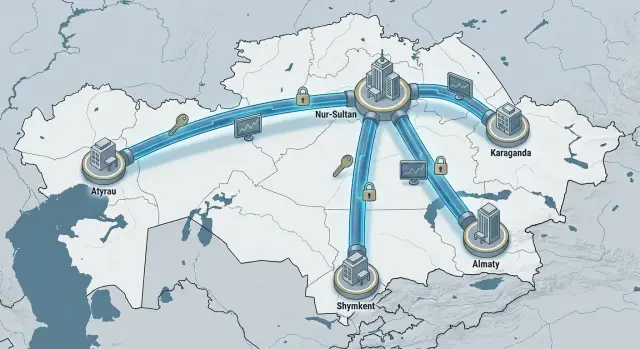
In hub-and-spoke every branch has one tunnel to the hub (usually in a data center or head office). Common services — domain, accounting, telephony, internal apps — run through the hub.
The advantage is growth simplicity. Add a branch, create one tunnel and distribute routes. Security is often simpler: consistent policies live on the hub and branches don't need direct access to each other.
The downside: the hub becomes a single point of failure. If the hub or its link goes down, branches lose access to shared resources and to each other (if inter-branch exchange depends on the hub). Another issue is "hairpinning": branch A talks to branch B via the hub even if they are in the same city and could connect directly.
Mesh and hybrid: direct links where justified
Mesh is useful when branches actively talk to each other: shared warehouses and stores, dev and test sites, or video surveillance between locations. A direct tunnel between two offices reduces latency and central link load.
Full mesh quickly becomes complex. With 10 branches you may have up to 45 pairwise tunnels — more keys, more routes and more potential for mistakes.
Hybrid is usually the most practical: keep a hub for shared services and management, and add direct tunnels only for a few important pairs. For example, 12 branches access central accounting via the hub, while two logistics warehouses have a direct link for faster synchronization that doesn't overload the central channel.
Simple guidelines:
- Up to 3–5 branches and simplicity matters — hub-and-spoke is usually enough.
- You need direct flows between several offices — choose hybrid.
- Most offices actively communicate with each other — mesh, but plan for maintenance time.
A good rule: start with hub-and-spoke and add direct links only where you can measure a reason (latency, traffic volume, resilience).
Planning: IPs, subnets and what should go through the tunnel
Before configuration decide addressing and which traffic flows must go through the tunnel. Without that, conflicts arise and diagnostics become guesswork.
Basic rule: each branch must have its own subnet that doesn't overlap with other offices, remote workers or the data center. Even if everything is small now, another office will appear in a year and address overlaps will become a real problem.
Use a clear template. Example: head office 10.10.0.0/16, branches 10.20.X.0/24 (X = branch number), separate guest Wi‑Fi and cameras. Addresses for the WireGuard interfaces should also be separate and must not overlap with the LAN.
Then define exactly what needs to traverse the tunnel. It's not "everything", but specific services. A short list usually includes domain and DNS, accounting/ERP, file shares and printing (preferably limited to specific servers), monitoring and remote support, and telephony (if there's an IP PBX between sites).
Choosing NAT versus routing affects support. NAT can be an easier quick fix in complex networks, but it hides real addresses and complicates incident investigation. Routing requires discipline but is more transparent: firewall rules and logs are simpler and it's easier to see where a request came from.
Finally — don't send all internet traffic (0.0.0.0/0) through the tunnel unless needed. In WireGuard this is controlled by AllowedIPs: list only the networks that must be accessible. Start with the minimal set and add on demand.
Example: a branch needs access only to 10.10.5.0/24 (servers) and 10.10.6.10 (DNS). Specify those addresses rather than the whole 10.10.0.0/16 if much of that space is unused. This reduces the risk of unintentionally opening too much and simplifies support.
Step-by-step setup for a working initial topology
For the first deployment start with hub-and-spoke: one central node and 1–2 branches. You'll see quickly what in your network interferes with the tunnel.
Choose the hub: a data center or head office with stable connectivity and power. It's good if the hub has a public IP. If not, check UDP port forwarding to the WireGuard server and ensure it doesn't violate provider or corporate firewall rules.
Then set tunnel addressing. Example: hub 10.200.0.1/24, branch A 10.200.0.2/32, branch B 10.200.0.3/32. This makes configs easier to read and reduces overlaps.
A typical predictable sequence:
- Bring up WireGuard on the hub and verify it listens on the UDP port.
- Generate keys for each participant and record them (branch name, date, owner).
- On the hub add the branch as a peer and list the subnets behind it.
- On the branch set the hub endpoint (public IP:port) and enable keepalive if the branch is behind NAT.
- Verify connectivity and only then add the next branch.
The most common mistake is AllowedIPs. It's both "allowed addresses" and routes: where to send packets into the tunnel and from whom to accept. The same route shouldn't belong to two different peers.
Example: branch A has LAN 192.168.10.0/24. On the hub's peer entry for branch A AllowedIPs should include 10.200.0.2/32 and 192.168.10.0/24. Branch B will have a different subnet without overlaps.
Test with 1–2 real services, not just ping. For example, from the branch open the internal DNS and an important server (file or accounting) in the head office. If only ping works, check routes on gateways and firewall rules between subnets.
Once the first branch is stable, scaling is repeating the template. To avoid turning the system into manual patches, document a process: who adds peers, where the subnet plan is stored, how configs and keys are backed up and how to roll back to a previous version.
Key management and rotation: keeping the network from becoming chaotic
WireGuard is simple, which is why many lose control quickly: where which peer is installed, why a departed employee still sees the network, what will break when a key is replaced. In branch infrastructure key order is often more important than topology choice.
A key registry
Keep a single registry, even with only three offices. It's not "for formality" but to answer questions quickly: which key is on a branch gateway, who it was issued to, and what breaks if replaced.
Minimum data to record per peer: owner (device or role), installation location (branch, VM, serial/inventory number), AllowedIPs, issue date and planned replacement date, responsible person and a quick way to disable (what to remove on the hub/gateway to instantly cut access).
Don't mix a "person's key" and a "device key." If an admin's laptop connects from anywhere, it should be a separate peer with its own AllowedIPs and stricter rules.
Rotation without downtime
Plan rotation like replacing a pass: issue the new one first, then revoke the old. WireGuard can't bind two public keys to one peer automatically, so replace in steps: add the new key on the opposite side as a separate peer temporarily, switch the device to the new key, verify traffic, then remove the old peer.
Set a cadence: server keys every 12 months, user-device keys every 6 months, and immediate rotation on compromise, device loss or contractor changes.
Segregating access limits damage from leaks. Use different address pools and separate peers for different tasks: one for inter-branch routing, another for administration, a third for services like backups. Don't give one peer access to "all subnets" if it only needs one server.
Store configs like server keys: role-based access, change logs, and prohibit sending private keys via messengers. Public keys can be more widely visible; private keys only to those who configure devices and manage changes.
Monitoring tunnels: how to spot degrading connectivity
WireGuard is quiet when all is well. But in branch networks problems often start as slow degradation. Users report "1C freezes" or "files take ages to open" while the tunnel is technically up. Monitoring should cover not only availability but quality.
What to watch first
Track a few signals: peer reachability and bidirectional traffic, time since last handshake (if it grows to hours the connection may be half‑alive due to NAT or IP change), packet loss (2–5% already noticeable in terminals and file operations), latency and jitter, and RX/TX counters (if they stay static during work hours the issue is likely routing or firewall, not encryption).
Keep a baseline for each branch: typical latency and normal traffic volumes in morning and daytime. Deviations become visible before complaints start.
Quick tests when "something is wrong"
Start with a chain of checks that gives maximum information in a few minutes: ping a remote subnet address, then trace the path to see the real route. Next, verify routes at both ends (has a higher-priority route appeared that bypasses the tunnel?) and DNS, because "service not opening" is often a name resolution issue rather than networking.
Also check whether the branch's public IP changed. On mobile or dynamic channels a handshake can disappear after IP change, which looks like "it works then doesn't."
Alerts: what matters and what is noise
Alerts should catch real failures and not bury on-call staff. Useful signals: no handshake beyond a threshold during working hours, packet loss above a threshold (for example, 3% over 10 minutes), a sudden latency spike relative to the branch baseline, traffic dropping to zero during work hours while the branch remains active, and frequent flaps (tunnel repeatedly up/down) in a short period.
The simpler and clearer the alert explanation and next-check steps, the faster support can distinguish channel problems from routing or DNS issues.
Practical routing rules for branches
Routing breaks more often from extra networks in announcements and unclear return paths than from encryption. Only traffic that truly needs to go through the VPN should travel there, and a clear return route must always exist.
Principle of minimal routing
Don't advertise unnecessary subnets. If a branch needs access only to accounting and two services in the data center, don't push the entire corporate address plan through the tunnel.
Practical minimum:
- On the branch side, keep AllowedIPs only for networks required through the VPN.
- On the hub, add a route only to the specific branch subnet.
- Enable inter-branch access explicitly and test it separately.
Internet is usually best routed locally from the branch. Forcing it through the central node without need increases load and support complexity.
How to avoid asymmetry
Asymmetry happens when a request from a branch goes to the data center through the tunnel but the reply leaves via another path (internet or different gateway) and is dropped by a firewall. Prevent it with strict route discipline: traffic should return the same way it came.
Simple example: a branch accesses accounting and a medical system in the central site. The central side must have a route back to the branch subnet via its tunnel. If the data center has multiple upstreams (separate internet and provider links), ensure replies to the branch subnet don't exit via a different gateway.
Separate service and user traffic by purpose. Service traffic (monitoring, admin, updates) is often best kept in a dedicated subnet and always passed via VPN. User traffic only goes via VPN if the services are truly inside the perimeter.
To speed support, keep a simple table: branch and its subnet, which central networks it needs, which tunnel carries the route, service owner and allowable downtime, plus special rules (inter-branch access, denies, priorities). This saves hours during incidents.
Common mistakes and deployment traps
WireGuard is easy to bring up, but problems usually stem from small config choices and lack of order.
The most common trap is overly broad AllowedIPs. If you add 0.0.0.0/0 or unrelated subnets "just in case", traffic starts going the wrong way. Symptoms: an accountant "loses internet" or local printing breaks because a route was caught by the tunnel. Keep AllowedIPs strictly to needed networks.
Second error — overlapping subnets between offices. This shows up later: branch A and branch B both use 192.168.1.0/24, some services work and others fail. Fixing it is painful: you must renumber or build NAT. It's simpler to record a subnet plan up front and avoid duplicates.
Third trap — keys without lifecycle. Without a rotation and inventory plan, employee departure or device loss becomes a fire: it's unclear which peer to disable and where it's used. Minimum mitigation: clear peer names, owner, issue date and planned replacement.
Fourth mistake — no monitoring. If you learn about problems only from user calls you are always late. A tunnel may be "up" while service quality degrades due to loss, MTU or ISP issues.
Fifth trap — mixing test and production configs without version control. Someone tweaks a route on test and another copies it live "as is", and the branch gets cut off.
A quick checklist before rollout catches most issues:
- AllowedIPs contain only the required subnets, no "just in case" entries.
- Branch subnets are unique and documented in one place.
- There is a clear process for issuing, revoking and rotating keys.
- Basic metrics are configured: availability, latency, loss, time since last handshake.
- Configs are stored centrally and changed through a controlled process.
Real example: an organization with two regional offices and a central one. An admin added 0.0.0.0/0 so "everything went through the center" and sent cloud mail and updates over a slow link. The VPN was "working", but users complained about slowness. The fix took 5 minutes: narrow AllowedIPs to corporate subnets and keep only required routes through the VPN.
Checklist, deployment example and next steps
Document basic decisions before launch so the network works even when details are forgotten.
Short checklist before launch:
- Addressing: separate subnets per office, no overlap with home or guest networks.
- Routes: which networks go through the tunnel, what is in AllowedIPs and no conflicts with internet routes.
- Access: list of services and ports allowed to branches and what is head-office-only.
- Backups: where configs live, who has access and how quickly a new hub can be brought up after a failure.
- Security: key rotation rules, no single key per department, correct server time (NTP).
Deployment example: one head office and four branches. The head office hosts two services (e.g., 1C and a file server) and one network printer. Branches need access only to those services and printing; internet stays local at branches. Hub-and-spoke is usually sufficient: each branch creates a tunnel to the hub and the hub enforces access only to service subnets and the print network. It's easier to support and quicker to troubleshoot.
Initial checks right after launch:
- Metrics: latency, loss, time since last handshake, throughput, link utilization.
- Alerts: "tunnel down", "handshake stale", "latency spike", "traffic moved to unexpected subnets".
- Incident runbook: what to check first (power, ISP, routes, keys) and target times for initial response.
- Change log: every routing and key change is recorded so you can roll back.
If you plan 20+ branches, move to config templates and strict processes immediately. Standard naming (Office-01, Office-02), a single subnet plan, a clear key issuance/revocation flow, and pre-deployment config checks save hours per new connection.
Next steps usually include a quick network audit (subnets, failure points, critical services), choosing the hub role (single server or cluster) and building 24/7 support. If you need a dedicated hub and infrastructure, this can be assembled with GSE.kz as a system integrator, and consider S200 series servers made in Kazakhstan as the platform for the hub and supporting services.
Frequently asked questions
Which topology is better to start with: hub-and-spoke or mesh?
Most often start with **hub-and-spoke**: one central node and a single tunnel per branch. It's easier to scale and maintain consistent access rules. Add direct branch-to-branch links only where there's a measurable reason (latency, large data flows, redundancy).
Why is WireGuard often better than a commercial VPN for branches?
Commercial VPNs are convenient for "connecting a user", but branch networks usually need predictable routing, subnet control and transparent diagnostics. WireGuard gives more control: you define addressing, which subnets are reachable, and exactly how traffic flows between offices.
What is AllowedIPs and why do people often make mistakes with it?
AllowedIPs is both "what to send into the tunnel" and "from whom to accept". Specify only the required subnets and addresses; otherwise you can accidentally capture extra traffic or create conflicts when the same network is announced by two peers.
How to plan IP addressing for branches so you don't have to redo it later?
Plan unique subnets for every office with room to grow. If two branches use the same subnet (for example, both use 192.168.1.0/24), connectivity will be unstable and unpredictable. Fixing that later usually means renumbering or forced NAT.
Should you use NAT through WireGuard or is routing better?
Prefer routing without NAT by default: it's more transparent in logs, firewall rules and incident investigations, and it's easier to see who came from where. NAT makes sense as a temporary workaround when addresses clash and you cannot renumber quickly, but it complicates support and hides real sources of traffic.
Should I route all branch internet via the VPN?
Usually not. If a branch doesn't need to send all internet traffic through the central node, don't add 0.0.0.0/0 to AllowedIPs — it adds load to the central link and often causes unexpected user issues (slow access, strange blocks, “lost internet”).
How to prevent the tunnel from dropping with dynamic IPs and NAT?
If a branch is behind NAT or has a floating public IP, enable keepalive on the branch side so the tunnel doesn't sleep and can recover faster after IP changes. Also verify the UDP port to the hub is reachable and that neither side has rules that periodically kill UDP sessions.
Which WireGuard monitoring metrics are really useful for branches?
The minimal practical set — availability, time since last handshake, packet loss and latency compared to the branch's normal baseline. It's important to catch degradation, not only outright downtime: a tunnel can be "up" while services slow due to loss, jitter or line issues.
What to check first when "VPN seems up, but nothing works"?
Start with basics: check the handshake and traffic counters, then routes on both ends and firewall rules between subnets. If ping works but services don't, check DNS, closed ports or missing return routes; if handshakes disappear, look for NAT, a changed public IP, or UDP blocking.
How to manage and rotate WireGuard keys so things don't become chaotic?
Keep a registry: who owns the key, where it is installed, which AllowedIPs it has and how to revoke access quickly. Rotate keys without downtime: temporarily add the new public key as a separate peer on the opposite side, switch the device to the new key, verify traffic, then remove the old key.
