8 min read
Warranty tracking for replaced components: disk and PSU
Warranty tracking for replaced components: how to document disk or PSU replacement, record serial numbers and track remaining warranty separately for the device and the component.
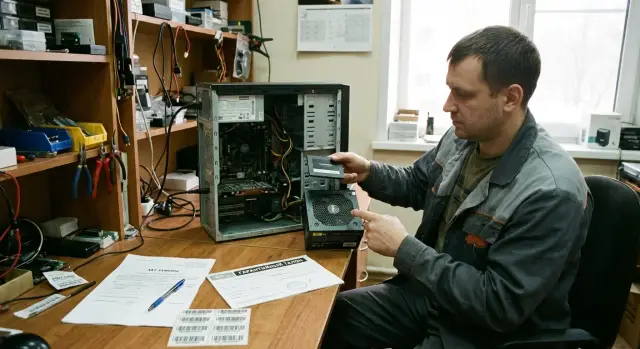
What is warranty after replacement and why it matters
When a part is replaced under warranty, confusion often follows: the device is still under warranty, and the new part also seems to be "under warranty." In practice you have two parallel records: the warranty on the unit (the PC/server/workstation) and the warranty on the replaced component (for example, an SSD or a power supply). If you don't separate these, it becomes hard later to prove dates and conditions.
The unit warranty is usually tied to the delivery date and the device serial number. The component warranty after replacement can be calculated differently: from the installation date, from the date of issue from stock, or as the "remainder" of the original warranty. This depends on the supplier's conditions and the service policy, so it's better to fix the rule in writing right away.
Common risks are unpleasant: a dispute about when the replacement warranty started, lost reports or correspondence, or incorrectly recorded serial numbers of the old or new component. One missing piece of data and in six months it's already impossible to prove what was actually changed.
Most warranty replacements are point failures: disks (HDD/SSD), power supplies (PSU), memory, fans. These swaps seem simple, but they often create mismatches between IT, stock and accounting: where the removed part is stored, whether it has been written off or returned, and what is now installed in the device.
To avoid later disputes, decide and record several things in advance: which term applies to the replaced part, what counts as proof of the replacement, who stores the removed component and its packaging, and who updates records (serials, inventory number, entry in the service log). This helps everyone: IT—to quickly confirm a warranty case; stock—to manage spares correctly; accounting—to record movements properly; service—to avoid "recreating history" from memory.
Simple example: an office PC has its SSD replaced. Eight months later the drive fails again. If you only have a "repair report without serials," the supplier may say this is no longer a warranty case. If you recorded serials before and after and the rule for counting the term, the dispute is resolved in minutes.
Unit and component: how to separate responsibility and terms
When a disk or PSU is replaced, people often confuse two different objects of record: the whole device (unit) and the specific part (component). As a result it's later hard to prove dates or know what remains under warranty. Warranty tracking for replaced components starts with a simple rule: the unit and the part must have separate records and separate dates.
What is a unit and what is a component
A unit is the device with its own serial number and documentation (PC, server, workstation). A component is a part of the unit that can be replaced without replacing the entire device (SSD/HDD, PSU, memory, etc.).
Keep two sets of terms: the device warranty (overall term from delivery or commissioning as stated in the contract/documentation) and the replaced-part warranty (by the part supplier or service center rules, often from the replacement date). Also record responsibility: who is responsible for the unit and who for the specific component (these can be different parties).
How terms affect each other
It's important not to mix two situations.
First: the device warranty continues and does not change because of a part replacement. Replacing a disk does not mean the PC's warranty is suddenly "reset."
Second: the part warranty can be longer or shorter than the device warranty. That's fine if it's written in the conditions. For example, a PC may still have 6 months left, while an exchanged disk is covered for 3 months from the replacement date. Or the device warranty may have expired but the replaced PSU still has its own term and can be claimed as a component warranty.
To avoid disputes about terms, agree on simple definitions: repair — restored the same part; replacement — installed a different part with a new serial; upgrade — improved specs at the customer's request and usually not a warranty case. Treat upgrades separately so they don't get mixed with warranty replacements.
What data to collect before and after replacement
To prevent warranty tracking for replaced components from becoming a dispute, document the system state before replacement and what was installed instead. Do it while the device is on hand and labels and serials are accessible.
First, link the event to the specific device and its location. Record the inventory number, model, configuration (e.g. drive capacity, PSU wattage) and where the device is installed: branch, room, rack, workstation.
Then gather serial numbers together. At minimum you need three: the device serial, the removed component serial (disk or PSU) and the new component serial. If there is a part number or revision marking, add those too: they often help with disputed shipments.
Don't limit dates to the replacement day. Record the request date, diagnosis date, actual replacement date and a brief reason (e.g. "SMART errors", "cannot sustain load", "unusual noise"). This helps separate a simple failure from a warranty case.
In the event record keep the document references and responsible people:
- service request or ticket number
- diagnostic report or work completion act number
- issue/return slip number
- full names of who authorized and who performed the replacement
- note where the removed component went (stock, supplier, disposal)
Photo evidence saves hours. Photograph the device label and the stickers on the old and new components so serials are legible. Store photos in a shared folder under the inventory number, and name files with date and role, e.g. "2026-01-31_INV12345_oldSSD_SN..." and "2026-01-31_INV12345_newPSU_SN...".
Documents: minimal set for a clean history
A clear warranty history relies on simple documents (or entries in a service system) that show two facts equally well: what failed and what was installed instead. This minimum prevents disputes about dates and serials, especially when disk replacement is documented across branches or by different people.
Documents you should not start a replacement without
Usually five items are enough, each with required fields:
- Fault request: date/time, device model, inventory number, device serial, symptoms in plain words, who reported it, where the device is located.
- Diagnosis: short conclusion (1–2 lines), confirmation method (e.g. SMART test, voltage measurement, swap with a known-good part), decision: repair or replace.
- Replacement act: what was removed and what was installed (both serials), reason for replacement, date, location, performer and responsible person’s names, note on seal integrity (if applicable).
- Issue document from stock (if spare parts are in-house): slip number, item name, serial of the issued part, and which device it was linked to.
- Note on return of the old part: where it was sent (stock, service, supplier), status (working/defective/awaiting expertise), completeness.
Wording in the act: write without ambiguity
Write short, verifiable statements, no subjective words. For example:
- "Removed SSD SN: XXX, read errors confirmed by test. Installed SSD SN: YYY, boot and write test performed."
- "Removed PSU SN: XXX, failed under load, confirmed by swap with a good unit. Installed PSU SN: YYY, system POST and self-test passed."
If the old part is sent to the supplier for warranty review, add: "Transferred to service for warranty review, handover act №...". This separates the replacement event from the defect decision, making it easier to treat device and component warranties separately.
Step-by-step: how to document a disk or PSU replacement
If a disk or PSU is replaced without clear records, in six months usually no one remembers which serial was installed before the failure or when the component warranty started. The goal is simple: one record for the unit and a separate record for each replaced component.
1) Device card
Create a device record: model, inventory number, location, commissioning date and original warranty term. The device warranty should be tied to the purchase or delivery document, not to someone's memory.
2) Warranty case record
Create an entry for the incident: failure date, symptoms, who found it, brief diagnosis and the decision (replace disk or PSU). Link the case to the device card so questions about dates and reasons are in one chain.
3) Component record with serials
For the disk and PSU record at least: type and specs (e.g. SSD 1 TB or PSU 650W), old serial (removed), new serial (installed), origin (warranty replacement, stock spare, loaner). Serials and warranty records must match what's in acts and slips.
4) Replacement date and basis
Record the exact replacement date and source documents: work act, service ticket, issue slip or return act. If there are several documents, list their numbers and dates.
5) Separate warranty term for the component
Enter the calculation rules immediately: the device warranty follows the original term, the component warranty may start from replacement date or follow supplier conditions. Record the start and end dates and where the rule comes from (contract clause, warranty card, supplier email).
6) Case closure and control date
Close the case after verifying the new part is installed, the old part is accounted for or sent away, and serials are recorded. Set a control date (e.g. 7–14 days) to confirm signed acts and slips are filed and available for audit.
How to calculate remaining warranty for device and component
It's easy to lose track of terms if you keep only one warranty deadline. For warranty tracking of replaced components keep two parallel terms in the device record: one for the unit and one for each replaced component.
The device warranty is usually counted from the delivery or commissioning date to a fixed end date. In many contracts repairs do not extend this term unless explicitly stated. So a component replacement does not "restart" the device warranty.
The component warranty may be counted differently: from the replacement date (as a new part), within the original device warranty, or by the period stated in the act/slip. Don't guess — record the rule you use.
Two-line formula
Count remaining days to avoid month math:
- Remaining on device = (device warranty end date - today) in days.
- Remaining on component = (component warranty end date - today) in days.
Store both end dates in the card and also the start dates (device delivery and component replacement). On repeat service you will immediately see what is covered.
If there is no documented term
If there is no explicit term for the replaced part, record an assumption: e.g. "component warranty counted to the device warranty end" or "N months from replacement date." But always tie this assumption to a confirmation source.
Minimum fields in the card:
- device warranty start/end dates
- replacement date and component warranty start/end dates
- serials of removed and installed parts
- who confirmed the terms and on what document (act, email, contract, warranty card)
- comment with assumption if the term is not explicit
Example: when replacing an SSD in a workstation, the device warranty follows the original delivery, while the SSD gets its own deadline from the replacement document. Next time there is a failure, there will be no argument: terms are separated and evidenced.
Special cases: loan pool, swaps and security
Even if old and new parts are the same model, for warranty they are different items. Serial numbers are critical: they prove which disk or PSU was installed, when it was replaced and what was sent to service. If the act only says "SSD 512 GB" without a serial, it's hard later to prove a warranty case.
Loan pool: temporary parts
If a part is issued from the loan pool, mark it as temporary. Otherwise in six months no one will understand why a "foreign" disk or PSU is in a PC and whose warranty applies. Record at minimum: temporary part serial, "loaner" note, issuance date, return-by date, which device it's attached to, and return conditions (after repair, after arrival of a permanent part, after vendor decision).
When the permanent part arrives, process the reverse: remove the loaner and return it to the loan pool with its serial noted.
Swaps between PCs: keep the chain
If a component is removed from one PC and installed in another, make two entries: "removed from device A" and "installed in device B". Record the serial and reason for transfer (e.g. urgent restoration of a workstation).
For disk swaps add security notes: data transfer (what and where), encryption status, method of sanitizing old media (wipe/destruction) and who confirmed it.
For PSUs record wattage, form factor and compatibility (connectors, power rail), and suspected cause of failure (overload, surge, overheating). This helps both warranty claims and analysis of operating conditions.
Common mistakes that cause warranty disputes
Warranty disputes rarely start from the failure itself; they start from gaps in the replacement history. When six to twelve months later you need to know who changed what, without exact data every statement becomes an argument.
Identification errors: serials, labels, device linkage
The costliest mistake is not recording the new component serial or mixing up labels. This happens when the part is unboxed on site and the label stays on the box while the act contains a photo of the wrong item.
Another common problem is losing the link between part and device. The part ends up "in the records" but it's unclear in which PC it now resides.
A short check that prevents disputes:
- removed and installed component serials are recorded and readable
- model/capacity (for disks) or wattage (for PSUs) matches the fact
- the inventory number or the device serial is specified
Document and timing errors: acts, signatures, mixing warranties
Often a request is closed after work but without a signed replacement act. Later it turns out the part was changed but not documented, so the start date of the component warranty can't be proven.
Another trap is mixing the supplier's warranty with internal lifecycle rules. Accounting may treat amortization as the end of warranty while service follows the manufacturer's or integrator's terms. It's important that records separate device and component warranty terms.
Finally, many forget to note where the removed part is stored and who accepted it. If an old disk or PSU should be returned to the supplier as part of an RMA but this isn't recorded, you risk double counting or claims: "the part wasn't returned, so the warranty is invalid."
Real example: a school replaced an SSD under warranty and left the old drive in a cupboard "until tomorrow"; the next day it was gone. A month later the supplier asked for the removed drive's serial to close the warranty case, and it wasn't in the act or correspondence. A dispute was almost inevitable.
Quick checklist for component replacement
If a disk or PSU has already been replaced, disputes usually start over small details: where the serial was recorded, which date is the start, and what the warranty covers. This checklist helps keep records in order.
Before closing the ticket, confirm the minimum is present in documents and the system:
- device card (PC/server/workstation) with device warranty start and end dates
- replacement act or service report with removed and installed serials (and part numbers if present)
- three dates for the case: request, actual replacement, and case closure
- recorded location and status of the removed part: returned to supplier, held pending decision, disposed
- component warranty term recorded separately from the device and evidenced by a document (warranty card, email, clause in the act)
Also ensure you have the request number and a contact person (name, department, phone or email). This saves time when you need to pull the history in six months and understand why a disk was changed and which one was installed.
Practical tip: photograph the new disk/PSU label right after replacement and attach the photo to the ticket. For distributed environments this is often the fastest proof of installation.
Practical example: SSD and PSU replacement in one PC
A workstation in accounting: the system unit is under warranty until 2026-11-15. On 2025-02-10 the user lost boot; diagnosis showed an SSD failure. On 2025-03-12 the PC started shutting down unexpectedly and a separate ticket confirmed a PSU defect.
Open a separate document package for each event even if the same service handled both repairs. Then the history is clear and serials are not mixed up.
Typical attachments for the SSD case and the PSU case:
- ticket with symptoms, date, location and responsible person
- diagnostic report or service engineer's conclusion
- replacement act (removed and installed) with signatures
- issue slip from stock if a spare was used
- photos of labels and serial numbers before and after replacement
Then record multiple end dates. The device continues under its warranty until 2026-11-15 because device warranty usually doesn't change due to part replacement (unless stated otherwise). Replaced components get their own record lines.
A convenient way to capture terms without arguments:
- keep the device warranty end date on the device card
- create component entries for SSD and PSU with their serials
- for each entry specify installation date and the supporting document (act number)
- separately record the component warranty end date as confirmed by the supplier or manufacturer
So you can see that the SSD might have its own warranty until 2026-02-10 while the device remains covered until 2026-11-15. On repeat failure you can quickly collect evidence: which act documented the change, which serial was installed and which term applies to the failed part.
Next steps: make the process stable
Replacements usually happen fast. The problems start later: serials don't match, the act is missing, or it's unclear which warranty applies to device and component. To avoid repeating this, turn the process into a habit.
Start with a single replacement template and consistent file names. If each engineer names documents differently, in six months you won't be able to gather the history. A good naming rule: date, device inventory number, what was replaced, old and new S/N, ticket number.
Then assign roles. In a small company one person can do everything, but it's still useful to define: who enters the replacement in the system the same day, who verifies S/N on the hardware and in the act, who closes the case (old part handed over, loaner received, terms recorded), and who manages stock (storage, issuance, labeling). Appoint a process owner who reviews reports monthly and adjusts rules when they "drift."
Decide what to do with removed parts. A common practice is dumping them in any box, which later becomes a mystery. Label boxes simply: source device, old S/N, date, status (defect, return, for expertise).
Do a short monthly reconciliation: which devices have nearing warranty expirations and which replaced components will soon expire. This helps plan purchases and avoid disputes at the deadline.
If you need a single standard for support and service across your PC, workstation and server park, you can follow integrators' practices who both supply equipment and support it. For example, GSE.kz has in-house production and 24/7 service, and working with a single supplier makes it easier to keep spare parts and service records in one format with agreed rules for terms.
Frequently asked questions
How does the warranty on the device differ from the warranty on a replaced component?
The device warranty covers the whole unit (PC/server/workstation) and is usually measured from the delivery date or commissioning based on the device serial number. The replaced-component warranty applies only to the specific part with its own serial number and can follow different rules. That's why it's important to keep them as two separate records.
From which moment is the warranty on a part usually counted after replacement?
The safest approach is to establish the rule in advance: which date counts as the start of the replacement warranty and what term applies. In practice there are three common schemes: from the installation date, from the date of issue from the store/service, or as the remainder of the device warranty. If this isn't fixed, it's hard to prove later which scheme was agreed.
Does replacing an SSD or PSU under warranty extend the warranty for the whole computer?
No — replacing an SSD or PSU usually does not extend or reset the warranty for the entire PC or server, unless the contract explicitly states otherwise. The device warranty continues on its original term, while the component may receive its own separate term.
What information must be recorded when replacing an SSD or a power supply?
At minimum — three serial numbers: the device, the removed component and the installed component. Also useful are model and specs (SSD capacity, PSU wattage), dates of request/diagnosis/replacement, the reason for replacement and document numbers linking the work and the terms.
Which documents are needed so there is no later dispute about the warranty?
A set that proves two facts: what failed and what was installed instead. Typically: the request, diagnostic report, replacement act with both serial numbers, issuance document if the part came from stock, and a note on the transfer/return of the removed part so there’s no dispute over an unreturned defective item.
How to phrase the replacement act so it is accepted without questions?
Write verifiable statements: what was removed, the reason, how the defect was confirmed, what was installed and what was tested after replacement. Always include both serial numbers and the date. If the removed part was handed to a service or supplier, record that transfer in a separate line so replacement and the decision on the defect remain distinct.
How to quickly determine if the device and the new component are still under warranty?
Keep two deadlines: the device warranty end date and the component warranty end date, and compare each with today. That way, on a repeat failure you immediately see what is still covered, even if the device warranty has expired or the component warranty differs.
Should I take photos of serial numbers and where should I store them?
Yes. Photograph the device label and the labels on the old and new components so the serial numbers are readable, and store the photos with the request number and the replacement act. Photos often resolve disputes when a document has one wrong character or when paperwork was done at a different branch.
What if a component is issued from the loan pool and is temporary?
Mark it as temporary and record its serial number, the issuance date, which device it's tied to and the return-by date. When the permanent part arrives, process the reverse operation (remove the temporary part and return it to the loan pool). Without this, in a few months it will be unclear whose part it is and which rules apply to its warranty.
What to check if the supplier disputes the warranty period after a replacement?
First check identification: do the serial numbers in the act, on the hardware and in the records match, and is there a clear link to a specific device? Then check the rule for calculating the warranty term that you recorded at replacement; if no rule was recorded, agree it in writing and add it to the record, otherwise the dispute will hinge on interpretations.
