8 min read
Warehouse inventory with a smartphone: offline collection and reporting
Warehouse inventory via smartphone: how to set up offline collection, quickly find discrepancies and get reports from recounts without delays.
Why change your approach to warehouse inventory
Traditional inventory often becomes a marathon: people count, write on paper, and then someone transfers the data into a spreadsheet or accounting system. Time is spent not on recounting but on rechecks, finding sheets and deciphering handwriting.
A recount usually drags for two reasons. First, data collection is slow: counting one SKU is easy, but thousands of lines across a warehouse take weeks. Second, information fragments: sheets belong to different shifts, there are drafts, photos and chat notes. When consolidating, results get lost, duplicated or mixed up.
Paper and manual entry almost always cause similar mistakes: skipped lines, transposed numbers, wrong units, duplicates. A common headache is scanning a barcode but writing down the article number — or vice versa. Manual transfer adds a second layer of office errors.
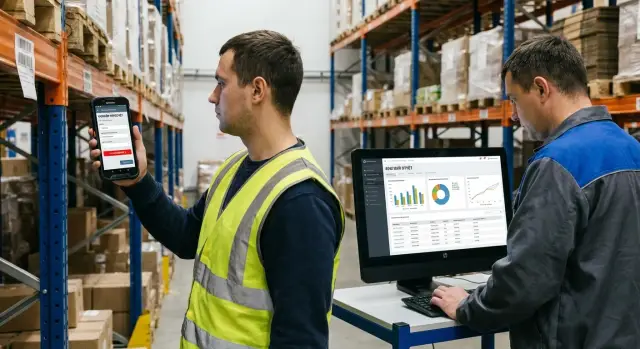
Smartphone-based inventory changes the logic: data is recorded digitally right away. Scanning a barcode and entering quantity takes seconds, and each action is tied to an employee, time and storage location. Recounts become manageable, especially in large warehouses and shift work.
Offline collection means the device works without a stable internet connection. An employee keeps scanning and entering quantities where the signal drops (in basements, between racks, in large hangars). Data is saved locally and synced later when a network is available. This is critical: connectivity is often unreliable, and stopping the count is costly.
You can judge mobile inventory success by four metrics: accuracy (fewer discrepancies and clear causes), speed (faster thanks to scanning and no manual transfer), transparency (who counted and what is closed is visible) and repeatability (the process can be reproduced, not left to improvisation).
Mobile terminal or smartphone: how to choose
A regular phone often suffices for smartphone-based inventory if the warehouse is small, barcodes are large and readable, and counts aren’t daily. A smartphone is easy to issue temporarily: install the app and start without buying a dedicated device fleet.
A data capture terminal is needed when speed and durability matter: many SKUs, a dense flow of scans, long shifts, cold zones or dusty environments. Terminals tolerate drops better, work with gloves and hold charge longer under continuous scanning.
Scanning is the main practical criterion. A phone camera works but usually needs focus, distance control and a moment to recognize the code. A built-in terminal imager reads faster, struggles less with small labels and performs better on damaged or reflective codes. If an employee does hundreds of scans per hour, the difference becomes noticeable on day one.
Warehouse conditions also matter. Cold drains phone batteries faster, touchscreens are less responsive, and gloves make tapping difficult. A drop onto concrete or dust in ports can quickly break a personal device. Terminals cost more but can be cheaper overall than replacing phones for a whole team.
Quick selection test
Before purchasing or running a pilot, answer a few questions:
- How many scans per hour does one employee do and how long is a shift?
- How small are the barcodes and is lighting sometimes poor?
- Are there cold zones, dust, drop risks or glove use?
- Do you need offline operation over a large part of the route?
- How many people will count simultaneously and how fast must the count be closed?
Also plan security. Don’t use a shared login: roles (counter, shift lead, controller) reduce accidental edits. Treat devices as assets: set PIN or biometrics, restrict extra apps and enable remote lock on loss. This protects data and simplifies dispute resolution.
How offline collection and synchronization work
Offline collection is necessary where warehouse connectivity is unstable or networks are restricted in storage zones. For smartphone-based inventory, it means a simple thing: you keep scanning and counting even if the internet drops, and results aren’t lost.
What is stored on the device offline
Before the count starts, the device receives a “package” of data and keeps it locally. It usually includes count tasks (zones, racks, bins, deadlines), catalog data (article, barcode, units, packaging variants), control values (if hints are needed), directories (warehouses, bins, lots, serial numbers, employees), and drafts of operations: scans, entered quantities, comments and photos (if used).
It is important that the package is “frozen” during the count: then all employees work from the same version. Changing the catalog or balances mid-shift creates disputed situations and extra discrepancies.
Synchronization and error protection
When a connection appears, the app sends accumulated operations to the server and receives a reply: “accepted”, “rejected” or “needs clarification”. Reliable sync is done in small portions so an interruption doesn’t force a full restart.
To avoid duplicates and losses on retry, each operation should carry a tag: unique event ID, timestamp, employee, device and zone. Then the server knows if this was already submitted and won’t count it again.
Practical rules that help:
- synchronize after finishing each zone, not only at day end;
- don’t delete tasks from the device until the server confirms receipt;
- record who counted what to speed up discrepancy investigation;
- keep drafts on the device until confirmed;
- clearly show status: “not sent”, “in queue”, “accepted”.
If a device runs out of battery, the app crashes or a phone must be replaced, the key requirement is simple: data must be either in the local journal or already confirmed by the server. After charging, the employee should see the last saved step and continue. When replacing a device, the task is usually re-downloaded and previously saved operations pulled by account. If some data existed only locally, export of drafts or a simple routine helps: record the stop point and recount a small area.
The better the offline journal and server confirmations are set up, the smoother the count: failures cost minutes, not the outcome of the entire inventory.
Preparation before the count: data and warehouse organization
A fast count starts not with walking the racks but with tidy catalogs and clear rules. If the catalog is messy and storage addresses exist only in the head of the warehouse manager, smartphone-based inventory turns into collecting disputed numbers that are hard to verify later.
Clean up data before going into the warehouse
Set aside time to check the database. Often one short “cleanup day” removes most future discrepancies.
- Check names and articles: the same product shouldn’t appear under different variants.
- Reconcile units and packaging: pieces, boxes, pallets, inner multiplicity.
- Make sure barcodes are linked to the correct SKU and aren’t duplicated across items.
- Close “gray” balances: products without item cards, units or other mandatory fields.
- Agree on rounding and kit counting rules (sets and individual items).
A simple example: if the same product is recorded in the database as “pc” and as “box”, employees may scan the same code but enter different quantities. In the report that looks like a shortage and an overage at once.
Organize the warehouse and counting rules
Next, ensure physical logic: address storage should be readable — zone, row, bin. Even without a full WMS, adopt a single labeling format and stick clear shelf tags.
Decide the counting format in advance: full (all items), sample (by group) or cyclical (in parts, on a schedule). For the chosen format assign responsible people, a freeze window for operations (receipts, shipments) and a rule for rechecking disputed items.
Also prepare a short list of discrepancy reasons and quick comments selectable during input. Instead of “don’t know why” the final report will show specifics: misplacement, damage, wrong packaging, receiving error, undocumented move. This saves hours of investigation and helps decide next steps: correct the records, run an audit or change storage rules.
Step-by-step inventory process with mobile collection
With mobile collection, the principle is simple: each person is responsible for a specific area and the system records what and when was counted. This reduces confusion and makes discrepancy resolution easier.
First, divide the warehouse into clear zones: row, rack, level, bin. Assign an executor to each zone (or a pair: one scans, the other checks) and agree on rules for moving between areas. Zones should not overlap and must have clear boundaries.
Then prepare tasks for devices — typically a list of bins or a route by zones. Before starting, record the count start: date, shift, executor, area. This helps later when you need to check who worked where.
On site the usual steps are:
- scan the bin (or select it in the list) to tie the result to an address;
- scan the item barcode and confirm the name matches the physical good;
- enter the quantity (pieces, boxes, weight — whatever your practice is);
- repeat the cycle for each SKU in the bin;
- confirm the bin is counted.
Mark exceptions immediately rather than postponing: damaged packaging, misplacement (wrong item in a bin), item without barcode, a bin empty despite a balance in the system. If the app allows, add comments and photos. Even a short note saves time during review.
Example: an employee counts zone “Rack B, level 2”. The system shows 12 units in stock, physically there are 10, plus 2 units of a different article. He records 10 for the main item, adds a second line for the misplacement and marks “check receiving”. At reconciliation this goes into a separate list.
When an area is closed, the worker confirms completion and submits results for reconciliation (or leaves them queued for sync if offline). After that it’s important not to return to the same area without permission — otherwise double counting is easy.
Discrepancy control: how to find and confirm errors
With smartphone-based inventory it’s important not only to collect facts but to quickly show where records and reality diverge and what to do next. Good control relies on two things: a clear comparison with recorded balances and tidy rules for handling deviations.
On the device screen the worker should see three values: recorded quantity, actual quantity and the difference. Items with deviations should be highlighted and gathered into a separate list so you don’t hunt through all rows.
Rules that save time
Not every deviation needs immediate recheck. Set thresholds in advance so the team acts consistently.
- Any negative deviation on expensive items (ABC class A) — require a recount.
- Deviations larger than X units or Y% of the recorded amount — recheck.
- An “extra” item (record shows zero but item is found) — check storage location and documents.
- Repeated discrepancies in the same bin or rack — check labeling and address storage.
- Adjustments that change the total value above a limit — only with approver confirmation.
Lock these thresholds in the procedure rather than keeping them in people’s heads.
How to record disputed items
If the app supports photos and comments, use them as simple evidence: photo of the label, photo of the pallet, comment “moved to receiving, no document”. This reduces calls and extra trips to the warehouse.
You also need a clear recheck route: collector records a discrepancy -> controller or shift lead performs a repeat count -> accountable person approves the resolution -> the system logs who accepted the decision and why. It should not be possible to silently rewrite the discrepancy resolution.
Pick reasons from a short list rather than free text. Typical categories that are easy to analyze: receiving or shipping error, undocumented move, labeling or address error, defect or write-off, data error (duplicate barcodes, wrong unit, misplacement).
Example: during a supplies count the system shows 120 pieces by records and 108 physically. By the “-10% or more” rule the item goes to recheck. The shift lead recounts, takes a photo of the box label and notes: “part moved to production, move not documented”. The reason is recorded as “undocumented move” and becomes an action item for process discipline, not just the warehouse.
Fast reports after the count: what to show
With smartphone or terminal collection the gain isn’t only faster data capture but the ability to get results right after sync. Reports must be clear to decision-makers and help quickly find root causes.
The minimum a report must include
Start with a short summary: what happened during the count.
- how many items and bins were counted and how many remain;
- items “not found” (present in accounting, absent physically);
- overages and shortages;
- confirmation status (how many discrepancies are checked and by whom).
Next to the summary show start and end timestamps and the catalog version used so there’s no dispute about the data baseline.
Slices that save hours of investigation
The report needs two useful views: where and who.
A zone view (areas, rows, bins) shows where delays and errors occurred. For example, receiving closed in 40 minutes while small-item storage took 3 hours.
A staff view helps without blame: who had more shortages, where scans were missed, where repeats occurred. This is useful for training and process tuning.
Also show a top list of SKUs by discrepancy: 10–20 items with the largest deviation in units or value. Even better if you show repeat reasons next to them: “mixed packaging”, “wrong unit”, “moved to another bin”, “label unreadable”.
One count — two detail levels
Accounting usually needs an export with full details by SKU and adjustment documents, while management wants a short picture: totals of overages and shortages, problem zones and closure deadlines. Two templates (summary and detailed) remove the need to assemble reports manually.
To get results the same day, agree in advance on rules: deadline for data submission, who and when confirms discrepancies, and what counts as final (for example, after rechecking the top 20 items).
Example scenario: counting with unstable connectivity
A mid-size warehouse is split into several zones: receiving, main racked area, small-item storage and a supplies cupboard. Connectivity is flaky: signal at the gates, lost between racks and sometimes no network in the cupboard. Previously this broke counts: people wrote on paper then transferred to spreadsheets, and errors crept in twice.
Preparation before start
A day before the count they applied simple addressing: aisle-row-bin. They created tasks for three crews and enabled offline mode in the app on smartphones (or mobile terminals — the principle is the same). Each crew got its own zone to avoid overlaps.
They prepped several things: exported current balances and the item directory to devices, fixed zones and routes for crews (no mid-shift zone changes), checked barcodes on problematic items and printed replacement labels for a few bins, and agreed on the working order: scan first, then quantity, comment only on disputes.
How they found discrepancies and closed disputes
During the count crews scanned bins, then items and entered quantities. If the network dropped, data stayed local. When crews returned to coverage, synchronization occurred and the manager saw intermediate zone summaries.
Main discrepancies turned out to be accounting issues, not “losses”. First, misplacements: two similar items were next to each other and one barcode was partially damaged, so it was repeatedly scanned as the neighboring SKU. Second, wrong unit: the system recorded the item in pieces while it was actually stored and picked by boxes. The system showed an overage for one SKU and a shortage for the other.
Disputed items were handled like this: the responsible person received a list of deviations and assigned a repeat count of the specific bin to another crew. If the discrepancy was confirmed, the item was marked “confirmed” and the reason recorded (misplacement, unit mismatch, damaged code).
In the end they had reports: discrepancies by zone, list of confirmed adjustments and items without barcodes or with frequent scanning errors. They moved a couple of item groups, separated similar SKUs into different rows and added a rule: box and piece must be separate SKUs or have a clear conversion. This immediately reduced disputed lines in the next count.
Common mistakes in mobile inventory
Mobile collection speeds up counting but often fails on small details. Problems are usually not in the app but in rules and discipline: what to scan, when to record moves and who approves discrepancies.
Typical issues:
- mixing lots and bins without recording moves. An item moved to another shelf but still sits in the old bin in the system, so the count looks like both a shortage and an overage.
- starting counts without freezing critical operations. Receipts, shipments and internal moves happen in parallel and exception rules aren’t defined.
- scanning the item but not the bin (or vice versa). Without location context it’s unclear where a found item came from and where to return for recheck.
- no single barcode and packaging directory. The same product can come with different supplier codes, and box and piece live under different SKUs. Scanning then yields “unknown item” or wrong unit.
- manual report consolidation. Warehouse, accounting and purchasing compile results in different spreadsheets and discrepancies between departments trigger a separate “inventory after inventory”.
Practical example: a storekeeper scans only boxes, counting by outer packaging while records are kept in pieces. The report then shows multiples fewer units, and two days are spent finding 240 “missing” pieces that were actually in 20 boxes.
To reduce such stories, check three things before start: rules (what operations are forbidden during counting and how exceptions are marked), scanning discipline (always pair “bin + item” and use clear units) and a single source of data with a clear format for results for all departments.
Short checklist and next steps
Run a quick pre-check. Most problems appear not during the count but from unprepared data and fuzzy rules.
First ensure catalogs are ready: non-duplicated items, barcodes linked correctly, clear addressing (bins, racks, zones) and proper user rights. Then check roles: who creates tasks, who counts, who confirms discrepancies and who closes results.
Next prepare tasks and offline data packages for devices. An offline package typically includes item lists, addresses, input rules (for example, no negative balances) and tips for disputed cases (serial numbers, lots, expiry dates). The clearer the rules, the fewer on-the-spot manual decisions.
Quick pre-count checklist:
- Data: current catalog, barcodes, addressing, user rights.
- Tasks: zone breakdown and clear boundaries.
- Offline: packages loaded, login checked, scanning and saving verified.
- Organization: responsible people assigned, time window chosen, progress control established.
- Rules: how to record discrepancies, when to repeat counts, which reports are required.
After a pilot on one zone (for example, “A1–A3” or a specific item group) immediately fix rules for discrepancies: allowed deviations, items that always require a repeat count, and who approves disputed cases. This prevents the situation where the report is ready but decisions on deviations are still “in the air”.
Next you usually hit infrastructure questions: where WMS or the accounting system will run, how to store recount history and who sees reports. If you have multiple warehouses or need analytics, involve a systems integrator early and choose workstations and servers for the load. For example, GSE.kz as a manufacturer and integrator in Kazakhstan can help select and implement equipment and infrastructure (including servers) and provide ongoing support.
When everything is agreed, set a date, run a short briefing and do a control run: one task, one device, one report. If it matches, scaling to the whole warehouse becomes much easier.
Frequently asked questions
When is it worth switching to smartphone-based inventory instead of the “old” way?
Usually organizations switch when counting takes too long and the same mistakes repeat. A smartphone or terminal lets you record data digitally right away, tie entries to an employee and a location, and close results faster without manual paper transfers.
What to choose for the warehouse: a smartphone or a data terminal?
A smartphone is enough for a small warehouse with large, readable barcodes and infrequent counts. A data terminal pays off when there are hundreds of scans per hour, long shifts, cold zones, dust or risk of drops: it reads codes faster, runs longer and survives harsh conditions better.
How does offline collection work and what should be prepared for it?
You need to preload a data package onto the device: zone and bin tasks, item catalog with barcodes and units, directories and input rules. During work, scans and quantities are saved locally and sent to the server when a connection is available, so counting continues despite network gaps.
Why is it important to “freeze” data during inventory?
Count using a “frozen” dataset so everyone uses the same baseline. If you change the catalog, barcodes or balances mid-shift, you will create disputable discrepancies that are hard to explain later.
Do I need to scan both the bin and the item, or is scanning the item enough?
The most reliable order is: scan the bin first, then scan the item, then enter the quantity in the agreed unit. This preserves context, helps fast rechecks and reduces the risk of not knowing where the counted item was located.
What to do if an item has no barcode or the code is unreadable?
Record such cases as separate events immediately: add a comment and, if possible, a photo of the label or storage location. Then follow the rule: either apply an internal code/label temporarily, or put the item on a list for labeling so it won’t require manual entry next time.
How to avoid confusion with units of measure (pieces, boxes, pallets) during counting?
Agree in advance which units are used for counting and how to convert between box/piece/pallet; store this in the item card. If units aren’t aligned, the report can show both a shortage and an overage for the same item because of different input methods.
Which discrepancies should be rechecked first?
Set thresholds beforehand so the team acts consistently: expensive items, large absolute deviations or big percentage differences, and items listed as zero but found in the warehouse should be rechecked first. This gives the controller a short, actionable list instead of chaotic checks.
What reports are needed immediately after inventory to be useful for management and accounting?
Minimum useful report: how many bins and items were closed, where work is still in progress, lists of shortages and overages, and status of confirmed discrepancies. Also include slices by zones and by staff so you can spot bottlenecks and frequent scanning or entry errors.
How to organize rights and security if counting is done by multiple shifts and many people?
Don’t use a shared login: separate roles (counter, controller, approver) so it’s clear who did what. Enable PIN/biometrics on devices, restrict extra apps and provide remote lock on loss — this keeps data and the action history secure.
