8 min read
Vulnerability Management: Choosing Tenable, Qualys, Rapid7
Vulnerability management: how to evaluate Tenable, Qualys and Rapid7 for prioritization, proof of exploitation, ITSM integrations and reporting.
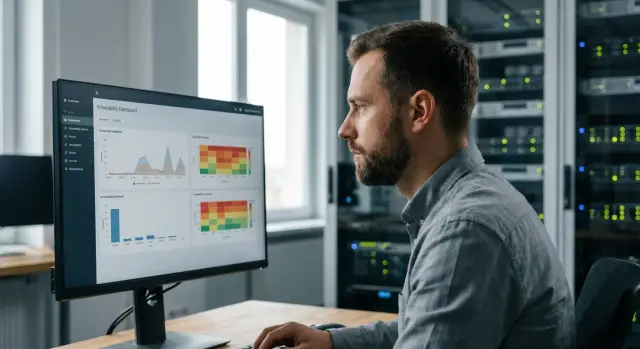
Why “number of CVEs” doesn’t help manage risk
A CVE counter looks impressive: “we found 12,000 vulnerabilities.” But it says almost nothing about risk. CVE is an identifier, not an answer to questions like: where exactly is the problem, how accessible is it to an attacker, and what happens if it’s exploited.
One vulnerability on a test bench with no external access may be less dangerous than a “common” flaw on a server holding personal data. Conversely, thousands of low-severity findings create noise without changing the threat picture.
The issue with “large remediation queues” is that the team stops distinguishing urgent from important. When the backlog has thousands of tasks, fixes are done by “who yells loudest” or “what’s easiest to close” rather than by business impact. As a result, critical systems can remain vulnerable for weeks: they require more complex patching, change windows, approvals and testing.
Risk for the business, in plain terms, is the probability of an adverse event and its consequences. For a government agency or bank this includes service outages, data leaks, fines, reputational damage, and project delays. In a hospital there’s also risk to processes that affect patient care.
Executives usually don’t care how many CVEs you found. They want to know what could happen and what you are prioritizing. Typical questions:
- Which 10 systems are currently at the highest risk and why?
- Are there vulnerabilities already being exploited in the wild?
- What changes if we don’t fix this within a month?
- How many resources are needed to noticeably reduce risk, not just a little?
- Who is responsible for remediation and how do we enforce timelines?
If the goal is vulnerability management, the metric “number of CVEs” should move to the background. First place goes to priorities that the business understands: which assets matter more, which threats are realistic, and which actions will deliver the greatest risk reduction in the coming weeks.
Where a mature vulnerability management process starts
Mature vulnerability management doesn’t start with a scanner or a report, but with a clear answer to: what exactly are you protecting and who is responsible. Without that, any CVE numbers are noise and the team will spend time on the loudest findings rather than the truly risky ones.
Define assets and scanning boundaries
First agree on what you consider an “asset.” For some it’s only servers and network gear; for others it includes endpoints, VMs, cloud services, applications and even temporary test benches.
It’s useful to record four things: which segments are in scope now and which later; how an asset enters inventory (purchase, issuance, network connection); required attributes (owner, criticality, environment — prod or test); and how you close blind spots (remote laptops, branches, separate VLANs).
In organizations with varied device types (for example servers, workstations and terminal classes in education), boundaries are especially important: remediation approaches and maintenance windows will differ.
Assign owners and set exception rules
You need a clear owner who can decide: patch it, mitigate it, or accept the risk temporarily. Without owners a vulnerability becomes endless passing between security, IT and operations.
Define an exception policy in advance: who approves, for how long, what compensating controls apply (access restriction, configuration changes, etc.), and when the exception will be reviewed.
Agree SLAs and split vulnerability streams by type
SLA should consider not only severity but also asset type and external exposure. A vulnerability on an external perimeter and on an internal workstation require different response times.
A simple segmentation helps: external services, internal servers, endpoints, special segments (healthcare, finance, classrooms). This makes it easier to see where risk is rising and to demand remediation within understandable deadlines.
Prioritization: signals that matter beyond a single CVSS score
CVSS is useful as a common language: it quickly shows how dangerous a vulnerability is “in theory.” But in real environments CVSS often misleads. The same score can apply to vulnerabilities that are not comparable in your context: one is only locally accessible on a workstation, another is exposed to the internet on a server with data.
It’s more practical to collect several signals and make decisions based on risk. In mature vulnerability management, priority is set not by report numbers but by the likelihood of attack and the cost of error for a specific asset.
Signals usually more important than raw CVSS
Start with a set you can maintain continuously:
- Proven exploitation. Confirmed use of a vulnerability almost always outranks theoretical scores.
- KEV and similar lists. Inclusion in these lists should trigger an “urgent” mode, especially for perimeter and admin interfaces.
- EPSS. Use it to estimate near-term exploitation probability and separate noisy topics from real attack targets.
- Asset criticality. Business services, data value and availability requirements matter most.
- Network context. Internet exposure, segment, privileges and potential for lateral movement.
Short example
Imagine two findings with CVSS 9.8. The first is on an accountant’s workstation, no admin privileges, in a tightly controlled segment. The second is on a web server reachable from the internet, serving a personal account portal and connected to a database.
If the second has a high EPSS or appears in KEV, its priority is obvious: fix it first, even if both scores are equal. For the first, schedule a maintenance window, ensure compensations (EDR, limited privileges, segmentation) and close the risk without panic.
A useful habit is to write the prioritization rule down. For example: “KEV on internet-exposed hosts — remediate within 72 hours.” Then prioritization becomes repeatable rather than a debate over scores.
Proof of exploitation and real threat validation
A common trap is treating all high-CVSS issues the same. It’s far more useful to understand whether a real attack path exists and whether there are signs the vulnerability is already being used.
Distinguish two similar signals. Exploit available means an exploit exists (published PoC, Metasploit module, etc.). This raises the chance of attacks but doesn’t prove someone targeted you. Exploited in the wild means confirmed cases of exploitation in real incidents (vendor reports, CERT, threat intel). That signal almost always raises priority, even if CVSS is not “critical.”
How to verify exploitation in your environment
Telemetry helps beyond scanner reports. A practical minimum:
- Perimeter and web gateway logs: spikes in 4xx/5xx responses, unusual URIs, attempts to upload files, strange User‑Agent strings.
- EDR events: suspicious processes running as services, child processes spawned by a web server, mass connections, credential-dumping attempts.
- Network events: outbound connections to unusual countries/ASNs, DNS queries to new domains, atypical ports, C2 indicators.
- Authentication logs: anomalous logins, rising failed attempts, new admin sessions.
If you have datacenter servers and workstations (including locally produced hardware often purchased by government agencies and large companies in Kazakhstan), agree in advance which logs are mandatory for each class of systems and where they’re stored. Otherwise “proof of exploitation” may simply be impossible due to missing data.
When a “medium” vulnerability becomes critical
Attacks often proceed in chains. A medium-scoring vulnerability can become critical if it enables the next step: bypass authentication -> read configs -> steal tokens -> access AD or management systems.
To reduce false alarms without losing control, use simple rules: confirm the vulnerable component exists (not just “banner looks like”), check availability from an attacker’s perspective (internal or external), and record time-limited exceptions with compensating controls (isolation, WAF, blocking outbound connections, EDR policies). This reduces noise and keeps focus on what can actually cause an incident.
ITSM integrations: how not to drown in tickets
If the vulnerability scanner lives separate from ITSM, the result is usually hundreds of unowned tasks, duplicates, disputed deadlines and team fatigue. It’s important not just to create tickets but to make them understandable, assignable and verifiable.
Start with linking to CMDB. Without it a finding lacks context: whose server is it, how important is it, when can changes be made and who approves downtime. CMDB should at least contain service owner, criticality, environment (prod/test) and maintenance window. Then the same vulnerability on a terminal server and a test bench will behave differently.
A good ITSM integration begins with a ticket template. The ticket must contain enough data for an engineer to act without extra “clarifications in chat.”
What to include in the ticket template
- Asset and service: name, environment, owner, criticality from CMDB.
- The issue: vulnerability, affected software, version, proof of presence on the asset.
- Recommended action: patch, configuration change, temporary measure, post-fix verification.
- Priority and deadline: calculation rule, SLA, date for re-check.
- Evidence: briefly why this matters here (e.g., external exposure or presence in a critical segment).
Next is assignment. It’s better when the assignee is determined automatically from CMDB: platform team, application owner or contractor. This reduces ticket ping‑pong and helps enforce SLAs. If there’s a separate change team, add a rule: tasks requiring reboot or service stop immediately go into a status that demands a scheduled window.
Feedback is equally important. Ticket closure shouldn’t be final if the scanner didn’t detect the fix. You need two-way sync: ticket status updates the vulnerability status, and a re-scan either confirms closure or reopens the task with a note about what remains.
How the workflow looks in practice
For example, in a hospital or government agency a server in a personal-data segment gets a critical vulnerability. Integration pulls the service owner and maintenance window, creates a ticket with SLA priority, assigns an executor, and requests approval from the service owner for a reboot. After the work is done a re-scan runs and the task is closed only after confirmation.
Plan notifications and exception handling. Temporary exceptions must be approved by a specific role (risk owner or security) and have a deadline and rationale. Otherwise exceptions turn into an endless “we’ll deal with it later” list. A practical rule: any exception auto-reminds 7–14 days before expiry and requires either extension or a mitigation plan.
If you work with a systems integrator like GSE.kz, agree in advance who owns the CMDB, who defines assignment rules and who signs exceptions. Then ITSM integration becomes a manageable remediation pipeline, not a noise generator.
Reporting to leadership: what to show instead of CVE tables
Leadership rarely cares how many CVEs were found. They care what risk is and what you’re doing to reduce it on schedule. A good report translates technical detail into short answers: where it hurts, what’s changing, what’s overdue and what blocks faster remediation.
Metrics business understands
Instead of listing vulnerabilities, show 5–6 indicators readable in a minute:
- Current risk and trend over 30–90 days (rising or falling), separately for critical services.
- SLA compliance for remediation and percentage overdue.
- Top-10 risks: by key services, departments and separately for internet-facing hosts.
- Progress in the period: how many closed, how many reopened, main causes of delay.
- Exceptions: how many active, for what duration, who approved and on what basis.
Present not “hospital-wide averages” but slices that match how the company runs IT: branches, business services, system types (servers, endpoints), perimeter.
How to explain “why not closed” without excuses
The overdue section should be honest and short. Instead of “didn’t have time,” prefer categories that managers understand: requires maintenance window, vendor dependency, app conflict, no asset owner, no verified remediation path. Then the report becomes a list of manageable blockers.
Also show data quality. If scanning coverage is 85% and 15% of assets are “unknown,” the reported risk is understated. Example phrasing: “internet hosts covered 100%, servers 92%, endpoints 70%, unknown assets 8%.” Leadership can then decide the next step is to close blind spots and assign owners, not “find more CVEs.”
Tenable, Qualys, Rapid7: comparison criteria without marketing
When choosing a vulnerability platform, it’s easy to get stuck on feature showcases and compare “who finds more.” It’s more useful to evaluate how the tool helps you reduce risk quickly in your environment.
Start with asset coverage. In one organization the main risk is endpoints and office network; in another it’s servers, cloud and containers. Check how the platform discovers less obvious assets: network devices, ephemeral VMs, test benches, branches. If you have a mixed estate (workstations and servers, including locally produced hardware in Kazakhstan, plus some cloud services), the asset model should not fragment into islands.
Detection quality often matters more than count. Ask how authenticated checks work (with credentials), how the platform reduces false positives and how fast updates arrive for new vulnerabilities. In a pilot look not at “how many were found” but “how many were validated” and how long remediation took.
For prioritization the key question is: how does the tool answer “what to fix first.” Check whether it considers proof of exploitation and attack campaigns, whether you can add business context (service criticality, segment, internet exposure), whether priority reasoning is explainable and whether time-limited exceptions with owners are supported.
Next — usability for teams. Filters, grouping by service and owner, and clear tasks often deliver more value than a “pretty dashboard.” Ask to see how a finding becomes a concrete ticket for an admin and how re-scan verification is enforced after patching.
Finally — integrations and APIs. If the platform poorly integrates with ITSM/CMDB, EDR and SIEM, you’ll drown in manual work.
Test with a real scenario: ticket creation, asset binding to CMDB, assignee resolution, SLA, comments, and closure only after re-scan. Differences between Tenable, Qualys and Rapid7 usually become clear here more than in marketing tables.
Step-by-step platform selection: from requirements to pilot
Start platform selection with a description of your environment, not a demo. Which assets you really need to scan: servers, endpoints, VMs, cloud, network gear, containers. Which teams will operate the process: security, admins, service owners, DevOps. What reports you need: regulatory, audit, executive.
Document must-haves the product must meet even if ratings are excellent otherwise. Typically this includes ITSM integration (create, update, close tickets without manual work), CMDB linkage or at least clear asset inventory, SSO and role model, flexible exceptions and approvals, data export and reports for your KPIs.
Run the pilot on real segments, not a lab. Optimal duration is 2–4 weeks: shorter rarely shows data quality and team load. Define scenarios and success criteria upfront so the comparison is fair.
In the pilot evaluate trustworthiness of data rather than raw counts. Common issues: duplicate assets from multiple sources, gaps due to closed ports or wrong credentials, and false positives that consume time. Ask remediation teams whether recommendations are clear and whether it’s easy to prove the problem exists on the node.
Also estimate labor: who administers the platform, who triages findings, who liaises with owners and who confirms fixes. In large organizations this often matters more than license cost.
If you lack in-house resources, consider an integrator to run the pilot, configure integrations and produce executive reports. In Kazakhstan such tasks are often delivered by system integrators — for example, GSE.kz.
Common implementation mistakes and how to avoid them
Failure often stems not from choosing Tenable, Qualys or Rapid7, but from not embedding the process into IT operations. The tool becomes an alarm generator and vulnerability management turns into a “ticket-closing sport” without reducing risk.
Mistake 1: scanning everything but nobody is accountable
When scanning covers the “whole network” but assets have no owners or deadlines, results stall. Start with inventory: what you protect, who owns each segment, and which maintenance windows are acceptable.
A good maturity sign: every asset group has an owner, a basic SLA by criticality and a clear escalation path if remediation is impossible.
Mistake 2: scanning without authentication and creating noise
Without credentials the scanner sees only the surface and often misidentifies versions, misses patches and overlooks risky configurations. This leads to disputes between security and IT and loss of trust in reports.
Set a goal: enable authenticated scanning on key servers and workstations, and make access a controlled process (service accounts, limited rights, audit logging).
Another trap is mixing vulnerabilities, configuration checks and hygiene issues (weak passwords, unnecessary services) in one queue without prioritization. Everything becomes urgent and nothing gets done. Separate streams: patching, configuration fixes and long-term projects.
Don’t forget the perimeter. Internal scans won’t find a forgotten test portal or an old VPN on a public IP. Add regular external surface checks and require that any external service has an owner and a next-check date.
Also avoid reports “for security” that only list CVEs and don’t answer IT or leadership questions. IT needs: what to do and by when. Leadership needs: which risks are being closed and what remains.
Quick actions to reduce implementation risk:
- Start with 1–2 critical services and complete the cycle “found -> assigned -> remediated -> verified.”
- Enable authenticated scanning where feasible and document exceptions.
- Split work queues: patches, configurations, long-term projects.
- Add external surface to regular checks.
- Produce two report types: operational for IT and risk-oriented for leadership.
Example: in a government organization you can begin on domain controllers and mail servers (including locally produced hardware), map assets to owners in ITSM, and show leadership reduction in the share of critical vulnerabilities on key systems and the portion confirmed as actively exploited.
Short checklist and next steps
Having a scanner and reports doesn’t mean vulnerability management works. The checklist below quickly shows whether the process is alive: what must be configured so risk drops rather than the CVE count rising.
Mini maturity checklist
Five items that quickly reveal weak spots:
- Coverage: all critical services and key network segments are scanned, and you know what is not scanned and why.
- Priority: a simple urgency rule exists, e.g., “exploited + internet-exposed = fix first.”
- Process: tickets are created automatically, each has an owner and a clear deadline.
- Control: weekly short review of overdue items, exceptions and disputed cases.
- Reporting: leadership sees risk dynamics (how many critical fixed, how many overdue, where bottlenecks are), not CVE lists.
Next steps for 2–4 weeks
Move to a short pilot to answer: “can we make fixes regularly?”
- Appoint a process owner and a backup.
- Choose 1–2 most important business services and run the full cycle: scan, prioritize, ticket, close, re-scan.
- Agree SLAs for different risk levels and exception rules (who approves, duration, compensations).
- Configure ITSM integration so tickets are created under clear conditions (e.g., only confirmed criticals on public hosts), otherwise the team will drown.
If you lack time or expertise, involve a systems integrator. For example, GSE.kz can help choose a platform, set up integrations and configure reports so the pilot validates the real workflow, not just “pretty charts.” It’s also convenient when infrastructure and support are delivered together — from endpoints and servers to maintenance and 24/7 support through a service network.
Frequently asked questions
Why does the metric “how many CVEs were found” poorly reflect risk?
The number of CVEs shows the volume of "findings" but doesn’t answer the main question: how easy is it to exploit a vulnerability in your environment and what damage would it cause. For risk management, context matters most: the asset, its external exposure, proof of exploitation, and the potential impact on the specific service.
Where should we start if we already have a scanner but the process doesn’t work?
Start with inventory: what you treat as an asset, which segments are in scope, who owns each system and how criticality is recorded. Without owners and defined scope, results quickly become noise and an endless backlog.
How to quickly build prioritization so we don’t drown in thousands of findings?
Define one repeatable priority signal: confirmed exploitation on internet-facing hosts is handled first. Then add business criticality and network context to separate "urgent" from "merely noisy."
Why can’t we rely solely on CVSS?
CVSS is useful as a common language, but it describes a vulnerability in a vacuum. The same score can mean very different things depending on network segment, privileges, external exposure and the value of data on a given server or application.
What’s the difference between “exploit available” and “exploited in the wild”?
"Exploit available" means an exploit or PoC exists, so attack likelihood is higher, but it doesn’t prove attackers targeted you. "Exploited in the wild" means confirmed real-world use in incidents — this signal usually raises priority even for mid‑CVSS issues.
How to check whether a vulnerability was actually exploited in our environment?
Look at telemetry: perimeter and web gateway logs, EDR events, network anomalies for outbound connections, and authentication logs. Practically, agree in advance which logs are mandatory for servers, workstations and external services — otherwise you may simply have no data to prove exploitation.
How to properly document risk exceptions if you can’t apply a patch?
Make a short formal exception rule: who approves it, for how long, and which compensating control is used instead of a patch. The exception must have a review date; otherwise it becomes a permanent “we’ll fix it later” that quietly accumulates risk.
Why tie vulnerability management to ITSM and CMDB?
Without CMDB a ticket lacks context: who owns the service, how critical it is and when changes can be scheduled. At minimum link asset, owner, criticality, environment (prod/test) and maintenance window so tickets are automatically assigned and closed only after re-scan verification.
What should we show to leadership instead of a list of vulnerabilities?
Show risk dynamics and manageable blockers instead of CVE tables: which systems are most at risk now, what is overdue on SLAs and why, how many active exceptions exist and for how long. Also clearly state data quality — e.g., scanning coverage by segment — so leadership understands report completeness.
How to compare Tenable, Qualys and Rapid7 without marketing?
Choose by how the tool helps reduce risk in your environment: coverage of relevant assets, quality of validation, prioritization that includes exploitation and business context, ease of turning findings into actionable tasks, and integrations with ITSM/CMDB. The most reliable comparison is a 2–4 week pilot on a real segment measuring how many issues were remediated and re‑verified, not how many were discovered.
