7 min read
Server for recording and storing video meetings: capacity calculation
Server for recording and storing video meetings: how to calculate capacity, set access controls and retention so disks don't fill up and the archive stays under control.
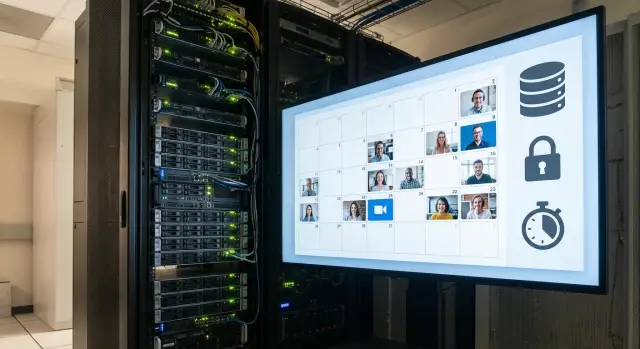
The problem: recordings pile up faster than you expected
Video meeting recordings almost always "weigh" more than they seem. Today you save a couple of meetings a week, and a month later you find the disks full with nowhere to put new files. Worst of all, overflow often happens unnoticed: the system writes until the end, and failures are discovered only after complaints.
Usually you record not only the "talking heads" video but also audio, screen share, and sometimes chat, captions and attachments. As a result, one meeting becomes a bundle of streams and each adds size.
Volume grows faster than expected when:
- there are more meetings, and their duration increases without anyone noticing;
- quality is raised "to make text readable" (especially for screen sharing);
- more participants are recorded or the screen is kept as a separate high-quality track;
- copies appear: exports to laptops, forwards across departments, duplicates in different folders;
- there are no deletion rules and everything is kept "just in case".
Many try to solve the problem by buying disks, but that is not enough. A recording and storage system needs three things: capacity (so there's space), access control (so recordings don't spread and leak) and retention rules (so it's clear what to delete or archive and when).
Imagine a simple scenario: one department records planning meetings, legal records sessions with minutes, and L&D records lectures. If everyone gets the same access and recordings are kept "forever", you soon get unnecessary copies, disputed viewing rights and constant requests of "don't delete this, it's important." The result is predictable: space runs out.
Requirements often differ by organization type. The public sector usually expects stricter access control, retention and procurement transparency, so it needs predictable rules and reliable infrastructure. Businesses care more about search and convenient access, but without limits recordings become a "common dump." In education the key is scale and seasonality: many recordings during term time that then need careful archiving.
If you don't agree in advance on recording formats, access rules and retention periods, you'll almost certainly overspend on disks and still end up with a full storage.
What data you need for capacity calculation before buying a server
To choose a server for recording and storing video meetings, first collect baseline numbers. Without them you can easily overbuy "just in case" and overspend, or conversely fill disks within a few weeks.
Start with concurrency. It's important not only how many meeting rooms you have but how many meetings actually run in parallel during peak hours. If an office has eight rooms but usually only 2–3 are used simultaneously, the calculation will be very different.
Next — frequency and duration. Record the average duration and how many meetings occur per day and per week. It's better to use a typical month rather than a single "busy" week.
A separate block is recording parameters. Resolution (720p or 1080p) and frame rate greatly affect size. If you can lower quality without harm (for example, for internal meetings), the savings often exceed the cost of buying extra disks.
Another important question: do you write a single final recording or multiple streams (individual participant tracks plus screen)? Multi-track recording is useful for analysis and minutes but can be several times heavier in volume.
Short checklist of inputs:
- peak concurrent sessions;
- average duration and number of meetings (per day/week);
- resolution, frame rate, is screen recorded;
- single recording or multiple streams;
- do you keep originals or only the final version.
Also decide in advance which versions you'll keep. A "original + compressed copy" scheme is convenient but effectively doubles requirements. Record these inputs in writing before asking for a quote so the discussion is about concrete numbers, not impressions.
What actually determines the size of a single recording
File size is almost always determined by total bitrate and duration. If a recording runs for 2 hours at an average bitrate of 4 Mbps, you can estimate the size in advance.
Resolution (1080p, 720p) matters, but alone it guarantees nothing. 1080p can be many times larger or smaller depending on settings and what's happening on screen. It's therefore more sensible to plan capacity from actual bitrate rather than pixels.
Bitrate and what affects it
Many systems use variable bitrate: when the image is static (a "talking head") the file grows slowly, while during active screen sharing or motion the bitrate jumps.
The factors that increase size most:
- frame rate (60 fps is almost always heavier than 30 fps);
- content type (a screen with small text, charts, or rapid slide changes);
- layout (gallery view is usually harder to compress);
- codec and its settings (quality, keyframe interval, etc.).
That's why "one hour of 1080p" can be 1 GB or 4 GB.
Codec, container and audio
The codec handles compression (e.g., H.264 or H.265). For the same visual quality H.265 often yields smaller files but may need more CPU for encoding and playback. The container (MP4, MKV) bundles video, audio and metadata; it usually adds little, but more important is how many tracks are inside.
Audio takes little space compared to video as long as it's a single mixed track. Size increases noticeably if you store separate audio tracks per participant or multiple channels (for example, interpretation).
Other factors that affect size:
- recording multiple streams (speaker separate, room view separate, screen);
- chat, captions, timecodes, thumbnails;
- re-encoding during export (sometimes files get larger).
A practical guideline: a 90-minute meeting with sparse slides and a single audio track will grow moderately and predictably. A meeting with constant screen sharing, high fps and multiple tracks will consume storage quickly even if both are labeled "1080p."
Step-by-step capacity calculation: from one hour to a year
It's easier to calculate capacity bottom-up: from a single typical recording to month and year. You need only a few numbers and accuracy for purchasing is usually sufficient.
5 calculation steps
- Determine the average recording bitrate. The easiest way is a test: record 10–15 minutes of a typical meeting and check the file size, or take the bitrate from platform settings.
- Convert bitrate to hourly volume. Note: 1 Mbps ≈ 0.44 GB per hour.
- Multiply by the average hours of recording per day, by working days per month, then by retention period (30, 90, 365 days).
- Add buffer for peaks and "real life": long meetings, re-records, service files, upload errors. People often add 20–40%.
- If you need backups, calculate them separately: backups are a layer that's easy to forget.
Example without complex math
Suppose average bitrate is 2.5 Mbps. Then 1 hour ≈ 2.5 × 0.44 = 1.1 GB.
If you record on average 4 hours per day and 22 working days per month, monthly volume: 1.1 × 4 × 22 ≈ 97 GB.
To keep 90 days: 97 × 3 ≈ 291 GB. Add 30% buffer → ~380 GB.
Now backups. If you keep a full copy of the archive (1:1), add another ~380 GB. Copying only the last 30 days will require much less.
How to choose disks and an array so the server doesn't "choke"
When choosing, people often look only at "how many terabytes." Problems usually come from the combination of capacity, write speed and how disks are arranged in an array.
RAID and usable capacity: why "10 TB of disks" isn't 10 TB usable
RAID provides protection but consumes capacity. In RAID1 half the capacity is used for mirroring, in RAID5 one disk is used for parity, in RAID6 two disks are used. There are also overheads. Plan based on usable capacity, not sticker totals.
In short:
- small volumes and simple redundancy: RAID1;
- balance of capacity and protection: RAID5 (if the array is not too large);
- more resilience for important archives: RAID6;
- maximum write performance: RAID10 (more expensive in capacity).
Write speed matters more than you might think
Video meetings are often written in parallel: multiple rooms, multiple streams, sometimes separate tracks (speaker, room, screen). Peak load can be 2–3× average. If disks can't keep up, gaps occur, queues grow and recordings fail.
Layered storage approach:
- SSD for OS, database/metadata and catalog (stability and fast search);
- HDD for actual video files and archive (capacity for reasonable cost);
- A dedicated volume or pool for temporary files if the platform creates them.
Don't fill the array "to the brim." At ~80–85% full performance often drops and the risk of errors rises. Set early alerts and schedule cleanups or archive transfers rather than waiting for space to run out on a workday.
Access to recordings: simple rules that prevent chaos
The risk isn't just full disks but recordings spreading via chats and USB drives. Define access rights before day one of the system; otherwise policies will form as conflicts.
The simplest approach is roles instead of "a little for everyone." Most organizations are fine with 3–4 roles and clear boundaries.
Minimal rights matrix (no complex schemes)
- View: meeting participants (only their recordings) and a secretary (all recordings for their group).
- Download: secretary and authorized staff (e.g., security or legal) on request.
- Delete: only the storage administrator or a designated archive owner, strictly per policy.
- Manage permissions: a separate role (usually IT/security) so access isn't granted "on request."
Separate recordings by department and meeting type: "board," "procurement," "HR." That way a person sees only what's allowed even if they belong to multiple groups.
Access logs: what to record and why
Logs are not "for show". They help you quickly understand who did what and stop leaks early. Minimum logs to keep:
- who and when opened a recording;
- who and when downloaded a file;
- who and when deleted a file (and from where);
- who granted rights and to whom;
- from which device or account access was made.
For external requests (audit, court, regulator, counterparty) follow one rule: no "send it please." Require an official request, approval of a responsible person and controlled issuance — a copy, not the original, logged in the system.
Retention: setting a policy so you don't argue every month
If retention isn't set beforehand, discussions usually become emotional: "you can't delete that", "we have no space", "let's buy more disks." It's simpler to fix a clear rule that satisfies IT, legal and process owners.
A convenient principle: retention depends on the type of meeting, not the department. A common 30/90/365 scheme is often enough:
- 30 days: daily standups and status meetings without decisions;
- 90 days: project committees, monthly reviews;
- 365 days (or longer if required): meetings with approvals, financial and HR matters;
- until case closure: investigations, incidents, disputes;
- permanently: rare recordings explicitly specified in internal rules.
Decide how to clear storage. Manual deletion almost always fails: people fear deleting "the wrong thing," postpone it and disks fill. Auto-deletion works better but needs exceptions. Implement a "freeze" mechanism: a flag that protects a file from auto-deletion (by decision of a secretary or lawyer) with the reason logged.
To avoid keeping everything on the primary array, add an archive layer. Logic: recent recordings (e.g., last 30–90 days) stay on fast storage; long-term items are moved to archive weekly or monthly. This makes capacity forecasting and load reduction easier.
Don't forget internal policies and regulators. In government, education, healthcare and finance retention is often mandated. A good practice is a short, 1–2 page regulation: meeting type, retention period, who extends, who freezes and who can delete early.
Common mistakes that fill disks in a month
Typical scenario: the system launches, recordings accumulate and everyone is happy. After 3–4 weeks the server slows and space vanishes. It's rarely "bad hardware." The cause is lack of pre-defined calculations and retention rules.
Common errors:
- Estimating capacity "by eye" without a test recording. One hour of a test in real settings often reveals a 2–3× difference.
- Not accounting for load growth. Today 5 meetings/day, next month 8–10; branches connect and quality changes from 720p to 1080p "for clarity."
- Forgetting that RAID and backups consume space. With mirroring you immediately lose about half usable capacity; a full copy on separate storage needs the same space again.
- Granting broad deletion and edit rights. People then copy files "just in case" and create duplicates.
- Running disks nearly full (95–100%). At that fill level latency increases, metadata operations slow and array recovery becomes harder after failures.
Small example: a team runs 6 one-hour meetings daily at 1080p. After a week they ask to store recordings for 90 days instead of 30 and enable separate tracks for every participant. If you didn't plan for this, the archive will suddenly consume terabytes even though meeting count barely changed.
To avoid surprises, set a few rules before launch:
- Do a test: 1 hour recording in production quality and measure actual size.
- Fix retention by meeting types (normal, important, regulated).
- Restrict deletion: one responsible person and a clear request procedure.
- Keep free space and configure alerts (e.g., 70–80% thresholds).
Live scenario example (no complex math)
An organization has 3 meeting rooms but at most 2 meetings run simultaneously. On average there are 6 meetings/day lasting 60–90 minutes (use 75 minutes).
Total recording hours: 6 × 1.25 = 7.5 hours/day. For 5 working days that's 37.5 hours/week, or about 160 hours/month.
Two quality profiles and remember: 1 Mbps ≈ 0.44 GB/hour.
- Regular meetings: 2 Mbps (≈ 0.88 GB/hour)
- Important meetings: 4 Mbps (≈ 1.76 GB/hour)
Assume 80% regular, 20% important. Monthly:
- Regular: 160 × 80% × 0.88 ≈ 113 GB
- Important: 160 × 20% × 1.76 ≈ 56 GB
Retention: regular kept 30 days, important for 12 months.
- Regular: ≈ 113 GB (one month)
- Important: 56 × 12 ≈ 672 GB
Total ≈ 785 GB for files. Add service data (indexes, previews, logs), re-saves and headroom. Practically keep 20–30% free and add another 20–50% buffer. In this scenario required usable capacity quickly becomes 1.2–1.5 TB.
Remember: doubling bitrate almost doubles needed capacity. Planning is easiest when you decide which recordings must be high quality and how many months you will keep them without disputes and manual cleanup.
Quick checklist and next steps before launch
Check these basics once before you start. It's cheaper than finding out why space ran out in 3–4 weeks.
Pre-launch checklist
- Verify usable capacity after RAID. Add buffer (at least 20–30%) because working at the limit causes failures.
- Ensure an auto-deletion policy: what is removed automatically, what is kept longer and who can extend retention for a specific recording.
- Enable "freeze" for important recordings (audits, HR sessions, disputes).
- Define roles and permissions: who views, who exports, who deletes.
- Turn on fill-level monitoring and early alerts. Warnings at 14 and 7 days before thresholds give time to add disks or adjust retention.
Also check where copies are created. A recording may sit in the conferencing system, be copied to a file server and end up in a backup. On paper it's "one recording," but on disks it's already three.
Next steps to avoid load mistakes
Instead of planning a full year, run a short pilot:
- Record 5–10 real meetings with different durations and quality, calculate average GB/hour.
- Compare actual storage growth with estimates and adjust coefficients (including peaks).
- Test scenarios: mass viewing, simultaneous exports, archive restore. Load isn't only from recording.
- Document rules: who marks recordings "important" and who approves retention extensions.
If you choose hardware and handle deployment with one vendor, it's convenient to discuss capacity, disk subsystem and retention as a single plan. For example, GSE.kz supplies server platforms (including the S200 Series) and offers system integration and 24/7 support, which helps align capacity calculation, disk subsystem and retention rules into one working solution.
Frequently asked questions
Where should I start calculating capacity if I don't have exact numbers?
Start from a fact: how many hours of video are actually recorded per day and what average bitrate is used. The most reliable way is to make a test recording of 10–60 minutes in "production" settings, convert the size to GB per hour, then multiply by days and retention period.
Why does storage fill up "suddenly" even if the number of meetings didn't change?
Usually people underestimate load growth, keep everything "just in case", and forget about copies: exports to laptops, duplicates in folders, backups. Another common cause is raising recording quality or enabling multi-track recording without recalculating capacity.
What affects the size of a single video recording the most?
The key factors are the total bitrate of all streams and the duration. The same "1080p" can take very different space because of variable bitrate, the content (talking head vs. a screen with small text) and codec settings.
Should I record each participant as a separate stream?
Multi-track recording is useful for minutes and analysis, but it dramatically increases volume because you store several videos at once (for example, speaker, gallery, screen). If you only need a record of the meeting, usually a single final track is enough.
How to quickly estimate monthly or yearly volume without complex math?
A simple rule of thumb: 1 Mbps ≈ 0.44 GB per hour. Multiply by the number of recording hours per day, by the number of days and by the retention period, then add headroom for peaks and service files.
Why aren't "10 TB of disks" equal to 10 TB of usable space?
Because some capacity is used for redundancy: with RAID1 usable capacity is about half, RAID5 loses roughly one disk worth of capacity, RAID6 loses two. Plan using usable capacity after RAID and leave free space so the array doesn't run at the limit.
What's more important for disks — capacity or write speed?
If disks can't keep up during peak write bursts, queues form, drops occur and recordings fail. For stability, separate layers: SSD for OS, metadata and catalog; HDD for the video files. Also avoid filling volumes above ~80–85% to keep performance and manageability.
What access rights should I set to prevent chaos and leaks?
Give clear roles: who can view, who can download, who can delete, and who grants access. By default it's safer to restrict downloads and deletions and require an authorized person to grant access so recordings don't spread across chats and personal devices.
How to set retention so everything isn't kept forever?
Set retention by meeting type, not by department: quick daily meetings — short retention; meetings with decisions — longer; disputes or investigations — until closure. Use automated deletion according to policy and a "freeze" mechanism to protect important recordings with a logged reason.
What access logs are really needed to control recordings?
At minimum, log views, downloads, deletions and permission changes: who did it, when and under which account. This helps investigate incidents, proves the chain of custody and discourages ad-hoc sharing because actions are traceable.
