7 min read
Versioning Prompts and Models: Changes as Code Without Surprises
Versioning prompts and models captures changes as code: repository, reviews, tests, rollback and response quality control without silent breakages.
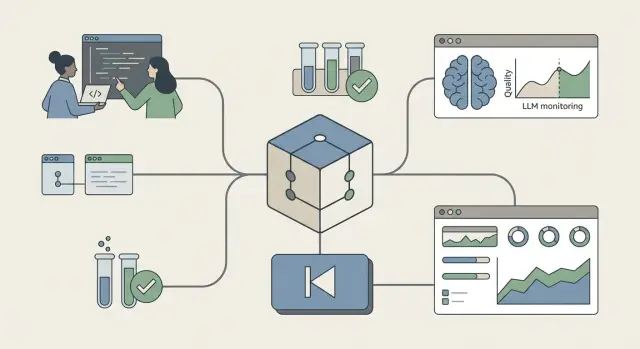
Why updates can break responses silently
A “silent breakage” is when responses change but the system still works formally: the request is processed, text is returned, and logs show no errors. Everything looks green, but the actual quality is different: the tone has become harsher, numbers are given more confidently, extra assumptions appear, or important caveats disappear.
This happens often with LLMs because their behavior is sensitive to small details. A couple of words in a system instruction, a different order of examples, a new formatting template, a change in temperature, or a provider model update — and answers shift. Sometimes edits look cosmetic but hit hidden rules: the model may reinterpret prohibitions, generalize differently, refuse more often or, conversely, more readily invent things.
The problem isn’t just that things got worse. The risk is that it’s noticed late and by the wrong people. For support this means more vague tickets like “it used to be clearer.” For sales — conversion drops due to overly long or uncertain answers. For compliance and government customers — a chance the assistant will produce phrasing unsuitable for official correspondence or procurement documents.
Typical warning signs include:
- inconsistent answers to identical inputs
- more clarifying questions where a direct answer used to be given
- confident statements without sources or caveats
- broken format (tables, lists, language, tone)
- more frequent violations of restrictions (personal data, legal promises)
Versioning prompts and models is not bureaucracy but insurance. Changes must be visible, testable and reversible. Otherwise quality will quietly drift.
What to version
Treat your LLM solution like a product: it has configuration, dependencies and tests. Simple rule: anything that can affect the text of a response should have a version and change history.
First and foremost — the prompt itself. Not only the “text in the field” but its parts: system instructions, user templates, variables, examples, tone and format hints. If you have multiple templates for different scenarios, version each and note where it’s used.
Second — generation parameters and constraints. Temperature, top_p, max length, stop words, output format (e.g., strict JSON) and safety rules often change behavior more than tweaking a sentence. Store them next to the prompt as config.
Third — the model environment: version, provider, region, modes (functions, tools, cache) and any flags that alter behavior. Even the “same” model from different providers can respond differently.
External dependencies form another group: RAG, knowledge bases, routing rules, connected tools (search, CRM, calculators), their schemas and permissions. Example: you updated the knowledge base and answers became more confident but started relying on outdated facts.
Finally, tests. Test cases and reference answers are best stored as standalone artifacts. A practical minimum to keep in one place:
- prompts and templates (with names and intended use)
- generation configs and security policies
- pinned model: version, provider, region, modes
- RAG, tool and routing configurations
- test sets and gold standards for comparison
That way you can always say exactly what changed and quickly restore stable behavior without guessing.
How to structure a repo so it’s pleasant to work with
A good repo for LLM work starts with a habit: every edit to a prompt, setting or model must be visible in history, discussable and reviewable. Then silent breakages become ordinary changes you can find, explain and, if needed, undo.
The clearest approach is one top-level directory per product or scenario. If you have different modes (website chat, knowledge search, support answers), keep them separate so teams don’t mix contexts and tests and metrics remain tied to specific behavior.
A minimal structure that usually doesn’t annoy people
Inside a scenario, separate artifacts by type: prompts, configs, evals, docs and changelog. Put system and user templates and few-shot examples in prompts. Put model and runtime parameters in configs: model, temperature, tool restrictions, output format. In evals keep test suites and gold examples that must pass after any edit. Docs contain the “why” and changelog records notable behavior changes in plain words.
Name versions and tags by meaning, not by date. A date doesn’t explain what changed. Names like "support-tone-clarified" or "citations-required" are far more useful: from the name you know what to check.
A “behavior contract” file that saves the day
A separate file (for example, BEHAVIOR_CONTRACT.md) sets rules: what the bot must do and must not do. It also records the expected answer format, bans (for example, do not hallucinate), required clarifying questions and safe-tone requirements. This is crucial for support teams and scenarios where the assistant handles company data.
One more rule: secrets must not live in the repo. API keys, tokens, internal addresses and passwords belong in a secret manager or environment variables. Keep only a config template with clear field names in the repo. This keeps history clean and reduces leak risk.
Change process: branches, reviews and clear rules
If prompt and model edits are discussed only in chats, you lack a single source of truth — messages get lost, context leaves with people, and “why we did this” becomes guesswork. Treat changes as code: a single place shows what changed, who approved, what checks ran and how to roll back.
Keep branching simple or people won’t use it. A common set is enough:
- develop: experiments and preparation
- release: release assembly, only fixes from review and tests
- hotfix: urgent post-release fixes
- main: what runs in production
Key rule: every change goes through a pull request. That’s the single entry point where you state the goal, show the diff, attach test results and gather feedback.
A short PR template makes reviews quick and consistent. It isn’t for show — it closes risks:
- goal: expected effect and target scenario
- what changed: prompt, params, model, context, filters
- risks: what could worsen (tone, facts, safety, format)
- tests: which suites ran and what they showed
- rollback plan: which version to return to and how fast
Roles can be minimal: author (makes changes and answers questions), reviewer (checks logic and quality), product owner (confirms this meets the need). For example, if the author edits the system prompt, the reviewer may ask for a few edge-case dialogues, and the product owner ensures answers didn’t become more aggressive or too terse.
Step-by-step cycle: from edit to release
Treat prompts and model settings like code. You need a cycle showing who owns the scenario, what counts as quality and how fast to revert.
First, assign an owner (one person or small group) and write critical requirements in plain terms. Examples: “never make up facts,” “give a short answer in the first paragraph,” “do not suggest forbidden actions.” These requirements become acceptance rules.
Next, build a golden set of real user questions (typically 20–200). Include typical queries and awkward cases: ambiguous phrasing, conflicting requirements, requests to invent data. For each example, describe what a good answer looks like.
Steps in the repo
A basic flow that works well:
- Record a baseline: tag, parameters (temperature, limits), system instructions and environment.
- Create a branch and change the prompt or config.
- Run tests on the golden set and compare with the baseline: what improved, what regressed.
- Open a PR: briefly state the goal and attach comparison results.
- Review with a checklist: requirements, safety, style, stability.
Rolling out without surprises
Do releases as controlled experiments: start with a small traffic percentage or user group, then expand. Monitor quality metrics (complaints, escalation rate, refusal frequency, time to answer) and the golden set’s sentinel examples.
If you see regression, rollback should be straightforward: revert to the previous prompt tag and model params. The more precisely the baseline is captured, the less debate there is about root cause.
Tests: catching regressions before users do
When prompts or models change without checks, failures rarely look like crashes. More often the answer becomes slightly longer, more cautious, misses a key detail or confuses terms. Tests are not about perfection but about spotting decline earlier than users.
Basic test set
Start with a golden set: 30–200 real questions. On each run compare the new version to the previous one on the same cases.
Cover four layers:
- facts and source reliance: if you use a knowledge base, verify answers don’t contradict it or invent details. Require citation excerpts or at least list supporting facts where useful.
- style and format: language, tone, length, structure (short paragraphs, no links, provide a checklist). These checks are easiest to automate with rules.
- safety: bans on personal data, harmful instructions, attempts to bypass internal rules. Add provocative queries to test boundaries.
- quality regression: compare with the previous version by metrics (expert score, auto-scoring, share of “unsure” answers, etc.).
Acceptance threshold
Decide in advance what’s a blocker. For example: any factual error on critical topics — stop; a 10% rise in refusals — stop; small declines in politeness are acceptable if answers become more accurate.
Practical example: for an internal help assistant (IT or procurement), add tests for correct product names and specs. One confident hallucination can cause a wrong decision — and that’s exactly what tests should catch before release.
Quality monitoring: what to measure after release
After release you must quickly spot silent breakages. Even with careful versioning, new responses can seem fine but lead users astray, take longer, or cost more.
Metrics to collect
Keep a minimum set that reflects quality and user value:
- escalation rate: how often dialogs go to an operator or ticket
- complaints and low ratings: a dedicated “response didn’t help” tag
- time-to-resolution: messages needed to close the issue
- response time: median and 95th percentile
- cost per response: tokens per request and per successful resolution
Logs are useful but avoid excessive personal data. Save what helps investigate incidents: prompt version, model version, task type, language, context length, final status (success, refusal, escalation). Store queries anonymized or partially masked (document numbers, phones, names) so debugging is possible without risk.
Alerts and regular manual review
Set alerts for dramatic changes that usually indicate regression:
- spikes in refusals or “I don’t know” responses
- token usage rising without better success
- increase in escalations
- new themes appearing in queries
- drop in ratings over a given time window
Weekly, sample hard cases: long dialogs, ambiguous questions, follow-ups after complaints. For example, support teams receiving queries about selecting S200 Series servers or procurement terms should have those dialogs manually assessed for accuracy, clarity, safety and usefulness.
Keep two dashboards separate: quality (ratings, escalations, success) and cost (tokens, latency). That helps determine whether logic or economics are the issue.
A practical example: a prompt change with side effects
Imagine a 24/7 support bot for a large organization serving government customers, schools and banks: “PC won’t turn on,” “server doesn’t see the disk,” “how to file a warranty claim.” The bot must quickly collect initial info and pass a ticket to an engineer.
The team wanted fewer non‑answers and more utility. They added a rule: ask 2–3 clarifying questions and provide a short diagnostic plan (power, cables, indicators, model and serial number). On paper it looked right.
Without versions and tests the change rolled out silently. Within days odd issues emerged: average response time went up — the bot asked too many questions and wrote long instructions. Worse, it started promising things like “an engineer will arrive tomorrow” or “we will replace the device,” although support can’t confirm timelines or replacements before checks.
With proper versioning the story is different. The prompt lives in the repo as code: the edit lands in a branch, then a PR and review. Before merging, the golden test suite runs (with anonymized data) and a before/after comparison checks metrics: answer length, question count, share of promise-like answers, percent of correct escalation recommendations.
After the PR they do a partial rollout — e.g., 10% traffic to the new version. The change report typically includes:
- what improved (fewer “I don’t know”, more correct clarifications)
- what worsened (longer answers, higher share of impermissible promises)
- 3–5 example dialogs showing differences
- decision: tweak the prompt and re-run tests, or release with limits and monitor
This catches side effects before broad exposure and makes release decisions transparent and evidence-based.
Rollback and incident handling
Rollback should be as routine as deployment. The worst case is quiet quality drift: users don’t complain immediately, but answers become less accurate and the cost of mistakes grows.
Rollback is mandatory when safety, legal risk or business‑critical replies are affected (for example, the support assistant starts inventing warranty terms). A fast fix is preferable when the bug is narrow, reproducible and unlikely to cause new regressions.
Technical vs product rollback
Technical rollback restores the previous prompt tag and model configuration (temperature, system instructions, tools, formatting rules). It should take minutes and not require manual prod edits.
Product rollback is useful when the problem affects only a segment. Flip a feature flag or routing: return 100% traffic to the old version and keep the new one for internal testing. Practical rule: keep two levers — one for precise version rollback and one for who sees it.
In the first 30–60 minutes of an incident do this:
- record the prompt, model and config currently in production
- limit impact quickly (flag, routing, disable a tool)
- rollback to the last green tag
- collect 5–10 real examples showing the failure
- assign an incident owner and a deadline for findings
After extinguishing the fire, run a short postmortem: what changed, why tests missed it, and which test to add. Document the cause, trigger, rollback steps, monitoring and prevention. Turn the incident into process improvement rather than a one-time stress event.
Common mistakes and traps in versioning
The top problem is silent edits with no trace. Then nobody can say what changed, when and why answers worsened.
Dangerous habits include editing prompts directly in production. Without PRs, reviews and history you lose context and the ability to compare versions.
Another trap is not pinning model version and parameters. Today a request goes to one model, tomorrow to another, and results drift — it looks like “LLM moodiness” when in fact you simply used different configurations.
Often teams bundle multiple changes in one release: prompt, retrieval settings and a knowledge base update. If regression follows, you don’t know the culprit. For example, changing the system prompt and updating L200/M200/S200 docs in one release leads to a day wasted chasing the source of inaccurate answers.
Typical mines that break the process:
- no PRs and reviews; edits made directly in interfaces
- unpinned model and configs; no reproducibility
- multiple change types in a single release
- tests exist but don’t reflect real scenarios
- evaluation only by “like/dislike” without checking critical requirements
Tests can mislead too. If the test set isn’t updated to reflect user logs, you optimize for the past. Worse, measuring only an average score misses requirements like “no hallucinations,” “adhere to format,” or “do not reveal internal instructions.”
Versioning works when you can reproduce any answer, isolate a change and measure regression against important rules, not impressions.
Short checklist and next steps
Below are checks that keep prompt and model versioning practical rather than theoretical. If at least two items are missing, start with them.
- a single repository with a clear structure: prompts, configs, test sets and run reports are predictable and separate
- every edit goes through a PR: semantic review (answer quality) and risk review (safety, policy) plus minimal automated tests
- pinned versions: model, parameters (temperature, top_p, etc.), system instructions, templates, environment (libraries, flags) are recorded
- a regression suite: typical questions, “bad” queries, edge cases, with acceptance thresholds (factual accuracy, format, tone, bans)
- staged rollout and observation: canary percentage, quality metrics, alerts and a rollback process measured in minutes
Next steps to have this working in 1–2 sprints:
-
Pick one high-value scenario (support answers or business email generation) and define “what a good answer is” with 15–30 examples.
-
Move the scenario to “changes as code”: prompts, model params and test cases live together, not in chats or spreadsheets.
-
Add a basic PR check: run regression cases and produce a simple before/after report so decisions are based on examples, not opinions.
-
Set up safe release: small initial traffic, then ramp, and a tested rollback plan.
If you need help with test infra, monitoring or production quality control, system integrators often provide it. In Kazakhstan these processes can be built together with GSE.kz (gse.kz) — from servers and datacenter to 24/7 support and change control in production.
Frequently asked questions
What is a “silent breakage” in LLMs and why is it more dangerous than an obvious error?
“Silent breakage” is when the system still responds technically, but the quality or behavior changes: tone, confidence, format, or level of assumptions. The most dangerous part is that error monitoring stays quiet, and issues surface only through user complaints, falling conversion, or compliance risks.
What should I do if responses changed after an update but there are no errors in the logs?
First, record the baseline version: the prompt, generation parameters, the provider’s chosen model, and all external dependencies like RAG and tools. Then run the same set of test queries “before/after” and look for what changed: length, refusals, factual accuracy, format, or risky promises. If the change is wide-reaching or affects safety, roll back to the previous version and investigate without production pressure.
Besides the prompt text, what exactly needs to be versioned?
Version everything that can change the text: system and user prompt parts, templates, examples, variables and tone/format rules. Keep generation parameters (temperature, top_p, limits, stop words, output format) and security policies under version control. Also record the model environment: provider, exact version, region and modes, plus RAG settings, connected tools and routing rules.
What kind of repository should I set up to avoid drowning in versions?
At minimum — a repository where prompts, configs and test suites live together and a clear change history. Organize artifacts by purpose (prompts, configs, evals, docs) and keep a short changelog in plain language: what changed and how it affected responses. That makes any edit reproducible and reviewable.
Why have a “behavior contract” and what should be in it?
A behavior contract is a file that lists the assistant’s obligations and prohibitions in simple rules: what it must do and what it must not do. Typical contents: tone and format requirements, required clarifying questions, bans on fabricating facts and on making legal or binding promises. The contract helps reviewers and tests check the same criteria instead of arguing about taste.
What change process helps avoid surprises at rollout?
Make one rule mandatory: every change goes through a pull request with a short description of the goal, risks and test results. Separate experimental work from production using branches or tags so rollback takes minutes. Don’t combine prompt, model and knowledge-base updates in a single release — then it’s impossible to identify the cause of regressions.
Which tests actually catch regressions instead of giving a false sense of control?
Assemble a golden set of real user questions and run it on every change against the same baseline. Check not only “liked/disliked” but concrete rules: factual correctness on critical topics, adherence to format, absence of invented details and correct refusals. The aim is early detection of degradations, not a perfect answer.
How to set acceptance thresholds so the team stops arguing endlessly?
Define blockers in advance: for example, any factual error on critical topics; violations of constraints or data leaks; or a sharp rise in refusals. Add measurable thresholds like maximum answer length, share of answers that include impermissible promises (dates/replacements), or allowed escalation rate. Then release decisions will be based on criteria rather than impressions.
What should we monitor after release to spot a “silent breakage”?
Collect metrics that show both user value and risk: escalation rate to tickets, complaints, time-to-resolution, share of refusals, and cost in tokens. Store logs with prompt and model version and minimal identifying data; mask or omit sensitive fields. Also perform regular manual review of sampled complex dialogs — that’s where silent shifts usually appear.
How to properly organize rollback and incident response for an LLM assistant?
A technical rollback is restoring the previous prompt tag and model configuration (temperature, system instructions, tools, formatting rules) without manual edits in production. A product rollback is switching traffic with a feature flag or routing when the issue affects only part of users. For regulated or 24/7 environments, both rollback and version control must be fast and documented; many teams implement this with a systems integrator who handles infrastructure and ongoing support.
