6 min read
Validating Details Before Uploading to an Accounting System: Rules
Validating details before uploading to an accounting system: simple rules for checking identifiers, amounts and dates when extracting data from emails and attachments.
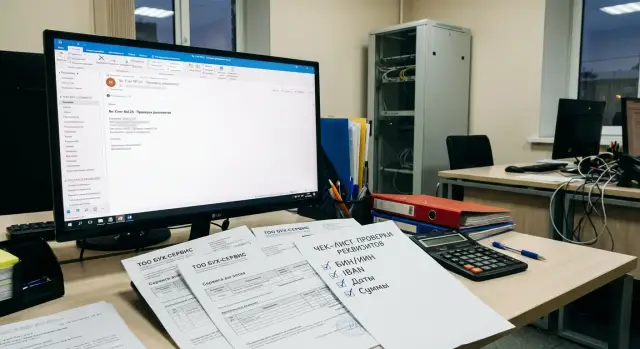
Why accounting should validate data before uploading
When details and amounts are taken from emails and attachments, errors usually come from the source rather than from accounting. A supplier may send an invoice in a new template, a manager may state an amount in the email body while the attachment still contains the old version. If such data are uploaded straight into the accounting system, an inaccuracy turns into ledger entries, payments and distorted reports.
These problems are especially noticeable when details are extracted from emails and attachments. In emails details are often copied manually, in a PDF a field may be an image, and scans suffer from small font and stamps. Even good OCR confuses similar characters (0 and O, 1 and I), removes spaces in an IBAN or "eats" a comma in an amount.
The cost of such mistakes is almost always high and usually urgent:
- an incorrect IBAN or BIC leads to returned payments or payment delays
- an error in BIN/IIN prevents counterparty identification and reconciliations
- wrong amounts or VAT distort tax accounting and reporting
- an incorrect document date places the transaction in the wrong period
- discrepancies between invoice and act delay month-end closing
Most often the process breaks down in three places: manual entry (fatigue, haste), copying from an email (extra space or character), and recognition (fields misidentified or formats confused). So validating details before upload works as a filter: it catches errors before they become actual operations.
Acceptable input quality is simple: mandatory fields are filled, formats meet rules (length, characters, check algorithms), amounts reconcile across documents and totals, dates fall into the correct period and do not contradict each other. If at least one condition fails, it's better to send the document for clarification than to "fix it by eye."
Where details come from: emails and attachments
Details rarely arrive in a single tidy file. Usually it's an email thread where some data are in the body, some in the signature, and key numbers are hidden in attachments. So start validation by recording where each field came from.
Typical sources:
- email body (amount due, due date, closing comments)
- sender signature (company name, phone, sometimes BIN and address)
- PDF invoice or act (main details, amounts, VAT, numbers)
- scans and photos of documents (often without structured fields)
- Excel/CSV (registers, breakdowns, line items)
Commonly extracted fields: supplier and its BIN/IIN, invoice number and date, act/waybill number and date, contract or order number, IBAN and BIC, amount, VAT, payment purpose and terms. It's useful to separate payment data (bank details and amount due) from accounting data (source document, period, VAT rate).
Not every attachment is a primary document. Before processing, quickly check that the file looks like a final form: it has a number and date (not marked "draft"), supplier and recipient are specified, there is a total amount and VAT (if applicable), and the document looks like an invoice/act/waybill rather than an email saved as PDF.
To avoid later disputes, record the origin of each field: which email and which attachment it came from, who the sender was, when it was received, and which file version was used (for example, "Invoice_123.pdf" and "Invoice_123_corrected.pdf"). That saves time when a supplier sends a correction or the amount changes in the thread.
Minimal set of details and what to consider mandatory
Before configuring rules, agree on a minimal set of fields. This reduces clarifications and helps filter out documents that cannot be posted correctly.
Mandatory items usually include counterparty identifiers and document details. For the counterparty this is BIN or IIN and the official name. Address is required only if your source document form or contracts demand it.
For bank details decide in advance which values you accept from the document and which you take from the counterparty directory. Documents typically show IBAN and BIC, sometimes the bank name and KBE. If an IBAN in an email or scan doesn't match the directory, send the document for clarification rather than guessing.
For the document itself the basic minimum is number, date and basis (contract, order, invoice, specification). The basis is often written in the email body, so store it as a separate field even if it's not highlighted in the PDF.
For amounts record not only the total but also VAT, currency and amount due (if it differs due to withholdings or prepayments). If VAT is not shown, this should be an explicit value (for example, 0) or a separate indicator.
Also define internal fields without which the document cannot be posted in your company: department, cost item, project. An invoice can have correct BIN and IBAN but without a project it still cannot be allocated to the budget.
A short rule: mandatory is anything without which the document cannot be posted unambiguously and without guessing.
Validation rules: format, length, checks
For validations to work reliably, normalize data first, then apply rules. That reduces false positives where "everything is correct" but written differently.
Unified format before checks
Start with normalization: remove extra spaces, standardize quotes, unify case for Latin letters (e.g., uppercase), and standardize date separators. This is critical for details: IBANs often arrive with spaces, BICs may have hyphens, and names contain various quotes and abbreviations.
Then enable "hard" checks:
- BIN/IIN: digits only, length 12, no spaces or symbols.
- IBAN: Latin letters and digits only, no spaces; length according to country (for KZ usually 20 characters).
- BIC: validate according to the accepted format in your environment (often 8 or 11 characters).
- Date: a single input format (for example, DD.MM.YYYY), no mixed separators.
- Name: no double spaces, consistent writing of legal form (ТОО, АО, etc.).
Check algorithms and reconciliation with directories
Where possible, add control algorithms. For IBAN use the standard mod-97 check — it effectively filters typos. For BIN/IIN at minimum check length and filter obviously suspicious values (for example, all zeros).
Next, always compare data with the counterparty card: BIN/IIN should match the registered value and IBAN should belong to the same counterparty. If BIN matches but IBAN is new, send the document for manual review rather than automatically creating a new card.
Example: the supplier writes an IBAN with spaces in the email and without spaces in the attachment, but one digit differs. Normalization will make both forms comparable and an IBAN check will quickly show the error.
Checking amounts and VAT
Amount checks are needed not only for accuracy. One missing digit turns a correct document into a payment, reconciliation and period-end headache.
Arithmetic and logic
Start simple: line totals should add up to the totals. If the document shows "net" and "VAT", the total must equal their sum. If VAT doesn't apply, the total should equal the net and the VAT field should be empty or zero.
If the document has line items, validate each line: quantity x price = line total. Then sum the lines and compare with the total. A small 1–2 tyn rounding difference is acceptable within a preset tolerance.
Currency, rounding and rate
A document should use a single currency and a uniform fractional format (usually 2 decimal places). Amounts with 3–4 decimals should be recalculated according to your rounding rules and the discrepancy recorded.
For VAT check three things: the rate matches the contract and type of operation, VAT is calculated on the correct base (consider discounts), and the payable total logically agrees with any prepayment or partial payment.
Example: an invoice for 1,120,000 KZT where the base is 1,000,000 KZT and VAT 120,000 KZT. If a PDF extraction yields VAT = 12,000 KZT due to a missing zero, arithmetic will catch this immediately.
Risk flags
Mark a document as risky if the amount is unexpectedly large for the counterparty, negative values appear without explanation (returns, adjustments), identical lines repeat, or the total suspiciously matches another document in the same period.
Checking dates and periods
Dates in source documents affect VAT, month closing and accounting periods. Normalize dates first, then check their logic.
Emails and attachments contain many date formats: "dd.mm.yyyy", "dd/mm/yy", "10 January 2026", and ambiguous forms like "01.02.2026." For accounting it's safer to keep the original value and the recognized date side by side. If there is day-month ambiguity, set status "needs review."
Date logic
Look at the sequence of events. Often a document's date should not be later than the email date that delivered it, but there are exceptions: forwarding closing documents from a prior period, duplicate invoices, archived emails. A better rule is: "a date later than the email is acceptable only with clear explanation and confirmation."
Also compare dates across documents for the same operation: invoice, act, waybill. A conflict like "invoice dated March, act dated April" is not always an error but almost always requires clarification and careful period assignment.
Periods, payment and month-end closing
If a document belongs to a closed period, block upload and send to manual resolution (adjustment, reversal, amendment).
Practical checks:
- document date falls into an allowed month (period not closed and not excessively far in the future)
- payment term is not before the invoice date
- delivery date (if present) does not conflict with the act date without reason
- document set for one supply does not contain contradictory dates
Example: a supplier sends an act dated 31.03 and the email arrived 02.04. This is acceptable, but the document should not be posted to closed March without agreement.
Step-by-step validation process before upload
First record which you consider the primary document: invoice, act, waybill, tax invoice, amendment. The email can explain, but should not replace the primary source.
Next — field extraction and normalization: same currency and decimal format for amounts, dates unified, spaces and extra characters removed from BIN/IIN and IBAN, organization names without accidental line breaks.
A practical flow:
- identify document type and expected fields
- extract fields from email and attachments and normalize them immediately
- check mandatory fields and stop on critical errors
- reconcile with directories (counterparty, contract, bank details) and validate amounts and dates
- assign a status and record the reason if human review is needed
Do checks by principle: "simple first, then complex": does BIN match the counterparty card, is a contract linked, is IBAN/BIC correct, do totals and VAT reconcile, do dates fit the period.
At the end the document should have a clear status: "ready to upload", "needs review" or "rejected". If rejected, the reason must be specific: "IBAN fails validation", "act date before contract date", "no invoice number." These reasons later help improve rules and reduce manual work.
Common extraction errors and traps in emails
An email thread may contain an invoice, an act, an amendment and manager correspondence. If the system or person grabs data "as found", it's easy to mix details from different documents: invoice number from one file, amount from another, date from the email text.
A special trap is details in signatures. Old bank details often remain in signatures while attachments contain the new ones. Without source priority, you may end up with a plausible IBAN or BIC that belongs to a different document.
Another frequent case is duplicates. The same invoice arrives multiple times: "draft", then "corrected", then "resending with stamp." Attachments may differ by one page or a single line. Without version control it's easy to upload twice or accept an outdated file.
Even with good OCR there are errors: 0 vs O, 1 vs I, a lost digit in BIN or IBAN, an extra space inside a number. So checks should catch not only "empty" but also "looks similar but is wrong."
A useful habit: record the source of every field (email, signature, attachment, specific page) and choose the primary document as the main source, using the email only as a hint.
Quick checklist before uploading to the accounting system
Before hitting "Upload", do a quick review. It takes a couple of minutes but often saves hours of troubleshooting.
- Counterparty identified: BIN/IIN filled and matches the database.
- Bank details clean: IBAN and BIC without spaces, extra characters or line breaks.
- Document identifiable: has number and date, no obvious oddities (future date, number of only zeros).
- Amounts reconcile: total, VAT and amount due do not contradict each other and basic arithmetic.
- Dates do not break accounting: period is not closed and the sequence looks logical (invoice -> payment -> act/waybill).
Also check duplicates. If counterparty, number, date and amount match, stop and clarify whether an updated version has been sent.
If any item raises doubt, record the reason and send for clarification before upload.
Example scenario: processing an invoice and an act from a supplier
A supplier sends an email with a PDF invoice and a PDF act attached. In the email body they wrote the amount and payment term, and the manager's signature contains IBAN and BIC. The task is to present only reliable values to the accountant.
Sources have different weight. Take details and amounts from primary attachments (invoice, act). Use email text and signature as hints for searching or manual verification, but not as the source of truth. If values differ, send for clarification.
Extract and validate key fields: BIN/IIN (digits only, length 12, matches invoice and act), IBAN and BIC (format, length, IBAN check, consistency across documents), amounts (total, net, VAT, logic total = net + VAT), dates (invoice date, act date, service period).
A common conflict: act dated 31.01 and invoice dated 05.02. If the act closes January and the invoice was issued in February, this may be acceptable, but rules should state it explicitly: the act period confirms January while the invoice can be later. If the act period is February but the date is January, mark "needs manual review."
The result should be simple: either "ready to upload" with validated fields and check marks, or "stop" with a reason (BIN mismatch, VAT mismatch, period conflict). Then it's clear what to correct and where the primary source is.
Practical next steps and where to run checks
Document rules in a short regulation and split them into two groups: critical (without them the document cannot be uploaded) and clarifiable (can be accepted with confirmation). Agree on unified statuses and rejection reasons to monitor incoming document quality and recurring supplier mistakes.
Decide where originals are stored and who approves disputed cases. In practice, central storage of originals and attachments and assigning responsibility for confirmations (for example, chief accountant or controller) is convenient. In the document card save a short comment: what was wrong and how it was fixed.
Where to run validations depends on volume and control needs. For low volume, workstations are sufficient. For high volume and multiple branches, a server inside the organization is preferred so rules, status logs and access are unified. If local processing is important and you don't want to send data outside, keep validations inside your perimeter.
If you plan to deploy this processing on your own infrastructure, local experience from GSE.kz as a manufacturer of computers and servers in Kazakhstan and a systems integrator can be useful: workstations, servers and integration services help organize validation and store documents internally with clear access rights and support.
Frequently asked questions
Why check details before uploading if they can be corrected later?
Because any inaccuracy quickly turns into a real operation: a wrong payment, incorrect journal entry, distorted VAT or closing in the wrong period. It's easier to stop the document at the intake than to fix the consequences later in accounting and payments.
Which source should be primary: the email, the signature, or the attached PDF?
By default, rely on the primary documents in attachments (invoice, act, waybill). Use the email text and signature as hints and for cross-checking. If data disagree, send the document back for clarification rather than guessing.
Which details should really be mandatory?
The usual minimum includes BIN/IIN and the official name of the counterparty, document number and date, amount, currency and VAT (or a clear note that VAT is not applied). For payments — IBAN and BIC. Additionally, internal required fields (project, cost item) are often necessary to post the document unambiguously.
What basic format checks are most useful for BIN/IIN, IBAN and dates?
First normalize values: remove spaces and line breaks, unify Latin letter case and date format. Then check rules: BIN/IIN — 12 digits only; IBAN — allowed characters and country-specific length; BIC — your accepted format; dates — one unambiguous format.
Is IBAN validation needed if there is a counterparty directory?
IBAN validation catches typos inside the number even when it looks plausible. But after validating the IBAN, still compare it with the counterparty card to make sure the account belongs to the same organization.
How to quickly detect that amounts or VAT were extracted incorrectly?
Check the logic: total should equal net + VAT, and in itemized documents line totals should add up to the total. Set an acceptable rounding tolerance for tiny differences, but block any large discrepancies until clarified.
What to do with dates that can be misread (for example, 01.02.2026)?
Keep the original value and the parsed date together, and flag ambiguous cases as "needs review." Also check period logic: a date should not push the document into a closed month without approval, even if the date looks valid on its own.
What mistakes happen most often when extracting details from emails and attachments?
Typical errors are mixing data from different versions (number from one file, amount from another), using bank details from a signature instead of the primary document, and duplicates where the same invoice is sent multiple times with minor changes. Version control and source-tracking help avoid these issues.
Which statuses and reasons should be used to keep the process orderly?
Define clear statuses: "ready to upload", "needs review", "rejected", and always record a specific reason. A useful reason is unambiguous, for example: "IBAN failed validation", "missing document number", "VAT does not match total" — so it's clear what to fix.
Where is it better to run these checks: on workstations or on an internal company server?
If it is important to keep processing and storage inside the organization's perimeter, deploy validations on your own infrastructure where rules, logs and access are unified. In such scenarios local workstations and servers, plus system integration and support, are often required. GSE.kz can be helpful as a local provider of workstations, servers and integration services.
