7 min read
User Activity Audit: How to Build a Reliable Event Log
User activity audit helps investigate incidents: how to describe events, protect logs from tampering, set retention and enable fast search.
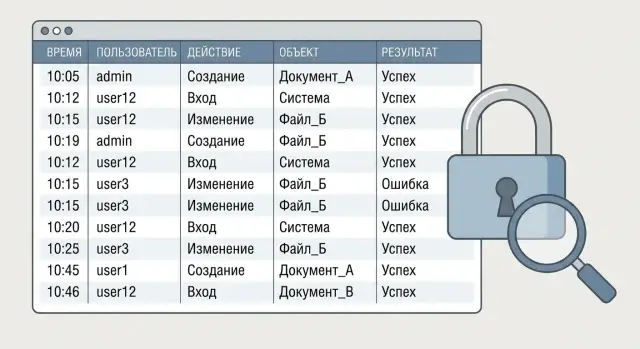
Why audit user actions and what problems it solves
User action audit isn’t a checkbox exercise. It helps answer questions quickly during reviews, disputes and incidents: who performed an action, what changed, when it happened, where it was done from and how it ended.
Don’t confuse audit with technical logs or monitoring. Technical logs show what happened to system components (service errors, database crashes, request latencies). Monitoring shows the current state (load, availability). An audit log records business-relevant actions of people and service accounts: logins, role changes, creating or deleting records, data exports, report runs, confirmations.
A good audit supports practical needs: investigations (reconstruct the chain and root cause), access control (who granted rights and when they were elevated), compliance (prove procedures were followed), debugging (bug, process or human factor), and risk reduction (spot unusual actions and suspicious patterns).
Example: an employee claims they didn’t change contractor details, but a payment went to the wrong account. Technical logs may show a successful DB request. The audit should show the concrete action: which user opened the record, which fields were changed, from which device or IP, at what time, and whether the operation was saved or cancelled.
In practice, audit is mostly used by InfoSec, compliance, internal control and business system owners. They need a clear action history that can be found, explained and attached to a report — not a stream of noise.
Event structure: what a good audit dictionary contains
To make audits useful in investigations, first agree on what you call an event. In a business system an event is an action that affects data, rights or risk: login, viewing a record, changing details, export, delete, granting or revoking rights. If an action doesn’t answer any of these, you can often skip logging it.
Next, build an event dictionary (catalog) — a concise document or table where each event is described consistently. It helps developers write uniform records and helps security and control teams quickly understand what happened.
Typically, each event documents: a name and short description, category (access, data, rights, reports), criticality and purpose, expected fields (required vs optional), and privacy notes (whether personal data is involved and how to mask it).
Separate business events from system events. Business events answer “what the user did”: opened a contract, changed an amount, exported a report. System events answer “what the platform did”: background sync, scheduled cache cleanup, service restart. Mixing them in one stream without filters makes the log unreadable and buries important actions in noise.
For naming, use a single template so events sort and search predictably: entity.action or domain.entity.action (user.login, contract.update, report.export). Add an event version because formats and meanings evolve: contract.update.v1. This helps when comparing records across releases a year later.
A simple quality test: open the log and try to reconstruct what happened without extra context. If it’s easy, the audit will be useful in real checks, not just “for reports”.
Fields in an audit record: the minimum that saves an investigation
A good audit record should answer three questions: who did it, what they did and what the result was. Missing any of these turns an investigation into guesswork and prolongs the review. At the same time, the log shouldn’t become a dumping ground: a stable minimum is better than dozens of meaningless fields.
For most business systems the basic set is:
- event time (with time zone) and time source (server/client);
- subject: user (
user_id), role at the time of action, login method (e.g., SSO); - action: a clear operation code (create/update/delete/export/login etc.);
- object: entity type,
object_idand a human-readable name at the time of the event; - result: success/failure, status code and a short reason.
Context often settles disputes. Add division or branch, workstation (e.g., kiosk-01), application or module, IP and device type, and a flag for “interactive” vs “via API”. This makes it easier to distinguish operator actions from background integration and to find the error source fast.
To join action chains you need identifiers. Ideally every event has a request_id, and for long scenarios also session_id and correlation_id. Then you can reconstruct the full history: user login, open record, change, export attempt, failure, retry. This is especially useful where multiple applications interact with the same system.
Store more than the object ID. The name, contract number or person’s name at the time of the event can save hours: records outlive current data and “current” fields may have changed.
Log failure reasons carefully: use codes (POLICY_DENY, INVALID_ROLE, MFA_REQUIRED) and a short phrase without secrets. Do not store passwords, tokens, full document numbers, field contents or raw SQL errors. In audit you want to understand the logic of the denial, not to expose sensitive details.
Data and rights events: what matters for reviews
Reviews usually boil down to two questions: who touched the data and who could do it. Therefore plan events about data (read, change, export) and about rights (roles, privileges, admin bypasses). Such a log answers quickly: error, abuse or normal operation.
For data changes log not only the fact but the meaning. Ideally store “before” and “after” for small fields. For large objects (contract, application, document) store a link to a diff or a version ID. That keeps the log lightweight while allowing exact reconstruction.
Sometimes you cannot record raw values: personal data, card numbers, health data, secrets. Use masking (e.g., last 4 characters), hashing for equality checks, or tokens (an identifier stored in a secure vault). The goal is simple: show what changed without overexposure.
Log data access separately. Viewing a record can be as important as changing it when sensitive information is involved. Also log printing, export and bulk operations — one click can remove thousands of records.
A minimal set auditors commonly need:
- viewing a record and attachments (with object reference);
- export/print (with row counts and filters);
- bulk changes (with operation parameters);
- granting/revoking roles, changing rights, adding to groups;
- enabling admin modes and bypasses (if available).
A common failure point is time. Choose a single time zone (usually UTC), synchronize servers, provide millisecond precision and add a monotonic event number. Then “who was first” can be determined even under parallel requests.
Audit immutability: how to protect the log from tampering
If the log can be quietly edited, it stops being evidence. For investigations and reviews records must only go one way: added and retained.
Append-only and role separation
The rule is simple: events cannot be edited or deleted, only appended. Practically this requires both storage settings and role separation. The component that generates events (the application) should not administer storage. The storage administrator should not be able to erase traces unnoticed.
Useful role allocations:
- application writes events but does not read or manage retention policies;
- security and auditors read and search but cannot change data;
- administrators manage resources and access, but their actions are also logged;
- critical operations require two-person control: two independent roles confirm the action.
Technical and organizational measures
Technical measures should make silent edits hard. Common approaches: integrity controls such as hash chains (each record contains the previous record’s hash), digital signatures of event batches, immutable storage segments (e.g., closed files or objects with rewrite prohibition) and strict access control. Always log admin actions: policy changes, key rotations, signature keys, access modifications.
Organizational measures matter too. You need procedures: who requests exports, who approves access, how exceptions are documented, how long signing keys are kept, how integrity is verified. Good practice includes periodic checks: sample events, verify signatures and hash chains, and record results.
What to do if a log write fails
A failed write must not stop the business process, but events must not be lost. Use asynchronous writes and buffering: the application puts an event in a queue and a separate component delivers it to storage. If storage is unavailable events accumulate locally with limits and trigger alerts for admins.
For example, during a public procurement flow the system continues to operate but raises alerts and marks operations as requiring review until the log catches up.
Retention and storage: how long to keep logs and where it’s cheaper
Start retention from goals, not a number of years. For investigations and reviews keep critical events (logins, role changes, money operations, key data changes) longer; for debugging keep auxiliary events shorter. Keeping everything equally long is expensive and usually unnecessary.
A practical approach sets retention by event class. For example: critical — 1–3 years, important — 3–12 months, auxiliary — 7–30 days. Then align with industry and internal regulations. Be careful with personal data: store only what’s needed for control and security and avoid duplicating sensitive fields unnecessarily.
A multi-tier storage model is almost always cheaper. Typical tiers: hot (fast search for recent incidents), warm (regular checks at lower cost), cold (years-long archive) and backups stored separately from primary storage.
The deletion plan should be as formal as the retention plan: defined periods, responsible persons, deletion confirmation and logging. Have an exception rule: if an investigation is open, related records are put on hold and not deleted until the case closes.
Estimate volumes ahead: events per day by type (including bulk operations), average record size (including context), user/integration growth for 6–12 months, peak days (month close, migrations, campaigns), and the share of data kept hot.
Example: organizations with strict compliance (banks, government, clinics on-premises, e.g., servers in racks) keep access and rights logs longer and technical events shorter to avoid oversized archives and high fast-search costs.
Fast search: how to make audit usable for investigations
If you can’t quickly answer “who, what and when” from audit logs, even a perfect event format won’t help. For investigations speed and accuracy matter: find events in minutes, not by scanning millions of lines.
Start with indexes. Index the fields you actually filter and sort by. Commonly needed fields: user (ID and display name), object (type and ID), action and result (success/error, reason code), event time (millisecond precision), and correlation (request_id or session_id).
Design search scenarios. Investigators rarely need a single log entry — they need a history: what happened 15 minutes before an incident and after. Provide time windows (e.g., -30/+60 minutes), groupings by user and object, and action chains by request_id: login -> view -> export -> rights change.
A good search UI supports quick presets and saved queries for frequent checks: access to sensitive data, bulk exports, role changes, failed login attempts. This reduces load on InfoSec and internal control and makes checks repeatable.
Control exports. Allow exports only to authorized roles and log the export itself: who exported, the query, time range, row count, and format. For investigations it’s helpful to have one data package (CSV/JSON) plus query metadata to reproduce the selection later.
Finally, enforce access separation. Investigators should see enough to resolve cases but not more. Separate rights for viewing events, viewing sensitive field values (masked), and exporting helps the audit strengthen security rather than create new risks.
How to implement audit step by step without overloading the system
To make user action audit useful in practice, build it from use cases, not from “log everything” ideology. Start with 5–10 scenarios: a data leak investigation, an access dispute, checking directory changes, or a data-deletion incident. From those derive the list of events you actually need.
Then fix a single record format: required fields, how to record results (success/failure/error), where object identifiers live, how to mask sensitive data. For example, in authentication or personal-data events keep identifiers and operation type but don’t store raw values unless needed for investigations.
To avoid overload, log selectively at key business points and add correlation IDs. This lets you assemble chains by one request_id or trace_id rather than searching for similar records by time.
A practical rollout plan:
- pick a minimal event set for the first release focused on chosen threats and checks;
- agree the event dictionary and masking rules so teams write logs consistently;
- enable audit at critical points (login, granting rights, data changes) and add correlation IDs;
- configure storage: retention, backups, role-separated access, and tracking of who reads the audit;
- prepare query templates and simple dashboards for common checks and train support and security briefly.
Don’t forget regular quality checks. Each sprint run test cases: “user was granted a role”, “record deleted”, “attempted to open a forbidden document”. The results show where the log is incomplete, missing context or duplicating events.
A maturity sign: InfoSec can use the audit without a developer on the call. In 10 minutes they answer: who changed rights, what exactly changed, and what actions happened before and after.
Investigation example: how to reconstruct an action chain from audit
Scenario: security gets a tip that someone may have exported the client database from CRM and leaked the file. Evidence is sparse: one employee denies it and a report contains an unusually fresh data copy.
Start from events. In a well-structured log you can filter bulk exports: CSV/XLSX export, a report run with a large row count, API queries returning large selections, or archive downloads.
How to reconstruct the chain
The next task is to link the suspicious action to a session and everything before and after. A typical chain looks like:
- login: who logged in, from which IP and device, and by which method (password, SSO, token);
- rights change: role granted, added to a group, restriction removed, temporary access;
- access to client section: opened list, searches, viewed records, report build;
- export/download: format, volume (row count), filters, source of download;
- file actions: download, sending via internal mail, upload to storage, sharing attempts.
To avoid guessing, events should share keys: session_id, user_id, request_id or correlation_id. Then you collect a timeline in the needed window and see the sequence.
Common red flags: login at unusual time, new IP or city, new device, sudden admin role, series of access errors before success (someone probing), export with atypical filters (e.g., “all clients” vs a specific region).
Document conclusions so they are reproducible: a list of confirmed events with exact timestamps, who performed them, which data was affected (volume and type), and evidence that logs are immutable. Also note gaps that logs cannot prove to close audit holes.
Common mistakes that make audit useless
The worst outcome isn’t missing logs but logs that can’t be used in a check. At the incident time you may find events but cannot link them, trust them or find the right ones quickly.
Common mistakes:
-
logging only successful operations. Then failed login attempts, rights denials, validation errors and cancelled actions are missing. Those show intent and the path to a critical action.
-
no stable object identifiers. If events say sometimes “contract №12”, sometimes “Contract-12” or just a file name, the chain breaks. You need persistent IDs (user, role, document, record) and a single format.
-
mixing audit and debug logs. When “User updated role” sits next to “DEBUG: cache miss” in one stream, search becomes chaos.
-
storing sensitive data in full: passwords, tokens, document numbers, medical data. Audit must not become another leak vector. Prefer masking, hashing or referencing by ID.
-
admins can edit records. If administrators can alter records, trust is lost. For checks, immutability matters: append-only, no silent edits, and visibility of who accessed logs.
-
arbitrary retention. Either storage overflows or required data for regulator/internal checks is missing.
Quick self-check:
- do logs contain both successes and failed attempts?;
- are stable IDs and a correlation ID present?;
- is audit separated from technical/debug logs?;
- are secrets and extra personal data excluded from events?;
- can records be changed or deleted without a trace?
Example: an employee tried to export clients, was denied, requested a role and retried. If you don’t log failures, role changes and stable IDs, the chain breaks and the log won’t explain what happened.
Pre-launch checklist and next steps
Do quick checks before launching audit — it’s cheaper than discovering during an investigation that half the events aren’t recorded or a needed field is empty.
Check at minimum:
- events: logins, role changes, data operations (create, update, delete, export), and critical settings;
- mandatory fields: who, when, where (system/module), what changed, result;
- masking: passwords, tokens, full document numbers and personal data must not be in logs in full;
- immutability: write access separated from read access, integrity controls (hashes/signatures), and admin actions are logged;
- search: indexes on key fields, ready query templates for common checks, role separation for viewing and exporting.
Test retention practically, not just on paper. It’s important to know not only “how many days”, but how to restore an archive for a period, how long that takes, and who can approve exceptions for investigations.
If audit is already written, the next step is to make it convenient: security, IT and internal control should quickly find event chains and confirm integrity.
Plan for the next 2–4 weeks:
- estimate load: events per day, peaks, storage needed given retention and indexes;
- choose storage scheme: hot (searchable) and cold (archive), plus recovery tests;
- describe roles and access: who can view, who can export, who approves investigation requests;
- craft 5–10 live search scenarios and formalize them as standard investigation queries;
- if resources are lacking, engage an integrator.
When audit needs a reliable storage and compute contour (fast indexed search, long retention and dedicated access roles), projects often hit infrastructure limits. In such cases the experience of vendors like GSE.kz (gse.kz) — from selecting servers and storage to implementation and 24/7 support — can be useful.
Frequently asked questions
How is user activity audit different from technical logs and monitoring?
Audit records business-significant actions of human and service accounts: login, role changes, data operations, exports, confirmations. Technical logs describe component behavior (service errors, delays, crashes), while monitoring shows the system state “right now” (load, availability).
Which fields in an audit record are mandatory to investigate an incident later?
Aim for a record that makes it clear **who** did it, **what** they did and **how it ended**. The usual minimum includes time with time zone, user identifier and role at the moment of action, an operation code, object type and `object_id`, and the result (success/failure) with a short reason that contains no secrets.
How should events be named and why is an event version needed?
Use a consistent naming template such as `entity.action` or `domain.entity.action` so events are easy to sort and search: `user.login`, `contract.update`. Add a version, for example `contract.update.v1`, so changes in format over time don’t break analysis and you can compare records from different releases.
What context should be added to audit besides user and object?
Log context that helps distinguish a human from an integration and quickly localize the source: application/module, IP, device type, a flag for “interactive” vs “via API”, branch/division, workstation. This often resolves disputes about where an action came from and why it looks unusual.
Should failures and unsuccessful attempts be logged?
Record not only successful operations but also failed attempts: insufficient rights, MFA requirements, policy denials, validation errors, cancelled operations. Failures show intent and the path to the result; without them the sequence looks “clean” and doesn’t explain how a user reached a critical action.
How to log data changes when values contain personal or secret information?
By default do not store full passwords, tokens, document numbers, medical data or other sensitive values in the audit. To show that something changed, use masking (e.g., last 4 characters), a hash for equality checks, or store an identifier that points to the value in a protected store. The goal is to make the change understandable without exposing extra details.
How to ensure audit immutability so logs are trusted in investigations?
Make the log append-only: records can only be added, not silently edited or deleted. Enforce role separation (application writes, auditors read, administrators manage infrastructure but their actions are also logged) and integrity controls such as hash chains and/or signed event batches.
How to choose retention: how long to keep audit logs and what to do during an investigation?
Don’t start from a single blanket number. Define retention by event classes and purpose. Critical events (logins, role changes, financial operations, key data changes) are usually kept longer; auxiliary technical events shorter. Implement a hold rule: if an investigation starts, related records are not deleted until the case is closed.
How to configure search over audit logs to find event chains in minutes?
Design search around common questions: “who touched the object”, “who granted rights”, “who exported data”, “what happened 30 minutes before the incident”. Index fields that are actually filtered on: `user_id`, object and `object_id`, action, result, time, and `session_id`/`request_id`/`correlation_id` to assemble action chains into a single story.
How to roll out audit step by step without overloading the system?
Start with 5–10 highest-priority scenarios and define the event dictionary and a single record format for them. Log at key business points and add correlation identifiers. Write records asynchronously through a queue/buffer so the main transaction isn’t blocked. If the project needs storage and fast search, consider involving a systems integrator, possibly using enterprise servers and storage from vendors such as GSE.kz (gse.kz).
