8 min read
UPS Sizing for Server Rooms and Data Centers: Power and Runtime
UPS sizing for a server room: how to assess load, choose topology, batteries and bypass to get the required runtime without overpaying.
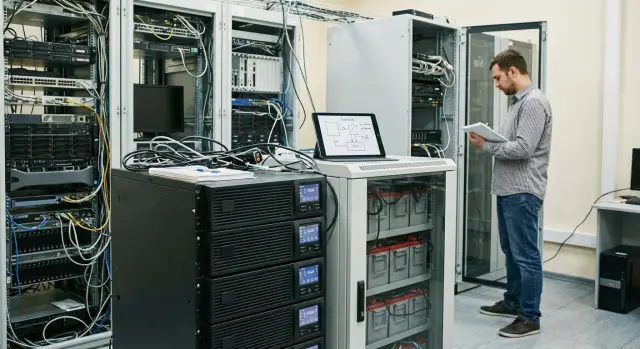
The goal: sustain load and runtime without unnecessary cost
The main purpose of a UPS in a server room or data center is simple: keep power for exactly as long as needed, and not become the weakest link. Mistakes here are costly: from unexpected service outages to equipment damage and data loss.
Problems usually start at the selection stage. People often pick a UPS by "adding up wattages on nameplates and adding a margin." But in practice it's not only watts that matter. kVA, power factor, inrush currents, phase distribution and how the load behaves when running on batteries all affect the outcome.
The difference between a small server room and a data center is not just scale. In a server room it may be enough to survive a short dropout and shut down cleanly (5–15 minutes). In a data center you more often need time to start a generator, perform switchovers, operate in N+1 mode and allow maintenance without downtime.
A typical calculation comes down to four related decisions: what capacity you need now and allowing for 1–3 years growth; what runtime is actually required (and what must happen during that time); which topology fits (line‑interactive or online/double‑conversion); and how to arrange a bypass for servicing without loss of power.
A simple example: a server room is rated for 8 kW, but part of the load produces short peaks, and some equipment has a low power factor. In that case a “10 kW UPS” may be insufficient. So UPS sizing for a server room starts not with a single number but with scenarios: what exactly must keep running, for how many minutes, and which transitions are acceptable.
If you build the infrastructure turnkey, agree on runtime and maintenance requirements up front. Otherwise batteries and bypasses often need rework after commissioning.
Basic terms so kW and kVA don't get mixed up
Selection errors start not with formulas but with confusion over units. For UPS sizing for a server room it is important to understand that equipment manufacturers and UPS vendors may list different numbers that are not always directly comparable.
kW — active power, the useful power that the load actually consumes and turns into work and heat. kVA — apparent power, the total power the UPS must handle on the current side. If you look only at kW and ignore kVA you can end up with a UPS that "matches" on paper but overloads on current.
This is where power factor (PF) comes in. It shows what portion of apparent power becomes active power: kW = kVA × PF. Modern IT loads usually have a high PF, but it can vary between servers, storage, network gear and especially older PSUs.
It's important to distinguish nameplate (rated) and real load. Nameplate numbers are often conservative or describe peaks. Real load is best taken from measurements (PDU, meters, monitoring) — it's usually lower. But peaks at startup, backups, bay rebuilds or air‑conditioning startup must be accounted for.
Runtime answers only the question "how many minutes will power be held after mains failure." It does not replace a generator and does not solve mains quality problems if the wrong UPS topology is selected.
N+1 redundancy means you have capacity for one extra "unit". For example, an 8 kW load could be supported by two 8 kVA UPS systems: one carries the load, the other is a spare for failure or maintenance. It's more expensive but greatly reduces downtime risk.
Practical example: if a rack draws 6 kW at PF 0.9, the apparent power is about 6.7 kVA. So you must check the UPS for both kW and kVA, not just one figure.
What baseline data to collect before sizing
A correct calculation starts not with choosing a UPS model but with listing what it will support. The more accurate the input data, the lower the risk of overpaying or ending up with insufficient runtime. If you need a UPS sizing for a server room, first document the load composition and peak behavior.
List the IT equipment that will actually be connected to the UPS: servers, storage, network (switches, routers, firewalls), management systems (KVM, console servers). Small items often forgotten add up: modems, channel devices, access control controllers, monitoring, rack peripherals.
Decide separately whether the UPS will feed engineering loads. Sometimes you must power automation, part of ventilation, emergency lighting, pumps or valves. These consumers can significantly increase power and, importantly, add inrush currents.
To avoid "eyeballing" the numbers use several sources: nameplates (kW/kVA, current, PSU type), PDUs with measurements, monitoring (IPMI/iDRAC/iLO, hypervisor, DCIM), clamp meter readings at the rack or UPS input, and the actual configuration (number of PSUs, modules and disks installed).
Don't forget peaks. Servers spike during boot, mass backups, RAID rebuilds and updates. Engineering loads spike at motor start. If monitoring shows "usually 40%", that doesn't mean 40% will always hold.
Allow for growth over 12–36 months: new racks, added GPUs, storage expansion. For example, if a rack draws 3 kW today and you plan to double disks and add two servers next year, set a target load of 4–5 kW and size runtime accordingly.
Step‑by‑step UPS capacity calculation
To avoid overload and overspend, a simple scheme is useful. With a parts list this calculation typically takes 15–30 minutes.
Calculation logic
Start from active power (kW), then check what apparent power (kVA) the UPS must deliver considering power factor. PF applies to both the load and the UPS — these values are easy to confuse.
-
Sum the active power of the load: add kW from nameplates or PDUs. If only watts are listed, divide by 1000.
-
Convert to kVA: a simple rule is kVA = kW / PF (of the load). If servers have PF 0.95, 8 kW becomes roughly 8.4 kVA.
-
Check the UPS ratings: models often have limits in both kVA and kW. If the UPS is rated at PF 0.9, then 8 kW requires about 8.9 kVA of capacity on the UPS side.
-
Add margin: typically 20–30% for growth, inrush currents, metering errors and future additions.
-
Verify phase and distribution: a single‑phase UPS won't help where mains and loads are three‑phase. For 3‑phase systems check phase balance so one phase isn't overloaded.
Then open the chosen model's specification and find the overload section. It's important not only how many percent but for how many minutes. For example, 125% for 10 minutes and 150% for 30 seconds are different scenarios. If you have short peaks (switchovers, motor starts) check whether the UPS can handle your specific load profile.
How to calculate runtime and how many batteries you need
UPS runtime is not "how many batteries to install" but how long your load will actually run until the generator starts or systems shut down cleanly.
Start with the objective. 5–10 minutes is usually enough for systems to flush data and shut down gracefully. 30–60 minutes is chosen when you need to wait for switchover, staff arrival or unstable mains.
Runtime is highly sensitive to load level: the closer you are to the maximum, the faster runtime falls. The difference between 50% and 100% load often exceeds expectations.
In practice consider real load (kW), UPS loading level, efficiency and conversion losses, battery configuration (voltage and capacity), room temperature, battery aging and allowable depth of discharge.
Simplified logic: take the load in kW, add losses for efficiency, convert required energy to kWh and compare with battery energy. For example, 6 kW for 15 minutes is 6 × 0.25 = 1.5 kWh of useful energy. Accounting for UPS losses yields about 1.8–2.0 kWh, then select a battery configuration that can deliver that energy at the required voltage.
Internal batteries are convenient but usually sized for short runtimes and moderate power. For tens of minutes at significant power you typically need an external battery cabinet: it provides more capacity and is easier to service, but uses floor space and requires ventilation and floor loading considerations.
Don't forget degradation: after 2–3 years capacity can drop noticeably, and deep discharges accelerate wear. A practical rule is to size so that required runtime remains at the end of service life, not only with new batteries.
UPS topology selection for server rooms and data centers
UPS topology describes how the UPS sits between the mains and the load. It determines power stability, generator compatibility and total cost of ownership. Even if you select correctly by capacity, choosing the wrong type can still cause problems.
Off‑line (standby) is suitable for workstations and simple devices where a short switchover is acceptable.
Line‑interactive is often used for small server rooms with moderate voltage fluctuations: it can regulate voltage without using batteries constantly, but there is still a transfer time.
Online (double conversion) is commonly selected for data centers and server rooms with critical loads because it constantly powers equipment through an inverter and removes most mains issues (sags, spikes, distortion). This matters for racks running virtualization, storage and network core where even a short dropout can look like an incident.
Modular or monoblock
Monoblock UPSs are usually cheaper initially and simpler. Modular UPSs are convenient where load grows or fast repair is required: add a power module to increase capacity, or swap a failed module to restore service quickly without long downtime.
Choice typically depends on growth plans for 1–3 years and whether you need N+1, availability of spare modules, room space and ventilation, noise level (important in small server rooms near offices), and service/consumable availability.
Mains and generator: where the ideal scheme breaks
If mains are "dirty" (frequent sags, phase imbalance, spikes) or equipment often runs from a generator, online UPS is usually safer. Generators can have unstable frequency and voltage during transients, and the UPS should tolerate this without constant transfers to batteries.
A good habit is to check UPS input tolerances and generator compatibility beforehand. This often solves half the problems before procurement.
Bypass: don't lose power over a small wiring detail
A bypass is an alternate path for feeding the load when the UPS cannot or should not run through the inverter. In failure it prevents downtime: for an internal UPS fault, overheating, an output short or during maintenance. If bypass is not planned, you can have a situation where the UPS is fine on paper but power still "drops" due to a wiring or switching detail.
There are two variants. Internal (static) bypass is present in almost every data‑center UPS: it automatically switches the load to mains in fractions of a second when the inverter is overloaded or faulty. An external service bypass is a separate scheme in the distribution board that allows manual transfer of the load to mains and safe UPS isolation for repair or replacement without stopping servers.
The service angle is simple: without an external service bypass, most UPS repairs become a maintenance window with downtime. With it you can feed the server room directly while engineers replace battery modules, fans or power packs.
Typical mistakes are in protection and ratings: installing an input breaker smaller than the expected bypass current, so it trips during transfer; not planning selectivity and the wrong breaker trips on a short; confusing single‑phase and three‑phase wiring and creating phase imbalance; ignoring inrush currents; skimping on cables and busbars so connections overheat.
Discuss the switchboard scheme with an electrician in advance: who and how will operate the service bypass, what interlocks prevent "back‑feed", where measurement points will be, and what currents are expected in bypass mode.
Example: in a hospital server room UPS battery replacement is needed. With a service bypass the load transfers to mains and work proceeds without stopping systems. If only an internal bypass exists, any UPS shutdown for safety may mean full de‑energization of the rack.
Worked example with clear numbers
Let's take a small server room where we need a straightforward calculation: sizing UPS capacity and estimating batteries for a given runtime.
Input data (from nameplates and PDU measurements):
- IT load: 4.2 kW (servers, storage, switches)
- Load power factor (PF): 0.9
- Required runtime: 15 minutes
- Planned load growth: +30% over 18–24 months
Calculate capacity. Now 4.2 kW at PF 0.9 is 4.2 / 0.9 = 4.7 kVA. Add margin so the UPS won't run at its limit (typically 20–30% for peaks, metering errors and small future additions). That gives 4.7 kVA × 1.25 ≈ 5.9 kVA.
Check growth. 4.2 kW × 1.3 = 5.46 kW. In kVA: 5.46 / 0.9 = 6.1 kVA. With the same margin: 6.1 × 1.25 ≈ 7.6 kVA. So a "tight" 6 kVA solution is risky; it's wiser to look at 8–10 kVA.
Estimate batteries for 15 minutes. Energy at the load: 4.2 kW × 0.25 h = 1.05 kWh. Accounting for UPS losses (assume inverter/battery efficiency ~90%): 1.05 / 0.9 = 1.17 kWh from the batteries.
If the UPS battery string is 192 V (16 × 12 V blocks), one string at 192 V × 9 Ah gives a theoretical 1.73 kWh. But at high currents and end‑of‑life the usable capacity falls, so in practice a single string is often eaten by reality.
Final configuration in this example:
- Online (double‑conversion) UPS of 10 kVA to allow growth and avoid stressing batteries with continual high loads
- Battery plant: at least 2 strings of 16×12 V (for example 2 × 9 Ah strings or equivalent) so 15 minutes remain even accounting for capacity degradation to 70–80%
A final check is simple: recompute runtime for the future 5.46 kW and include battery aging. If you still have the required 15 minutes, the sizing is sound.
Common mistakes when selecting UPS, batteries and bypass
The most frequent error starts with mixing up numbers: people look only at kVA on the UPS datasheet and forget kW. The unit may "fit" by apparent power but not by active power (given the load's PF).
A second classic is sizing "to the limit." Today there are 6 servers, in six months two more and extra storage — no margin was left. Proper UPS sizing should account for growth and inrush peaks (e.g., simultaneous startup after a blackout).
Another issue is mixing critical and noncritical consumers on one UPS. If servers and, say, an air conditioner or general outlets share a circuit, runtime is eaten faster and you risk losing the most important equipment in an outage.
Battery mistakes often come from "ideal conditions" on paper. Real runtime falls if the room is hot, batteries age, or discharge happens at higher power than assumed. Example: you sized 15 minutes at 50% load, but after a year at 28 °C and 70% load you get 7–9 minutes.
Bypass is often forgotten until late. Without a planned service bypass any UPS maintenance becomes a downtime risk.
Before final choice check:
- whether there's margin in kW, not only kVA
- how load will grow in 12–24 months
- which circuits must stay on batteries and which may not
- where battery cabinets will be placed (weight, aisles, ventilation)
- how the UPS will be serviced and what happens on failure (bypass, breaker access)
Short checklist before purchase and installation
Before buying a UPS for a data center take 10 minutes to record everything. Most problems come not from a "bad UPS" but from project inputs and constraints not being documented.
Must‑record items before ordering
Put parameters into a single document and agree them with operations and electricians:
- Load composition: what will be on the UPS and what is considered critical.
- Power: single‑phase or three‑phase mains, voltage, frequency, mains quality and how often sags occur.
- Resiliency requirements: single UPS, N+1, or dual inputs (A/B) per rack.
- Site constraints: room for batteries, ventilation, temperature, maintenance access.
- Service: who will maintain it, response times and acceptable battery replacement windows.
Quick checks for capacity and runtime
Verify that the UPS sizing for the server room is not "tight": kW and kVA reconciled, load PF accounted for and margin included.
Mini‑check for capacity: sum active power of critical loads; convert to kVA using PF; add margin (usually 20–30%); account for inrush and short peaks.
Mini‑check for runtime: required time (until genset start or until orderly shutdown); room temperature and battery aging; real load as a percent of rated capacity.
Operation, bypass and the future
Ensure bypass is planned: there is a service bypass for maintenance without stopping systems and a clear switching procedure to avoid accidental outages. Decide how monitoring will be organized (for example via SNMP) and who will act on alarms.
For the future check growth: how many racks will be added in 1–2 years, whether battery cabinets can be expanded, and how battery replacement will be done without downtime.
Next steps: turning a calculation into an operational scheme
When load and runtime numbers are known, turn the calculation into a clear specification. The most common failure is not in the math but in expectations: what must work, how long, and what constitutes acceptable interruption.
Create a short document: table of loads by rack and consumer groups (servers, storage, network, KVM, monitoring) with target runtimes. For example, 10 minutes for graceful shutdown and 30 minutes to wait for a generator.
Ask the vendor to provide the calculation in writing and state assumptions: which PF values, growth margin, temperature, battery aging and transfer times were used. If assumptions don't match reality, your runtime will "vanish" in the first year.
Plan operations in parallel: service bypass and switching procedures, battery replacement and testing schedule, monitoring of power events, and an orderly shutdown procedure (who initiates it and what stops).
Before commissioning run a test: simulate mains loss, verify transfer to batteries, graceful shutdown and power restoration. A good practice is to run the scenario on one rack first, then scale up.
If you build a server room or a data‑center node as a single project, it's easier to tie UPS selection to server equipment and the overall electrical scheme. In such projects system integrators like GSE.kz (gse.kz) typically help align runtime, bypass and maintenance requirements with the actual site conditions and growth plan.
Frequently asked questions
How do I calculate UPS capacity for a server room?
Add up the actual power consumption of all critical devices in kW, then check the resulting value in kVA, taking the power factor into account. Then add 20-30% for growth, peaks, and measurement inaccuracies.
Why can’t I choose a UPS based on kW alone?
kW shows the active power consumed by the equipment. kVA shows the apparent current-based power the UPS must be able to handle. You need to check both values when selecting a UPS.
How many minutes of runtime does a server room usually need?
For a brief power outage and an orderly shutdown, 5-15 minutes is often enough. If the UPS must wait for a generator to start or the grid is unstable, plan for 30 minutes or more.
What data do I need before selecting a UPS?
Collect readings from PDUs, meters, server monitoring, and measurements at the power input. Nameplate ratings are useful as a reference, but they are often higher than normal consumption.
How do I calculate the required number of batteries?
First, determine what should happen during a power outage: generator startup, power transfer, or an orderly shutdown of services. Then select batteries based on the actual load, temperature, and capacity loss toward the end of their service life.
Which UPS topology should I choose for a data center?
For a server room with critical servers, storage systems, and a network core, an on-line double-conversion UPS is usually chosen. It continuously powers the load through the inverter and handles voltage sags, spikes, and unstable generator operation better.
When is a line-interactive UPS suitable?
A line-interactive UPS is suitable for a small server room if the power supply is relatively stable and a short transfer time is acceptable. An on-line design is safer for sensitive equipment and frequent power issues.
Why do I need a maintenance bypass?
A maintenance bypass lets you manually transfer the load to the mains and shut down the UPS to replace batteries or make repairs. Without it, maintenance often requires downtime.
What does N+1 redundancy mean for a UPS?
N+1 means adding one backup power unit beyond what is required. For example, two 8 kW UPS units can support an 8 kW load if one fails or is taken offline for maintenance.
What are the most common mistakes when choosing a UPS?
The most common oversights are headroom for kW and kVA, future load growth, inrush currents, and battery aging. You should also avoid connecting servers and large building-system loads to the same UPS, as those loads can quickly reduce runtime.
