8 min read
UEFI Event Logging: Minimal Checklist for Investigations
Logging UEFI events helps investigate boot incidents: Secure Boot changes, boot order modifications, USB boot attempts, and centralized collection.
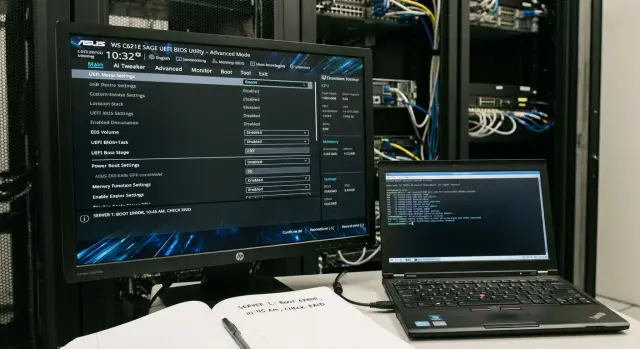
Why log UEFI events at all
The moment a computer boots is when many OS-level protections can be bypassed. If an attacker changes UEFI settings or tries to boot from external media, Windows may not contain any traces or usual logs. UEFI-level events are therefore useful not only for security teams but also for investigations where chronology matters: what happened before the OS started.
At the firmware level you usually see actions related to attempts to alter the trusted boot chain or the device's boot method: enabling or disabling Secure Boot and key changes, changes to Boot Order, attempts to boot from USB, external drives, or network (PXE), UEFI resets, firmware updates, and signature verification errors.
These records answer the questions auditors and security teams typically ask first: what changed, when, and on which devices. Even without a clear username, an event can be tied to a specific PC, a time, a shift, and physical access (badge logs, CCTV, ITSM tickets).
A practical example: someone at an accounting workstation tried to launch a utility from a flash drive to bypass the OS password. The log shows several USB boot attempts and Boot Order changed to removable media. That gives a clear starting point: which PCs were affected, when it started, and whether the boot actually succeeded.
There are limits. Not all platforms store a persistent log in firmware, and the volume of such logs can be small and quickly overwritten. Therefore UEFI events are usually supplemented by OS-side collection (for example, Secure Boot events) and centralized forwarding to a SIEM.
Where events come from: what UEFI and related infrastructure can provide
UEFI rarely looks like a familiar “event log” containing all user actions. Some data lives in firmware settings, some in the TPM, some in OS logs after boot. In practice, monitoring is built by collecting multiple sources that complement each other.
UEFI settings give a basic picture of device control: boot order, whether boot from USB and other external media is allowed, whether network boot is enabled, presence of setup/administrator passwords, and evidence of firmware updates. Even without a detailed history of “who and when,” regularly recording current values and tracking changes helps.
Secure Boot usually provides more formal signals: whether it’s enabled, which keys and trust stores are in use (PK/KEK and db/dbx), and whether policy violations occurred (for example, an attempt to load an unsigned bootloader). Tracking dbx changes (the blacklist) is separately useful: these often come with updates and can break compatibility.
TPM adds measured boot data. This is not just a fact of booting but a chain of integrity measurements that changes when components are swapped. If measurements suddenly differ from expected values for a model or OS image, that’s a reason to check whether the bootloader, early drivers, or firmware settings were modified.
On servers, BMC is a separate source. It records remote actions that bypass the usual “who sat at the keyboard” picture: mounting a virtual media, changing boot order, remote reboots, or starting a firmware update.
Typical set of sources looks like:
- UEFI/BIOS Setup: current parameters and changes to critical settings
- Secure Boot: status, keys and db/dbx stores, policy violations
- TPM: measurements (Measured Boot) and deviations from expected values
- BMC (for servers): remote actions, virtual media, power control
Example: the OS has no obvious traces, but the BMC recorded mounting a virtual ISO and the TPM showed a new chain of measurements. Together that gives a clear investigative path: who had management access, what changed, and from which point the device’s state differs.
Minimal set: Secure Boot events
Secure Boot often provides the earliest and most useful signal that someone tried to tamper with the boot process. For investigations it’s important not only to know whether Secure Boot was on, but to see any state changes and trust data modifications. Start with events that answer three questions: was the mode active, was trust altered, and was boot blocked.
Minimum events to record (with timestamp, device, and administrator account if visible from the OS or management tool):
- Secure Boot status changes: enabled, disabled, or verification mode switched
- entry into Setup Mode, exit from it, and key resets to factory defaults
- operations on trust stores: addition, removal, update, or rollback of PK, KEK, db, dbx
- signature verification failures: attempts to load unsigned or altered bootloaders
- dbx blocks: components placed on the blocked list
Practical example: a user’s machine suddenly stops booting after maintenance. If logs show dbx was updated and then signature blocks occurred, that looks like a policy hardening (or a faulty update). If before that there was an entry into Setup Mode and key resets, that’s a strong sign of tampering and an attempt to remove trust controls.
Agree on a format right away. It’s useful to record before/after values (for example, Secure Boot On -> Off), an event identifier, firmware version, and the source (UEFI/OS/management console). That makes it easier to compare hosts and find widespread changes.
Minimal set: boot order and its changes
For investigations, any trace that someone tried to change the boot path is important. Even if an attack failed, a priority change or a new boot entry often explains odd system behavior.
Collect at least the following:
- BootOrder changes (what it was and what it became) and the fact of adding a new Boot Entry
- priority switches between internal disk, network (PXE), and external devices
- enabling or disabling boot sources (Network Boot/PXE, USB boot, optical, Thunderbolt where relevant)
- one-time Boot Override events (temporary selection of another device without saving order)
- entry into UEFI/BIOS settings and attempts to change parameters (if the platform records this)
Why this matters: an attacker often doesn’t compromise the OS immediately but first gains boot from another medium. A typical scenario: on a workstation the priority is changed to USB, attempts are made to boot from a flash drive but fail due to Secure Boot, and then the order is returned. If you see a short interval between BootOrder change and restoration, it’s a reason to check physical access, CCTV, service tickets, and account logs.
Where to look: some platforms write these changes to firmware logs, some record them in OS logs on next boot (as changes to bootloader or firmware data). Ideally, collect at least the fact of change and before/after values centrally so the event isn’t lost during OS reinstall or disk failure.
Minimal set: attempts to boot from USB and external devices
Attempts to boot from USB and other external media are common in real incidents: from bypassing protections to unauthorized data copying or running a foreign OS. It’s important to record not only successes but the attempt itself.
Collect events so it’s clear who initiated the boot, from which device, and why the boot did not complete (if it did not). The minimum useful data usually includes:
- attempt to boot from external media (USB drive, external SSD/HDD, USB CD/DVD, SD reader) with device type and identifiers if available
- result of the attempt: boot started, canceled, device not found, selected bootloader missing
- one-off boot selection via Boot Menu (boot override): the fact the menu was used and the chosen entry
- reason for blocking: Secure Boot refusal, signature verification failure, forbidden media type, policy forbidding external boot
- repeated attempts or reboot cycles related to searching for external boot media
Distinguish two similar cases: (1) a person intentionally tried to boot from a flash drive, and (2) the system iterated through external devices because of the configured boot order. If logs don’t distinguish these scenarios, nearby events about Boot Menu invocation and one-time boot choices should clarify.
Example: at night a workstation records Boot Menu being called and a USB device chosen, after which Secure Boot refusal is logged. Even without a successful boot, this is a reason to check physical access, account activity, and correlate with access control and CCTV.
What to add next: firmware, resets and critical settings
If you already collect Secure Boot and boot order changes, the next step is events that often accompany attempts to bypass protection. They occur less frequently but are almost always important for investigations.
Firmware (BIOS/UEFI): updates and rollbacks
A firmware update can be legitimate (planned maintenance) or a way to persist on a device. Record not only the fact of update but its context.
Minimum data to log:
- update occurrence: success or failure
- source: from OS, built-in flasher, or remote management (for servers)
- version before and after, device model
- who initiated it (account, operator, management system) if available
- time and reason (ticket or maintenance window, at least as a text field in an asset system)
Resets, passwords and TPM
Resetting UEFI settings to factory defaults and clearing parameters often removes previously enabled protections. Raise an alert for such actions, especially on workstations and critical segments.
Also monitor changes to UEFI administrator passwords and enabling/disabling protection against changes. If a password is removed or protection disabled, that often precedes boot order changes or enabling external boot.
For TPM, log noticeable events such as clearing, disabling, or mode changes (if the platform records them). After a TPM clear, BitLocker or corporate certificates often fail, which can be key evidence that actions were deliberate rather than accidental.
Treat these events as “critical firmware changes” and give them higher priority than routine administrative actions.
How to implement step by step without overload
A practical rule: log only what helps answer three investigation questions — what changed, who did it, and on which device. A small, stable set is easier to maintain for years than a large, brittle one.
Proceed in short iterations:
- Choose the minimal events and verify where they are available in your fleet. On some models they’ll be firmware records, on others OS events (for example, Secure Boot), and elsewhere only management data (BMC/IPMI) for servers.
- Harden basic protections, otherwise logs will only confirm the problem. Usually a UEFI setup password, disabling external boot where possible, and enforcing Secure Boot are enough to prevent silent changes.
- Configure collection so it doesn’t rely on manual actions. For servers pull events via BMC; for workstations use corporate management tools and OS reports that collect OS events and configuration changes.
- Define how this looks in the SIEM: a unified field set (device, user/account, time, change type) and simple correlations. Minimum: who changed BootOrder, who disabled Secure Boot, and whether there were USB boot attempts before OS load.
- Introduce regular checks that events are arriving. Firmware updates, motherboard replacements, and new batches of PCs often change logging behavior — catch that proactively, not during an incident.
If you have a mixed fleet (PCs, all-in-ones, servers), start with 1–2 representative models, stabilize collection, and then expand coverage.
Centralized collection options and how to choose
Centralized collection is needed so events aren’t lost when an OS is reinstalled and so they can be correlated across sources. For UEFI logging you almost always need to collect “pieces” from firmware, hardware, and OS.
On servers the most convenient source is often outside the OS: if BMC or equivalent remote management exists, use its event log and history of remote actions. That shows what happened during a reboot, who opened a remote console, changed settings, or tried to boot a different image.
For workstations and places with limited UEFI logs, periodic firmware configuration inventory works well. Take snapshots of parameters (Secure Boot, boot order, external device restrictions) on a schedule and detect differences between snapshots. That catches silent edits even when no explicit event was recorded.
Where possible, add TPM measurements: they confirm the integrity of the boot chain and help distinguish a real substitution from a false positive. This is especially useful for critical nodes.
To choose an approach without overload, focus on asset type and risk:
- Servers: BMC log + UEFI snapshots, add TPM if needed
- Workstations: OS events (boot/reboot, Secure Boot results, boot errors) + UEFI snapshots
- Critical segments: everything above plus more frequent checks
In SIEM agree on a common field set in advance, otherwise investigations will get stuck in fragmented logs:
- node (serial number/inventory ID/hostname)
- source (UEFI/BMC/TPM/OS)
- who initiated (user/admin/remote session/unknown)
- action (change, boot attempt, enable/disable)
- result (success/failure/blocked by policy)
If you must pick one first step, it’s often collecting OS-side events for time correlation plus regular snapshots of key UEFI settings. This gives quick value and clear evidence for investigations.
Common mistakes in UEFI logging
The main mistake is expecting firmware to provide a detailed, convenient log. Many platforms record little, store it briefly, or overwrite after a few boots. Investigations then hit an empty spot even though an incident occurred.
Another common error is logging only the current Secure Boot state and stopping there. For investigations the dynamics matter: what changed before the incident and what was attempted to boot. Without boot order changes and external boot attempts, the most telling signs of an attempted bypass are lost.
What usually breaks the picture:
- collecting only “status” instead of “events”: Secure Boot enabled, but no record of when or who changed settings
- no tracking of BootOrder, BootOverride, or USB/external boot attempts
- not saving firmware version and update history, so it’s unclear whether new behavior follows an update
- device times out of sync, preventing a coherent timeline
- logs kept too briefly and no baseline of expected settings for comparison
Simple example: someone tried to boot from USB and then restored BootOrder. If you only collect “Secure Boot: enabled”, everything looks fine. If you have a baseline BootOrder, records of external boot attempts, and correct timestamps, you’ll spot the deviation and build a timeline.
To avoid repeating mistakes, start with a short baseline per model and a minimal retention period that realistically covers your typical investigations.
Short checklist for security and admins
This list helps quickly assess whether basic firmware risks are covered and whether investigation traces are available. If any item is “not sure”, verify the settings and confirm they are logged, not just captured by a screenshot.
- Secure Boot enabled and key store not in a reset/Setup Mode. Any key operations (reset, addition, setup mode) should be visible in logs.
- Boot from USB and other external media prohibited by default. If exceptions exist (service crews, for example), they are a managed process and every external boot attempt is logged.
- BootOrder complies with policy: no unexpected entries, no unnecessary network boot, and no temporary boot loaders. Changes in boot order should be audited.
- Firmware version (UEFI/BIOS) and last update date are known. It should be clear who updated and whether a rollback or reset occurred.
- Audit is not local to one PC: firmware events and related OS events are collected centrally (SIEM or log store) with defined retention and search by device and user.
Practical test: take one workstation and perform a “red check” — change boot order and attempt a USB boot. Then confirm the event was not only logged locally but visible in central reports suitable for investigation.
Investigation example: attempted USB boot on a workstation
Situation: an employee presses the Boot Menu key (e.g., F12) at startup and selects a USB drive. The computer fails to boot from the flash drive due to Secure Boot or a policy forbidding external boot. Even if the attempt failed, it should leave traces; otherwise you can’t tell a mistake from a prepared bypass.
Investigations usually start with a timeline: when the attempt occurred, on which device, whether Secure Boot was enabled, and whether boot order changed. Then correlate multiple sources: OS startup events, firmware change traces, USB connection logs, and on servers BMC events.
How to tell error from intent
A user error typically looks like a single Boot Menu invocation, choosing the flash drive, and then the system booting normally with no setting changes. Preparation to bypass usually shows a chain of actions and repetition.
Suspicious signs include:
- several consecutive boot attempts from different external devices
- BootOrder changes or enabling USB boot in settings
- disabling or switching Secure Boot to Setup/Custom mode (if possible)
- rapid reboots and entry into UEFI/BIOS settings
- attempts outside working hours or across multiple machines
What to collect and how to quickly assess scale
Minimum evidentiary data: precise time (with synced clocks), PC identifier (serial number, inventory ID, hostname), user or console session, Secure Boot state, BootOrder change facts, and connected USB details (VID/PID, media serial number if available).
To assess scale, ask whether this is isolated or a pattern. Compare the last 24–72 hours for similar events: start with one PC, then the department, then the whole site. If you see identical attempts on multiple devices, look for a common factor: same room, same responsible person, same model, or same UEFI policy. In workstations this is easy to filter in SIEM by USB boot attempts and boot parameter changes.
Next steps: enforce policy and set up collection
For UEFI logging to actually help investigations you need two things: a clear policy (what counts as deviation) and stable collection (where events go and who reacts). Without that, correct settings become fragmented traces.
First, agree on a minimal policy verifiable on any device: Secure Boot enabled with no exceptions, USB boot disabled (or allowed only by request and for a limited time), and BootOrder changes and one-time boot attempts logged and treated as incidents for critical groups. Define who can change these settings and how changes are authorized.
Then classify your fleet by type and risk. On workstations focus on external boot control and boot order changes. On servers and critical systems enforce stricter responses to any boot parameter changes and integrity checks.
Practical rollout plan:
- fix baseline requirements: Secure Boot, disable USB boot, BootOrder control
- describe event sources for workstations, servers, and critical segments
- configure a unified field set (device, user, time, result, reason for failure)
- run a pilot on a small group and verify events arrive and allow building a timeline
- approve response: who receives alerts, review timelines within what SLA, and what counts as a false positive
After the pilot, test completeness: simulate a USB boot attempt, BootOrder change, and Secure Boot disable on a test device, then confirm the central system shows the full path from event to response.
If your infrastructure belongs to government, finance, healthcare, or education, you may need hardware-level support and monitoring integration. In such projects GSE.kz (gse.kz) can supply workstations and servers and help with system integration to ensure consistent boot control and event collection across the organization.
Frequently asked questions
Which UEFI events should be logged first?
Record changes to Secure Boot and its keys, BootOrder, one-time boot selections, attempts to boot from USB, UEFI resets, firmware updates, and TPM events. This set helps determine how someone tried to start the device before the OS loaded.
What should be monitored in Secure Boot events?
Secure Boot shows whether trusted boot verification is enabled, whether the PK, KEK, db, and dbx keys have changed, and whether unsigned booting was blocked. Pay particular attention to a transition to Setup Mode and key resets.
Why monitor BootOrder changes?
Keep the previous and new order, Boot Entry additions or removals, enabling PXE and USB boot, and one-time booting through the Boot Menu. A brief switch to USB followed by a return to the prior order often warrants investigation.
What data is needed about a USB boot attempt?
Record the media type, any available device identifier, the startup result, and the reason for failure. Boot Menu use and repeated reboots related to searching for an external bootloader are also useful.
How can an accidental USB boot attempt be distinguished from a suspicious one?
If Secure Boot is enabled and the boot order has not changed, it may be a one-time error. Repeated attempts, changes to BootOrder, entering UEFI, and disabling security settings more closely resemble preparation to bypass controls.
How should UEFI events be collected on servers?
On servers, start with the BMC log: it often records remote reboots, virtual media connections, and boot setting changes. Supplement it with snapshots of UEFI settings and, if necessary, TPM measurements.
How should collection be organized on workstations?
Collect OS events related to startup and Secure Boot checks, and regularly capture firmware settings. Comparing snapshots will reveal changes to BootOrder, Secure Boot status, and external boot restrictions, even if the firmware itself does not keep a detailed history.
How does TPM help investigate boot activity?
TPM stores measurements of the boot chain. If they differ from the expected values for the same model and OS image, check the bootloader, early boot drivers, and firmware settings.
Which fields should be sent to the SIEM?
Use consistent fields: device, event source, time, initiator, action, result, and reason for failure. Add the firmware version and before-and-after values so devices can be compared quickly.
Which mistakes most often hinder investigations of UEFI incidents?
Do not rely solely on the built-in UEFI log: it may be short or overwritten quickly. Store events centrally, synchronize time across devices, and maintain a baseline of expected settings.
