8 min read
Two‑week SIEM trial in 2025: Splunk, QRadar, Sentinel
A two‑week SIEM test on your logs: how to compare Splunk, QRadar, Sentinel and Elastic by sources, correlations, reports and effort.
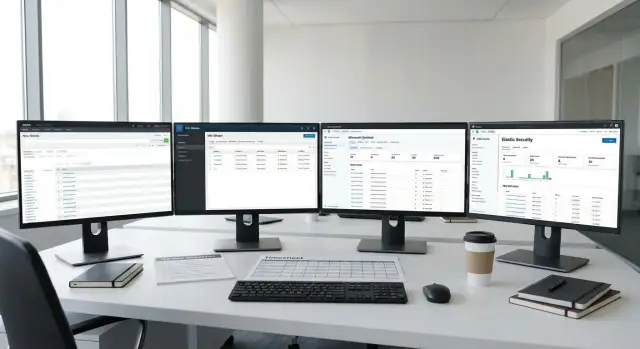
Why test on real logs, not a demo
Demos almost always look better than real life. Parsers are already tuned, events are neat, rules are ready and dashboards are pretty. In a production network logs arrive with gaps, varying timestamps, odd fields and noise. A pilot on your data quickly reveals what marketing usually glosses over: how much effort is required to clean logs and whether the platform fits your specific infrastructure.
A two‑week SIEM test should answer practical questions, not check “features in a vacuum.” In 14 days it’s important to understand which detections will actually work on your sources, which reports can be produced without manual magic, and how many hours your team will spend on daily work.
Put simply, a successful pilot means:
- Alert accuracy: fewer false positives, clear reasons, easy to add exclusions.
- Investigation speed: from alert to verdict in minutes, not half a day.
- Manageability: rules, parsing, updates and roles don’t require constant firefighting.
- Predictable effort: it’s clear who does what — InfoSec, IT, SOC or a contractor.
A short test has limits. You won’t cover every attack scenario, every source or all audit requirements in two weeks. The simple compensation: preselect 5–7 highest‑value log sources and 6–10 scenarios (for example, suspicious logins, admin tool execution, AD changes, perimeter anomalies) and complete those checks instead of stopping halfway.
For a large organization in Kazakhstan, such a pilot will quickly show how easy it is to collect events from workstations and servers and then turn them into understandable cases for InfoSec and reports for management.
What we compare in 2025 and under which conditions
To compare Splunk, IBM QRadar, Microsoft Sentinel and Elastic Security fairly, you must fix the same inputs first. Otherwise you are testing differences in configuration, access and data volume, not the SIEM. This is especially important for a two‑week test: time is short and any imbalance will skew conclusions.
Agree the pilot conditions before connecting the first source:
- Deployment model: cloud, on‑prem or hybrid (where logs are stored and who administers the infrastructure).
- Data window: the same period (for example, the last 14 days) and the same expected delivery delays.
- A unified set of sources and the same logging depth (audit, auth, endpoint, network).
- Access constraints: who can write rules, who sees raw events, who approves changes.
- Success criteria: what counts as “incident found,” “detection triggered,” or “report ready.”
Deployment model directly affects timelines. Cloud is often quicker to start, but access approvals, data export and retention requirements can take longer. On‑prem meets locality requirements more easily but needs prepared servers, storage and people to run it. Hybrid adds routing and channel protection work.
Licensing in 2025 should be compared using the same metrics. Record the minimum: total GB/day, events per second, number of sources and the share of “expensive” types (for example, verbose endpoint logs). Without this, the final cost will float depending on noise settings.
Limit functionality testing to what you can verify manually:
- Ingest and resilience (losses, delays, retries).
- Searching and tracing an incident across event chains.
- Correlations and alert quality (false positives, misses, explainability).
- Basic automation of response (at least one simple scenario).
- Reports for InfoSec and audit (same templates on all platforms).
If your organization uses Microsoft 365 and an AD domain, decide in advance whether those sources will be included in all options or only in Sentinel. Otherwise the result will favor the platform with native integrations. In integration projects this is usually fixed up front so the comparison stays vendor‑neutral.
Preparation in 1–2 days: goals, team, criteria
Pilot success is usually decided in the first 24 hours. If you start without clear expectations, a two‑week SIEM test becomes a checkbox exercise: sources are connected, but you can’t compare platforms meaningfully.
First, define 5–10 measurable goals you can verify on your real data. Examples: find VPN brute‑force attempts, detect suspicious processes on workstations, track privileged changes in AD, prepare an incident report for audit, and measure how long it takes to maintain correlations. Each goal should have a measurable result: a rule triggers, a report is produced, a case is closed within N minutes.
Assemble a small team and appoint one person responsible for the final report. A minimal team usually includes:
- InfoSec (owner of detection and reporting requirements).
- IT (owner of log sources and access).
- SIEM administrator (connectors, parsing, settings).
- SOC analyst (triage, alert validation).
- Infrastructure owner (approvals, maintenance windows, risk).
Prepare accesses and a secure handling outline. Decide whether logs are exported to an isolated test environment or sent through a protected channel, which fields must be masked (names, IPs, IDs), who can see raw events and how long data is retained.
Agree the evaluation criteria and result format upfront: a table by source, a list of implemented detections, investigation examples, reports and hours spent.
A 14‑day plan should be divided into clear stages with readiness markers:
- Days 1–2: connect 3–5 sources, check data quality.
- Days 3–6: basic detections and enrichment, test false positives.
- Days 7–10: investigations for cases, tuning prioritization.
- Days 11–12: reports and dashboards for InfoSec, IT and audit.
- Days 13–14: finalize metrics, conclusions and deployment recommendations.
If you don’t have a dedicated SOC, this prep is often done with an integrator. In Kazakhstan this is especially useful where public procurement and internal audit requirements exist: agreed reports should be specified up front; otherwise the platform comparison will drift.
Log sources: what to connect and how much to take
To make the two‑week SIEM test honest, connect the sources you actually use to investigate incidents, not just the “pretty” ones. Fewer systems with clear value and reliable delivery are better than many half‑working sources.
The minimal set usually covers access, malware activity and data exfiltration scenarios:
- AD and authentication logs (including privileged actions).
- VPN and remote access (successes, failures, geography, device).
- EDR/AV (detections, isolations, agent actions).
- Mail (phishing, attachments, forwarding, rules).
- Firewall and proxy or web gateway (allows, blocks, categories).
Then tailor the list by sector. Government bodies often prioritize domain infrastructure, endpoints and admin control. Finance adds transactional systems, online banking gateways and access logs to core banking systems. Healthcare prioritizes HIS events and access to personal data; education deals with many accounts and cloud portals.
For volume: take at least 7–14 days and be sure to include peaks (Monday, reporting days, mass updates). If data volume is too large, it’s better to capture 100% of logs from 10–20 critical systems than 5% sampled from everything. Also note the share of root systems: domain controllers, border devices and database servers.
Agree on anonymization before export: user names, addresses, document numbers and mail contents. Hashing identifiers and removing sensitive fields while preserving event types and relationships is often sufficient.
To avoid later disputes about “why it didn’t trigger,” document completeness up front:
- list of systems and owners;
- expected event types per system;
- planned EPS or GB/day and actual values;
- filtering rules (what was dropped and why);
- delivery delay window (norm and maximum).
This way the pilot shows the real picture: where data exists, where it’s missing and how much it costs to bring sources to a state usable for detections.
Data quality: parsing, normalization, noise
If data is “messy,” any SIEM will underperform. Include a data quality metric in the two‑week test and measure it as strictly as search speed or the number of working detections.
The first thing that breaks a comparison is time. Check that all sources use one timezone or at least explicitly state it. A common issue is clock drift on servers and network devices: events jump forward and back, making 5–10 minute correlation windows meaningless. Agree on a timestamp format and allowable deviation for the pilot.
Next: parsing and fields. In practice it matters less how many events arrived than how reliably you can extract user, host, IP, action and result. If one source stores the user in field user, another in accountName and a third embeds it in a string, detections will behave differently. That becomes a data‑parsing problem, not a platform issue.
Minimum data quality checks
Do a short verification run and note:
- whether event time and order match the source;
- whether mandatory fields (user/host/src_ip/action/result) appear in 80–90% of events;
- number of parsing errors and raw unstructured lines;
- percentage of duplicates (for example, duplicate delivery via agent and syslog);
- share of noise (service events, repeated successful logins in bulk).
Cut noise carefully: don’t drop all successful events, but throttle frequency, group identical events and exclude obvious service accounts. In environments with many servers the same record can appear hundreds of times per minute and consume limits.
Normalization makes identical events look the same across sources and platforms: consistent fields for IPs and accounts, unified action names, readable result codes. Set a criterion: how long it took to achieve comparable “event cards” in Splunk, QRadar, Sentinel and Elastic.
Correlations and detections: minimal set for comparison
A fair SIEM comparison requires the same scenarios on all platforms. In two weeks you can realistically build 10–20 basic detections, but it’s more important to pick cases that actually occur in your logs and are understandable to InfoSec and IT.
Start with a skeleton of five scenarios and add others as data becomes available:
- Brute force against VPN/AD followed by a successful login.
- Suspicious login (unusual time, new host, rare user).
- Privilege escalation on Windows (addition to admin groups, service creation).
- Lateral movement (RDP/SMB/WMI between workstations and servers).
- Changes to key settings: audit policy changes, disabling protections.
Decide whether you’ll implement correlation rules or behavioral models. Rules are usually faster: you explicitly set conditions, time windows and exclusions. Behavioral models can find more, but in two weeks they often suffer from warm‑up, baseline issues and explainability challenges for the team.
Measure detection quality with consistent metrics, not impressions. Three metrics are usually enough: number of false positives, misses (against known incidents or test events) and how understandable the alert is to the on‑call analyst.
Agree on what makes a “good alert”:
- It’s clear what happened and why it matters.
- The source events and chain are visible (who, where, when).
- Context is included (host, user, source, frequency).
- Simple verification steps for L1/L2 are provided.
Document each detection the same way: input sources and fields, logic (conditions and window), expected result and examples of “good” and “noisy” triggers. Then the comparison of Splunk, QRadar, Sentinel and Elastic is about outcomes, not where rule editing is more convenient.
Reports and dashboards: what InfoSec, IT and audit will ask for
If the pilot only checks “does it find incidents,” you can miss the central question: can different roles answer their everyday questions quickly? Allocate time for reports and dashboards in the two‑week test — decisions are often made based on these.
InfoSec usually needs a minimal set of screens showing risk at a glance without manual data assembly. A few dashboards are enough: risk overview, top incidents and causes, noise sources, log coverage and time to respond (even if in test mode).
Also prepare a short 1–2 page executive report. It should be readable without SIEM jargon: how many incidents, how many confirmed, where growth is happening and what changed after adding new sources. A good sign is that metrics are calculated automatically and charts don’t break when log volume changes.
IT cares about integration quality rather than “what was attacked.” Check for reports on source availability, delivery delays, parsing errors and the share of events with empty fields. This quickly highlights where the problem is: the agent, the network or normalization.
Audit looks for controls and evidence. In the pilot ask simple questions: what is the retention period, how is immutability ensured, who performed which actions in the system, and can admin action logs be exported. For organisations with locality requirements it’s important to know where data is physically stored and how that is documented.
Compare report convenience fairly: how fast to assemble a cross‑source report, is scheduling and export available, which formats are supported and does the report keep a consistent layout when rules or fields change.
Effort and operations: how to fairly count hours
To be fair, track not only “did it work,” but how many hours were spent on identical tasks. For a two‑week test it’s helpful to keep a simple timesheet: task, performer, start, finish and blockers.
Break work into blocks so effort doesn’t disappear into email and manual edits:
- Connecting sources: access, agents/connectors, delivery checks.
- Parsing and normalization: fields, timezone, duplicates, noise.
- Detections: correlation rules, thresholds, exclusions, alerts.
- Reports and dashboards: metrics, exports for InfoSec and audit.
- Operations: updates, backups, queue monitoring, storage and growth.
Then estimate who is actually needed. Pilots often burn not the SIEM engineer but adjacent specialists: a Windows admin for logs and policies, a Linux admin for syslog, a network engineer for mirroring/NetFlow and a SOC analyst for validation. If these people aren’t scheduled for the pilot, you’ll get a pretty showcase, not a repeatable process.
Measure time on typical tasks, not rare incidents. Ask the team to run identical scenarios and record time:
- Find all logins to a VIP account in 24 hours and explain the spike.
- Investigate one suspicious alert to a verdict and recommendation.
- Create a new rule and tune it to an acceptable false positive level.
- Configure an alert with clear text and ticket fields.
Also plan for post‑pilot operation: who monitors disk usage, how often connectors are updated, where backups are stored and who checks logs overnight. In practice most ongoing cost is in regular checks and tuning, not the initial connection.
At the end, summarise hours over 14 days by block and role, then project 3–12 months of work (daily checks, weekly reports, monthly source and rule changes). That becomes the total cost of ownership, not just the license price.
Example test: how it looks in a real organisation
Imagine a typical company with 800–2,000 users: two sites (head office and branch), some services in the cloud and some on‑prem. There is AD, Microsoft 365 (mail and SharePoint), VPN for remote work, firewalls, EDR on endpoints, several critical servers (1С, file, terminal) and one or two databases.
At the start the team defines the two‑week scope: which logs to take, which cases to test and how to measure success. The pilot objective is measurable: 12 detections (baseline attacks and violations), 6 dashboards (SOC, IT and executives), 4 reports (audit, compliance, incidents) and a clear SLA on response time.
One pilot incident might look like this:
- 09:10: SIEM receives an alert — a suspicious series of failed AD logins plus a successful VPN login from a new IP.
- 09:15: analyst checks context: user, device, geography, time and related events in M365.
- 09:25: EDR is queried: any PowerShell runs, downloads or LSASS access?
- 09:40: escalate to IT: temporary account lock, password reset, terminate VPN session.
- 10:10: close with a conclusion: false positive (business travel) or confirmed (credential stuffing), plus recommendations (MFA, conditional access).
Acceptable results are usually: detection precision 70–80% or better (more useful hits than false positives), time from event to clear triage within 20–30 minutes, and daily pilot team load no more than 1–2 hours for connector maintenance and parsing fixes. If stable operation requires constant manual tweaks and log fires, that’s a major signal for platform choice and deployment model.
Common pilot mistakes and how to avoid them
The top reason a pilot “fails” isn’t Splunk, QRadar, Sentinel or Elastic — it’s how the experiment was set up. Treat a two‑week SIEM test as a measurement, not a demo.
Mistake 1: comparing on different data
Sometimes one platform is connected to AD and VPN while another only gets the firewall. The result is predictable: “the second is worse,” though it simply lacked inputs. Lock the same sources and period in advance. If a source can’t be connected, record that as a limitation, not a product minus.
Mistake 2: chasing alert volume
Many alerts don’t equal better protection. What matters is whether the alert is explainable: which events contributed, why the rule fired, what to do next and how often it’s a false positive.
Evaluate detections by simple criteria:
- clear reason and verification steps;
- repeatability on the same data;
- false positive share per day;
- time from event to alert;
- how easy it is to adjust the rule for your environment.
Mistake 3: not tracking effort and arguing impressions
Without time logs, discussion quickly becomes “it felt faster.” Keep a short diary of who did what and how long connecting, parsing, rule work, reports and investigations took.
Mistake 4: blaming the platform when the problem is the logs
If logs lack fields, time jumps or some events are missing, the platform won’t fix that. Separately document what arrived, what parsed, what normalized and what was garbage.
Mistake 5: mixing pilot and implementation
A pilot should end with a decision “fit or not” and a list of follow‑ups. Trying to complete a full production deployment in 2 weeks burns the team and blurs results.
Example: a bank ran a SIEM pilot and simultaneously asked to “do everything for audit.” It would have been better to limit scope: 5 sources, 8 detections, 3 reports, and move the rest into a funded implementation plan.
Quick checklist and next steps after the test
To get an honest answer from a two‑week SIEM test, record expectations and facts in one place. Then the argument “the platform is bad” becomes a clear list: missing data, missing time, or a product mismatch.
Start checklist (day 0–1)
Before connecting logs, agree on the minimums that make comparison fair:
- Test goal: what you want to prove (reduce response time, meet audit, visibility for AD/mail/cloud).
- Sources and volume: which systems must be in the pilot and which period to take (e.g. 7–14 days).
- Detection set: 10–15 scenarios identical across Splunk, QRadar, Sentinel and Elastic (phishing, suspicious login, lateral movement).
- Report format: 3–5 reports that InfoSec, IT and audit will actually read.
- Roles and hours: who sets up connectors, who confirms incidents and who writes the final report.
Checkpoints (day 7 and day 14)
By midtest don’t add more sources — verify data quality: parsing, normalization, noise and initial findings. If by day 7 you don’t have 2–3 working correlations and a draft report, revisit the plan.
By day 14 produce a 5–10 page document: test conditions, connected sources, working detections, issues and causes, effort in hours, risks and a comparative table by criteria (data, detections, reports, total cost of ownership, infrastructure needs).
Next steps are usually either an extended turnkey pilot or a staged implementation. If you need help choosing a platform and integrating it, work with a systems integrator. For example, GSE.kz (gse.kz) as a local IT vendor and integrator can cover infrastructure (servers, workstations), integrations and 24/7 support across the country — so transitioning from pilot to production isn’t a new project from scratch.
Frequently asked questions
Why run a SIEM pilot on our own logs rather than on a demo instance?
Because demo environments usually have parsers, fields and dashboards already polished, while your network will have gaps, mixed time formats, duplicates and noise. A test on your real logs quickly shows two things: how much work is needed to clean the data and whether detections will reliably run on your sources.
What scope of work can you realistically complete in a 14‑day SIEM pilot?
Pick the 5–7 most important sources and 6–10 scenarios that actually occur in your environment and complete them to a working result. If you spread effort across dozens of systems, you won’t have time to ensure data quality, and the platform comparison will be based on impressions rather than facts.
Which log sources should be prioritized for the pilot?
At minimum, connect AD/authentication logs, VPN or remote access, EDR/antivirus, mail and the perimeter (firewall, proxy or web gateway). This gives visibility into logins, attempts to persist, suspicious workstation activity and border traffic.
How many days of logs should we take and what if there’s too much data?
Agree on a single period, for example the last 14 days, and be sure to include peak days like Monday or mass update windows. If volume is too high, it’s better to take the full stream from the most critical systems than a small sample of everything — that makes detections and investigations easier to validate.
How quickly can we test data quality (time, parsing, duplicates)?
First check timestamps and timezones, otherwise events will ‘jump’ and correlations will fail. Then verify that key fields (user, host, IP, action, result) are extracted in most events and measure the share of unparsed lines and duplicates — without that, comparing SIEMs isn’t fair.
How do you make a fair comparison of Splunk, QRadar, Sentinel and Elastic?
Lock the same inputs before you connect the first source: deployment model, data period, source list, access rights and success criteria. Otherwise you’ll compare Splunk, QRadar, Sentinel and Elastic against different conditions, not against each other.
What metrics are needed to compare licensing and cost correctly?
Use common metrics: GB per day or EPS, number of sources and the share of ‘expensive’ log types such as detailed endpoint events. If you don’t agree these numbers up front, costs will vary depending on how much noise you keep and how deep you log.
Which detections should be used as a minimal comparison set?
Use the same basic scenarios on all platforms that are actually visible in your logs: brute force and successful login, suspicious logins, AD privilege changes, lateral movement, and disabling protections. Focus on false positive rate, clarity of the alert and how quickly the analyst can reach a verdict, not on alert count.
Which reports and dashboards must be checked for InfoSec, IT and audit?
InfoSec needs dashboards that show risk without manual aggregation; IT wants reports on source availability, delivery delays and parsing errors; audit needs verifiable controls: retention, immutability and admin action logs. In the pilot, verify that reports stay stable when log volume changes and don’t break due to field changes.
How to calculate effort and what to do right after the pilot?
Keep a simple time log by task and role: connecting sources, parsing and normalization, creating detections, reports, and daily operations. The pilot result should be a table of hours by role and a list of issues to fix before full deployment; this can be done with a systems integrator to plan infrastructure, access and support.
