8 min read
Two-Factor Authentication for Employees: An Implementation Plan
Step-by-step plan to roll out two-factor authentication for employees: choosing methods, support during the first weeks, and backup procedures without downtime.
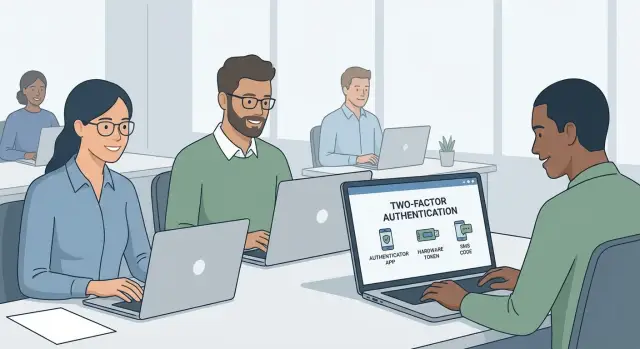
Why 2FA for everyone and what can go wrong
Two-factor authentication (2FA) addresses a simple problem: passwords can almost always be stolen or guessed. Phishing emails, password database leaks, and the habit of reusing passwords across services are the most common causes of workplace account compromises.
2FA adds a second sign-in step (a code in an app, confirmation on a device, or a hardware key). That is often enough to stop an attack even if the password is known. It’s especially important to protect email, VPN and admin panels: those give attackers the quickest path to messages, files and internal systems.
The point of rollout isn’t to "make life harder" but to reduce risk without interrupting work. So the key success criterion is simple: employees must be able to access email, VPN, ERP/CRM, accounting, internal portals, service desk and cloud documents without pauses.
The problems are usually the same: some people don’t have a smartphone (or it doesn’t meet requirements), connectivity is unstable in a region, an employee replaces their phone and loses access to the authenticator app, someone is on a business trip and left the token at the office, a new hire must start "today" but hasn’t been given a 2FA method. If you don’t plan for these scenarios in advance, you’ll end up with a support queue and downtime in key processes.
Rollouts typically happen in waves: a pilot with a small group, then mandatory connection by roles and systems. Support load almost always rises in the first days, so prepare instructions, response templates and a clear access recovery process beforehand.
Success is conveniently measured with simple metrics: share of connected users by department, number of blocked login attempts, number of 2FA support requests and average recovery time. If recovery takes minutes rather than hours, the business barely notices the change.
Defining scope: systems, roles and priorities
To avoid chaos, first record where 2FA actually protects the business and who will be affected first. Start with systems that provide frequent access to data and control.
The first wave usually includes 2FA where risk and impact are highest: corporate email and collaboration accounts, VPN and remote access, admin consoles for critical services (ERP/CRM, accounting, HR), cloud/virtualization/backup management panels, and access to financial operations and payment systems.
Next, divide users into clear groups and assess constraints for each. Office employees can usually rely on an authenticator app. Remote and branch staff more often face connectivity issues, number changes, personal phones and time zone differences. Contractors usually need limited access for a short time.
Separate privileged accounts: administrators, subscription owners and anyone who can create users or change permissions. For them the rules are stricter: 2FA without exceptions, separate accounts for admin tasks, and no shared logins for teams.
Replace shared accounts and service accounts where possible. Convert shared logins to personal access, and move service accounts to keys/certificates and role-based access. If exceptions are unavoidable (old equipment or a shop floor terminal), treat them as temporary: record reason, owner, review date and compensating controls (IP restrictions, minimal privileges, login monitoring).
A rough guideline: a company with branches enables 2FA first for email, VPN and admin consoles, then expands to other systems. Admins get the strictest rules immediately, and remote workers get an alternative method and a clear recovery procedure in advance.
Choosing methods: app, token or SMS
Choose 2FA by working conditions, not by trend. If the second factor is inconvenient, people will try to bypass it: leave phones at the security desk, ask colleagues to "log in for me", delay updates and lose access at the worst moment.
An authenticator app usually offers the best balance. Codes work even without connectivity and often without internet — important in plants, basements, server rooms and on trips. But check in advance whether everyone has a smartphone, whether apps can be installed under security rules, and what to do for staff with managed corporate phones.
Hardware tokens are useful where smartphones are prohibited or impractical: certain production zones, medical facilities with strict rules, reception desks, and rotating crews. Practical downsides: tokens must be issued and tracked, you need spares, block quickly when lost and decide where to keep backups for night shifts. A good readiness sign is being able to replace a token within 15 minutes following a clear procedure.
Treat SMS as a temporary or backup option, not the primary method. Messages depend on coverage, roaming and network load, and there’s risk of SIM swap attacks. SMS can be justified during a transition when you need to enable 2FA quickly but distributing tokens or setting apps will take time.
In practice a combined scheme often wins: one primary method, one backup and recovery codes for emergencies.
How to choose by groups
A typical breakdown looks like:
- Office and remote: authenticator app as primary, recovery codes per company rules.
- Production and warehouse: hardware token as primary, app as backup if smartphones are allowed.
- Healthcare and front-office: token, because phones are often impractical and shifts rotate.
- Field workers: app with offline codes, plus a pre-assigned backup method in case of phone loss.
If you have branches, it makes sense to start with the app in offices and provision tokens for shift-based posts in regions, with clear tracking: who was issued a token, where spares are stored, and who can replace tokens outside business hours.
2FA policy: simple rules people actually follow
The policy should answer three questions: who is required, when and for which systems. The fewer ambiguities, the fewer requests like "remove 2FA, I can’t work."
Minimum rules
Start with a short standard that applies to staff, new hires and contractors equally. Create new accounts with 2FA enabled, and set a date for existing users to enable it in waves.
Keep the rules to a few points people will actually read:
- Mandatory: 2FA enabled for email, VPN, cloud services, admin panels and systems containing personal or financial data.
- Consistent approach: contractors get separate accounts with minimal privileges and the same 2FA requirement; avoid "temporary exceptions for a month."
- Passwords: long passphrases, ban reuse and ban shared passwords for departments.
- Remember device: allowed only on managed corporate laptops and only for low-risk services; forbidden on shared PCs, kiosks, terminals and for admin access.
- Deadlines: exact date and time for mandatory enablement, plus a window of boosted support.
Exceptions and convenience
Exceptions should be rare and documented: who approved, for how long, and what compensating controls apply (for example, access only from the corporate network). For travel and shift work define procedures for number changes, lack of connectivity or a drained battery. There must be a backup method (recovery codes or hardware token) and a clear identity verification process.
Simple rule: if a requirement is hard to meet during a normal workday, people will violate it or ask to remove it. Fix the process, don’t just increase strictness.
Preparation before launch: device inventory, connectivity and roles
Before making 2FA mandatory, accept one fact: people have different devices, connectivity and roles. If you ignore that, the launch becomes a series of lockouts and emergency "unblocks."
Do a short inventory: who has a corporate smartphone, who uses personal phones, and who has no smartphone at all (warehouse, security, rotating staff). These groups usually need different methods: apps need a smartphone, tokens can be issued without a phone, SMS depends on network.
Also check communication channels. Coverage may be unstable in regions, some staff use roaming, and SMS can be delayed. If you see risks, don’t make SMS the only option.
For hardware tokens set up asset tracking like you do for keys. Assign responsible persons for issuance and custody, define loss and replacement procedures, and decide how many spares to hold.
Prepare communications in advance:
- a short "how to enable 2FA" guide for each method
- an email with dates and answers to FAQs
- a short announcement template for managers
- rules for what to do when changing phone or number
Run a pilot before mass enablement: a small group across roles (office, branch, IT, accounting). This exposes real issues before the general launch and lets you refine steps without stress.
Step-by-step rollout: pilot, waves, enforcement
Turning on 2FA for everyone at once will almost certainly cause a wave of requests and downtime. Safer: test with a pilot, then enable departments in waves and only later block sign-ins without 2FA.
Pilot first, then expand
Start with 20–50 people from diverse roles: office, branch, remote, accounting, managers and 1–2 admins. Include people who frequently change devices and those with connectivity problems.
Provide the pilot with minimal materials: a short guide, rules for phone changes and a single channel for problems. After a week collect feedback and refine wording. Most questions are about transferring an authenticator app and logging in while traveling.
Enable in waves and reinforce rules
Then onboard users by waves so support can keep up. A practical pace is 1–2 departments per week, with a clear date for each.
Make 2FA mandatory earlier for admins and privileged roles, for remote access (VPN, email, cloud services), and for financial and HR systems.
Manage enforcement calmly: short reminders, a list of non-enrolled users and help with setup. Use a tone of "let us help you finish setup" rather than "do it now or be penalized."
The final step is a universal cutoff date after which sign-in without 2FA is blocked. For branches, set a single deadline but run waves by region beforehand so everyone has methods and backups ready by the deadline.
Support at launch: how to reduce the flood of requests
The first days after enabling 2FA almost always bring a surge of support requests. People change phones, forget PINs, suffer poor reception or leave tokens at home. Support’s job is to help quickly and consistently so 2FA doesn’t cause downtime.
Prepare one-page guides for each method: authenticator app, hardware token and SMS. Each guide should include the same blocks: how to enable, where to get the QR/secret, how to enter the first code, how to fix time-sync errors and where to contact for help.
A first-line script stops piecemeal information gathering:
- Which system and when did the error occur (email, VPN, portals, Windows login)?
- Which 2FA method is enabled (app, token, SMS) and are recovery codes available?
- Is the error at the password stage or one-time code stage?
- Is the phone new or old; is there access to the previous device or the number?
- Is there connectivity: internet, SMS, corporate network/roaming?
For 1–2 weeks after launch schedule heightened availability: an on-call admin, reinforced first-line support and a fast escalation path to those who can reset 2FA or issue temporary access. If branches span time zones, distribute shifts so "Monday morning" doesn’t hit everyone at once.
Communications prevent half the requests if done on schedule:
- 3–5 days before: what changes, when, which methods are available and how long setup takes.
- On launch day: a short checklist "what to do now" and where to report issues.
- 2–3 days later: FAQs (phone change, lost token, no network) and a reminder about recovery codes.
Prepare canned responses for common cases: "changed phone — use a recovery code then bind the new phone", "lost token — block and issue a new one", "no network — use a recovery code or alternative method per policy."
Recovery procedures: restore access without downtime
2FA fails not because of technology but because of life: battery dies, token is lost, number changed, employee is traveling. To avoid 2FA stopping work, plan recovery procedures before making 2FA mandatory.
Start with recovery codes. They are issued once at setup and explained as the "last rescue option." Store them not in email or notes on the same phone, but in a corporate password manager or in a sealed envelope in a safe held by a responsible person. Rotate codes on phone change, suspected leakage and periodically (for example every 6–12 months).
When someone reports a lost phone/token, speed is less important than identity verification. A short procedure with timelines helps: temporary access for a limited time (e.g., a shift), followed by mandatory re-binding of 2FA.
Steps for lost second factor
The same scenario should work for offices and branches:
- Employee contacts support via approved channel (corporate phone, ticket, in-person verification).
- Support verifies identity using 2–3 factors (ID, manager call, HR control question).
- Temporary access is granted with restrictions (basic systems only, no changes to credentials, short expiry).
- A backup method is enabled or one-time codes are issued.
- After primary method is restored, temporary access is revoked and actions are audited.
Assign a backup method in advance for key employees: shift leads, accounting, admins and those who travel between sites.
Emergency access for critical roles
Admins and on-call staff need a "break glass" account: a separate account available only under strict rules, with mandatory logging and post-use review. Predefine who can reset 2FA and split roles: one person verifies identity, another performs the reset. Log all actions (who, when, for whom, and why) so you can review later.
Common mistakes when rolling out 2FA
Failures are usually not technical but stem from making work inconvenient. If 2FA prevents access to email, CRM or VPN, staff will look for workarounds or flood support.
Mistakes that break the rollout
- Enabling 2FA for everyone at once without a pilot or wave plan. Problems surface day one across hundreds of users.
- Issuing hardware tokens without tracking: no token ID, owner, issue date or custodian. Tokens then "wander," get lost and investigations take hours.
- Making SMS the only permanent method. SMS can fail due to roaming, poor signal or SIM replacement and is easier to intercept than an app code.
- Failing to plan for staff without smartphones or with restrictions (no cameras, managed phones without app stores, rotating shifts).
- Resetting 2FA without proper identity checks. If recovery is possible "over the phone," attackers will try it too.
What to prepare in advance
Most often what’s missing is simple: short guides and reinforced support in the first days. Prepare a clear leaflet for each method (app, token, recovery codes) and schedule a support boost at launch.
A typical failure: 2FA turned on Monday morning, but some shop floor staff have no smartphones. They can’t log in, production stalls and a manager demands 2FA be disabled. Avoid this by listing such roles in advance, issuing tokens under signature and running a pilot.
If many requests come after rollout, that signals not "people failed" but that scenarios weren’t covered: device loss, number change, travel, lack of connectivity and a quick secure reset.
Quick checklist before making 2FA mandatory
Before enforcing 2FA, ensure you’re not trapping people. The goal is simple: even if an employee’s phone battery dies or a token is lost, work should continue.
Record readiness (ready/not ready) in one place, especially for wave rollouts:
- A 2FA method chosen for each user group: authenticator app for office staff, hardware token for those without smartphones, SMS only as a temporary option where nothing else will start quickly.
- Short guides prepared: how to enable 2FA, how to replace a phone, what to do when the number changes. Support scripts and message templates are ready.
- Responsible persons assigned: who issues and tracks tokens, who verifies identity for recovery, who can approve exceptions and for how long.
- Recovery procedures in place: recovery codes issued and verified, a backup method assigned, clear storage rules for codes (e.g., print and keep in a safe rather than save in phone notes).
- Support readiness checked: hours of boosted availability, priority for critical roles (accounting, cash desk, on-call staff), and agreement on SLAs for closing requests.
One more checkbox — the pilot. It must run with real users, not only IT: at least 1–2 people from each department. Address typical issues (no SMS, QR not scanned, no connectivity in a plant, lost old phone) before a full launch.
Final item — the mandatory enablement date and communications approved. Employees should know in advance what will change, where to find guides and where to report lost access.
Example scenario: rolling out 2FA in a company with branches
Company with 600 employees: head office and several branches. About half use smartphones (personal or corporate), while others work at rotating positions (warehouse, reception, production) where not everyone has a phone. The goal is to enable 2FA without stopping work.
The approach was group-based. For office teams with smartphones the primary method is an authenticator app: fast, less dependent on connectivity and lower organizational cost. For rotating roles and staff without smartphones issues, use hardware tokens stored near the workplace and tracked as corporate devices. SMS remained a temporary backup for a transition period (2–4 weeks) so people aren’t blocked while receiving tokens or setting up apps.
Rollout plan:
- Pilot: accounting and IT (they usually have the most accesses and higher risk).
- Wave 1: office departments with smartphones.
- Wave 2: branches and shift schedules, issuance and tracking of tokens.
- Wave 3: remaining exceptions and disabling SMS as a primary method.
Before launch they prepared recovery codes, a reset procedure with identity verification and a window of boosted support for each wave’s first days. During this window support responds faster using templates, and managers know their contact persons.
Expected result: fewer password-related incidents (phishing, reuse), less chaos when devices are lost, and a predictable support load thanks to a pilot and waves rather than a one-day "everyone" launch.
Next steps: stabilize the process and scale
After the first successful rollout, stabilize the process: 2FA is reliable only when rules, an owner and periodic checks ensure users don’t get stuck.
Start by mapping systems, who uses them and criticality. In practice you’ll end up with different schemes per group. For example, office users use an authenticator app, while admins and those with financial access get tokens and stricter recovery rules.
Plan for the next 2–4 weeks
Create a short action plan and make it mandatory for all new enrollments:
- List systems and roles, assign priorities by risk and criticality.
- Run a pilot with one team and bring support and recovery to a predictable level.
- Plan procurement and tracking of hardware tokens where needed (who issues, how it’s recorded, what to do on loss).
- Document recovery scenarios: temporary access, recovery codes, identity verification.
- Scale by waves, not everyone at once.
After the pilot, identify frequent stumbling blocks. For example, a branch where some staff lack corporate smartphones — solution: issue tokens for that group and a tested replacement procedure.
Process owner and metrics for 1–3 months
Assign an owner (usually InfoSec or IT) and agree on success metrics:
- share of users with 2FA enabled per system
- number of support requests per 100 users
- average recovery time
- share of incidents due to device loss or number change
If you lack resources for integration, infrastructure or 24/7 support, consider engaging an external team. For example, GSE.kz (gse.kz) as a system integrator can cover parts of rollout and support and help with infrastructure for corporate IT systems.
Frequently asked questions
Why require 2FA for all employees if we already have strong passwords?
2FA is necessary because a single password can be stolen via phishing, leaks and reuse. The second factor often stops an attack even when the password is already known to an attacker.
Which systems should be protected by 2FA first?
Start with email, VPN/remote access and admin panels — these are usually the fastest routes to data and control. Then roll out to financial, HR and other key internal systems in waves so support can keep up.
What to choose: app, hardware token or SMS?
By default choose an authenticator app: it’s convenient and codes work even without stable connectivity. Use hardware tokens for areas and roles where phones are prohibited or impractical, and keep SMS as a temporary or backup option.
Can we use SMS-only to make it easier?
SMS should not be the primary long-term method because it depends on coverage, roaming and can be vulnerable to SIM attacks. SMS is suitable for a quick temporary rollout, but you should prepare apps or tokens in parallel.
What about employees who don’t have a smartphone or can’t install apps?
Provide hardware tokens to this group or arrange access via a controlled workstation with a predefined issuance and replacement process. Solve these cases before forcing 2FA on everyone, otherwise people simply won’t be able to log in.
What if an employee loses their phone or token and cannot sign in?
The fastest and safest way is to have pre-issued recovery codes or a backup method, followed by an identity verification process. After recovery, immediately bind the new primary factor and close the temporary access to avoid leaving gaps.
How to roll out 2FA without overwhelming support?
Don’t turn on 2FA for everyone on the same day: start with a pilot, then roll out departments in waves and provide boosted support during the initial days of each wave. Short pre-made instructions and a single recovery procedure typically reduce support requests many times over.
Can we enable "remember device" so codes are required less often?
Allow "remember device" only on managed corporate laptops and for low-risk services. For admin access, shared PCs, kiosks and terminals it’s better to forbid remembering the device — otherwise convenience becomes a persistent risk.
How to handle 2FA for contractors and temporary staff?
Give contractors separate accounts with minimal privileges and the same 2FA requirement as staff. Set an expiration for their access and a clear procedure to disable the account, so you don’t end up with permanent external logins.
Which metrics show a successful 2FA rollout?
Track the share of users who enabled 2FA per system and department, number of support requests per 100 users, average recovery time, and the share of incidents caused by device loss or number changes. A good sign is recovery measured in minutes rather than hours — then the business barely notices the change.
