7 min read
Training and Permit Matrix: Course Registry and Work Authorizations
The Training and Permit Matrix keeps courses, medical checks and work authorizations organized. We explain its structure, steps to build it and an example of blocking a shift assignment.
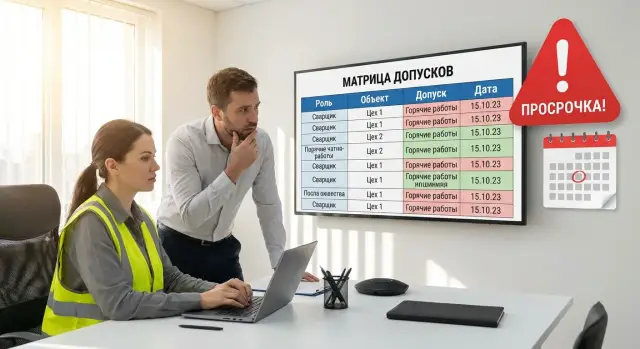
Why you need the training and permit matrix and what it should prevent
The training and permit matrix exists so you can quickly answer two questions at any time: who is authorized to perform a specific job at a specific site, and which employees have permits that are expired or about to expire. Without such a solution people rely on trust, old printouts and memory. Problems surface only after an incident or an inspection.
The main things the matrix must prevent are: someone starting work without a valid permit, assigning the wrong role for a hazardous operation, allowing work on a site without the necessary medical exam, and a shift supervisor learning about an expiry only at the gate. This is not bureaucracy—it's risk reduction and clear rules for everyone.
Excel tables usually break down as roles, sites and work types grow. File copies and different versions appear, manual edits happen, formulas get forgotten and informal exceptions like “let them work today, we’ll sort it later” start to multiply. The more sites and contractors, the faster you lose a single source of truth.
A shift supervisor needs to see in a minute: whether a person can be assigned to this shift and job (yes or no), exactly what’s missing (a course, a briefing, a medical exam, a site permit), when the nearest requirement expires and who is responsible for renewal, and whether there are temporary restrictions or bans.
Often the needed data already exists, just owned by different people. HR holds positions and actual roles, H&S holds briefings and certificates, medical services hold medical exams and restrictions, and contractors keep their own training protocols and permits. The matrix pulls this together into a single, clear "readiness passport" by role and site.
Basic terms: roles, sites, works and permits
To make the matrix work you must agree on the terms. Otherwise you end up with a single vague row that nobody can maintain.
A role and an employee are not the same. A role (position, function) describes requirements: what a person must be able to do and which permits they must hold. An employee is a specific person with personal dates for courses, medical exams and checks. One employee can temporarily cover multiple roles (for example, “electrician” and “shift lead”), and requirements for those roles can differ.
Do not confuse a site (facility, workshop, zone) with a type of work. The site answers “where”, the work answers “what”. For example, a maintenance fitter may work on two sites, but a permit for working at height may be required only at one of them because of the equipment layout.
To avoid confusion, separate the entities:
- Competency: what the person must know and be able to do.
- Course/training: how the competency is formed.
- Knowledge check: how the competency is confirmed.
- Permit: the official authorization to perform a specific type of work under set conditions.
- Medical exam: medical confirmation of fitness for work according to specific factors.
Each requirement should have a validity period and a simple status. Usually “valid”, “in progress”, “expired” is enough. Keep the expiry date and the next check date visible so you can plan renewals, not only react to expiries.
The rule “no permit — no shift” should live not only in an order. It should be embedded in the assignment logic: in the supervisor/dispatcher regulation and in the system where shift tasks are created. The system also records which statuses block assignment and which allow work with limitations (for example, “in progress” until a specified date).
Reference lists to prepare before the matrix
The matrix starts not with a table but with reference lists. If they are missing you will argue monthly about how a role is named, what counts as a site, and which document proves a permit.
1) Roles and typical tasks per role
Record roles as they actually exist in shifts: “electrician”, “boiler operator”, “forklift driver”, “instrumentation engineer”. For each role list 5–10 typical tasks (works) the person performs. Distinguish between a position on the org chart and a role in operations: one position can cover two roles, which changes the requirements.
2) Sites, zones and access regimes
Create a single list of sites and zones that have special requirements: workshops, warehouses, server rooms, labs, height areas, vehicle movement zones, restricted rooms. Don’t leave this “in the site manager’s head.” For the matrix you need clear names, zone boundaries and a note on what makes a zone special—e.g. “only with an escort” or “requires height-work permit.”
3) Catalog of courses and knowledge checks
Collect the list of mandatory courses and knowledge checks recognized by the company. For each item specify: title, applicable roles/works, validity period, what counts as confirmation (certificate, protocol, log entry) and who owns the process (HR, H&S, training center). Remove duplicates where different names mean the same thing.
4) Medical exams and restrictions by work type
Link medical exams not only to roles but to work types: night shifts, work at height, underground work, vehicle operation, exposure to hazards. The reference should include exam type, frequency, key restrictions and actions on restriction (for example, “allowed excluding height work”).
5) Catalog of permit documents
Describe which documents confirm the right to work: certificates, commission protocols, permit orders, work permits, internship notes. For each document require at least: number, issue date, expiry date, issuer, what it covers (course, medical exam, work type, site) and where the original/scan is stored.
When the reference lists are ready and agreed, the matrix becomes a mechanism: role + site + work pulls the list of requirements automatically instead of recreating them for each case.
How to link requirements to roles and sites
The link “role + site” is needed so requirements are precise. The same role may operate on different sites under different conditions and risks. If you keep requirements only by position you will either overload people with unnecessary courses or miss a critical permit.
Start with a map of works: what the role actually does
Describe not “what the person’s title is” but “which works they perform.” Then add mandatory permits and checks to each work. Start with critical works: working at height, electrical installations, crane operations, hot work, confined space entry.
The working logic is simple:
- Role → list of works (ordinary and critical)
- Work → requirements (training, knowledge check, medical exam, document)
- Site → additional conditions (regime, zones, contractor access specifics)
- Result → the set of requirements for assigning to a specific site and work
Example: an electrician in an office maintains UPS and outlet groups. On a production site the job list may add electrical installation work, access to switchrooms and sometimes work at height. The base requirements remain, but the site adds extensions.
Permit levels and rules for exceptions
To avoid many unique cases set permit levels: basic (for routine works), extended (for critical works), temporary (for transfers or internships), one-off (for a specific task and date). Record temporary and one-off permits as separate entries with reason, expiry and owner—not as a free-text comment.
Predefine who approves requirements:
- H&S — occupational safety and critical work requirements.
- Site manager — local conditions and zone access.
- Security service — controlled zones and contractor access.
- Medical service (or a responsible person) — medical exams and restrictions.
This prevents conflicting requirements and makes rules additive and predictable.
Step-by-step: how to build the competency and permit registry
The registry must answer two questions: what is required for a role, and can a person perform the job at a given site today. A good matrix is built from real works and risks, not from a course list.
-
Compile the list of roles and assign owners. An owner is not necessarily HR; it’s the person who understands the work and can confirm readiness: a site manager, an H&S engineer, or the operations leader.
-
Describe work types and risky operations. Don’t try to cover everything at once. Start with 10–15 most frequent and hazardous activities: work at height, electrical permits, forklift operation, server room maintenance, work with chemicals, confined space entry.
-
Link mandatory requirements to each work: training, knowledge checks, briefings, medical exams, permits. To keep the registry verifiable record a minimum set of fields:
- role or specific work;
- site/zone;
- confirming document;
- validity period and next confirmation date;
- who confirms and where the record is stored.
-
Set expiry rules and renewal procedures. Define what counts as "renewed": a new date after a successful check, a permit only after medical clearance, whether grace periods exist and for which works.
-
Fill records for people and test on a small sample (10–20 employees). Choose varied roles and shifts: an experienced worker, a newcomer and someone covering multiple roles. This usually uncovers duplicate courses, naming inconsistencies and orphan requirements.
-
Approve an update regulation: who can change requirements, how periods are reviewed, what to do for new sites and work types, and how quickly changes appear in the system after an incident or audit.
Expiry windows, notifications and statuses without complex schemes
To build trust in the matrix, keep statuses simple and logic consistent for everyone.
Statuses that cover most cases
Usually five statuses are enough:
- Planned (need identified, date not set yet).
- Scheduled (date and place set).
- Completed (valid until a specific date).
- Failed (needs retake).
- Expired (validity ended).
It is important that a “Completed” status always has an expiry date. Then “Expired” can be determined automatically.
Warning windows and priorities
Choose warning windows based on your actual training and medical scheduling. Often 30 days for courses and 14 days for medical exams is enough, but you can start with a single rule (for example, 30 days) and refine later.
Divide requirements into blocking and planning types. That reduces disputes over why someone isn’t assigned.
- Blocks a shift: expired, failed or “not passed” for a critical requirement.
- Does not block a shift: soon-to-expire items (still valid) but must be scheduled.
Send notifications to those who can act: the employee, their supervisor, the H&S specialist and HR. Each message should state one clear reason and the next step.
Example: “Expired permit: work at height. Expired 12.02.2026. Next step: schedule training.” Such wording saves time for everyone.
Example: blocking a shift assignment when a permit is expired
Employee Ilya P. is scheduled to work tomorrow at site “Warehouse-3”. The record shows a permit “Work at height”, but it expired yesterday.
The shift supervisor opens the planner and tries to assign Ilya to tasks that require that permit (for example, rack maintenance or replacing luminaires from a lift). At the moment of assignment the system compares role and site requirements with permit statuses.
The assignment fails:
- the “Assign to shift” action is disabled (or a prohibition appears after clicking);
- reason: “Expired permit: Work at height”;
- details: “Expired: 02.02.2026. A valid permit is required to work at Warehouse-3”;
- hint: “Schedule re-certification/refresh training and issue a new permit.”
So the supervisor doesn’t have to search manually: the system suggests alternatives—several employees who meet the role and site conditions (valid permit, up-to-date medical exam, no restrictions). The supervisor selects a replacement and closes the shift without risk.
It is also important that the event is logged: who tried to assign, when, to which site and shift, and which requirement caused the block. This helps in incident reviews and demonstrates the rules were applied.
Realistic scenario: launching a new site and preparing shifts
A new site opens: a warehouse with a loading area and a small server room. In the first month new requirements appear that were not needed on older sites: a permit for work at height (to service racks), a specific briefing on loading equipment and updated medical exams for shift drivers.
Before launch everything looks simple: roles (storekeeper, forklift driver, electrician), standard H&S courses and a basic medical exam. After launch a second layer appears: requirements depend not only on the role but on the site and zone. The same electrician on an old site may be permitted while on the new site they are not, because the new site added switchboard work with a different regulation.
To avoid stopping shifts, plan in waves: first the core shift and backup, then expand coverage. Typically this looks like: minimal crew for critical works, then cover for sick leave and vacations, then rare roles, and only later training for expanded duties (additional works and zones).
With contractors the rule is stricter: permit checks happen before issuing a gate pass. If a contractor has an expired medical exam or lacks the required certificate, they are not scheduled and are not allowed on site. This reduces conflicts at the gate and the risk of a crew arriving unnecessarily.
A one-page report helps the site manager: readiness by role (how many people can be put on shift today), a list of expiries that threaten the schedule, a calendar of upcoming expiries, contractor status and an action plan with dates and owners.
Common mistakes and pitfalls when implementing the matrix
The most frequent confusion is treating “course completed” as “permit granted.” Training confirms knowledge, but a permit often requires additional conditions: on-the-job practice, skill checks, local briefings, medical exams and sometimes an order. If you mix these, the registry will show people as “permitted” who legally are not.
Another problem is lack of data owners. If no one is responsible for dates, statuses are updated “when remembered.” After a few months managers stop trusting the matrix and revert to calls and spreadsheets. Assign owners and a simple update schedule: who enters training results, who records medical exams, who logs site permits.
A third mistake is not specifying what exactly blocks a shift. Then the system may show a red status, but the supervisor assigns the person anyway “because no replacement was found,” and that quickly becomes normal. The blocking rule must be clear and consistent.
Agree in advance:
- what is critical for a shift;
- which exceptions are allowed and who approves them;
- where exceptions are recorded;
- how replacements are selected (by role and site);
- who gets notifications and how many days in advance.
Vague terms cause trouble. “H&S briefing” fails a check: you must say which briefing, for what work, at which site and how often. Phrase requirements so they cannot be interpreted ambiguously: work, site, document, expiry.
Also remember temporary transfers and role overlaps. A person may be a “mechanic” but today they are assigned as a “forklift driver” at another warehouse. You must check the actual role for the shift and site, not only the position in the employment contract.
Short checklist before go-live
Before launch check not whether “everything is filled” but whether “the rules will work tomorrow morning when people must be released to shift.”
Each role must have a list of mandatory requirements and an owner. The owner resolves disputes and keeps requirements current: what exactly is needed, for which works, and who can change the rule.
For each requirement set the validity period and renewal rule. If there is no rule the system cannot honestly answer “can we release this person to the shift.”
There must be a single source of truth for completion: course, medical exam, briefing, permit. Minimum data: date, document/protocol number, expiry date and who confirmed the record. Dispersed files and chat threads quickly kill trust in the data.
Statuses and warnings should be readable without decoding. Four or five statuses are sufficient (for example: “valid”, “soon expiring”, “expired”, “not passed”, “not required”) and clear warning windows (for example, 30 and 7 days).
For critical permits enable and test shift blocking. Run at least three cases: permit expired yesterday, expires today, expires in a week (should not block but should warn).
Provide a simple daily report: “who cannot be on shift tomorrow and why.” It should include role, site/zone, specific requirement, expiry date and owner to contact for resolution.
If these checks pass in a test group (for example one shift and one site), the matrix can be launched without excessive bureaucracy.
Next steps: pilot, tool selection and IT support
Start with a pilot at one site and 2–3 key roles (for example, electrician, forklift driver, shift supervisor). For the pilot 4–6 mandatory requirements are usually enough: training, knowledge check, medical exam and a permit for specific works.
Immediately assign responsibilities. The matrix works only when each requirement has an owner: HR for courses and planning, H&S for permits and rules, medical service for exams and restrictions, shift leaders for actual assignments.
Choose a tool based on needs: do you need strict blocking of assignments on expiry, and how many sites do you have? For small volumes you can start with a spreadsheet and a clear update regulation. When multiple sites, frequent changes and the risk of unprepared employees grow, move to a system with statuses, notifications and blocking rules.
Practical criteria usually include: a single registry of employees, roles, sites and requirements; validity periods, statuses and change history; notifications before expiry; a report for the shift supervisor “who cannot be assigned today”; a log of blocking reasons and (if allowed) of exception removals.
Think about the infrastructure. The registry and reports must be available where decisions are made: HR, H&S, dispatcher and shift leaders. For reliability you need servers, backups and a stable network, especially for 24/7 operations.
If you need to cover the infrastructure side (workstations, servers, support) in Kazakhstan, this can be organized through GSE.kz — as a manufacturer and system integrator that supplies and integrates PCs, workstations and servers and provides 24/7 technical support via a national service network.
Frequently asked questions
What does the training and permit matrix provide in daily work?
The matrix lets you answer quickly and unambiguously: can this specific person perform this specific job at this specific site today. It prevents people from being put on shift with expired permits, wrong assignments for dangerous operations, and surprises at the gate when it's already too late to fix the problem.
Why do Excel spreadsheets often stop working as headcount and sites grow?
Usually the single “source of truth” breaks down: file copies appear, different versions multiply, people edit spreadsheets by hand and rely on verbal exceptions. As a result, supervisors spend time checking and errors are found only after an incident or inspection—when you have to explain, not manage.
What is the difference between a role and an individual employee in the matrix?
A role describes requirements for the work: which skills, checks and permits are needed to perform tasks safely. An employee is a real person with their own dates for courses, medical exams and certificates; one employee may temporarily cover two roles. You must check the role assigned for the shift, not only the job title in paperwork.
Why separate site (location) and type of work if it seems excessive?
The site answers “where” and the work answers “what”. If you mix them, requirements become either too generic or overly strict. It's better when the site adds conditions and zones, while the work defines the specific permits, medical restrictions and supporting documents.
How do training, knowledge checks and permits differ, and why shouldn’t they be mixed?
A competency is what a person must be able to do; a course is how that competency is taught; a knowledge check is how it is confirmed; a permit is the official authorization to work under certain conditions. The common mistake is to treat "course completed" as equal to "permit granted," although a permit often requires on-the-job training, a local briefing, a medical check and sometimes a formal order.
Which reference lists should be prepared before building the matrix?
Start with agreed reference data: roles, sites and zones, a catalog of courses and checks, medical exams by work factors, and the list of documents that confirm permits. Then the matrix becomes a rule: role + site + work → list of requirements, instead of a set of isolated rows that everyone interprets differently.
Which statuses and dates are essential so the matrix actually helps?
Keep the statuses minimal and practical: “valid”, “in progress” and “expired”, plus the end date and next confirmation date. That is usually enough for the system to compute expiries, warn in advance and keep the interface uncluttered.
What should block a shift assignment and what should only warn?
Block critical requirements: if a permit or medical exam is expired, or a critical knowledge check has failed, the person must not be assigned to the corresponding work. “About to expire” should not block assignments but should trigger planning so it does not reach a blocked state.
What does a 'block on shift assignment' look like when a permit is expired in practice?
The user scenario is simple: when assigning someone, the system compares role and site requirements with document statuses and, if it finds an expired item, shows a clear reason with the expiry date and the next step. It is important that the event is recorded in a log; otherwise you cannot later prove the rule was applied or why the shift was adjusted.
What IT infrastructure is needed for 24/7 availability, and how can GSE.kz help?
If the matrix runs as a system you need reliable infrastructure: accessible workstations for supervisors and specialists, stable servers, backups and 24/7 support for shift operations. In Kazakhstan, this can be handled through GSE.kz as a vendor and system integrator: they can supply and integrate PCs, workstations and servers and provide round-the-clock technical support via their service network so the registry is available when shift decisions are made.
