5 min read
Server trade-in for upgrades: benefits, timelines and risks
Trade-in when upgrading servers: how to calculate real benefit, account for timing, logistics and risks so trading in old hardware doesn’t derail the project.
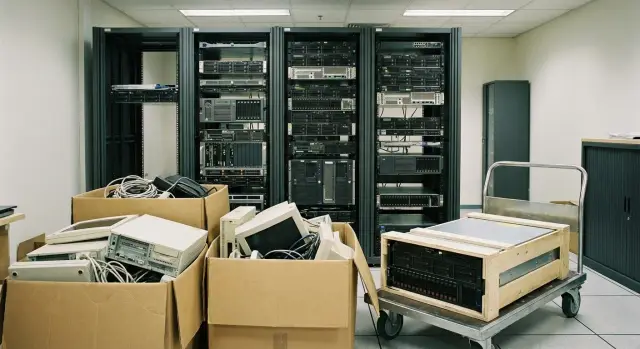
Why use trade-in when upgrading servers
Organizations pick trade-in when old hardware is already slowing operations and keeping it in storage makes no sense. Usually the issue isn’t a single “bottleneck” but accumulated symptoms: higher loads, not enough CPU and memory, failing disks and power supplies, and every repair turns into a night call and a downtime risk.
There’s also a financial reason. Support and repairs get more expensive over time, spare parts become harder to find, and warranties are gone. Hidden losses grow too: admins spend more time fixing incidents and less time developing services.
Trade-in looks simple: you give old servers as credit and reduce the bill for new ones. But that apparent simplicity can bring surprises. Valuation can change after diagnostics, pickup and delivery schedules don’t always match, and requirements for completeness and condition can appear at the last moment. Handling data on drives is a separate concern.
To have a constructive conversation with a supplier, answer three questions in advance:
- What are we replacing: just servers or also storage, network, backup?\n- Why replace: to eliminate downtime, speed up apps, prepare for growth, or meet support requirements?\n- When to replace: is there a migration window, and can replacement be phased?
If you understand target loads and critical services ahead of time, trade-in can be integrated into the plan so old equipment only leaves after new servers are verified and migration is successful. That reduces stoppage risk and makes savings more predictable.
How trade-in works: a simple outline
Trade-in for server upgrades is an agreement where you hand over old equipment and its value is credited toward new purchases. In practice it’s not always a one-to-one swap: usually it’s a discount on delivery, and sometimes a separate buyout followed by removal.
There are three common scenarios:
- A fixed discount on the new kit, with old gear taken away after the new system is put into operation.\n- A separate buyout of the old equipment on paperwork, while the new gear is invoiced as a normal sale.\n- Disposal: zero or token value, but the supplier handles removal and paperwork.
Trade-in typically accepts servers (and sometimes racks), storage arrays, network gear and UPSs—but only if origin, condition and completeness are clear. Refusal reasons include very old or rare equipment, critical defects, missing serial numbers, amateur repairs, or lack of proof of ownership.
Valuation usually comes from three things: condition, completeness and liquidity (how easy it is to resell or strip for parts). So two identical servers on paper can be valued differently: one has rails, drive caddies and a second PSU, the other is a “bare chassis.”
What determines the price of an old server in trade-in
Trade-in prices aren’t pulled from thin air. The amount must cover inspection, logistics, refurbishment (if needed) and the risk that some parts will be illiquid. That’s why an “identical server” on paper often gets a different valuation in reality.
Model and generation matter most, followed by configuration. The closer a server is to current workloads (virtualization, databases, VDI, AI inference), the easier it is to resell or use for parts. Details matter: original rails, drive caddies, blanking panels, a redundant PSU. Missing a single item can reduce valuation more than expected.
Configuration and completeness
Assessors look beyond CPU and RAM at drives (type, capacity, endurance), controllers, NICs and accelerators. Licenses and software rarely add value because they are not as easily transferable as hardware.
Condition and usage history directly affect price. Log errors, signs of overheating, noisy fans, worn drives, or a problematic RAID battery all justify discounts or stricter acceptance. A common case: two identical servers—one has a yellow SMART status on a disk, the other is clean—and the valuation difference becomes noticeable.
Timing and paperwork
Timing matters. “Pickup today” and “pickup in a month” can be priced differently: market prices and warehouse plans change. If the upgrade is tied to a budget window or tender, fix the terms ahead of time.
Serial numbers and complete documentation save time and protect both parties. When items can be quickly reconciled against specs and acts, there are fewer inspection delays and it’s easier to stick to the replacement schedule.
How to calculate the benefit: a 5-step method
To see if trade-in is worthwhile for you, compare two full scenarios. That shows where the real benefit is and where savings are eaten by work, timing and revaluation risk.
-
Gather baseline data on current servers: model, year, configuration (CPU, RAM, drives), condition, rails and PSUs, repair history.
-
Calculate Scenario A (no trade-in). Cost of new equipment plus implementation work and disposal or storage of old gear.
-
Calculate Scenario B (with trade-in) and separate direct and indirect benefits. Direct is the credit for old hardware. Indirect includes reduced downtime during replacement, lower power consumption, and fewer emergency field trips.
-
Add hidden costs. Dismantling, packing, logistics, temporary storage, night windows, license and support updates.
-
Estimate a “risk price” and fix acceptance terms. Build a reserve for possible markdown after diagnostics and agree in advance what counts as normal wear and when the final valuation is confirmed.
Example calculation: trade-in credit is 3,000,000 KZT, dismantling and logistics cost 600,000 KZT, reserve for markdown (20% of credit) is 600,000 KZT. The “net” direct benefit is 1,800,000 KZT. Then add indirect benefits (power savings, reduced downtime) to the total.
To avoid drowning in numbers, summarize the calculation in a short table: amount and formula, timeline, responsible person, acceptance conditions and risk reserve.
Timelines and work plan: keep services running
Trade-in works well when roles and timelines are agreed in advance. The goal is simple: bring new equipment online before the old stuff leaves, and migrate services during a pre-booked window.
What to prepare before engineers arrive
Start with a pre-valuation based on an equipment list and photos. This saves time: the supplier immediately understands what you’re handing over and what completeness constraints exist.
Prepare an inventory with serial numbers and exact configurations, photos of labels and chassis, rack placement info (U positions, power, rail types), and contact details for the person responsible for data center access.
Inspection, migration window and logistics
Inspection and diagnostics often happen on-site or in the data center: they check power-on, controller errors, drive SMART status, and compliance with declared configuration. A couple of servers typically take 1–2 hours; a batch can take half a day to a full day, especially if access is restricted.
Plan the migration: a practical approach is to deliver and mount new servers in advance, configure network and access, then migrate workloads in a night or weekend window, run verification tests, and only then sign the act to remove old hardware.
Also account for data center logistics and access: passes for people and vehicles, unloading time, packaging, seals and labeling requirements. Before work starts, confirm the list of handed-over equipment, inspection location and schedule, who is responsible for dismantling and packing, and the exact moment risk transfers (when you stop being responsible for the equipment’s safekeeping).
Paperwork and accounting: what to check before signing
Trade-in may look simple, but issues usually start with paperwork. Without prior agreement with accounting and legal teams, the deal can be delayed or become costlier.
Check who has the right to hand over equipment. A server may be on the balance sheet, in custodial storage, rented or leased. For leased equipment you often need written permission from the lessor.
Agree the set of documents that records the transfer of assets: acceptance-transfer acts listing serial and inventory numbers, documents for write-off or disposal, and confirmation of completeness (rails, PSUs, drives). It’s useful to prepare a reconciliation table showing what you give, its condition, and how it’s reflected in records.
Clarify tax and VAT issues before signing. Understand what the contract actually says: sale of used equipment, a credit as a discount, or disposal service. That determines how invoices are issued and how the operation is reported in accounting.
Price terms should be written clearly: when the valuation is fixed, why it may change, how changes are confirmed (photos, diagnostic report, discrepancy act), who pays for packing and removal, and what happens if equipment is not accepted.
Main trade-in risks and how to reduce them
Problems usually stem from acceptance conditions, data and timing.
Post-acceptance price revision
The most common risk is the price dropping after equipment has been collected. Causes are usually the same: disputed condition (DIY repairs, disk errors), or lack of agreement on what counts as normal wear.
Mitigation: record configuration and condition in advance (serials, photos, disk SMART, list of defects), define markdown reasons and diagnostic procedures, and agree a dispute scenario (partial acceptance, return, independent inspection).
Data leakage
Even old servers may hold databases, keys and accounts. Minimum standard is to decide in advance on a method: secure wipe with a report or physical destruction of media. Also agree on confirming documents: an act, list of media and responsible signatures.
Downtime during migration
Trade-in is often tied to delivery and pickup schedules, which can force tight migration timing. Allow fallback windows, rollback plans and, if possible, short parallel operation of old and new sites. For critical services, arrange 24/7 support during the cutover.
Rejection due to completeness and schedule failure
Small items can block acceptance: missing rails, PSUs, front panels, drive caddies or proof of ownership. Verify completeness before dismantling, confirm realistic logistics timelines and fix responsibility if your launch or pickup dates are critical.
Common mistakes that make trade-in expensive
The worst case is when a “paper” discount exists but the budget actually increases. This usually stems from small oversights in estimation and planning.
Mistake 1: counting only the discount and forgetting work and downtime
Real upgrade cost includes migration, configuration, tests, backups, and sometimes night work. For critical services, one extra hour of maintenance can cost more than the entire trade-in credit.
Mistake 2: not checking drives and controllers before handing over
If acceptance finds degraded drives, RAID controller errors or memory problems, the credit will be recalculated. The fix is simple: run basic checks in advance and honestly record condition.
Mistake 3: mixing liquid and illiquid items in one lot
If a list mixes normally marketable models with very old items, the final price usually drops. Request separate valuations by model, configuration and condition.
Mistake 4: pickup “as-is” without criteria for what is considered working
If you don’t agree in advance on access windows, packing, passes and acceptance criteria, you’ll face delays and disputed acts. Lock these conditions into the agreement before work begins.
Short checklist before handing over old hardware
Sometimes one hour of checks prevents days of negotiation and protects you from price and schedule surprises.
Make sure:
- Inventory is complete and configurations match reality (serials, drives, cards, PSUs).\n- Valuation rules and price revision conditions are clear (and when the price is fixed).\n- Data handling method is agreed (wipe with report or physical destruction) and the format of acceptance acts is defined.\n- Migration plan exists: maintenance window, verification tests and a clear rollback.\n- Dates are agreed: delivery, installation, dismantling and pickup, and the moment when old equipment can be safely handed over.
A typical reason for markdowns and delays is list discrepancies: “replacement NICs weren’t listed”, “extra drives were forgotten”, “rails missing”. One reconciliation before the deal usually prevents these issues.
Practical example: upgrade without stopping services
A 24/7 environment is familiar: six servers in a rack. Two have failing disks, two are running virtualization at capacity, the others are still OK but without headroom. You can’t stop services and maintenance windows are rare.
The team compares two paths: sell old hardware independently or use supplier trade-in, where the supplier brings new servers and takes old ones on an agreed day.
Selling privately may look better on paper: prices can be higher. In reality, extra costs and risks appear: staff time for diagnostics, photos, negotiations and paperwork, packing and logistics, and most importantly the risk of failure before replacement.
Trade-in often wins despite a slightly lower buyout: you get a clear schedule, new servers can be installed in advance, migration done overnight, and old hardware removed only after confirmed stable operation.
Next steps: start the upgrade project without unnecessary risk
Start with facts: inventory and requirements. This takes 1–2 days but saves weeks of rework.
Request a preliminary valuation and fix the “rules of the game”: what counts as normal wear, required completeness, how diagnostics are run and when the final price is confirmed.
If you need a turnkey partner, it’s convenient to combine delivery, installation, integration and support in one plan with clear responsibilities. In Kazakhstan, this model is often chosen working with a manufacturer or integrator like GSE.kz: it helps align delivery of new servers, migration and removal of old equipment without timing gaps.
A practical start for a small upgrade: run a pilot migration to a new node, verify performance and backups, and only then hand old servers over as trade-in. This way you avoid the situation where hardware has already left but the migration is delayed.
Frequently asked questions
When does trade-in for servers really make sense?
Trade-in is usually worth it when old servers start creating real risks: a growing number of failures, insufficient resources for current loads, and when repairs and support become more expensive and slower. Trade-in helps convert a “warehouse of problem hardware” into a clear discount for upgrades and frees the team from firefighting so they can focus on developing services.
What does trade-in look like in practice when upgrading servers?
Typically it’s not a one-for-one swap but a credit for the old equipment against the price of the new delivery, or a separate buyout of the old hardware followed by removal. In a normal scenario you agree the list and condition in advance, get a preliminary valuation, run diagnostics, and fix the final amount with an acceptance act after inspection.
What affects the valuation of an old server most in trade-in?
Valuation depends mostly on model and generation, then on configuration and completeness, and finally on actual condition from diagnostics. Small details matter: original rails, drive bays, blanking panels, a second power supply, and absence of critical disk or controller errors.
How to quickly and fairly calculate the benefit from trade-in?
First collect accurate data on your current servers and calculate the scenario without trade-in: the cost of new equipment plus implementation and disposal or storage of the old. Then calculate the trade-in scenario and subtract costs for dismantling, packing, logistics and a reserve for potential post-diagnostic markdowns. Compare the net monetary benefit and the risk of downtime, not only the size of the discount.
How to schedule so an upgrade with trade-in doesn’t stop services?
The most practical plan is to install and test the new servers before removing the old ones, migrate in a pre-agreed maintenance window with tests and a rollback plan. For critical services, allow a short period of parallel operation so you don’t hand over old hardware “blind”.
Why does trade-in price sometimes fall after acceptance and how to avoid it?
Final valuations often drop when diagnostics reveal configuration mismatches, disk degradation, controller errors, signs of overheating or non-original parts. To avoid this, record serial numbers, configuration and known defects in advance, agree what counts as normal wear, and define a clear process for confirming markdowns with documentation.
What to do with data on drives before handing servers in for trade-in?
Assume disks may still contain databases, keys and accounts, even on old servers. A reliable approach is to decide in advance on a method: secure wipe with a report or physical destruction of media, and record this in documents listing the drives with signatures of responsible parties. Don’t hand over equipment until the required confirmation acts are agreed.
Which documents are important to check before signing trade-in terms?
Check who can legally dispose of the equipment: it may be on the balance sheet, under custody, leased or rented—and additional approvals may be required. Prepare acceptance-transfer acts with serial and inventory numbers and agree how the transaction is documented: used hardware sale, discount (credit) or disposal. The clearer the rules for price fixation and reasons for revision, the fewer delays and disputes.
What mistakes are most often made during server trade-in?
Common mistakes include only counting the discount and forgetting work and downtime costs, mixing liquid and illiquid items in one lot, and having an inaccurate inventory. Any of these can turn an apparent discount into a costlier upgrade once migration, urgent logistics or missing parts are factored in.
Where to start a server upgrade project with trade-in?
Start with inventory and a short description of target loads: what you’re moving, which services are critical, and what maintenance window is realistic. Then request a preliminary valuation and agree acceptance rules, data handling and a calendar for delivery, installation and removal. If you want a turnkey option, it’s easier with a manufacturer or integrator who can coordinate delivery, deployment and support—projects in Kazakhstan often involve GSE.kz for this reason.
