8 min read
TLS inspection at the gateway: impact on performance and audit
TLS inspection at the gateway: how to measure performance degradation, which exceptions are needed for banks and government services, and how to organize audit and logging.
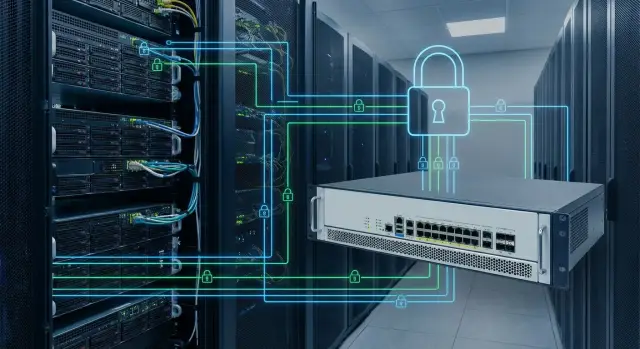
Why organizations do TLS inspection and what changes
TLS inspection at the gateway is a way to "look inside" encrypted HTTPS traffic and inspect it as if it were unencrypted. The gateway temporarily decrypts the connection, applies security rules (antivirus, DLP, site categories, IPS), then re-encrypts the traffic and forwards it.
Most often TLS inspection is enabled where all internet egress converges: on the corporate gateway, proxy server or NGFW. Inside the network it might be a dedicated proxy for browsers and applications, and at the perimeter it can be a single control point for all users and branches.
After enabling inspection, the following typically changes:
- The gateway becomes an intermediary between the user and the site, adding computation to every connection.
- There is dependence on certificates: the client must trust the corporate CA, otherwise errors and warnings appear.
- Policies become more precise: you can block malicious downloads and data leaks even over HTTPS.
- The cost of mistakes rises: a wrong exception or incompatibility with an application can break authentication, updates or payments.
TLS inspection is different from domain-based filtering. Domain filtering mostly sees "where" you go (SNI/domain, IP, category, DNS) and can block access by address. But it rarely sees "what" is actually transmitted inside. If a malicious file is downloaded from an allowed domain or traffic flows through shared cloud hosting, domain filtering is often insufficient.
At the same time TLS inspection introduces new risks. First, latency: each connection requires extra steps, and on busy links this becomes noticeable. Second, site and app failures: some services use certificate pinning or special protocols and stop working. Third, trust and privacy issues: the organization can access traffic contents, so clear rules, exceptions for sensitive resources and transparent audit are needed.
Which performance metrics are realistically affected
TLS inspection almost always adds load and latency. How noticeable this is depends on the metrics and the dominant type of traffic.
The first thing that changes is latency. It increases for two reasons: the gateway must establish a TLS session with the client and another with the external site, and then process the stream. For users this looks like slower page start-up, delays when opening apps and sometimes slower authentication.
The second is throughput. Even with a wide internet link, real speed can be limited by gateway processing: decryption, re-encryption and content analysis. So it’s important to measure not just "how many megabits the link supports" but "how many megabits the gateway can actually inspect."
To quickly find the bottleneck, monitor:
- CPU on the gateway (overall load and crypto operation share);
- memory (especially if buffers, caches or signature analysis are enabled);
- active TLS sessions and connection establishment rate (connections per second);
- inspection errors: timeouts, resets, handshake failures.
Decryption is not the only consumer of resources. Post-decryption processing contributes heavily: antivirus scanning, DLP rules, URL categorization and file sandboxing. These can sharply increase latency on individual requests and raise CPU and disk usage (if local caching or queues are used). Often sandboxing is the reason why downloads start to wait.
Traffic type matters. Video and conferencing are sensitive to latency and packet loss: even small added delay degrades quality. OS updates and large distributions consume throughput and can exhaust the inspectable capacity, harming other users. VDI and remote desktops depend on stable latency (jitter). Messengers and business apps can be sensitive to handshake failures and certificate changes.
Organization size and peak hours are important because load grows nonlinearly. Mornings, at the start of the workday, usually see the largest spike in new connections (email checks, messenger starts, tabs, updates). Problems often surface then: CPU spikes, longer TLS establishment time and timeouts. Average daily metrics are insufficient — measure peaks and worst-case scenarios.
How to assess impact: step-by-step measurement plan
Assessing TLS inspection impact should start with measurements, not settings. Otherwise you won’t know what actually got worse: the link, the gateway, DNS, certificates or specific sites. You need a baseline, then a pilot on a small group, and only then scaling.
1) Capture a baseline before enabling
Collect numbers for 3–5 business days under normal conditions and note typical user complaints (slow pages, login failures, dropped calls). Take measurements at the same hours (for example, peak 10:00–12:00 and 15:00–17:00) so comparisons are fair.
Common baseline measurements:
- latency to popular resources (median and 95th percentile);
- percentage of HTTPS errors (timeouts, handshake failures);
- gateway load (CPU, RAM, sessions);
- page and file download times for representative sites;
- video quality metrics (loss, stutter, disconnections).
2) Run a pilot on a test group
For gateway TLS inspection choose a small, well-defined segment: one branch, one department or 5–10% of users. This helps find performance limits without stopping the whole company.
Test scenarios should reflect real work: office sites and clouds, banks, government portals, email, video calls. Define who will test what in advance. For example: accounting performs payments, legal accesses government portals, support runs video meetings, others work with typical web services.
After enabling, repeat the same measurements at the same times and compare before/after. Note what consistently breaks and what only appears during peak times.
3) Set acceptance criteria in advance
Without criteria the pilot becomes a debate about "it feels slower." Agree up front what increase in latency and errors is acceptable.
A practical minimum: there should be no noticeable rise in HTTPS errors and latency should increase only slightly and without spikes. If the pilot shows increased timeouts, failed bank logins or broken video, do not expand coverage — first review exceptions, gateway capacity and inspection policy.
Which exceptions are usually mandatory and why
TLS inspection is useful to find malware and data leaks, but some service categories are prone to breakage, legal risks or loss of user trust when decrypted. Exceptions are part of a sane policy, not just "just in case."
Most frequently exempted are banks and payment services, government portals, services using digital signatures and crypto providers, and systems where compliance explicitly forbids decryption. Another category is updates and critical application repositories if inspection breaks them or adds unacceptable delay.
There are technical signs that a resource "doesn’t like" inspection. Common ones are certificate pinning (the app expects a specific certificate and rejects substitution), client certificates (mTLS) and hardware tokens for digital signatures. In such cases the gateway alters the trust chain and the application may see the "wrong" certificate or fail mutual authentication.
It’s important to distinguish domain-based exceptions from application-based ones. Domain exceptions are simpler and faster but broad: you disable inspection for all traffic to the domain (and often its subdomains). Application exceptions are more precise but harder to maintain: you must identify traffic by client, port, profile or user group.
To prevent exceptions from becoming chaotic, give each one a "passport." Minimum details to record:
- what is exempted (domain, subdomain, application, user group);
- why (pinning, mTLS, digital signature, regulator requirement, incidents during enablement);
- who approved (InfoSec, service owner, legal if required);
- risk and compensations (for example, enhanced DNS/URL monitoring, EDR on endpoints);
- review date (when the exception will be re-evaluated).
This makes it easier to avoid accidentally disabling inspection where it’s needed and to explain to an auditor why a specific resource is not decrypted.
Banks and government portals: how not to break critical services
For banks and government portals the main risk is not speed but that the service stops working or behaves oddly. Many critical systems protect connections not only with standard TLS but also with extra checks: certificate validation, trust chains, cipher parameters and app or device binding. With TLS inspection the gateway becomes an intermediary and some of these checks can conflict.
Banks: internet banking, payments, 3-D Secure
Banks often break where strict certificate validation and session integrity matter. For example, corporate internet banking may open but payment signing fails; a confirmation spinner never returns; a 3-D Secure frame loads but doesn’t return a result. Sometimes this happens only for some users because of browser, token or app version differences.
In practice, bank domains and payment provider domains are usually exempted from decryption (bypass), keeping only domain/category/reputation checks if the gateway can do that without MITM. Be particularly cautious with applications that use certificate pinning — inspection is often incompatible by definition.
Government portals and digital signatures
Government portals, personal accounts and tax services often rely on digital signatures, crypto providers and local certificate stores. Decryption can break the crypto provider launch, document signing, certificate chain validation and authentication that requires strict domain/certificate matching.
If users have hardware tokens, special crypto providers or secured workstations, test those complex profiles specifically. A common mistake is to only check site accessibility and miss signing or submission steps.
To ensure critical services survive, keep a short test checklist and run it before and after policy changes:
- login to 1–2 key banks, view statements, create and confirm a payment;
- payment page or 3-D Secure confirmation (if used);
- login to the main government portal and open a personal account;
- digital-signature actions: sign a test document or submit a form;
- repeat tests in different environments: browser, thin client, VCS/VDI (if available).
When control requirements exist, make targeted exceptions: by domain/category and by user group, and record them in policy and change logs. This makes it easier to explain to an auditor why some traffic isn’t decrypted while keeping payments and digital signatures functional.
How to configure TLS inspection policy without surprises
Most surprises when enabling TLS inspection come from policy, not technology. If the policy is created without clear exceptions, a root certificate owner and a rollback plan, business services suffer first: banks, government portals, EDIs, client-banks, and software updates.
1) Trusted certificate: who manages it and how
Inspection requires a corporate root certificate trusted on endpoints. Decide in advance who issues it, where the private key is stored and who can reissue certificates. Practical rule: the private key must be kept in a protected environment and key operations must be logged. If the root certificate is passed around on USB sticks and admin laptops, that’s already an incident.
Identify devices where installing the certificate is difficult: terminals, medical equipment, legacy OS, IoT, guest devices. These often need a separate network segment or an explicit no-inspection rule.
2) Segment policies by user groups and scenarios
A one-size-fits-all policy usually causes problems. Split at least into three groups: office PCs, remote users (VPN/VDI) and administrators/service accounts. Admins need broader access to control panels, repositories and clouds, and inspection is more likely to break SSO or MFA there. Remote users during the pilot typically require a gentler mode.
Then set clear rules by traffic category: what to inspect, what to allow without decryption (banks, government portals, payment gateways, mTLS), what to block and what to monitor (allow but log without decryption).
3) Errors and support: what the user will see
Users should get a clear error page, a short reason (certificate, category blocked, inspection impossible) and guidance where to report the problem. First-line support needs a template: which site, time, device, network (office/home), and a screenshot. This shortens troubleshooting from hours to minutes.
4) A rollback plan that actually works
Rollback must be a concrete action that returns traffic to a safe mode, not a vague "we’ll sort it out later."
Prepare a "no-inspection" profile for critical segments, have a fast policy toggle ready (and the rights to use it), define rollback triggers (increase in errors, key service failures, complaints from finance) and assign someone responsible for the first days.
If an integrator performs the deployment, for example GSE.kz, document who decides on rollback and who is available in the first hours after activation. This simple step often prevents escalation during a real incident.
Audit and control: how to organize logging and review
With TLS inspection it’s important to know not only whether something worked, but why a decision was made. Without proper logs it’s hard to prove policy compliance or quickly find the cause of complaints.
What to record in logs
Configure logging so that each session shows whether traffic was decrypted, passed as-is or blocked. Usually record:
- policy decision (inspect, bypass, block) and which rule triggered;
- category or reason (e.g., "finance", "government resource", "certificate not trusted");
- TLS errors (name mismatch, obsolete versions, chain problems);
- exception activations (which exception and why);
- technical parameters for investigations: time, source, destination, SNI or domain.
Do not log decrypted content "just in case" — that greatly increases privacy risks and storage requirements. In most cases metadata and the policy decision are sufficient.
Storage, access and ownership
Retention periods depend on needs: incident investigation, regulator requirements and internal rules. Assign owners in advance: who can read logs, who approves access requests and who is responsible for deletion when retention ends.
A workable model is read access for InfoSec and limited read for the network team, with exports approved by the security owner. If 24/7 support is used (including an integrator), define which log fragments can be shared to avoid unnecessary disclosure.
Ticket verification and exception review
When a user reports "bank doesn’t open" or "cannot access a government service," check ticket time and domain against logs: you’ll see whether a bypass exception applied, if there was a certificate error or if traffic was blocked.
Review exceptions on a schedule: for example, quarterly and after major changes (gateway upgrade, certificate rotation, new services). Each exception must have an owner and a justification, otherwise the list grows and undermines control.
For management, provide a short non-technical report: share the share of traffic inspected, share bypassed, main bypass reasons, number of TLS-related tickets and average resolution time, how many exceptions were added and removed in the period, and 2–3 clear conclusions.
Common mistakes when deploying TLS inspection
Problems usually stem from how inspection is rolled out, not from the technology itself. TLS inspection affects speed and user trust, so mistakes are noticed immediately: failed payments, broken portals, complaints about slow internet.
Errors that most often break production
-
Making exceptions too broad. When bypass covers a whole category or domain mask, the point of inspection is lost. Start with targeted exceptions and review them regularly.
-
Turning it on for everyone at once without a pilot and baseline. If you didn’t measure latency, throughput and TLS errors beforehand, it’s hard to prove what changed and why. A pilot in one unit usually reveals most surprises.
-
Poor certificate management. People forget CA expiration, deployment to endpoints and support instructions. The result: browser warnings and a surge in helpdesk tickets.
-
Ignoring mobile and remote users. On phones, tablets and BYOD devices the root certificate may not install or may install partially. Remote workers add VPN, split-tunnel and different DNS, so rules behave differently than in the office.
-
Not testing critical business services in advance. Bank clients, government services, EDI, SSO, internal portals and apps with certificate pinning are commonly affected. Missing a few systems can halt procurements or payments.
Practical example: a company in Kazakhstan enabled inspection for the entire accounting team on a single day. Within an hour payroll payments stopped processing and the public procurement portal returned login errors. The root cause: missing exceptions for required domains and the bank app used certificate pinning.
How to hedge your risks with simple steps
A short mitigation plan reduces risk:
- Capture baseline metrics before enabling (latency, throughput, TLS error rate) and repeat them after.
- Start with a pilot on a small group and a clear rollback window.
- Maintain an exceptions register with owner, reason and review date.
- Prepare a certificate policy: issuance, rotation, device distribution and BYOD scenarios.
With these in place, HTTPS inspection policy setup is calmer: exceptions stay manageable and user impact becomes predictable.
Short checklist before production roll-out
Before enabling TLS inspection in a production network agree what "normal" means. Without baseline measurements and acceptance criteria you will argue about impressions instead of facts.
Check you have before/after measurements and clear thresholds. Typical metrics: TLS handshake latency, TLS error rate, gateway CPU/memory and peak throughput. Acceptance criteria should be simple: for example, "handshake latency increase no more than X% during peak" and "TLS errors no more than Y per 10,000 sessions."
Record mandatory exceptions and their owners. This is not just "banks and government" in general but specific domains, subnets, applications and traffic types. Assign who approves the list, who accepts the risk and who updates it if an external provider changes something.
Ensure alerts and a support/escalation path are configured. If users see certificate warnings or "site unavailable," first-line support must know what to ask, what to check, where to escalate and which data to collect (time, URL/domain, device type, network, screenshot).
Enable logs and make them auditable. Logs should answer: "what was decrypted/inspected/blocked", "which policy applied", "what was the TLS outcome" and "which exceptions were used." Agree on regular checks, especially during the first weeks after launch.
Prepare and agree a realistic rollback plan: which policies are toggled, how to restore the previous mode without downtime, what endpoint actions are needed (if the root certificate was changed) and who is on call during the change window.
In short, check five things before production:
- Baseline measurements and acceptance criteria for latency, errors and load.
- Defined exceptions (including banks and government domains) with owners.
- Alerts, support flow and escalation procedures.
- Logging enabled and a schedule for log review and selective audits.
- A tested rollback plan, fallback scenario and agreed change window.
Example: TLS inspection pilot in an organization with banks and government services
Organization: headquarters and 8 branches, 1,200 employees. They regularly use government services (procurement, digital signatures, tax portals) and payroll payments are processed via one bank. Web filtering existed but without HTTPS decryption many threats and unwanted categories remained invisible.
The pilot was cautious: TLS inspection enabled only in one branch for a group of 60 users (accounting and office managers), leaving IT and critical services unchanged. This allowed comparison under similar conditions: same links and site set.
They captured a baseline: average latency to common sites, time to open heavy pages, gateway load and TLS error percentage. After enabling they saw typical effects: first-connection latency grew more than repeated connections, and gateway CPU rose noticeably during peak hours.
Problems appeared quickly. Some bank pages showed login errors and session drops (certificate pinning and stricter checks). On certain government portals digital-signature flows failed: the browser showed "untrusted certificate" or the service hung during validation.
They recorded results and made targeted changes:
- Added domain exceptions for the payroll bank and payment gateways where pinning broke functionality.
- Exempted key government domains and digital-signature services, and updated the trusted root certificates on workstations.
- Split policy by groups: "office users" under inspection and "critical roles" exempted for specific categories.
- Limited types of content to decrypt where acceptable to reduce load (for example, skip large OS updates).
Next, they needed to check whether the chosen equipment would support planned coverage (70–80% of users) and peak traffic. If CPU/SSL operation or memory limits are evident, involve a systems integrator and design infrastructure to match the load, including server and support resources. In Kazakhstan such projects are often run with GSE.kz (gse.kz) when policy tuning must be combined with platform selection and ongoing support.
Frequently asked questions
What is TLS inspection at the gateway in simple terms?
TLS inspection at the gateway decrypts HTTPS traffic inside your network, checks it with security controls (antivirus, DLP, IPS) and then re-encrypts it before sending it to the destination. In effect, the gateway temporarily acts as a man-in-the-middle between the user and the external service.
Why enable TLS inspection if there is already domain-based web filtering?
It’s needed to see and control what is hidden inside HTTPS. Domain-only filtering shows where connections go, but without decryption you often can’t reliably check downloads, attachments or data leaks inside an encrypted channel.
Why can the internet feel slower after enabling TLS inspection?
Most often the TLS handshake and page start-up take longer, especially on new sessions. Real throughput for inspected traffic can drop because the gateway’s CPU is busy with decryption, analysis and re-encryption rather than the raw internet link.
Which metrics matter most to know if TLS inspection is the bottleneck?
Start with TLS handshake latency, new connections per second and the rate of TLS errors. Also check CPU and memory on the gateway during peak hours — spikes in new sessions often reveal equipment or policy limits.
How to compare "before/after" correctly so the discussion is factual?
Measure a baseline before enabling inspection and then repeat the same tests on a pilot group at the same times. If timeouts, handshake errors or failures to access critical services increase, stop expanding coverage and address exceptions, certificates and performance first.
Why is a corporate root certificate needed and how to avoid browser warnings?
Because the client must trust the corporate CA; otherwise browsers and apps will show warnings. The root certificate is usually deployed centrally to corporate devices, and you need a plan for BYOD, guest and specialized devices where installing trust is harder.
Should banks and government portals be excluded from decryption, and why do they often break?
Banks, payment pages and portals that use digital signatures often perform strict certificate checks, mutual authentication or certificate pinning. Inspection can break logins, signatures or payment confirmations. For these resources it’s common to bypass decryption while keeping domain-level checks and reputation controls.
How to avoid turning the exceptions list into a security gap?
If exceptions are made too broadly, you lose control: too much traffic will bypass inspection. Best practice is to record for each exception the reason, the owner and the review date so the list stays manageable and audit-ready.
What should be logged during TLS inspection to satisfy investigations and audits?
Log the policy decision for each session (inspect, bypass, block) and which rule triggered it. Record the category or reason (for example, "finance", "government resource", "untrusted certificate"); TLS errors (name mismatch, old versions, chain problems); which exception applied; and basic technical metadata (time, source, destination, SNI or domain). Storing decrypted content is usually unnecessary and raises privacy and storage risks.
How to prepare a practical rollback plan if failures start after enabling inspection?
Your rollback plan must allow quickly returning critical segments to a non-inspected mode if widespread errors or failed payments occur. If an integrator (for example, GSE.kz) implements the project, agree in advance on rollback criteria, who decides and who is available in the first hours after activation to avoid delays during an incident.
