8 min read
Three‑stage delivery: moving between buildings and floors without downtime
A three‑stage delivery helps you move between buildings and floors without stopping work: how to plan people, network points and reserve seats.
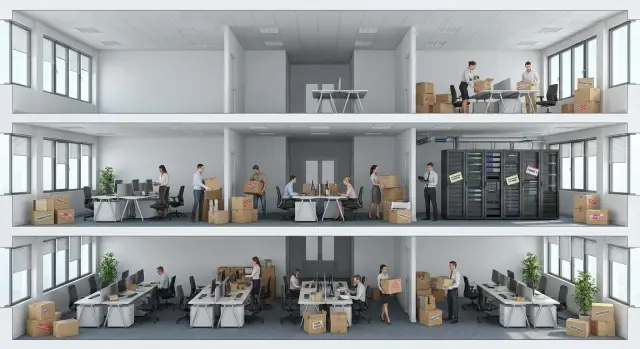
What’s wrong with floor-by-floor moves and where time is lost
Moving floor by floor seems safe: you move people in parts and the office keeps working. In practice it often disrupts rhythm more than a one‑day move. The reason is simple: changes stretch over weeks and each floor experiences different conditions.
The main trap is that you don’t move only furniture. Ways of working change: who sits next to whom, which resources people connect to, where they print, how approvals happen, how quickly colleagues can be reached. When these things change in parts, any small mismatch repeats every day and becomes ongoing time loss.
People often forget items that aren’t visible on a seating plan. It’s not just whether the internet works. The chain matters: network ports, Wi‑Fi coverage, telephony, access to corporate systems, printing and scanning, passes and room access, and sometimes power for desks and meeting rooms.
Another source of downtime is trying to do everything at once without clear waves. If people move, the network is reconfigured, seats are changed and processes adjusted simultaneously, you quickly lose track of what’s ready and what’s still in progress. A three‑wave delivery breaks this knot: first prepare and verify infrastructure, then move a limited group, then scale to the next zones.
Time is usually eaten by repeated small things: waiting for access (accounts, rights, passes, approvals), finding a workstation (no suitable port, cable unlabeled, wrong desk occupied), printing and scanning (devices exist but aren’t connected or lack permissions), communication breakdowns inside a team and returns when an employee has to go to the old floor for resources.
To measure real damage, agree in advance what counts as downtime for different units. For accounting it’s hours without access to the accounting system and printing primary documents. For a call center it’s minutes without telephony and headsets in place. For IT it’s the number of tickets and average time to restore a workstation. For managers it’s missed meetings due to lack of a meeting room, screen, network or passes.
Example: a 20‑person department moved to a new floor, but half the desks had no printing and couldn’t open shared folders. Each person spent 15 minutes on workarounds and calls to support. In one day that’s 5 hours of lost team time — and it repeats until the issue is fixed.
If you spot these losses in advance, a floor‑by‑floor move stops being a shuffle of desks and becomes a manageable project with clear risks and measurable outcomes.
Roles and responsibilities: avoid chaos on move day
Chaos on move day almost always starts not with boxes but with questions: who authorizes shutting down a floor, who confirms network ports are ready, who gives contractor access. If roles aren’t assigned in advance, any delay becomes department downtime.
It helps to split responsibility into two groups: decision makers (business) and executors (support services). For a three‑wave scheme this is especially important: each wave must have its own control point and responsible person, otherwise waves will blur together.
Who is responsible for what
Assign specific people, not departments. It must be clear who is responsible in a particular building and on a particular floor.
- Business owner of the unit: confirms move windows, priorities and critical processes.
- IT (infrastructure and support): network, workstations, equipment inventory, service readiness.
- Facilities (AHO): furniture, room access, desk labeling, logistics.
- Security service: passes, access mode, escorting, equipment storage.
- Single relocation coordinator: collects statuses, resolves conflicts, manages the overall schedule.
The coordinator must have the right to stop work on a floor if launch conditions aren’t met (for example, ports not tested, no reserve seats, storage zone not ready).
Communication and escalation on day D
For the relocation period agree on a single clear communication channel and a simple escalation path. One common chat and brief rules usually work better than five scattered calls.
- One chat for operational wave questions and a separate chat for decision makers (decisions only).
- Escalation by time: 10 minutes to resolve locally, then coordinator, then business owner or IT.
- Single issue logging: what happened, where (building‑floor‑row), who is working on it, when to expect resolution.
- Photo record of readiness (patch panel, workstation, label on point).
- Paper contact list with senior floor reps in case of communication failure.
Short daily standups of 10–15 minutes keep the plan under control: what is ready for the next wave, what blocks the launch, how many reserve desks are actually available. For example, if IT reports 80% of network points ready on floor 3, the coordinator can decide: move only part of the team there and put the rest on reserve desks for the day so the unit keeps functioning.
If you work with an integrator, agree in advance who on the contractor side accepts on‑site changes and signs off floor readiness. This saves hours when minutes matter.
Preparation: what to collect before making the schedule
Schedules fail not because people don’t try, but because the plan is built on guesses. Before you split delivery into three waves by buildings and floors, gather baseline data. Then you can move workstations in batches without stopping departments.
Start with a seating map. You need a list of teams and individuals: where they sit now (building, floor, zone, desk number) and where they should move. Mark who must stay close (e.g., accounting and cashier, support and server room) and which teams must not be split across waves.
Record critical processes and their allowable move windows. Different units have different load peaks: call centers have daytime shifts, finance has period closes, IT runs night updates. Without agreed shutdown windows you’ll create downtime where it’s unacceptable.
Inventory workstations in parallel. For each desk note what is moved and what must be ready at the new site: desktop or laptop, number of monitors, docking station, phone or headset, shared printers. Mark equipment that cannot be moved without packing or a specialist.
For infrastructure don’t stop at “Wi‑Fi works.” Check where actual network sockets exist, which switches and racks are used, whether enough ports are available, how power is arranged, and where Wi‑Fi coverage might be weak. If some equipment is supplied by an integrator or vendor (for example, GSE.kz for workstations and servers), clarify delivery times, placement requirements and on‑site support windows in advance.
Before making a schedule it’s useful to have five blocks on hand:
- current and future seating maps with floor and zone references;
- list of critical processes and agreed move windows;
- inventory per workstation and shared devices (printers, telephony);
- network map and connection points (ports, switches, Wi‑Fi, racks);
- access dependencies: passes, keys, server room access, security mode.
This data usually removes half the risks and turns the move from chaos into a controlled operation.
The 3‑wave plan: a step‑by‑step scheme that’s easy to control
A move is easier to manage if you split it into three clear waves with defined boundaries: what you prepare, who you move, and what you consider accepted. This approach works for building‑to‑building moves and for floor‑by‑floor migration inside one complex. Each wave has a verifiable outcome.
Wave 1: prep and base launch
First make the new area functional so people could be seated there safely tomorrow if needed. This is about working functionality, not aesthetics: power, network, access, basic printing and a minimal set of desks.
Decide in advance how you divide space. Vertical blocks (one riser or wing, e.g., floors 3–5) are often simpler for network and power. Horizontal blocks (a whole floor or part of a floor for specific teams) are usually easier for people management and access control.
Wave 2: first wave with minimal risks
In wave two move teams with fewer critical dependencies: no 24/7 shifts, fewer external calls, simpler access. Their role is to pilot the process: how seating works, where network points are missing, how long equipment issue resolution takes.
The first wave must have a rollback plan: reserve seats (even temporary) and the ability to work 2–4 hours from the old location if something doesn’t come up.
Wave 3: critical teams and stabilization
In wave three move key units: contact centers, finance during close periods, teams with strict SLAs. At the same time close the tails: label desks, finalize access rights, accept rooms, return rented items.
Don’t forget to budget time for acceptance, not just physical moving. Typical benchmarks: unpack and initially connect one workstation — 20–40 minutes; check network and account — 10–15 minutes; local printer/scanner setup — 10–20 minutes; area acceptance (a row of desks or office) — 30–60 minutes.
If new equipment is involved, agree where it will be stored, who issues it and who checks serial numbers. When a supplier can quickly deliver missing PCs or replace faulty ones (for instance, with local production and service in Kazakhstan), downtime risk in waves two and three is much lower.
How to plan people movements without stopping departments
The main task in a phased office move is not to move furniture but to keep working the people who earn money and ensure safety: customer support, finance during close periods, dispatch, medical registration, cash desks, information security and on‑call admins. Start the plan by identifying who cannot be taken offline even for an hour, not by where people sit.
For a three‑wave scheme set simple priority rules in advance. Useful criteria: external time commitments (calls, receptions, payments, deadlines), a critical function covered by a single person without backup, systems tied to a specific workstation (special software, telephony, tokens), heavy document or cash handling, and expected high load on support lines.
Then plan shift overlaps. The idea is that part of the team already works in the new place while part remains on the old one to cover each other. For example, on move day for a contact center 30% of operators sit at new desks at the shift start, 40% remain at old desks until midday, and the remaining 30% move only after telephony, headsets and CRM access are verified. The next day proportions change.
User support during move days
On move days employees will raise small issues: printing, mailbox login, phone silent, no folder permissions. To prevent a department stoppage, set a simple mode: one person on site (per floor), one person on call (remote) and one responsible for escalations. If you have a partner with 24/7 support and a service network like GSE.kz, agree on on‑call coverage and response times specifically for move days.
Communication: what the employee needs to know and what the move team does
Employees need a short instruction, not a lengthy handbook. Usually one message per department is enough:
- when and where to come (floor, zone, desk number)
- what to bring (laptop, token, pass, personal items)
- what not to touch (desktop, patch cords, labeled ports)
- who to contact on the floor and how to get quick help
- what counts as ready (system login, telephony, printing a test page)
Also keep plan B. If a contractor doesn’t show or building access is delayed, the wave must not stop. Prepare reserve desks (usually 5–10% of headcount) and a rollback rule: who returns to old desks and by what time the decision is made.
Network points and infrastructure: what to check before moving a floor
When moving floor by floor the network is often the bottleneck. You can seat people quickly, but figuring out where to plug in and why something doesn’t work eats hours. For each wave fix the network picture by zones, not by the whole floor.
Make a simple schematic understandable to IT and facilities. Note: desks by rows (how many ports per row and where spares are), meeting rooms and video points, printers and MFDs (which port, where located, need for separate VLAN), racks or cabinets, patch panels and trunk uplinks, and temporary zones (reception, training room, corridor) where people can work 1–2 days.
Labeling saves more time than any emergency team on move day. Label wall sockets, patch panel ports and patch cords so names match, e.g.: Floor 3 – Zone B – Desk 12 – Port 2. If a contractor replaces patch cords, insist labels are preserved.
Don’t forget power — it’s often overlooked and later the network drops for no obvious reason. Check there are enough sockets, extension cords aren’t overloaded, and grounding is correct where racks, UPS and server gear are located. Clarify which lines must not be turned off between waves (for example, phone gateway, access controllers, CCTV).
Plan Wi‑Fi as temporary support, not a substitute for wired connections. Add coverage in corridors and temporary zones so people can work in the first hours before full connection, but don’t overload one access point for an entire floor.
Minimum checks before seating people
Before opening a floor do a short 20–30 minute test:
- in each zone test 2–3 typical ports: link, DHCP, mailbox and file access
- test printing to a shared printer and scanning (if needed)
- check Wi‑Fi in corridor and meeting room: signal, speed, network login
- ensure rack equipment is present: uplink, power, UPS, ventilation
- make a call or video meeting from the meeting room if it will be used on move day
If a test fails, don’t try to fix it in front of employees. Log the issue, close it before seating and then open the area.
Sample scenario: three‑step move between buildings and floors
Situation: two buildings, six floors total. Three units with different schedules: finance has month‑end work, the call center works in shifts, sales are often on meetings. The goal is to move without stopping calls, payments and shipments.
They planned three waves so only one critical group is affected each day and others keep working at old desks. Waves were assigned not top‑to‑bottom but by IT dependencies: first those with fewer services and less printing, then the most sensitive teams.
Step 1. Wave one (pilot). Sales moved from building A to floor 2 in building B. This gave fast feedback: Wi‑Fi OK, mail works, required systems open, printing available at least to one printer. IT did scheduled on‑site work: morning connection, daytime control, evening tuning.
To lower risk they prepared a buffer: 12 reserve desks on a neutral floor with ready network points, extension cords, basic peripherals and a couple of spare PCs. A temporary support zone was set nearby: a table, clear ticket logging, access to small parts. If a socket was missing or access dropped, the employee sat in the buffer and continued working.
Typical issues surfaced: sockets exist but not where desks are placed; cable lengths insufficient; printers visible but printing goes to wrong queues or lacks permissions; floor access didn’t match shift schedules; some network ports unlabeled causing time lost tracing them.
Step 2. Wave two (most critical). The call center moved overnight between shifts. Telephony and 3–4 headset stations were preconfigured and tested. In the morning lines were opened and a floor‑duty person stayed for the first two hours.
Step 3. Wave three (after fixes). Before the final finance move they did three things: finalized seating only after a last check of sockets and network points, moved the key printer closer to the buffer and preassigned print rights, and handed out a short action list — where to go on issues and how long to wait on site.
In similar projects it helps when equipment and support come as a bundle. For example, when ordering workstations, PCs or servers from GSE.kz it makes sense to plan a small spare stock and engineer presence in key move windows.
Common mistakes that prolong the move
The most common cause of missed deadlines is a new floor physically ready but not usable. Furniture is placed, boxes delivered, but the network is down, sockets unlabeled, power not load‑tested. People arrive, then go back, and a whole day is lost.
Another typical error is the lack of a current asset list. On move day you discover monitors have different cables, power bricks are missing, patch cords are short, and only one person can access the server or switch room — and they are unavailable.
People try to speed up by moving a critical team first without piloting on a less dependent group. On move day you find printing doesn’t work, Wi‑Fi permissions aren’t configured, or IP telephony fails. For a three‑wave delivery it’s safer to run a pilot on a small group and fix issues while the risk is low.
Lack of reserve desks and a clear plan B for 1–2 days is another source of trouble. Reserves are not only for failures — they help when part of the team must stay at the old site to keep working while the new site is finalized.
Finally, delays happen when no one is assigned to acceptance. A workstation may be assembled but no one checks network, printing and system access or records acceptance.
Simple rules help:
- consider network and power ready only after a checklist verification (ports, speed, telephony, UPS);
- keep assets in one file: device, completeness, location, responsible person;
- make the first wave a test group, not the most critical department;
- allocate and inform about reserve desks;
- assign an acceptance owner and a clear way to confirm readiness (signature or ticket note).
If you use standard workstation kits (PCs, monitors, cables, racks), standardize sets in advance. On move day you won’t hunt for the right power brick or cable.
Short checklist before starting each wave
Before launching a wave don’t try to check everything. You need a short yes/no set that shows: the floor can accept people and the unit can work without pauses. If any item is no, better to delay a few hours than to get a full day of downtime.
5 checks in 30 minutes
Go through the list together: business representative (unit head), IT, facilities and security. Better on site than by messages.
- Floor ready physically: access arranged, security aware of entry rules, furniture in place, power (sockets and extension cords where needed), room cleaned.
- Network and internet live: key sockets in work zones and meeting rooms tested with a laptop, Wi‑Fi works at seating areas, and there is a known procedure if a port fails.
- Reserve workstations available: minimum 5–10% of the team with ready devices or laptops, access to required systems and basic headsets.
- Support on duty and consumables at hand: named people for the first hours, clear channel to report issues, spare patch cords, extension cords, mice, keyboards, cartridges, and labels in one place.
- Critical services confirmed: printing (at least one printer per team), telephony or softphone, access to corporate systems and shared folders, mailbox login, VPN (if used) tested on 2–3 representative accounts.
Mini acceptance scenario
If you launch wave three and move finance, before bringing boxes one employee sits at a reserve desk, prints a test page, calls on the work number and opens the key system. If everything passes in 10 minutes, start moving people. If not — log the failure and fix it before the move.
Keep this checklist printed and time‑stamped. It helps decide by facts, not arguments, whether an area is ready.
Locking the result and planning the next stage
After each wave it’s important not just to move people but to confirm the area truly works. Otherwise mistakes accumulate and the next wave will slow down.
Acceptance after a wave: what “ready” means
Ready means the unit can work a full day without workarounds: people at desks, network and telephony working, printing available, critical systems open at normal speed.
A short acceptance set is enough:
- desks labeled (name or role), no unassigned desks;
- network points and Wi‑Fi spot‑checked on each row, including meeting rooms;
- accesses work: domain, mail, corporate services, printers, phones, support tickets;
- security covered: passes, evacuation routes, lockable cabinets, document storage;
- clear support channel and who is on duty for the first 1–2 days after the move.
After acceptance record a list of remarks, responsible people and deadlines. This is crucial when the same staff and contractors move between floors.
Handling tails and when to disconnect the old site
Tails are almost inevitable: staff on leave, rare roles (archive, secretariat), equipment in storage not yet needed. Treat them as a separate mini‑stage with a time window and an owner.
Disconnect old points and services only after a stabilization period, usually 3–7 business days. To avoid double payments and confusion have a single owner for contract and ticket changes (for example, the IT relocation coordinator), and record disconnection with an act and date.
Then run an audit: who sits where in reality, who moved not per plan, which points are idle, where sockets and ports are missing. Assign owners: one for desks, one for network, one for warehouse and returns.
If a temporary zone, spare PCs, all‑in‑ones or servers are needed to support migration, it’s easier to procure through one partner. For example, GSE.kz as a local manufacturer and integrator in Kazakhstan can supply workstations, all‑in‑ones and servers and provide 24/7 support so temporary infrastructure isn’t the weak link for the next wave.
Frequently asked questions
How do you split an office move into three waves?
Start by preparing the infrastructure, then move a small test group, and only after that relocate the critical teams. Each wave should have its own timeline, owner, and readiness check.
What needs to be prepared before moving employees to a new floor?
Prepare the new space first: power, network ports, Wi-Fi, access permissions, printing, and backup workstations. Do not move people onto the floor until standard workstations have passed testing.
Who should be responsible for the move on the day of the work?
Appoint one coordinator with the authority to stop a wave from starting. They collect status updates from IT, facilities, security, and the department head, and decide when to escalate.
How can you move a call center or accounting team without interrupting operations?
Move these teams after the test wave and during an agreed window. Keep some employees at the old workstations, verify services at the new ones, and keep on-call support nearby.
What network checks are needed before moving people onto a floor?
Check more than just whether ports are present: test the link, IP address assignment, and access to email and work systems. Test meeting rooms, printers, network cabinets, power, and backup equipment separately.
How many backup workstations should you plan for?
Set aside ready-to-use workstations for 5-10% of the team. They should have a device or laptop, access to the required systems, network connectivity, and basic peripherals so an employee can keep working if there is a delay.
How do you track equipment during a move?
Create a single list with each employee's current and new location, equipment, serial numbers, included items, and owner. Add shared devices, cables, power adapters, and equipment that requires special transport.
How do you organize communication and escalation on moving day?
Use one operational chat for the teams carrying out the move and a separate channel for management decisions. Every ticket should include the location, issue, owner, and expected resolution time.
What counts as a workstation being ready after a move?
Verify sign-in to the account, corporate systems, email, shared folders, printing, and telephony. For each critical department, define in advance which services cannot be taken offline even briefly.
When can you shut down old workstations and network ports?
Shut down the old infrastructure after a period of stable operation, usually after 3-7 business days. First resolve outstanding issues, confirm the actual seating plan, and have one owner record the shutdown date.
