8 min read
Technical Support SLA: metrics, incidents, and control
A technical support SLA fixes expectations: response and recovery times, incident priorities, and clear reports for management.
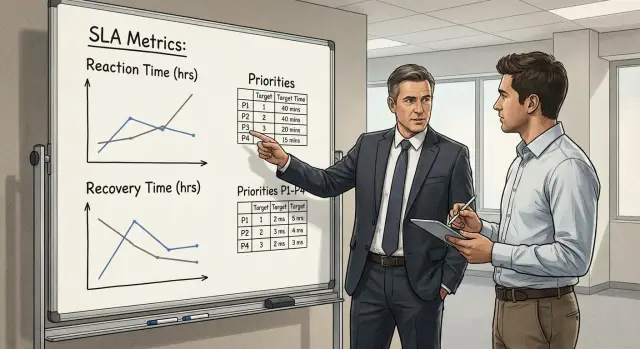
Why an SLA is needed and what breaks without it
An SLA for technical support becomes necessary when support stops being just “help by phone” and becomes part of the business’s daily operations. It records what counts as support, within which timelines, and with what responsibilities.
Without an SLA the same disputes almost always appear. When does an incident start: when the user noticed the problem, when a ticket was created, or when an engineer saw it? And when is an incident considered closed: when it “seems to work”, when the user confirms, or when the root cause is fixed and there’s a report? If it’s not written down, each side counts differently. Statistics turn into arguments instead of management.
Verbal promises work while there are few tickets and everyone knows each other. Then the load grows: more users, services, vendors. And the phrase “we usually respond quickly” no longer helps. Priorities start to jump, important requests get lost, and the team burns out.
Business risks are clear and measurable: downtime of key systems, missed deadlines, contractual penalties, lost revenue and reputation. If a patient registration service or a payment gateway fails, it’s critical not just to “respond” but to restore operation within an agreed time. Otherwise it’s hard to explain to management why an hour of downtime turned into a day of correspondence.
An SLA is useful to several parties at once. IT gets rules for prioritization and resource planning. Procurement can compare offers and control the contract. Security understands how quickly vulnerabilities are fixed and how escalations work. Management sees risks in numbers.
Even when support is provided by an integrator or equipment vendor (for example, 24/7 service for servers and workstations), an SLA makes expectations transparent and protects both sides from “we thought that…”.
Terms so everyone understands the same way
SLAs often fail not because of “bad support” but because the same words are interpreted differently. So before metrics and responsibilities, agree on terms.
Incident and service request are different in practice. An incident is when something is broken or underperforming and it hinders the business (the accounting system won’t open, the network is down, the document printer won’t print). A service request is when something needs to be done or changed (grant access, install software, add a user, prepare a workstation). If you mix them, you’ll get shiny reports and unhappy people: simple requests will improve statistics while real outages will drown.
To avoid disputes about time, use clear definitions:
- Response time: from the moment the request is recorded to the first meaningful reply from support (acknowledgement, clarifying questions, an assigned owner).
- Recovery time: until the service is returned to working condition, even temporarily (a workaround counts if it’s agreed).
- Resolution time: until the root cause is eliminated (hardware replacement, bug fix, configuration change).
Support hours also need to be stated explicitly: 8x5, 12x6, 24x7. This changes not only “when you can call” but how metrics are counted. For example, with an 8x5 SLA an incident at 19:30 may start counting only the next working morning.
Separately record start points and pauses: when a ticket was created, when confirmed, when taken into work. A common practice is to count the start from confirmation time (to exclude requests without data) and to state that waiting for customer response pauses the timer. Example: a user wrote “mail not working”, support asked for a screenshot and details, and the reply came after 3 hours. Those 3 hours should not be counted as support delay if the rule is fixed in advance.
Incident classification and priorities
Classification in an SLA is needed so everyone understands what is critical and what is a routine request. Otherwise priorities quickly become “everything is urgent” and response and recovery targets lose meaning.
It’s more practical to set priorities by impact and urgency rather than emotions. Impact can be described by scale (one employee, a department/branch, the whole organization) and whether a critical service is affected (for example ERP/1С, email, server access, POS systems).
Example priority scale
A typical P1–P4 model is easy to explain and control:
- P1 (critical): a key service or infrastructure is down, a large part of the organization is affected, no workaround exists.
- P2 (high): significantly impedes a department or an important role, a temporary workaround exists but losses are noticeable.
- P3 (medium): affects one user or a small group, a workaround is available, work generally continues.
- P4 (low): consultation, configuration, a small defect without business impact, can be scheduled.
Urgency vs. impact: don’t confuse them
Urgency is “how quickly it’s needed”, impact is “how many and whom it affects”. A user can ask “right now”, but if only one printer is down and another is available, that’s not P1. To prevent priority inflation, fix the rule: priority is assigned by criteria, not by position or volume.
Also describe two common scenarios. First — recurring failures: if the same problem happens regularly, create a separate task to fix the cause and track it separately from one-off incidents. Second — a mass incident: many identical tickets are grouped into a single master incident so the team doesn’t waste time on duplicates and reports show real scale and recovery time.
Which metrics to include in an SLA: the minimum without excess
An SLA works only when metrics are clear and verifiable from data. It’s more practical to take a short set of indicators, describe calculation rules and not mix incidents with service requests.
Usually the following minimum is enough:
- response time (acknowledgement and first contact)
- service recovery time (including agreed workaround)
- service availability over a period (month or quarter)
- SLA compliance percentage (share of requests completed on time)
- backlog and processing times (if SLA covers requests, not only incidents)
It’s useful to split response time into two parts: when the request is accepted into work (ticket number, owner and status exist) and when the first contact with the user or duty person occurred. For management this is an indicator of discipline, and for users it creates the feeling they were not left alone.
Recovery time is the main metric for critical services. Fix in advance what counts as recovery: returning the service to an agreed working level, even if temporary (a workaround). You can separately set a target for permanent fix, but don’t confuse it with recovery — otherwise the team may wait for a “perfect solution” and prolong downtime.
Availability is tied to the measurement window (usually a month) and you must state exclusions: planned works, agreed maintenance windows, external providers. Without this the reports will always cause arguments about the numbers.
Formalize SLA compliance percentage too: what “on time” means, how waiting for customer response or an agreed pause is handled, and how escalation to level 2 is counted. A simple rule: “an incident is considered met if recovery occurred before the deadline, and hours when the customer was waiting are not included in the timer”.
If SLA covers requests (accesses, installations, consultations), add backlog and target completion times. Otherwise incidents will be closed quickly while the queue of routine tasks quietly grows and starts to interfere with work.
Step-by-step: how to state SLA in a contract or an annex
The SLA should describe measurable promises and the conditions under which they apply. It’s convenient to make it an annex with tables: that way you can update numbers without re-signing the whole contract.
1) Record exactly what is supported
List services and boundaries of responsibility: which systems are covered, during which hours, and which request channels are official. This prevents disputes like “we wrote in a messenger” or “it’s a provider-side issue”.
2) Agree classification and the target matrix
Don’t create 10 levels. Usually P1–P4 is enough. Then add a matrix of target response and recovery times (RTO) for each priority, separately for 24/7 and for business hours if modes differ.
Example how it might look:
- P1: response 15 minutes, recovery 4 hours
- P2: response 1 hour, recovery 8 hours
- P3: response 4 hours, recovery 3 business days
- P4: response 1 business day, completion by agreed schedule
Be sure to state what is considered a “response” (e.g., registration and first contact) and what is “recovery” (return of the service to an agreed level).
3) Add exclusions and dependencies
A fair SLA includes conditions when targets don’t apply or are revised: planned maintenance, force majeure, lack of spare parts, dependency on third-party vendors (for example, when a vendor response is required or cloud provider access is needed). State how such dependencies are recorded in the ticket and how deadlines change.
4) Describe customer obligations and communication rules
An SLA fails if support lacks access. Specify minimum customer duties: contact persons, rules for approving remote access, maintenance windows, requirements for logs and outage confirmation.
For P1–P2 list communications separately: who is notified, how often status updates are given, when management is involved and which channels are primary.
5) Fix closure criteria and result confirmation
So “closed” isn’t just a formality, set quality criteria: what is checked, which metrics must return to normal, whether a root cause report is required for P1. Add a confirmation rule: for example, a ticket is closed after customer confirmation or automatically after N hours with no reply if the service passes automated checks.
Control processes: intake, escalations, responsibilities
Even a well-written SLA won’t work without processes: how a request enters work, who resolves disputes, and who is responsible when an incident involves multiple teams.
Single intake and request acceptance
Use one official intake: a ticket portal, a single mailbox or a single phone number. There can be several channels, but they must feed into one queue. Otherwise metrics will drift and some requests will be lost.
At intake capture the minimum data needed to measure response and recovery:
- registration time (when the request became visible to support)
- service/system and a short description of impact
- priority and the basis (how many users, is there downtime)
- customer contact person
- what counts as recovery in this case (temporary workaround or full fix)
Escalations, shifts and responsibilities
Escalation should happen by clear triggers, not only “when it’s scary”. For example: more than half of SLA time passed with no progress, access is needed, or the incident affects a critical service. Then a senior engineer is involved, and if deadlines are at risk a manager who can reassign priorities and gather extra resources steps in.
If 24/7 is required, describe shifts and handovers: who takes open incidents, how status is handed over, and how it’s checked that nothing “stuck” at the boundary. Large providers with round-the-clock support and distributed service networks (including GSE.kz) usually document this block as a separate regulation.
To avoid “who’s to blame” use a simple RACI: Responsible (who does), Accountable (who owns the result), Consulted (who is involved), Informed (who is notified). For incidents across multiple teams assign one coordinator: they maintain the timeline, record decisions and ensure regular status updates.
Reports for management: what to show and how to read
SLA reports are useful only when they support decision-making. IT needs a working detailed snapshot weekly. Management needs a short monthly overview without excessive detail. One report for everyone is usually either too complex or too shallow.
A weekly IT report should focus on concrete incidents: what repeated most often, where SLA breaches occurred, why they happened and which escalations worked. Here include causes (failed update, access error, resource overload) and actions that will realistically reduce repeats.
A monthly management report should answer: are we meeting the SLA and what is the business risk. Usually 5–7 indicators are enough:
- share of incidents meeting SLA (separately for response and recovery)
- number of critical incidents and their total downtime
- average and 90th-percentile recovery time
- breaches: how many and for what reasons (resource, waiting for customer, external vendors)
- repeat incidents (same problem during the month)
Make the report easy to read by slicing where things can be controlled: by services, departments, problem types and time of day. Night and weekend windows often highlight weak spots.
Show deviations as a short card: what happened, the impact (service, users, duration), why the deadline was missed and what will be done next (date and owner). If, for example, two critical downtimes in a month on the same service share one cause, that is a remediation task, not just a “fire”.
Link improvements directly to reports: a recurring incident becomes a specific task (fix cause, update instruction, add monitoring), and the next report shows whether repeats and breaches decreased.
Example scenario: SLA for an organization with critical services
Imagine an organization with 500 workplaces: a head office, remote branches and services without which work stops (email, ERP/1С, network, access to government portals, telephony, document printing). For such conditions the SLA should be about clear rules for the most painful failures, not averages.
A key step is to pre-agree who can set priorities and rights. For example, P1 is set only when a critical service is down for many employees or data loss is at risk. To avoid priority inflation, only the on-call admin, the IT shift lead and one business representative (for example, the head of operations) may set P1. All other tickets start as P2–P3 and are elevated after verification.
Targets might be fixed like this: for P1 response within 15 minutes, recovery within 2 hours (as a guideline), with mandatory escalation if the deadline is at risk. Distinguish: “response” means the engineer accepted the incident and started actions, not just wrote “accepted”.
Communication reduces half the tension. For P1 introduce regular status updates every 30–60 minutes using one template: what failed and who is affected, what’s done, current forecast, what is needed from the business (access, confirmation, maintenance window) and the time of the next update.
P1 is closed after the process owner (or duty person at a branch) confirms the service. Then write a short root-cause review: a few lines about what happened, why, how to reduce recurrence and what to change in monitoring or procedures.
Tools without which SLA is hard to control
Words in a contract are not enough. You need tools that record facts: when an incident started, who accepted it, what was done and when the service was really restored.
Ticket system: where statistics are born
A ticket system is needed not for convenience but for traceability. If requests are taken in chat and forgotten, SLA becomes a dispute about “who wrote and when”.
Minimum required fields on creation and closure: service/system, priority and impact, registration time and key timestamps (first response, recovery), status (in work, awaiting customer, escalation, resolved), closure reason and a short summary.
Agree in advance which statuses “stop the clock” (for example, waiting for access or customer data) and how that appears in reports.
Monitoring, knowledge base and inventory
Automatic alerts help capture incident start without delay. For critical services it’s better when incidents are created from monitoring automatically, not after a call. This is especially important in infrastructure with servers and workstations where failures can occur at night or on weekends.
A knowledge base speeds recovery: common failures, verification steps, user message templates. For recurring tasks (updates, access, hardware replacement) articles produce more predictable resolution times and reduce reliance on key people.
Inventory (catalog of services and owners) is a lifesaver during an outage: who owns the service, where it’s hosted, escalation contacts, and allowed change windows.
To keep SLA reports consistent you need a single source of truth: one ticket system for accounting, unified time rules (time zone, business hours) and one place where monitoring events and ticket data are collected. Then management sees measured facts, not opinions.
Common mistakes and how to avoid them
Most painful SLA issues start not from “bad support” but from vague wording. When phrases are fuzzy, each side reads them differently and disputes become matters of interpretation.
Typical mistakes and fixes:
- Promises like “promptly” or “as needed”. Replace with specifics: response time, recovery time, service hours and the official intake channel.
- Not defining what recovery is. Separate temporary recovery (workaround) and permanent resolution (root-cause fix) with separate targets.
- Mixing incidents and requests in one table without rules. Separate them: incident = outage, request = change/access/consultation. Requests usually need different metrics, not RTO.
- No exclusions or customer obligations. State what pauses the timer (waiting for access/approvals/data) and what the customer must provide (contacts, remote access, logs, list of critical services).
- Reports “for the checkbox”. Make reports managerial: causes of breaches, recurring incidents, top bottlenecks and actions for the next month.
If you see “99% met” in a report, ask one check question: which 1% failed and what changed so it won’t repeat.
Short checklist and next steps
For SLA to work, start from a clear base: what is supported, how important it is, and how you will know that agreements are met.
If the answer to any item is “not yet”, that is your 2–4 week plan:
- There is a service catalog (specifically: email, ERP/1С, branch network, workstations) with criticality marked.
- A priority matrix is defined: signs of P1/P2/P3 and target response and recovery times for each level.
- A single intake for requests is set and escalation rules are described: when on-call, shift lead, or vendor are involved.
- Report formats are agreed: which metrics, how often, and who owns each metric on the customer and provider sides.
- A pilot is planned: pick 1–2 key services, run SLA for 4–6 weeks, then adjust targets based on real data.
A practical next step is to record decisions in a 1–2 page document and hold a short meeting with those who will follow the rules: support team, IT lead, service owners.
If you lack resources for processes, on-call staff or infrastructure (monitoring, ticketing, spare parts), you can engage an integrator experienced in 24/7 support. In Kazakhstan such tasks are often handled by teams at GSE.kz: when system integration, support and equipment supply come together, it’s easier to restore critical services faster and keep SLA under control.
Frequently asked questions
Why do you need an SLA for support if “we already help anyway"?
An SLA becomes necessary when support is part of daily operations: it records **what is supported**, **within what timelines**, and **how results are measured**. Without an SLA you get disputes about when an incident started or ended, “everything is urgent”, lost priorities, and it becomes hard to explain to the business why an outage dragged on.
Where do typical SLA conflicts start and how to avoid them?
The most common conflict is different interpretations of time. Agree in the SLA in advance on these points: - when the clock starts (ticket creation or confirmation of details); - what counts as a “response” (not an auto-reply, but the first meaningful contact); - what counts as “recovery” (a temporary workaround counts if agreed); - which statuses **pause the timer** (waiting for access/response from the customer).
What is the difference between an incident and a service request, and why does it matter for SLA?
Separate them by default as follows: - **Incident** — something failed or degraded and interferes with business operations. - **Service request** — a change or action is needed (access, installation, configuration). If you mix them, reports will look good while real outages drown among routine tasks. In an SLA it’s better to set separate goals and metrics for incidents and for requests.
Which terms must be defined in the SLA so everyone counts the same way?
At minimum, fix three definitions: - **Response time** — from logging the request to the first meaningful reply. - **Recovery time** — until the service is returned to working condition (including an agreed workaround). - **Resolution time** — until the root cause is fixed. For critical services the main metric is usually **recovery**, while “fixing the cause” can be tracked as a separate task.
How to specify support hours (8x5/24x7) correctly and how does that affect SLA?
State support hours explicitly: 8x5, 12x6, or 24x7 — and how metrics are counted under each mode. If support is 8x5, an incident reported in the evening may start counting only the next business morning — this must be documented to avoid “playing with numbers”.
How to set priorities so everything doesn't become “urgent”?
A practical option is a **P1–P4** scale based on impact and urgency: - P1: critical service down, no workaround, affects many. - P2: significant impact on a department/role, workaround exists but losses are notable. - P3: issue for one or a few users, work generally continues. - P4: consultations or small non-urgent tasks. Fix the rule: priority is set by criteria, not by loudness or position.
Which metrics to include in an SLA so it's useful but not bureaucratic?
Practical minimum: - response time; - recovery time; - SLA compliance percentage (separately for response and recovery); - service availability over a period (if measured); - backlog and target completion times (if SLA covers requests as well). Important: formalize calculations (what is excluded, which pauses are allowed), otherwise the numbers will be disputed.
What does a normal P1–P4 SLA matrix look like (example)?
Provide a single simple target table by priority and define terms. Typical example: - P1: response 15 minutes, recovery 4 hours - P2: response 1 hour, recovery 8 hours - P3: response 4 hours, recovery 3 business days - P4: response 1 business day, completion by agreed schedule And always state what counts as “response”, what counts as “recovery”, and when the timer is paused.
Which escalation and responsibility rules should be in the SLA so it is actually met?
Set escalation rules by clear triggers, for example: - more than half the SLA time passed with no progress; - access/data from the customer is required; - the incident affects a critical service. Appoint one coordinator for multi-team incidents and agree update frequency for P1–P2. For 24/7 support describe shifts and handovers separately.
Which tools are required to control SLA rather than argue about it?
You need a single source of truth at minimum: - a ticketing system (registration time, first contact, recovery, statuses, closure reason); - monitoring for critical services (preferably auto-creating incidents); - a knowledge base for typical actions; - an inventory/catalog of services and owners. When support and the service network operate 24/7 (for example, with integrators or vendors like GSE.kz), strict accounting and monitoring are especially important; otherwise night incidents won't be recorded correctly.
