8 min read
Technical specification for supplying PCs and servers: structure and parameters
A practical guide to writing a technical specification for supplying PCs and servers: key parameters, compatibility, service, timelines, completeness and acceptance tests.
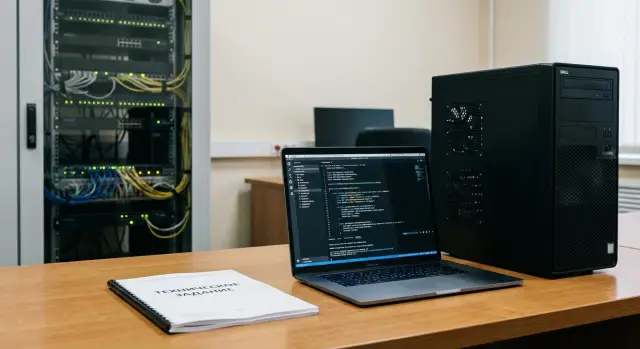
Why a technical specification is needed and what usually goes wrong without one
A technical specification for supplying PCs and servers is not just a formality. It helps ensure you receive equipment that fits your IT environment, arrives on time, is correctly complete, and has clear maintenance procedures. Without a spec, an order often becomes a series of promises in messages and then a dispute about who meant what.
Common problems without clear requirements include missed deadlines (logistics, pre-configuration, installation), incompatible hardware (wrong interfaces, missing drivers, wrong form factor), unexpected costs (cables, rails, licenses, consumables, delivery, lifts, engineer visits). Completeness often doesn’t match the paperwork (no keyboards, missing mounts, missing documentation, serial numbers absent from waybills), and acceptance drags on because test criteria and sensible limits for noise, temperature and performance are not defined.
It’s important to distinguish documents. The spec fixes requirements and acceptance criteria. Commercial offers and price lists describe what the supplier is willing to deliver and at what price. A good spec makes supplier comparison fair: everyone bids to the same requirements and is accountable for the same conditions.
Some requirements are easier to write in prose (usage scenarios, room constraints, service expectations), and some — in tables (configurations, quantities, timelines, completeness, SLA, tests). That way the document is understandable for procurement, IT and the supplier, including manufacturers and system integrators like GSE.kz.
Define the delivery scope: scenarios, volumes, constraints
Start simple: what exactly are you buying and for whom. If the scope isn’t fixed, suppliers will propose solutions of different classes and comparing them by price and delivery becomes almost impossible.
Describe scenarios as groups, not "one per person." Example: 60 office staff (email, documents, browser), 10 accountants (1C and digital signatures), 6 engineers (CAD), 2 meeting rooms (video conferencing). For servers, it is enough to state the purpose: virtualization, file services, databases, backup.
To make the scope clear, answer a few questions:
- How many devices are needed now and what growth reserve is required for 12–24 months.
- Where will workstations and servers be located (office, classrooms, server room, branches).
- Which applications are critical and what matters most for them (memory, graphics, fast disks, stable network).
- Which OS is required (Windows, Linux) and are there license or domain-policy constraints.
- Room and infrastructure conditions: noise, dimensions, ventilation, access to outlets, UPS requirements.
Add constraints that materially affect the result: allowable power per workstation, outlet types, rack mounting requirements, temperature range, prohibition of non-standard form factors. For government bodies and large customers, separately record service geography and delivery scheme requirements (e.g., shipments per branch with a single support window).
Compatibility and requirements for the existing IT environment
Before writing hardware specs, record what it must work with. A short "current environment" block in the spec is useful: network (port speeds, Wi‑Fi), domain and policies, fleet management tools (AD/GPO, Intune/SCCM or another tool), existing peripherals (printers, scanners, terminals), permitted OS versions and licenses.
Then check the points where surprises most often occur during deployment. A typical case: some equipment only supports VGA or legacy devices need a COM port. Resolve this in advance: include the required ports on the chassis, a docking station, or adapters in the kit.
What to specify to avoid conflicts
Parameters that most often affect compatibility and final cost:
- Connectors and form factors: video (HDMI/DP/VGA), USB‑C, RJ‑45, 2.5/10GbE, 19" rack and server height, rail type.
- Drivers and OS: support for the selected Windows/Linux version, availability of signed drivers, possibility of silent installation.
- Management: remote server management (IPMI or equivalent), PXE booting, compatibility with your MDM/EDR.
- InfoSec: TPM 2.0, Secure Boot, disk encryption requirements, prohibition of unnecessary interfaces (if required).
- Standardization: permitted models and interchangeable components (PSU, disks, memory), requirements for single-batch delivery and labeling.
If local manufacturing or supply-chain transparency matters, state it as a separate line so proposals are filtered by that criterion right away.
PC and workstation parameters that really matter
In the spec, prefer "sufficient for the tasks" over "the most powerful." That simplifies comparing offers and reduces the risk of receiving the wrong class of devices.
Specify both minimum and recommended configurations. For office tasks, a fast storage drive matters more than the highest-end CPU. For accounting and large spreadsheets, RAM is often critical. For CAD, 3D or video, decide ahead whether additional CPU cores and more RAM are required.
To make requirements testable, fix:
- CPU: class/generation or "no lower than" by performance, and if necessary — power consumption limits.
- RAM: capacity, expandability (number of slots), requirement for two-channel operation.
- Drives: type (SSD/NVMe), capacity, and if needed — a second drive for data.
- Graphics: integrated or discrete, number of monitors, required ports (HDMI/DP/USB‑C).
- Network and security: 1G/2.5G, Wi‑Fi/BT if required, mandatory TPM if corporate policy requires it.
Also describe the "physical" aspects of the workstation: case dimensions, power reserve, acceptable noise level for open-plan offices. If you plan to upgrade in 1–2 years, lock in slot and connector availability and case type (SFF or full-size).
Do not leave completeness to default. Specify monitor (diagonal, resolution, panel type), keyboard and mouse (type, layout), cables and adapters. This is especially important for mass deliveries (schools, government bodies) where uniform configuration and easy replacement are required.
Server parameters: performance, reliability, management
You cannot describe a server as simply "powerful." Start from its purpose: file services, virtualization, databases, application services. For each scenario state expected load (users, data volume, number of VMs, growth for 1–3 years) and availability requirements.
For performance, specify minimums for CPU, RAM and storage, but don’t forget fault tolerance. Typical spec points include RAID levels by data type, hot-swap drives, headroom for expansion, controller requirements (cache, battery or supercapacitor). If speed is critical, request measurable metrics — for example IOPS or maximum latency for key volumes rather than just "SSD."
Network frequently becomes the bottleneck. Specify number of ports, speed (1/10/25G), type (SFP+ or RJ‑45) and redundancy scheme (LACP, two independent switches). Also record optical and transceiver compatibility to avoid receiving a configuration you cannot integrate into your infrastructure.
Form factor affects the outcome: rack or tower, height in U, rails included, allowable depth, power (1 or 2 PSUs), plug types and PDU requirements.
For management add requirements:
- remote console before OS boot (KVM over IP), virtual media;
- hardware monitoring (temperatures, fans, PSUs, drives) and event logging;
- access roles and, if needed, integration with your directory (for example AD);
- alerts (email, SNMP) and log retention requirements.
A practical example: for 2U rack servers for a small virtualization cluster, request dual power supplies, RAID10 for main VMs, a mirrored volume for the hypervisor, and mandatory remote console. Such requirements are easy to verify at acceptance, including for models like GSE S200.
Completeness, packaging and logistics without surprises
Many acceptance issues are not about characteristics but about "something missing": wrong cables, no rails, missing keys or documentation. The easiest approach is to list completeness per device type (PC, all‑in‑one, workstation, server) so there is no room for interpretation.
The spec usually lists what must be in the box or in the delivery: power and interface cables (with length), mounting and fasteners (for servers — rails/slide kits and screws), manuals and access to drivers, list of preinstalled software and licenses (if included), and required spare parts for the batch (for example one PSU or a fan kit per number of servers).
Also specify labeling: serial numbers in waybills, inventory stickers by your template, model and configuration on the nameplate. This saves time when entering assets and helps with warranty claims.
For logistics, set rules in advance: delivery method, unloading/lift, delivery windows, contact person and storage conditions before commissioning (temperature, humidity, prohibition on opening packages). If servers are shipped for rack mounting, require pallet delivery, corner protection and photo evidence of packaging prior to shipment.
Service, warranty and SLA: lock in expectations early
Service conditions are as important as technical specs. If not secured, warranty may become only a statement on paper while downtime becomes your problem.
First, describe the warranty plainly: duration, what constitutes a warranty case (e.g., PSU, disk, motherboard failure) and what is excluded (liquid damage, unauthorized opening, consumables). Clarify who confirms a fault and what to do if the issue is intermittent and does not reproduce immediately.
Then specify the service model: on‑site repair or service center. For office PCs on‑site module replacement may be enough, while servers typically require strict recovery times.
SLA commonly fixes:
- response time (when the supplier contacts you after a ticket);
- recovery time (when the equipment is back in operation);
- support hours (5/2, 24/7);
- maintenance windows (are night works allowed or only daytime);
- requirements for spare pool or swift module replacement.
To prevent lost requests, define the contact procedure: single contact point, mandatory ticket registration with number, escalation deadlines and who decides on a dispatch. Require a short report for each ticket: cause, replaced parts, serial numbers, recommendations.
If delivery is regional, separately verify service network and spare-part availability: where service centers are located and maximum delivery times for parts. Manufacturers and integrators with 24/7 support and a nationwide network make these conditions easier to confirm, but it’s still best to lock them into the spec.
Deadlines, staging and execution control
Describe timelines as a work plan, not a single date. This is crucial when some items are custom-built, some are from stock, and some depend on licenses or approvals.
Record stages and the result of each stage — this simplifies progress control and quickly identifies the cause of delays.
How to set stages and dates
Usually 4–5 milestones with clear readiness criteria are enough:
- specification approval (deliverable: an agreed bill without discrepancies);
- production or procurement and kitting (deliverable: confirmation the batch is ready);
- delivery to site(s) (deliverable: waybills/delivery notes, confirmation of packaging integrity);
- commissioning (deliverable: devices power on, OS and drivers installed, network functional);
- document handover and closure (deliverable: acceptance acts, warranty docs, serial-number registry).
For each date add permissible deviation (for example 3–5 business days) and define conditions for formal schedule shifts: delayed site readiness, lack of access, missing power, missing software or license keys.
Reporting and execution control
Require that the supplier sends regular updates and specify the format:
- weekly status with percent complete and risks;
- registry of serial numbers and kit per unit;
- draft acceptance acts and list of closure documents;
- confirmation of readiness for commissioning (date, scope of work, responsible persons).
If penalties apply, specify a clear mechanism: what triggers them (missed milestone, delayed commissioning), from which day they start, and what exceptions count as force majeure. That way rules are transparent for both parties.
Acceptance testing: criteria, protocols, outcome
Acceptance must be described as clearly as technical characteristics. Otherwise a dispute quickly turns into "it works for us" vs "it doesn’t work for you."
Record where and by whom acceptance will be performed: customer warehouse, integrator site, or installation location. Acceptance typically includes checking waybills, serial numbers, specifications, warranty documents, completeness and signing an act.
Minimal checks that almost always help:
- visual inspection (case, seals, connectors, screen);
- first power-on (boot without errors, correct BIOS/UEFI readings);
- configuration verification (CPU, RAM, drives, network ports, PSU, licenses);
- compatibility check (network connection, domain join, peripheral operation, driver and update installation);
- for servers — a short stability test for CPU/RAM/drives (30–60 minutes) and event log review.
The acceptance protocol should end with a clear status: "accepted", "accepted with remarks" or "rejected." Example: an accounting PC powers on and matches the configuration but cannot print due to a driver — that’s an "accepted with remarks" item with a fixed remediation deadline.
If nonconformity is found, predefine the procedure: discrepancy act, photo evidence, supplier response time, replacement or completion deadline, and who pays for travel or logistics.
Step-by-step spec structure: how to assemble the document in 1–2 days
You can assemble a spec quickly if you don’t try to describe everything and instead focus on what affects compatibility, completeness, timelines and acceptance. It’s convenient to build the document from five blocks and keep two tables: nomenclature and parameters.
- Nomenclature. For each line indicate role (office PC, workstation, server, monitor), quantity, installation location and a short scenario (accounting, CAD, virtualization).
- Parameters. For PCs and servers set mandatory requirements and a separate column for desirable ones. Use measurable values: CPU, RAM, drive type and capacity, network ports, expansion slots, remote management for servers, noise and form factor for office zones.
- Completeness and documents. List what arrives with the device: cables, mounts, rails, licenses (if included), and documents. Require a serial-number list tied to acceptance acts.
- Service and SLA. Fix response and recovery times, support hours, ticket format and replacement conditions during repair.
- Acceptance and tests. Describe checks on delivery: configuration match, boot, disk and memory diagnostics, port checks, a short load test for servers. State how results are documented (protocol, signatories, what counts as a defect).
A practical tip: preassign who is responsible for unpacking and initial testing, and set the supplier’s deadline for replacing defective devices. This saves days when equipment is already on site.
Common mistakes in specs and how to avoid them
Specs often look clear until delivery and acceptance. To make the document protective, check typical weak spots.
Mistakes that cost time and money later
- Vague words like "performant" or "modern." Replace them with numbers: minimum performance/class of CPU, RAM size, drive type, number of ports, network speed.
- Mixing must-haves and wishes. Separate MUST and SHOULD, otherwise the supplier will meet only the minimum.
- Completeness not specified. State what is included in the price: cables, mounts, rails, OS, licenses, drivers, accessories, spare parts, documentation.
- No acceptance criteria. Fix tests, success metrics, critical defects and remediation timelines up front.
- Requirements that don’t match real conditions. Before finalizing, verify power, outlets and UPS, rack depth and mounting type, switch port types, VLAN schemes and cooling conditions.
Small example: you specified a "2U server" but didn’t check rack depth and rail type. On mounting day you find you need different rails and a C19 power inlet, and the project stalls.
If you doubt compatibility or service coverage, ask the supplier for a mapping table of the spec to the acceptance plan. This is especially useful for government or critical infrastructure projects.
Short checklist before sending the spec to suppliers
Before sending, quickly confirm the document answers three core questions: what we buy, how we check it, who and how supports it.
- Scenarios and software are specific: who works (accounting, engineer, cashier), which apps and versions are critical, peripherals and OS requirements.
- Characteristics are measurable and prioritized: CPU, RAM, SSD type and capacity, network, ports, expandability. Note where equivalents are allowed and where they aren’t.
- Completeness and documentation are not left to guesswork: cables, rails for servers, drivers, serial numbers, passports, warranty docs, box labeling and per-item packing lists.
- Service is fixed: warranty period, response time, contact channels, support hours, replacement rules and who pays for travel/delivery.
- Acceptance is defined as a process: tests to run, protocols and deadlines, what counts as nonconformance and required actions (replacement, completion, penalties).
If local manufacturing and service in Kazakhstan matter, add that as a separate requirement so suppliers know the criteria they will be evaluated by.
Example: spec for an office and a small server room
Scenario: office for 120 employees and a small server room. You need PCs for workstations and two servers: one for virtualization (core services) and one for file storage. The goal is simple: the supplier delivers compatible, fully ready-to-run equipment and you accept it quickly by clear criteria.
For PCs, split delivery into profiles to avoid overpaying:
- Profile A: office tasks, browser, email, 1–2 monitors.
- Profile B: accounting, analytics, large spreadsheets, 2 monitors, more RAM.
- Profile C: CAD/graphics or development, discrete GPU and power reserve.
Within each profile lock not only CPU and memory but also factors that affect results: SSD type and capacity, number of video outputs, Wi‑Fi or wired-only, case type (SFF/MT), OS and installation method (image, domain join, drivers).
For servers specify minimums: RAID (level and controller type), disks (class, hot-swap), dual PSUs, 2–4 network ports of required speed, a dedicated remote management port (IPMI/iKVM), and compatibility with the hypervisor and your network gear.
For timelines describe staging: delivery to head office and distribution to branches, acceptance windows, who is responsible for lifting/unpacking, and what counts as "delivered" (serials, seals, cables, documents).
Acceptance in 1–2 days is feasible without a lab if tests are predescribed: verify kit and serials, power-on with no BIOS/POST errors, visibility of all drives and RAM, a quick stress test for CPU/RAM, SMART check for SSDs, network checks (link speed, all ports), remote management verification. For a server, also test RAID rebuild and disk replacement procedures.
Next steps: how to start procurement and keep control
When the spec is ready, one goal remains: run procurement predictably so the supplier delivers exactly what is needed, on time, with known support and acceptance doesn’t become a dispute.
Prepare a short package of source data so offers are comparable: inventory (models, OS, versions, licenses, network, racks, UPS), application requirements (users, peak loads, criticality, maintenance windows), site constraints (power, cooling, noise, dimensions, server-room access), security requirements (domain, encryption, logs, software restrictions), and deployment plan (who accepts, who deploys, dependencies).
Then align the document internally. Delays usually occur at the intersection of IT, InfoSec, procurement and finance — everyone has different priorities. A two-version approach helps: a short version for procurement (scope, quantities, timelines, warranty, acceptance) and a detailed version for IT checks (compatibility, tests, completeness, service).
If local manufacturer or integrator in Kazakhstan is important, discuss delivery and support with GSE.kz early. The company manufactures computers, workstations and servers in Kazakhstan and provides system integration and 24/7 technical support, so completeness, service and timeline items can be directly tied to verifiable commitments.
Frequently asked questions
Why do I need a technical specification for supplying PCs and servers if I already have a commercial offer?
The specification records **exactly what you are buying**, **how it will be tested**, and **what service is expected**. Without a spec, requirements spread across emails, and at acceptance you get disputes: "that is what we meant" or "that wasn't promised." A practical minimum: usage scenarios, measurable parameters, completeness, stages/deadlines, acceptance and SLA.
What is the minimal structure of a specification so that it actually works?
Collect these five blocks: - **Delivery scope:** who will use it, where devices will be located, volumes and growth for 12–24 months. - **Environment requirements:** OS, domain/policies, network, peripherals, security constraints. - **Parameters and configurations:** MUST (mandatory) and SHOULD (recommended) for each profile. - **Completeness/logistics/documents:** what comes in the box, labeling, serial numbers, delivery/lift. - **Service and acceptance:** warranty, SLA, request handling, tests and protocol. If time is short — make one table for items and another for parameters/checks.
How to set PC parameters correctly so you don't overpay or get underpowered machines?
Describe users by **profiles**, not "one size fits all." For each profile set minimums and tolerances: - CPU: class/generation or "not lower than" a defined level, avoid "most powerful." - RAM: amount and expandability (slots), preferably two-channel. - Disk: type (SSD/NVMe) and capacity, whether a second drive is required. - Video: integrated or discrete, number of monitors, required ports. - "Physical": form factor (SFF/MT/all-in-one), noise, power. This lets suppliers price the same things and lets you verify acceptance.
Why divide requirements into MUST and SHOULD and how to present it?
Separating MUST/SHOULD reduces the risk that a supplier "optimizes" away important points. - **MUST:** items without which the device is unsuitable (e.g., TPM 2.0, dual-monitor support, NVMe, required ports, support for your OS). - **SHOULD:** items that improve comfort or future-proofing (e.g., more RAM, Wi‑Fi, quieter case). Add a priority note: "on conflict, MUST takes precedence over price/delivery" if that reflects your priority.
Which items in the specification ensure compatibility with the existing IT environment?
Create a short "Current environment" section so there are no surprises: - network: port speeds, requirements for 1/2.5/10/25GbE, Wi‑Fi if needed; - OS and versions, requirements for signed drivers; - domain/policies and how the fleet is managed (GPO/MDM/EDR); - peripherals and "rare" interfaces (VGA/COM/special scanners). If old equipment remains, decide in advance whether you need ports on the chassis, docking stations, or adapters and include them in the kit.
How to describe a server in the specification so you get a suitable one, not just a "powerful" box?
Start from purpose (virtualization, files, DB, backup) and expected load (users, data volumes, VM count, growth). Then lock down verifiable requirements: - CPU/RAM: minimum and headroom for expansion. - Storage: RAID levels, hot-swap drives, spare capacity, controller requirements (cache, battery or supercapacitor). - Network: number of ports, speeds, type (SFP+ or RJ‑45), redundancy scheme. - Reliability: dual PSUs, ventilation/temperature requirements. - Management: remote console before OS boot, hardware monitoring, logs. This lets you compare offers fairly and receive a server you can operate without on-site improvisation.
What must be included in the "Completeness" section to avoid acceptance failures?
Specify completeness **per device type** so acceptance does not fail due to omissions. Often forgotten items: - for servers: rails/slide kits, mounting hardware, keys/locks; - power and interface cables with length; adapters (video/network/power); - keyboards/mice/monitors (if required) with correct layout; - documents: warranty, certificates, manuals; - a registry of serial numbers matching delivery notes. Also require labeling: serial numbers in delivery documents, inventory stickers by your template — this speeds up asset entry and warranty claims.
How to set delivery dates in the specification so they can be controlled?
Describe deadlines as a plan of work, not a single date. Typical stages: - specification approval (deliverable: an agreed bill of materials); - production/procurement and kitting (deliverable: confirmation of batch readiness); - delivery to site(s) (deliverable: waybills, confirmation of packaging integrity); - commissioning (deliverable: devices power on, OS and drivers installed, network functional); - handover and closure (deliverable: acceptance acts, warranty docs, serial-number register). Add acceptable deviations (e.g., 3–5 business days) and define conditions that officially shift dates (delays in site readiness, access, power, or provision of software/licenses).
Which SLA and warranty parameters should be written into the specification?
For PCs, response in business hours may be enough; for servers, restoration time is critical. Typically specify: - response time (when the supplier contacts you after a ticket); - recovery time (when equipment is back in service); - support window (5/2 or 24/7); - repair location: on-site or at service center; - need for spare pool or fast module replacement. Also define the process: single contact channel, ticket registration with number, escalation times, and a short report per ticket (cause, replaced items, serial numbers).
Which acceptance tests should be included to minimize disputes?
Specify a minimal set of checks and put results into an acceptance protocol: - match delivery notes, serial numbers and kit contents; - visual inspection and first power-up; - verify configuration (CPU/RAM/drives/ports/PSU); - compatibility checks (network, domain join, drivers, peripherals); - for servers: a short stability test (30–60 minutes) and log review. The protocol must state: **"accepted / accepted with remarks / rejected"** and deadlines for fixes. In case of nonconformance, require a discrepancy report, photo evidence, supplier response time, replacement or completion deadlines, and who covers travel or logistics.
