8 min read
Technology trends 2022: what changed in IT and hardware
Technology trends 2022: the main changes in IT, PC and server hardware, security and AI, and how to use 2022 lessons when planning 2023.
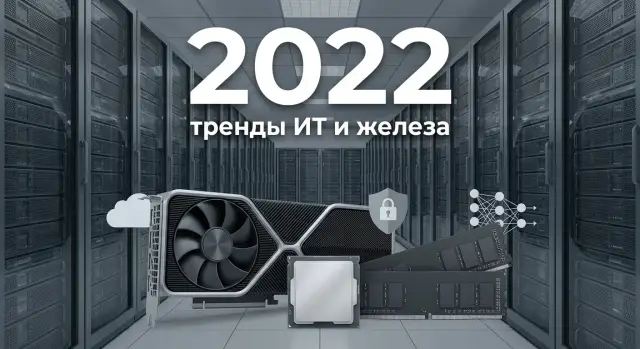
What changed in 2022 and why it matters
2022 was a notable year for IT not because of one flashy innovation, but because several factors started affecting decisions at the same time. Upgrading equipment and infrastructure began to depend not only on specs, but also on availability, lead times, risks and support.
For regular users it looked simple: familiar models became harder to buy, prices and delivery times changed more often, and requirements for video conferencing, Wi‑Fi and storage speed increased for laptops and PCs. For organizations the changes ran deeper: budgets were reviewed, supply chains were reworked, equipment provenance had to be confirmed and service had to be planned in advance.
Three themes most often influenced decisions.
First — supply. Companies began to diversify manufacturers, hold stocks of critical components and choose suppliers who could provide a clear device lifecycle.
Second — security. The focus on basic hygiene strengthened: updates, backups, access control and incident readiness.
Third — cloud and hybrid. Many started to watch costs more carefully and combine on-prem servers with cloud services where that provided flexibility without overspending.
Treat this review as a set of practical takeaways. Look not just at the year’s headlines, but at which procurement and operational habits became the norm: check compatibility in advance, calculate total cost of ownership, document support requirements and understand how supplies and spare parts are handled.
PCs and workstations in 2022: key hardware shifts
In 2022 the PC and workstation market matured noticeably: performance increased, but so did requirements for power, cooling and sensible configuration. The main point is simple: hardware got faster, but it became easier to make the wrong choice.
DDR5 finally moved out of the “expensive and why” category. In real workloads the gains were most noticeable where heavy multitasking and large datasets are present: compilation, rendering, engineering calculations and virtual machines. In office scenarios the difference is usually smaller, and sometimes it was more important to simply add more RAM (for example, 32 GB instead of 16 GB) than to chase the new standard.
PCIe 5.0 made a lot of noise in 2022, but practical benefits were selective. For most work PCs the performance improvements came from storage and storage design rather than the bus. PCIe 5.0 was interesting for those planning ahead for very fast SSDs or future GPU generations, but paying for headroom made sense only when the scenario was clear.
When choosing CPUs it became more important to look not at the “new generation” label but at the numbers relevant to your load: core count, sustained frequencies, power limits, instruction support and cache size. For workstations this often matters more than short-burst benchmark records.
GPU availability calmed down in 2022 and power efficiency became a real criterion. For organizations this meant less noise, lower PSU requirements and easier operations in warm offices.
A separate trend was the growing role of mobile and energy-efficient platforms, including ARM in everyday devices. These helped where battery life, quiet operation and predictability were important. Compatibility with specialized software still had to be checked in advance.
If you choose a workstation after 2022, it helps to quickly verify basic items: amount of RAM and upgradeability, reliable cooling for sustained load, a fast SSD for the OS (and a separate drive for projects if needed), a GPU matched to the task, and a clear 2–3 year upgrade plan.
Servers and data centers: what changed in 2022
In 2022 data centers shifted focus from “maximum power at any cost” to balance: performance, total cost of ownership and equipment availability started to be discussed on equal footing. This is especially visible in server hardware and engineering infrastructure.
Server CPUs continued to grow in core count and memory bandwidth. For many workloads the effect was direct: fewer physical servers for the same load. At the same time interest in energy efficiency rose, because extra cores and higher frequencies quickly bump into power and thermal limits.
Accelerators became a distinct budget line. GPUs and other accelerators became “mandatory” not just for science but for analytics, search, recommendations and model training. A typical 2022 scenario: the business requests an AI pilot, and IT suddenly realizes that without a proper accelerator-ready server (power, cooling, slots, drivers) the project won’t start.
Storage also evolved: NVMe became the norm for hot data and virtualization, and conversations shifted to reliability and recovery. What mattered more was not “the fastest disk” but a clear redundancy plan and regular recovery tests.
Upgrades often hit five practical constraints: higher network speeds requiring new switches, choke points at junctions (lack of ports and throughput), rack power and UPS limits, cooling (hot spots and dense layouts), and component availability and lead times.
Because of this, servers were increasingly planned together with rack engineering rather than separately. If previously discussions could focus on a server model, in 2022 it became normal to calculate how many kilowatts are actually available, how heat is removed, how quickly replacements arrive and who will perform on-site repairs.
Cloud, hybrid and cost control
In 2022 “cloud or on-prem” ceased to be a binary choice for many companies. The hybrid model became the norm: some systems stayed on-prem because of latency, data requirements or legacy dependencies, while others moved to the cloud for faster launch and flexibility.
On-prem was often used for systems that are hard or expensive to move: databases with sensitive data, services with strict latency requirements, and local production or office network services. The cloud hosted test environments, web services with seasonal peaks, backups, analytics and short-term projects.
Multi-cloud in 2022 became a practice rather than a buzzword. Reasons are obvious: reduce dependence on a single provider, choose the best service for a specific task and spread availability risks. The downside is more complex security and management, higher overhead for teams, and many small bills from multiple providers adding up to a large budget.
FinOps: why cloud costs started to be counted more strictly
By 2022 many organizations discovered that cloud can get out of control if you pay on demand and don’t monitor consumption. This led to the adoption of FinOps: a joint discipline for IT, finance and the business where each resource has an owner and a clear purpose.
In practice people often started with simple measures: tags and cost centers, budgets and overage alerts, scheduling shutdowns for unused environments, rightsizing VMs and disks, and launching new services only with a clear cost model.
At the same time requirements for backups and recovery hardened. Simply “having backups” became insufficient: regular recovery tests, copies stored across locations and clear RPO/RTO metrics were required, especially for critical systems.
Collaboration services became ubiquitous in 2022, while VDI and remote desktops were evaluated more soberly. VDI remained convenient where there are many temporary workers or controlled access to data is needed. But for permanent staff organisations often returned to “laptop plus secure access” because VDI requires stable channels and significant costs.
A practical example: a school or clinic might keep accounting systems and archives on-prem, and move the portal, email and backups to the cloud. The key point is to calculate costs in advance and decide which roles truly need VDI.
Cybersecurity in 2022: what became basic hygiene
2022 reinforced a simple conclusion: protection must be continuous, not occasional. With remote work and more online services, many organizations saw an expanded attack surface while tolerance for downtime decreased.
Most breaches did not exploit exotic vulnerabilities but common entry points: email, employee accounts, remote access and file servers. Ransomware targeted data and backups, and phishing became more precise: messages imitated accounting, suppliers, delivery services and IT support. A particularly painful problem was admin account compromise: one stolen password often gave attackers wide access.
Zero Trust in 2022 became practical rather than a presentation topic. Many started small: removing default trust in the internal network, limiting access by role and verifying device and user at each login. Simple measures had quick effects: close unnecessary RDP/VPN access, separate admin and user accounts, and eliminate shared credentials.
MFA and access management became mandatory, but implementation often stumbled on everyday issues. Typical problems: employees losing their second factor, no unified rules for contractors, service accounts living for years without review, and permissions granted “just in case.” A short policy helped: who approves access, for how long, and how quickly it is revoked when someone leaves or changes role.
Supply chain security also became part of hygiene. Organizations paid more attention to where updates originate, how quickly a vendor patches vulnerabilities, and whether hardware and software provenance can be tracked.
The minimum set that made working without high risk unrealistic in 2022 included: backups following the 3-2-1 scheme (with separate credentials for backups), basic network segmentation (at least separating workstations, servers and critical systems), logging of key events and defined retention periods, scheduled OS and firmware updates, and an incident response plan with clear roles and contacts.
A real-world example: if a school or clinic has its file server encrypted, the main question is not “how to decrypt” but how quickly to restore operations from clean backups and prevent the attack from spreading to other segments. This requires not only technology but discipline: check backups and regularly rehearse recovery.
AI and data: notable 2022 trends
By late 2022 interest in generative models and chatbots grew rapidly. AI began to be seen not only as a calculation tool but also as a way to work with text: assist operators, search documents and explain answers in simple language. This touched almost every business process that handles knowledge and documents.
Companies soon hit reality: a beautiful prototype in a notebook is not the same as a production service. This reinforced the MLOps approach: lifecycle management for models, version control, quality monitoring and clear rules for when retraining is needed.
At the same time “data as an asset” stopped being just a slogan. It became clear that if the database is chaotic, AI will deliver chaotic results. This drove attention to data quality, catalogs, access controls and ownership. A frequent 2022 question was: who owns a dataset and who ensures it contains no unnecessary personal data.
Another thread was Edge AI and local processing. It makes sense where latency and privacy matter: for example, image analysis on a doctor’s workstation in a clinic, or quality control on a production line without sending frames to the cloud.
AI infrastructure increasingly became a dedicated project because requirements differ from ordinary servers: GPUs, fast drives, high network throughput and a clear growth plan are needed. Even storage can become the bottleneck.
If you plan an AI project after 2022, check the basics: which data are needed and who owns them, where the model will run (data center or locally), how you will measure quality and drift, whether resources (GPU, storage, network) are sufficient, and who will support the service 24/7.
Supply and technological sovereignty: lessons from 2022
2022 showed that hardware is bought not only by price and specs. Delivery times affected project reliability: logistics delays, unavailable SKUs at distributors and sudden component substitutions. For IT teams this meant a simple fact: even a good project can stop if the required configuration doesn’t arrive on time.
This increased interest in technological sovereignty and transparent supply chains. Many organizations started to consider local manufacturing, predictable lead times, consistent BOMs and the ability to get replacements quickly. Supply reliability became part of product quality.
Service coverage was also crucial. With a large fleet of PCs or servers the question of “who repairs and how fast” becomes critical. 24/7 support and nationwide service reduce downtime risk, especially in regions and organizations with continuous processes.
To reduce dependence on shortages, pragmatic measures were common in 2022: standardize on 2–3 common configurations instead of dozens of unique ones, pre-agree acceptable substitutions, plan a spare-parts inventory (drives, PSUs, memory, fans), run test batches before mass procurement and keep lifecycle records to avoid emergency upgrades.
A real example: a regional medical network updating workstations and some servers found that “the same model” arrived with different components and delivery dates changed several times. They moved to standard configurations, agreed on allowed substitutions and chose a supplier who controlled production and provided local support.
The main lesson: when choosing a vendor and platform look not only at the spec sheet, but also at how supplies, support and spare parts are guaranteed for the entire service life.
How to apply 2022 lessons: a step-by-step IT refresh plan
2022 showed a simple thing: treat IT refresh as a project, not a one-off purchase. That way you cover performance, reliability, security and supply risks together.
A five-step plan
-
Start with an inventory: how many PCs, workstations and servers you have, their age, location and users. Add live data: typical workloads, frequent downtimes, overheating, user complaints, and a list of critical systems (accounting, registration, document management, databases).
-
Reduce infrastructure to a few clear profiles. Usually 3–5 profiles suffice: office employee, analyst with heavy spreadsheets, engineer/designer, front-office operator, and a server for virtualization or databases. This prevents buying “the same high-end kit for everyone” and helps match hardware to work.
-
Fix success metrics. Choose measurable items: application startup time, incidents per month, recovery time, total cost of ownership over 3–5 years, and compliance with basic security requirements (updates, encryption, access control).
-
Split tasks into quick wins and capital projects. Quick wins deliver results in weeks: replace the oldest PCs, move to SSDs, add RAM, improve backups, and tidy accounts. Capital projects need planning: server upgrades, virtualization, network modernization, or a move to a new class of workstations.
-
Finish with a pilot and scaling rules: where to test, pass/fail criteria, who supports it, and how spare parts and repairs are organized. A pilot reduces risk and helps stay within budget.
Common mistakes when choosing PCs and servers after 2022
After 2022 many purchases became rushed: people want available hardware now and “headroom.” But the year taught that winners tie hardware to real tasks and risks, not to novelty.
Mistake 1 — buying the newest models without calculating ROI. If a PC is for office work and video calls, overpaying for a top CPU and discrete GPU often yields little benefit. A fast SSD, sufficient RAM and clear support are usually more important.
Mistake 2 — underestimating rack engineering: power, cooling and rack space. Increased server power can easily hit kW, PDU, UPS and cooling limits. The hardware may exist but cannot be run fully, or you must throttle workloads.
Mistake 3 — mixing components and software versions without a testbed. New controllers, firmware, hypervisors and drivers can conflict. A minimal pilot on one server or a couple of typical PCs often saves weeks of downtime.
Mistake 4 — considering only purchase price. Total cost of ownership includes support, repair speed, downtime and staff time.
Before ordering, verify: use cases for 1–3 years and measurable metrics, power/cooling/rack space headroom, compatibility with current OS and business apps, a migration and backup plan with timelines, and support format and service coverage.
Quick checklist before buying or upgrading
Spend 20 minutes to record facts before buying PCs, workstations or servers. A requirements mistake often costs more than choosing the wrong model.
First, describe what currently slows work and what will be critical in 12–18 months: slow accounting on old PCs, full storage, long nightly backups or insufficient analytics resources.
Then check five things:
- Workloads: which applications and services are heaviest and how they will change (users, data, new modules).
- Compute: where CPU matters and where you really need a GPU (recognition, model training, video).
- Security: what is mandatory (accounts, MFA, disk encryption, updates, logging and log retention).
- Support: is support sufficient during working hours or is 24/7 needed.
- Compatibility and migration: what must work from day one (OS, domain, peripherals, licenses, drivers) and how services will be migrated.
Decide on GPUs separately to avoid unnecessary purchases. Simple rule: if you mainly run office apps, databases, terminal sessions and basic web services, CPU cores, RAM and fast drives are more important. GPUs pay off where parallel compute is needed: AI, rendering, video work and graphic VDI.
Short example: an education center updating a classroom and a small server needs quiet PCs with fast boot and centralized management for classrooms, and reliable backups and logging on the server. If classes run daily, define support SLAs and spare parts requirements in advance.
If you can answer each item in 1–2 sentences, you greatly reduce the risk of buying the wrong thing and chasing upgrades later.
Example: how an organization plans an update after 2022
After 2022 many organizations concluded that updates should be done as a linked set — workstations, servers, storage and support — not one-off purchases.
Consider a city clinic with a reception, doctors’ offices, accounting and a small server in a utility room running the patient database, file server and a few internal services.
They start by describing roles, not just “we need computers.” Reception needs a good screen, convenience and minimal cables, so they choose all-in-ones. Doctors’ offices get desktop towers for easier servicing and component swaps. Where people use a single remote system, thin clients are considered, but some full PCs are kept as backups in case of connection issues.
They plan the server side based on risks and data growth. Instead of one “universal” server they design virtualization for multiple critical services, separate storage with capacity headroom, backups with at least one copy off the primary server, a recovery test (not just configuration but a verified restore) and a three-year update plan.
Trade-offs after 2022 are real: delivery times and service often matter more than the most cost-efficient spec on paper. So they pick models that can be deployed quickly and supported without complex logistics, and they predefine who handles incidents.
The project concludes with measurable results: fewer breakdowns, faster onboarding of new workstations, and a clear backup scheme. After rollout they refine access rights, update policies and procurement standards.
Next steps: turn the review into a concrete plan
Trends are useful only if they become a list of actions for the next 6–18 months. Start with tasks: what must run faster, more reliably and more securely, and where downtime is most costly.
Gather inputs at a short meeting of IT, security and finance: requirements, budget and timelines. Then pick 1–2 target scenarios with clear outcomes, for example updating workstations for critical departments and modernizing servers for virtualization.
Mini-plan for 2–4 weeks
Record the baseline and agree the next steps:
- Inventory: what exists, what is overloaded, what is near end of life.
- Metrics: response times, load, downtimes, storage and backup needs.
- Constraints: procurement rules, delivery times, compatibility with current software.
- Draft budget: three options (minimum, reasonable, with buffer).
- Responsibilities: who decides and who supports after rollout.
Then plan a pilot that tests not only performance but recovery, updates, access rights and peripheral compatibility.
Pilot and lifecycle support
Run the pilot with real users and real load (for example, accounting plus 1–2 servers in a test contour). Separately plan service: who replaces components, how quickly spare parts are available, update windows and incident procedures.
If local production and on-site support are important for your organization, in Kazakhstan you can consider manufacturers and integrators such as GSE.kz (gse.kz): they offer lines of PCs, all-in-ones and servers, plus system integration and round-the-clock technical support. This format often simplifies projects when delivery times, single responsibility and a service network are critical.
A simple example: an organization plans to update 50 workstations and one virtualization node. Start with a pilot on 10 seats and a test server, then adjust images, security policies and backup schemes, and only then proceed with a phased rollout and a 3–5 year replacement schedule.
Frequently asked questions
Where should I start an IT refresh after 2022 to avoid buying too much?
Group users and server roles into 3–5 profiles (office, analytics, engineering, front-office, virtualization/DB). For each profile, set minimum RAM, type of drive (SSD/NVMe), GPU requirements and support expectations. Then run a pilot with a small group and record metrics: application startup time, incident frequency, recovery time and maintainability.
When is DDR5 really needed, and when is it overkill?
For most office tasks it's more important to increase RAM and install a fast SSD than to switch to DDR5. DDR5 typically shows noticeable gains where heavy multitasking and large datasets are involved: compilation, rendering, engineering simulations and virtual machines. If you don't have those loads, it's often smarter to pick 32 GB of RAM and a good SSD than to overpay for a new memory standard.
Do I need to chase PCIe 5.0 when buying a PC or server?
PCIe 5.0 in 2022 was mostly future-proofing. In typical workstations and many server tasks bottlenecks were more often in storage, networking or storage architecture than in the bus. It makes sense if you plan to install very fast SSDs soon or build a system for 2–3 years with a clear use case. If you don’t have that use case, invest in RAM, reliable drives and cooling instead.
How to choose a CPU when a “new generation” doesn’t guarantee benefits?
Focus on sustained performance under load: stable frequencies, power limits, cooling and core count for your workload. For workstations and servers this matters more than short-burst benchmark peaks. Practical rule: for virtualization and databases cores and memory often matter most; for engineering tasks frequency and cache are important; for multithreaded workloads balance cores and cooling.
When do you need a GPU, and when are CPU and memory more important?
A GPU is justified when you have parallel workloads: training/inference for AI, rendering, video processing, graphical VDI, or video analytics. If you mainly run office apps, terminal sessions, web services and databases — CPU, RAM and fast drives are generally more important. For servers with GPUs, check power, cooling, slots and driver compatibility in advance.
What are the most common bottlenecks when modernizing a server room after 2022?
Modernization usually hits five practical limits: - rack power and UPS capacity; - cooling and hot spots; - network and switches (speed, ports, throughput); - rack space and PDUs; - delivery times and component availability. Plan servers together with engineering (power/cooling) and include how quickly replacements arrive and who performs on-site service.
How to decide what stays on-prem and what goes to the cloud?
Hybrid became the default: keep critical and sensitive systems on-premises, and move what needs flexibility to the cloud. On-prem is typically used for sensitive databases and systems with strict latency requirements. The cloud is often used for test environments, web services with seasonal spikes, backups and temporary projects.
Which first FinOps steps deliver the quickest effect?
Start with discipline rather than immediate optimization projects: - tags and cost centers for resources; - budgets and overage alerts; - schedule-based shutdown of unused environments; - rightsizing VMs and disks; - launch new services only with a clear cost model. These steps quickly reduce bills and stop paying for unused resources.
What basic security hygiene became mandatory in 2022?
Minimum hygiene that became essential in 2022: - backups following the 3-2-1 rule with separate credentials for backups; - MFA and clear rules for granting/revoking access; - network segmentation (workstations/servers/critical systems); - regular OS and firmware updates on a schedule; - logging of key events and defined retention periods; - an incident response plan with roles and contacts. The main test is not “do you have backups” but “have you actually restored from them?”.
How to reduce supply and downtime risks related to service and spare parts?
Standardize configurations (2–3 standard setups instead of many unique ones), pre-agree acceptable component substitutions and keep a minimal spare-parts kit (drives, PSUs, RAM, fans). Run a test batch before mass procurement and record lifecycle details: what, when and how is serviced. For large fleets, fast repair times and a service network in regions are critical.
