7 min read
TCO of Migrating to Open Source: A Practical Calculation Template
A template to calculate the TCO of migrating to open source: servers, storage, support, training, downtime, risks and comparison with license renewals.
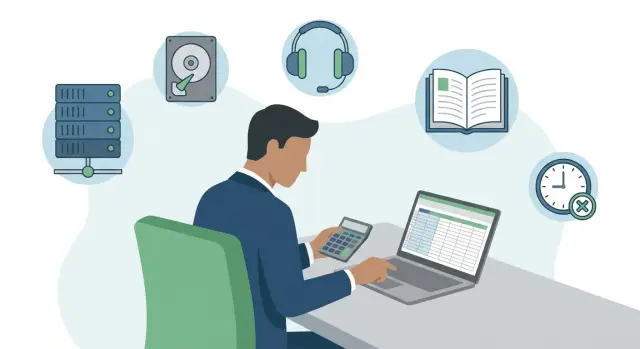
Why calculate TCO before migration
Counting only license prices is almost always a mistake. Licenses are visible in the budget, but the main money often goes elsewhere: team time, downtime, support, custom work, infrastructure and risks. That’s why it’s better to estimate the TCO of migrating to open source in advance — so the decision is not just “cheaper on paper” but actually more advantageous and calmer in operation.
Estimates diverge from reality for a simple reason: plans include direct costs and push indirect ones “to later.” A pilot may succeed, and then you discover you need new roles, more monitoring, different backup procedures, user training and stricter SLAs. If these are not budgeted, the savings quickly turn into overspend and stress.
Most often you’re comparing not a single product but a set of solutions that affect each other: OS for servers and desktops, office and mail, databases and application services, virtualization and management, backups and monitoring.
It’s important to choose the calculation horizon in advance. A practical minimum is 3 years: by then you can see operational, update and support costs. For infrastructure and servers, 5 years is often more sensible because depreciation is long and effects don’t always appear in the first quarter.
If some costs are tied to hardware and on-site support, TCO helps bring IT and finance into one picture. When renewing a server or workstation fleet, consider not only purchase price but availability, delivery times, warranty support and local content requirements in procurement. In Kazakhstan this matters when infrastructure is built on equipment produced and serviced domestically. For example, GSE.kz (gse.kz) manufactures PCs and servers in Kazakhstan and, as a system integrator, takes on support and infrastructure tasks.
Scope and assumptions
To make a fair TCO for migrating to open source, first agree on the boundaries. Otherwise the calculation becomes an argument: someone will add all risks, someone else will “forget” half the costs.
Describe the project in simple terms: which systems are migrating, how many users are affected, where it runs (office, branches, data center), and what security and availability requirements exist. For example, “300 office users and 40 server VMs for accounting and document flow” is one scope, while an analytics platform and test stands are another.
Next, fix exactly what you will count: environments (prod/test/dev), user categories (regular, admins, contractors), integrations (AD, mail, backup, monitoring), target SLA and maintenance windows, and the horizon (usually 3–5 years).
To avoid endless disputes, list exclusions upfront. Often excluded are premises repairs, furniture, rare legal costs or projects not related to the migration.
Choose units of account and use them everywhere: user, server, VM, CPU core, rack, terabyte. It’s important that open source and commercial options are measured in the same units.
Finally — assumptions. Record load growth (e.g. +15% per year), inflation and exchange rate, project timelines and support mode (8x5 or 24/7). If you plan to rely on an integrator and service network, explicitly state what the support includes: response times, recovery, updates and on-site visits.
Baseline: cost of renewing licenses
First calculate the “do-nothing” price: what you’ll pay if you simply renew commercial licenses and continue as today. This is the baseline. If it’s inaccurate, any comparison will be disputed.
Collect a full list of licenses and subscriptions actually used. Note not only product names but licensing metrics: users, cores, sockets, instances, data volume, feature sets. Record renewal dates, currency, contract term and discounts tied to volume or term (and what happens if conditions change).
Add “hidden” fees often buried in contract annexes or invoices for add-ons: connectors to external systems, advanced security policies, reporting, clustering, backup options, separate agents, licenses for test environments or hot standby. If an option is used in production, count it.
Break out support separately: what you buy from the vendor and what from partners. Lines should show clear items: support level (hours, 24/7 or 8x5), target response times, updates and patches, help with incidents and upgrades. A simple check: without support, could you safely stay on your current version?
If audits and compliance are required, add them. These can include paid license audits, log retention requirements, paid regulator reports, certified versions and staff time to prepare and undergo checks. Even irregular payments are better converted to an annual equivalent.
TCO items: what makes up the final sum
To keep the total stable, break costs into buckets. It’s convenient to use two axes: CAPEX (one‑time investments) and OPEX (ongoing costs), and also direct vs indirect costs.
CAPEX usually goes to purchases: servers, storage, network, sometimes hypervisor or backup licenses if they remain commercial. OPEX covers people, support, update subscriptions, facility costs, power, connectivity, consumables and service contracts.
Separate one‑time and recurring amounts at the start. The biggest money often hides not in purchases but in the 12–36 months of operation. You can save on licenses but significantly increase administration, training and early support costs.
A table usually includes five major blocks:
- infrastructure (purchase, delivery, installation, depreciation, capacity expansion);
- operations (salaries and on‑call, external support, SLA, monitoring, incident response);
- migration (pilot, data transfer, testing, parallel operation period);
- security and compliance (audit, logging, procedures, checks);
- downtime losses (unavailability, performance degradation, penalties, unplanned fixes).
Indirect costs are most often forgotten: business users’ time for acceptance, approvals, updating instructions, new access procedures, and increased helpdesk load.
Agree separately on rules for accounting “small items” that add up: VAT (if applicable), delivery, customs, extended warranty, service contracts, spare parts. When replacing servers the hardware price may look the same, but the result changes if you include delivery, a 3–5 year warranty and repair terms. In Kazakhstan this is noticeable when comparing local supply vs a long supply chain. If a vendor has a service network and clear recovery times, downtime risks shrink and with them the hidden part of TCO.
Put one assumptions row under the table: calculation period, exchange rate, inflation, downtime cost rate. This protects the calculation from disputes.
Step-by-step calculation template: how to fill the table
Start with one table and the same rules for all scenarios: one file, one horizon (usually 3–5 years), identical cost items.
-
Record how the system works now: availability, response times, maintenance windows, tickets per month, how much time the team spends on support.
-
Describe the target picture with measurable numbers: how many servers of which class, how much storage, network, how many admins and what support is needed. Don’t try to draw the perfect architecture at once — the skeleton is enough.
-
Spread costs by year: one‑time (migration, implementation) in Year 0; recurring (support, subscriptions, power) across years.
-
Add contingency and test sensitivity: what if training takes 2 months longer or incidents increase by 20%.
-
Compare scenarios only under the same conditions: same service level, same work volume, same assumptions.
If you add two nodes in the open source scenario for reliability, that must appear both under “servers” and “support.” And vice versa: if you update server hardware in the license renewal scenario, include that cost there too, otherwise numbers will be pretty but useless.
Servers and compute: purchase, colocations, depreciation
A common mistake is thinking “licenses became free” and forgetting compute foundations. A new stack may change load profile: you might need more memory for caches, more CPU for containers, more disk for logs.
Ask honestly: do you need new hardware or can you reuse existing equipment? Reuse often looks good on paper, but check age, warranty and spare parts availability. Otherwise you shift failure risk into migration.
For capacity calculation, include current load plus headroom: peak, 12–24 month growth and reserve for one‑node failure if you run a cluster.
Compute costs usually include purchase (servers, network, installation), colocations (rack, power, cooling or data center services), operation (upgrades, consumables, spare parts, warranty renewal), depreciation (3–5 years) and growth for new services and test environments.
Depreciation is conveniently calculated as: (purchase cost - expected residual value) / term, plus annual warranty and colocations costs.
Small example: moving 40 VMs to a container stack may show CPU is sufficient but RAM is not. You end up buying memory, power consumption rises, and you need another node for failover. If not anticipated, license savings vanish.
Refreshing hardware is usually justified if servers are over 4–5 years old, lack proper warranty, or the new stack requires features the old hardware can’t provide. In Kazakhstan, a separate benefit is predictability of supply and service when working with a local manufacturer.
Storage, backup and recovery
Storage is often underestimated because people count only “useful” data. In reality you pay for working files, archives, logs, temporary data, snapshots and backups, plus growth allowance.
First, calculate how much you actually store and where. It’s convenient to split into three parts: fast working array, capacity archive (cheaper but slower) and the “shadow” of copies and retention.
Storage types and why prices differ
Performant storage is more expensive not because of the brand but because of requirements: low latency, higher IOPS, SSDs, more controllers and network ports. Capacity storage is cheaper but won’t save you if databases and VMs wait for disks.
In the table, separate volumes by class and list a price per TB for each class, including shelves, drives, controllers and network.
Backups, DR and RPO/RTO costs
Backup is not just software. Account for media, backup windows (night/weekend load), storing copies on another site and regular restore tests. The tighter the RPO/RTO, the more copies, channels and automation are needed.
Collect five numbers: current data volume by category, annual growth, retention policy, target RPO/RTO and frequency of test restores.
Example: with 100 TB of working data and 60 days of daily retention, the backup volume can easily become 2–4x the “useful” array. That’s the honest basis for comparison.
Support and operations: people, processes, SLA
Support is often “hidden” in salaries and seems free. In fact it’s one of the most expensive parts of ownership: people’s time, on‑call, tools, processes and the cost of mistakes.
First choose the support model. “Own team only” gives control but requires skills and on‑call. A contractor removes some burden but adds monthly fees and SLA dependence. A mixed model is most realistic: internal team covers routine and architecture, external partner handles complex incidents and 24/7.
To estimate effort honestly, break support into recurring tasks and multiply by an hourly cost (including taxes, vacations and overhead). Typical items: updates and patches, monitoring and alert response, incident analysis and postmortems, access management and security, maintaining docs and knowledge base.
SLA changes the budget more than you’d expect. The difference between 8x5 and 24/7 is not just “one more person” but rosters, escalations and stricter recovery targets.
Don’t forget operational tools. Even if the software is free, you often need systems and sometimes commercial licenses for monitoring, logging, configuration management and backup. Add process work separately: runbooks, procedures and shift training.
Practical example: if two sysadmins manage the platform “on the side,” migration may add 10–15 hours per week for patches, alerts and incidents. Moving to 24/7 turns that into shifts and requires a backup team. If in‑house 24/7 isn’t available, buy it from an external service and include that SLA cost as a separate line item in TCO.
Training and change management
Training is usually underestimated, then support tickets and productivity drops follow. This is a separate cost: you pay for courses, people’s time and temporary productivity loss.
First identify who to train. Typically three groups: admins (install, update, backup, diagnostics), support (common incidents and escalation) and key users (daily workflows).
Mix formats. External courses provide a foundation and common language. Internal training adapts knowledge to your rules. Mentoring in the first weeks reduces mistakes. Certification isn’t always needed but is helpful where competence requirements or high downtime risks exist.
Account for productivity loss honestly. Take 1–2 typical roles (e.g. an accountant and a call center operator), estimate their current throughput and assume a drop during adaptation. A practical guideline: 10–20% productivity decrease in the first 2–4 weeks after switching, then gradual recovery.
Communications cost money too: instructions, quick reference sheets and an FAQ. Without them, you pay indirectly through an overloaded support team.
Before wide rollout, run a pilot and fix readiness criteria: typical tasks work without workarounds, support meets target times, there are instructions for frequent problems, backup and restore are tested, and roles and support rosters are agreed.
Downtime and risks: how to include a fair reserve
Even if open source licenses cost zero, TCO almost always includes temporary losses, bugs and rework. If you don’t budget them up front, the project looks cheap on paper and expensive in reality.
Downtime can be planned (night/weekend), “partial” (slow performance or limited features) or incidents (failed release, compatibility issue, storage outage, rollback).
How to calculate an hour of downtime
It’s easier to count by department: an hour of downtime costs different amounts for accounting and for a contact center.
A simple formula: cost per hour = (lost revenue or fines) + (pay for idle staff) + (loss from disrupted processes) + (unplanned IT and contractor work).
Count critical services separately and office systems separately, then sum expected downtimes.
Time and budget contingency
Reserve covers hard‑to‑predict items: integration fixes, unexpected bugs, repeated migrations. Practically, build +15–30% for time on initial migration waves and +10–25% budget contingency for unforeseen tasks and support reinforcement. Keep a separate rollback reserve: time, licenses for parallel operation and extra capacity.
Legal and regulatory risks have costs too. Check data rules (where stored, who has access, log retention), availability requirements (internal SLAs) and support obligations (who answers nights and weekends). If requirements are strict, decide in advance who provides 24/7 and how quickly spare parts and replacements are delivered.
Before migration start, run a short compatibility check for critical systems: integrations, drivers, printing, signatures, reports and legacy formats. It’s cheaper than discovering incompatibility on the switch day.
Common mistakes when comparing open source and commercial licenses
Bad comparisons usually come from comparing different things. For example, putting a 12‑month subscription renewal next to a multi‑year ownership sum leads to wrong conclusions. For TCO, horizon, cost composition and service level must be identical for both sides.
Typical mistakes:
- comparing different timeframes (one year of licenses vs several years of ownership);
- treating IT labor as “free” (admin, engineering, support and project management time must be converted to money);
- forgetting compatibility and “small things” (integrations, drivers, printing, crypto tools, monitoring, backups, reporting);
- overstating license savings and understating support (open source doesn’t mean “zero cost”, especially with SLA and 24/7);
- not fixing a target service level (then arguments become about “quality” rather than numbers).
A simple honesty check: can your table explain what changes for users day to day? If accounting needs printing and reporting, and security needs compliance without workarounds, those items must appear in tasks and costs.
Practical example: an organization moves to open source and refreshes servers at the same time. If the commercial column counts only license renewal while the open source column includes servers and storage purchases, the comparison is unfair. Hardware should be counted the same for both scenarios; only items that truly depend on software choice should differ.
Example calculation structure and next steps
Imagine a choice: renew commercial licenses or move to open source for 200 desktops and 20 servers. Pick one horizon (e.g. 3 years) and one currency, then break both options into identical cost items.
A convenient structure for your numbers:
- desktops: licenses/subscriptions, profile migration, image preparation, user support;
- servers: compute, virtualization, OS, monitoring, updates, backups;
- infrastructure: storage, network, backups, test environment;
- people: administration, support, shifts, documentation;
- changes: training, communications, policy updates;
- risks: downtime, rollbacks, time contingency.
Don’t frame it as “open source is free”; ask “how much does it cost to operate without surprises”. Often the decisive factors are not license price but SLA, compatibility with critical apps, migration timelines and cost of errors. If some workstations require specific software, a hybrid approach may be needed (some stay, some move), which noticeably changes the calculation.
Mini‑checklist before the final decision: inventory by role and criticality, assumptions recorded (term, exchange rate, growth, SLA, maintenance windows), backups and monitoring accounted for, risk reserve and rollback plan in place, owners assigned for figures (finance, operations, security, business).
Next steps typically are a pilot on a small group, specification refinement and procurement plan, then a migration support plan. Some tasks are natural to hand to a system integrator: selecting servers and workstations, designing infrastructure, configuration and support. If you need a single point of responsibility for SLA and 24/7 support, fix service composition and metrics in the contract and include those sums in TCO as separate line items.
Frequently asked questions
Why can’t you compare only license costs when migrating to open source?
TCO shows the full cost of ownership over several years, not just license fees. When migrating to open source, the main expenses often go to team time, support, custom work, infrastructure and downtime. Without TCO, the apparent "savings" on paper can quickly turn into overspend.
Over what period should TCO be calculated: 1, 3 or 5 years?
A practical minimum is 3 years, because operational, update and support costs become visible by then. For servers and infrastructure, 5 years is often more reasonable since depreciation is longer and the effects of changes may not show immediately.
How to set TCO boundaries correctly to avoid disputes?
Start by fixing the migration boundary in simple terms: which systems, how many users, which environments and integrations, and what SLA is required. Then explicitly list exclusions so you don’t argue about “forgotten” items or change the rules mid-project.
Why calculate the cost of renewing commercial licenses if we plan to go open source?
You need a “no-change” baseline: how much it costs to simply renew current commercial licenses and continue operating as today. This baseline lets you compare alternatives fairly and quickly see when you’re comparing different service levels or timeframes.
Which “hidden” costs are frequently omitted from license and subscription calculations?
Often forgotten are add-on modules and options already used in production: connectors, clustering, advanced security, agents, test environments and hot spares. Also underestimate compliance and audit costs, including staff time to prepare and pass checks.
How to account in TCO for open source impact on server and hardware requirements?
Migration can change the load profile: more RAM for caches, more CPU for containers, more disk for logs, and additional nodes for redundancy. Include not only purchase costs but also warranty, delivery times, service and the risk of downtime due to repairs.
How to estimate storage and backups correctly so TCO isn’t understated?
Count not only the “useful” data but the entire tail: archives, logs, snapshots and backups with retention. The tighter your RPO/RTO, the more copies, sites, channels and automation you’ll need — and that must be captured as separate line items.
How to calculate support and SLA costs when moving to open source?
Choose the support model and lock it into numbers: 8x5 or 24/7, response and recovery times, who handles updates and incidents. Convert labor into money via an hourly rate and add operational tools, because “free software” doesn’t eliminate the need for monitoring, logging and runbooks.
How to include training and loss of user productivity in TCO?
Include not only course fees but people’s time and temporary productivity loss after the switch. Preparing instructions and typical task scenarios reduces helpdesk load and shortens the adaptation period.
How to calculate downtime cost and include a risk reserve in TCO?
Use a clear formula per critical service: lost revenue or fines + pay for idle employees + disruption to processes + unplanned IT and contractor work. Then add contingency for risks and parallel operation so rollback or intensified support costs aren’t a surprise.
