8 min read
Storage network for SAN: iSCSI, FC or NVMe-oF — no myths
Storage network for SAN: compare iSCSI, Fibre Channel and NVMe-oF by latency, budget, local expertise and growth—plus a checklist of questions.
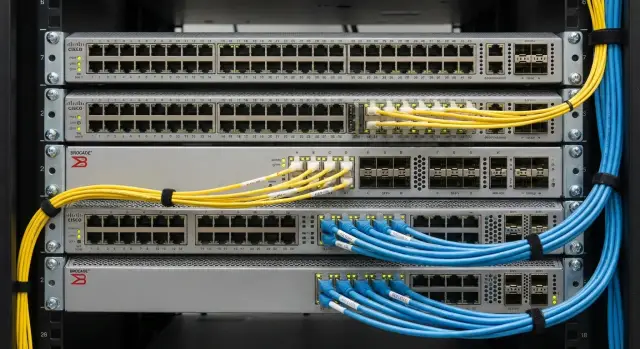
Why choose a storage network instead of just using what's available
You don’t pick a storage network to follow trends or just to use the fastest protocol. You pick it when the business needs predictable latency, clear reliability and stable behavior under load. The same array can look great in benchmarks but unexpectedly degrade in production because of how the path from servers to storage is designed.
Storage rarely exists in isolation. Switches, queues and buffers, port congestion, contention with regular traffic, and the way servers and the hypervisor generate requests all affect results. So the logic “we have 10/25/100G, everything will be fast” often fails. Throughput and latency are different things, and for storage latency is usually more critical.
There’s also reliability. In a typical corporate network an outage might look like “a few seconds of lost connectivity.” For storage that easily turns into hung VMs, long rebuilds, filesystem errors and stressful maintenance windows. So debates about iSCSI vs Fibre Channel are less about “which is better” and more about what level of predictability and ownership you want from the network.
Before choosing, agree on priorities. Most often you need simplicity of deployment, total cost of ownership (hardware, licenses, support, training), SLA for latency during peak hours, a 2–3 year growth plan and availability of local specialists.
A simple example: two departments share one Ethernet network. Daytime backups and video surveillance are added, and the storage array starts responding slower even though the array itself is fine. Formally the problem is “in the network,” but for the business it’s still a storage problem. Treat the SAN transport as part of the architecture, not as “we’ll plug into what’s already there.”
In integration projects with growth and strict support requirements (e.g., government or finance), a preselected network model helps avoid rework. You immediately understand what the team can support themselves and where you’ll need narrower expertise and a higher level of service.
Three options in a nutshell: iSCSI, Fibre Channel, NVMe-oF
Usually people compare three approaches: iSCSI, Fibre Channel and NVMe-oF. They all solve the same task: reliably transporting block data between servers and arrays. They differ by the medium used, the equipment required and the operational effort.
iSCSI: block access over Ethernet
iSCSI is SCSI commands wrapped in TCP/IP and sent over Ethernet. The advantage is obvious: you can use familiar switches, cables and networking skills. The downside is also clear: latency and stability depend more on how the network is configured (congestion, queues, packet loss). That’s why iSCSI often runs on a dedicated VLAN or even a separate physical network.
Typical scenarios: small and medium virtualization, file services on VMs, backups, test environments. iSCSI can suit databases too, but almost always needs traffic isolation and latency checks under load.
Fibre Channel: SAN as a separate discipline
Fibre Channel (FC) is a purpose-built storage network: its own switches, its own adapters (HBAs) and its own SAN terminology (WWPN, zoning). Because FC is isolated, it’s often easier to maintain stable latency in production, especially with many hosts and critical services.
FC is commonly chosen for large virtualization clusters, transactional databases, and high-peak VDI. The entry cost is usually higher because of FC switches and HBAs, but if everything is built to best practices there are fewer surprises.
NVMe-oF: NVMe over a network
NVMe-oF extends NVMe access beyond a single server. The transport can vary (for example, RoCE or TCP), which causes confusion: NVMe-oF is not a single network but a set of options. It’s chosen when minimal latency and high IOPS matter and when you have a clear growth plan for fast SSD arrays.
To avoid confusion, it helps to separate three layers:
- Protocol: iSCSI, FC, NVMe-oF (what the server and array “speak”).
- Transport: Ethernet (TCP/RDMA) or Fibre Channel.
- Architecture and resilience: two independent fabrics, multiple paths to the array, MPIO, redundant switches, ports, cables and power.
In integration projects people often start not with protocol names but with the question: what load profile and growth reserve do you need for 2–3 years? Then choosing between iSCSI, FC and NVMe-oF becomes practical, not ideological.
Latency and performance: how to compare fairly
When choosing a storage network many look at “maximum IOPS” and “Gbps speed.” For SANs it’s more important how quickly and predictably the system responds to small read and write operations under real workloads.
Latency depends on more than the network. Block size (4K, 8K, 64K), queue depth and workload profile (read/write, random/sequential) all matter. The same array can show high IOPS on 4K random reads and noticeably drop on a mixed 70/30 workload because writes are “costlier,” queues grow and latency tails lengthen.
Look not at average latency but at stability. Averages can look good if rare long pauses occur. Users notice those pauses: frozen databases, VDI lag, delays opening files. So focus on p95 and p99 and test how they change under increasing load.
Networks typically cause issues in three areas: congestion, packet loss and buffer queues. Congestion often appears due to oversubscription (uplinks narrower than aggregated downstream traffic). Loss and retransmits greatly increase latency tails even if average port utilization seems normal. And overly large buffers can mask problems by building long queues and adding milliseconds where you expected microseconds.
Before choosing, ask your integrator to show measurements on your typical scenario and your servers: host CPU and drivers matter, especially for iSCSI and NVMe/TCP. Minimum measurements to request:
- p95/p99 latencies for reads and writes separately at several load levels
- IOPS and throughput with block size and queue depth specified
- switch port utilization and any drops/errors
- CPU utilization on hosts and controllers
- port subscription layout (are there uplink bottlenecks?)
Example: a database and virtualization run on a cluster. If p99 goes from 1–2 ms to 10–20 ms under load, users will notice slowdowns even if average latency stays low. An honest comparison focuses on latency tails and peak behavior, not a single record number.
Cost: what to consider beyond ports and cables
The cost of a storage network is almost never just “switch + cables.” Surprises appear in how you start the project, how you live with it for 3–5 years and how you expand when ports and capacity run out.
Entry ticket: what shapes the budget
Initial spending includes more than hardware: compatibility, support and small items quickly become separate cost lines:
- host adapters (NIC/HBA) and their quantity for redundancy
- switches, number of ports, speeds, redundancy (two fabrics/two switches)
- optics and transceivers, patch cords, cross-connects, sometimes trays and rack work
- licenses and support contracts (on the array and switches)
- commissioning: design, multipath, tests, documentation
If a rack already has mature Ethernet, the entry threshold for iSCSI (and some NVMe-oF over Ethernet options) is often lower. FC tends to be more expensive initially due to separate infrastructure, but can provide a more predictable operational model where needed.
What costs more in operation
In operation, downtime and long diagnostics usually outweigh differences in port prices. The costliest items aren’t the hardware itself but the time a service degrades while the root cause is unclear.
Expenses typically come from outages, complexity in troubleshooting (if the team seldom saw a particular SAN technology), lack of spare ports and capacity, and service (lead times and costs to replace modules and optics, availability of local support).
Example: you buy switches “exactly for current ports.” A year later you add servers and a shelf—no free ports. You either replace the switch or buy a second one, and migration windows cost more than if you had planned spare capacity upfront.
Where to save safely and how to plan for growth
Safe savings come from standardization and planning, not from removing redundancy. Sensible options: use existing cabling (if it meets speed and quality), standardize Ethernet gear where it doesn’t reduce reliability, and agree on an expansion path that avoids downtime.
When planning growth, count not only procurement costs but the “cost of expansion”: can you add nodes and capacity without reworking the network and long outages? Ask for a two-stage plan: initial configuration and a clear expansion scenario (ports, speeds, redundancy, maintenance windows). Also discuss the service model: who holds spares, who performs on-site work, and who is responsible for the chain from server to array.
Availability of specialists and local support
The storage technology affects not only latency but who you can hire for operations. Even a numerically perfect architecture becomes a problem if no one can quickly find where it hurts in an incident: a switch, the array, the host or configuration.
Usually you need three roles: a network engineer (VLAN/VRF, QoS, MTU, diagnosing loss and latency), a storage engineer (multipath, policies, alerts) and a virtualization admin (datastore/volume, compatibility, updates). In a small team one person might cover multiple roles, but the competencies must exist.
It’s generally easier to find people with strong Ethernet experience than niche FC specialists. iSCSI often fits into existing processes: the same switches, the same monitoring tools. FC requires SAN skills (zoning, WWN, working with FC switches and HBAs). NVMe-oF is newer and faster, but less common, so fewer specialists exist and design discipline is more important.
Reduce dependence on rare skills with standardization: typical redundancy schemes, configuration templates, naming rules, runbooks for on-call staff and solid operational documentation.
Discuss support as strictly as hardware. Good questions to avoid surprises:
- who accepts 24/7 tickets and how quickly does work start on a critical incident
- how escalation is organized and who involves vendors
- what the support covers (updates, health-checks, help with expansion, incident post-mortems)
- where responsibilities lie: network, array, hypervisor, applications
- what reports you receive after an outage (cause, actions, prevention)
If on-site 24/7 support is important, verify the actual on-call model and service network, not just promises. For example, GSE.kz advertises 24/7 technical support and a service network across Kazakhstan — for regional sites this can matter more than theoretical microsecond differences.
Practical selection algorithm: steps without extra theory
Selection rarely starts with a protocol. It starts with what you want to achieve: stable latency, predictable growth, clear operations and real redundancy.
-
Describe workloads in plain terms. VMs usually need stability and peak behavior; databases are sensitive to latency tails (p95/p99); file services often prioritize throughput and capacity. State acceptable downtime and what must survive a single-path failure.
-
Collect current measurements; otherwise comparisons are mythical. You need IOPS and MB/s along with latency under load.
Minimum metrics to start:
- peak and normal IOPS and throughput
- p95 latencies for reads and writes
- block size and type (4K, 8K, 64K)
- data and load growth month-to-month
- number of hosts now and projected in 2–3 years
-
Fix availability requirements. In practice this means two independent paths: two switches or two fabrics, multipath on hosts, a clear update process without stopping services and mandatory failover tests before go-live.
-
Choose a target architecture and ensure scalability. Ensure you can expand without full replacement: add ports, upgrade speeds, add a second switch, and have slots for host adapters.
-
Run a pilot and agree on acceptance criteria in advance. Bring up 2–3 typical VMs and a test DB, run load tests during peak hours, check p95/p99, behavior on a single-link failure and recovery time.
If you bring an integrator concrete metrics and acceptance criteria instead of just “we want it fast,” the iSCSI vs FC vs NVMe-oF discussion becomes much more productive. It’s convenient when one contractor can cover servers, integration and support — for example, GSE.kz operates as both hardware vendor and systems integrator.
When to choose iSCSI, Fibre Channel, or NVMe-oF
There is no default choice: the decision depends on what you can implement, support and grow without surprises.
iSCSI is usually chosen for fast starts on familiar Ethernet. It’s common for medium-scale virtualization, file services, backups, test environments and branch offices. It works well with disciplined traffic segmentation.
Fibre Channel is chosen when predictability and isolation matter and downtime is costly. Typical for critical systems (finance, healthcare, government) where changes must be tightly controlled.
NVMe-oF suits environments with very fast arrays and workloads that need minimal latency: high-load databases, analytics, dense VDI clusters, and some AI or data-intensive tasks. It makes sense only if the infrastructure and team are ready.
Quick orientation:
- need rapid deployment and a single network — often iSCSI
- need maximum predictability and isolation — often Fibre Channel
- need minimal latency for top workloads — often NVMe-oF
Before procurement ask direct questions to avoid “incompatible after delivery”:
- which hosts and OS versions are supported (drivers, firmware)
- how multipath will be set up and who configures hosts
- compatibility limits for switches, HBA/NIC and arrays and how they are verified
- which metrics measure success (latency, IOPS, test profile)
- what the 12–24 month growth plan looks like (ports, speeds, migrations without downtime)
If you operate in Kazakhstan, confirm who provides on-site support and how fast engineers can arrive. For integration projects that often matters more than differences on paper.
Common SAN deployment mistakes and how to avoid them
SAN mistakes rarely appear as “everything broke at once.” They are more often fluctuating latency, unexpected slowdowns at peak times and incidents that take long to diagnose.
1) Mixing traffic without control
When storage shares switches and VLANs with office networks and backups, updates and replications run nearby, competition for buffers and bandwidth begins. Discipline saves you: a dedicated storage segment, clear QoS policies (for iSCSI), caps and backup windows, and ensuring no stray traffic reaches the storage segment.
2) “Redundancy” on paper
One switch or one path to the array, or paths exist but were never tested in a real failover. Design two independent paths, separate switches and power, correct multipath on hosts and mandatory failover tests before launch.
3) Choosing by presentations, not your metrics
IOPS and microseconds on slides don’t account for your profile: block size, write share, queue depth, virtualization effects and neighbor workloads. Rely on measurable goals and run a short pilot or at least collect real stats from the current system.
4) Not planning for growth
SANs typically hit limits not in speed but in ports, licenses, rack space, optics types or PCIe slots for HBAs/NICs. Plan host connections in advance.
Quick checklist before launch:
- spare ports and uplinks for at least 30–50% growth
- a clear process for adding hosts without downtime
- specified cable/optics requirements and compatibility
- agreed windows and limits for backups and replication
- failover tests (port, switch, controller, link)
5) Configured but undocumented
Six months later the admin changes and no one knows which WWPN/IQN, VLAN, zones, firmware versions, or multipath settings were used. This increases incident response time.
Minimum documentation that actually helps:
- connection diagrams (physical and logical) and a port list
- host table: IQN/WWPN, IP, VLAN, roles
- zoning/masking rules and naming conventions
- firmware and driver versions, multipath parameters
- test results: latency measurements and failover scenarios
Practical example: a hospital had night backups eating bandwidth, and in the morning VDI slowed. The fix wasn’t replacing the array but isolating the storage segment, limiting backups and running a failover test that revealed incorrect multipath on some hosts.
Questions checklist for the integrator before procurement
To avoid the integrator proposing “what they’re used to,” fix requirements in questions so you get a solution for real load and growth.
About workload, SLA and architecture
- which applications and I/O profiles are assumed and what numbers prove it (measurements, pilot, hypervisor stats)
- how many hosts and arrays at launch and forecast for 24–36 months (capacity, IOPS, throughput, ports)
- what SLA is needed: allowable downtime, non-disruptive maintenance, RPO/RTO, which failures must be tolerated (port, switch, controller, site)
- is physical isolation from LAN required or is logical segmentation enough and who enforces boundaries
- how many paths are planned (multipath), what speeds and port types on hosts and arrays, and where bottlenecks may appear (PCIe, oversubscription, licenses)
About operation, tests and delivery
- who supports the solution post-deployment and what competencies the customer needs
- what is monitored (ports, queues, latency, loss, errors), which thresholds are critical and who reacts
- how failure scenarios are tested (link, switch, controller, updates) and whether a test plan and acceptance report will be provided
- are spare parts available locally and what is the support mode (24/7, response time, recovery time)
- what the update and expansion plan looks like for 2–3 years: version compatibility, maintenance windows, staged expansion without downtime
If the contractor is both integrator and manufacturer (like GSE.kz), clarify who is responsible for spares, on-site visits and support for the entire chain from server to array, not just “per box.”
Example selection: infrastructure growth and painless migration plan
Scenario: a regional government body or bank grows virtualization, launches new services (VDI, DBs, file shares), and the old storage hits latency and maintenance windows. Reliability requirements rise: outages and data loss are unacceptable.
Constraints are practical: budget approved in advance, tight deadlines, and no in-house specialists for specific technologies (especially FC or NVMe-oF). You also need 24/7 support and a clear 2–3 year growth plan so the storage network won’t need rework in six months.
A practical path is a short pilot with agreed metrics and acceptance criteria. For example: 95th percentile latency during peak hours, no collapses during backups and nightly tasks, behavior on link/switch/controller failures, operational complexity and team skill requirements.
Then compare options by migration risk. If you currently run iSCSI and it mostly works, it’s often reasonable to first “tune it” (segmentation, redundancy, QoS, validated switches) and consider NVMe-oF as a next step when the need for minimal latency and team readiness arise. FC makes sense if you already have experience and processes and predictability and isolation outweigh flexibility.
For a painless migration plan, do it in two stages: move noncritical workloads to validate, then migrate critical systems in phases with rollback windows. Agree in advance on responsibility boundaries: array, network, hypervisor, multipath, monitoring.
Actions that typically save weeks: prepare an RFP with measurable criteria, agree on target architecture and build a test bench that closely resembles production. In this phase it’s useful to involve both manufacturer and integrator: pick servers and arrays for the workload, design the network and ensure ongoing support. In Kazakhstan this is often done with GSE.kz as systems integrator and server vendor so delivery and service remain within one accountability chain.
Frequently asked questions
What are the differences between iSCSI, Fibre Channel, and NVMe-oF?
iSCSI is typically chosen for a familiar Ethernet network, Fibre Channel for a dedicated SAN with predictable performance, and NVMe-oF for fast SSDs and workloads highly sensitive to latency. Start with the application profile, acceptable latency, and who will support the system.
Is 10G or 25G enough for a storage network?
Not always. For storage, stable latency under peak load matters more than maximum port speed. A 25G network may perform worse than expected if ports are overloaded, queues grow, or packets are dropped.
Can I connect a database to storage over iSCSI?
iSCSI is suitable if you isolate storage traffic, configure redundant paths, and validate latency under load. For a critical database, measure p95 and p99 separately for reads and writes instead of looking only at the average.
Why does average latency not show the full picture?
Look at p95 and p99 because they show the latency of slower operations. Occasional 10-20 ms pauses can noticeably slow down a database or VDI, even when average latency looks good.
How can I make a storage network fault tolerant?
A minimum design includes two independent paths to the storage system, two switches or two fabrics, multipath on the hosts, and separate power supplies. Then test cable, port, switch, and controller failures before launching services.
What is included in the cost of a SAN besides switches and cables?
Include server adapters, switches, optics, cabling, licenses, support, setup, and future expansion. Saving on spare ports or redundancy often leads to an expensive migration later.
What specialists are needed to support a SAN?
iSCSI is often easier to hand over to a team experienced with Ethernet, but it needs skills in segmentation, MTU, QoS, and troubleshooting packet loss. FC requires working with zoning, WWPNs, HBAs, and FC switches. NVMe-oF requires experience with the chosen transport and careful configuration.
When is Fibre Channel better than iSCSI?
For a quick start, iSCSI is usually more convenient if Ethernet is already well established and the workload does not require extremely low latency. Fibre Channel is more often chosen for critical services where isolation and manageable operations matter more than the initial cost.
How can I validate a solution before purchasing?
Run a pilot with typical VMs and a test database. Measure IOPS, throughput, p95/p99 for reads and writes, CPU and port utilization, then disconnect one link or switch and verify recovery.
What should I ask an integrator before buying a SAN?
Ask about supported OS versions, drivers and firmware, the multipath design, compatibility limitations, test metrics, and the expansion plan for the next 12-24 months. Also agree in advance on who is responsible for servers, the network, storage, and support during an incident.
