7 min read
SOP Management and Employee Acknowledgements: Practical Guidance
SOP management and employee acknowledgements: how to manage procedure versions, assign mandatory reading by role, and prepare reports for audits.
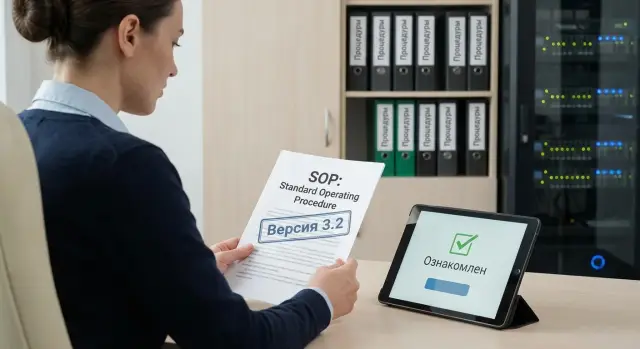
Problem: procedures exist, but there is no evidence or order
SOPs are needed so people perform work consistently and safely, even when staff, workload and priorities change. "Verbal rules" live in people's heads and inevitably differ from person to person. The predictable result: different shifts do the same thing differently, mistakes repeat, and a manager only learns about the problem after an incident.
Most often the pain starts not from a lack of documents, but from a lack of order. Procedures sit in different folders, are emailed around, the "current version" is kept by the author, and the workstation still has last year's file. An outdated version is dangerous because it looks plausible. An employee sincerely believes they followed the rules, but actually violates a new requirement, skips a control step, or uses old settings.
Then the question arises: what does "acknowledge reading" mean in practice? It's not just "I saw the document." Usually you need to record that the person accessed the correct version, understood that it is mandatory for their role, and confirmed this in a clear way (signature, electronic acknowledgement, or a record in the system). Without this a company cannot prove it trained the employee on the rules before allowing them to perform the process.
When auditors, security or internal control arrive, they rarely ask "do you have SOPs?" They check manageability. Typical questions are:
- where is the single source of current procedures stored and who manages it;
- how you show change history: who and when updated the document and why;
- who the procedure is mandatory for, and how that is tied to roles and access;
- how you prove a specific employee acknowledged a specific version;
- what happens if an employee did not confirm acknowledgement on time.
If you cannot answer these quickly and clearly, SOP management becomes a risk: from audit findings to real operational failures.
What counts as an SOP and which documents to include
An SOP (Standard Operating Procedure) is a step-by-step procedure that an employee follows to perform repeatable work so the result is predictable and verifiable. An SOP usually answers: what to do, in what order, with what tools, what quality criteria apply, and what needs to be recorded.
Other documents often live alongside SOPs and should not be mixed up. A policy sets rules and principles (what is allowed and not allowed). A regulation describes a process at the level of roles and stages (who is responsible for what). An instruction explains how to use a specific tool or perform a narrow operation. SOPs usually sit in the middle: concrete work steps tied to a role.
Include documents that affect safety, quality, finances or compliance in the SOP management scope. In manufacturing and service companies where ISO approaches and traceability matter (including GSE.kz), this typically covers acceptance and testing procedures, incident management, infrastructure access, and handling customer data.
Acknowledgement is most often required for documents where mistakes create risk: occupational health and safety, information security and access, quality control and acceptance, handling personal and confidential data, and incident response (fire, accident, leak, downtime).
To avoid "no one's" procedures, each SOP should have an owner. The owner is responsible for version accuracy, clarity, training and review: both triggered by events (system changes, defects found, incidents) and on a schedule. It's important that the owner has the right to initiate changes and the duty to collect feedback from people who actually work with the SOP.
Versions and storage: how to keep 'who changed what and when'
Even a perfectly written procedure becomes disputed without version discipline: which file was effective, who edited it and why did employees read the wrong one. For manageability there must be a single source of truth — and it must always be in one place.
Start with a central register of procedures. This can be a spreadsheet or a module in a document management system. The idea is simple: anyone should find the current version in a minute and know who to ask with questions.
The register usually needs these fields:
- document title and unique code;
- department and process (what it relates to);
- owner (who is responsible for currency);
- current status and version number;
- date of effect and next review date.
Agree naming rules. The most common mistake is "SOP_final_final_2." A proper filename should be readable without context and match the register: code, short title, version, date.
Version numbers are handy with a simple rule: 1.0 for initial approval, 1.1 for minor edits that don't change meaning, 2.0 for changes in requirements or order of actions.
Make statuses and controlled transitions between them clear so it's obvious what's happening with a document:
- draft (being edited, not mandatory to follow);
- under review (comments and approvals are being collected);
- active (the single document you can reference);
- superseded (taken out of use because a new version exists);
- archive (kept for audits, training and incident reviews).
Keep the archive so it cannot be quietly replaced. A simple practice: only a limited role can modify archived versions, and archive copies are read-only.
Change history is not just dates. Minimum: what changed, why, who initiated it, who approved it, and the effective date. For example, a medical organization updated the handling of personal data: they changed an access check step and added a logging form. The history records the reason (new requirement), version number (2.0), effective date and approval decision (without a mess of emails and attachments).
Role-based mandatory assignments: who needs to read what
To avoid chaos, first decide which procedures are mandatory for which roles. Not "everyone," but based on actual responsibilities and access.
A practical format is a mandatory matrix. This is a document or table where you record exactly who must read each SOP and why. Roles should be clear and verifiable: job title, department, access level (to data, equipment, premises) and the type of obligation (mandatory, as needed, informational).
Minimum fields for the matrix:
- role (job title) and department;
- SOP/procedure and its owner;
- mandatory (yes/no) and the basis (access, risk, regulation);
- acknowledgement deadline (for example, 3 or 10 working days);
- rule for exceptions (contractor, trainee, temporary worker).
Then define events that trigger mandatory acknowledgement: hiring, role change, granting a new access, or release of a new SOP version. Set deadlines in advance: on hire — before access is granted; on update — within N working days; on transfer — before starting new tasks.
Normalize exceptions instead of deciding ad hoc. For example, a contractor might only be required to acknowledge safety and access procedures for the site, while a trainee gets a reduced set with a mentor's sign-off.
Example: in IT, a systems administrator must acknowledge SOPs on backups and access management, while an accountant only needs procedures for handling corporate data and contacting support.
Step-by-step: how to set up SOP management
Start with people and rules, not the system. Without owners and change procedures, any folder of files quickly becomes a "version graveyard" where you can't prove who approved what.
First define roles: SOP owner (responsible for content and currency), reviewers (who check risks, security, quality, legal where needed) and approver (usually a function head). Record who can edit text and who can only comment.
Create a central register and assign a code to each SOP. A code that shows the function and where the document applies is useful (for example: IT-OPS-012 or HR-TRN-003). Keep a minimum in the register: title, owner, effective date, current version, status, and departments where it applies.
Set versioning and archive rules. Decide in advance what counts as a major change (new version) and what can be treated as a minor edit. The archive must preserve previous editions so they cannot be silently replaced.
Minimal 5-step process
- Assign owners, reviewers and approvers for each SOP.
- Create a register and assign codes to all documents.
- Approve rules for versioning, review intervals and archiving.
- Build the role-based mandatory matrix (who must read which SOP).
- Start assigning acknowledgements and check closure reports.
After first launch, do a short reality check: pick one role (for example, a field service engineer) and confirm they have the full set of mandatory SOPs, current versions and clear deadlines. In heavily regulated areas (government, finance, healthcare) this test quickly reveals gaps: a document exists but is not approved; a version was updated but mandatory assignments were not adjusted.
Enforce the rule: updating an SOP triggers a review of the mandatory matrix and new acknowledgement assignments for affected roles.
How to record acknowledgement: options and requirements
Acknowledgement is not a formality. It's proof the employee received the current instruction and could act correctly. The record must look reliable and be ready for internal review or audit.
Simple and electronic methods
The simplest method is a paper acknowledgement sheet attached to the SOP or a departmental logbook. This works when documents are few and changes rare, but the risks are obvious: sheets can be lost and signatures are hard to tie to a specific version.
Electronic methods are more convenient for frequent updates: a system confirmation button "Acknowledged", an electronic signature, or an email confirmation with the message and attachment saved. For critical procedures (safety, IS, healthcare, finance) choose a method that is harder to dispute: digital signature or system confirmation with an event log.
What must be in the record
An acknowledgement record should answer four questions:
- who acknowledged (full name, personnel number or account);
- what exactly (document title and identifier);
- which version (version number, approval date);
- when (date and time of confirmation).
It's also useful to record the employee's role at the time of acknowledgement and the basis for the obligation (for example, "shift operator", "system administrator").
To protect data integrity, plan in advance: forbid editing acknowledgements retroactively, separate rights (who can approve and who can only read), and keep an immutable event log. Example: SOP updated to version 2.3, the system automatically marks 2.2 as obsolete and collects new acknowledgements while preserving history for both versions.
Audit report template for internal control
A report should quickly show an auditor which SOPs are active, who must know them, who has already acknowledged, where there are overdue items, and what actions are underway. This report is especially useful for internal audits and ISO evidence.
Below is a template that is convenient to generate monthly or before an inspection (include period and department in the header).
Report structure
-
Summary of active SOPs. List only current versions: document code, title, version, effective date, owner (department), status (active/under review).
-
Acknowledgement coverage by role. Show plan vs actual: how many employees in each role should acknowledge, how many have confirmed, and how many are overdue. Specify the deadline rule (for example, 5 working days from the new version date).
-
List of employees with overdue acknowledgements. This is an action list, not just statistics. Minimum fields:
| Name | Role/Department | SOP (code/version) | Assignment date | Deadline | Status | Reason (if any) |
|---|---|---|---|---|---|---|
| Ivanov A.A. | Warehouse | SOP-LOG-03 v2.1 | 12.01.2026 | 19.01.2026 | Overdue | Vacation |
-
Changes during the period. Record what was updated and why. Example: "SOP-IT-01 v3.0: added backup step, reason — incident on 05.01." If text was edited without a version change, that should also be visible.
-
Incidents and corrective actions. Briefly: what happened, which SOP is related, what measures were taken, who is responsible, deadlines and status.
At the end add who prepared the report (name, position, date), who reviewed and who approved (signature/name/date). This closes questions about authenticity and responsibility.
Quick 15-minute checklist: what to check
To quickly understand whether the process stands on real evidence, go through these five points. Take a sample: 10-15 procedures and 2-3 roles (for example, accountant, operator, shift supervisor).
- Each active procedure has an owner and a review date. The document card should show the owner (name/role), effective date and next review date. If the review date has passed, it should be clear what was done (reviewed, extended, or retired).
- One current version and a preserved history. The current version is marked active, past versions are in the archive and not editable. It should be clear who changed what, when and at least briefly what changed.
- Clear role-based obligations. For the sampled roles there should be a list of mandatory SOPs (matrix or assignment list). It should be approved and reflect actual job tasks.
- After updates, re-acknowledgement is triggered with a deadline. For recently updated procedures it should be visible who was assigned, the deadline and who has already acknowledged.
- Overdue acknowledgements are acted on. For overdue items there should be actions: employee notification, manager reminder, escalation, final measure (acknowledged, temporarily suspended from operation, assigned training, etc.).
If two or more points lack documentary evidence, the process exists on paper but is weak for audits and internal control.
Common mistakes and pitfalls
The most frequent problem: people honestly "signed", but later it turns out they read the wrong version or read at the wrong time. To auditors this looks like lack of control even if the procedures actually exist.
Common audit findings:
- signatures collected for an old edition: the new version was published but employees still signed the previous text;
- no mandatory matrix by role: assignments are directed to "everyone", critical roles get lost in the noise, or important documents don't reach the right people;
- no owner and no review schedule: SOPs become outdated and are only updated after an incident;
- acknowledgement not tied to version and date: there's a mark "acknowledged" but it's unclear which edition it refers to;
- immutability of the log cannot be proven: if records can be edited retroactively, their evidential value drops.
Practical example: a company in the industrial or public sector updated an incident handling procedure. The department head collected signatures in Excel, and a month later it turned out some employees signed the file with the pre-edit text. When asked who saw the final version, there was no answer.
To avoid these situations rely on three supports: a single storage place with clear versions, a strong link between role and document, and a log that unequivocally ties employee, version, date and confirmation method. If you follow ISO requirements (for example, ISO 9001), auditors will check these details first.
Example scenario: updating an SOP and collecting acknowledgements
Imagine the security team updated the "Handling Phishing Emails" procedure after an incident. They changed one key step: suspicious emails must no longer be forwarded to colleagues but must be sent to the SOC mailbox and logged with a ticket number.
First question — who to re-acknowledge. Usually it is not the whole company but those who actually face the risk and perform steps from the SOP: office staff, contact center, accounting, admins, on-call staff in branches. If the SOP relates to safety, include shift workers and contractors allowed on site.
Then set assignment rules: the new version becomes mandatory for selected roles with a clear deadline. Deadlines can vary: critical roles (admins and contact center) — 3 working days; others — up to 10 working days. For shift teams consider schedules so the deadline covers a full rotation; otherwise some people physically cannot complete it.
Practical order:
- publish the new version and note what changed (2–3 bullet points);
- assign mandatory status by role and department, including branches and shifts;
- set deadlines and reminders, and appoint a responsible controller in each unit;
- collect confirmations (date, name, role, document version, confirmation method);
- close overdue items: escalate to manager and plan remedial training.
For internal checks the report must answer two questions: "who should have acknowledged" and "who actually did." Minimal report view: SOP version, effective date, list of mandatory roles, total employees in scope, acknowledged, overdue, exceptions (vacation, business trip, sick leave), and confirmation by the unit manager.
If some employees are on leave or business trips, do not mark them as violators. Record status "temporary absence" with return date and postpone the assignment. When the employee returns, reactivate the assignment with a short window (for example, 3 days) so the risk does not stretch for a month.
Next steps: how to embed the process and support it with IT
It is easier to lock in SOP management if you don't try to cover everything at once. Choose 10–20 procedures that are most often checked: safety, information security, procurement, customer data handling, and key operational procedures. These will quickly show where versioning, assignments and acknowledgements break down.
Agree on roles. Typically you need: a process owner (responsible for SOP content), a coordinator (tracks review dates and assignments), and an IT responsible (storage, access, backups). Without these three roles documents quickly become an unstructured folder.
To keep the process alive set a few basic rules: single storage location (folder structure, filename template, ban on local copies as the source of truth), version and effective date inside the document, role-based mandatory matrix, acknowledgements tied to version, backups and at least quarterly recovery testing.
Control should be regular and simple. Useful cadence: a monthly report (how many SOPs changed, where there are outstanding acknowledgements, which procedures are overdue for review) and spot checks (for example, 5 employees across departments and 2–3 SOPs each to verify versions and confirmations).
IT support here is not about "another document" but about reliable storage, access rights and traceability. If you build this infrastructure from scratch or strengthen an existing one, a system integrator can cover the basics: servers and workstations, access segregation, logging and backups. In Kazakhstan, GSE.kz provides this as a vendor and system integrator with 24/7 technical support.
Frequently asked questions
How does an SOP differ from a policy and a regulation?
An SOP describes the specific steps in repeatable work: what to do, in what order, and what to document. A policy sets general rules, while a regulation assigns roles and process stages.
Where is the best place to store current SOPs?
Keep the current version in one approved location accessible to all relevant employees. The register should show the document code, owner, status, version number, and date of the next review.
Who is responsible for keeping SOPs up to date?
Assign an owner to each procedure. They update the text, collect feedback, initiate approval, and monitor the review deadline.
What is the right way to number procedure versions?
A practical rule is: use 1.0 for the first approval, 1.1 for a minor edit that does not change the work sequence, and 2.0 for a material change to requirements or actions. Always record the reason for the change and the effective date in the history.
How do you determine who needs to read a specific SOP?
Do not assign documents to every employee indiscriminately. Create a role matrix: position, department, access rights, required SOPs, acknowledgement deadline, and assignment rationale.
What should an acknowledgement record include?
The record should include the employee, SOP title or code, version number, and the date and time of acknowledgement. It is useful to add the person’s role and the acknowledgement method so the record is easy to verify.
Can acknowledgement be confirmed on paper?
A paper sign-off sheet works for a small number of infrequent procedures, but it is easy to lose and hard to link to the correct version. For regular updates, a system-based acknowledgement or electronic signature with an event log is more convenient.
What should you do after updating an SOP?
After releasing a new version, review the mandatory-reading matrix and assign acknowledgement to the affected roles. Set a deadline, send reminders, and keep acknowledgements for the old and new versions separately.
What should an SOP audit report include?
The report typically shows active SOPs, role-based coverage, acknowledgements, overdue items, changes during the period, and corrective actions. For each overdue item, include the employee, document and version, assignment date, deadline, and reason.
How should employees on vacation or sick leave be handled?
Do not automatically treat an employee as non-compliant. Mark the temporary absence, record the return date, and reassign the acknowledgement with a short deadline after the employee returns to work.
