8 min read
Software Compatibility Matrix: What Breaks When You Replace Software
A software compatibility matrix reveals hidden dependencies: functions, alternatives, compromises and workarounds you must know before replacing a system.
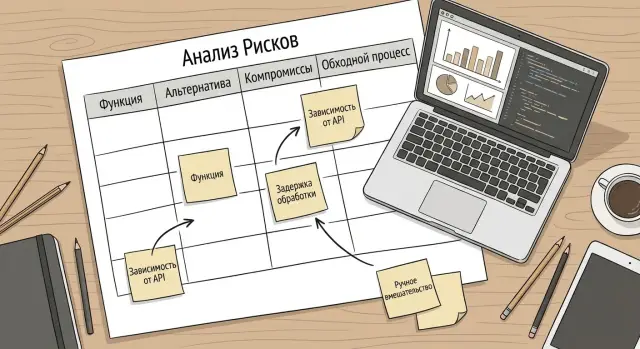
Why you need a compatibility matrix when replacing software
Replacing a corporate system rarely fails entirely. Usually a small but familiar operation breaks: a manager can’t export a report for leadership, accounting can’t see a required field, or contract approval suddenly needs manual emails. From the outside it looks like “the new software doesn’t work”, while in reality expectations around specific functions and their links didn’t match.
A compatibility matrix helps you spot these links in advance so you don’t discover them on go-live day. It records not only functions “as advertised”, but also dependencies: which reports are built from which data, where exports go, which integrations touch neighboring systems, what roles and permissions people need, which fields are mandatory and which were “always filled in”.
The most practical value of the matrix is that it helps make decisions before purchase and migration, not after user complaints. With it you can more easily:
- compare alternatives by critical scenarios, not by general promises;
- see where compromises are possible (for example, a report becomes weekly instead of daily);
- plan a temporary workaround in advance if a function is missing or will arrive later;
- estimate the scope of custom work, training and support for the first months.
It’s especially helpful where many chains and approvals exist: ERP, document management, service desk, and systems with lots of integrations and regulations.
Essentially, the matrix becomes a common language for three groups: process owners (what should be produced), IT (how it works and what it’s connected to) and procurement (what exactly to compare and require). For example, when replacing a service desk it may turn out that a “simple” PC replacement request automatically creates a warehouse task, notifies security and updates equipment records. Without a matrix such automatic steps are often remembered too late.
What business processes most often break
The most noticeable problems when replacing corporate software don’t come from a “button in the wrong place” but from where one step drags another. The compatibility matrix helps you see in advance which habitual actions rely on settings, templates and integrations that are only remembered at the last minute.
Where the chain usually breaks
Finance suffers first because it has many regulations. Scenarios for invoicing, payment orders, approvals and period close often break. Even if the new solution supports “postings”, logic for statuses, rounding rules, signature order or limit controls may differ.
Sales and procurement frequently get stuck on pricing, requests and contracts. A common surprise: the old system updated the price list from multiple sources, while the new one lacks the necessary rule. Or request statuses look similar but change available steps, and managers start bypassing the process via email and chats.
HR and personnel processes break quietly but painfully. Timesheets, vacations, orders, roles and accesses are tied to specific fields and approvers. If roles are migrated “roughly the same”, employees may suddenly lose access to requests or gain extra permissions.
Document management often holds the most hidden dependencies. Approval routes, e-signature, archive, search by fields, numbering and templates are typically tuned to the habits of specific units.
Reports and exports quickly turn into manual work. Regulatory forms may differ by a single field, and “temporary” Excel merges live on for years.
Integrations (exchanges with accounting, warehouse, portals, mail, ticketing services) often fail unexpectedly: not the main interfaces, but small exchanges. For example, automatic task creation from email or scheduled dictionary uploads.
If you summarize risk markers, the things that break most often are:
- approvals and statuses (who approves what and when);
- document templates and field rules;
- access rights and roles by department;
- regulatory reports and exports for external requirements;
- integrations and scheduled background exchanges.
How to describe functions and processes without theory
To make the matrix useful, separate two levels: functions and processes.
A function is a concrete action in the system: a report, an export, an API integration, an approval rule. A process is a chain of steps where people and systems together produce a result (for example, “procurement”, “onboarding”, “month-end close”).
A handy approach: describe the process so that someone who has never seen your software can understand it. Four blocks are usually enough: input, steps, output, owner.
- Input: what starts the process (a request, a document, an event).
- Steps: 3–7 actions in the right order.
- Output: what counts as completion and where it’s recorded.
- Owner: who is responsible for the outcome, not just “pushing buttons”.
Besides steps, record artifacts that typically surface during migration: document and email templates, directories and classifiers, roles and exceptions in access, integration rules and exchange formats, and SLAs and internal regulations.
Assess criticality by consequences, not by how loud the dispute is. Note what happens if a function disappears or becomes manual: will deadlines slip, are fines likely, will extra staff hours appear, do security or audit risks grow, are regulatory or internal requirements violated?
Example: when replacing a ticketing system you might think only the “request form” matters. But the process includes routing, SLA, view permissions, response templates and a leadership report. If you document this in advance, the table immediately shows where an alternative is needed and where a compromise or temporary workaround must be agreed.
Practical table template: “function — alternative — compromises — workaround”
Make the matrix a working spreadsheet, not a product spec. One row = one concrete function in a live scenario: “approve an invoice”, “export a payment register”, “sign a document with e-signature”, “reconcile balances”.
Minimal columns that usually suffice for a first pass:
| Function (what we do) | Where used (process/step) | Alternative in the new system | Status | Compromises | Workaround | Dependencies | Owner (role) |
|---|---|---|---|---|---|---|---|
| Approve invoice by route | Procurement -> Payment | Built-in workflow | Partial | +1 day, less control | Temporary approval by email + journal note | Source: 1C; Role: Manager; Rule: limits | Accounting |
| Export payment file for bank client | Treasury | CSV export | No | Costly (module needed), more error risk | Manual entry via template + double-check | Integration: bank; Data: counterparties | Treasurer |
| Aged receivables report by date | Sales -> Payment control | Standard report | Yes | Less detail | Additional consolidated table weekly | Source: CRM; Rule: closing dates | Financial controller |
In the “Compromises” column, record the price of replacement in plain terms: it becomes slower (by how much), more expensive (module purchase, support hours), less controlled (audit trail lost, permissions lost). Indicate who is affected and where the risk appears.
In the “Workaround” column write a temporary way to live without the function: manual check, temporary report, separate form, separate register. A good workaround always has an owner and a clear trigger: “do until the 15th of each month”.
“Dependencies” are best filled with concrete links: data source, integration (with which system and in what format), role (who does the step and what permissions), regulation (deadlines, limits, audit requirements).
Use unified status tags so you can sort later: “exists in new system”, “partial”, “no”, “needs development”.
Keep the table in one file and update it in meetings. If a workaround sounds vague, the dependency is not fully uncovered yet.
How to fill the matrix step by step (1–2 week plan)
Build the matrix from real scenarios, not top-down. Usually 2–3 people are enough to gather facts and involve process owners briefly.
Week 1: collect facts and describe “as is”
Start with a list of processes by department and assign owners. The owner is the person accountable for the process result (e.g., “month-end close” in accounting or “request handling” in support), not just a regular software user.
Then gather current scenarios through short 30–45 minute interviews. Ask to share the screen and walk from request to result, don’t ask for theoretical descriptions of “how it should be”.
- list processes and owners (finance, procurement, sales, HR, IT, warehouse, etc.);
- run 6–10 interviews and record steps, exceptions and manual actions;
- export facts from the current system: roles and permissions, reports, forms, templates, integrations, directories;
- for each process write “as is”: input, steps, output, who approves, and deadlines.
A quick revealing question: “What happens if this report disappears tomorrow? Who notices first and what will happen?”
Week 2: map to the new system and agree
Now translate the “as is” description into matrix rows: function, alternative, compromises, workaround. Record not only exists/doesn’t exist but the cost of differences: time, error risk, training needs.
- map key functions to the new system’s capabilities and fill the draft;
- for gaps describe a simple workaround (who does it, where it’s recorded, what control exists);
- note integrations: exchanges with accounting, HR systems, mail, EDM, BI, service desk;
- run a short IT check: security, roles, access, logs, backups;
- finalize the version with process owners and record: what we accept, what we develop, what we temporarily workaround.
The result should be a table you can make decisions from and plan migration without surprises, not perfect documentation.
How to assess risks and set priorities
The matrix becomes useful when it contains a simple assessment: what happens if the function doesn’t work, and how often it’s actually needed. Without that, everything looks equally important and the team drowns in arguments.
Impact and probability: two scales are enough
For impact use three levels: low, medium, high. Look at consequences, not “inconvenience”.
- Low: loss of comfort, work continues (e.g., a report that can be compiled manually once a month).
- Medium: reduced speed, longer queues and more errors (e.g., document approvals delayed by days).
- High: operations stop, fines, data loss, breached obligations (e.g., inability to invoice or close a period).
Rate likelihood by frequency and breadth of use: a daily function used by multiple roles carries higher likelihood than a rare function used by one specialist.
A critical risk is usually high impact combined with medium or high likelihood. Practically, these are often month-end close, bank or government integrations, access control, and document storage/search.
Priorities: quick wins and launch blockers
Quick wins are low-impact, high-frequency items. They’re often solved by training, template adjustments and short procedures. Launch blockers are anything that can stop operations or lead to fines.
For each risk write what specifically will be done:
- development or configuration in the new system;
- temporary workaround (and the date when it will be removed);
- training for specific roles and a short guide;
- a test case and the person responsible for verification;
- a readiness date before pilot or go-live.
This turns the matrix from a checkbox table into a task queue showing what to do first and why.
How to agree the matrix with business and IT without conflicts
Conflicts stem from differing goals. Business expects “it should work like before”, IT wants to reduce risk and meet deadlines, the vendor only sees their product. Align the matrix in short sessions where you review rows together and record decisions immediately.
A simple working group: a business process owner, an IT architect or admin, a representative from the new system vendor and a note-taker.
To avoid turning the meeting into an argument:
- take small chunks: 20–30 rows at a time, starting with the critical ones;
- have one source of truth: the matrix on screen, edits only via the owner;
- set timing: 5–7 minutes per row, complex questions go to a separate list;
- bring facts: sample documents, screenshots, real closing deadlines;
- agree terminology in advance: what “function”, “process”, “workaround” mean.
For each row ask the same neutral questions: who does it, what triggers it, what input is needed, where does the input come from, what’s the output and who uses it next.
Record decisions in the matrix as one of three types:
- accept a compromise (and describe what is lost);
- schedule development (owner, deadline, acceptance criteria);
- change the regulation (who approves, how to train people).
Also agree responsibility for workarounds: who performs them manually, how many hours per week, and what is the stop signal when the load becomes unacceptable. Assign one matrix owner and review it every 1–2 weeks until migration.
Common mistakes when replacing software and how to avoid them
The most common mistake is comparing only what’s visible on screen. A similar interface doesn’t mean roles, permissions, data formats, reports and integrations match. Check the full task path: who performs it, on what data, with what result and where it goes next.
The second trap is assuming a workaround will “somehow appear.” If a function is missing in the new system, the workaround must be documented as strictly as the main job: who does it, how long it takes, what risks it brings, where results are stored and who verifies them.
A simple set of rules helps:
- collect input from at least three roles: executor, manager, and a dependent department;
- separately list data and integrations: sources, exports, imports, reports;
- test rare scenarios: month-end, period close, audit, inspections;
- limit time spent on filling: start with a “good enough” version and refine later;
- record compromise decisions in writing so the issue isn’t reopened.
Another mistake is relying on one “most experienced” user. They often know the ideal process but don’t see how newcomers or remote branches work. On a normal day everything may look fine, but at month-end you find reports don’t reconcile due to different rounding or a missing export field.
When maintaining a compatibility matrix, put not only “exists/doesn’t exist” next to each function, but also the cost of the difference: extra time, risk, decision owner and a date to revisit. This keeps the project on schedule and reduces surprises at launch.
Short readiness checklist before migration
Before the cutover date perform a short readiness check. This helps catch non-obvious dependencies and avoid a situation where “everything seems to work” but the business can’t close the day or produce a report.
Record statuses at least as “ready/in progress/risk”. Preferably have business unit leaders, not just the project team, confirm the results.
- Processes and owners defined: each key process has a business and IT owner who agree on how it should work after replacement.
- Artifacts collected: main reports, forms, templates, regulatory documents, typical exports (including homemade Excel files) are stored in one place and prioritized.
- Integrations described: what exchanges data with what, how often, in what format, where failures happen and who supports them (including external contractors).
- A plan B exists for each process: either the function is covered in the new software, or a compromise and a temporary workaround with clear deadlines is agreed.
- Launch blockers listed: what could stop the transition (access, licenses, equipment, data rights, training) and each blocker has an owner and a closure date.
If the matrix already exists, this checklist takes 30–60 minutes and immediately highlights red zones. For example, in healthcare the transition often stalls on print forms and nightly exports for reporting. Better to agree a temporary scenario in advance and prepare short instructions and a support channel for the first 1–2 weeks.
Also check training: users need not long slide decks but 3–5 typical scenarios, a support contact and clear rules where to report failures.
Example: how the matrix reveals hidden dependencies in practice
Imagine a 500-person organization replacing the document management system. On demos everything looks fine: a document card exists, approvals start, signatures are supported. But the matrix quickly reveals hidden dependencies and what will actually break in month one.
Below is a fragment for key operations (comparatively showing current and new systems).
| Function/process | Alternative in new software | Compromises | Workaround (1–2 months) |
|---|---|---|---|
| Contract approval (route by counterparty type) | Route templates without conditions | Route changes, more manual choices, higher risk of missing a participant | Require legal to check route before start and record it in a register |
| Executive e-signature | Signature supported but no mobile flow | Longer cycle, execs batch documents more often | Reserve two signing windows per day, assistant collects packages |
| Auto-validate requisites (tax IDs, amounts) | Only mandatory fields | Automatic validation disappears, more card errors | Control check in Excel and manual accounting verification |
| Search inside attachments and scans | Search only by metadata | Slower search, lower quality of responses | Force adding key tags and short descriptions on upload |
| Archive and retention policies | Archive present but no auto-retention | Risk of missing retention deadlines, more manual work | Temporary retention calendar and weekly reconciliations |
| Overdue approvals report | Report via export | Not one-click, data refreshed less often | Daily export, responsible person distributes list to owners |
The matrix separates “annoying but tolerable” from “breaks the process”. Missing full-text search is a time loss with a clear temporary fix. Loss of automatic validation can lead to direct financial mistakes — this must be a launch condition or covered by mandatory controls.
To judge if a go-live is possible in phase one, check three things:
- is there a workaround and an owner for each critical process;
- does the new cycle (approval, signature, reporting) meet acceptable deadlines;
- do new risks appear that cannot be caught manually (e.g., validation errors without controls).
Anything needing development or integration without a temporary replacement is honestly moved to phase two while the team operates under agreed temporary rules.
Next steps after the matrix: pilot, plan and support
The matrix clarifies but doesn’t change anything by itself. Next, validate it in practice: run a pilot in one unit or on one typical process (e.g., procurement or ticket handling). The pilot surfaces details quickly: templates, integrations, permissions, common exports. Update the table after 1–2 weeks: add real compromises and working workarounds, remove irrelevant items.
Then convert the matrix into an implementation plan. A good plan looks like a schedule, not a presentation: who does what, when and how we check the result. Usually five blocks suffice: work (configuration, data migration, integrations, tests), timelines and checkpoints (at least weekly), business and IT owners, training (short guides and 1–2 sessions for key users), support (where to report incidents and how they are logged).
Don’t forget infrastructure. New software often “lags” not because of the application but due to old workstations, insufficient server resources or missing redundancy. Check PC, workstation, server, storage, backup and network requirements and allow time for procurement and setup.
If you need an external moderator and integration expertise, projects often bring in system integrators. For example, GSE.kz as a vendor and systems integrator in Kazakhstan can help align business requirements, infrastructure (PCs, workstations, servers) and a support plan so dependent processes don’t surface only at go-live.
After launch keep the matrix alive: review functions, workarounds and risks quarterly. That keeps it useful for updates, load growth and the next software replacement.
Frequently asked questions
What is a software compatibility matrix and why do you need it when replacing a system?
The compatibility matrix is a working table where you record specific functions in real scenarios and their dependencies: data, roles, integrations, reports and regulations. It’s used so you can understand before purchase and migration what actually matches, where compromises will be required, and which temporary workarounds you’ll need to enable.
Where to start filling the matrix if time is short?
Start with the 10–20 most frequent and most painful actions: period close, invoicing, contract approvals, key regulatory reports, critical exports and exchanges. Turn each action into one row so it’s clear: who performs it, on what data, what result is expected and where that result goes next.
Which processes most often break when replacing corporate software?
Most often the chains that break are approval flows and statuses, document templates and field rules, roles and permissions, regulatory reports, and scheduled background integrations. These areas look fine on demos but reveal detailed differences in practice: signature order, required fields, rounding rules, export formats.
How to distinguish function from process so the table doesn’t get confusing?
A function is a single action in the system: a report, a routing rule, an export, an integration. A process is a sequence of steps by people and systems that leads to a result, for example "pay an invoice" or "onboard an employee". In the matrix it’s convenient to put a function on the row and the process/step in a separate column so the context is clear.
Which columns must the matrix have to be actually useful?
Minimum useful columns: what we do, where it’s used (process/step), alternative in the new system, status (exists/partial/no/needs work), compromises, workaround, dependencies, owner. This is enough to decide on each concrete operation instead of arguing in general terms.
How to record compromises correctly so there are no disputes later?
Describe compromises in simple measurable terms: how much longer (and by how much), where error risk increases, what gets more expensive (module, support hours), and what control is lost (audit trail, approval history, role separation). If you can’t explain a compromise in two–three sentences, the function is still too vague and needs clarification.
How to describe a workaround if the function is missing in the new system?
A workaround must be as concrete as the normal workflow: who performs the manual steps, where the result is recorded, who verifies it, how often and until what date it is valid. If a workaround is described as “we’ll do it manually”, it’s not a plan — add a trigger, checks and an owner.
How to assess risks in the matrix and set priorities?
Two scales are usually enough: impact (low/medium/high) and likelihood (how often and how many roles use it). Prioritize items with high impact and medium/high likelihood first — these are the ones that can halt operations, cause fines, data loss or missed deadlines.
How to align the matrix with business and IT without conflicts?
Run short sessions covering 20–30 rows, keep the matrix on screen and allow edits only through the assigned owner. For each row ask the same questions: who does the action, what triggers it, what input is needed, where the input comes from, what the output is and who consumes it next.
What to do about infrastructure and support so the new system doesn’t slow down after go-live?
Check workstation and server requirements, storage, backups and network before you start the pilot. If help is needed, it’s sensible to involve a system integrator who ties together processes, security and infrastructure — for example, GSE.kz in Kazakhstan combines integration expertise with supply of PCs, workstations and servers, simplifying accountability for results.
