8 min read
SLA for internal company services: metrics and escalations
SLA for internal company services: how to define metrics, exceptions and escalations for IT, TOiR and AHO so the agreement works in practice.
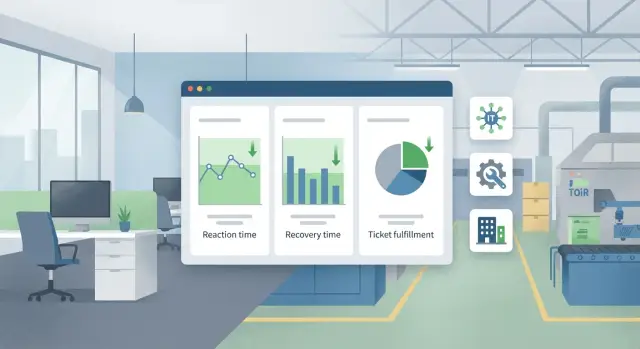
Why internal teams need a single SLA, not three separate ones
When IT, TOiR and AHO operate under different rules, the business sees the same outcome: a ticket is passed around, deadlines drift, and each team has its own priority scale. A single SLA helps agree not on who is to blame but on what counts as a result and within what timeframe it must be achieved.
The reason is simple: many incidents and requests are cross-functional. In a classroom a workstation won’t power on. IT looks at the OS and account, TOiR checks power and cabling, AHO checks room access and keys. If each team has its own deadlines and urgency scale, the user receives three different answers and no clear recovery date.
Agreements usually break down for two reasons: vague wording like “as soon as possible” and mismatched priorities (“this isn’t critical for us”). A shared SLA sets a single priority scale and measurable expectations so “urgent” means the same thing for everyone.
Do not confuse an SLA with internal procedures or job descriptions. A procedure explains how a team works internally. A job description lists role duties. An SLA is a promise to the service consumer: what they will get, in what time, under what conditions, and how we will communicate.
Before writing an SLA, it helps to answer these questions:
- Which services do you actually provide and where each team’s responsibility ends?
- How is priority determined: impact on people, money, safety, downtime?
- What counts as “completed”: a temporary workaround or a full fix?
- What data can you collect regularly without manual “data hunting”?
- Who and when initiates escalation if deadlines are at risk or other teams are needed?
Defining services and boundaries: what exactly we promise
Start by describing concrete services rather than “everything under the sun.” That way staff know where to go and teams know what they are responsible for and what can be measured.
Begin with the service consumer. For internal SLAs this isn’t abstract “the whole company” but clear groups: office employees, production staff, branches, department heads, on-shift personnel. Also record who is allowed to open tickets: any employee or nominated coordinators.
Next, prepare a short service catalog: 10–20 typical items instead of hundreds of one-off cases. It’s easier to describe a service as a result (what the person receives) rather than as a list of tasks.
A sample basic catalog:
- IT: user accounts and access, workstation, network/internet, printing, business applications.
- TOiR: equipment repair, emergency dispatch, scheduled maintenance, diagnostics.
- AHO: access/pass control, HVAC and lighting, workspaces and furniture, small building repairs.
After that, set boundaries of responsibility. For example, IT owns the server and OS, TOiR owns power and racking in the room, AHO owns air conditioning. Explicitly document the "interfaces": who accepts the initial incident and who communicates while the cause is still unknown.
To avoid arguments over terms, define simple concepts:
- Request — a needed service without a failure (install software, issue access).
- Incident — something stopped working or functions below standard.
- Planned work — a prearranged change or maintenance.
Also include two mandatory points: hours of service and contact channels. For example, service desk 08:00–20:00, emergencies 24/7 via the duty phone, and non-urgent requests via the portal or email. This resolves half of disputes: people know what was promised and how to report correctly.
Priorities and service levels: how to agree on urgency
Urgency should be determined by business impact, not emotions or the requester’s role. Use a unified approach for IT, TOiR and AHO: the same priority levels, with timing differences only where context justifies them.
A basic priority set is P1–P4. Define criteria through verifiable questions:
- Is there a risk to people’s safety or regulatory requirements?
- Is a critical process halted (production, patient care, payments, communications)?
- How many people or workstations are affected?
- Is there a workaround and how acceptable is it?
- What is the expected damage: downtime, fines, missed deadlines?
To avoid priority disputes, predefine the rule: priority = impact × urgency, with impact weighted higher. “One printer not printing” is usually not P1, even if “needed urgently.” But “network down for a site” can be P1, even if the ticket arrived at night.
A helpful tool is a matrix “service × priority × response time × resolution time.” It lets teams speak the same language and compare expectations across services.
| Service | Priority | Response | Recovery/Resolution |
|---|---|---|---|
| IT: corporate network down at a site | P1 | 15 min | 4 hours |
| TOiR: critical equipment stopped | P1 | 30 min | 6 hours |
| AHO: heating failure in winter | P1 | 30 min | 8 hours |
Different norms are acceptable where context differs: critical facility vs office, remote branch vs headquarters, shift work vs standard schedule. The key is that differences are documented in advance (for example, “for production sites P1 is faster than for offices”) and matched to resources. Otherwise the SLA becomes an impossible promise.
Five measurable metrics you can actually collect
Metrics should be based on data you already have: tickets, duty logs, dispatch timestamps, access control, simple sensors (temperature, power). For each metric record the formula, period (week/month), source and data owner.
Five metrics you can usually gather without complex systems and that work for IT, TOiR and AHO:
- First Response Time (FRT): from ticket registration to the first confirmed action (for example, a comment + assignment of an owner or status change to “In Progress”).
- Time to Restore Service (TTR/MTTR): from ticket registration to restoration of service (important: not until “closed,” but until the service is working again).
- Share of tickets completed within SLA: number of tickets completed within the target time divided by all tickets covered by SLA. Specify which statuses pause the clock.
- Number of escalation misses: how often the rule “escalate after X minutes/hours when at risk of breach” failed to trigger.
- Repeat requests for the same reason (reopen/recurrence): share of tickets reopened for the same service/object within, say, 7 days.
Avoid metrics that can’t be verified: “excellent quality,” “fixed forever,” or “user satisfied” without a short survey with a clear scale.
Mini example: if a turnstile in the office fails, AHO logs the ticket and dispatch time, TOiR logs the component repair time, IT logs if the issue was a network/controller problem. All three teams count the same FRT and TTR, so there’s little to argue about.
How to phrase metrics so they aren’t ambiguous
A good metric answers one question: who, what, when and how measures it. Without that, disputes center on words, not facts.
For time metrics always fix the start and finish points. “Response” can mean a comment, a phone call, or an actual dispatch. A practical choice: start — ticket registration in the system (or time of first inbound call if no ticket); finish — first confirmed action by the executor (comment + assignment). For “recovery” decide in advance what counts as recovery: service accessible again, equipment powered on, room temperature back in range, workstation ready.
Same for quality. “Repeat request” should have a time window and matching criteria. Example: a repeat is a ticket with the same category and location within 7 days of closure.
If you measure availability and downtime of assets (lifts, HVAC, workstations), fix the formula: which periods count as downtime (including waiting for parts or only active repair), and which hours are considered (24/7 or business hours).
A template that removes ambiguity:
- Metric object: service, asset, ticket type.
- Start and finish: events that start and stop the counter.
- Calendar: 24/7 or business hours, pause rules.
- Data source: ticket system, duty log, sensors.
- Owner and exceptions: who confirms the fact and what is not considered a breach.
Ensure metrics don’t conflict between teams. If TOiR’s goal is “faster recovery” and IT’s is “fewer repeats,” there’s a temptation to close tickets formally. Usually a pair of mandatory indicators works: one for speed (time to restore) and one for quality (repeat rate).
Exceptions to SLA: how to document them honestly and without loopholes
Exceptions prevent the SLA from becoming a list of impossible promises. But an exception must be verifiable: clear signs, rules for recording it, and how the team notifies about its use.
Typical exceptions fall into three groups: force majeure (fire, flood, infrastructure accidents), failures of external suppliers (power, network, cloud services), and security incidents (virus attack, data breach investigation, seizure of equipment). Define precisely what counts and what doesn’t.
Planned work is excluded not by saying “as needed” but by specifics: schedule, maximum duration, who is warned and when. If maintenance is rescheduled, record it as a separate event, not a retroactive extension of the window.
The trickiest are waiting for parts, contractors or approvals. A practical rule: SLA applies to response and diagnostics always; a pause is allowed only after a documented blocker. For example, “waiting for power supply delivery ordered by procurement” or “waiting for access permit from security.”
To keep exceptions from becoming loopholes, use a simple rule: an exception is applied only if all three are present:
- a clear trigger (what happened and how it’s identified)
- a ticket entry with start and end times of the pause
- customer notification and the next step (when work will resume)
If any of these is missing, time continues to count against the SLA.
Escalations and communications: so issues don’t stall
Escalation is not about finding who’s at fault but about quickly involving people who have the authority and resources to resolve the issue. SLAs should specify when to raise the level, who to notify and how to communicate.
Most escalations are triggered by three things: time (approaching response or recovery thresholds), impact (a critical process or many users affected) and recurrence (the same cause repeats). For example, if a server-room HVAC incident repeats twice in a week, escalate to the service owner to investigate root cause even if each time recovery was fast.
Roles are commonly defined as:
- Dispatcher (single intake): accepts the ticket, asks clarifying questions, starts SLA timers and records statuses.
- Shift manager: resolves priority disputes, reallocates resources, confirms escalations.
- Service owner: decides on temporary workarounds and approves deviations from standards.
- InfoSec (when necessary): joins on signs of a breach, suspicious actions or impact on critical systems.
A short notification template of five points is enough:
- what happened and since when
- who/what is affected
- what’s already been done and what is needed from the recipient
- next step and time of the next status
- risks if nothing changes
Agree in advance with the business on status frequency: e.g., every 30 minutes for critical incidents and every 2 hours for medium ones, always in a single channel, no parallel chats.
If deadlines must be extended or a temporary fix chosen, record it immediately: who approved, for how long, why and under what conditions you will return to normal. Otherwise no one will remember a week later why “we decided so.”
Step-by-step: how to roll out SLA for IT, TOiR and AHO without overload
A working SLA is not the most detailed document but a process that you can maintain daily. Start small: agree on clear rules first and add details as data appears.
Minimal plan for 2–4 weeks
-
Collect 20–30 typical ticket cases from the last 1–2 months. Avoid rare disasters. You need everyday issues: printer not working, a burned-out lamp, a leak, AC failure, access request, consumables replacement.
-
Using these cases, describe a short service catalog and responsibility boundaries. For each service set 2–3 priorities and base timings: when we start work and when recovery should happen. Separately record what starts the clock (for example, a ticket created with required fields).
-
Choose 5–8 metrics and verify that the data actually exists. If IT uses a service desk but AHO uses chats, first agree a common recording channel or at least a daily transfer to a spreadsheet. A metric that can’t be collected without manual pain becomes formal quickly.
-
Agree exceptions and responsibilities for blockers in advance: no access to premises, no approved work window, no spare parts in stock, contractor unavailable. Record who must remove the blocker and in what time.
-
Run a pilot at one site (a plant workshop, office, branch) for 2–3 weeks and refine wording. Often the issue isn’t timings but missing ticket data: no address, contact or photo, and time is lost on clarifications.
Common mistakes that make SLAs fail
SLAs fail when they become a nice document but not an operational rule. Usually this happens because promises can’t be verified and data ownership is unclear.
Mistake 1: many metrics but no data owner
If you list 15 indicators but don’t assign who pulls the numbers and from where, the SLA becomes a dispute. Better 3–5 metrics with a clear source (tickets, dispatch logs, CMMS, access logs) and one owner for a monthly report.
Mistake 2: times exist but start/stop points don’t
“Response within 30 minutes” means nothing without defining the starting point: ticket creation, classification confirmation, or call to dispatch? Also agree on timer pause rules (waiting for access, parts, or requester input) and how to log them.
A short formula helps:
- start: ticket registered and assigned a priority
- pause: reason recorded and confirmed by the other party
- finish: service restored or an agreed workaround provided
Mistake 3: no service catalog, so every ticket is “non-standard”
Without a catalog IT, TOiR and AHO discuss every request: what service is it, what priority, what exceptions. SLA timings exist but can’t be applied.
Mistake 4: planned work and incidents in the same queue
When maintenance, improvements and emergencies share a queue, priorities break. Incidents need different urgency and escalation rules than planned work.
Mistake 5: escalation only at the end, when it’s too late
If a manager hears about a problem only when the SLA is already broken, that’s not escalation — that’s a failure report. Escalation should be early: by time (e.g., at 50% of the limit) and by risk (downtime, safety, regulatory impact).
Quick SLA check and next steps
Check an SLA in 10 minutes: can you tell who does what, how results are measured and what happens when things go wrong? If any answer is vague, the document will be disputed and won’t help in practice.
Pre-launch checklist:
- A clear service catalog: what’s supported and what is a separate project or work.
- Priorities common to all teams and tied to business impact (downtime, safety, number affected), not to the requester’s role.
- For each metric a formula, data source and counting period are recorded.
- Exceptions described by signs: what counts as an exception and how it’s logged in the ticket or work journal.
- Escalations triggered by clear conditions, and roles are defined for who decides and who informs.
Then see whether reporting produces effect. A good sign: regular SLA reports result in 1–2 concrete improvements per month (removed an approval bottleneck, reorganized spare parts, added duty for critical equipment), not just “we reported and forgot.”
Practical next steps:
-
Choose a single tool for ticketing (or agree integrations if there are several).
-
Appoint service owners in each team and a cross-service SLA owner who resolves disputes.
-
Fix rules for recording data: when to mark “work started,” what counts as “restored,” where we store reasons for exceptions.
-
Run a pilot on the 2–3 most common services and review metrics after 4 weeks using actual data.
A real-world example: one incident, three teams, one SLA
Monday morning. An accountant’s workstation won’t power on, the server room temperature is rising, and a leak is found on the floor above. If IT, TOiR and AHO use different urgency rules, an argument starts: which is more important — “one PC” or “the whole server room.”
A unified SLA resolves this with a shared priority scale: priority is set by impact and risk, not by “whose team it is.” In this case, the leak and server overheating qualify as P1, even if the first ticket was “PC not working.” The workstation becomes part of the chain, not a separate “minor” issue.
An example entry for the SLA in simple measurable phrases:
P1 (критично): риск простоя ключевых систем/безопасности.
- Реакция: 10 минут (подтверждение, назначен ответственный, старт работ).
- Восстановление: 2 часа до временного решения (обходной путь/резерв), 8 часов до постоянного.
- Исключения: плановые работы по согласованному окну; доступ в помещения только при наличии допуска.
Escalation follows the same pattern even if tasks differ. If a ticket isn’t confirmed within 15 minutes it goes to the shift manager; after 60 minutes without a clear plan it goes to the IT, TOiR and AHO managers simultaneously; after 2 hours without a temporary workaround the site leadership meets and decides on immediate risk mitigation (for example, cut power in the leak zone and move critical services to a backup).
To run this without manual control you only need minimal automation: a single service desk, parent-child ticket links between IT/TOiR/AHO and simple monitoring signals (server room temperature, power, access). Then SLA is measured by facts: who accepted the ticket, when work started and when a temporary workaround appeared — not by end-of-month recollections.
How to lock in results: process, tools and support
To keep the SLA from becoming a file in a folder, anchor it in three things: process (who does what), tools (where work is recorded) and regular checks (how we see that it works).
Start with a minimal set of documents. They should be enough for IT, TOiR and AHO to have the same understanding, but not so many that no one updates them:
- Service catalog: short descriptions and what’s excluded (e.g., “furniture repair” vs “workspace rearrangement”).
- Timing matrix: priorities, target response and recovery times, support windows.
- Exception rules: planned work, premises access, supplier dependencies, force majeure.
- Roles and contacts: service owner, duty officer, person responsible for approving exceptions.
- SLA report template: 5–10 indicators and short notes on deviations.
Next you need a single ticketing center. It doesn’t matter if it’s Service Desk, EAM/CMMS, ITSM or a simple request system. What matters is that all requests land in one place and have the same fields: service, priority, creation time, response time, close time, reason for delay. Then reporting becomes automatic: weekly for line managers and monthly for the business, with a review of the top three causes of breaches.
Bringing in an integrator usually makes sense when the bottleneck is not the SLA wording but process and data setup: routing between teams, unified reference data, monitoring integrations, asset registers, on-call rosters and notifications. For example, GSE.kz (gse.kz) as a system integrator and hardware vendor in Kazakhstan can help implement infrastructure and workplace support if you build SLAs for both “process” and “hardware.”
A 30-day rollout plan helps avoid a six-month project:
- Days 1–7: pilot on 3–5 services at one site, collect baseline data.
- Days 8–14: adjust priorities, exceptions and routes; set up reports.
- Days 15–21: approve SLA and roles; start communications and message templates.
- Days 22–30: train staff and customers, run the first weekly review and record improvements.
Frequently asked questions
Why create a single SLA for IT, TOiR and AHO instead of separate ones for each team?
A unified SLA gives users and the business a single clear picture: what priority a problem has, when it will be resolved, and who handles communications. With separate SLAs, tickets are easily passed between teams and deadlines and urgency criteria start to conflict.
How to correctly describe services and responsibility boundaries in an SLA?
Start with a compact catalog of 10–20 services described as the result for the requester, not as a list of tasks. Then fix responsibility boundaries and the handoffs between teams so it’s clear who accepts the initial incident and who reports status while the root cause is unknown.
How to agree on priorities so that “urgent” means the same for everyone?
Use one priority scale for all teams and tie it to business impact: downtime of critical processes, risk to people and safety, number of affected users, and whether an acceptable workaround exists. This way “urgent” stops depending on emotion or the requester’s position.
What’s the difference between a request, an incident and planned work, and why record this?
A request is a needed service without a failure (for example, software install or providing access). An incident is when something stops working or degrades. Planned work is a prearranged change or maintenance; it should have its own windows and rules so it doesn’t compete with emergencies.
Which 5 metrics can you realistically collect without complex systems and manual data hunting?
The most practical set: time to first response, time to recover (TTR/MTTR), share of tickets resolved within SLA, number of escalation misses, and share of repeat requests for the same reason. These metrics are usually collectible from tickets, dispatch logs and simple restoration notes.
How to phrase metrics so they can’t be interpreted differently?
For each metric, record the exact start and end events, the calendar used (24/7 or business hours) and which events pause the timer. For example, “response” — from ticket registration to the first confirmed action; “recovery” — until the service actually works again, not until the ticket is formally closed.
What SLA exceptions should be documented to avoid loopholes?
Write exceptions as testable conditions, not vague phrases. If you allow a pause for waiting parts, premises access or external suppliers, it must be logged in the ticket with start/end times, the customer notified and the next step clearly stated.
When and how should escalation be triggered so issues don’t stall?
Escalation should trigger before the SLA is missed — for example when a significant portion of the limit is used or business impact grows. The SLA must specify who decides on escalations, who is involved and how often the customer receives status updates, so incidents don’t stall waiting for other teams.
How to implement SLA without overload and endless approvals?
Start with a pilot at one site and a few frequent services rather than trying to describe everything at once. In 2–4 weeks you can agree a catalog, priorities, baseline times, pause rules and simple reporting, then refine targets based on real data instead of assumptions.
When does it make sense to involve a systems integrator for SLA implementation?
A systems integrator helps when the issue is not the SLA text but the process and data: a single ticket register, routing between IT, TOiR and AHO, integrations with monitoring, asset tracking and on-call schedules. In Kazakhstan, for example, GSE.kz can cover integration, equipment and support to make SLAs rely on real infrastructure and workplace support.
