8 min read
Sizing FortiGate 100F/200F by Traffic: IPS, SSL, VPN and Tests
Practical sizing of FortiGate 100F/200F based on real traffic: how to account for IPS, SSL inspection and VPN, and what tests to run before deployment.
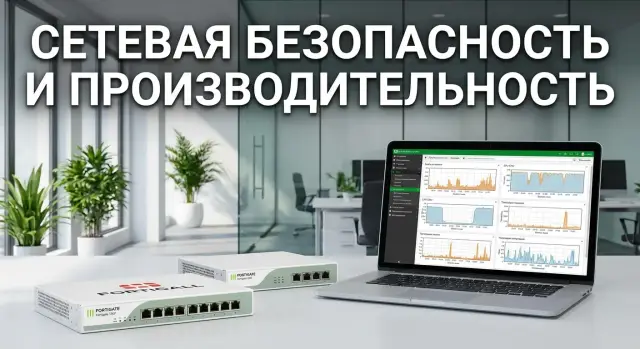
Task: choose 100F or 200F for a real perimeter
Datasheet numbers are useful, but they answer the question “what is the maximum in ideal conditions.” In a real perimeter traffic is uneven: many short sessions, some “heavy” applications, and you usually enable IPS, filtering, TLS inspection and VPN. Therefore, sizing FortiGate 100F/200F should be based on measured traffic and the specific features you will enable. Otherwise you can easily buy a model “by the book” and run into problems at peaks.
It’s important to understand why the datasheet shows different values: Firewall throughput, IPS, Threat Protection, SSL inspection. These are not four ways to measure the same thing, they are different operating modes. Simple routing and rule-based filtering require little deep processing. IPS and Threat Protection add packet and session analysis. SSL inspection additionally decrypts and re-encrypts traffic and often becomes the main consumer of resources. VPN adds cryptography and can hit encryption limits before raw gigabit throughput.
The bottleneck is usually not a single parameter but a combination of factors: CPU/ASIC load when IPS (and especially SSL inspection) is enabled, memory usage with a large number of concurrent sessions, encryption performance with many VPN users and tunnels, and physical interfaces and their utilization (for example, when multiple lines are aggregated).
Business experiences undersizing not as “not enough Mbps” but as clear symptoms:
- noticeable delays in web services and corporate applications during peak hours
- intermittent VPN drops and complaints about “fluctuating” speeds
- increased page load times when inspection is enabled
- connection errors due to session table overflows
- forced compromises in security policies (turning off checks for speed)
The goal when choosing between 100F and 200F is simple: provide the required features with headroom for peaks and growth, without degrading security for the sake of performance.
What traffic data to collect before sizing
Accurate sizing of FortiGate 100F/200F starts not from datasheet numbers but from measurements of what actually passes through the perimeter. You need to know not only how many gigabits, but what kind of traffic it is, when it occurs, and which security features you will enable.
First, identify data sources. The simplest option is statistics from the current firewall or router (WAN interfaces, VPN, main policies). If such a device is missing or data is incomplete, use port mirroring (SPAN) on a switch for a short capture. For longer periods, NetFlow/sFlow on the router or L3 switch is useful. Ideally have two sources: one for the overall picture, the other to confirm peaks.
Collect multiple intervals. The average is useful to understand the baseline, but for model selection the 95th percentile and short spikes during working hours matter more. Note maintenance windows separately: backups, updates, synchronizations and replications.
Then split flows by destination. Identical volume traffic can load the device differently if it’s web with SSL inspection or inter-branch tunnels. For an initial picture it’s usually enough to group traffic: internet (web/SaaS/mail/messaging/video), site-to-site VPN, cloud (IaaS/PaaS, DR sites, remote desktops), maintenance windows (updates and backups), inbound published services and remote access.
To keep sizing relevant for 6–18 months, record growth plans: user growth, new branches, cloud migration, VDI rollout, EDR/NDR deployment, and increasing share of encrypted traffic.
Also list critical applications and their sensitivity to latency and loss. Accounting and ERP often tolerate some latency growth, while voice, video conferencing and virtual desktops show issues immediately. These applications will become the basis for load test scenarios and acceptance criteria.
Quick estimate: functions, ports and growth buffer
Before diving into detailed numbers, do a rough sizing for FortiGate 100F/200F. This excludes clearly unsuitable models based on three points: device role, feature set, and physical connectivity.
First define the role. If it’s only the internet perimeter, the calculation is usually simpler. If you plan internal segmentation through the firewall (office, server room, DMZ, branches), load becomes more bursty, with more rules, sessions and traffic directions.
Next, build a feature matrix and mark what will always be enabled and what only for some flows. This matters because SSL inspection and IPS typically consume performance far more than basic firewall and NAT.
For a first approximation, note: IPS (and its profile strictness), antivirus/antibot for web and mail, web filter (global or selective), SSL inspection (full or selective), VPN (site-to-site and remote users).
Estimate peak throughput in both directions. Not the contracted link speed but the real peak (for example 600 Mbps download and 200 Mbps upload). Add 20–30% headroom for growth and “bad days” (updates, backups, incidents). If some functions are applied selectively, estimate the share of traffic that will actually be inspected.
Check ports and topology separately: do you need a 10G uplink, will LACP be required, how many physical lines are in redundancy, and will you run an HA pair. Sometimes a model is enough computationally but limited by interfaces or topology.
Example: an organization has a 1G internet link, peak load 700 Mbps, but full SSL inspection is needed only for employee web traffic (say 40% of traffic), and VPN is used for a couple of branches and 100 remote users. The preliminary estimate should consider several streams with different functions and duty cycles, not just one aggregate Mbps number.
Step-by-step method for sizing from measured traffic
Start at a measurement point closest to the future perimeter: the uplink to the internet, the provider handoff, or the core before the edge. It’s important that real peaks are visible there, not averaged statistics from a convenient switch.
First capture the baseline without inspection to understand raw network load and sessions. Record at minimum:
- peak throughput and 95th percentile (separately for in and out)
- PPS (packets per second) at peak
- new sessions per second
- concurrent sessions
- packet-size distribution (if available)
Next, break traffic down by direction and application. Simple groups usually suffice: users to internet, inbound published services, inter-branch, cloud, video services, mail, updates. The goal is not perfect classification but to identify where many short sessions occur (web), where long flows dominate (video), and where spikes are likely.
Estimate the share of traffic that will undergo SSL inspection. Not all HTTPS traffic should be decrypted: some sites are excluded by policy, some apps break without fine-tuned exceptions. If 40% of web traffic will be inspected, that slice becomes the primary candidate for CPU/crypto load.
Then estimate what portion of traffic will be subject to IPS and other profiles (AV, web filter, application control). A common approach is to enable full checks for user internet traffic, while keeping lighter policies for backups, updates and large transfers.
Choose a candidate model between 100F/200F and formulate hypotheses for tests: e.g., can the model handle peak PPS, how much SSL inspection it provides for your site mix, and whether it can handle new session rates during morning startup.
IPS: how to estimate load and avoid profiling mistakes
Sizing mistakes usually start with “just turn on IPS.” In reality IPS is applied per policy: which profile is chosen, which signatures are active, are there exceptions for trusted services, and how strict should checks be for different segments.
For FortiGate 100F/200F sizing, the important thing is not raw gigabits but how traffic looks in terms of packets and sessions. Two 500 Mbps links can behave completely differently: one may be long flows (video, backups), the other many short requests (web, APIs). IPS will feel the latter much more.
Watch metrics that usually hit resource limits first:
- PPS (packets per second), especially at peaks
- new sessions/sec (session creation rate)
- concurrent sessions
- share of small packets and short connections
- traffic distribution across policies (where IPS is enabled)
Consider East-West traffic separately if you plan internal segmentation. When the firewall becomes a crossroads between VLANs/segments (office, servers, VDI, medical equipment), internal traffic can dominate over the internet perimeter. That adds PPS and new sessions/sec even if external bandwidth stays the same.
Test profiles on the same traffic: baseline (minimal signatures), recommended (balanced), strict (maximum checks). For example, in a branch pilot: run baseline during the day, recommended in the evening, strict in a maintenance window, and compare latency, CPU, PPS and dropped packets.
Indicators of IPS overload include rising CPU in the IPS/scan process, queues and drops, increased latency, session timeouts, and application-level symptoms. If these appear only under a strict profile, it’s often better to enable IPS more precisely per direction and add exceptions for safe internal flows rather than simply upgrading the model.
SSL inspection: where performance is lost and how to account for it
SSL inspection is not just “looking at HTTPS.” The device becomes a man-in-the-middle: it substitutes a certificate, decrypts the stream, runs checks (AV/IPS/DLP/URL), then re-encrypts and forwards. The most expensive operations are cryptographic work and handling many short sessions (typical for web and cloud). In FortiGate 100F/200F sizing this feature often becomes the primary limiter, even if raw throughput without decryption is fine.
Choose modes and rules instead of “enable everywhere.”
Practically, separate at least three approaches: certificate inspection (check the certificate without full decryption), full inspection (complete decryption and checks), and targeted exceptions by category/domain/direction. Certificate inspection gives visibility and consumes almost no performance. Full inspection gives maximum control but requires careful exception policies.
Usually it’s not sensible to decrypt payment sites and government services, medical portals (policy and sensitive data), OS updates and large vendor services (lots of traffic, little value, risk of false positives), video streaming and CDNs (high bandwidth, low inspection value), and apps with certificate pinning unless you are ready to manage exceptions continuously.
How to estimate TLS share and where the bottleneck will be
Measure what portion of outbound traffic is actually TLS and how many new TLS sessions occur at peaks. Separate client types: employee browsers, agent apps (EDR, mail, backups), mobile devices and guest Wi‑Fi. They differ in sensitivity to certificate substitution and session characteristics.
Early signs that SSL inspection is not keeping up or is too aggressive: increased web latency, certificate errors in some apps, unstable download speeds, and user complaints that “some sites load intermittently.” Correlate complaints with peaks in new TLS sessions and CPU/crypto load.
VPN: calculation by users, tunnels and encryption
VPN often eats performance unexpectedly: what matters is not account count but concurrency, encryption and packet profiles. For FortiGate 100F/200F sizing separate scenarios: site-to-site (branches, cloud, partners), remote access (employees, contractors) and mixed modes when both run concurrently at peak times.
Count reality: how many tunnels are up simultaneously and how many people actively transfer data, not just how many accounts exist. For example, 300 VPN users do not equal 300 active users. Peaks often see 60–120 active users, and their traffic sets the bar.
What to include in calculations
Start with five input numbers you can confirm from logs and measurements:
- peak aggregate VPN throughput (both directions), separate for remote access and site-to-site
- number of concurrent connections and simultaneously active tunnels
- traffic types inside VPN (RDP, VoIP, file transfers, VDI): small-packet traffic is more demanding
- cipher suites and modes (e.g., AES-256 vs AES-128, IKEv2), and whether strict policies are required
- growth buffer: new branches, contractors, seasonal peaks
Ciphers and policies directly affect CPU/ASIC load. If you plan heavy cipher suites and frequent reconnections (unstable links, mobile networks), budget not only Mbps headroom but also session counts and tunnel establishment rates.
What to measure in tests
Before go-live verify behavior under load:
- real VPN throughput at peak and with small packets
- tunnel establishment time and success rate for reconnects
- stability: no drops under sustained load (1–2 hours)
- latency and jitter for critical services (voice, VDI)
- CPU/memory load and growth of session tables
Practical scenario: five new site-to-site tunnels and 80 remote users come online on Monday morning. If tunnel establishment time increases and voice quality degrades, the model was chosen without enough headroom or encryption is too heavy for the chosen configuration.
Performance test plan before deployment
A load test plan is not about record numbers but about confirming the chosen model can handle your traffic profile. This is crucial if you sized FortiGate 100F/200F from measurements and want to find whether IPS, SSL inspection or VPN will be the bottleneck.
Minimal lab and comparability rules
A simple repeatable lab is sufficient. Usually a traffic generator (or two servers with traffic tools), test clients and two segments representing “internet” and “LAN” suffice. If multiple providers exist, allow switching channels.
Fix the configuration before starting: firmware versions, enabled profiles and policies, cipher suites, logging level, and UTM functions. Any ad‑hoc tweak during the run invalidates comparability.
Scenarios and loads
Run scenarios from simple to complex to see each function’s impact:
- baseline firewall without IPS and without SSL inspection
- firewall + IPS (the profile you plan to use)
- firewall + SSL inspection (with the production exceptions)
- VPN (IPsec/SSL) with near-production users/tunnels
- everything enabled together
Measure not only average throughput but behavior under spikes. Inject short bursts (e.g., backup start), mixed traffic (web, file, DNS, updates), and long sessions (remote desktop, large downloads). A common mistake is testing with a single flow and being pleased with numbers that later collapse under a real mix.
Also test resiliency: device reboots, brief link flaps, provider failover, and if HA is planned — role switch with session preservation where expected.
Example: for an office of 250 users with morning updates, run a 15‑minute test with spikes to 2–3x the average, alongside 30–50 active VPN users and IPS enabled. This reveals whether latency stays acceptable and new connection errors remain low.
Metrics and acceptance criteria: how to know there’s enough
To avoid sizing FortiGate 100F/200F by guesswork, agree in advance which numbers are acceptable. Tests then answer whether there is headroom rather than just “it works.”
What to capture during tests
Collect metrics concurrently with traffic generation and user actions (browsing, ERP access, video calls). Minimum dataset that usually shows bottlenecks:
- device CPU and per-process CPU (including IPS and SSL)
- memory and trends (no gradual leaks)
- sessions: current and peak, new session creation rate
- drops and retransmits, interface errors
- latency: average and 95th percentile for key paths
Also measure throughput and latency for critical apps. Total throughput can look good while users suffer from increased latency on VoIP or slow page loads under SSL inspection.
Acceptance criteria: simple and verifiable
Formulate criteria as “within” and “without degradation when features are enabled.” Practical set:
- peak CPU not exceeding 70–80% in the target profile (IPS + SSL + VPN), without spikes to 100%
- no packet loss (or a predefined acceptable max, e.g., up to 0.1% under peak)
- latency stable with no sudden jumps as sessions and VPN reconnects increase
- VPN operates without session drops: reconnects, DPD and network changes don’t break tunnels
- repeatability: two runs give close results
Compare modes: baseline, policy with exceptions (e.g., SSL skipped for some directions), and a strict IPS profile. The difference shows the cost of security.
In a short report keep five lines: feature profile, peak traffic and sessions, worst metrics (CPU, loss, latency), what goes to production immediately, and what remains optional until optimization. Example: “Enable SSL inspection for office internet, but exclude video conferencing because latency doubles at peak.”
Common mistakes in sizing and load tests
The most common trap when sizing FortiGate 100F/200F is choosing a model by a single datasheet figure. Firewall throughput alone tells little if you have many small packets, short sessions, IPS and TLS inspection enabled.
Mistakes that give a false sense of adequacy
Problems usually arise not from raw gigabits but from session counts, PPS and enabled security functions. Frequent mistakes:
- comparing only Gbps and ignoring PPS, CPS and concurrent sessions
- enabling SSL inspection “for everything” without defining what should be decrypted and without measuring TLS share
- running one big test with everything enabled and then not knowing what caused the slowdown
- not accounting for background load: updates, backups, EDR scans, replications
- planning with minimal headroom for growth and new services after launch
Mistakes in load testing
A sound calculation can be ruined by an unrealistic test. For example, running one iPerf stream and celebrating the numbers, while production has thousands of concurrent HTTPS sessions, many small requests and several VPN tunnels.
To make tests useful, follow simple rules: first measure a baseline without IPS and SSL, then enable features one by one and record differences. Reproduce the real profile (TLS share, packet sizes, number of clients, rule count, logging). Predefine acceptance thresholds: acceptable latency, losses, CPU load, session growth without errors.
For government or large enterprise deployments, an experienced integrator often helps to collect real stats and reproduce them in the lab, as system integrators like GSE.kz typically do.
Checklist and next steps after selecting a model
When calculations are ready, run a quick checklist. Even careful sizing of FortiGate 100F/200F can fail if you miss the TLS share, the real IPS policy or future growth.
Before procurement, complete this checklist and record answers in writing (very helpful at acceptance):
- peak traffic during working hours and heavy directions (internet, inter-branch, cloud)
- enabled perimeter functions: IPS, AV, WebFilter, AppControl, logging
- HTTPS share and SSL inspection strategy (full, selective, exceptions)
- VPN: type (IPsec/SSL), number of users/tunnels, expected peaks
- headroom for 12–24 months and planned changes (VDOMs, segmentation, new services)
If the model looks tight, prefer the 200F. Typical signals: large share of traffic under SSL inspection, regular peaks close to the calculated limit, growth in VPN users, plans to enable stricter IPS profiles and detailed logging.
Before go-live, tests and acceptance criteria decide, not the datasheet. In the lab agree scenarios (clean FW, then add IPS, SSL inspection, VPN, logging one by one), a realistic traffic profile, acceptance metrics (throughput, latency, loss, CPU/RAM, session count, tunnel establishment time), degradation thresholds and a rollback plan.
For operations, prepare monitoring of key counters (CPU, sessions, drops, crypto load), a schedule for FortiOS and signature updates, regular config backups and a clear change process.
Typical next steps: a short pilot on real traffic, finalize configuration and documentation, then staged deployment. If needed, the GSE.kz team (gse.kz) can help with traffic measurements, lab tests, deployment and 24/7 support.
Frequently asked questions
Where should I start when choosing between FortiGate 100F and 200F?
Collect actual traffic peaks, the 95th percentile, PPS, and the number of new and concurrent sessions. Then account for the share of flows that will pass through IPS, full SSL inspection, and VPN, and add a 20-30% buffer for growth and unusual peaks.
Why can't I choose a model based on Firewall throughput alone?
Firewall throughput reflects performance with basic filtering and NAT. IPS, Threat Protection, and full SSL inspection require deeper processing, so the appliance handles less traffic when these features are enabled.
Do I need to enable SSL inspection for all traffic?
Focus on the share of HTTPS traffic you actually want to decrypt. Full inspection is useful for user web traffic, but it is often better to create policy-based exceptions for updates, video streaming, payment, and sensitive services.
Which metrics matter when estimating IPS load?
Look beyond megabits. PPS, new sessions per second, the share of small packets, the number of concurrent connections, and the IPS profile all matter. Web, API, and cloud services usually create more load than long file transfers at the same speed.
How do I calculate VPN load?
Count concurrently active users, not every account that has been created. Also measure total VPN traffic, the number of site-to-site tunnels, the types of applications used inside the VPN, and the selected encryption algorithms.
When should I choose the 200F instead of the 100F?
Choose the 200F if SSL inspection covers a large share of traffic, regular peaks are expected near the calculated limit, the number of VPN users is growing, or you plan to segment the internal network through the firewall. For a simpler internet perimeter with moderate inspection, the 100F may be sufficient after a pilot.
What is the minimum load-testing plan needed before deployment?
First, measure baseline performance without IPS or decryption. Then separately test the production IPS profile, SSL inspection with real exceptions, VPN, and an end-to-end scenario with all required features. Include short bursts, small packets, and several dozen active VPN connections.
What acceptance criteria should I set for FortiGate?
Set measurable thresholds in advance: peak CPU of up to 70-80%, no noticeable packet loss, stable latency for critical applications, and reliable VPN connections. Run the test twice to make sure the result is not random.
What sizing mistakes are most common?
Do not test the appliance with one long flow or rely on average link utilization. That test does not show the load from thousands of HTTPS sessions, small packets, IPS, logging, and simultaneous VPN operation.
What should I monitor after launch?
Keep charts for CPU, memory, sessions, PPS, loss, interface errors, and cryptographic load. Correlate these metrics with latency in web applications, ERP, VoIP, VDI, and VPN status to quickly identify the cause of complaints.
