7 min read
Site Service Card: information for a fast on-site response
A site service card helps an engineer reach the site faster, find responsible people, check power, and start recovery without extra calls.
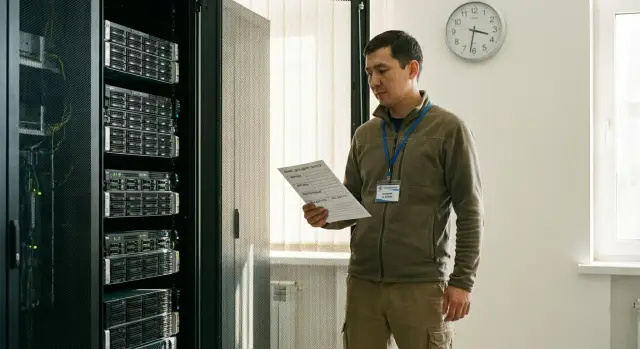
Why an engineer loses time on site
An emergency dispatch is rarely slowed by the failure itself. More often time is lost on details that could be clarified in advance: how to get into the site, who will open the server room, whether power can be switched off, where the required equipment is located. The engineer arrives on time, but work only starts an hour later or sometimes even later.
The first delay often happens at the entrance. The site may have a different access procedure: an ID is required, a pre-submitted request, an escort, or confirmation from the duty officer. While this is being checked at reception, the equipment has not even been inspected.
Next comes a second problem — there is no person on site who can actually help. A contact is listed in the ticket, but they do not answer, are on leave, or simply do not know the site details. As a result, the engineer spends time searching for the correct rack, server room, distribution board, or the person authorized to approve a shutdown.
Typical time losses look very mundane:
- no prearranged access;
- the responsible person is unavailable or unfamiliar with the site;
- rooms are opened only at certain hours;
- power and wiring differ from expectations;
- equipment is not where the ticket says it is.
This is especially noticeable at regional sites. The service team usually knows the central office better: the route is clearer, the right people are found faster, and there are fewer routine questions. In a remote branch, any inaccuracy becomes a pause. The travel is longer, there is less buffer time, and local rules are stricter.
A typical situation: an engineer goes to a branch in another city to restore a server or workstation. The task seems simple from the description. But on site they find the building entry is only open until 6:00 PM, the administrator has already left, the pass is issued to a different legal entity, and the server room has no free socket of the required type. The actual repair takes 20 minutes, while the preparatory delays take half a day.
A service card saves not minutes but hours. If the access rules, working contacts, access hours, and basic site conditions are known in advance, the engineer can start fixing the problem as soon as they arrive. For visits across Kazakhstan this is especially important: a repeat visit is almost always more expensive than collecting accurate data the first time.
What should be in a service card
A service card is a single working document that the dispatcher uses to prepare a visit, and the engineer uses to reach the right point and start work without extra calls. If some information is in messages, some in the administrator's head, and some in an old file, time is lost in the first minutes.
A good card has no excess. It collects only what is actually needed on the road and on site. For remote locations this is particularly important: one missing detail can cost an extra day of downtime.
Usually five blocks are enough in the card:
- exact address, entry map, access rules and access hours;
- contacts of responsible people: who meets, who approves work, who is responsible for IT and electricity;
- list of equipment on site: what is installed, where it stands, serial numbers and criticality;
- site conditions: power, UPS, racks, air conditioning, restrictions on noisy work;
- escalation procedure: who to call if access is closed, the server room is locked, or an urgent replacement is needed.
For a dispatcher the organizational part is more important: how to arrange the visit, whom to notify, what hours are allowed for entry, whether an ID, request, or power of attorney is required. For an engineer the practical details matter more: where to park, which entrance is used, what floor the server room is on, which sockets are used, and whether a local person can give access to the rack.
If the site is large, it helps to state the type of facility up front: bank branch, school, medical center, warehouse, government office or office building. This helps to anticipate access and approval restrictions. Sites with heightened requirements often have very different entry rules and work procedures.
Who is responsible for keeping it up to date
Even a detailed card is useless if it is out of date. The document should have an owner: a service coordinator, a local IT responsible, or the site manager. The important thing is that it is clear who makes changes.
It is best to set a simple rule from the start: any change in contacts, working hours, entry procedure, equipment layout, or power must be recorded in the card the same day. The date of the last check should be visible alongside.
A practical minimum: review the card fully once a quarter, and after each incident note what was missing. That way the document remains a working tool, not just a file in a folder.
Passes and entry rules
Many delays begin not at the equipment rack but at the reception. If the engineer arrives on time but does not know what pass is needed, which entrance to use and who must confirm access, the repair can easily be pushed back by several hours.
Therefore the card needs more than a general comment like access through security; it needs an exact entry procedure. Indicate whether a one-time pass or a permanent pass is needed, whether there is a special regime for contractors, and whether entry is allowed evenings, nights, weekends or holidays.
A minimal set of data here is simple:
- full address for approach and a clear landmark;
- the required checkpoint, staff entrance, or service vehicle entry;
- list of documents security checks;
- full name and phone number of the person who confirms access;
- procedure for access outside working hours.
Problems often occur on large sites with multiple entrances. One leads to the office area, another to the server zone, a third is open only for permanent staff. If this is not specified in advance, the engineer wastes time on calls and negotiations at the security post.
Specify who confirms access outside working hours. Not an abstract "duty administrator," but a specific role and contact: shift supervisor, building manager, or duty IT specialist. If there are several people, the card should include a simple escalation order: who to call first, who second, and after how many minutes to move to the next contact.
Short notes on local rules are useful. For example, whether it is allowed to bring a laptop and tools without registration, whether a vehicle number must be sent in advance, or whether a hard hat or an escort is required.
Contacts that actually help
When an engineer arrives at a site, most time is often spent not on the repair but on finding the right person. One number does not answer, another is outdated, and a third belongs to someone unrelated to the area. Contacts in the card should not be a formality but a working tool.
The primary contact must be the person on site who is actually present. This does not have to be a manager. More important is that they are near the equipment or answer quickly: able to meet the engineer, show the room, point out the rack and confirm what is not working.
A second mandatory contact is a backup. They are needed in case of vacation, illness, or ordinary unavailability of the primary person. Prefer someone from the same site or nearest responsible person from the branch, not just a general reception number.
Also specify who decides about stopping operations. Often the fault is found but replacing a module requires a short shutdown of a server or workstation. If it is not clear in advance who gives approval, repairs stall with endless calls.
For each contact record five things:
- full name;
- position;
- mobile and work numbers;
- role on site;
- hours when the person is usually available.
Short notes like "Askar, IT" are almost useless. In a month no one will remember who that is and what they do. A far more useful entry is: "Ibraev Askar Nurlanovich, systems administrator of the branch, meets the engineer and confirms the fault."
For regional sites it helps to add the contact sequence. For example: first call the primary contact, after 10 minutes call the backup, then the site manager. Such a scenario seems minor but saves a lot of time during a real dispatch.
Power and site conditions
If the card lacks power information, the engineer loses time in the first minutes. On site they may find the rack powered from a different line, sockets are occupied, or access to the electrical room is only with the duty electrician.
This is especially painful for remote sites. While a shutdown is negotiated, keys are searched for and permission is checked, downtime keeps growing.
The card should clearly state where the power feed for the required equipment is located. Writing simply "server room" or "technical room" is not enough. Better to specify the room number, floor, rack row, breaker label, or the distribution board name.
Next, note whether there is a reserve. This could be a UPS, a generator, or a separate line. The engineer needs to know not only that a backup exists but how it works: whether it supports the whole rack, just the network, or only some devices.
Practical details to record in advance:
- socket types on site;
- length and type of power cables;
- whether adapters are needed;
- whether there are free power ports in the rack;
- where spare cables are stored.
These are minor on paper but often decide whether the job finishes in half an hour or stretches to the next day.
Also record restrictions on power shutdowns. At some sites it is forbidden to de-energize equipment during working hours, at others at the end of the month, during public service hours, or during overnight processing. Rules may differ for servers, workstations, and all-in-one PCs, and this should be known before the visit.
Another key point: who opens the electrical room and who confirms the right to disconnect. Prefer listing at least two contacts: the primary responsible person and their replacement.
How to assemble the card step by step
Build the card not as a formal report but as a short checklist for an actual visit. If at any stage the engineer must guess, the document is insufficient.
A simple scenario is convenient to follow:
- Clarify the exact address and entry method. Record not only the street and building number but also the approach, checkpoint, entrance number, floor, room, and a short route inside the building.
- Check access hours. Specify weekdays, weekends, holidays, and cases when access is only possible by a preapproved request.
- Gather contacts by role. It should be clear who opens the server room, who handles passes, who accepts the work, and who can confirm equipment shutdown.
- Record power data. Note socket types, presence of UPS, backup line, shutdown restrictions, and any risks.
- Verify the card after the first visit. That first trip usually shows inaccuracies: wrong entrance, old phone number, a closed door between floors, or a different access window.
A good card should not be long. It should be enough for an engineer to understand in a minute where to go, whom to call, and what can be done on site without further approvals.
If there are many sites, assign an owner of the card on both sides: at the client and in the service team. This works well where fast visits and short recovery times are important.
Example for a remote branch
For companies with branches across Kazakhstan this is common: in the evening a critical device fails in a regional center and the engineer leaves after working hours. If the site has separate security and entry does not go through the main reception, getting inside can take longer than the diagnostics.
This is where the service card shows its value. It lists which security post to call, which entrance is used outside working hours, whether an ID number is required, who approves the pass, and where the server room or equipment room is located. The engineer arrives not to figure things out on the spot but to follow a clear route.
If the primary contact does not answer, work would stop at the gate without a backup number. But the card includes a second responsible person — the branch duty administrator. They confirm access with security by phone and report that the rack key is held by the shift employee.
Savings continue in every detail. The card already states where the incoming breaker is, whether there is a UPS, what power feeds the equipment, and whether a safe evening reboot is allowed. Instead of an hour on calls and searches, the engineer first checks power, identifies a problem on one line, and begins recovery.
This scenario shows a simple fact: the card helps not only to enter the premises but to quickly move to actual work. At a remote branch this is critical because every extra pause increases downtime and raises the chance that the work will be postponed until morning.
Common mistakes in a site card
The most common problem is simple: a card exists, but during a dispatch it does not help. The engineer still wastes time finding the entrance, verifying contacts and basic conditions that should already be recorded.
First typical mistake — one general phone number without a name or role. Such an entry does not clarify whom to call for access, server room, or electricity.
Second mistake — no rules for night, weekend, or holiday access. The site may be open during working hours, but incidents rarely occur at convenient times.
Third mistake — the card is not updated after site changes. Security moved to another entrance, responsible people were replaced, but the route and phones remain old. The document exists only formally and in practice only hinders.
Fourth mistake concerns power. The card states that power is available but does not indicate where to switch the relevant line, who authorizes it, and whether a backup exists.
In short, review the card when:
- a general phone is listed without full name and role;
- there are no access rules outside working hours;
- an old entrance or security post is described;
- power switching points are not marked;
- the document was not updated after staff changes or equipment moves.
Quick check before departure
Before a visit the engineer needs not a folder of files but a short 2-3 minute checklist. Even a good card is useless if its data were not verified before leaving.
First confirm the address and entry point. A building may have several entrances, a separate service vehicle gate, or a passage through a security post. For regional sites an error in the building or entrance can easily add an extra hour to the trip.
Next, check the contacts. The card should include not only the primary responsible person but also a backup number: duty administrator, security, local IT staff, or shift supervisor. In practice the most helpful person is not the highest in rank but the one who is available when the engineer arrives.
Before leaving, run through a short list:
- confirmed exact address, building, floor, and entry procedure;
- primary and backup phones are up to date;
- access hours are checked for today;
- power conditions and shutdown restrictions are understood;
- pass, ID, request, and other required documents are prepared.
Also clarify site-specific restrictions. Sometimes repairs are only allowed in an agreed window, and sometimes power cannot be cut without written permission. If the site is a server room, cash area, school, medical center, or government facility, these details affect both speed and procedure.
One short call in the morning often eliminates risks that would otherwise appear only at the gate.
What to do next
If the card is already compiled, the next step is simple: make it a single standard for all sites. When all objects have the same fields and section order, the engineer does not waste time searching for the right line. They immediately see passes, contacts, power, and access conditions.
It is equally important to assign responsibility for updates. Each site should have one card owner. This can be a local administrator, office manager, or facility employee, but the role must be specified.
Typically this person has four tasks:
- verify contacts and phone numbers on schedule;
- record changes in passes and entry regimes;
- update data on power, racks, and equipment placement;
- confirm the card after incidents and relocations.
After each case it is useful to briefly discuss what the engineer lacked on site. Sometimes it is a new duty number, sometimes a door code, and sometimes a small detail like a ban on entry after 6:00 PM without a prearranged request. Such details keep the document alive.
If there are many sites across the country, agree the template not only within the company but also with the service team. This approach is especially useful for organizations with wide branch networks and distributed infrastructure. It is used by large integrators operating across Kazakhstan, including GSE.kz: a unified card format helps local staff and field engineers understand each other faster and avoid time-consuming clarifications.
The goal of this document is simple: before departure the engineer should, in a couple of minutes, understand whom to call, how to get inside, where the equipment is, and what restrictions apply on site. If that is clear at a glance, the card really works.
Frequently asked questions
Why is a site service card needed?
A service card helps the engineer get to the site immediately, locate the equipment, and understand work restrictions. It reduces delays caused by access passes, locked server rooms, unavailable contacts, and unclear power shutdown procedures.
What access-pass details should be included in the card?
Include the exact address, the required entrance or security checkpoint, access hours, pass requirements, and documents needed by security. Add the entry procedure for evenings, nights, weekends, and public holidays.
What contacts does an engineer need before traveling to the site?
The engineer needs primary and backup on-site contacts, as well as those responsible for access authorization, the IT area, and power supply. Record each contact's full name, role, phone numbers, and usual availability hours.
How should equipment be described in a service card?
Record the room, floor, rack, or installation location, serial numbers, and equipment criticality. The engineer should know which device to go to and what cannot be stopped without approval.
What needs to be known about the site's power supply?
Specify which line powers the equipment, where the electrical panel and circuit breaker are located, and whether there is a UPS or generator. Also record outlet types, available power ports, shutdown restrictions, and contact details for those responsible for the electrical room.
Who updates the service card?
The card should be maintained by an assigned owner: a service coordinator, local IT manager, or site representative. They update it on the day that contacts, access, equipment location, or the power layout changes.
How often should the card be checked for accuracy?
A full review is best done quarterly. The card should also be checked immediately after every incident: a site visit quickly reveals an outdated number, incorrect entrance, or missing power information.
What should be checked right before traveling to the site?
Confirm the address, building, floor, and entrance. Check whether the primary and backup contacts are responding, whether access hours apply today, and whether the required documents for the security desk are ready.
Why is a service card especially important for regional branches?
Travel takes longer to remote sites, and there are usually fewer opportunities to quickly return for documents or parts. The card should therefore describe night access, the local on-duty contact, the route inside the building, and power conditions with particular accuracy.
What are the most common mistakes in service cards?
Common mistakes include listing only one general phone number, forgetting about after-hours access, and not updating the card after equipment is moved. Another mistake is stating only that power is available without noting the shutdown point and approving contact.
