8 min read
Single OT/IT ticket channel: classification and routing
Single OT/IT ticket channel: how to decide incident vs request, simple classification, priorities and routing between IT, automation and operations to reduce downtime.
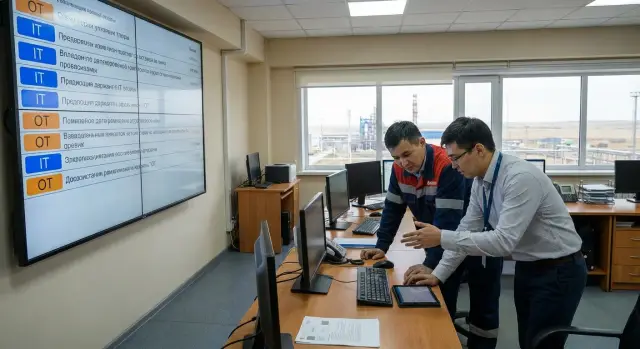
Why production needs a single OT/IT ticket channel
Problems on the production floor rarely follow a script. An operator tells the shift lead, the lead posts in a chat, someone calls a familiar IT person, and the automation engineer only sees the request at the end of the shift. As a result, some requests leave no trace: no ticket number, no timestamp, no clear “who accepted it” or “what was done.” With many entry points, even a simple fault turns into a chain of guesses.
OT and IT differ not only in technology but also in the cost of mistakes. For IT, availability and data are usually key. For OT, the priority is people and equipment safety, product quality and avoiding line stoppage. Where an office problem can “wait until morning,” one hour of downtime on the shop floor can ruin a shift plan, waste materials and create stress.
Chaos in ticketing hits budgets and relationships. You get repeat visits “just in case,” parallel workstreams and blame games instead of fact logging. Managers see only noise: “everyone is busy,” while the reason the same failures repeat remains unclear.
A single OT/IT ticket channel doesn’t solve this by “dumping everyone into one queue,” but by providing one clear entry point for the shop floor and office. Routing then decides who gets the ticket, what questions to ask on intake, and what urgency to set.
In practice this means one place to submit issues (no bypass calls), a single minimal data set (area, equipment, symptoms, time) and a clear status so the shift can see what’s happening. Processing rules can still differ: separate queues for IT, ICS/SCADA (АСУ ТП) and operations.
Example: “labels won’t print at the packaging line.” Through the single channel we record that the failure started after the roll change and a network port lost connectivity at the same time. The ticket routes to IT (network/printer) and to OT/operations (power/connection). Instead of two unrelated calls, there is one history with a clear outcome.
Roles and responsibilities: who reports, who fixes, who decides
For a single OT/IT ticket channel to work you need a simple role map: who files the ticket, who executes, and who decides if the task is disputed or affects production.
Not only IT should be able to create tickets. Usually the operator or shift supervisor sees the problem first. They must be able to file an issue and fill a minimum: where, what happened, since when, and what has already been tried.
Different teams will execute, and that’s fine. The important part is that a ticket doesn’t bounce between departments without an owner. To start, assign basic roles:
- Requester: operator, shift leader, area engineer, office user.
- Executor: IT (workstations, network, business systems), ICS/SCADA (SCADA, PLC, industrial network), instrumentation (sensors, drives), operations (power, HVAC, mechanics), contractor (per contract).
- Decider: duty coordinator, shift manager, service owner (for example the MES or line owner).
The key role is the duty coordinator (dispatcher/Service Desk). They don’t have to be a controller expert, but they must accept the ticket, clarify symptoms, assign an initial executor and ensure the ticket doesn’t stall.
To avoid “that’s not our job,” define responsibility boundaries in advance. A practical principle: the team that owns the service is the ticket owner, even if another team does parts of the work. Document service owners and escalation contacts, transfer rules (who can reassign and within what time), what counts as recovery (temporary workaround vs full fix), and who can stop work if safety or quality is at risk.
Example: an operator reports: “the terminal at the station won’t print labels, the line is stopped.” The coordinator assigns IT as the primary (printing/PC), but immediately adds SCADA/MES owners as watchers if labels are produced from SCADA/MES. If it turns out a sensor on the printer shows an error, IT remains the ticket owner until recovery, and instrumentation performs its tasks as factual work. Shift manager confirms priority and access to equipment.
Incident or request: simple rules and example wordings
An incident is when something worked and has stopped working (or degraded). In production this usually means downtime, defects, or a risk to people or equipment. A request is when a new action is required: configure, grant access, install, change or explain.
To reduce disputes, ask two questions:
- Has a process stopped or is it likely to stop soon?
- Is there a risk to safety, quality, environment, data loss or equipment damage?
If either question is “yes” or “not sure,” file it as an incident. It’s easier to start as an incident and later convert to a request than to start as a request and lose time.
Example wordings
Incident (failure or degradation): “Since 10:15 the packaging line’s temperature sensor values are not updating, the HMI shows dashes, the line is running blind.” Or: “SCADA intermittently loses connection to the area controller every 5–10 minutes, trends disappear, operator can’t maintain mode.” Always state area, time, symptoms and what was already tried (restart, cable swap, power check).
Request (new or change): “Give operator Petrov access to the downtime log system on area 3, role: view and enter reasons.” Or: “Install a printer in the control room and configure shift report printing.” A good request answers: who, what exactly, by when, and who approved it.
Borderline cases and how to file them
Common gray zones are “slow,” “intermittent,” or “not sure.” If “slow” affects output (scanner delays, terminal lag, MES delays), treat it as a degraded incident. If “intermittent” repeats and disrupts the shift, it’s an incident even if it “seems to work now.” If unsure, mark as incident and note: “not sure, seems degraded, please check.”
Classification: how to split tickets without overcomplicating things
The classifier is not for a pretty system — it helps quickly decide where to send the ticket and who is responsible. In a single OT/IT channel the operator should be able to choose a category in 10–15 seconds. Otherwise they’ll write “just not working” and call directly.
A practical approach uses two top-level selectors: “where” and “what is failing/needed.” For OT it’s natural to start with location and equipment: line or area, then specifics (PLC/controller, SCADA/HMI, sensor, plant network). For IT, start with the supported object: PC, account, server, application, office network, printing.
To avoid hundreds of items, keep a common set of problem types and add OT/IT details on the next step. Usually 5–6 types are enough:
- access (can’t log in, no rights, cannot reach resource)
- failure (stops, error, won’t start)
- performance (slow, delays, missing data)
- replacement (node, PC, sensor, cable)
- configuration/change (parameters, recipe, print forms)
The system can then route: “area + PLC + failure” to automation engineers, “office network + access” to IT, and “sensor + replacement” to operations if that’s their scope.
Keep minimal fields mandatory but short. If there are too many fields, people will bypass them.
- where: site, plant, line/machine (or office for IT)
- what: short description and chosen categories
- when: start time and repeatability
- impact: stopped/slowed/single user
- contact: who is onsite and how to reach them
Example: “Line 3, packaging area. SCADA does not show weights, data stuck since 10:20. Line in manual, risk of scrap. Onsite: Ivan, shift B, photo of the screen attached.” From this ticket you don’t need to guess type, address or urgency.
Priorities: assigning urgency without arguments
Urgency in production easily turns into disputes: “our line is burning” vs “this is planned work.” To keep the single OT/IT channel from becoming a battleground, fix a simple priority formula: production impact + time urgency + risk (people safety, quality, data, equipment).
First assess impact: line stoppage, reduced output, quality degradation, risk of downtime in the next hours, or just inconvenience for one user. Then add urgency: is there a shift deadline, launch window, acceptance or shipment? Separately mark risk: even a small issue can be dangerous if it affects safety interlocks, archives or cybersecurity.
Simple P1–P4 scale
Four levels are usually enough:
- P1 – production stop or critical risk (HSE, quality, site safety). Requires immediate action and frequent status updates.
- P2 – production still running but degrading: reduced output, partial line stoppage, limited workarounds, high risk of escalating to P1.
- P3 – local issue without impact on output: one workstation, single terminal, report, print or access. Handled as planned work.
- P4 – improvement or “how-to”: consultation, configuration, non-urgent access request.
Examples: PLC or network failure on an area causing a line stop — P1. Intermittent labeling system causing batches to be processed manually — P2. SCADA won’t open on one operator PC but the shift can use another — P3.
Shifts, maintenance windows and priority escalation
Document how shifts and maintenance windows affect scheduling. If work can only happen at night or during a planned downtime, that affects planning, not priority. P1 does not wait for a window.
Limit the right to raise priority and log it in the ticket: who, when and why. Usually this is the shift or area manager (by production impact), duty ICS/IT engineer (by technical risk), safety/quality owner (by HSE/QA risk), or production/IT leadership for disputed cases.
When priority is raised, add a short comment: what changed (stop, increased scrap, loss of connection, risk) and the expected reaction time.
Routing between IT, SCADA/PLC and operations: who takes it and when
Start with a single entry point for shopfloor people: a duty phone, portal or email — the format can vary. The principle is that every request is registered in one queue with a single ticket number. This prevents parallel chats and lost asks.
Build routing on simple attributes the operator can choose in half a minute: location (area, line, cabinet, server room), equipment (PLC/SCADA/HMI, industrial network, server, workstation, sensor, drive), class (incident or request), priority, and service owner (IT, ICS, operations).
Don’t route these cases “in sequence” (first one team, then another). Involve IT + ICS + operations together when at least one sign exists: problem at the network boundary (SCADA doesn’t see PLC), unclear root cause, safety impact or an ongoing downtime. That saves time guessing.
Escalation should be formal and short: how long to wait for a response and what to record in the ticket. A practical scheme:
- no response from the assigned party in X minutes — assign duty OT/ICS or duty IT (by attributes)
- after another X minutes — involve the shift manager/senior engineer and mark “downtime/risk”
- in the ticket comment write: what we observe, what was already checked, and what the next role must do
Predefine assignment templates: “duty OT,” “network engineer,” “service engineer,” “server admin.” For example, if an operator reports: “On Line 3 HMI does not show parameters, machine is stopped,” the ticket goes to duty OT and the network engineer, while operations also check power and cables on site.
SLAs and communication: so the shift knows what’s happening
SLA works in production only if it’s understandable to the shift. Not “we’ll fix in 8 hours,” but clear answers to three questions: when will we start, when will it be stable, and what to do now while the issue is open.
Agree what you measure. In OT/IT practice three metrics usually suffice: response time (when someone picked up the ticket), recovery time (when the process is working again) and request completion time (when a change or access is delivered).
Basic agreements:
- response time: how quickly the team confirms ticket intake and who is responsible
- recovery time: by when the line or area should be back in operation
- request time: how long a planned change takes without an emergency
- maintenance windows: when reboots, updates and switches are allowed
- escalation channel: who we add if time is slipping
Expectations for OT and IT should differ. For OT, reaction on area stoppage usually must be faster because every minute costs money and may affect safety. For IT many requests can be scheduled, but critical services (production tracking or area network) effectively meet OT-level requirements.
Communication rules should be as definite as deadlines. For P1–P2 set an update rhythm so the shift doesn’t guess:
- P1: status every 15–30 minutes until stable
- P2: status every 60 minutes
- after stabilization: one summary with next steps
Record temporary measures. If a workaround is found (switched to backup channel, restarted a service, moved to another workstation), log: what was done, associated risks, how long it will hold and when a permanent fix is required. In 24/7 support environments this ensures handovers between shifts don’t lose context.
Common mistakes when implementing a single ticket channel
The process breaks when it’s implemented “as in the office” and then surprised the shift bypasses it. A single OT/IT channel works when it saves onsite time and reduces downtime risk.
The most common problem is incomplete tickets. People write “line not working” without area, cabinet number, symptoms, start time and who can show the issue. Specialists then waste time clarifying instead of restoring.
The opposite extreme is an overloaded form. If a ticket has dozens of categories and too many required fields, people pick random options or call directly. Keep the minimum that helps route work; gather the rest with follow-up questions.
Another pain is “everything is P1.” If every request becomes critical, priority loses meaning. Use a simple rule: P1 is an immediate risk to production, injury or quality, not “I need it by shift end.”
Routing “by person” also breaks the process. When everyone knows “this goes to Sergey,” the system becomes a notebook and stalls in vacations or night shifts.
Check for these symptoms:
- tickets without location, time, contact or error signs
- too many categories and required fields
- mass P1s without clear criteria
- assignments by surname rather than rules
- incidents and planned work in one queue without tags
A subtler error is mixing incidents and planned tasks so they look the same. Then urgent recoveries get lost among “install update” tasks, and planned work keeps getting postponed by emergencies.
Short checklist: is your OT/IT ticket process ready?
A single OT/IT ticket channel works when the person on the floor can use it easily and executors have enough data to start without extra calls.
5 quick checks
- Submit a ticket in a couple of minutes. The shift operator can create an issue from a phone or workstation without recalling area codes or filling dozens of fields.
- The ticket shows where and what. There’s location (area, line, cabinet or machine), symptom (what the person sees), start time and a safe contact method.
- Urgency is set by rules, not by position. Priority depends on safety, output and quality impact, not on who filed it.
- Night escalation is clear. Who is on duty, how fast they respond and when second-level support joins is known to everyone.
- An incident is closed only after production confirms. The executor fixed it, but the final “it’s OK now” comes from the shift or supervisor.
If you answer “no” to two or more of these, start small: shorten the ticket form, add required fields for location and symptom, and document one page of priority and escalation rules. That usually helps more than reworking routing immediately.
Example scenario: an area failure and OT/IT joint work
Night shift, packaging area. Operator sees on HMI gray fields and “No connection to PLC.” The line didn’t fully stop: the conveyor spins, but some sensors aren’t visible and the shift won’t start the next batch.
The shift lead files a ticket in the single channel and provides the minimum:
- where: plant 2, line 3, cabinet #7, HMI at operator station
- what: exact error text, time of occurrence, what changed before it
- impact: can we continue, what are the risks (scrap, stop, safety)
- what was tried: HMI reboot, power check, backup switch
- attachments: photo of the screen and, if available, photo of switch LEDs
The duty dispatcher classifies this as an incident (there is a failure and production impact), sets high priority and notes the line is not fully stopped. Assign duty ICS/SCADA as first executor to check PLC and controller-level communication. Simultaneously create a subtask for IT to check network: switch port, VLAN, event logs, node reachability.
ICS checks: PLC in RUN, no PLC errors, but HMI ping fails. IT finds CRC errors and link drops on the switch port, replaces the patch cord and moves the connection to a healthy port. Connectivity returns.
In ticket closure note what was done, recovery time and the temporary workaround (e.g., using a neighboring HMI). Then create a request (not an incident) to replace the worn cable in the tray and add regular port error checks.
Next steps: pilot, codify rules and support
Start not with a perfect process but with a short pilot. Pick one plant area and agree that all issues go through the single channel, even if different teams will resolve them.
How to start: a short pilot
Take the 10–20 most frequent situations and describe them in simple language. This quickly shows where people get confused and which fields are needed.
- make a short classifier (5–8 categories) and 2–3 required fields: where, what happened, when it started
- agree the incident/request rule and provide a couple of sample phrases for the shift
- assign a duty for intake (triage): who reads and routes within the first 5–10 minutes
- run the pilot for 2–4 weeks and log disputed cases
- after the pilot make one rule change, not ten
To keep the pilot stable, three short documents (1–2 pages each) usually suffice: incident vs request rules, priority matrix and escalation diagram.
What to automate later
Discipline matters more than automation at the start. Once intake stabilizes, add shift notifications, templates for common tickets, reports on root causes and a knowledge base with verified actions.
Measure progress with clear figures: share of tickets through the single channel, response time to critical incidents, number of repeat causes, and share of tickets closed on first pass without reassignments.
If internal resources are insufficient or you need 24/7 coverage, consider hiring an integrator to help build process, roles and infrastructure. For Kazakh enterprises, such system integration and service support is provided by GSE.kz (gse.kz).
Frequently asked questions
Why does production need a unified channel for OT and IT tickets?
A unified channel gives every issue a number, registration time, owner, and status. The shift can see the progress of the work, while IT, industrial control systems, and operations work from a single history instead of disconnected calls and chats.
How do you distinguish an incident from a request?
Create an incident when a service has stopped working or has noticeably degraded: a line has stopped, SCADA is losing connection, or data is not updating. A request is for a new action, such as granting access, installing a printer, or performing a scheduled configuration.
How can you assign ticket priority without disputes?
Set P1 if there is a shutdown, risk of injury, defects, equipment damage, or data loss. Choose P2 for a noticeable drop in output or a high risk of a shutdown. Local faults that do not affect output are usually P3, while planned improvements and consultations are P4.
What information is needed in a ticket from the production line?
Specify the site, workshop, line or machine, symptoms, start time, operational impact, and the contact person on site. Add what has already been checked, such as power, a cable, or a restart, and attach a photo of the error if possible.
Who is responsible for a ticket when multiple teams are involved?
The operator or shift supervisor creates the ticket and describes the issue. The duty coordinator accepts it, clarifies the details, and assigns the people who will do the work. The service owner is responsible for moving the ticket through to restoration, even when another team performs some of the work.
When should IT and industrial control systems be involved at the same time?
Bring in the required teams immediately if the issue is at the boundary between systems, the cause is still unknown, or there is already a risk of downtime. For example, when an HMI loses connection to a PLC, automation engineers check the controller, IT checks the network, and operations inspect the power and cables.
What should you do if no one takes the ticket into work?
The duty coordinator records the handoff in the ticket: what is observed, what has already been checked, and what is needed from the next team. If the assigned specialist does not respond within the specified time, the coordinator involves the on-call engineer, then the shift manager or senior engineer.
How often should the shift receive status updates on a critical ticket?
For P1, the shift should receive an update every 15-30 minutes; for P2, an hourly update is usually sufficient. The message should explain who is working on it, what has already been done, whether there is a temporary workaround, and when to expect the next update.
When can an incident be closed?
Do not close it just because the person assigned to it has completed an action. The shift or supervisor must confirm that the process is operating normally again. Record the cause, actions taken, restoration time, and remaining risks in the ticket.
Where should you start when implementing a unified ticket channel?
Start with one workshop or area for 2-4 weeks. Keep the form short, use a few clear categories, define P1-P4 rules, and have one duty person at intake. Then address the most common disputed cases and expand the process only afterward.
