8 min read
Service Desk without GLPI subscriptions: start ITSM in 30–60 days
Service Desk without GLPI subscriptions: which ITSM processes to start in 30–60 days (incidents, assets, knowledge base) without overwhelming people with forms.
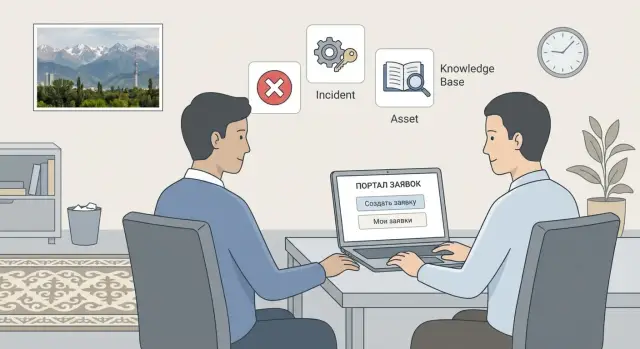
Why you need a Service Desk if everything is in messengers now
When support lives in chats, it may seem fast and convenient at first. But after a few weeks a familiar pain appears: requests get lost in the message stream, important details disappear, and responsibility becomes blurred. The IT team ends up putting out fires, users get frustrated, and managers have nothing to show but chats.
Without a Service Desk several things usually break at once: tickets are lost or duplicated (the same issue arrives in a private message, a group chat and by phone), there’s no clear status, you can’t measure workload and quality, knowledge doesn’t accumulate, and there’s no unified view of hardware and software.
Often the real obstacle to starting isn’t the idea but the conditions: subscriptions, long approvals, overcomplicated ITSM systems that demand full configuration immediately. That’s why the approach “Service Desk without GLPI subscriptions” works well as a first step: you start with basic processes without turning the rollout into a six‑month project.
In 30–60 days you can get measurable results: a single intake channel, clear statuses, simple workload reports, initial asset tracking and a short knowledge base with answers to frequent questions. Even if some users keep writing in messengers, you’ll be able to convert those interactions into tickets and preserve the history.
It’s important to set boundaries from the start. In the first month don’t try to automate approvals, build a 50-item service catalog or create complex forms. Begin with 3–5 common topics, a minimal set of fields and clear rules about who responds and how. This delivers quick wins and won’t scare people off.
GLPI as a starting point: what you get out of the box
GLPI is a free platform for Service Desk and IT asset management that’s convenient for starting ITSM without long projects. For many teams it’s exactly the case where you want a Service Desk without GLPI subscriptions: install it, enable basic features and in a couple of weeks tidy up requests.
At the start GLPI covers three of the most useful things: intake and processing of incidents and requests, basic asset tracking (computers, printers, servers, software) and a knowledge base for frequent questions. Importantly, these work together: a ticket links to a specific device and a knowledge article, and statistics show where problems repeat.
Roles usually require only a simple set. A user creates a ticket and sees its status. A dispatcher (or first line) accepts, clarifies and routes. An engineer resolves and documents the result. An administrator configures directories, permissions and integrations. If there are too many roles people get confused, so it’s better to start with 3–4 clear levels.
Enable channels gradually. The portal gives transparency (categories and statuses are visible). Email helps preserve habits: a message becomes a ticket. Phone can be handled simply: a dispatcher creates a ticket on behalf of the user and notes the issue briefly.
To avoid opening up chaos, set minimal security and access rules immediately:
- separate rights: users see only their own tickets
- restrict access to admin areas and directories
- enable roles for first line and engineers without extra privileges
- agree rules: who may change categories, priorities and statuses
- check that notifications don’t expose extra data
If these things are in place, GLPI will feel like a straightforward service rather than another complicated system.
Preparation before launch: simple choices that save weeks
Before enabling GLPI for everyone, agree on a few things. Most failures happen not because of settings but because expectations differ: users write “everything’s broken,” while IT tries to decide if it’s urgent or just a request.
Start with a simple request vocabulary. Open conversations from email and messengers from the last 2–4 weeks and list the 3–5 most frequent topics. Give them names people use: “Printer not working,” “System access,” “New employee,” “Internet issues.” These names will become categories and ready-made phrases, avoiding long forms.
Next, separate incidents from requests once and for all. An incident is when something stopped working or works worse. A request is when something new is needed, or something must be changed or enabled. If the company defines this up front, the queue stops turning into arguments about wording.
To keep “Service Desk without GLPI subscriptions” from becoming an eternal pilot, assign roles and rules before launch:
- process owner (who decides what success looks like and which rules apply)
- 1–2 people who edit categories, templates and notifications in GLPI
- simple priorities: e.g., P1 — department outage, P2 — impacts work, P3 — can wait
- response times for each priority (rough at first: 15 minutes, 2 hours, 1 day)
One more thing that saves weeks: a minimal ticket form. Require only 2–3 fields (subject, description, contact). Everything else can be clarified in ticket comments. For example, instead of a “device model” field add a hint: “If you know it — write it, if not — describe the problem.”
A 30–60 day plan: what to do week by week
The goal for the first 30–60 days is simple: people submit tickets, and the IT team responds faster and consistently. Trying to enable everything at once will turn GLPI into a set of complex forms and rules nobody likes.
Weeks 1–2: start intake without pain
Launch one clear intake: portal or email, plus notifications for ticket creation and resolution. Keep categories short and familiar (e.g., Access, Email, Workplace, 1C or business system, Network). At this stage 6–10 categories and 2–3 priorities are enough.
Guideline: a user fills no more than 3 fields. Clarify other details inside the ticket.
Weeks 3–4: knowledge base and templates that save time
Add 10–15 short articles for frequent issues: how to reset a password, how to connect a printer, how to request access, what to do when the internet is down. Prepare response templates for operators so they don’t rewrite the same messages.
If you get five identical VPN questions a day, one clear article and a template will have an effect in the first week.
Weeks 5–6: minimal asset tracking
Don’t start with perfect inventory. Add at least computers and laptops, printers, and key server or network equipment. The main thing is that a ticket can be linked to a device so you see its failure and replacement history.
Weeks 7–8: simple reporting and improvements
Add 3–4 metrics: how many tickets came in, how many closed, average response time, top‑5 categories. Gather brief feedback from users and operators, then adjust categories, notification texts and forms.
What to leave for later so you don’t drown:
- change management and CAB
- problem management (root cause analysis)
- multi-stage approvals
- full CMDB and detailed asset classification
- heavy automation with many rules and triggers
Incidents and requests: configure so people keep using the system
The main risk at GLPI startup isn’t settings but user reaction. If the form looks like a 20‑field questionnaire, people will go back to messengers and calls. Your goal for the first 30–60 days is to make ticket submission faster than writing “it’s broken.” Then the Service Desk without GLPI subscriptions will live, not exist “for show.”
A painless ticket form
Start with a short service catalog: 10–15 items described without IT jargon. Don’t try to list everything. New items are easy to add later when you see real tickets.
Starter top items (details clarified in the description):
- Computer/laptop (won’t boot, slow)
- Access and accounts
- Internet/network/Wi‑Fi
- Printing and printers
- Email and office apps
Keep 3–5 required fields in the form. Usually enough: “What’s not working?”, “Where/who is affected?”, “How urgent?” and optional attachment. Specialists can fill in the rest after registration.
Ticket templates help in common cases: e.g., “Grant access,” “Not printing,” “No internet.” The template preselects category, ticket type and a short hint about what to write. Users see a short path and are more likely to complete the ticket.
Routing and timelines
Prevent lost tickets with simple assignment rules: by category and location. Example: “Printing” goes to the office support group, “Access” goes to admins. If you have multiple locations, add a “Branch/Floor” dropdown, but don’t ask for a full address.
Keep SLAs simple to avoid disputes. At the start 2–3 priority levels and clear response times are enough:
- Low: response within 1–2 business days
- Normal: response within the working day
- High: response within 1 hour
Small example: an accountant reports “not printing.” They select “Printing and printers,” see the “Not printing” template and attach a photo of the error. GLPI auto‑assigns the ticket to the office engineer by location, sets priority to “Normal” and assigns a response time. The user gets a quick reply and the team sees the queue without chaos.
Assets and inventory: the minimum that delivers value fast
You don’t need a perfect CMDB to start asset tracking in GLPI. Collect a basic list of devices so the Service Desk without GLPI subscriptions starts helping in the first month: faster diagnosis, fewer repeats, clearer ownership.
Start with what affects tickets daily: PCs and laptops, printers/MFPs, servers, network gear and key peripherals.
Source data is often messy: spreadsheets from accounting, admin tables, labels on cases. That’s fine. Import into GLPI as is and refine gradually when tickets appear. A good practice is to add missing fields only when they are actually needed to resolve an issue (e.g., location for a printer or model for a laptop).
The quickest win is linking a ticket to an asset. When a user selects their laptop or the nearest printer, you see the history: past failures, installed drivers, replaced parts. Recurring incidents stop being a mystery and become tasks to find the root cause.
To keep inventory alive, agree on simple rules: which statuses you use (in use, in stock, issued, written off), who updates records, and spend at least 15 minutes a week cleaning up “unknown” assets from recent tickets.
Basic reports to watch right away: top problems by model and by location. For example, if network drops in one office wing every morning, or multiple PCs of the same model have Wi‑Fi issues, this turns a flow of tickets into a clear work plan.
Knowledge base: how to make people actually read it
A knowledge base starts working when an answer to a common question is found in 20 seconds. In GLPI it’s useful to insert articles into ticket replies, so the Service Desk without GLPI subscriptions becomes self‑service, not just an inbox.
Don’t try to cover everything at once. The first 20 articles usually come from what repeats weekly. Cover a few large blocks: passwords and accounts, access, network and remote access (VPN, Wi‑Fi), printing and workplace setup, email and messengers.
Follow the one‑page rule: one article — one task. Short text, 5–10 steps, a couple of screenshots and always “what to do if it didn’t work” (e.g., where to find and how to copy an error message). If an article is long, people close it and write to the chat again.
Link the knowledge base with tickets. In GLPI keep ready answers for operators: pick a template, insert it into a comment, and the user gets clear steps. Important: an article should not replace help. Better: “I’ll help now, and here’s an instruction for next time.”
Have a simple update process. Each article must have an owner (not just “IT in general”) and a review date, for example quarterly or after major changes (provider change, VPN update, new printer model).
Success is measured not by number of articles but by clear signs: fewer repeat tickets on one topic, less time spent on routine tickets, higher share of tickets closed with a ready answer, and fewer clarification questions.
If an article doesn’t help, it’s not a failure. Usually it needs one screenshot, one extra step or a better title so it’s easy to find.
Common mistakes in rollout: what breaks user adoption
The main reason for failure is simple: it becomes harder for the user than writing in a messenger. If you launch a Service Desk without GLPI subscriptions, saving on cost shouldn’t mean losing convenience.
Mistake 1: too many fields and classifiers
Simple check: if the average ticket takes longer than 60 seconds to fill, you’ve gone too far. People will bypass the system, write “urgent” in comments or ask a colleague to file it for them.
Mistake 2: categories are more important than the description
Categories are needed but should not be a barrier. When a user can’t find the “right” item they pick a random one and decide the Service Desk “isn’t about their problem.” Allow free descriptions and require only the minimum: subject and what’s not working. Category can be clarified later during triage.
Frequent early failures in the first two weeks include:
- forms with 10+ required fields “for the future”
- directories with unclear names
- no single person responsible for triage (who reads the queue and assigns)
- no escalation rules, so tickets “hang and silence”
- launch without a brief explanation of the new rules
Notifications are a separate pain. If emails and alerts arrive for every action, people will start ignoring them and IT will lose a channel. Leave only what helps act:
- for the user: confirmation of ticket creation and the performer’s answer
- for the performer: new ticket and priority changes
- for a manager: SLA breaches or critical incidents (if used)
Mini scenario: accounting reports “printer not working.” If the form asks for serial number, room, driver type and a category from 30 items, the ticket won’t be created. If “what happened” and “where” are enough, you get the request and can clarify details later and update the asset.
Quick readiness check: checklist before launch and after 2 weeks
Before starting, ensure the Service Desk doesn’t look like “another complicated system.” For most teams, Service Desk without GLPI subscriptions works well if you check basics and avoid configuring everything at once.
Before launch (1–3 days)
Run a short test as if you were a regular employee: open the portal, send an email, get a reply. If something breaks here, users will return to messengers.
Check that the portal opens, emails create tickets, engineers see the queue and understand next steps. Make sure categories aren’t excessive (10–15 is usually enough), the form isn’t scary (3–5 required fields with plain‑language hints), the knowledge base isn’t empty (10–20 short articles and a few response templates), and assets are entered for main devices and locations.
Then tell users where to write, what counts as “urgent” and when to expect a reply. One announcement message in a general channel is usually enough.
Two weeks after launch
Look for where people stumble, not perfection. If half the tickets go to “Other,” categories or hints need fixing.
Check that 3–5 simple reports show the picture (ticket volume, response time, top categories, share of overdue items, workload by engineer), there are no “dead” tickets without status and next steps, categories and priorities are refined by fact, the form has become lighter, and the knowledge base has gained at least 5 articles from real cases.
Real example: the first month of Service Desk in a mid‑sized organization
Imagine a government office with 300 employees: a small IT team, several branches, 220 PCs and 40 printers. Until now people used messengers and phone, so tickets got lost and it was hard to see what failed most often. They decided to launch a Service Desk without GLPI subscriptions and agreed that anything not on fire goes through a ticket.
In week one the flow is very basic. Most time is eaten by repeat small issues and “urgent because I said so.” To avoid panic, IT introduces simple triage and a couple of response templates. Typical tickets: “Not printing,” “No access,” “Computer is slow,” “Need software installed,” “Internet dropped.”
In week two the most valuable thing appears: linking incidents to a specific device. In GLPI tickets are tied to a PC or printer from inventory (even if fields are just model, serial, room, owner). After a few days you see a pattern: the same printer drops every morning in one wing. That’s not a chance but a task to find the cause: network, firmware or worn hardware.
By the end of the month the knowledge base saves hours, but only for narrow topics. Internal articles like “how to set default printer” and “how to request a department folder access” give quick wins when shown in the ticket form and used in replies.
After 30–60 days transparency usually improves (how many tickets and on which topics), response speed for common requests improves, repeatability becomes visible (where things break regularly) and discipline rises (fewer lost requests in chats). Don’t expect perfect SLAs, complete inventory or full self‑service for everyone in this period. The first month is about order and habit.
Next steps after launch: grow ITSM without unnecessary complexity
If the first 30–60 days go well, the main task is not to complicate people’s lives. Service Desk without GLPI subscriptions is valuable because it can be scaled gradually without turning every ticket into a questionnaire.
What to improve first
Collect short feedback: 10 minutes with users and 10 minutes with engineers often yields more than a week of guessing. Pick only 3 improvements for the next month. For example: find topics faster, fewer clarification questions, clearer statuses.
Move forward based on facts. If the same question repeats, add a few ticket templates for common cases, a dozen short knowledge articles from real tickets, a couple of hints in the form, one routing rule and one manager report.
What to automate next and how not to break operations
When the base stabilizes, decide what to automate next. Start with daily time‑savers: approvals for access, simple routine changes, deadline notifications. Monitoring is useful only if the team can handle alerts and you have rules for what counts as an incident.
Don’t forget system reliability: where GLPI will run, how backups are done, who’s responsible for updates and how restores are tested. Even a small service desk needs a clear recovery plan for server or network failures.
If you lack resources, hire an integrator for specific tasks: process setup, data migration from spreadsheets, first line training. In Kazakhstan GSE.kz can cover infrastructure (servers, workstations), system integration and 24/7 support so the service desk doesn’t depend on one person being available.
Example: after launch in a 300‑person company the team kept just two forms (incident and request), and in the next month added an access template and 12 articles. Repeat chat questions fell because answers were available in the knowledge base.
Frequently asked questions
Why don’t messengers replace a Service Desk, even if they seem more convenient?
A Service Desk provides a single entry point for requests, a status for every ticket and a history of resolutions. In chats, requests mix with conversations, details get lost and it’s hard to know who is responsible and what has already been done. Even if people keep messaging in a messenger, tickets can be created from those messages so you stop “keeping everything in your head.”
How to move from chats to tickets without causing user backlash?
Keep the messenger as a ‘front window,’ but record work only via tickets. Introduce a simple rule: anything that requires IT action should be a ticket; the chat is only for clarification or linking to the ticket status. It’s important that creating a ticket is faster than chatting, otherwise the habit won’t change.
Do you need a full ITSM implementation for GLPI to bring value?
No — at the start you only need basics: intake of requests, statuses, assignment of owners and notifications. GLPI is good because it lets you begin with simple processes and scale gradually. Trying to set up complex approvals and a perfect ITSM model from day one will delay the launch and annoy users.
Which GLPI roles are really needed at the start?
For the first month, 3–4 roles are usually enough: user, dispatcher/first line, engineer and administrator. Fewer roles and exceptions mean less confusion and fewer disputes. Expanding roles makes sense only after the ticket queue stabilizes and becomes predictable.
How many categories and fields should a ticket form have so users don’t go back to messengers?
Start with 6–10 categories that match how employees speak, and allow a free-text description of the problem. If someone can’t quickly pick a category, they’ll choose a random one or go back to chat. You can clarify the category later during triage — that’s fine for the first weeks.
How to set priorities and SLAs when there’s no historical data and everything feels urgent?
Set 2–3 priority levels and reaction times the team can realistically meet. Measure response and ticket progress rather than trying to guarantee perfect resolution times for everything from day one. When you have data, refine SLAs by category and common scenarios.
How to launch a knowledge base in GLPI so people actually read it?
Create short articles for the most frequent questions and use them directly in ticket responses. If an article helps solve an issue in a minute, people will open it; long generic guides get ignored. A good knowledge base grows from real tickets and is updated after major IT changes.
How detailed should asset tracking be in the first 30–60 days?
Start with equipment that most often appears in tickets: PCs/laptops, printers, key servers and network gear. Don’t try to build a perfect CMDB right away — linking a ticket to a device and having basic asset data is enough to see failure history. Asset records can be improved gradually as tickets reveal missing details.
Which reports and metrics should be enabled right after launching the Service Desk?
Track simple metrics: how many tickets were created and closed, average response time, overdue items and top topics. These numbers show workload, recurring issues and what to fix first. Reporting should help decisions, not become extra bureaucracy.
What’s important for GLPI security and reliability so the system isn’t a weak point?
Immediately restrict access by roles so users see only their tickets, and make sure notifications don’t expose extra data. Set up backups and an updates plan — downtime of the Service Desk quickly undermines trust. If you lack resources, an integrator can help with server infrastructure, process setup and support; for example GSE.kz often handles those tasks along with hardware supply and maintenance.
