6 min read
Servers for Memory-Intensive ERP: RAM and NUMA
Servers for memory-intensive ERP: how to calculate RAM, consider NUMA and choose the right balance of cores and memory without overpaying.
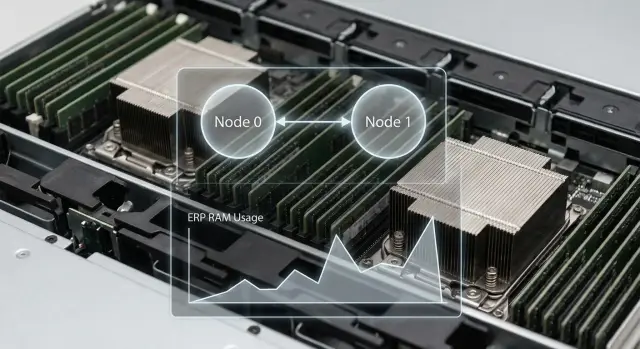
Why ERP slows down when memory is insufficient
Even with many CPU cores, an ERP can be slow because the bottleneck is not the processor but the RAM. For servers running memory-intensive ERP workloads this is a common story: CPUs sit idle while the system waits for data to be in RAM or keeps moving data between memory and disk.
When RAM runs out, the OS swaps more often and the database and application lose caches. Every operation turns into a chain of waits: read from disk, load into memory, evict something else. Adding cores will not fix this.
From the outside it looks like: forms open with stutters, reports take noticeably longer (especially at peak hours), and period closing "hangs" on simple steps. Users complain about freezes without obvious cause; after a restart things improve for a while, then degrade again.
The most common mistake is trying to solve the problem by buying a more powerful CPU. If the issue is RAM shortage, new cores will only reach the point where they have nothing to work on faster. In monitoring this looks like moderate CPU usage (e.g., 20–40%) with high disk activity, active swapping and rising response times.
Simple example: 150 users working concurrently in ERP, accounting runs reports, and in the background synchronizations and scheduled jobs run. While memory is sufficient, the DB keeps the "hot" tables and indexes in cache and most queries are fast. Once RAM gets tight, the cache shrinks, the DB reads disk more often, and each heavy report starts to directly compete with day-to-day operations.
Usually you then need to do two things: realistically estimate RAM needs for your workload and account for characteristics of dual-socket systems (NUMA) so memory is used efficiently. That helps pick a configuration without overpaying for extra cores and without hitting a memory ceiling.
What eats RAM most often in ERP
When choosing a server for ERP, memory often runs out before CPU. This is especially true with many concurrent users and an active database.
Users, sessions and background jobs
Each active user usually means a separate session, sometimes multiple processes or threads. Add background tasks: exchanges with external systems, scheduled calculations, batch document processing, integration queues.
Memory is used not only by sessions themselves but by their working areas: temporary tables, buffers, in-memory application objects, message queues. Individually they look small, but at peak hours they add up to something significant.
Application cache and DB cache
Cache prevents reading the same data from disk and redoing the same computations. Increasing RAM often speeds the system without changing the CPU.
Common in-memory consumers:
- application cache (reference data, permissions, settings, frequently used documents)
- DB buffer cache (data pages and indexes)
- working memory for sorts and joins
- temporary data (temp, intermediate report results)
- OS and service overhead (monitoring, backups, antivirus)
The DB cache almost always tries to use everything it can. That’s normal, but you need to decide limits: how much to give the DB, how much for the app, and how much spare the system needs.
Reports and analytics: where peaks appear
Reports, especially roll-ups like "year across all departments", create short but large spikes. For example, at 10:00 several heavy reports might run in parallel while bank exchanges and retail shift closings happen. Memory goes to sorts, groupings, temporary datasets and parallel tasks.
Virtualization and containers
If ERP and DB run in VMs, there’s extra overhead: hypervisor memory reservation, ballooning with wrong limits, competition between neighboring VMs. Containers also need limits; otherwise one service can "eat" memory and push others out.
Headroom for growth
What grows fastest is not cores but data volume and parallel operations: more users, more integrations, more historical ranges in reports. It’s more practical to budget RAM headroom for growth and peaks rather than only for average load.
How to estimate RAM needs: a step-by-step calculation
When selecting a server for memory-intensive ERP it’s better to start not with "how many GB" but with a layered calculation: OS and services, ERP application, database and headroom for cache and temporary operations.
Step 1. Collect input data
Base decisions on facts from the current system, not on eyeballing:
- how many concurrent users at peak and what operations they perform (postings, reports, month-end close)
- database size and growth rate (e.g., +10% per quarter)
- architecture: single server or separate app and DB, virtualized or bare metal
- how many parallel jobs happen at peak (synchronizations, scheduled tasks, integrations)
- current metrics: RAM usage, swap, frequent page faults, cache efficiency (cache hit)
Step 2. Break memory down by layers
Add memory not as a single number but as blocks.
-
OS and background services. For a modern server this is usually tens of gigabytes including drivers, monitoring and antivirus. Don’t plan this "tight."
-
ERP application. Grows with number of active sessions and heavy operations (reports, mass calculations). If the app is on a separate server, this is easier to estimate. If combined with the DB, don’t give it memory the DB needs.
-
Database. Usually the largest consumer: buffer cache, query plans, sorts, temp tables.
-
Headroom for cache and temporary peaks. Size depends on workload profile. Report periods and month-end close require more headroom than a steady day.
Step 3. Validate calculation against symptoms
If you already see swap, rising page faults and falling cache hit, that almost always means memory shortage even if daily averages look OK. Focus on peaks: morning, scheduled jobs, end of day, month close.
Step 4. Produce three levels
To avoid overpaying and to not hit a ceiling in six months, record three values:
- minimum: system runs but is sensitive to peaks
- comfortable: normal speed at peak without swap
- with headroom for 12–24 months: growth of DB, new reports, new users
Example: 250 active users, 1.5 TB database and regular heavy reports. The current machine goes into swap during month-end. "Comfort" begins when the DB can keep its main working set in cache, the app has stable memory for sessions and background tasks, plus headroom for peaks.
NUMA without extra theory: why dual-socket can be slower
NUMA is a characteristic of dual-socket servers (and some high-end single-socket platforms) where memory is physically distributed across CPU sockets. Simply put: each CPU has its "own" portion of RAM directly attached to it.
While threads run within their socket and access local memory, access is fast. But if threads on one CPU frequently read/write data located in the other CPU’s memory, additional latency appears. The difference is not an order of magnitude, but ERP and DBMS perform millions of small accesses and the cumulative effect becomes noticeable.
"Memory tied to a socket" means: even if a server has 512 GB total, that might be 256 GB on CPU0 and 256 GB on CPU1. If DB cache and working data are split across sockets while main processes run unevenly, some operations will regularly hit remote memory.
NUMA often shows up only under high load. With few users and caches fitting locally everything looks fine. At peak hours (month close, mass postings, reports) the OS scheduler moves threads more, caches grow, and the share of remote accesses increases.
NUMA rarely matters if:
- you use a single-socket server
- a small ERP and DB comfortably fit in one socket’s memory
- workloads are light without heavy analytics or parallel jobs
If you choose a server for ERP and DB with large caches and parallel load, account for NUMA during configuration. It’s often better to ensure enough RAM per socket and correct module placement than to chase higher core counts with the same total memory.
Signs that NUMA is hurting
Common signs:
- increased query latency at the same user count
- uneven CPU usage: one socket busy, the other idle
- performance steps after load increases
- temporary improvement after restart (memory and threads are redistributed)
Don’t confuse this with disk problems. With NUMA disks may be fine but slowdowns come from remote memory access.
What to do without deep tuning
Usually basic discipline helps:
- populate memory symmetrically across sockets and channels
- avoid strange BIOS modes that break memory locality unless tested
- tune the DB so the primary cache fits in RAM without constant eviction
- run a load test to check socket balance and absence of swapping
On two sockets wrong module placement or random thread distribution can give the impression you need a pricier CPU while the problem is memory layout.
Balancing cores and memory: how not to overpay for CPU
In ERP with a large database adding cores is often pointless if RAM doesn’t increase. The system can be slow not because the CPU is weak but because data doesn’t fit in memory and constant disk reads occur.
Determine the bottleneck by looking at the picture when complaints happen, not by daily averages:
- CPU-bound: CPU load stays high for a long time, task queue grows, and lots of free RAM remains
- memory-bound: RAM is almost full, there’s memory pressure or swapping, while CPU doesn’t look overloaded
- I/O-bound due to lack of RAM: disk activity spikes during reports and mass operations
- uneven parallelism: one or two threads are busy while others idle (often locks or single-threaded parts)
Also consider how memory is connected. On modern platforms RAM performance depends on frequency and number of memory channels. Simple rule: it’s better to fill more channels with medium-size modules than to install a couple of large sticks and leave channels empty.
The one-vs-two-socket choice often comes down to memory. One powerful socket is good when you can fit the required RAM on a single CPU and you value simplicity and predictability (fewer NUMA nuances). Two sockets are appropriate when you need large RAM capacity and more slots, but then memory locality and symmetric installation are critical.
With a fixed budget prioritize: first ensure required RAM with headroom, then correctly populate channels, then choose CPU frequency and core count according to real ERP parallelism.
Example calculation for a typical company: numbers to configuration
Example company: 220 employees, 140 concurrently in ERP. Peak from 10:30–12:00 there are approvals, postings and printing, and at 17:30 accounting runs reports. ERP and DB are on the same server.
Calculate memory by layers. Suppose the DB needs about 180–220 GB in cache so reports don’t hit disk. Plus ERP logic and app services — another 30–50 GB. OS and system processes — 10–20 GB. Add 25–35% for growth and spikes.
Rough estimate: 220 GB (DB cache) + 40 GB (app) + 15 GB (OS) = 275 GB. With 30% headroom this is about 360 GB target RAM. In practice this often means 384 GB (a convenient module step) or 512 GB if rapid user growth or heavy analytics is expected.
Then decide if you need dual-socket. If cores and per-socket memory are sufficient on one CPU, staying single-socket is simpler: fewer NUMA risks and easier tuning. But if you need 512 GB+ or extra slots/PCIe lanes for NVMe and network cards, two sockets become logical. Rule of thumb: distribute memory evenly across CPUs and ensure load doesn’t "live" on one socket while memory sits on the other.
Pilot validation should be short but honest: 1–2 hours during a real peak and a separate run of a typical heavy report. During the test capture RAM usage and memory pressure, disk activity from cache misses, per-core CPU load and NUMA-node distribution (on two sockets), and execution time of 2–3 key operations.
Common mistakes when choosing a server for memory-critical ERP
When ERP hits a memory limit the mistakes look similar: "the server is powerful but slow." Usually it’s not the brand and not lack of cores but how RAM was calculated and how it is actually used.
Often people underestimate that the working dataset in cache, memory for temp tables, sorts and parallel queries matter more than total DB size on disk. A configuration "tight on RAM" may be fine during the day but collapse during peaks.
Another costly mistake is buying a CPU with lots of heads but small memory. Many cores won’t help if the system constantly reads from disk what should be in RAM.
A separate category is memory installed "as it happened": wrong slots, uneven channels, mixed module sizes. Gigabytes exist on paper but bandwidth is lower and under load response time becomes uneven.
And finally, ignoring NUMA in dual-socket servers. That makes latency unstable: today reports are fast, tomorrow slower under similar load.
Short checklist before purchase and before commissioning
Before purchase
Base decisions on peak behavior (end-of-day, calculations, mass reports), not on the "average" moment.
- Memory: record RAM usage at peak, check for swap and how long the system spends there. Add headroom so peaks and background tasks don’t push the server into constant memory shortage.
- CPU: look not only at percent usage but at CPU run queue and memory wait signs.
- Growth: estimate users and data growth over a year and what heavy reports may appear.
- NUMA: if two sockets are planned, decide in advance whether ERP and DB will live on one server and how you will allocate resources.
- Memory layout: confirm symmetric module installation across sockets and proper channel population.
Before go-live
- Check evenness of load across sockets: if one is overloaded and the other idle, this hints at NUMA or tuning issues.
- Make sure there’s no active swap at peak and no sudden drops in free memory.
- Capture baseline metrics before production: execution time of key operations, average and peak latency. This helps separate resource issues from network or configuration problems later.
- Fix an expansion plan: which memory and disk slots should remain free and what you will do when load grows (add RAM, split ERP and DB, move to another server class).
Next steps: how to document requirements and avoid buying wrong
When RAM estimates and NUMA risks are clear, turn them into a short requirements document. That aligns IT, finance and vendor expectations and reduces the chance of buying "extra cores" but not enough memory.
Put on one page:
- target RAM and allowed growth for 12–24 months, plus expansion requirements
- CPU scheme (1 or 2 sockets), expected active cores and licensing constraints
- site limits: rack space, power, cooling, noise
- storage and network requirements: DB location, required IOPS/bandwidth, required ports
- availability and maintenance: RAID, redundant PSUs, hot-swap, acceptable downtime window
Also specify 2–3 non-negotiable limits (for example, don’t reduce RAM below X GB or don’t exceed Y cores due to licensing).
Plan pilot and success criteria before procurement: 3–4 measurable metrics (key report build time, execution time of transaction, max concurrent users, stability without swap and no sharp performance drops at peak). Test must include real scenarios: month close, mass postings, heavy queries.
If you need a single contractor for hardware, integration and support, in Kazakhstan this is often done through GSE.kz: the company has its S200 server series and experience designing ERP and DB infrastructure, including memory selection and load testing.
Frequently asked questions
How can I tell that ERP is slow due to lack of RAM and not a weak CPU?
Most often you’ll notice it by active swapping and high disk activity while CPU load is moderate. Users see stutters in the UI, reports suddenly slow down at peak times, and after a restart performance improves briefly because caches refill.
Which monitoring metrics confirm a memory shortage?
Check metrics at the moment users complain: active swap usage, rising page faults, falling DB cache hit rate and spikes in I/O when reports run. If CPU sits around 20–40% while disk is busy and the system is under memory pressure, RAM is almost certainly the bottleneck.
What usually consumes the most RAM in an ERP?
The biggest consumers are concurrent user sessions and background jobs, application cache and DB buffer cache, plus working memory for sorts, joins and temporary tables. During peaks, reports and scheduled tasks produce short but large bursts of consumption.
How to quickly estimate needed RAM for ERP without complex calculations?
A simple method is to add memory by layers: reserve RAM for OS and services, for the ERP app, for the DB, then add headroom for peaks and growth. Record three numbers: minimum, comfortable (no swap in peak) and capacity with 12–24 months growth.
Why adding CPU cores often doesn’t speed up ERP if memory is low?
When RAM is insufficient the DB shrinks its cache and reads from disk more often, which increases response times even on a strong CPU. Adding cores only speeds computation but does not remove waiting for data, so CPU may end up idle more often.
What is NUMA and why can dual-socket systems be slower?
NUMA means each CPU socket has its own local memory and accessing another socket’s memory is slower. Under high load remote memory accesses accumulate latency and can make ERP/DB behavior less predictable even though total RAM looks large.
When is it better to choose a single-socket server and when two sockets?
If total RAM and expansion slots are sufficient on a single CPU, a 1-socket server is usually simpler and more predictable: fewer NUMA issues and easier tuning. Two sockets make sense when you need much more memory or additional PCIe lanes, but require symmetric memory population and attention to locality.
Why does the exact placement of memory modules across slots and channels matter?
Total GB may be enough but memory bandwidth and latency depend on filling channels and symmetric module placement across sockets. Wrong layout reduces throughput and causes uneven response times under load.
What changes in RAM calculation if ERP and DB run in a virtual machine?
Virtualization adds overhead and risks contention for memory with other VMs. Wrong limits or overcommitment lead to hidden swapping. For ERP, set clear memory boundaries and verify there’s no pressure at both guest OS and hypervisor levels during peaks.
How to validate the chosen configuration before procurement to avoid mistakes?
Run a short but honest pilot during a real peak: measure 2–3 key operations and ensure there’s no active swap and that disk activity doesn’t spike from cache misses. If you prefer a single contractor for hardware, integration and support, in Kazakhstan this is often handled via GSE.kz, including server selection and load testing.
