6 min read
Servers for Microsoft, Oracle and SAP: What to Check
Servers for Microsoft, Oracle and SAP require checks beyond CPU and RAM. We'll cover compatibility matrices, drivers, virtualization and redundancy.
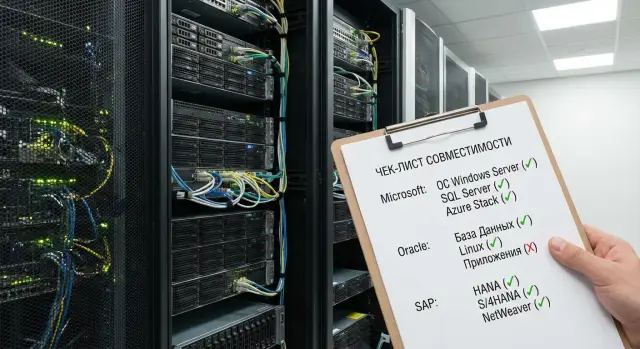
Why CPU and RAM don't solve everything
Two servers can look identical by core counts, the same amount of memory, and a similar disk layout. For Microsoft, Oracle and SAP, that's not enough. Critical systems depend not only on performance but on how the server platform is compatible with a specific software version, operating system, hypervisor and high-availability design.
Problems usually hide not in the act of buying the server but in details that are checked too late. Platform certification, compatibility with the required OS and virtualization version, support for storage controllers, network adapters, drivers and firmware are all important. If even one element doesn't match, the server may boot but run unstably, with limitations, or without full vendor support.
That's why the issue is often noticed during rollout. A company chooses a server by price and basic performance, then discovers that the required software version needs confirmed compatibility with a particular RAID controller, BIOS version or virtualization platform. Formally the server is powerful, but the project is delayed by re-checks, component replacements and new approvals.
Most risks hide in four areas:
- Microsoft, Oracle and SAP certification matrices
- BIOS, BMC and other firmware versions
- drivers for networking, storage and virtualization
- redundancy scheme and system behavior on failure
Fixing these mistakes after purchase is almost always more expensive than checking them in advance. Sometimes a firmware update is enough, but often you need to change an adapter, controller, disk configuration or even the server model. That means lost time, extra cost and downtime for the team.
Servers for Microsoft, Oracle and SAP are chosen by a chain of requirements, not by two numbers in a table. If the vendor can take the project from selection through rollout and support, the risk is noticeably lower.
What to gather before choosing a server
Start not with the model and not with the price, but with the initial data. Without it you can easily buy powerful equipment that later doesn't fit by software version, installation scheme or availability requirements.
First, clarify exact product versions. Phrases like "we need Oracle" or "we will use SAP" are not enough. You need to know the edition, version number, planned updates and related components: DBMS, application server, OS and management tools.
Next, understand where the system will run. It's one thing if the software is installed directly on physical hardware, another if it runs in a virtual environment. That affects CPU requirements, licensing, network cards and support.
Infrastructure requirements around the server are equally important. Bottlenecks often arise not in CPU and RAM but in the number of disks, ports, backup paths and network throughput. Before choosing a platform, record:
- current data volume and growth forecast for 2–3 years
- disk types for database, logs and backups
- number of network interfaces and required speeds
- backup scheme
- requirements for operation when a disk, power supply, network path or node fails
Also define the system lifetime and support conditions. How many years should the server run in production? How fast must spare parts be delivered? What downtime is acceptable for the business? For a bank, government agency or clinic even a few hours can be critical, so redundancy and a recovery plan need to be thought through from the start.
A good practice is to collect all requirements on one page and align them with IT, security and the system owner. It makes comparing offers easier and prevents losing important details before procurement.
How to check compatibility matrices
A compatibility matrix is not a formality. It shows that a specific server model and configuration have been tested to work with the required system. Skipping this step can lead to buying high-performance equipment that later hits an unsupported controller, network card or hypervisor version.
Checks always start with the exact model. Look not only at brand and series but at the full server designation, platform generation and configuration composition. The list may include the server only with specific processors, RAID controllers, HBAs or network adapters.
What to verify
- server model and platform generation
- processors, storage controllers and network cards
- supported OS and hypervisor versions
- constraints on firmware, drivers and update packs
Mistakes often occur in the details. For example, the server as a whole may be supported, but a chosen 25GbE network card is certified only for another VMware or Windows Server version. Or a RAID controller works, but without the right driver the system lacks monitoring and redundancy functions.
Check specific versions. Compatibility rarely means "everything works." Microsoft, Oracle and SAP can have requirements for OS edition, patch level, BIOS version, CPU microcode and drivers. After a hypervisor update, some older drivers may drop out of support lists, which becomes a real risk in production.
A practical approach: first compile the precise server specification, then cross-check it against official compatibility lists at every layer — from hardware to virtualization. If a cluster or HA scheme is planned, verify not only the base installation but the operation mode with redundancy.
For large procurements, ask the vendor for a simple table: component, version, support status, constraints. This format quickly highlights weak points before the contract.
OS, virtualization and drivers
In many projects issues start not with CPU or memory but at the platform level. First decide whether the system will run on bare metal or in a virtual environment. That affects supported OS versions, the driver set, licensing and update procedures.
Choose the virtualization platform before procurement. The same server can work well with one environment and create restrictions with another. Pre-check which hypervisor version is supported for your server model, network adapters, RAID controller and remote management tools.
Pay particular attention to three driver groups:
- RAID or HBA controllers, if stable disk operation and correct array monitoring are important
- network adapters, including ports for workload and separate management paths
- remote management controllers, so you don't lose access during setup and updates
The risk is that the OS may install without errors but some functions won't work properly. The system may see disks but not report correct array statuses. The network may come up but lack features needed for virtualization or failover. Tests can miss this and production will reveal the issue at the worst time.
Also check firmware compatibility. BIOS version, RAID controller firmware, NIC firmware and remote management module firmware should be coordinated. Updating only one component can let the server boot but cause instability: sensors disappear, monitoring breaks or drivers fail to install.
How to reduce downtime risk
Before commissioning, fix the update order. Typically it's safer to verify the compatibility matrix first, then update base server firmware, install the hypervisor or OS, and only then install vendor drivers and management utilities. This order reduces reboots and lowers the chance of rollback.
If you cannot stop the server during business hours, agree on this plan before delivery. At acceptance, check not only the hardware but also the platform's readiness for real load.
Redundancy without weak points
Servers for Microsoft, Oracle and SAP are often chosen by performance and price, and downtime then occurs at overlooked single points of failure. Check redundancy before procurement, not after installation.
The first thing to check is power. The server should have two power supplies, each fed through independent lines via separate PDUs or UPS systems. If both supplies go to the same line, there's no real redundancy.
Next, the disk subsystem. Choose RAID according to workload, not by habit. For production systems, hot-swap, clear recovery procedures and spare slots are important. Otherwise one drive failure becomes a scramble for a rare compatible model.
Network redundancy is similar. Two network ports are not enough if both cables terminate in one switch. Redundancy must be present not only at the server level but across the network design.
Before purchase, confirm five things:
- power is redundant on two independent lines
- RAID matches the workload and supports hot-swap
- network redundancy covers ports, cables and switches
- critical components can be replaced quickly
- the system behavior is defined when a single node fails
The last point is crucial. Having a second node is not enough: you must know whether the failover will absorb the entire load or users will experience severe slowdowns. Formally the service may remain available, but from a business viewpoint it will be a failure.
Step-by-step checks before procurement
Before approving the budget, compile a working list: which applications will run on the server, their versions, required OS, whether virtualization will be used, which databases and modules are involved. Without this, even a strong configuration may fail compatibility checks.
For Microsoft, Oracle and SAP the check must cover all layers. Not only CPUs and memory matter, but the whole chain: server, OS, hypervisor, drivers, controllers, network cards, storage system and redundancy scheme.
A convenient verification sequence:
- Record the full stack: application versions, OS, hypervisor, DBMS and server roles.
- Crosscheck compatibility matrices and ensure the exact versions are supported.
- Verify drivers and firmware for controllers, network and remote management.
- Assess node- and site-level resilience: power, RAID, network, clustering, replication and recovery scenarios.
- Finalize the specification, service windows, capacity growth buffer and vendor responsibilities.
Then do a brief check with the business team. If you expect growth in 12–18 months, plan for it now. Otherwise you may end up with a compatible but soon-to-be-constrained server.
In practice this is simple. For example, if a company needs servers for ERP, a database and a backup virtual environment, check not only the equipment catalog but the entire path: is the ERP supported, is the OS certified, can the chosen hypervisor be used, are drivers available and how will the system survive a node or site failure.
Common mistakes when choosing
The most common mistake is selecting a server only by core count, RAM and price. Even a high-spec configuration won't help if the platform fails certification matrices or support for the required software version is limited.
Projects often mix old and new versions: an older OS, an older Oracle edition and a new virtualization platform on new servers. On paper this looks like savings but in reality causes driver, firmware and hypervisor conflicts. Launch is delayed and responsibility becomes fragmented.
Another typical error is postponing virtualization and licensing checks. For some systems it matters where VMs run, for others how cores, sockets or cluster nodes are counted. Deciding this after hardware selection can produce a technically suitable but prohibitively expensive server.
Lack of growth headroom causes problems too. Servers are chosen for current load and people forget spare memory slots, disk bays, network ports and redundancy capabilities. Months later a new SAP module or additional database can push the platform to its limit.
It’s dangerous to rely on post-delivery updates to fix everything. Sometimes BIOS, driver or hypervisor updates help, but if certified versions, redundancy design or controller requirements are wrong, updates won't fix an architectural mistake.
Warning signs before signing the spec:
- the server is chosen without reference to a compatibility matrix
- OS, DBMS and virtualization versions are agreed only verbally
- licensing is calculated after hardware selection
- the configuration has no spare slots, disk bays or ports
- the redundancy plan is described in vague terms without a concrete scheme
A proper early check is almost always cheaper than emergency rework after delivery.
What must be confirmed before signing
Before final approval, run through a short checklist to ensure no gaps remain. For servers under Microsoft, Oracle and SAP this is often more important than a few extra CPU cores or more memory.
By signing, the following should be confirmed:
- exact versions of application software, operating system and hypervisor
- compatibility matrices and results of re-checks
- agreed drivers, BIOS and controller firmware
- redundancy scheme for power, network, disks and clusters
- service conditions: response times, component replacement and spare-part availability
A good sign is when each item has a single responsible person and a single source of confirmation: specification, vendor letter, design diagram or agreed acceptance report. That reduces surprises at acceptance.
A simple example: a client approves a server that fits by performance, then learns the required hypervisor version isn't certified with the chosen RAID controller. Formally the server is powerful, but the project start is delayed. This risk is easier to remove before signing than after delivery.
An example procurement
Imagine a mid-sized company launching an ERP and a separate database. At first the task seems simple: buy powerful servers, add memory and deploy quickly. For systems of this class that isn’t enough.
Assume the architecture includes two server nodes, shared storage and backup power. On paper the design looks robust. Problems arise when part of the solution turns out to be formally unsupported by the software vendor.
For example, servers may match required CPU and RAM but no one checked compatibility matrices for ERP, DBMS, hypervisor and storage controllers beforehand. It may turn out the OS version is permitted but the RAID controller, NIC driver or SAN connection scheme is not supported. The system may boot but, in a serious incident, the vendor may refuse full support.
In real procurements everything usually boils down to four questions:
- Are the chosen servers and processors supported by the required Microsoft, Oracle or SAP versions?
- Are the hypervisor, drivers and firmware compatible with this configuration?
- Does the storage fall within the acceptable HA scheme?
- Is there enough redundancy for power, networks and disk paths?
If you verify this early, the project proceeds much more calmly. IT knows which software versions can be installed, procurement buys the exact configuration, and the integrator avoids weeks of component replacement after delivery.
For companies in Kazakhstan it's especially useful to work with a supplier who can handle not only delivery but compatibility checks, integration and support. In this sense GSE.kz is convenient because it combines manufacturer and system integrator roles, which simplifies configuration and service agreements for complex projects.
Next steps
After the technical check, move the supplier conversation into documents and deadlines. For Microsoft, Oracle and SAP you need not vague promises but confirmations: exactly what is compatible, who is responsible for what, and how the system will scale.
First request a full compatibility table for your configuration. It should list the server platform, processors, memory, controllers, network cards, OS versions, hypervisor, drivers and required software. If the supplier answers in generalities, that's a bad sign: such gaps quickly turn into delays and extra costs during rollout.
Then fix responsibilities. Clarify who assembles and tests the server, who handles deployment and initial setup, who supports the system after launch and who coordinates incidents across hardware, virtualization and application layers.
Also verify the growth scenario for the next 2–3 years. Will you need new VMs, a spare node, more disks or a different software edition? If spare slots, power, network and licensing are not planned now, you'll have to change the platform too soon.
A good final step is a short reconciliation document: approved configuration, compatibility matrix, deployment plan, redundancy scheme and support conditions. If all that is gathered before signing, the chance of unpleasant surprises after procurement drops significantly.
The conclusion is simple: choose servers for Microsoft, Oracle and SAP by the full chain of requirements. Performance matters, but by itself it doesn't guarantee a smooth launch or long-term stability. What counts is proven compatibility across the whole platform, not just CPU and RAM.
Frequently asked questions
Why can't I choose a server only by CPU and RAM?
No. For Microsoft, Oracle and SAP, it's not just raw power that matters but proven compatibility across the whole platform: the server, OS, hypervisor, controllers, drivers and firmware. If one layer isn't supported, the system may run with errors or without full vendor support.
What should be prepared before choosing a server?
Start by collecting exact product versions: the edition and version of Microsoft, Oracle or SAP, the OS version, DBMS, hypervisor and planned updates. Then record requirements for network, disks, backup, high availability and expected growth for the next 2–3 years.
What exactly should I check in the compatibility matrix?
You must check not only the server model but the exact configuration. Pay attention to processors, RAID or HBA controllers, network cards, OS and hypervisor versions, drivers and BIOS. A server being supported in general doesn't guarantee that your specific component set is supported.
Can one unsupported component derail the whole project?
Yes. This is a common problem. A server may boot, but during an incident the application vendor can refuse proper support if the RAID controller, network card or firmware version is not part of the certified configuration.
When should the virtualization decision be made?
Decide this in advance. It affects the choice of hypervisor, drivers, licensing and high-availability design. The same server can be fine for a physical install and unsuitable for the desired virtual environment.
In what order should BIOS, firmware and drivers be updated?
A safe sequence is: verify compatibility first, then update the server base firmware, install the OS or hypervisor, and only after that install vendor drivers and management utilities. This order reduces conflicts and unnecessary reboots.
What is the minimum redundancy I should verify?
Minimum checks: two power supplies on independent circuits, a RAID scheme suitable for the workload with hot-swap support, and network redundancy that covers ports, cables and switches. If both power supplies or both network cables effectively rely on the same single point, there is no real redundancy.
When should licensing be checked?
Before purchase. If you calculate licensing after choosing the hardware, you may end up with a technically suitable but prohibitively expensive configuration. This is critical where licensing depends on cores, sockets, cluster nodes or virtual environment metrics.
What signals indicate it’s too early to sign the specification?
Warning signs are simple: compatibility is only promised verbally, exact OS and hypervisor versions are not fixed, there is no clear redundancy plan, and response times or spare-part replacement terms are undefined. In such cases stop and re-check the project before signing.
Why is it useful to have a supplier who can handle both integration and support?
Because that reduces gaps between selection, implementation and support. For complex projects it's more convenient when one partner can supply servers, verify compatibility, assemble the working configuration and provide post-launch support.
