7 min read
Server room resiliency: N+1 or 2N without overpaying
The server room resiliency level helps you choose between "as is", N+1 and 2N by linking availability to the budget for power and cooling.
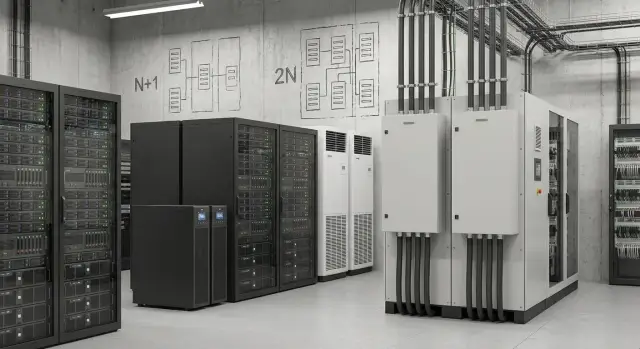
Where the choice begins: downtime risk and the cost of error
Choosing the resiliency level for a server room starts not with the scheme, but with two questions: what can stop and how much will downtime cost. Failures are often mundane: power cuts, overheating due to a failed air conditioner, staff mistakes during maintenance (switching, UPS battery replacement, work in the electrical cabinet).
The phrase “we rarely have outages” often lulls people into false security. Services may run for years without incident, and then one scheduled maintenance or one hot day causes an outage right when the business has no time buffer. If no reserve is planned, "rarely" can easily turn into "for a long time."
To avoid overbuilding or risking critical systems, first identify what is truly critical for the company. Usually these are accounting systems and databases (finance, warehouse, production), authentication and access infrastructure (AD/LDAP, VPN, mail and corporate services), key customer channels (website, payments, call center), and industry systems in healthcare, education and finance.
From there, talk to the business using simple questions, avoiding N+1 and 2N jargon. How much does an hour of downtime cost (money, fines, lost customers)? Who feels it the most — customers, cash registers, operators, production? How long can you operate in degraded mode if part of the capacity or a service is unavailable?
Example: if a 30‑minute billing outage is almost unnoticeable, but a 10‑minute cash register outage paralyzes sales, then redundancy should protect different nodes differently. This also determines the budget for power and cooling: where one extra module is enough and where a full duplicate is required.
"As is", N+1 and 2N in plain words
When people talk about the resiliency level of a server room they usually mean one question: what happens if something fails and how much time do you have before services stop.
"As is" — a single path with no redundancy: one power input, one UPS, one PDU, one air conditioner. Such a setup usually fails in parts: a breaker trips, an air conditioner breaks down, a UPS battery module dies, a fan stops. The result is the same: part of a rack or the whole room goes down and repair happens "live."
N+1 — you need N elements to run normally and there is one spare. Simple example: the load is handled by two UPS modules (N=2) and a third (+1) is installed. Cooling follows the same logic: if a room needs two AC units, a third is installed so you can survive one failure or take one unit out for service without overheating.
2N — two independent paths. Not "one extra module" but two separate systems A and B, each able to handle 100% of the load. In practice this means separate inputs, UPSs, rack distributions and often separate cable routes. Then failure of branch A does not stop equipment if it's correctly connected to both A and B.
Important: power and cooling can have different resiliency levels. For example, power can be 2N (critical systems cannot be stopped) while cooling remains N+1 (thermal inertia gives time and a spare AC is usually cheaper than a full second circuit).
Quick tip to tell schemes apart in practice:
- "As is": one failure = downtime.
- N+1: one failure = still works, but spare capacity is gone.
- 2N: failure of a whole branch = keeps working without hurry (if everything is properly connected and separated).
How to turn availability requirements into clear conditions
Percentages of availability alone rarely help choose a resiliency level. First agree on what counts as downtime, who considers it critical, and how long recovery can realistically take. The same "99.9%" can mean a tolerable weekend outage or an unacceptable midday failure.
Start by clarifying before any calculations. Accounting might survive an hour pause, while scheduling patients at a clinic cannot. This turns abstract requirements into rules you can use to pick "as is", N+1 or 2N.
To make conditions unambiguous, define for each service:
- when it must be available: 24/7 or only business hours;
- maximum allowed downtime: per incident and per month;
- RTO: how many minutes or hours until the service must be back;
- RPO: whether you can lose the last minutes of transactions;
- whether part of the system can be taken offline for planned work.
Also sort out maintenance windows. If once a month you can switch off one power line, one air conditioner or one node at night without stopping services, that argues for simpler redundancy. If "nothing may ever be switched off," costs rise sharply and that must be a deliberate business decision.
Don’t forget mandatory requirements: regulators, internal security, audits, logging and data retention. Sometimes 24/7 is required by rules, not convenience.
A practical trick: hold a short meeting with service owners and ask them to pick one option: "can be stopped at night", "can be stopped on weekends", "cannot be stopped." That conversation usually leads to decisions faster than arguing over percentages. If you work with an integrator like GSE.kz, these conditions are easier to bake into the power and cooling design without unnecessary overprovisioning.
What shapes the budget for redundancy
The budget for redundancy almost always splits into CAPEX and OPEX. CAPEX is one‑time purchases and installation (equipment, installation, commissioning). OPEX covers ongoing costs (electricity, maintenance, consumables replacements, checks). Underestimating OPEX often leads to a situation where hardware was bought but the chosen resiliency level is not sustainable in operation.
For power the most expensive items are usually heavy components: inputs, UPSs, batteries and standby generators. Two independent inputs may require separate panels, control gear, approvals and space. UPS cost grows not only with power but with autonomy: batteries, cabinets, ventilation and then periodic replacements. Generators add fuel costs, test runs, noise mitigation and maintenance.
For cooling redundancy means more than "one more AC." You need spare capacity, proper airflow distribution, sometimes redundant pumps or fans, plus sensors and controls. Adding a spare without calculating flows can create a paradox: more units but still hot spots in racks.
Some costs surface later and often miss the initial estimate: extra space for UPS, batteries and generators, floor strengthening and rigging, acoustic and room requirements (including generator tests), regular battery and filter replacements, and mandatory redundancy tests that include switching off circuits.
To avoid building "just in case," tie each redundant element to a specific failure scenario and the cost of downtime. A useful check: what actually breaks, how often, how long repairs take and which systems are affected. In projects run by system integrators like GSE.kz, this is often recorded as a short risk matrix and estimate showing the cost of each added "nine" of availability.
Step-by-step method to choose a resiliency level
You are choosing a level of risk, not a pretty diagram. The right resiliency level is always linked to how much an hour of downtime costs for your services and who is accountable.
Gather input data in five steps:
- List critical services and state acceptable downtime for each (for example: accounting — 8 hours, telephony — 1 hour, online booking — 15 minutes).
- Mark single points of failure in power and cooling: single input, single UPS, single distribution panel, single cooling circuit, single pump.
- Check maintenance: can you replace UPS batteries, a breaker, a fan or an AC without stopping services, and who does this at night or on weekends?
- Compare three options by cost and risk: "as is", N+1, 2N. Consider not only purchase price but monthly costs for electricity, cooling and service.
- Record the decision in writing: what exactly is redundant (inputs, UPS, PDU, AC units, mains), and what remains without redundancy.
To avoid mistakes on maintenance, walk through a real scenario. If you have a single UPS and it must be powered down to replace batteries, a short outage can drop a rack. In N+1 you survive a single module failure, but planned work still must be done without switching off the load. With 2N servicing is usually easier, but you pay for a second full set.
A useful rule: if a service is critical but can be temporarily moved to a backup site or another segment, N+1 often suffices. If an outage of 5–10 minutes is unacceptable and there is no workaround, 2N may be justified. When designing infrastructure (servers, power, cooling) a system integrator like GSE.kz typically helps convert these trade‑offs into clear numbers and responsibilities.
Power: where N+1 is enough and where 2N is needed
The main mistake in power design is assuming a second input is always useful. It helps only if you can actually connect it independently: two separate feeds (two substations or an input plus a generator via a separate inlet), separate panels and separate load groups. If the second input ends up in a common switchboard or a single UPS, you pay for cables and controls but gain no real independence.
For most server rooms it makes sense to start with N+1 for power: one spare UPS module and, if needed, one additional battery bank. This works well to survive a single element failure and when maintenance windows are available at night or on weekends.
UPS: N+1 and 2N in plain language
N+1 for UPS means the load is maintained even if one module fails (or is taken out for service). Batteries must also be considered: if autonomy is critical, verify that losing one module still leaves runtime above the minimum required.
2N for UPS means two independent power paths: two UPSs, two distribution panels, two lines to the racks (A and B). This makes sense when critical servers have dual PSUs and you actually connect them to different paths. If equipment has a single PSU, 2N in distribution will have much less effect.
Generator, fuel and the "backup that doesn't work"
People often overestimate generator autonomy. Plan by scenario: how long do you need to survive a typical grid failure and how long does fuel delivery take at your location?
Redundancy is easily lost by poor procedures. Check that:
- the generator is regularly tested under load, not just run idly;
- it’s clear who and how switches power inputs (automatic transfer switches and manual procedures);
- UPS batteries are checked and connections are tightened on schedule;
- there is headroom for growth so N+1 doesn’t quickly become "as is";
- responsibilities and response times are assigned.
If you design power with an integrator, ask for a single‑line diagram showing failure points and a clear maintenance plan. In GSE.kz projects this helps remove unnecessary 2N where it doesn’t provide independence and keep 2N only for truly critical circuits.
Cooling: redundancy without overpaying or overheating
Cooling mistakes are common: either you underbuild and face overheating at the first heatwave, or you buy too much and overpay for electricity and maintenance. Redundancy must hold up on the hottest day and at peak rack load.
With N+1 cooling count not by nameplate numbers but by real conditions. If a room needs 30 kW of cooling, three 10 kW units may not provide true N+1. In heat waves capacity is reduced, filters clog, and airflow is imperfect. Real N+1 exists when, after one unit fails, the remaining units handle heat loads with margin, not just barely.
A single AC failure on a hot day can escalate quickly: inlet temperatures rise in hot spots, top units in racks and narrow aisles suffer first. Fans speed up, noise and power consumption increase, then throttling and emergency shutdowns may follow. For critical systems this can be worse than a short power outage.
2N for cooling is justified when downtime is unacceptable or there is no margin for error: high rack density, no maintenance window, poor building ventilation, or when the room hosts security systems, government services, finance or healthcare. In other cases 2N is usually the most expensive way to buy peace of mind.
For redundancy to work you need managed airflow. A cold aisle directs cool air to the front of servers; a hot aisle collects exhaust. If they mix, AC units recirculate warm air and individual racks can overheat even if total capacity looks sufficient.
Minimum monitoring to avoid missing overheating:
- inlet temperature in racks (top and bottom);
- a sensor in the hot aisle or exhaust zone;
- room humidity;
- an alarm/status signal from each AC unit;
- alerts to a 24/7 duty channel.
When assessing resiliency, include rack placement logic, aisle containment and monitoring — these elements often deliver redundancy without overpaying.
Example scenario: choosing between N+1 and 2N
Imagine a small server room in a medical facility: a few racks, virtualization, a patient database, booking system, telephony, video surveillance and file storage. Operation is 24/7 and maintenance windows are rare.
Divide loads into two groups so you don’t apply the highest protection everywhere.
Critical: patient database and lab integration, staff authentication, main virtual cluster, network core.
Non‑critical: archives, test environments, some surveillance if local recording exists, auxiliary services.
"As is" usually looks like one UPS, one power input, one AC. The most likely downtime cause is not a failing server but surrounding infrastructure: worn UPS batteries, a tripped breaker, an AC fault, clogged filters and rising temperatures. Critical services fall together because the infrastructure is shared.
N+1 adds one spare element at the bottleneck. For example, a second UPS in parallel (or a modular UPS with a spare module), a duplicated pump or fan in the precision AC, a second smaller AC configured to take over. The result: a single component failure no longer stops the room and maintenance can be done without risky night outages. Budget‑wise this is usually the most sensible compromise.
2N builds two independent chains, each able to carry 100% of the load: two inputs, two UPS sets, separate rack distribution, two cooling circuits with isolated controls. This is warranted when an hour of downtime is extremely costly (for example, a bank during payment hours or a clinic with continuous admission) and when shared points of failure are unacceptable even during maintenance.
A practical rule: if critical services can tolerate 30–60 minutes locally and you have a real repair window, N+1 is often enough. If downtime is unacceptable even for an hour at night and you cannot tolerate shared failure points, 2N may pay off by reducing risk.
Common mistakes when designing resiliency
The problem is usually that terms are used confidently but the actual design fails the first outage. To make resiliency work in practice, check not only for spare components but the entire path of power, cooling and control.
Where N+1 and 2N usually "break"
First mistake — confusing terms. N+1 on the UPS does not make the system 2N if you still have a single input, single switchboard, single PDU or single cooling loop. You get partial redundancy: some things are duplicated, while a critical point remains single.
Second trap — redundancy exists on paper but cannot be activated quickly and safely. There is no space in racks or switchboards, cable routes are missing, automation (ATS, correct switching) is absent, and switching during an emergency becomes a risky manual operation.
Third mistake appears later: maintenance is forgotten. During UPS testing or fan replacement the spare is temporarily disabled and not restored. After a month everyone assumes protection exists though it no longer does.
Fourth — incorrect heat calculations. Two ACs might cover nominal load but, on failure, the remaining unit can’t cope and temperatures rise. This often happens when designers rely on nameplate data and ignore hot aisles, kW density and airflow limits.
Fifth — redundancy is built but control and procedures are not configured. Without monitoring (power, temperature, battery health, ATS events) and clear procedures, on‑duty staff only learn about problems when reboots start.
Practical example: a clinic’s spare UPS sits nearby but a single line feeds the rack. When a breaker trips the spare doesn’t help, and a failed AC pushes rack temperatures into the red within 15 minutes. Formally N+1 existed; in reality it did not.
Good rule: before procurement walk the chain from the input to the outlet and from the AC to hot spots in racks. If needed, a system integrator like GSE.kz usually starts with such an inspection so redundancy is achievable and maintainable rather than excessive or fictitious.
Short checklist before purchase and deployment
Before buying a UPS, generator, AC or a second power input, do a quick check. This ties the resiliency level to real risks, not to wanting "bank‑level" setups.
Record answers in writing (who owns it, what schedule, how we check):
- Are there single points where failure of one breaker, PDU, cable, AC or pump stops a whole rack or the whole room?
- Are services separated by importance: which must keep running if one element fails and which can wait?
- Is there a maintenance plan that avoids stopping critical systems: how are UPS batteries changed, generator serviced, filters cleaned, inputs switched, and who decides on switches?
- Is autonomy verified under real load (measurements, UPS runtime), and is the generator tested under load with startup and transfer times accounted for?
- Is monitoring and alerting set: temperatures in hot spots, power status by inputs and UPS, AC errors, and notifications to responsible staff with clear action scenarios?
A simple guideline: if accounting and email can wait an hour but payment processing can't stop at all, redundancy and autonomy should differ. Budget then protects the critical contour rather than duplicating infrastructure everywhere.
If you work with an integrator, ask upfront for a failure diagram and acceptance test plan after deployment. This is usually cheaper than discovering weak spots during a real incident.
If you need help with design, calculations and equipment selection, consider involving a system integrator. GSE.kz has experience with such deployments in Kazakhstan; for server hardware you can look at rack servers from the S200 series and rely on 24/7 technical support and a nationwide service network.
Frequently asked questions
Where should you correctly start when choosing a server room resilience level?
Start with the cost of downtime for specific services and the acceptable recovery time. When it's clear what must not be stopped and how many minutes or hours you can tolerate, the choice between "as is", N+1 and 2N becomes a technical decision rather than a debate about a pretty scheme.
When is an "as is" scheme ever acceptable?
"As is" means a single path with no redundancy: one input, one UPS, one PDU, one cooling loop, and a single failure can easily cause downtime. It's acceptable only for non-critical loads or where outages are pre-approved and a manual recovery plan exists.
What does N+1 give in practice and how do you know it actually works?
N+1 means you need N elements for normal operation and there is one spare that covers a single failure. With N+1 the system keeps running if one module fails, but after a failure you are left without spare capacity, so it's important to restore the reserve quickly or limit load growth.
When is 2N truly needed rather than just for peace of mind?
2N means two independent branches, each capable of carrying 100% of the load, so failure of one entire branch should not stop services. It's justified when downtime is unacceptable even for short windows and when planned work must be performed without any shutdowns or shared single points of failure.
Where do people typically overpay for 2N but still not get real independence?
Overpayment usually happens when one piece is duplicated (for example, a second input) but everything else remains common: the same switchboard, a single UPS, or one line to the rack. Before buying, walk the whole chain from the input to the outlet to ensure independence at every stage.
How to connect servers to A/B power so 2N makes sense?
Connect dual‑PSU equipment to separate A and B branches; otherwise 2N makes little difference. If some servers have a single PSU, honestly place them on a separate "non-critical" circuit or protect them by other means instead of assuming 2N will protect everything equally.
What to choose for UPS: N+1 or 2N?
For most server rooms a practical starting point is N+1 for UPS and clear maintenance windows, because this covers typical failures and allows servicing without shutdowns. 2N for UPS is sensible only when outages are absolutely unacceptable even during maintenance and when distribution is truly split into two independent paths.
How to know if N+1 cooling is sufficient and won't lead to overheating?
The risk is that temperature can rise faster than you react, especially at high rack densities. N+1 for cooling gives a good balance if, on the hottest day, the remaining units can comfortably cover heat loads and airflow is arranged to avoid hot spots.
What monitoring is mandatory so redundancy works in reality?
At minimum monitor inlet temperature in racks (top and bottom), status and alarms from each air conditioner, humidity, and power events (inputs, UPS). Alerts must go to a 24/7 duty channel, otherwise redundancy may exist but you'll learn about problems too late.
What should be fixed before a project so you don't get the budget or requirements wrong?
Record the list of critical services, acceptable downtime, RTO/RPO and maintenance windows, then compare "as is", N+1 and 2N using the same assumptions while accounting for CAPEX and OPEX. Also define what exactly is being made redundant and how it will be tested after implementation so the protection is not only on paper.
