7 min read
Server requirements for Zabbix, Prometheus, and Loki: sizing
Server requirements for Zabbix, Prometheus and Loki: practical calculation of CPU, RAM and disks for metrics and logs so the system won't slow down in a month.
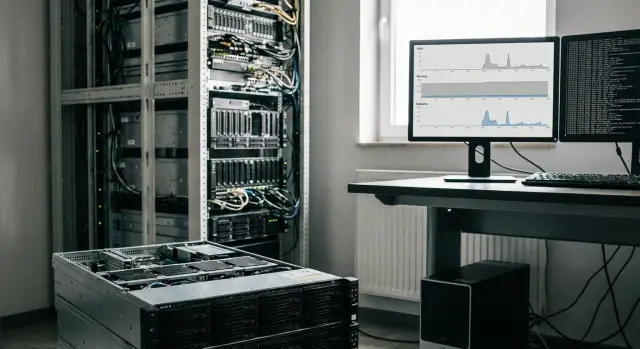
Why monitoring and logs start slowing down after a couple of weeks
In the first days after deployment everything usually looks fine: graphs render, alerts arrive, log search works. But after 2–4 weeks delays appear. Most often it's not that the tools are bad, but that the real load turned out higher than in the pilot.
The main reason is that data grows non-linearly. At first you connect basic hosts and a couple of dashboards. Then services are added, teams enable additional exporters, new labels appear. Each such “small” step multiplies storage volume and the number of read/write operations.
The fastest-growing parts are:
- Logs. You enable debug for a day and forget to turn it off, add a few apps, and daily volume can easily double.
- Metric cardinality. One bad label (user_id, request_id, full URL) turns one metric into thousands or millions of series.
- Alerts. Many rules without deduplication or suppression cause frequent rule evaluations and many events.
Symptoms are usually visible immediately if you know where to look. Queries to graphs and search take longer, especially for “week” or “month” ranges. Alerts arrive late or in batches. Gaps appear: in Prometheus you see “holes” in graphs, in Loki missing ranges in logs, in Zabbix growing queues and delayed new values.
A common separate cause is the disk. While data is small, even a slow disk "holds up." When metrics and logs grow, the load becomes constant small writes and reads and everything hits IOPS. CPU and RAM may still be "in the green," but the system already feels slow.
Therefore you cannot estimate server requirements for Zabbix, Prometheus and Loki by first-week impressions. You need input numbers and calculations with headroom, otherwise after a month you'll be monitoring the monitoring instead of the infrastructure.
What exactly stresses the server in Zabbix, Prometheus and Loki
Slowdowns almost always come from one of three causes: too frequent polls and rules, too high metric cardinality, or too large a log stream and heavy queries. So it's better to size resources not by “number of hosts” but by actual data volume and operation frequency.
Zabbix. The main load comes from collection and processing. Each poll of an agent, SNMP or script triggers a chain: get value, write history, evaluate triggers, sometimes build trends (aggregations). The shorter the interval and the more items, the higher the CPU and disk load. The database (often SQL) writes history heavily, so disk delays quickly create queues.
Prometheus. It scrapes metrics regularly and stores them as time series. The main enemy is labels and cardinality: there may be few metrics, but combinations of labels produce thousands or millions of series. This hits RAM (indexes and active series), CPU (compression, block writes, rule evaluations) and disk (many small TSDB writes).
Loki. It usually hits volume and query patterns. Ingesting logs produces constant disk writes, and queries like “a week across all services” force reading many time chunks. Memory is needed for indexes and buffers, but the usual bottleneck is the disk subsystem and IOPS.
Practical tip: if you have 200 servers and enable application debug logs, Loki can "kill" the disk faster than Zabbix or Prometheus. And if you add a label like request_id in Prometheus, memory will be gone first even with low traffic.
If you roughly break it down by resources:
- CPU: triggers and rules (Zabbix), series processing and queries (Prometheus), heavy log searches (Loki)
- RAM: cardinality and caches (Prometheus), DB caches and queues (Zabbix), indexes and buffers (Loki)
- Disks: history and indexes (Zabbix), TSDB writes (Prometheus), log streams and chunk reads (Loki)
If you plan to run the whole stack on one server, fast SSDs and a good memory buffer usually win. For these tasks it's easier to work with rack servers (for example GSE S200), where you're less likely to hit disk or memory limits as you grow.
Input data to collect before sizing
To avoid guessing, first collect facts about what will flow into the system and how it will be used.
-
Inventory of targets. Important not only is the number of servers but everything treated as a separate target: VMs, container nodes, network devices, storage, databases, load balancers. Mark “noisy” objects separately: DBs, high-load services, devices with many interfaces.
-
Metrics stream. For each host type record how many metrics you realistically plan to collect and at what interval. The difference between 15s and 60s is roughly 4× in points. That immediately increases disk writes, background compactions and query load.
-
Logs stream. Get concrete numbers: how many sources (apps, nginx, AD, firewall, endpoints), average event size and rate (events per second) at peak. If you lack data, take a couple of typical log files for a day and count volume and lines per minute during peak hours.
-
Retention. Set retention separately for metrics and logs. A common practice: keep metrics longer (6–12 months for trends), logs shorter (7–30 days) because they consume disk and require more IOPS during searches.
-
User activity. If 1–2 engineers look at a couple of dashboards, needs are different than when frequent investigations occur and many people search logs and compare time ranges daily; CPU and RAM load will be noticeably higher.
A short checklist: monitoring targets, metrics and intervals, log sources and peaks, retention (separately), user activity. These five points usually give a solid sizing basis.
Intervals, volumes and retention: common mistakes
Problems often stem not from weak hardware but from excessive expectations for detail. The more frequently you collect metrics and the longer you store history, the faster costs grow. So define intervals and retention first, then calculate CPU, RAM and disks.
Infrequent polling saves resources but reduces diagnostic fidelity. If a metric is collected every 5 minutes but an incident lasts 40 seconds, you might miss it. On the other hand, “everything at 15s” across hundreds of hosts creates noise and data becomes less useful.
A good rule: keep short intervals where dynamics matter and where you'll actually view the graph. Typically 15–30s is justified for network links, load on key nodes, queues, critical APIs and databases. For service status (up/down), temperature, disk usage and most system metrics 1–5 minutes are often enough.
Before setting a short interval ask:
- What breaks if I see the problem in 3 minutes instead of 30 seconds?
- Will there be an alert and who will handle it?
- How many objects actually need this precision?
- Is it better to reduce precision but increase retention?
With logs the mistake is simpler: send everything without filtering and limits. Loki ends up storing tons of identical lines (debug, healthcheck, access noise) and search slows. Often it's enough to cut noise (debug in prod, frequent 200 OK from a balancer), remove personal data and normalize fields (level, service, request, response_code) to reduce volume drastically.
Retention affects disks more than CPU. “Another 30 days of history” almost always means noticeable capacity and IOPS growth. Example: if a service generates 200 GB logs/day then 7 days is ~1.4 TB raw, 30 days ~6 TB, and that's before indexes and replication overhead.
How CPU, RAM and disks relate to real load
In monitoring think in terms of actions per second rather than cores and gigabytes. The same data volume can fly on one server and stall on another depending on the bottleneck.
CPU is used for ingestion, processing and aggregations, compression (especially in logs) and queries when people open dashboards. Load is rarely even: daytime has more queries; at night background jobs (reindexing, compactions, cleanups) can spike. If CPU stays at 70–80% constantly, any spike will create a queue.
RAM is needed for caches and working sets: active metric series, write queues, temporary buffers and query bursts. With insufficient RAM the system goes to disk more often, and even fast SSDs don't save heavy queries. Active swap is a clear sign of memory shortage (avoid swap where possible).
Disks determine how fast you can write and read. For metrics stable write throughput matters. For logs both write and read matter when searching across periods and filters. It's not just gigabytes but IOPS: many small ops quickly overwhelm HDDs.
Step-by-step resource calculation for the monitoring and logging stack
The order below gives a practical estimate before buying hardware and helps re-calculate sizing as you grow.
-
Calculate metrics per second (MPS) and peaks. For Prometheus: targets × metrics per target × (1 / scrape_interval). Multiply by a peak factor (usually 1.5–3) if you have autoscaling, nightly jobs or mass restarts.
-
Estimate queries and dashboards. CPU is often consumed more by dashboards and alerts than by collection: frequent range queries, panels with large windows (7–30 days), many users. If NOC screens or constant updates are planned, allocate extra CPU.
-
Estimate RAM for active data and caches. If memory is tight, you'll lose to disk and experience latency. For Prometheus and Loki reserve RAM for indexes, caches and hot chunks. For Zabbix add DB memory and server caches (history, trends, value cache).
-
Turn storage into daily volumes. Metrics: estimate average point size × MPS × seconds per day. Logs: daily GB plus index overhead. Multiply by retention and add space for compactions and temporary files.
-
Allow growth and unknowns. At least 30–50% headroom for CPU/RAM and disk. New services, added labels and log surges during incidents always appear.
If disk and memory for active data are the main risks, it's wiser to choose a server with fast SSDs and extra RAM (e.g., rack servers in the GSE S200 class) rather than trying to force everything onto a large HDD array.
Disk calculation: capacity, IOPS and choosing SSD or HDD
Disks are where monitoring often "dies" after a couple of weeks. For the Zabbix/Prometheus/Loki stack it's important not only how many gigabytes fit but how fast the system can write and read during peaks.
Capacity: daily volume and retention
Start with: events (or log lines) per second × average size × 86400. Example: 500 lines/s × 300 bytes ≈ 13 GB/day (before compression and indexes). Then multiply by retention and add 30–50% for growth, indexes and temp files.
Keep separate estimates for metrics and logs. Metrics are usually more compact but require memory and regular writes. Logs consume space faster and often require fast reads during investigations.
IOPS: why reads can be more important than writes
Writes are almost constant, but delays are noticed when people search: day-range queries, week-range dashboards and filtered searches require reading many small blocks and random reads become critical.
If you frequently search logs and build dashboards, prioritize SSDs with sufficient IOPS. If logs are written often but rarely read, cheaper storage may be acceptable with limited retention.
RAID affects speed and reliability. Mirroring helps reads and protects against disk failure, while some RAID modes worsen small writes due to extra operations.
If possible, separate pools: one disk/pool for OS, one for metrics, one for logs. On a single server this separation helps ensure log spikes don't starve metrics and the UI.
Architecture: single server or split roles
One server for Zabbix, Prometheus and Loki looks simpler: buy, install and maintain one machine. At start this is convenient for few sources and short retention. Over time components compete for disk and memory and bottlenecks appear.
A single node fits when you monitor tens of hosts, scrape at moderate intervals, keep log retention short and have few users. The main danger is disk: metric writes, log writes and UI queries may coincide.
Splitting across two nodes often pays off already at medium scale. A practical separation is metrics (Zabbix + Prometheus) on one node and logs (Loki) on another. Metrics tend to hit CPU and RAM for rule evaluation and queries, while Loki usually hits disk.
Plan horizontal scaling when adding resources to one server becomes costly or impractical. Signs: disk constantly busy, no maintenance window without data loss, monthly growth. Then add nodes by role (e.g., move Zabbix DB or dedicate a node for log ingestion).
For backups keep what is hard to rebuild: configs, alert rules, templates, dashboards, the Zabbix DB (if its history matters), parsing settings and the source list, plus a tested recovery plan on a staging machine. Full backups of all logs rarely pay off due to size.
Typical mistakes that cause slowdowns
Problems often start because load wasn't calculated in advance. When sizing is done "by eye," after 3–6 weeks symptoms appear: longer queries, late alerts, disks filling unexpectedly.
Common mistakes:
- Setting retention too long without checking space, indexes and growth.
- Inflating cardinality with dynamic labels (
user_id,request_id, full URL, random container names). - Collecting logs without filtering and limits: shipping debug, duplicating the same lines from multiple agents, not limiting line size and frequency.
- Putting prod and test into the same storage without quotas and rules.
- Not monitoring the monitoring: no alerts for disk fill, cardinality growth, scrape latency, queues or query times.
Simple example: a team adds a path label with full URLs and parameters. Day one looks fine; after a week unique series explode, Prometheus compactions increase, and 7-day queries start to hang.
It's more practical to limit sources and rules first (retention, filters, quotas) and then increase resources.
Quick post-launch check: 15-minute checklist
Early issues are usually visible in server health metrics rather than reports. This quick check helps see whether you have headroom.
Pick one typical working hour and one peak (e.g., Monday morning) and check:
- CPU: average and spikes for the day. If peaks regularly hit 80–90% for minutes, query latency and alert delays will soon grow.
- RAM and swap. Reserve free memory. Active swap almost always means insufficient RAM or very high cardinality.
- Disk: latency and speed. Watch not only usage but disk response times. Growing write latency quickly breaks Loki and monitoring databases.
- Data growth and forecast. Note how many GB were added in a day and multiply for 90 and 180 days.
- Alerts and data gaps. Check delay between event and notification and look for holes in graphs.
If you need quick commands to collect basic numbers, these work:
uptime
free -h
vmstat 1 5
iostat -xz 1 5
Rule of thumb: if disk latency grows within a week, swap appears and metric gaps increase, current settings and resources don't match real load. It's usually easier to adjust retention and intervals first than to fix consequences a month later.
Example sizing for a medium organization and next steps
Scenario: 200 servers (range 150–300), several critical systems (DBs, integration bus, virtualization) plus network equipment. The goal is that the stack (Zabbix, Prometheus, Loki) doesn't hit resource limits when the first incident happens and everyone opens graphs and logs simultaneously.
Realistic estimate for a “medium” IT environment: Prometheus holds ~250k–400k active time series at 30s interval. Loki ingests on average 80–150 GB/day (before compression), and during incidents the stream can grow 2–3×. Retention: metrics 15 days, logs 7 days "hot" (fast search), then either delete or move to cheaper storage.
If you place everything on one node and want predictability, a common starting configuration is:
- 16 vCPU (with headroom for query and compaction spikes)
- 64 GB RAM
- SSD/NVMe 3–5 TB for data and indexes
- a separate SSD for OS and services
In practice splitting into two nodes often wins: (1) Zabbix + Prometheus, (2) Loki. Heavy log queries and indexes won't consume IOPS for metrics and the Zabbix DB.
Plan growth in clear numbers: new sources (Kubernetes, audit), increased retention, higher cardinality and more dashboards. Practically teams often add +30–50% CPU and disk for a year, and keep RAM toward the high end if new dashboards and alerts are expected.
Next steps:
- Run a pilot on 10–20% of infrastructure for 1–2 weeks and measure series count, ingest rate and daily volume growth
- Fix SLOs for log search and dashboard speed, then adjust retention and intervals
- Check disks: actual IOPS and latency during peaks and compactions
- Decide scaling: add a second node, split roles or move to HA
If the pilot shows you need significant hardware headroom (ECC, many fast disks and proper support), consider GSE S200 class servers. For turnkey deployments (architecture, HA, 24/7 support) you may involve a systems integrator like GSE.kz to cover monitoring, storage and infrastructure without unpleasant surprises.
Frequently asked questions
Why do monitoring and logs start to slow down not immediately, but after a couple of weeks?
Most often the real load grows: more targets are added, labels appear in metrics, new exporters and log sources are enabled. The volume of data and the number of read/write operations grow faster than expected, so after 2–4 weeks queues, query delays and disk IOPS bottlenecks start to appear.
What loads Zabbix, Prometheus and Loki the most in practice?
For Zabbix, the key is the number of data items and the poll interval, since those directly become history writes and trigger evaluations. For Prometheus, cardinality and the number of active time series matter more than the rough “count of metrics.” For Loki, the crucial factor is how many gigabytes of logs you write per day and how often users run heavy multi-day queries.
What data should be gathered before sizing servers for monitoring and logs?
Collect at least: a full list of targets (servers, VMs, network devices, DBs), how many metrics and with what intervals you will scrape, how many logs arrive per day and at peak, retention separately for metrics and logs, and how many people actively use dashboards and search each day. These five numbers usually give a much more accurate sizing than simple “per-host” calculations.
Why does a 15-second interval quickly kill resources compared to 60 seconds?
Because 15s vs 60s is roughly 4× more points, more background operations and more disk I/O. Use short intervals only where you actually investigate dynamics and react quickly; for most state metrics (disk, temperature, up/down) 1–5 minutes is often enough.
Which labels should not be used in Prometheus and what to use instead?
Avoid dynamic labels like `user_id`, `request_id`, full URL with parameters and random container names. Keep labels that have a small finite set of values (service, instance, method, response_code) and put detailed identifiers into logs or traces.
How to reduce log volume in Loki without losing usefulness?
Start by cutting noise: turn off debug in production, trim healthcheck and repetitive 200 OK lines, normalize fields (level, service, code, short path), limit line size and exclude duplicated sources. Proper filtering often reduces volume by orders of magnitude, so Loki stops being IOPS-bound even without a hardware upgrade.
Why does the disk become a problem before CPU and RAM?
Because the bottleneck is usually not gigabytes but latency and random operations. Monitoring and logs create a constant stream of small writes and reads, and HDDs quickly run out of IOPS; CPU and RAM can still look fine while queries and ingestion slow down. For predictability, choose SSD/NVMe and monitor disk latency, not just free space.
Can I run Zabbix, Prometheus and Loki on a single server?
One server can work for small environments: dozens of hosts, moderate intervals, short log retention and few users. Once active investigations and week-long log searches start, components compete for disk and memory. A practical split is to move Loki to a separate node and keep metrics and Zabbix together.
How to estimate how much disk is needed for logs and metrics given a retention period?
Start from actual daily volume and multiply by retention, then add overhead for growth, indexes and temporary files. For example, 100 GB/day × 7 days = ~700 GB raw; indexes, replication and growth will consume more. Metrics are usually stored longer, logs shorter, to avoid running out of space and query performance.
How to tell that the current server no longer copes and it's time to change settings or hardware?
Look at query and search latency, gaps in data, alert delays, growing queues (Zabbix), rising active series (Prometheus), disk latency, and swap activity. If within a week you see disk latency growth, swap usage and metric gaps, first adjust retention and intervals and filter data before throwing hardware at the problem. When you need a reliable buffer, prefer server-class hardware with ECC and fast SSDs such as the GSE S200 line.
