8 min read
Server compatibility with information security solutions: a pilot plan without surprises
Server compatibility with information security solutions: how to plan a pilot, check drivers and kernel requirements, and avoid surprises when rolling out encryption.
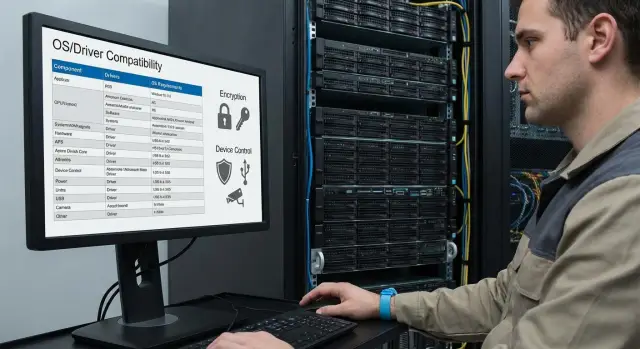
What usually fails in an SZI pilot on servers
SZI pilots on servers fail more often on low-level issues than on policy or UI: drivers, boot mode, and OS kernel requirements. A server is not a workstation. It has more roles, higher load, and more non-standard storage controllers and network cards. So checking that “the agent installs” tells almost nothing about whether the SZI will work in real operation.
The most common source of conflicts is modules that interfere with I/O and the network stack. These can be file-system filters, intrusion-prevention modules, device control, disk encryption or data-leak prevention. They add drivers into the chain, and any incompatibility with the kernel version, a patch, an HBA/RAID driver or the hypervisor quickly becomes critical.
Where failures usually hit hardest: UEFI and Secure Boot modes (driver signing and prohibition of unsigned modules), system-volume encryption on RAID/NVMe (especially with non-standard partitioning), network filters (conflicts with teaming, VLANs and virtual switches), port control (false-blocking of service USBs, KVM or licensing keys), and OS or driver updates (after a kernel patch a module may stop loading).
There are symptoms you should treat as stop-signals rather than “minor bugs”. If they appear, it’s usually wiser to freeze the pilot and investigate the cause with the OS, SZI and hardware vendors:
- BSOD or kernel panic, cyclic reboots
- hangs at boot time, long service startup
- sharp drop in IOPS/throughput or increased latency
- network outages, strange session disconnects, DNS/AD problems
- inability to update the OS or to roll back
A common mistake is to start by installing the agent “however it works”, without a threat model and scenarios. The pilot is not for ticking a box but to check specific risks: what are we protecting (data access, removable media, admin actions), which server roles are affected (file server, DB, virtualization), and which exceptions are acceptable. Even two identical servers (e.g., rack S200) may require different scenarios if one hosts VMs and the other stores archives.
Agree success criteria before starting, otherwise the pilot will drift into endless tweaks. A minimal set usually includes: functionality (what features are enabled), stability (no crashes), performance (acceptable degradation), operability (updates, backups and restores work), and a rollback plan (how quickly to remove the agent or decrypt a volume without data loss).
Inventory: what to collect before you start
If the inventory is poor, the pilot almost always stalls on surprises: an unsupported OS build, an old RAID driver, Secure Boot enabled, or a server role where even a short reboot is unacceptable. To check server compatibility with SZI without extra iterations, collect data before the first agent rollout.
What to collect from IT
Start with facts, not “they’re all the same here”. Record what actually runs in production:
- OS and exact versions: distribution, edition, build number, kernel version (for Linux), update level
- server roles and criticality: AD/LDAP, file, DB, virtualization, terminal, application services, plus dependencies (who talks to whom)
- hardware specifics: RAID/HBA controllers, NVMe, network adapters, presence of TPM, UEFI/Legacy mode
- boot modes and policies: is UEFI Secure Boot enabled, are signed drivers required, are kernel module-loading restrictions in place
- maintenance windows and allowable downtime: can you reboot, how often, at what hours, and who authorizes it
If your infrastructure uses on-prem servers (for example, typical racks and clusters based on domestic platforms like GSE S200 Series), note model lines and batches. Components and firmware may differ and that affects drivers and boot modes.
What to clarify with InfoSec and the SZI owner
Then reconcile your picture with the vendor’s requirements. Ask for a support matrix and installation requirements in advance, not ad hoc.
Check which OSes and builds are officially supported, whether kernel drivers/modules are needed, which disk-encryption modes are acceptable (full-disk, per-partition, with pre-boot), how device control works on servers (USB, virtual media, iLO/iDRAC-like channels), and which components are mandatory for logging.
A quick inventory-quality test: can you answer in 10 minutes which two pilot servers have the same OS but different RAID/HBA or Secure Boot modes? If not, don’t start the pilot.
Feature map: which SZI modules to test in the pilot
To assess server compatibility with SZI, decide in advance which modules you will actually enable. Turning everything on at once makes it easy to drown in settings and alerts, while the main technical risks (drivers, filters, boot and storage impact) remain hidden.
Minimum set for the pilot
Most solutions have an agent that contains several components with different effects on the server. In the pilot, test what will resemble the future production setup:
- low-level agent components: file-filter drivers, network modules, self-protection modules
- device control: on servers it’s usually enough to have policies for USB drives and portable media; other controls can be disabled
- encryption: test the OS disk and separate data volumes independently (they carry different risks)
- logging and audit: configure collection of key events so both InfoSec and admins can interpret them
- integrations: at least one integration with existing systems (directory, SIEM, configuration management)
What to document in the outcome
The pilot should end not with a general “it works” but with a concrete map: what we always enable, what we enable only on some servers, and what we never enable.
For each module record three things: performance impact (numbers), operational impact (what changed for admins), and conditions for enabling (for example, only on servers without specific HBA/RAID drivers).
Example: on two rack servers (e.g., GSE S200 Series) you can enable encryption for a data volume and basic USB control. If logs flow to your SIEM and admins can reboot and verify services, the set is good to expand.
Compatibility: drivers, OS kernel and boot modes
Most surprises come from low level: drivers, kernel version and boot mode. If not recorded ahead, you may end up with an installed agent but many non-working functions or reboot loops.
Start with a simple matrix: server model — OS — exact build/kernel version — agent version — enabled modules. It’s important to record exact OS builds and kernel numbers, not just “Windows Server 2022” or “RHEL 8”. The same “version” can have different updates and driver behavior will differ.
Conflicts usually appear where multiple products attempt to intercept the same data path. Typical conflict zones:
- Storage: RAID/HBA, NVMe, I/O filters, snapshots, backup agents
- Network: NIC drivers, teaming, VLAN, traffic filters, virtual switches
- Antivirus/EDR: kernel drivers, self-defense, system-call interception
- Encryption: pre-boot, disk-filter drivers, TPM integration
- DLP/device control: USB filters, port management, print control
Driver signing and Secure Boot are a distinct risk point. Check whether your OS requires signed drivers, whether HVCI/Memory Integrity is enabled (where applicable), and whether the SZI agent supports that mode. A common story: the server boots in Legacy, the pilot passes, then UEFI + Secure Boot are enabled per company standard and the agent stops loading some modules.
If your industry has certification requirements or recommended versions, record them before installation. Even with identical functionality an unsupported agent build may be unacceptable for audit.
To avoid an unexpected compatibility break, define which OS updates are considered “risky” and how you will track them. A useful practice is recording the KB/patch or kernel minor release after which failures started.
Short example: you test encryption and device control on two servers, one new (e.g., rack class GSE S200) and one in production. If Secure Boot is enabled by default on the new one and not on the old, pilot results are not comparable. Align boot mode, OS versions and drivers, otherwise you test configuration differences rather than SZI.
How to choose a testbed and pilot group to validate the main risks
To avoid a “false green” result, the testbed must be nearly identical to production. The goal is not just to install the agent but to understand how the server behaves under its role, load and policies.
Usually 2–3 representative servers cover the main scenarios. For example: one critical by role (domain controller, app server or DB), one critical by load (peak transactions, heavy reports), and one different by storage (RAID controller, NVMe, SAN or local disks). If the fleet is mixed, add a node with a different hardware revision.
Assemble the testbed as close to production as possible: same OS and updates, same UEFI/Legacy mode, Secure Boot, identical BIOS/UEFI settings, same controller and NIC drivers. A typical mistake is piloting on a “clean” server then encountering DLP/EDR/encryption conflicts in production.
To keep comparisons fair, set control points in advance:
- before SZI install: baseline metrics and behavior under load
- after agent install: reboot, services, logs, policy updates
- after enabling key modules (encryption, device control): repeat tests
- after simulating incidents: policy changes, device block, reaction check
- after a planned SZI update: stability and downtime
Keep measurements simple: boot time, CPU/memory at peak, IOPS and disk latency, network latency, plus time of a typical operation (nightly backup or batch job).
Plan rollback before enabling encryption:
- backup system image and verify restore
- module disable order (device control first, then encryption, then the agent)
- where keys are stored and who controls access
- maintenance window and rollback scenario
Example: if piloting on GSE servers (e.g., rack servers from the S200 line), take one node with app load and one with a different storage subsystem to quickly identify whether the bottleneck is a controller driver, boot-mode policy, or the encryption module.
Step-by-step pilot plan: from install to resilience checks
A server SZI pilot is easier to run without surprises if you act like a lab: change one variable at a time and record everything. It’s important not only to “get the agent running” but to understand effects on performance, boot and recovery.
Work plan
-
Lock versions for the pilot. Record OS build, kernel version, Secure Boot/UEFI settings and current drivers. Disable automatic updates and any silent patches that may change the kernel or boot policies during the test.
-
Collect baseline metrics without SZI. Run representative workloads and record: boot time, average CPU load, disk latencies, memory use, network throughput, time to start critical services. These numbers prevent subjective “it seems slower” arguments.
-
Install the agent in a minimal configuration. Start with the agent core and basic telemetry. Verify the server reboots reliably, logs show no errors, and RAID and network interfaces behave unchanged. If problems occur now, enabling additional modules is premature.
-
Enable modules one at a time and test impact. Choose an order (device control -> network filters -> encryption, or the reverse if encryption is more critical). Reboot and run a short workload after each step to find the exact module causing a conflict.
-
Run failure and recovery tests. Schedule “bad days”: several consecutive reboots, brief network interruptions, disk filled with logs, failure of the management server, test key-recovery and service restoration procedures.
Record results between steps and decide. Expand the pilot only if criteria are met (stable boots, acceptable metric degradation, clear recovery). If not — don’t tweak randomly: roll back the last module, change the agent/driver version or adjust OS configuration.
In the final report include at minimum:
- exact OS, agent and module versions and boot parameters
- comparative metrics before and after
- list of incidents and reproduction steps
- recovery steps (including key handling)
- decision: expand the pilot or adjust configuration
Common mistakes and traps that derail pilots
Pilots rarely fail for a single big reason. More often it’s a set of small decisions that individually look reasonable but together break compatibility and extend schedules.
What most often breaks a pilot
Common mistakes that usually surface after installation, when rollback is painful:
- enabling UEFI Secure Boot while a protection module driver lacks the required signature or fails the boot policy; the system won’t boot or the module won’t activate
- installing multiple products with filter drivers at once (EDR/antivirus, DLP, encryption, backup agents); they hook the same operations and cause performance drops, hangs or rare BSODs
- enabling system-disk encryption without verifying recovery: where keys are stored, who has access, what to do if the motherboard changes, TPM fails or you restore from backup
- testing on an empty machine; under real load (DB, nightly backups, log queues) delays appear where they matter most
- updating the OS, kernel, storage drivers or microcode in the middle of the pilot and not repeating checks; pre-update results become invalid
How to hedge the risks
Simple rule: freeze conditions, then compare. Lock OS and update versions for the pilot, agree on boot mode (Secure Boot on/off) and keep a rollback plan at hand.
Short example: two pilot servers, one for virtualization and one for file services. Encryption and an EDR agent are enabled on both, and a DLP is also added to the file server. Tests pass on the “clean” setup, but at night the backup runs and disk load spikes. If the pilot never included real schedules, the bottleneck will appear in production.
If the pilot runs on new servers, verify UEFI modes and driver compatibility before installing agents — changes are easier to roll back at that stage.
Quick checklist before scale-up
Before expanding the pilot to more servers, ensure you tested not only installation but life after installation: reboots, updates, failures and log handling.
A short set of checks that usually gives the most useful picture:
- Stable boot after each module. After every component (agent, device control, encryption, network module) perform five consecutive reboots.
- Drivers and OS updates do not conflict. Ensure cumulative updates and patches install normally and scheduled reboots complete without surprises.
- There is a verified path to “get back into the system.” Rehearse recovery after failures and reboots: where keys/tokens live, who has access, what to do if the server is unreachable.
- Performance is within tolerances. Compare before and after: CPU, memory, disk, network and application latencies. Test peak modes (backup, nightly jobs, high I/O).
- Logs are useful and don’t fill event storage. Ensure events are readable, not duplicated thousands of times, rotation is configured and error codes are understandable.
Practical test: pick one pilot server and execute a “day in the life” — OS update, restart critical services, simulate a failure (within acceptable limits), check access after reboot. If piloting on new racks (e.g., GSE S200), include firmware/boot-mode settings in the protocol to avoid differing results across hardware batches.
Example scenario: pilot of encryption and device control on two servers
A common situation: a new file server and a separate application server. Requirements — encrypt system and data disks, and control USB devices (block flash drives, allow only service tokens). There are strict availability requirements: downtime must fit a 2-hour maintenance window, and services should come up automatically after reboot.
To quickly assess compatibility, run the pilot on two nodes with different roles: one for file shares and backups, the other for application access. If you use new local servers (including standard racks like GSE S200), keep identical BIOS/UEFI and boot-mode settings on both nodes or results will vary.
Pilot flow (within one maintenance window)
-
Snapshot the starting state: OS versions, Secure Boot status, storage-controller mode, current drivers, and list of critical services.
-
Install the SZI agent without enabling encryption or USB blocking: verify boot, login, network services and error logs.
-
Enable device control in audit mode first: log-only, then block flash drives, then apply targeted exceptions.
-
Enable encryption: start with the app server (less disk-dependent), then the file server, testing recovery after reboot each time.
After each step run short tests: reboot, check startup time, app availability, read/write on disks, backup operation.
Typical surprise and the fix
A typical surprise is a driver conflict. The encryption agent installs a disk filter driver that doesn’t play well with the storage-controller driver. Symptoms: long startup, I/O errors, sometimes restore.
Another common issue is Secure Boot. If the SZI driver is not signed with the expected certificate or an unsupported mode is used, the OS may not boot or the device-control module may not activate.
Practical mitigations:
- lock versions: update (or freeze) the storage-controller driver and the SZI agent to a recommended combination
- separate policies: create server-specific device-control policies (not the same as endpoints), with role-based exceptions (backup agent, HSM/tokens, service USB keys)
- Secure Boot: verify vendor SZI requirements and boot modes before enabling encryption on a production volume
The pilot outcome on two servers should be measurable: downtime, stability after multiple reboots, no storage errors and a clear set of exceptions ready for safe rollout.
Next steps: how to formalize results and move to deployment
After the pilot, document outcomes so you don't later wonder why the agent “suddenly won't install again”. The core is a final compatibility matrix.
Collect OS versions (with build and kernel numbers), boot mode (UEFI/Legacy, Secure Boot), disk/controller types, and agent/module versions. Note allowed combinations, forbidden ones, and those requiring special settings (driver exceptions, disabling a conflicting module, or a particular install order).
Agree an update regulation with InfoSec and operations: who triggers updates, where they are tested, and what counts as successful. Practical rule: new OS patches and new agent versions first undergo a short test on the lab, then are pushed to production under an acceptance and rollback protocol.
To avoid endless manual tweaks, prepare a deployment package:
- reference policy settings, exception lists and mandatory components
- rollback plan (how to revert to a previous agent or disable a module quickly)
- recovery instructions (steps for failed boot, encryption issues, key handling)
- change request template and a short acceptance protocol
- checklist of post-install checks (services, logs, performance)
Do not skip training for the on-call team. Thirty to forty minutes with specifics is enough: which logs to watch, how to tell a driver conflict from a boot-mode mismatch, and which commands and events to record before escalation.
If you are selecting new hardware with SZI requirements, build compatibility in: support for needed UEFI and Secure Boot modes, predictable storage-controller drivers, and stable operation with your OS. If GSE S200 Series servers are in the environment or planned, you can pre-check the target OS-driver-boot-mode combination with the GSE.kz team (gse.kz) as manufacturer and integrator so the pilot doesn't fail on low-level incompatibilities.
Frequently asked questions
Why does an SZI pilot on a server fail even though the agent installs in a test environment?
Almost always problems start at a low level: drivers, I/O and network-stack filters, UEFI/Secure Boot mode, and mismatched OS kernel and agent module versions. On a “clean” install the agent may install, but under real load and server roles conflicts and performance degradation appear.
Where should I start the pilot so it doesn't turn into endless tuning?
Immediately fix the success criteria: which features will be enabled, acceptable downtime, what performance degradation is tolerable, and what a verified rollback looks like. Without this, the pilot quickly becomes endless tuning and subjective debates.
What data should be collected before starting an SZI pilot?
Gather exact OS builds (including build numbers and patches, for Linux — kernel version), server roles and dependencies, RAID/HBA/NVMe and network adapter models, boot mode UEFI/Legacy and Secure Boot status, plus maintenance window constraints. Have these before deploying the agent, otherwise you'll be treating surprises instead of testing protection.
Why does Secure Boot often cause failures during a pilot?
When Secure Boot is enabled, the OS may refuse to load an unsigned driver or block an agent module, so some functions simply won't activate. Test compatibility in the same boot mode you plan to use in production to avoid a “false green” result.
What are the risks of starting a pilot with system-disk encryption?
Encryption installs a disk-filter driver into the I/O chain, and any nuance in RAID/HBA drivers, partitioning, NVMe or pre-boot can become critical. Start with a clear recovery plan: where keys are stored, who has access, steps for TPM failure or recovery from backup, and only then touch the system volume.
Why can't I just enable all SZI modules at once and see what happens?
Because enabling everything at once creates many variables and you won't know which component caused an issue: network filter, device control, self-protection or encryption. It's more practical to enable components one by one, rebooting and running a short workload after each step to quickly locate the conflicting module.
Which pilot symptoms are stop-signals rather than minor bugs?
BSOD or kernel panic, cyclic reboots, hangs during boot, sharp loss of IOPS or increased latency, network drops and strange session disconnects, and inability to update or roll back the OS — treat these as stop signals rather than minor bugs. In such cases, pause the pilot and analyze the OS–drivers–agent combination with the responsible vendors.
How to correctly measure the SZI impact on server performance?
Capture a baseline before installation: boot time, CPU/memory at peak, disk and network latency, service start times, plus a representative operation like a nightly backup. After every change compare to the baseline; otherwise performance discussions remain subjective.
How to choose a pilot server group to avoid a “false green” result?
Make the testbed as close to production as possible: same OS and patch levels, identical BIOS/UEFI settings, same storage and network drivers, same roles and task schedules. Even identical server models from different batches or firmware revisions should be noted because differences affect drivers and boot modes.
What should be documented after the pilot so the result isn't lost a month later?
Record a compatibility matrix with exact OS builds and kernel numbers, boot mode, disk/controller types, agent versions and modules enabled, plus allowed and forbidden combinations. Also agree an update regimen: where patches are tested first (the testbed), and a clear protocol for acceptance and rollback to production.
