8 min read
Seafile vs ownCloud vs Pydio: on-prem file sync comparison
Seafile vs ownCloud vs Pydio: how to compare on-prem solutions by speed, file locking, access rights and offline usability.
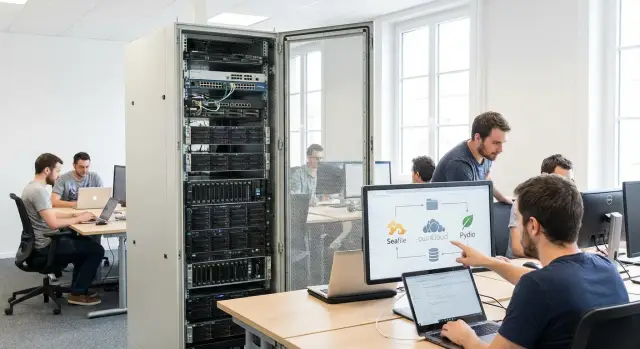
Where the choice of on-prem file sync begins
Choosing an on-prem file synchronization solution rarely starts with product names like Seafile vs ownCloud vs Pydio. It begins with a simple question: what exactly hurts?
For some, the main problem is large files (project documentation, scans, video) that take long to upload and often fail on weak networks. For others, it’s simultaneous editing: two people edit the same document and end up with conflicting copies. For another group, requirements are about security and audits: who can see what, who can share, where keys are stored.
It helps to fix 2–3 real work scenarios up front and compare solutions against them, not against a long feature list. For example: “a lawyer opens a contract from the department folder and edits it in the office, then continues on a trip without internet” or “an engineer uploads a 5 GB file over VPN from a branch.” The identical checkbox “has sync” often means very different behavior in speed, reliability and conflicts.
Define success in advance and make it measurable. Usually it’s not “like the cloud,” but more down-to-earth things: fewer conflicts and lost edits, clear and auditable access rights, predictable upload/download speed during peak hours, and straightforward version recovery.
Who should take part in the decision
If only IT decides, it’s easy to miss important constraints. A minimal working group usually looks like this:
- IT: infrastructure, backups, updates, end-user support.
- Security/compliance: access models, audit, encryption and data residency requirements.
- Users from 1–2 departments: real documents, habits, offline work, common mistakes.
- Management/process owners: what is business-critical and which risks are unacceptable.
Interests often diverge: IT wants predictable operations, security wants control and reports, users want unobstructed work, and management wants manageable risk of leaks and downtime.
If you deploy on-prem where supply-chain transparency and on-site support matter (common in government and large enterprises), decide early who owns the server side and who supports endpoints. That directly affects the final evaluation of any platform.
Comparison criteria: what to check before the pilot
Start comparing Seafile vs ownCloud vs Pydio with a short list of real scenarios: who works with files and how, what document types, number of users, frequency of concurrent edits. These answers immediately rule out solutions that seem to fit but later fall apart on details.
First, check client synchronization: not only the availability of desktop and mobile apps, but web interface behavior. Is search convenient, do folders open quickly, what happens on a poor connection? If you have strict security policies, check whether clients can be centrally managed (for example, forbidding local storage on certain devices).
Next, analyze collaboration. A good system helps avoid conflicts rather than shifting their resolution to people. Understand locking (manual, automatic, by file type), how version history is stored and how easy it is to restore a needed version. File comments and document previews are important too—they reduce “download-to-view” traffic.
Before the pilot, agree on admin and security criteria. In corporate environments you almost always need groups, roles, clear folder/file permissions and audit: who opened, downloaded, changed or shared. Find out which events are logged, how long logs are kept and whether they are convenient for incident investigation.
Offline mode is often underestimated. Check what is available without a network (selective folders, favorites, caching) and how the system resolves conflicts after reconnecting. A simple test: two employees edit the same file while traveling, then sync in the office.
It’s useful to run through five questions that often reveal hidden issues:
- How will users authenticate: AD/SSO, separate accounts, guest access?
- Which protocols and integrations are required (e.g., WebDAV) and which apps must work “as is”?
- How quickly can external contractor access be granted and revoked?
- How are backups and restores performed: file, folder, or entire server?
- How does the system scale: what changes when you grow from 50 to 500 users?
If you deploy on-prem in government or other data-sovereignty environments, it’s sometimes easier to involve a system integrator from the start and include infrastructure and logging checks in the pilot plan. In Kazakhstan, for example, such projects are run by GSE.kz: as a vendor and integrator they typically help link access, audit and hardware requirements to concrete tests before rollout.
Performance: how to measure and what to watch
Measure performance with the same set of tests. Separate web interface and sync client metrics: their bottlenecks often differ. Don’t forget two modes: “cold start” (initial upload and indexing) and “typical day” (small edits, search, collaboration).
Basic metrics to capture
Agree what you mean by “fast.” Usually a simple set of indicators is enough:
- upload and download speed: one large file (e.g., 2–5 GB) and a large set of small files (e.g., 5,000–20,000 files)
- time for initial sync of a new device and catch-up time after a day offline
- indexing time after bulk upload and search speed by name and contents (if enabled)
- server load: CPU, RAM, disk (IOPS/latency), network (peak values)
- stability under load: do task queues grow, do errors appear, does the web UI hang?
Record the test conditions: disk types, number of cores, RAM, OS version, DBMS, enabled features (antivirus scanning, previews, encryption, versioning). Without this, results can’t be fairly compared.
How to make tests realistic
Take 2–3 typical scenarios from your organization. For example, accounting works with folders of thousands of PDFs, while engineers upload rare but large archives and images.
Run the same actions for each product: first via web, then via sync client. Observe not only average speed but also “tails”—what happens at peak when 30–50 users update folders simultaneously.
A useful pilot approach is a dedicated test server where for 2–3 days you load “dirty” data: real folder structure, real filenames, real permissions. Synthetic data often shows nice speeds but hides issues with indexing, DB and storage. If you run the pilot with an integrator (e.g., GSE.kz), ask them to document the testbed parameters and repeatable scenarios so you don’t argue later about “why it got slower.”
If the web is fast but the client is sluggish (or vice versa), that’s not a “who’s faster” debate but a concrete action plan: where the bottleneck is, what settings and hardware are needed, and whether the system can handle user and file growth.
Locks and versions: avoiding conflicts in collaborative work
When multiple people edit the same document, the obvious risk is overwriting someone else’s changes. In on-prem sync it’s important to understand locking and versioning in advance and how they behave in your workflow.
File locking signals to the system and users: “this file is in use, editing should be avoided.” It’s especially useful for binary formats where merging changes is impractical (e.g., .docx, .xlsx, .pptx, PSD, CAD files). For text formats conflicts are more manageable, but in office practice it’s better to avoid them.
There are typically two approaches:
- Pessimistic locking: “I took the file” — one person edits and others see read-only or a deny message.
- Optimistic model: parallel edits are allowed and sync produces conflict copies on synchronization.
On paper the optimistic model looks flexible, but in departments with heavy edits it often becomes a mess of files like “Report (conflict Ivan).docx”.
Versioning is the second protection layer. Version history lets you roll back bad edits, restore deleted files and track who changed what and when. Clarify details: how many versions are kept, how quickly their volume grows, whether you can pin important versions, and how conflict recovery works.
Test offline mode separately. A typical scenario: an employee travels, opens a file offline and edits it while someone else edits the same document in the office. After reconnecting the system should either correctly warn about a conflict or prevent overwriting another person’s edits. On these small points Seafile, ownCloud and Pydio can feel very different to users.
To reduce conflicts, set simple visible rules in advance:
- Edit important files only with locking enabled (presentations and spreadsheets in particular).
- Use clear filenames and assign document owners.
- Enable notifications for locks and creation of conflict copies.
- Define version retention and who can perform rollbacks.
A good pilot test: take a shared file (e.g., a financial report) and have two users edit it simultaneously, one offline. If users can’t clearly determine the “correct” version and next steps after sync, rules, locks or notifications are insufficiently configured.
Access rights and security: what to check in detail
When comparing Seafile vs ownCloud vs Pydio, people often focus on sync speed and convenience, but rights and security determine whether the system can be used in production. Mistakes here aren’t obvious during a demo but quickly surface in a pilot when different departments start uploading and editing files in the same folder.
Test the permission model in practice, not from the documentation. Understand how folder and file permissions are set, how inheritance works and whether exceptions can be handled without chaos. A common scenario: a department’s shared folder with a subfolder for HR documents and another for contractors. If exceptions are hard, admins will duplicate folders and access tracking will break.
Permission model, roles and sharing
Decide who can share: only folder owners, all users or only admins. Check roles: what can an admin do vs a group manager. A convenient scheme is department heads managing access within their teams while InfoSec and IT retain view rights to settings, audit and external sharing policy.
To make the comparison fair, run the same checks in each product:
- folder-level and file-level permissions (download, delete, resharing)
- inheritance of permissions
- groups and changing membership without manual folder edits
- public links (passwords, expiry, limits)
- guest access
Public links and guest accounts are frequent incident sources: they’re created quickly and then forgotten. In the pilot simulate “a link was shared beyond intended recipients”: check if you can limit access by password and expiry, and whether you can centrally find and disable all external shares.
Audit, encryption and InfoSec questions
Audit should answer: who did what and when. InfoSec needs events to be useful for investigations, not just “for show.”
Minimum events to verify in logs:
- file uploads and downloads
- deletions and restores
- creation and change of public links
- permission changes
- logins and failed logins
Agree on encryption: where keys are stored and who manages them. This must be decided before rollout, otherwise architecture changes will be needed later.
Useful InfoSec questions before the pilot:
- Is server-disk encryption sufficient, or is application-level encryption required?
- Is client-side encryption acceptable in your threat model and how would you recover access?
- Who owns keys, where are they stored, what are rotation and backup processes?
- Password policies and MFA: what is supported and how is it enabled for different groups?
- AD/LDAP and SSO integration: is it mandatory and how does it affect audit and disabling accounts?
If you have formal compliance and procurement requirements (often in the public sector), document them and compare products against a checklist. This quickly shows what passes internal checks and what needs exceptions or development.
Offline mode and client apps: practical nuances
Offline mode seems simple until people start working on trips, in branches with flaky internet or over VPN. Look beyond client availability to daily behavior: clarity, catch-up speed and how many problems are exposed to users.
For Windows and macOS two things matter: file manager integration (usual file operations) and clear sync statuses (what is local, what is only on server, what is queued). For Linux stability and predictability after updates are often more important. On mobile check the full cycle: download to device, edit, upload back, and handle Wi‑Fi/cellular switches.
Selective sync saves the day when the server holds hundreds of gigabytes but a laptop has only 30–50 GB free. The nuance: users confuse “not synced” with “does not exist.” Clear rules help: which folders are always offline (e.g., current projects) and which are on-demand.
Test offline folders in real conditions. Example: an employee goes to a site, edits documents offline, then connects via corporate VPN. Changes should upload to the server without manual actions and colleagues’ updates should arrive without endless “waiting.” Another point: proxies and corporate certificates — sometimes the client needs explicit settings, sometimes it doesn’t handle traffic interception well.
Checks that prevent an avalanche of complaints after launch:
- first sync speed on an average laptop
- behavior on connection drops and fluctuating internet
- disk and cache limits (and how clear these are to users)
- offline markers: what is guaranteed available without network
- compatibility with VPN and proxy in your access model
Common problems are similar everywhere: duplicated folders after a user moves to a new PC, conflicts on parallel editing, “eternal” first sync due to many small files, confusion about status (“I thought the file was already uploaded”). So not only technology and settings matter, but also a short user guide and a prepared first-line support.
On-prem architecture and infrastructure requirements
For on-prem file sync, speed and stability often depend less on CPU and more on storage subsystem, database and operational practices. Compare Seafile, ownCloud and Pydio on identical infrastructure for fair results.
Storage and I/O
Separate two workloads: file storage (large sequential reads/writes) and metadata (many small operations). For metadata, fast disks matter most—SSD for system, DB and cache often help more than adding CPU.
RAID is for predictability and fault tolerance, not “speed at any cost.” Plan capacity headroom: versions, trash, encryption and system data consume space faster than expected.
Practical example: a department of 200 staff actively edits office documents and keeps shared folders. If metadata and DB sit on slow HDDs, the UI will “think” on every folder open and search, even if files are small.
Database, cache and bottlenecks
The DB becomes a bottleneck as users, sync events and permission checks grow. Cache helps but only if it isn’t starved of RAM or constantly restarted.
Antivirus and DLP add latency: they may scan on upload, download and even on every change. This affects speed and gives the impression of “locked” files. Agree with InfoSec in advance: what is scanned immediately, what is scheduled, and what exceptions are acceptable for temp files and caches.
Before the pilot answer: how many active concurrent users, how many “heavy” folders (tens of thousands of files), predominant file types, how aggressive versioning should be, whether AV/DLP must run inline, and acceptable downtime for updates and incidents.
Backups, recovery and maintenance
Think RPO and RTO: RPO is how much data you can afford to lose (e.g., 15 minutes of changes), RTO is how fast the service must be restored (e.g., 2 hours). This determines snapshot frequency, replication and backup strategy for DB and files.
Plan updates as a routine: test environment, maintenance window, clear rollback. Discipline beats heroics: a fixed schedule, user notifications and a post-maintenance checklist.
If you deploy in organizations needing higher support and supply transparency, involve a local integrator. For example, GSE.kz as vendor and integrator usually helps design server and support so the pilot reflects expected load instead of “ideal conditions.”
How to compare in 2 weeks: step-by-step pilot plan
Two weeks is typically enough to decide whether Seafile vs ownCloud vs Pydio fits real work, not just demos. Don’t try to test every feature; reproduce users’ typical tasks and measure what affects daily work.
Pick 3–5 scenarios that cause the most pain. Example: accounting (many spreadsheets, strict rights), project teams (frequent edits), healthcare or registry (fast access, control, logging). For each scenario record who works, from where (office, home, branch) and what counts as success.
Pilot schedule:
- Day 1–2: describe scenarios and roles, set up test users and groups.
- Day 3–4: prepare identical test data and folder structures in all three systems.
- Day 5–7: run sync and collaboration tests on the office LAN and record measurements.
- Day 8–10: repeat tests via VPN and over a degraded channel (limited bandwidth, packet loss, latency).
- Day 11–14: collect feedback, compile results into a summary table and decide.
Make test data “life-like,” not a single big archive. Usually three packages are enough: ~10 GB of mixed files, ~100 GB for scaling, and a folder with many small files (tens of thousands of docs, scans, images). This quickly shows where systems stall on indexing, preview generation and sync.
Keep metrics simple: upload/download speed, time until colleagues see changes, number of conflicts and manual resolutions, client stability (crashes, hangs), and recovery time after disconnection.
In the final table include only verifiable facts: measurements, recorded conflict situations, permission limitations, user notes. Separately decide on operations: who handles support, updates and incident resolution.
Common mistakes in selection and rollout
The most common mistake is judging by a polished demo. In demos everything looks the same: upload, sharing, a few folders. Real load, weak inter-office links and hundreds of small files then cause complaints: sync slows, offline mode disappoints, conflicts accumulate.
Another mistake is testing collaboration only within one office. In reality people edit the same document from different branches with different network delays. If you didn’t test locks and version behavior for the same file from two locations, you don’t know what you’ll get in production. Example: accounting in Almaty opens a file while a branch in Astana saves another copy minutes later — without clear locks or warnings you’ll have two versions and a dispute over which is correct.
Public links are another risk. They’re often enabled because they’re convenient, but without expiry rules, logging and an approval process they become a shadow data-exchange channel. In on-prem environments (especially public sector and finance) decide who can create external links, for how long and how they are controlled.
Backups are often remembered only after an incident. When choosing look beyond “are backups taken?” to how quickly and accurately you can restore: a single file, a folder, state at a given date, and what happens to permissions. Test recovery in the pilot, not just on paper.
Finally, many overestimate CPU and RAM and underestimate disks. For file platforms storage latency often matters more than extra CPU cores.
A short checklist that saves time at rollout:
- Run the pilot under load and with offline scenarios, not just in a browser.
- Test locks and versions between offices with real latency.
- Enforce external-sharing rules and enable audit before launch.
- Run backup and recovery tests with InfoSec and admins.
- Measure IOPS and storage latency before selecting servers.
If an integrator runs the deployment, include these scenarios and metrics in the pilot plan. For on-prem projects in Kazakhstan (including GSE.kz’s integration services) this often separates a smooth launch from a “fire” in the first weeks.
Short checklist and next steps
If you need a quick comparison between Seafile vs ownCloud vs Pydio, the most important thing is to run identical tests on the same hardware. Below is a set of checks that typically gives a clear picture in one workday.
One-day checklist
- Performance: upload and download a single large file (e.g., 5–10 GB) and record time, speed and behavior on interrupted network and resuming.
- Performance: sync a folder with many small files (e.g., 50–100k documents ~10–200 KB each) and compare CPU, disk, network load and initial indexing time.
- Performance: test metadata search (name, extension, date) and content search (if enabled) and response under 10–20 concurrent queries.
- Collaboration: test file locking, versioning and conflict behavior for offline editing (two users edit one document, one reconnects later).
- Access and reliability: configure groups and audit (who downloaded/changed) then perform backup and trial restore checking permissions.
Use the same file set and identical user roles (e.g., employee, department head, external contractor). Record results in a simple table: what was done, what happened, what was inconvenient.
Next steps
Turn tests into a short pilot that reveals real operational risks.
-
Prepare infrastructure: evaluate storage (IOPS over capacity), backups and minimal fault-tolerance.
-
Choose 2–3 representative scenarios: project docs, branch file exchange, collaborative editing.
-
Run a pilot with 10–30 users and predefine pass/fail criteria: speed, number of conflicts, permission usability and audit transparency.
-
Validate operations: monitoring, updates, recovery procedures, and responsibilities for access and incident resolution.
-
For on-prem, involve an integrator. For server-side work it’s often easier to rely on local supply and support: for example, GSE.kz manufactures S200 servers and, as a systems integrator, can help build a pilot environment and support so tests closely mirror the production load.
Frequently asked questions
Where is it best to start when choosing on-prem file sync so you don’t drown in features?
Start with 2–3 of your most painful scenarios and evaluate solutions only against them. Typically these are “very large files over VPN”, “collaborative editing without conflicts” and “strict access controls + audit”. This approach quickly filters out options that look good on demos but fail in real use.
Who must be involved in selection and pilot besides IT?
At minimum you need IT (infrastructure and support), InfoSec/compliance (access, audit, encryption) and real users from 1–2 departments (habits, offline work, typical mistakes). Without users you won’t see where conflicts and complaints will arise, and without InfoSec you may miss requirements that later block deployment.
What metrics are worth measuring when comparing Seafile, ownCloud and Pydio?
Decide measurable metrics up front: upload time for a 2–5 GB file, sync time for a folder with thousands of small files, time to catch up after offline work, delay until colleagues see changes, and number of conflicts. Also monitor server resources (disk, CPU, RAM, network) to identify the actual bottleneck.
Why test both web and sync client, not just one?
Test web interface and sync client separately because they often hit different limits. Run the same actions over a ‘bad channel’: via VPN, with limited bandwidth and disconnections, otherwise you’ll face surprises after rollout to branch offices.
How to test locking and versions to reduce conflicts in collaborative work?
First, check whether file locking is supported, how it is enabled, and what other users see while a file is "locked." Then check versioning: how easy it is to roll back, how deleted files are restored, and what happens after offline editing by multiple people.
How to properly test access rights in a pilot rather than “on paper”?
Take the same folder structure and simulate the exceptions you inevitably have: a department shared folder, a closed subfolder for HR, and an adjacent area for contractors. If inheritance and exceptions are hard to configure, admins will start creating duplicate folders and access management will quickly fall into chaos.
What is critical to configure for public links and guest access?
Check whether you can limit link lifetime, require a password, and centrally find and revoke all external shares. Decide in advance who can create such links and how quickly they can be revoked, otherwise links “escape” and remain active too long.
How to know that audit and logging are really suitable for InfoSec?
Verify which events are logged and whether logs are usable for investigations: logins and failed logins, downloads, deletions and restorations, access-rights changes and external link creation. Also agree retention time for logs and who can access them so audit is useful, not just formal.
What offline-mode nuances usually surface after launch?
Check what is actually available offline: selective folders, favorites, caching, and how the system behaves after coming back online. The most illustrative test is: one person edits a file offline while another edits it in the office — see how clear it is for users what happened and how to safely choose the correct version.
How to run a two-week pilot so it reflects real operations?
Run a pilot with a fixed plan: set up roles and groups, load “dirty” data with real filenames and rights, run tests in LAN, then repeat them over VPN and with limited channel, and finally collect feedback and a summary table. If at the end you can answer with facts about speed, conflicts, rights usability, audit and recovery, the decision usually becomes obvious.
