7 min read
SAP HANA Server: Checklist for Memory, Network, and Certifications
SAP HANA server checklist: RAM, CPU, SAP certifications, networking and storage to ensure deployment goes without surprises.
What the pre-deployment checklist solves
A server for SAP HANA is often chosen by familiar metrics: more CPU, “fast disks” and spare power supplies. Constraints usually surface later, when the hardware is already purchased and difficult to change. A pre-deployment checklist helps spot bottlenecks early and avoid the situation “we bought everything, but it doesn’t run as expected.”
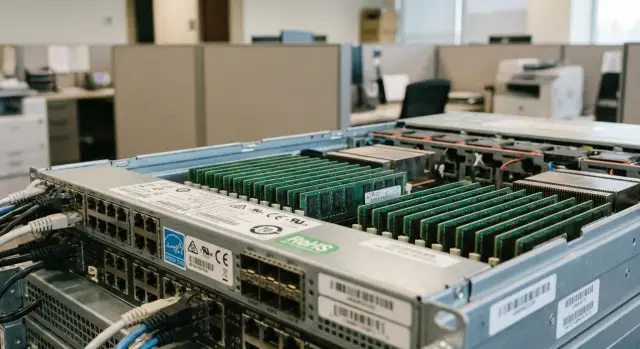
In HANA projects unpleasant surprises are more often related to memory and latency than to CPU shortage. HANA keeps working data in RAM, so not only gigabytes matter but also module layout, frequency, number of channels and the ability to expand without changing the platform.
The second frequent showstopper is the network. Replication, backups, application access and administration can hit delays, port saturation or lack of redundancy. If not checked beforehand, the project risks launch delays due to reworking the architecture, downtime in tests and pilot, budget growth for “unexpected” upgrades, and support issues if compatibility confirmations are missing.
A simple example: a company bought a server “with spare CPU,” but installed minimal RAM and a single network card without redundancy. Under load tests there were drops, and when a port failed the service stopped. Fixing required buying memory, changing the network design and re-approving the architecture.
Gather the basic requirements you can’t do without
The first step is not the hardware, but a clear list of requirements. SAP HANA quickly exposes weak spots if scenarios and expectations aren’t discussed in advance. Even a good HANA server can be chosen incorrectly if you assume an “average” case.
Start with the workload type. ERP and S/4HANA typically produce many transactions and are latency-sensitive. BW and analytics more often depend on data volume in memory and parallel queries. Mixed workloads almost always require resource headroom so peaks in one area don’t “eat” performance of another.
Next, estimate in-memory data and growth. It’s important to know not only the current size but also a 1–3 year forecast: new modules, more users, growing history. It’s useful to agree a business failure point in advance: what to do if memory fills up in 12 months — expand, archive some data, or change server class.
Separately agree availability. Record acceptable maintenance windows and RPO/RTO goals. This directly affects the choice of scheme (single server, cluster, replication), and therefore network, storage and budget.
Don’t forget environments: how many systems (prod, QA, dev, sandbox, training). A common mistake is buying hardware only for prod and then “squeezing” other systems onto random resources, causing test and release issues.
Finally, define backup and DR: where backups are stored, frequency, how recovery is tested, and whether a second site is needed.
A short set of inputs without which you shouldn’t consider a configuration:
- workload profile (ERP/BW/S/4HANA/mixed)
- in-memory data size now and forecast for 1–3 years
- downtime, RPO and RTO requirements
- list of systems and approximate sizes (prod/QA/dev etc.)
- backup and DR approach (frequency, location, recovery test)
When these points are fixed, calculations for memory, network and compatibility become concrete rather than guesses.
Memory: check size, layout and growth options
For SAP HANA memory is the primary resource. If RAM is insufficient the system starts hitting swap or frequent unloads, and the project quickly turns into a hunt for culprits. A “just enough” estimate is almost always worse than a reasonable buffer.
RAM size: calculate and allow headroom
Baseline numbers usually come from SAP sizing reports or pilot results. In reality you need to add data growth, new reports, functional expansion and temporary peaks. Agree in advance not only “how much is needed now” but “how much in 12–24 months,” and leave room so you don’t have to stop the system to replace half the modules.
A practical scenario: at start 1.5 TB is enough, they buy exactly 1.5 TB. Six months later a new analytics environment is added — now 2 TB is required. If there are no free slots, the upgrade becomes expensive and time-consuming.
Layout: slots, channels and NUMA in plain terms
It’s important to install memory correctly: identical modules, same capacity and frequency, and populate channels according to the server scheme. Otherwise some channels stay idle and you lose bandwidth even if total capacity looks good.
NUMA in simple terms: in a dual-socket server each CPU has "its" memory it accesses faster. If workload often pulls memory from the "other" socket, latency grows and performance becomes less predictable. Balance per-socket capacity and set BIOS/OS options correctly.
Reliability and growth: ECC and expansion plan
ECC modules are mandatory for HANA. Additional reliability features (for example, sparing or mirroring) should be discussed separately: they can increase fault tolerance but reduce usable RAM.
Before ordering check two things: how many slots remain free after installing the required capacity and whether the platform supports larger-capacity modules so the next step is "add sticks" rather than "replace everything."
CPU and platform: avoid fluctuating performance
Predictability matters for SAP HANA. Users usually notice not average speed but spikes: reports slowing down, longer loads, missed maintenance windows.
Look not at "max turbo" but at what will hold under sustained load. Choose sockets and core count based on the workload. Many parallel queries and background tasks benefit from more cores. If single-thread latency is critical, a higher base frequency on fewer cores may be better. Decide in advance what’s more important: parallelism or single-thread speed.
Stability also depends on platform settings. Leaving BIOS at defaults can let the server enter power-saving states, change frequencies and cause latency spikes — especially visible during peak hours.
What to agree in advance:
- CPU model and performance profile without aggressive power saving
- NUMA mode and memory settings for predictable RAM access
- Turbo and power limits to avoid bursts instead of a steady baseline
- chosen OS and version and driver support for chipset and NICs
- if a hypervisor is used — its compatibility and resource limits
Choice of bare metal vs virtualization is separate. Bare metal is simpler for maximum steady performance. Virtualization is convenient for management but requires discipline: reserve resources, forbid CPU overcommit and set clear limits for neighbor VMs. Otherwise tests may pass and production will “float.”
Storage: avoid being limited by disks and controllers
On SAP HANA the disk subsystem can be a hidden bottleneck. Memory and CPU may have headroom, but if logs are written with latency or backups don’t fit the window, deployment quickly becomes a fire drill.
First, separate storage roles. Mixing everything in one pool usually degrades predictability. Keep DATA and LOG separate, system partitions and /usr/sap on their own volumes, and store backups not on the same volumes as working data unless IOPS and capacity are calculated. Plan export and temporary directories in advance — they silently consume space.
Decide where minimal latency is truly needed. LOG is usually sensitive to latency and stable write performance, so NVMe or fast enterprise SSDs bring real benefit. For DATA prioritize capacity, read balance and write endurance, especially under heavy workloads.
The bottleneck is often the controller, not the disks. A RAID with a weak CPU, small cache or wrong write mode limits speed even on fast SSDs. Check in advance:
- whether the desired RAID level is supported and whether a battery/supercapacitor exists for safe write-back
- how many PCIe lanes are actually available for NVMe without contending with the network
- whether SSD wear monitoring exists and how replacements are done without downtime
- how encryption is implemented and by whom: drive, controller or CPU
Encryption is important for security requirements but can add latency. Agree the acceptable method and include headroom.
Backups are a separate subject. Count not only backup storage but also the time to write them. If the nightly window is 2 hours and volume grows, you may need separate storage or faster network, otherwise schedules will slip.
Network: bandwidth, latency and redundancy
Network for SAP HANA is often remembered too late: the server is chosen and then it turns out replication, backups or maintenance windows don’t fit time constraints. Check network as thoroughly as memory.
Port speed should match the workload. Small installs often work with 10/25GbE, but active replication, heavy backups over the network or multiple nodes can easily require 40/100GbE. It’s not just “how many gigabits” but where they are needed: sometimes a single fast uplink to a switch is more valuable than many slower ports.
What to check in advance
Separate traffic types so one flow doesn’t interfere with another. Typically separate client application access, inter-site replication, backups/data transfers and management (out-of-band, monitoring, admin). This keeps latencies stable and helps quickly find problem causes.
Replication needs low latency and minimal packet loss. Even with high average throughput network “noise” leads to disconnects, retransmissions and increased RPO. It’s good to have measurable latency, jitter and packet loss requirements in the project, not just “a 10 Gbit link.”
Build redundancy from the start: two network paths, two switches, properly configured LACP (or other HA method). Also verify NIC compatibility, drivers and offload settings — they are often the cause of instability during rollout.
Certifications and compatibility: confirm beforehand
Even if a server looks right on paper, HANA deployment often bumps into formal constraints: the platform is not on the supported list, OS version doesn’t match requirements, or a NIC driver is only available for another firmware branch.
First confirm that the chosen server model and specific configuration (CPU, memory type and size, controllers, NICs, drives) are listed as supported hardware for SAP HANA. This is usually checked against SAP’s certified hardware catalog and compatibility matrices (for OS and hypervisor if used).
What to agree before purchase
Document in the spec or correspondence:
- the platform and configuration are certified for your HANA scenario (appliance or TDI)
- the OS and release are supported for your SAP HANA version (and planned updates)
- specific RAID/HBA, NIC, SSD and memory module models are on supported lists, not just “interface-compatible”
- firmware and driver set for commissioning: who provides them and how updates will be handled
- boundaries of responsibility during incidents: hardware, OS, SAP and how to escalate cross-component issues
A common trap: HANA is installed but under load network errors appear. It turns out the recommended NIC driver expects a different BIOS/UEFI firmware, and updating it requires a maintenance window. If the firmware/driver stack and vendor support are agreed in advance, such pauses are usually avoidable.
Reliability and operations: power, cooling and service
Even a perfectly chosen HANA server can fail due to rack power, overheating or lack of spare parts. These risks are cheaper to address in the project than to chase downtime in production.
For power consider not only the number of PSUs but the distribution. For HANA you typically want at least N+1 PSUs, and they must be fed from separate circuits and PDUs. Verify there are enough outlets in the rack, lines are truly independent and the UPS provides required power and runtime.
Cooling often limits capacity more than expected. Compare server heat dissipation with room capability (kW per rack), check airflow direction, blanking panels and hot/cold aisle arrangements.
Decide monitoring thresholds in advance: which temperatures and events are normal and which require a ticket. Typically monitor CPU/memory and intake air temperatures, disk and controller health, ECC errors, network errors and packet loss, plus power events.
Fix support and service specifics: response and restoration times by severity, spare parts availability (on-site or locally), firmware update procedures and responsibility for compatibility, maintenance windows and a test run after work, single 24/7 contact point.
Example scenario: how the checklist prevents reworking architecture
A company launches S/4HANA for 500–800 users and plans high availability and cross-site replication. Initially it seems straightforward: buy a HANA server, install and start deployment.
But constraints quickly change the picture: the server room only fits one rack and the backup window is strictly limited at night. If not checked in advance, the project hits hardware limits during tests.
Using the checklist the team finds bottlenecks before purchase. Memory calculation fits for now but layout leaves no room to grow. Network 10GbE is borderline for replication and lack of redundancy makes HA nominal. Disks can’t handle LOG and temp peaks and a full backup can’t finish in the window.
Solutions are decided up front: leave RAM headroom with a clear expansion plan, plan 25/40GbE and traffic separation with redundancy, choose fast NVMe for critical volumes and size backups, and document service requirements.
Step-by-step: how to pick a configuration and get approvals
Start with how the system should behave after go-live. Fix SLA for downtime and recovery (RPO/RTO), maintenance windows, data growth plan for 12–36 months and responsibilities for backups, updates and monitoring.
Then follow a chain from calculations to confirmations and only then order:
-
Gather inputs: current load, data size, growth, critical reports, integrations, security and regulatory requirements. Also agree RPO/RTO and site constraints (rack space, power, cooling).
-
Do sizing and a draft configuration: RAM with headroom, CPU class, socket count, expansion scheme. Decide if it will be a single node or cluster.
-
Check compatibility and confirmations: specific server models, drives, NICs, drivers and hypervisor (if allowed).
-
Design network and storage for backups and replication: bandwidth, latency, traffic separation, redundant channels and backup storage.
-
Agree delivery and commissioning plan: timelines, test set, acceptance criteria and rollback plan. For public procurement check local origin and documentation requirements in advance.
Before production start run acceptance checks (memory, NUMA, network, failover), lock settings and firmware versions, and document protocols. A factual RPO/RTO test often reveals a bottleneck not in CPU but in the backup channel.
Common mistakes when buying a HANA server
The most common mistake is choosing a server by core count rather than memory. For SAP HANA almost everything depends on RAM: if capacity is lacking the system lives on disks and even a powerful CPU won’t help. Fix memory with headroom first, then choose CPUs and platform.
Second common mistake is using “what was on hand” for memory. Mixing modules of different sizes, ranks or frequencies can force the memory controller into a less optimal mode and cause odd drops under load. It’s simpler to plan symmetric population and verify how the server scales when adding RAM.
Network is also remembered too late. If replication, backups and user traffic share ports without separation and redundancy, the bottleneck becomes network latency and saturation, not the server. Separate flows by interfaces or VLANs and plan for switch or link failures.
It’s easy to be misled by disks on paper: buy fast SSDs but be limited by controller, cache or wrong RAID profile. Always verify the controller can sustain required IOPS and throughput and agree RAID per volume role.
Another frequent issue is not locking firmware and driver versions. Later compatibility is lost after updates or incidents occur at component boundaries. Often teams also forget an expansion plan: data grows faster than forecast and within a year you’re re-architecting rather than doing a simple upgrade.
Quick checklist before ordering and next steps
Before finalizing the specification and sending it to procurement run through this quick checklist. It helps catch constraints early and avoids reworking the architecture during deployment.
Check:
- RAM: is there enough capacity with headroom, is layout correct across channels, and is there a plan to expand without replacing the platform?
- CPU and platform: is the supported processor class chosen, are stable settings agreed (frequencies, power profiles), and are virtualization requirements understood if planned?
- Disks and backups: are DATA and LOG separated, is RAID transparent (which level and why), can the controller deliver required performance, do backups and restores fit the windows?
- Network: do port speeds meet the scenario, is there redundancy (links and switches), is traffic separated (user, replication, backup, admin)?
- Certification and compatibility: is platform, OS and key component support confirmed (NIC, RAID/HBA, NVMe) to avoid formal blocks?
Next, put agreements on paper. Even small ambiguities (e.g., about network redundancy or RAID type) often turn into extra purchases and schedule slips.
What to do after the checklist:
- Create a short spec: workload, sizes, SLA, 2–3 year growth, rack and power constraints.
- Reconcile the spec with the integrator and vendor, including component compatibility and scaling plan.
- Ask for a final spec with explicit parameters (RAM per slot, NIC and HBA models, RAID type, ports, cables).
- Agree network and redundancy design with operations.
- Fix support and service: who responds, is 24/7 available and are spare parts provided.
If you need a quick selection and preliminary compatibility check, it’s convenient to work with the manufacturer and a system integrator who cover supply and support. For example, GSE.kz (gse.kz) can handle the server part and integration and provide 24/7 support via a service network across Kazakhstan.
Frequently asked questions
Where should I start when choosing a server for SAP HANA?
Start by gathering the requirements: workload type, in-memory data volume, growth forecast, number of environments, RPO/RTO, and the backup window. Only then can you size the configuration without unnecessary additional purchases.
What matters more for SAP HANA: memory or processor?
For HANA, RAM comes first. The system keeps working data in memory, so insufficient RAM usually causes more harm than a small shortfall in CPU cores.
How do I calculate the required amount of RAM?
Use SAP sizing or pilot results as a baseline and add a growth forecast for 12-24 months. Check for free slots and support for higher-capacity modules so you can expand RAM later without replacing the server.
Why is the correct memory-module layout important?
Use identical ECC modules in capacity and frequency, installed symmetrically across memory channels. Distribute memory evenly between sockets to reduce NUMA latency.
What network speed is needed for SAP HANA?
For many small installations, 10 or 25 GbE is sufficient. With active replication, network backups, or multiple nodes, assess the need for 40 or 100 GbE in advance based on actual volumes and maintenance windows.
Does HANA need network redundancy?
Separate client traffic, replication, backups, and management. Add two independent paths through different switches, otherwise a single port or switch failure can stop the service.
How should I organize disks and volumes for SAP HANA?
Place DATA and LOG on separate volumes. For LOG, low and consistent write-latency drives are usually chosen, while backups should not be kept on the working-data volume without calculating capacity and performance.
What should I look for when choosing a RAID controller?
Check more than the SSDs: review the RAID controller's cache, safe-write mode, performance, and support for the required RAID level. Fast drives will not help if the controller limits write operations.
Which compatibilities should be confirmed before placing an order?
Before purchasing, confirm that the specific server model, OS, drives, network adapters, controllers, drivers, and hypervisor, if needed, are supported for your HANA version. Document the agreed firmware version set.
How do RPO and RTO affect the configuration?
Agree on the acceptable downtime, RPO, and RTO. These metrics determine whether you need a single server, replication, or a cluster, as well as network, backup, and secondary-site requirements.
