8 min read
90-Day SAM: a launch plan for inventory and cost control
SAM in 90 days: a launch plan with software inventory, name normalization, uncovering overspend and a procurement approval process.
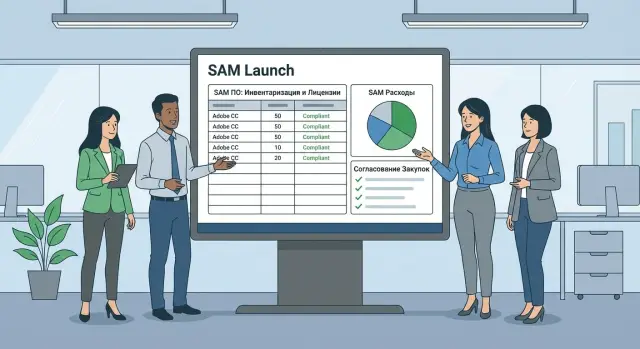
Why start SAM and what problems it solves
Software Asset Management (SAM) is needed when nobody in the company can quickly and confidently answer simple questions: what software do we have, who needs it, and what are we actually paying for. Without that, chaos usually follows: licenses are bought "just in case", departments duplicate purchases, and outdated software remains recorded as if it were required.
SAM addresses three practical problems.
First — money. You find extra subscriptions, unused licenses and imbalances where one place lacks licenses while another sits idle.
Second — risk. During an audit it's hard to prove the right to use software if you don't have the chain "device — user — version — license — document".
Third — manageability. You get a clear process for requesting, approving, issuing and decommissioning software.
A simple list of installations by itself helps little. It doesn't show what exactly is installed (the same product can be listed under different names), who actually uses the software, and whether an installation requires a license. For example, "Microsoft Office", "Office 365", "M365 Apps" and "Office ProPlus" often turn out to be the same product written in different ways. Without normalization you'll get incorrect totals.
In 90 days you can realistically build a basic system: inventory, a unified naming catalog, an initial picture of overspend and a simple procurement approval process. Deep contract optimization, renegotiation with vendors and full automation are better planned as a second phase.
Usually four roles are involved: IT provides data and covers the technical part, procurement handles purchasing rules and documents, finance monitors budget and effect, and security defines allowed software and risks (for example, banning shadow installations). When these roles agree on rules, SAM becomes a system, not a one-time "census".
Goals and boundaries of SAM: avoid drowning in scope
For SAM to deliver results in 90 days, first answer two questions: what exactly you will bring under control and how you'll know things have improved. Without boundaries the team quickly gets stuck in hundreds of applications, multiple sites and debates about what counts as a license.
Scope: where to start and what to leave for later
Choose a starting perimeter that is easy to explain. For example: 1–2 departments with the highest software spend, one site (or one domain) and only commercial software with paid licenses. Decide up front whether to include remote workstations, virtual machines, servers, terminal farms and cloud subscriptions.
Document which categories are definitely in the first cycle (for example, office suites, CAD, antivirus, server products) and what is deferred (niche utilities, free apps, plugins).
Set goals in numbers and deadlines. For the first 90 days 3–5 metrics are usually enough, for example:
- reduce overspend with 3–5 key publishers by X tenge (or by X%)
- discover 100% of installations of selected products within the chosen perimeter
- stop purchases made without approval
- publish a monthly report: installations, licenses, risks, savings
Roles and accounting rules: a single dictionary for everyone
Assign a process owner (often IT or procurement) and data owners: inventory, contracts and invoices, and confirmation of actual usage.
Agree definitions up front to avoid disputes during the project:
- what we count as a license (user, device, core, subscription)
- what we count as an installation (presence, version, component)
- what we count as usage (launch, active user, service login)
- how to treat test stands and temporary licenses
Example: in the public sector, where workplaces and servers are procured as part of complex deliveries (including from local manufacturers), without these rules it's easy to "lose" licenses inside projects and then pay twice.
90-day roadmap: deliverable at every stage
Ninety days is a good timeframe to gain visible control without turning SAM into an endless program. The logic is simple: each month produce a measurable result and add one new process element.
What should be ready by days 30, 60 and 90
Think not "what to do" but "what to show" to management and users.
- By day 30: a basic registry of installed software, data owners (IT, security, procurement) and rules on where inventory comes from and how often it's updated.
- By day 60: a unified normalization catalog and the first report on overspend and risks with priorities.
- By day 90: a working procurement approval process and a repeatable reporting cycle (who reviews, when and what decisions are made).
Minimum artifacts to keep from day one: software registry, normalization catalog, overspend report and a short procurement policy (1–2 pages). That's enough to make SAM manageable.
How not to drown in communications and approvals
Keep communications light: 15–20 minute weekly status updates and one shared channel for questions where agreements are recorded immediately. Business must see progress, and IT shouldn't spend time on endless meetings.
Make several decisions in advance, otherwise you'll stall at every step: which data sources are considered "truth", who owns the normalization catalog, which metrics take precedence in disputes (risk, money, criticality), which software categories require mandatory approval and who approves exceptions.
Days 1–30: software inventory and collecting baseline data
The first 30 days solve one problem: get a picture you can trust. Without that SAM becomes a dispute of opinions: IT has one set of numbers, procurement another, and security a third.
Start with data sources and agree what counts as "truth" for each type of information. Typically data is aggregated from AD/user directories, CMDB (if present), scanner and agent results, and procurement registries: contracts, invoices, acts, requests. Even if documents are stored in different departments, it's important at the start to list where they are and who owns them.
Next define what exactly you collect and don't spread efforts too thin. In the first weeks a basic set is enough: installations and versions, device, user, department, last run date (if available) and installation method (manual, image, store). Immediately fix rules for virtual machines, shared accounts and terminal servers.
To compare data you need a consistent export format. Field names may differ but intent must match. Approve a minimal "record passport":
- unique device identifier (serial number or asset ID)
- device name and type (PC, laptop, server, VDI)
- user or owner (account, personnel number)
- software name as in source and publisher
- version and discovery date
Note gaps and contradictions in parallel: scanner shows an installation but procurement has no license; a license exists but the software is not found on devices; the same device appears in two systems under different names.
Example: in branch networks identical workstations often have different office builds because images were updated manually. Inventory in the first month will reveal version mismatches and help separate licensing risk from accounting disorder.
Name normalization: how to bring software to a single catalog
Normalization is needed for a simple reason: the same application in inventory easily becomes 3–5 different lines. It may be recorded as "Microsoft Office" in one place, "MS Office Pro" in another, and "Office 2019 en-us" somewhere else. Left like this, you cannot honestly count installations, match them to licenses or see overspend.
A practical approach is to separate "how the product is named" from "what its package and delivery variant are." Usually fields like these are enough:
- Publisher: a single form without "LLC", "Inc." and extra prefixes
- Product: short base name without year and language
- Edition: Standard/Pro/Enterprise, Client/Server and other licensing-relevant differences
- Version: one format (for example major.minor or year)
- Language: a separate field, not part of the name
Conflicts will always occur. One installer leaves different Display Names on different PCs, or an agent reads different sources (registry, MSI, shortcuts). A priority rule for sources and manual verification of the 10–20 noisiest records helps. For example, in a hospital you'll see "Adobe Reader", "Adobe Acrobat Reader DC" and "AcroRdrDC" — it's one product and should be mapped to one card.
To keep the catalog alive after the project, maintain it as a decisions registry: original name, normalized name, matching rule, date and owner. Add a simple rule: any new purchase or installation must be checked against the catalog first, otherwise duplicates will return within a month.
Days 31–60: finding overspend and license risks
By the second month you already have installations and basic normalization. The task now is straightforward but often painful: match what's actually installed with what the company has rights to use.
Start from rights to use, not from invoices. One purchase can grant rights for different editions, installation types or users. The opposite happens too: one installation may require a separate right (for example, for servers, terminal access or specific modules). Define accounting rules for each key vendor and licensing model: per-device, per-user, per-core, subscription.
It helps to break overspend down by cause — this shows quickly where real savings are and where discipline is needed:
- extra purchases (bought "just in case")
- extra installations (software installed beyond covered rights)
- unused licenses (rights exist but the app hasn't been launched for months)
- wrong editions (a more expensive edition is installed)
- shadow installs (software appeared without a request or purchase)
Prioritize by impact, not by line count. Quick wins usually come from subscriptions and mass office products. Critical risks often hide in server products and special conditions (virtualization, contractor access, remote desktops).
To avoid disputes between IT and finance, agree on two report formats in advance: one for actions and one for monetary impact.
For IT, include product, location, owner, type of violation and recommended action (remove, replace, buy). For finance, include product, number of rights, confirmed need, difference, cost estimate and period.
Example: a branch had a paid graphics app installed across 40 PCs but only 10 licenses; 15 licenses were unused. The solution was three steps: remove extra installations, reassign licenses and only then purchase the missing ones.
Procurement approval process: how to stop chaotic buying
Chaotic purchases often start with "we need it urgently for a project." Without a clear process you quickly get duplicates, different versions of the same product and expenses that are hard to justify. The 90-day plan should not only find overspend but close the channel that allows it to reappear.
Triggers: buy, redistribute or remove
Fix simple triggers so every request follows one route:
- buy if there are not enough licenses and no suitable alternative exists
- redistribute if licenses exist but are unused
- remove and revoke access if the software is not needed by role, unused or introduces risk
- renew if a subscription is ending and need is confirmed
- defer if the request is not related to tasks in the next 1–2 months
Divide responsibility so the process works. Usually five participants are enough: requester, software owner (or service owner), IT (technical check and installation), procurement (contract and supplier), and finance control (budget and limits).
Minimum application package and stop-rules
The request must be short but complete and assessable in 5 minutes. Ask for purpose (what problem it solves), who needs it (role, team), duration (how many months), alternatives (is there a similar tool), budget estimate and funding source.
Then apply stop-rules: purchases fail approval if someone requests a non-standard version when a standard exists, a duplicate product is identified, vendor rights are unclear, more licenses are requested than confirmed users, or admin rights are requested without justification.
Simple scenario: a team requests 10 licenses of a graphics editor. Check shows 6 active users already in another team and 2 employees haven't opened the app for 60 days. Outcome — reassign 8 licenses, buy only 2 and fix the standard version for future purchases.
Days 61–90: lock in the process and make it repeatable
At this stage it's important to stop operating as a "project" and move to regular operations. If the registry is updated only twice a year, SAM quickly becomes an archive. The goal for days 61–90 is to fix roles, update frequency and simple checks that are always performed.
Policy and responsibilities
A short policy usually works better than a long document. Agree who does what and where it's recorded.
- Software registry owner: updates the catalog and monitors data quality.
- IT operations: provides regular inventory exports and controls silent devices.
- Procurement: does not proceed with purchases without a request and confirmed need.
- Legal or compliance (if present): checks terms of key licenses and risks.
- Business application owners: confirm that the software is actually needed by the team.
Add mandatory checks: new installations without a request, duplicates by name, missing proof of rights, sudden growth in installations of expensive products.
Regular cycles and metrics
Set a rhythm. For example, monthly — report on overspend and shadow installs; quarterly — reconcile rights (contracts, keys, subscriptions) with actual usage.
Choose simple metrics:
- share of normalized records (for example, 90%+)
- amount of prevented spend and found savings
- average approval time for a software request
- share of shadow software and speed of remediation
A good practice is to keep metrics on one page so they're readable beyond IT.
Embedding into onboarding and workstation provisioning
A frequent source of chaos is new hires and "urgent" laptop issuance. Embed SAM into the standard flow: when onboarding, an employee chooses software from the catalog, and non-standard software goes through approval.
If the organization uses standard workstations and servers from a local vendor, tie software sets to roles: accounting, engineers, call center. It's easier when the infrastructure supplier helps link device fleet, images and installation rules. For example, GSE.kz as a manufacturer and systems integrator often participates in such projects on the hardware and support side.
Common mistakes when launching SAM and how to avoid them
The most common reason SAM fails is trying to do everything perfectly on day one. It's better to get accurate numbers for key products and sites than to drown in scope and never reach decisions.
Mistake 1: trying to cover everything at once
When inventory includes all branches, VDI, test environments and every small tool, the team quickly gets stuck in disputed data. Start with the 10–20 most expensive or risky vendors (often office suites, OS, virtualization, DBMS). Expand in waves every 2–4 weeks.
Mistake 2: mixing installations and purchases in one table
Installation data shows usage, purchases show rights. They cannot be mixed without matching rules: what are a product's licensing metrics, what counts as a "device", how to treat virtual machines, and what to do with subscriptions and bundles.
At minimum fix one product/publisher catalog, source priority (for example CMDB over manual lists), mandatory matching fields (version, edition, license type) and separate accounting for exceptions (tests, classrooms, pilots).
Mistake 3: postponing normalization until the end
If you delay normalization, you'll recheck everything: installations won't match purchases, reports will duplicate products and claimed savings become disputable. Do normalization in parallel with inventory, at least for top applications.
Mistake 4: launching procurement approvals without clear rules
If the process doesn't tell the business how long to wait and when they can buy without approval, they'll bypass it. Set timelines (for example 1–2 business days for standard requests), a list of exceptions and a clear escalation route.
Example: a department requests 50 licenses "just in case." Actual usage shows 32 active users. Approval allows buying 10 now and puts the rest on recheck in a month. The process helps rather than blocks work.
Example 90-day scenario: from chaos to control
Company: 500 PCs, 3 offices (head office and two regional). Software was bought on request, records were kept in Excel, and some programs were installed "temporarily" but remained for years. The SAM launch started with a simple goal: know what is actually installed and what has already been paid for.
Priority products were the office suite, PDF editor, remote access tools, graphic editors for a small group, antivirus and several engineering utilities.
After inventory it turned out data was "dirty": the same product appeared under different names and purchases came through different channels with different license types. Normalization consolidated everything into a single catalog and revealed duplicates.
Overspend was found by matching installations, active users and purchased licenses. In one office the PDF editor was installed more widely than needed because it was put "just in case."
To prevent recurrence they changed procurement: purchases without a request and business purpose were banned, checks for existing licenses or standard alternatives were added, approval roles were fixed and installation only from an approved versions catalog was mandated.
Results were recorded "before and after" without promising percentages:
- reduced the number of unique software names in records about threefold
- removed 1–2 duplicate products in mass use
- reduced installations without an owner or purpose
- sped up approvals through more complete requests
Purchases began to rely on inventory and rules, not urgency. That's the main sign that SAM stopped being a one-off campaign.
Checklist and next steps after the first 90 days
A sign of maturity after 90 days is that the process does not depend on one person and survives the first vacation. Roles, recorded data and regular reconciliations must be in place.
Pre-start (or restart) checklist
- A SAM process owner is appointed (the person who makes decisions and removes blockers).
- Data sources are identified: inventory on PCs and servers, purchases, contracts, user accounts.
- Registry format is agreed: required fields, how version/publisher/license metric/owner are stored.
- A prioritized list of software is agreed (usually 10–20 items with the highest spend or risk).
By day 30 there should be numbers, not impressions: inventory coverage (for example 85% of devices), share of normalized records (for example 60%) and main data gaps (no owner, incomplete versions, mismatched purchase names).
By day 60 record results as a list: where overspend is, where there's a risk of under-licensing and the actions for the top-10 items. Meanwhile there should be a draft procurement policy: who initiates, who approves and which checks are mandatory.
Next steps after the first 90 days
Next usually follow three directions: choose tools for scale (data quality and integrations matter more than the "smartest" UI), train participants on consistent rules and set regular reconciliations (for example monthly) of installations, purchases and decommissions.
If SAM needs deeper embedding into the IT stack and 24/7 support, consider engaging an experienced systems integrator and maintenance partner. In Kazakhstan such tasks are often solved together with GSE.kz when it's important to link SAM data with infrastructure, workstation provisioning and procurement.
Frequently asked questions
When is SAM really needed, and when can you do without it?
SAM is needed when you cannot quickly answer what software is installed, who needs it and what the company is actually paying for. It helps reduce unnecessary spending, lower audit risks and bring order to the request, provisioning and decommissioning processes for software.
Where to start SAM so you don't get overwhelmed?
Start with a narrow perimeter: 1–2 departments, one site or domain and 10–20 of the most expensive or risky products. This way you quickly get initial numbers on savings and risks and avoid drowning in hundreds of small applications.
Why is a simple list of installed software not enough?
A simple list of installed software does not show whether entries are the same product under different names, and it does not link an installation to the right to use it. For manageability you need at minimum the link “device/user — normalized name — version/edition — right/document”, otherwise conclusions about overspend and risks will be disputable.
What can realistically be done in 30, 60 and 90 days?
Typically by day 30 you prepare a basic inventory registry and agree on data sources and update frequency. By day 60 you add the normalization catalog and the first report on overspend and risks. By day 90 you have a working procurement approval process and repeatable reporting.
What is software name normalization and why is it needed?
Normalization means bringing different names of the same product into a single catalog so you can correctly count installations and match them against licenses. A practical minimum is to separate publisher, product name, edition, version and language; otherwise one Office or PDF reader can turn into dozens of lines.
How to correctly find license overspend without making mistakes?
Start by defining accounting rules for key vendors: per-user, per-device, per-core, subscription, and separately specify virtualization and terminal scenarios. Then compare normalized installations and actual usage against rights to distinguish “extra installations” from “extra purchases” and “unused licenses”.
What must be included in a software purchase request for approvals to work?
Request a short but verifiable set: purpose, who needs it (role/team), duration, whether there is an alternative, budget and funding source. Then use three simple decisions: buy, redistribute or remove. Purchases without an application and confirmed need should be blocked.
Who should participate in SAM and how to divide responsibilities?
At minimum you need four roles: IT for inventory and technical tasks, procurement for contracts and purchase rules, finance for budget and impact, and security for allowed software requirements and shadow install control. It is important to assign data owners and standard definitions up front so reports do not become departmental disputes.
What to do if IT, procurement and security data do not match?
First agree which sources are the “single source of truth” for each type of data and fix a common export format with a unique device identifier and clear user mapping. Then analyze common causes of discrepancies: duplicated devices across systems, different names for the same product and installations via images or manual installs.
How to embed SAM into workstation provisioning and procurement so chaos doesn't return?
Make SAM part of the lifecycle of a workstation: issuance, replacement and decommissioning should update software records automatically. If workstations and servers are supplied as turnkey solutions, tie standard software sets to roles and keep regular inventory and support across the network, including with a systems integrator if needed.
