7 min read
RMA Process in the Company: Managing Warranties and Replacement Pool
The RMA process helps organize warranty intake, replacement issuance, parts storage and metrics to reduce user downtime.
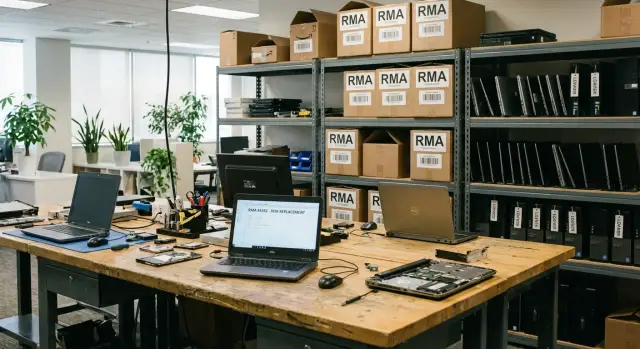
Why a clear RMA is needed and what usually breaks in the process
RMA exists not for bureaucracy but so it’s always clear: where the device is, what’s being done to it, who’s responsible for the next step and when the user can work again.
Without a clear process a set of common pains appears quickly: equipment gets lost between offices and contractors, tickets stall, and users receive different answers from different people. Often no one can answer a simple question: is the device already in repair or still at intake?
Verbal agreements and chats almost always end the same way. A chat lacks a single case card, it’s easy to miss important details (serial number, included parts, damage signs), and a new employee doesn’t know the history. In the end people argue about promises instead of fixing things.
The most expensive part of warranty cases is not the repair but the user downtime. Downtime is the time when an employee cannot work because they lack a working device or access to their data. Even if repair is cheap, one day of downtime often costs more: deadlines slip, checkouts stop, reports are delayed, a medical room or classroom stands idle.
To keep the process from falling apart, it’s usually enough to agree on roles, an RMA card, intake, statuses, a replacement pool, warehouse rules, and metrics.
Roles and responsibilities: so tasks aren’t nobody’s
RMA more often breaks not at repair but at handovers of responsibility. The device is no longer with the user but not yet with the service. A ticket is created, but nobody manages it. This is fixed simply: assign roles and decision rights in advance.
Typically five roles are enough:
- Request initiator: the user or first-line support (records symptoms, when it started, what was already tried).
- Case owner: the IT/service staff member who manages the RMA until closure, tracks deadlines and statuses.
- Intake and diagnostics: an in-house service engineer or contractor (performs initial inspection, confirms warranty, prepares a report).
- Replacement and warehouse: the person responsible for assets (issues replacements, accepts returns, ensures completeness and storage).
- Decision approvals: IT manager, finance and, if needed, security (approve paid repairs, write-offs, data transfers, part replacements).
Separate “who does” from “who decides.” An engineer diagnoses but shouldn’t alone decide on write-off or paid repair. Warehouse staff shouldn’t issue a replacement based on verbal agreement.
Assign the case owner when the ticket is created. If the owner is on leave, the case should not stall: each owner has one backup and this is visible on the card.
Minimum rules that discipline the process:
- One case owner, one backup; changes are logged.
- Whoever physically holds the device is responsible for the next step and its deadline.
- Decisions “repair/replace/write off” are taken only after diagnostics and approvals.
- The user receives status updates on a schedule, not “when there’s news.”
RMA card: the minimum data without which everything stalls
The RMA card is the single source of truth for a case. If it’s partly filled, people start asking the same questions in chats, equipment gets “lost” between warehouse and service, and deadlines stretch.
Start with device identification so it can’t be confused with a similar unit. For PCs, all-in-ones or servers this is usually the serial number, inventory number, model and a short configuration (e.g., memory size or drive type). This is important when many identical models exist and repairs happen in parallel.
Next — user data and the device’s actual location: department, city/office, room, phone and an alternate contact in case of leave. Logistics often intersects the RMA process: the device may be registered to one branch but fail in another.
Describe the problem in plain words: what exactly doesn’t work, when it appears, and what was done before. Note conditions (after update, under load, only in the morning) and frequency (always or once a day).
To avoid disputes later, record the state at intake: photos, completeness and external condition. This saves time if a power supply, cover, rails are missing or there are impact marks.
Minimum fields:
- Identifiers: serial number, inventory number, model, configuration.
- User and location: department, address/office, contacts.
- Symptoms: description, conditions of occurrence, frequency.
- Intake: photos, completeness, external condition.
- Warranty: purchase or commissioning date, documents, seals noted.
The card should be filled before changing the status to “accepted for work.” Then diagnostics, approvals and replacement proceed without pauses.
Warranty intake rules
Intake is the moment when you either save the whole subsequent process or create future disputes. In 5–10 minutes you can record facts so any colleague later understands what was brought, in what condition and with what expectations.
What to check immediately
Inspect the device with the user or courier present. Check completeness, external condition, signs of opening, verify serial number matches the card and clarify symptoms: when it started, what actions trigger it, what was already tried.
Note peripherals separately if handed in with the device: cables and power supplies are often the cause of disputes.
Intake report and signatures
A report is needed even if you have an electronic system. Sufficient information: date and time, who handed it in and who accepted it, device and numbers, completeness, case of the body, stated problem, photos if needed. Signatures (or delivery confirmation by courier) close the question “who agreed to this.”
Data and access
Immediately set rules for drives and accounts. At minimum: ask the user to sign out of accounts, record presence of a disk/SSD and who is responsible for backups. For confidential data it’s safer to accept the device with the drive removed or to document a separate permit for work with the drive.
Mark the device on the spot: a sticker or barcode, the RMA number on the box and on the device.
If intake is impossible, refuse politely and in writing. Typical reasons: device serial doesn’t match records, obvious mechanical damage, signs of unauthorized opening, missing critical components without agreement, improper transfer conditions (dirt, liquid, dangerous condition). Record the reason, attach photos and signatures to prevent the case becoming a dispute.
RMA status templates and rules for communicating with users
Statuses in RMA are not for show but so everyone understands the device’s current state. The shorter the status set, the less confusion between service, warehouse, IT and the user.
Basic flow for most cases: Accepted – Diagnostics – Waiting for parts – Repairing – Ready – Issued – Closed.
Add 1–2 statuses for situations that often cause delays:
- Need more info (missing password, symptom description, consent for paid repair).
- Denied under warranty conditions (liquid damage, mechanical damage, removed seals, expired warranty).
Communication rule is simple: each status update answers three questions — what happened, what’s next, when will the next update be.
Even if there’s no progress (e.g., waiting for parts), set a rhythm for updates, for example every 24–48 hours. The user contacts support less and the team learns to warn in advance about shifts.
Replacement pool: how to organize it so it actually helps
A replacement pool exists so people don’t stand idle while diagnostics and repair happen. It works only when replacements match user tasks and are issued by clear rules.
The pool usually contains typical devices and consumables that most often “stop” a workstation: several PC/laptop configurations per role, monitors with common interfaces, power supplies and power cords, keyboards and mice, and, if needed, docking stations and adapters.
It’s easiest to size the pool from facts: statistics of failures for 3–6 months plus extra reserve for critical roles (checkout, accounting, reception). For office roles a shared pool is often sufficient.
Issuing rules must be the same for everyone. Otherwise the pool turns into “permanent” devices with no owners:
- fixed loan period with clear extensions based on repair status;
- issuance by receipt: who received it, serial number, contents, return date;
- base OS image and minimal rights so configurations don’t diverge;
- clear process for accounts and access.
Return of replacements is as important as issuance: check condition, record damages, wipe user data, update the system and mark “ready for issue.” If a replacement returns without a power supply and this is missed, the next user loses half a day even though the pool exists.
If your park is desktops and all-in-ones, keep replacements close to the main models. This saves time on compatibility and reduces “where’s what” questions for users.
Warehouse and components: order that reduces losses and disputes
Warehouse in RMA isn’t just shelves but evidence: where the device was, who touched it, what parts were changed and why. If this layer isn’t set up, people search boxes, screws go missing and disputes over completeness begin.
Create storage zones so equipment can be found by status and location:
- Quarantine (accepted but not yet checked).
- Diagnostics (with the engineer).
- Waiting for parts.
- Ready for issue.
- Write-off/disposal (separate, with authorization).
Component tracking must be linked to the RMA card: what was taken, how many, who, when, what was returned. For serialized components (drives, boards) record serial numbers and compatibility with the model.
Small things break order fastest. Simple rules help: accessories only in signed bags (one bag per device), box and accessories labeled with the RMA number and not mixed, returned parts placed in separate “for inspection/defect” containers.
A separate case is faulty drives. They must not be stored next to working ones: risk of mix-up and data leakage. Keep them in a lockable container, mark status (destruction, return to supplier, storage until decision), and record replacements as a separate line with serial numbers and the decision on fate.
To keep the warehouse from living its own life, do regular inventory (at least monthly) and limit access: who can take, who can write off, who confirms discrepancies.
How to implement RMA step by step without stopping work
Don’t start with a perfect regulation. Start from how equipment actually moves today and record only what helps return a device to the user faster.
Form a small working group: IT, warehouse (if any), service partner or manufacturer, and a user representative. In 1–2 meetings you can launch a pilot.
Practical sequence:
- Map the current device path: request, diagnostics, handoff to repair, replacement, return, closure. Mark places where responsibility or the device “disappears.”
- Agree the minimum: statuses, roles and mandatory card fields.
- Set up tracking in the chosen system (spreadsheet, service desk, ERP) and unified naming rules: RMA number format, link to serial number, reasons for denial.
- Launch a pilot at one office or for one device type (e.g., only PCs or only all-in-ones).
- After the pilot, approve short rules, train IT and users, assign a process owner and an escalation channel.
Practical example: a school’s all-in-one breaks and the class stops. If the status “Accepted for diagnostics” doesn’t imply a deadline for the next step, IT will be pinged every two hours. Set rules in advance: when to issue a replacement, who confirms receipt, when service is contacted.
Metrics that actually reduce downtime
If you don’t measure downtime, you manage by feeling. RMA metrics should answer one question: when will the user work again and what slows that down.
5 metrics to track from day one
- Time to Swap: time from ticket to issuing a replacement device.
- TAT (Turnaround Time): time from intake to return of a working device (track median and 90th percentile).
- Repeat tickets: share of RMAs that return for the same device or reason within, for example, 30 days.
- Delay breakdown: how much time is spent waiting for parts, service queue, approvals, incomplete intake.
- Replacement pool metrics: utilization, average loan duration, overdue returns, losses, peak times when replacements are insufficient.
How metrics turn into actions
Numbers are useful only if they lead to actions. If Time to Swap increases, the cause is often not repair but replacements: they’re busy, not ready, or issuance is unclear.
Weekly review the top‑3 delay causes and record actions. Recurrent issues usually appear: intake without serial number or clear symptom, zero stock of frequently failing parts, diagnostics queue without priority for devices without replacements.
Short example: a PC at a reception fails. If Time to Swap stays within 4 hours, the issue is barely noticed. If it stretches to 2–3 days, even an excellent TAT doesn’t save you: the downtime already occurred.
Common mistakes and traps in warranty cases
The most painful problems arise not from repair but from tracking. A couple of small omissions quickly turn the process into chaos: unknown device location, unclear contents, and uncertainty when the user will work again.
Typical mistakes:
- Too many statuses and updates stop. A ticket “in repair” hangs for weeks though the device is already in the warehouse or issued.
- No single RMA number or labeling on the box. After a few days no one knows which case the device belongs to.
- Replacement issued without recording model, serial number and return date. The replacement pool gradually disappears.
- Parts get mixed between devices. Later it’s impossible to prove which serial belonged to which device.
- Case closed without final check and user confirmation. The report says “fixed” but camera, network or data are missing on site.
Example: a laptop went for warranty, the user received a replacement without a return deadline. A month later the original returned without number on the box and with a different SSD inside. Arguments begin: who changed the drive, where are the data, why wasn’t the replacement returned.
Avoid these traps by enforcing a few rules: one RMA number for the device’s entire path and the same number on the box, replacements always have a return date and responsible person, part swaps documented “before-after” with serial numbers, case closed only after a short check and user confirmation. If a status is not updated for N days, the case automatically goes to a control list.
Example scenario: from failure to return to work
An accounting employee’s desktop won’t power on in the morning: no lights, fans don’t spin. For the user it’s “the computer died,” while for IT this is a standard case where speed and careful fact recording matter.
On the day of the request a warranty case card is created: who the user is, device location, model and serial number, purchase date (if known), brief symptom description. At intake the device is inspected: signs of drop, smell of burning, damaged power cable, connection to a working outlet.
A replacement PC is issued from the pool in parallel. The user is told plainly: “Continue work on the replacement; we’ll update you on your PC by the end of the day.” A manager (if needed) receives a short notice: “Replacement issued, no expected downtime.”
Diagnostics follows. If the unit shows no signs of life, the power supply is often the culprit. It’s swapped for a test unit, the result recorded in the card: which part, source, serial number, who installed it. If the PSU swap doesn’t help, the motherboard is next. Statuses must reflect the current stage: “Diagnostics,” “Waiting for parts,” “Repair done,” “Testing.”
After repair the device undergoes a short test (power on, OS boot, basic checks). Then the user is notified: “Your PC is ready; you can exchange the replacement today/tomorrow.” On case closure the replacement is returned to the warehouse, its condition noted, and the card is set to “Closed” with the failure reason and record of part write-off or return.
Next steps: formalize the process and prepare your device pool
So RMA doesn’t rely on a few employees’ memory, capture it in short documents and regular habits. A good sign is when any new person can accept a device, issue a replacement and understand the case in five minutes.
Assemble a minimal kit, common for all sites:
- intake report template (what to check, acceptable condition, what counts as out-of-warranty damage);
- RMA card and status list with brief transition rules;
- replacement rules: who issues, for how long, actions on overdue or lost items;
- component storage and issuing procedures;
- short user communication script (what to tell and when).
Then look at facts for the last 2–3 months: which models and parts most often go to repair, where queues form and why. Sometimes keeping 1–2 extra power supplies or SSDs for popular workstations noticeably reduces downtime.
Set a regular report (at least weekly) and discuss it for 15 minutes: downtime, delay causes, repeat tickets, replacement pool utilization. If downtime rises, find the bottleneck — diagnostics, waiting for parts or approvals.
If you plan to refresh the fleet, agree support terms in advance: response times, service geography, warranty replacement process and availability of replacements. For organizations buying PCs, all-in-ones or servers from a local manufacturer and integrator, it’s useful to agree the warranty support scheme and contact points upfront. For example, GSE.kz (gse.kz) in addition to supplies offers system integration and 24/7 technical support with a service network, and this is useful to consider when designing an RMA process and replacement pool.
Frequently asked questions
What is the RMA process?
RMA, Return Material Authorization, helps manage a warranty case from the initial request to the device’s return. The record shows where the equipment is, who is handling the case, what has already been checked, and which step comes next.
Why does a company need RMA?
The main goal is to reduce user downtime. When roles, statuses, and intake procedures are clear, the team can provide a replacement faster, send the device for service, and communicate realistic timelines.
Who is responsible for an RMA request?
Assign one case owner as soon as the request is registered. They track deadlines and statuses until closure, and hand the case over to a preassigned backup before they are away.
What data is needed in an RMA record?
Include the serial and asset numbers, model, configuration, user, device location, and a description of the symptoms. Add photos, included accessories, physical condition, and warranty details before sending it for diagnostics.
How should you accept equipment under warranty?
Check the serial number, casing, seals, included accessories, and reported symptoms in the presence of the user or courier. Prepare a report with the date, handover participants, device condition, and photos if needed.
What statuses should you use in RMA?
Keep the status flow short: “Received,” “Diagnostics,” “Waiting for a part,” “In repair,” “Ready,” “Issued,” “Closed.” Add “More information needed” and “Warranty claim denied” if these situations occur often.
How should you communicate repair status to the user?
Explain what happened, what step the team is taking, and when the user will receive the next update. If the service center is waiting for a part, send updates on a schedule, for example every 24-48 hours.
How should you organize a replacement device pool?
A replacement pool is a stock of ready-to-use devices and necessary peripherals for employees while their equipment is being repaired. Issue replacements through a record that includes the serial number, included accessories, recipient, and return date.
How should devices and components be stored in RMA?
Separate storage into zones: quarantine, diagnostics, waiting for parts, ready for pickup, and disposal. Link every part to its RMA number, and store drives separately in a secured location because they contain data.
Which RMA metrics help reduce downtime?
Start with time to issue a replacement, repair time from intake to return, repeat requests, and reasons for delays. Also track pool utilization, average loan period, and overdue returns.
